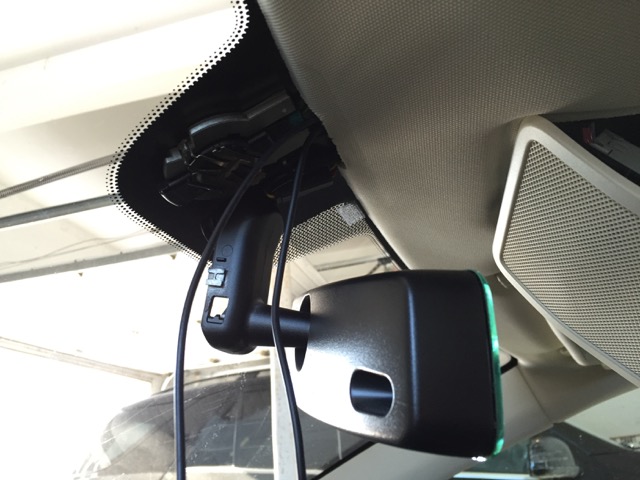
DIY
Should I Get a Dash Cam for My Tesla?

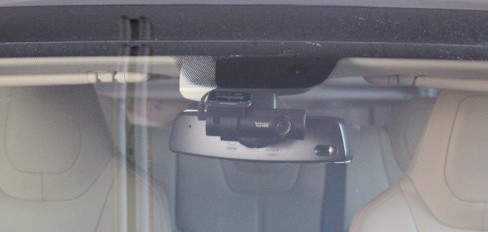
BlackVue DR650GW-2CH camera mounted on a Tesla Model S
Dashboard cameras or simply known as dash cams have become increasingly popular over the last year in the US especially amongst Tesla owners who are looking to gain a bit of extra confidence and security for their beloved S. It’s also a great way to capture recreational fun as owners rip into the tarmac in one of the fastest sedans in the world.
Drivers in Russia are best known for their extensive use of dash cams since video footage is widely used as documented proof of accidents and crime for court systems and insurance companies. However this doesn’t hold true in all countries as some have actually made dash cams illegal because of privacy concerns. The usage of dash cams in the US, for the purpose of recording video footage, is legal as long as the device is not obstructing your view. Recording audio on the other hand is governed by a separate law that makes recording someone’s voice without their consent illegal. In most cases, sound that is picked up through the dash cam is background music and road noise, but either way it’s good to check with your local laws before recoding someone’s voice.
What is a Dash Cam?
A dash cam is simply an onboard camera for your vehicle that faces outwards and records video. Many professional drivers such as truckers, limousine services, Motorsport enthusiasts, etc. are starting to install dash cams as a way to document and protect themselves from mishaps.
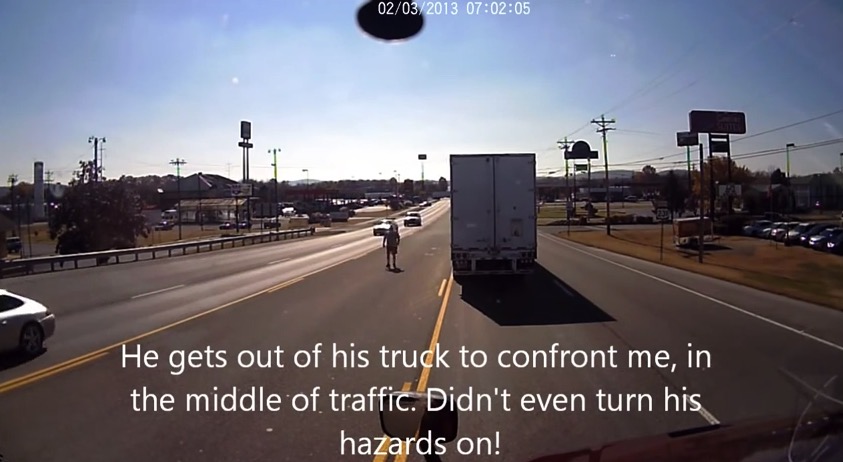 I first learned of dash cams through my brother-in-law who drives trucks for a living. A recent incident in which he caught a fellow trucker road raging convinced me that I also needed a dash cam as a way to capture the more, let’s say, interesting moments that come with daily driving.
We did a Tesla how-to review last year on a single channel, front facing DIY Dash Cam Installation which really inspired me to take a deeper look at the variety of dash cams on the market.
Single Channel vs Dual Channel Dash Cams
Dash cams come in two basic flavors – single channel and dual channel. Single channel dash cams are forward facing cameras that record forward facing events that take place in front of the car. Dual channel dash cams on the other hand can capture video from the front of the car as well as what’s behind it. There’s also the option of recording the inside of the car (yourself and passengers) through the second channel as opposed to using the second channel for capturing rear facing video.
RELATED: Life with a Tesla Model S dash cam
You’ll need to think about what you intend to capture with the dash cam before committing to a purchase. Below are three common reasons for getting a dash cam:
- Recreation: To capture footage of your drive for recreational purposes. After all, you never know when you’ll come face to face with a meteor.
- Proof of Accident: Documenting video footage of accidents that you’re involved in. In this case you’ll definitely want to invest in a dual channel dash cam for both front and rear coverage.
- Nightime Watch: Prevent theft and damage by recording activity surrounding the car when not in use. This type of set up will require a constant always-on 12V power source for the camera so that it can continue to record while the car is left unattended.
If you’re simply looking for recreational footage of your driving escapades, then a single channel front facing dash cam will suffice. Our coverage of the DIY Dash Cam Install documents the process to install a quality single channel dash cam but at a very affordable price.
On the other hand, if you’re looking for a super premium dash cam that provides high definition on front and rear video coverage, you’ll likely turn to the popular BlackVue DR650GW-2CH.
Tesla Dual Channel Dash Cam
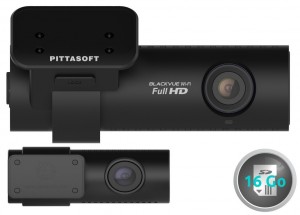 Having a dash cam that’s not only compact in size but also feature rich was extremely important to me. I wanted something that can record continuously while I was away from my Model S but also small enough that it can remain hidden from view.
I came across several dash cams during my search but one that continued to jump out at me was the BlackVue DR650GW-2CH. Reasons why I picked this dash cam for my Model S over others are as follows:
- Very small cameras which do not have LCD displays. Having a LCD display makes the camera larger and more distracting because of the lit screen.
- It’s 100% black in color which blends in nicely with the rear view mirror. (The previous generation DR550GW had a silver ring on it)
- It’s dual channels (2 cameras – front and rear)
- The BlackVue has software that can be installed on your computer and smartphone which will entitle you to a built-in GPS, G-sensor, internal short term power, built in wifi, voice responses, LED controls and more.
- It is regarded as one of the best and most popular dash cams amongst Tesla Model S owners.
Being the best also means that it comes with a larger price tag. I’ll be following up this post with a detailed How-to that will outline the procedure for installing the dual channel BlackVue DR650GW-2CH into the Tesla Model S.
UPDATED: Here’s my detailed step-by-step guide on how to install the BlackVue HD Front + Rear camera onto the Tesla Model S.



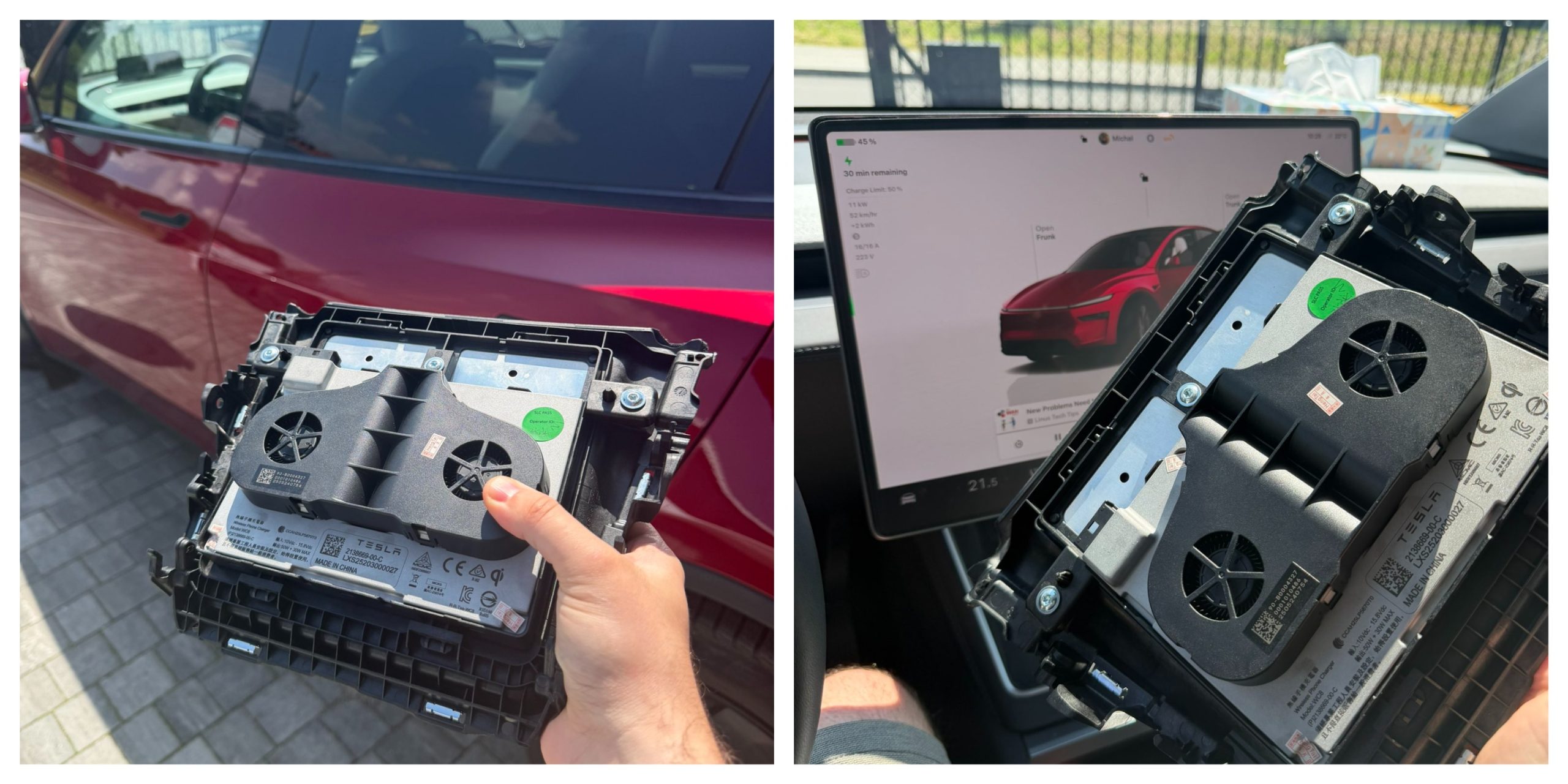
Tesla owners have long griped about the wireless phone charger in the Model Y and other vehicles. It often turns smartphones into miniature ovens rather than reliably topping them up.
Software engineer and Model Y owner Michał Gapiński tackled this issue head-on with a clever DIY upgrade, swapping the cooled wireless charger pad from the China-made Model YL in for the one that came standard in his vehicle.
There are several key differences between the U.S.-built Model Y’s wireless charging pad and the one that Tesla has been installing in the Model YL. The one installed in U.S.-built vehicles lacks active cooling and relies on basic heat dissipation, leading to rapid temperature buildup during charging. In contrast, the Model YL integrates a small fan for active cooling.
Will it fit? Fingers crossed, I want a first YL charger deployed in the regular juniper pic.twitter.com/wWDqSNFVkW
— Michał Gapiński (@mikegapinski) June 2, 2026
This design maintains lower temperatures even in warm ambient conditions, though it does not support faster Qi2 charging on iPhones. The connector matches exactly, making physical swaps feasible on compatible consoles, but coding is required to enable full functionality.
Owners in the U.S. have complained about the wireless charging pad, with many reporting that overheating is fairly common. Within 20 or 30 minutes of placing a phone on the wireless charging pad, many have reported overheating messages on their phones, which halt charging and essentially turn the pad into a fancy place to rest your phone.
Many owners have opted to simply plug their phones into a charging cord. Tesla has acknowledged the problem by releasing several solutions for owners, including a relatively new feature that allows you to simply turn off the charging and simply act as a holder for your phone while driving.
Gapiński said that he sourced the cooled pad affordably from China, and it cost under $200 for the part.
He removed the existing console charger, swapped in the new unit, confirming a perfect connector fit, and handled the trim differences. Since the parameter isn’t fully secured, he enabled it through custom coding outside official Toolbox.
Connector is identical, she fits, now time to code it. https://t.co/Y9idgDrpCq pic.twitter.com/uwwgq6blg7
— Michał Gapiński (@mikegapinski) June 2, 2026
The fan activates quietly, blending with AC and seat cooling. He reported the installation was effective and the wireless charging pad worked perfectly; it even kept the phone cool as it stayed at just 86 degrees Fahrenheit. Many times, the wireless charging pad will bring the phone’s temperature well above 100 degrees, sometimes even being relatively hot to the touch.
The retrofit worked, no issues. First Model Y with a cooled wireless charger! No QI2/faster charging on the iPhone but it does not boil the phone even when it is 30 degrees outside.
The fan kicks in, it is not audible especially with the air conditioning and seat cooling. The… https://t.co/JOyR8Tb1Yo pic.twitter.com/kJcYhQIlYq
— Michał Gapiński (@mikegapinski) June 2, 2026
This retrofit highlighted an elegant, owner-driven solution to a factory shortcoming. It is expected that Tesla will begin installing the cooled charging pads into new cars in the U.S. soon, and hopefully, it will offer some sort of retrofit service or kit to owners here who want to use the charging pad effectively.
For those who love to tinker, it’s an accessible upgrade, proving that innovation thrives beyond the production line.

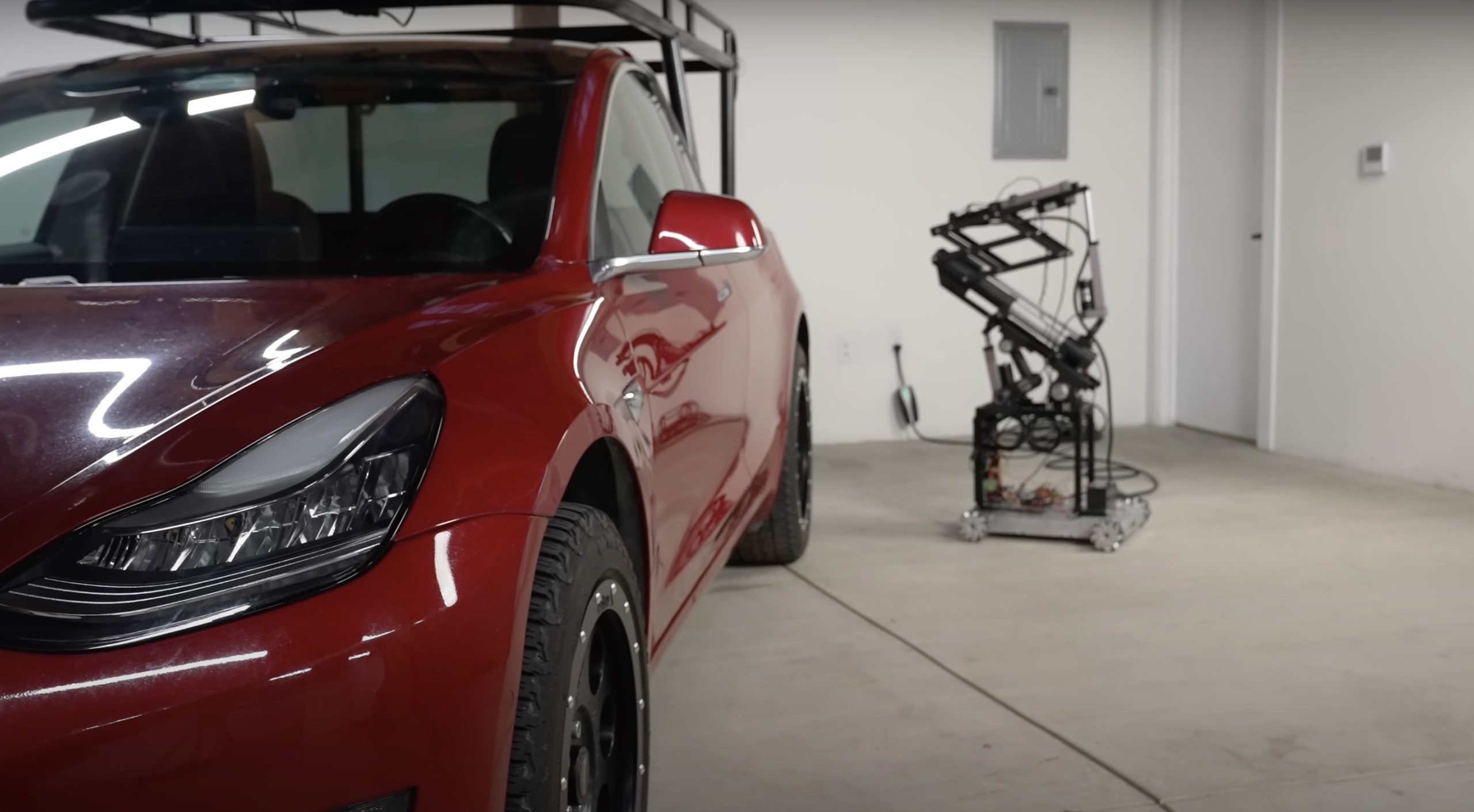
Back in 2019, YouTuber Simone Giertz, the self-proclaimed “Queen of Sh*tty Robots,” created a one-off Tesla Model 3 build that took the automotive world by storm. Fondly dubbed as “Truckla,” Giertz noted that the vehicle was actually her dream car — as crazy as that may sound.
Now almost four years later, the YouTuber posted an update on Truckla. And just like every other big project that one probably started, Giertz stated that she actually stopped working on Truckla when the vehicle was about 80% complete. The car is driving though, but a lot of stuff was not really working very well.
Thus, for her Truckla update, Giertz shared how most of her Model 3 pickup truck conversion was essentially completed. Truckla got a lot of detailing done, she got a slight lift, and she now has a functional tailgate. One has to admit, Truckla’s tailgate is pretty darn cool.
The “Queen of Sh*tty Robots” also opted to give Truckla a friend in the form of an automatic robot charger. Unlike Tesla’s rather interesting snake charger from years past, Truckla’s charger would come in the form of a rover, thanks to her friends at robotics platform Viam. Giertz aptly named Truckla’s robot charger friend “Chargela,” which is an appropriate name for such an invention.
Also true to form for Giertz, Chargela’s first encounter with Truckla was just a tiny bit awkward. One could say that Chargela may have just been a little bit nervous on his first try without human hands helping him. Most importantly, the system did work, so Giertz would likely keep using Chargela for her Model 3 pickup.
Teslas are very tech-heavy vehicles, so projects like Giertz’s Truckla are always remarkable. The fact that the Model 3 works perfectly fine despite having a good chunk of it cut off and turned into a pickup truck bed is mighty impressive any way one looks at it. Overall, Truckla will always be one of the coolest Tesla DIY projects to date, so any updates about the vehicle are always appreciated.
Truckla’s nearly four-year update can be viewed below.
Don’t hesitate to contact us with news tips. Just send a message to simon@teslarati.com to give us a heads up.
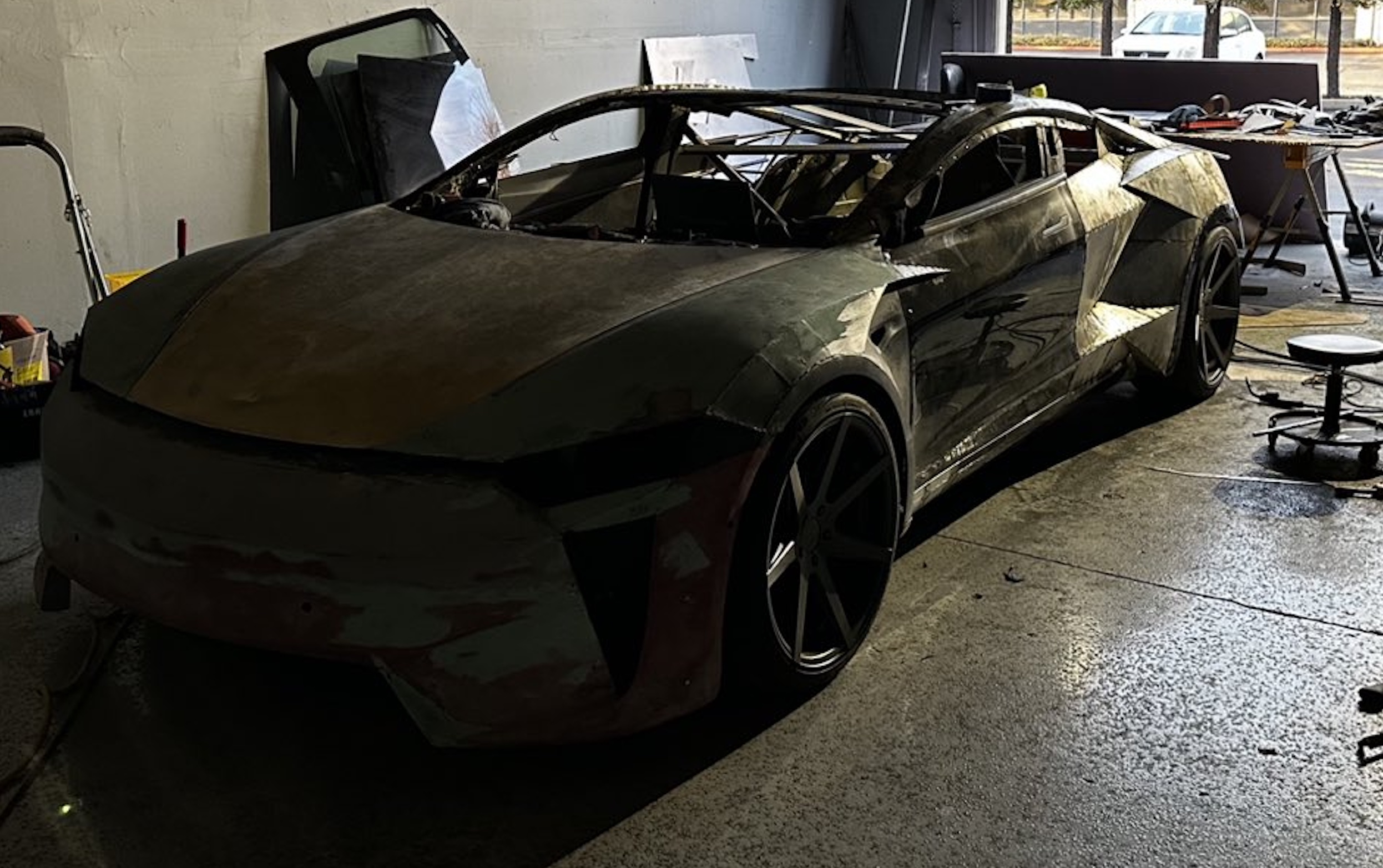
A Tesla owner is taking his hobby and love for electric vehicles to new levels by creating what could only be described as one of the coolest EV-related DIY projects to date. The idea for the project is simple: what happens when you cross a supercar with the Cybertruck? You end up with a two-seater CyberRoadster.
Tesla owner David Andreyev, who goes by the username @Cyber_Hooligan_ on Twitter, has spent the last few months creating a Cybertruck-inspired version of the next-generation Roadster made from a salvaged Model 3 Performance. Starting with a Model 3 Performance is an inspired choice, considering that it is Tesla’s first vehicle that has a dedicated Track Mode.
A look at Andreyev’s YouTube channel, which can be accessed here, shows the meticulous build that the Tesla owner has implemented on the project car. What’s particularly cool about the CyberRoadster is the fact that it’s being built with parts that are also from other Tesla vehicles, like its front bumper that came from a new Model S. Recent videos suggest that the project car’s rear bumper will be from a new Model S as well.
The journey is long for Andreyev, so the completion of the CyberRoadster will likely take some more time. Despite this, seeing the Tesla owner’s DIY journey on such an epic build is more than satisfying. And considering that the CyberRoadster is evidently a labor of love from the Tesla owner, the final results would likely be extremely worth it.
There’s a lot of crazy Tesla modifications that have been done as of late. But some, as it is with a lot of things on the internet these days, have become more silly gimmicks than serious automotive projects. Fortunately, car enthusiasts like Andreyev, who just happen to also love electric vehicles, are taking it upon themselves to create one-of-a-kind EVs that would surely capture the attention of anyone on the road.
Check out the latest video in the CyberRoadster’s creation below.
Don’t hesitate to contact us with news tips. Just send a message to simon@teslarati.com to give us a heads up.

Elon Musk follows Trump’s lead, says a SpaceX name change is coming

Starlink launches Communities Program for passive income through internet sharing


