Tesla Model S
Playing Music from a USB Drive in the Tesla Model S

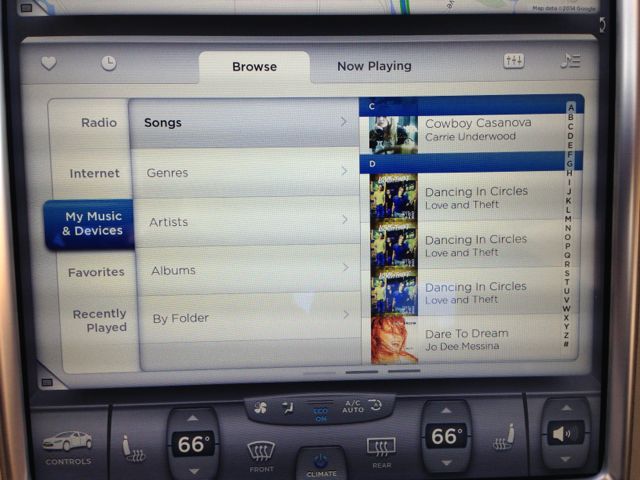
The Tesla Model S offers 2 USB ports under the center armrest, both capable of playing music directly from a USB drive.
The USB music interface on the Model S is well is designed. You can swipe between levels of organization (i.e. Genre->Country->Artist), album art is automatically downloaded, and the buttons and controls are presented in an intuitive and clean manner. A high speed scroll function gives you the ability to scroll through long lists very quickly.
Both ports work for playing music directly from a USB thumb drive but it’s important to note that the port closest to the driver provides twice the current than the port closer to the passenger (2.1A for the driver’s side and 1A for the passenger side). Use the port towards the passenger side for USB music and leave the port closest to the driver for charging USB devices.
Also see: The Sound in the Tesla Model S
The sound system will index the music from your USB device (I use a SanDisk Cruzer Fit 64GB) and categorize them into the following buckets:
- Songs (all songs, alphabetically)
- Genres
- Artists
- Albums
- By Folder (folder on the USB drive)
The categorization makes searching for music much quicker especially since the interface does not provide a search function. The ability to favorite a set of songs for quick access also exists.
Tesla supports a broad range of music formats from the more common MP3, MP4 and AAC (without DRM), as well as formats such as FLAC, AIFF, WAV, WMA and lossless WMA. The sound system will attempt to play these formats and download its album art whenever possible.
There are a lot of really nice touches on the Tesla Model S sound system interface and in many ways it is nicer looking than other USB interface I’ve seen in a car.
The Negative
Ok, so I’m a Tesla owner, not a fan-boy nor an employee so I’m going to start with a bold statement and then explain my position.
Tesla’s USB music interface is useless.
Doing the Shuffle
Let’s start with the big one: You can’t shuffle. Thats it, no shuffling, no random play order of songs, albums, folders, anything. Apple believes so much in shuffling that they made a product that only did that. Without a shuffle, the USB music feature is quite useless in the real world.
Songs are arranged alphabetically which can be annoying depending on how you loaded your music. Playing music from the Album view will also play each song in alphabetical order.
Folder Foul Up
The folder function was clearly an afterthought in my opinion. Album art appears for each song but when you find that same song through the folder view, no album art appears.
Take my “Cowboy Casanova” song for example:
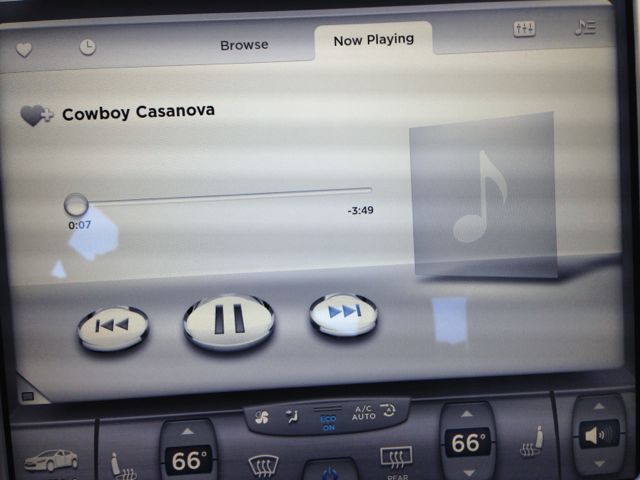
The fast scroll option also doesn’t exist in this folder view.
And the rest
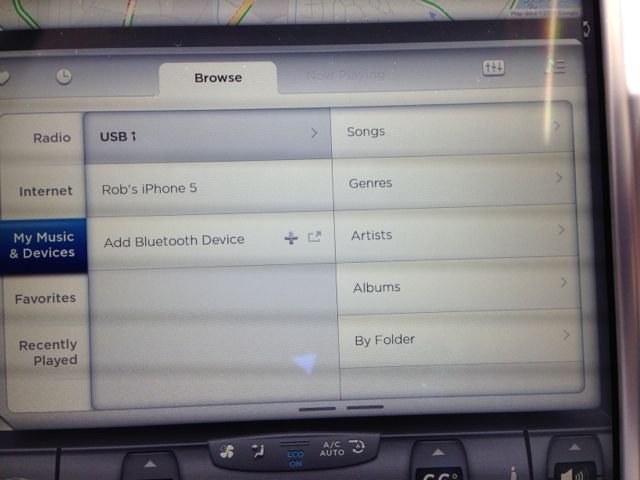 There are some other oddities that I noticed in the interface. There’s 2 USB ports to play music through, “USB1” and “USB2” as displayed on the touchscreen.
What’s odd is that the name is based on the order in which you insert the 2 devices and not on the location of the USB port. Essentially “USB1” can represent the driver’s side USB port if you happen to plug the device into that slot first. However it can also be presented with the same name if you plug it into the passengers’s side USB port first.
That’s just silly.
I have favorite artists, albums, playlists (folders), genres etc. Why can’t I favorite anything but a song? I want to go back and (randomly!) play my favorite playlist over and over, not just a song.
USB devices are designed to be inserted and removed whenever you want. Start playing USB music on the Model S and then remove the USB stick. It will attempt to play the songs next in line and fail without being able to detect that the USB device has already been removed.
Conclusion



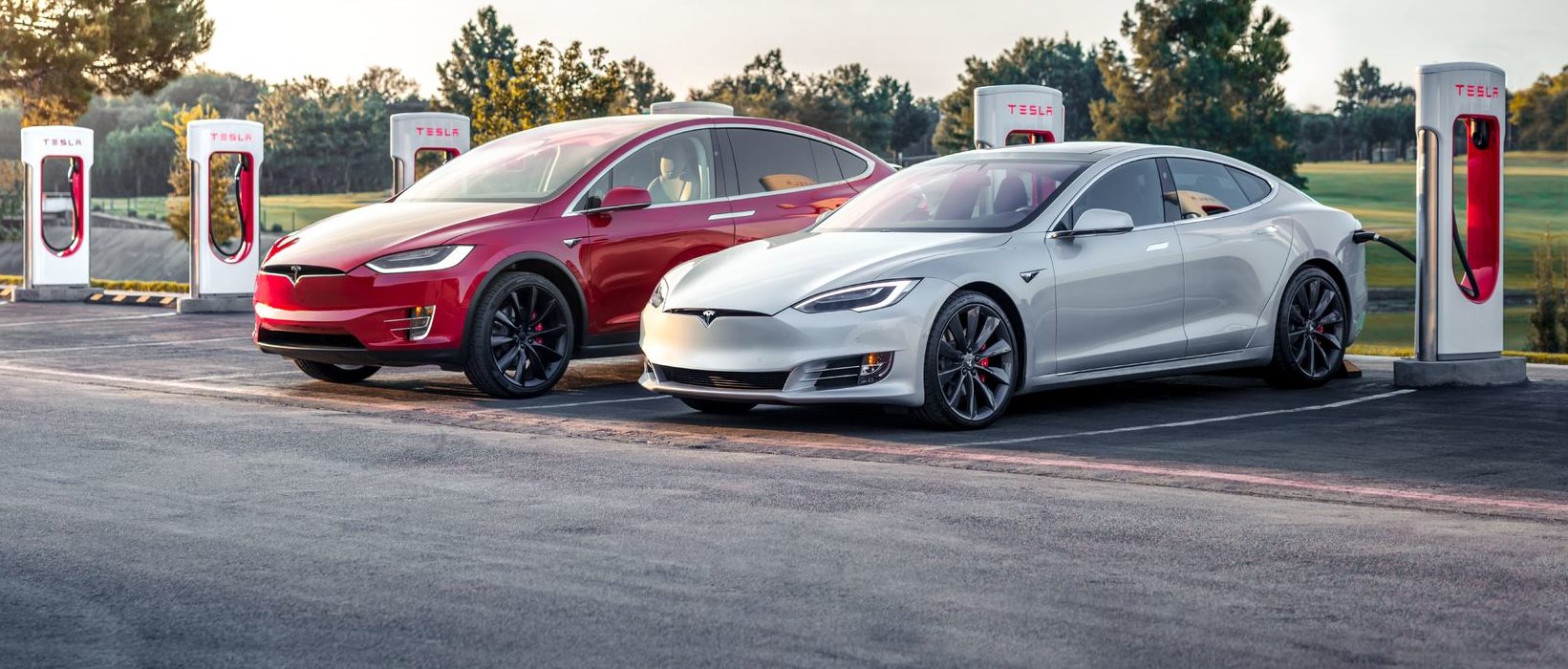
Tesla’s two recently-defunct flagship models, the Model S and Model X, are getting a big upgrade, according to the company’s Head of AI, Ashok Elluswamy.
Older Hardware 3 Model S and Model X vehicles have been the last major holdouts in Tesla’s Full Self-Driving v14 Lite rollout, and that wait now appears to be ending.
Tesla brings closure to flagship ‘sentimental’ models, Musk confirms
At Tesla’s Cybercab launch, AI chief Ashok Elluswamy told Ryan McCaffrey that he thought the S and X build “was supposed to go out last week.” Evidently, Elluswamy expects the suite to be rolled out to those HW3 Model S and Model X very soon:
For my @Tesla friends – and specifically Model S & X owners with HW3 who are waiting on FSD v14 Lite – I spoke to @aelluswamy at the Cybercab launch, & when I asked for an ETA on v14 Lite for S/X owners, he said, “Oh, I thought it was supposed to go out last week.”
So: soon! 🙌
— Ryan McCaffrey (@DMC_Ryan) September 7, 2026
Those cars are not the current Model S and Model X, which already ship with Hardware 4. They are the pre-refresh flagships built around Tesla’s older Autopilot computer, often called HW3 or AI3.
Tesla stopped putting that computer in new vehicles years ago, which is why owners treat these S and X cars as a closed generation. Model 3 and Model Y vehicles on the same computer began receiving v14 Lite in late June 2026 and saw a wider North American expansion in July. South Korea followed as an early international market. The S and X versions of the same software never joined that wave.
v14 Lite is Tesla’s way of squeezing the current v14 driving stack onto hardware that cannot run the full AI 4 model. The company describes the process as distillation: behaviors learned on the newer computer, including reinforcement learning and offline models, are compressed so the older chip and cameras can use them as a guide.
Early descriptions put the distilled network at roughly 15 percent of the original size. The result is still supervised Level 2 driving. Tesla has been clear that HW3 cannot support unsupervised Full Self-Driving or robotaxi operation because of memory and bandwidth limits.
The feature list is what made the wait so frustrating for S and X owners, as plenty of new features are to be shipped with it.
Official notes for the first Lite build, firmware 2026.20.5.1, added parking, unparking, and reversing; arrival options for a parking lot, street, driveway, or curbside; speed profiles that stay available at all times; and start-from-park engagement. Tesla also claimed better handling of merges, forks, pedestrians, traffic lights, and cut-ins, plus fewer false slowdowns and smoother lane centering.
A mid-July follow-on build, 2026.20.6.10, added more of the Hardware 4 interface, including a standalone Self-Driving app and the ability to start a trip from Park without a brake-pedal confirmation.
Elluswamy called that version the one “likely going to wide release.”
That wide release already reached most other HW3 cars in the United States and Canada. International timing still depends on regional validation and regulatory approval. For S and X owners, the remaining work appears to be model-specific validation rather than a new software stack.
There is no official Tesla changelog or build number for those two models yet, only Elluswamy’s offhand timeline. Some HW3 drivers who already have Lite report large gains over v12.6; others have described new indecision or phantom braking. The next test will be whether the same software lands cleanly on the older flagships that have waited the longest.
Firmware
Tesla unlocks in-car web conferencing to extend Google Meet, Teams and beyond
Tesla’s Summer Update lets owners join Google Meet, Teams, and Discord calls via cabin camera.

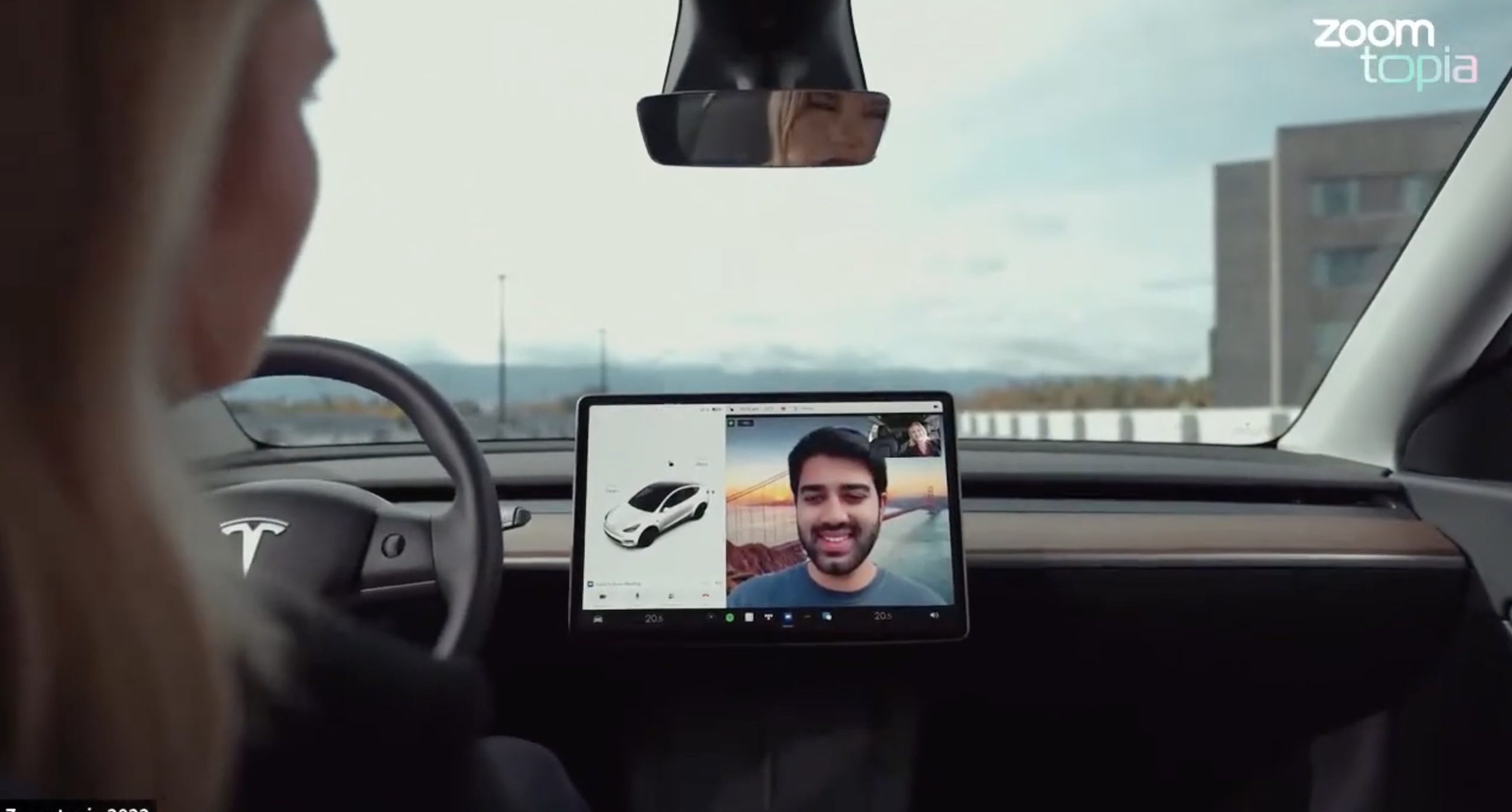
Tesla’s 2026 Summer Update, which just began rolling out to customer vehicles, now links the built-in web browser with the in-cabin camera feed and microphone input, thereby letting owners join video calls on nearly any browser-based service instead of just Zoom.
The change appears in Tesla’s own release notes for software version 2026.26 under “Web Browser,” which states that the vehicle can now use its interior camera and cabin microphone when a website requests access, with permission granted the same way a desktop browser handles it. As NotATeslaApp notes, this feature opens the door to Google Meet, Microsoft Teams, Discord, and other webcam-enabled sites to activate the in-car cabin-facing camera. The feed automatically crops and zooms to center the driver in frame.
Tesla has offered in-car video calling before, but only through a dedicated Zoom app that launched at the end of 2022, a stripped-down browser preloaded with Zoom’s own web client and gated behind Premium Connectivity. Opening the full browser to any camera-requesting site removes that walled garden. Elon Musk first called video conferencing “definitely a future feature” back in 2020, when the pandemic pushed remote meetings into daily life, so this update effectively finishes something Tesla has been promising for six years.
Tesla Summer Update begins rolling out: a look at the new features
The feature keeps the same restrictions that applied to Zoom on Tesla vehicles. It only works while the car is parked; shifting into Drive disables the camera feed, according to the release notes. It is also limited to vehicles running Tesla’s AMD Ryzen infotainment hardware, meaning older Intel-based Model S and Model X units, along with early Model 3 and Model Y builds, don’t get it.
Turning the browser into a general entry point for the in-cabin camera, rather than routing everything through one local app, widens the number of third-party sites that can ask for access, even though Tesla’s permission prompt.
With the Summer update only days into its rollout, be sure to stay with us on TikTok and X to see the latest video demonstrations.
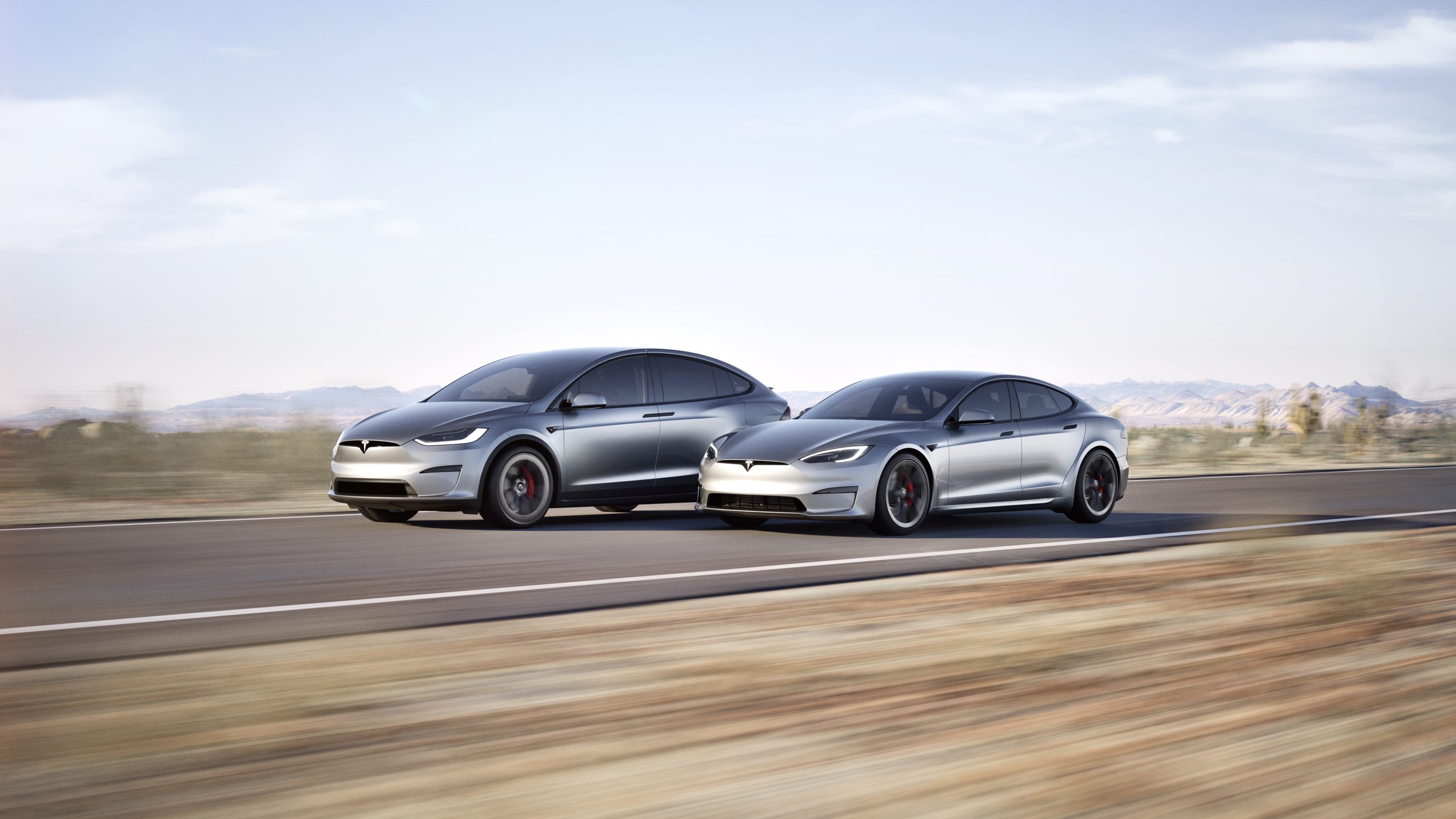
In a move echoing its earlier commitment to open innovation, Tesla CEO Elon Musk announced recently that the company plans to make the design and software of its Model S and Model X fully open source.
This follows the same approach Tesla took with its original Roadster, releasing all available design, engineering, and diagnostic materials in November 2023 so that “whatever we have, you now have.”
Just as Tesla made the original Roadster design & software open source, we plan to do the same with Model S & X
— Elon Musk (@elonmusk) July 24, 2026
The Model S, introduced in 2012, was Tesla’s first mass-produced vehicle and a groundbreaking luxury electric sedan. It offered impressive range, rapid acceleration, and over-the-air software updates that redefined expectations for electric cars.
The Model X, launched in 2015, built on that foundation as a high-performance electric SUV notable for its distinctive falcon-wing doors, spacious interior, and advanced safety features. Both models served as flagships that helped establish Tesla as a leader in the EV industry and popularized long-range battery-electric vehicles.
Production of the Model S and Model X was wound down earlier in 2026, with manufacturing ending in the second quarter. Tesla redirected the Fremont factory space previously used for these vehicles toward higher-priority projects, including Optimus humanoid robots and the Cybercab autonomous vehicle.
By the time of Musk’s open-source announcement, custom orders had closed and only remaining inventory was available.
Open-sourcing the designs and software offers several clear advantages. Owners of these aging but still capable vehicles gain better access to technical documentation, diagnostic tools, and software resources, making independent repairs and modifications easier and more affordable.
Independent repair shops and third-party specialists can support the large existing fleet without relying solely on Tesla’s service network. Enthusiasts and engineers can study real-world implementations of Tesla’s battery, powertrain, and software systems, potentially accelerating broader industry progress in electric mobility.
The step aligns with Tesla’s 2014 patent pledge and its overall mission to advance sustainable transport by sharing hard-won knowledge rather than locking it behind proprietary walls.
By releasing these materials now that the models have left production, Tesla ensures continued support for its early adopters while freeing internal resources for future technologies. The open-source release of the original Roadster already enabled simulations, community projects, and deeper technical understanding.
Extending that practice to the Model S and Model X should deliver similar benefits on a larger scale, helping keep these influential vehicles relevant and repairable for years to come

SpaceX’s Starfall just went from secret to storefront

Grok Bot users hit with weekly limits early, Elon Musk explains what happened


