News
SpaceX installs Mechazilla ‘claw’ on Starship launch tower

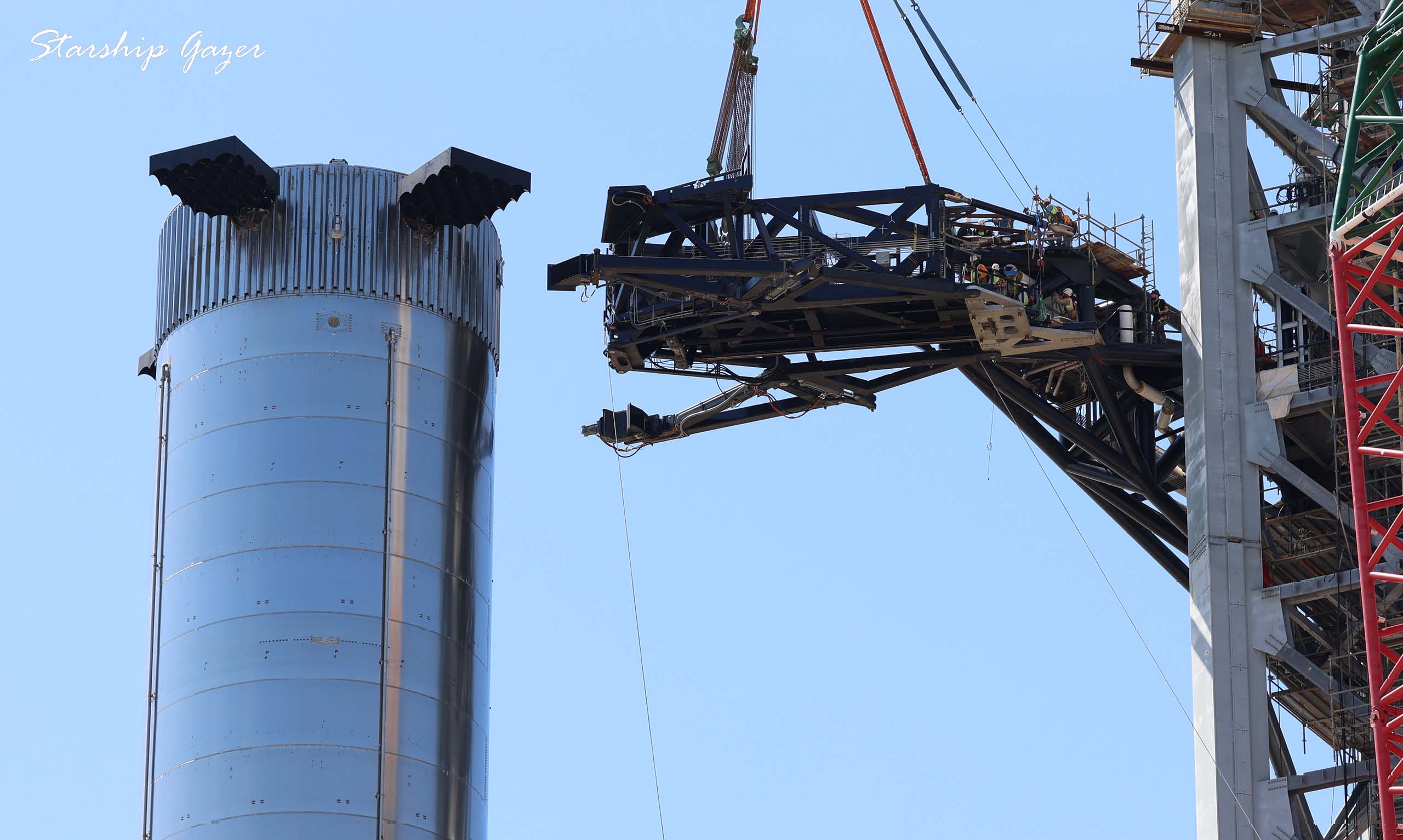
In the latest chapter of SpaceX’s Starship launch tower chronicle, the company has rolled a claw-like component to the pad and attached the device to the end of the tower’s newly installed Starship ‘quick disconnect’ arm.
A couple months ago, as SpaceX’s newest Starship prototype and first orbital-class vehicle first started to come together, it became clear that the company was implementing a significant design change starting with Ship 20 (S20). Contrary to five years of official Starship/BFR/ITS updates in which the ship (second stage) was expected to connect to pad ground systems (power, propellant, gases, communications) through the booster (first stage), Starship S20’s umbilical panel was instead conspicuously installed on the exterior of the ship’s hull.
Later on, in an interview and tweets, it became clear that the move away from longstanding ship-to-booster umbilical plans was part of CEO Elon Musk’s latest crusade: moving parts and complexity from Starship and Super Heavy to the launch pad at any cost. As a result, rather than adding a little extra weight to Super Heavy and likely reducing total payload to orbit by a percent or two for an extremely simple, protecting umbilical solution, SpaceX would instead have to implement a massive swinging arm that would reach out from Starship’s launch tower to connect it to pad systems.
While it’s hard to say if that decision and the major design changes it’s entailed will prove to be the right move, what is undeniable is how rapidly SpaceX turned on a dime to build and install the extremely complex mechanisms required. Assembly of what has come to be known as Starship’s tower quick-disconnect (QD) arm really only began in early July. Less than two months later, the finished base of that arm was lifted around halfway up the ~145m (~475 ft) tall launch tower and affixed to two sturdy hinges.
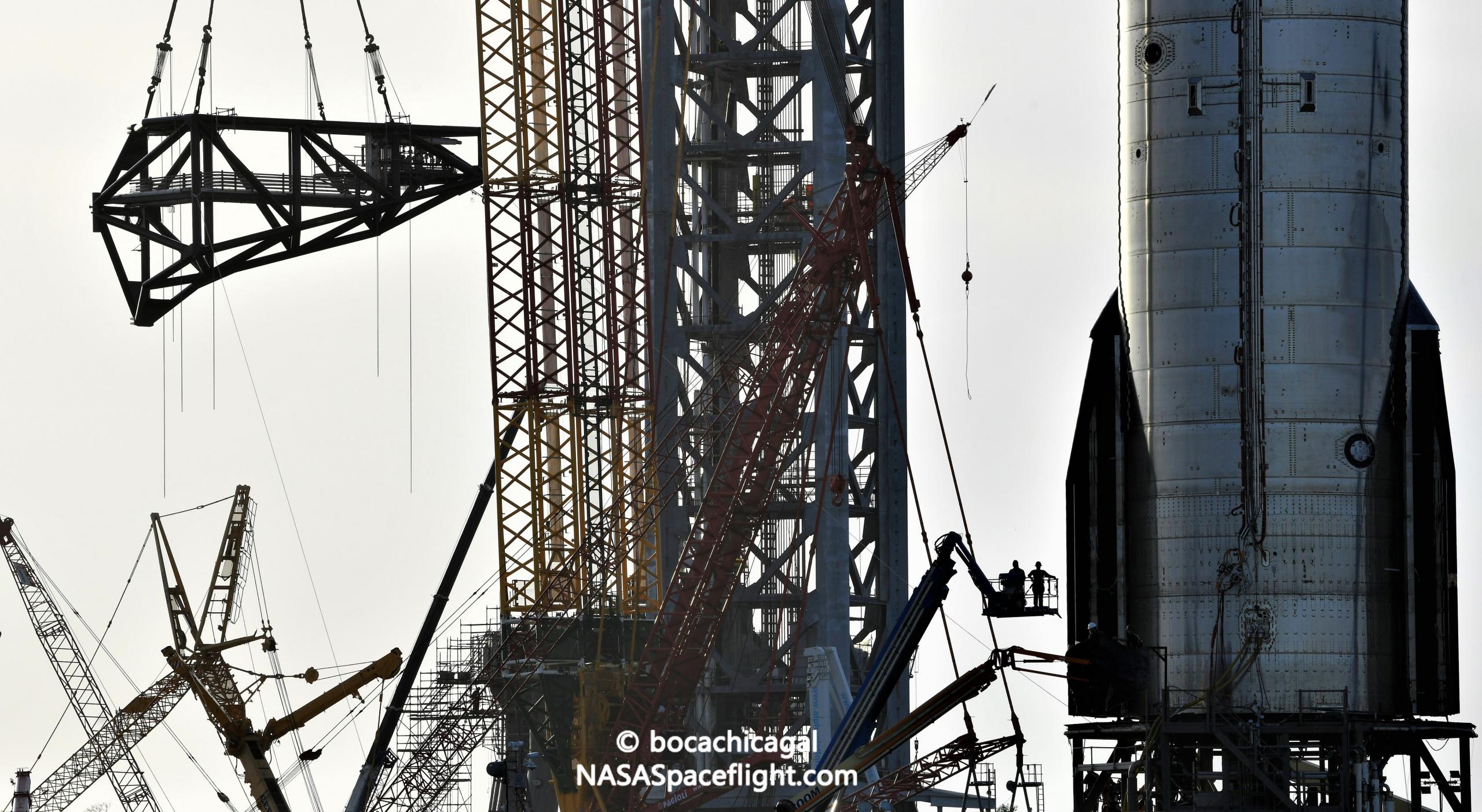
Three weeks later, a new and initially mysterious structure SpaceX began assembling around August 20th has also been finished and installed at the end of the QD arm – adding an actuating tip and apparent stabilization ‘claw’ to the already massive swinging structure. Aside from a bit of plumbing and wiring, the only thing that arm now appears to be missing is the actual quick-disconnect umbilical panel that will allow it to temporarily connect to Starships to deliver power, propellant, and connectivity.
That quick-disconnect mechanism will likely sit directly on top of the brand new claw and stand several meters tall to span the gap between the top of Super Heavy and Starship’s umbilical panel. Two large, actuating arms at the bottom of the arm’s tip will be able to grab Super Heavy, stabilizing the massive booster during Starship installation. Once firmly installed on top of the booster, the claw’s missing quick-disconnect mechanism will then move in to connect to Starship.
Of course, the quick disconnect arm is just one of – and the most minor of – three massive ‘Mechazilla’ arms destined for the launch tower. Just a few hundred feet to the west, SpaceX is hard at work fabricating and assembling two far larger tower ‘catch’ arms and the cradle-like frame they’ll eventually attach to. While they will also give SpaceX far more flexibility to stack and manipulate Super Heavy and Starship in high winds and less than optimal weather conditions, the ultimate purpose of those arms is to catch Super Heavy boosters (and, maybe one day, Starships). According to a new contributor to NASASpaceflight forums, those Mechazilla catch arms could be installed as early as “this weekend or next week.”



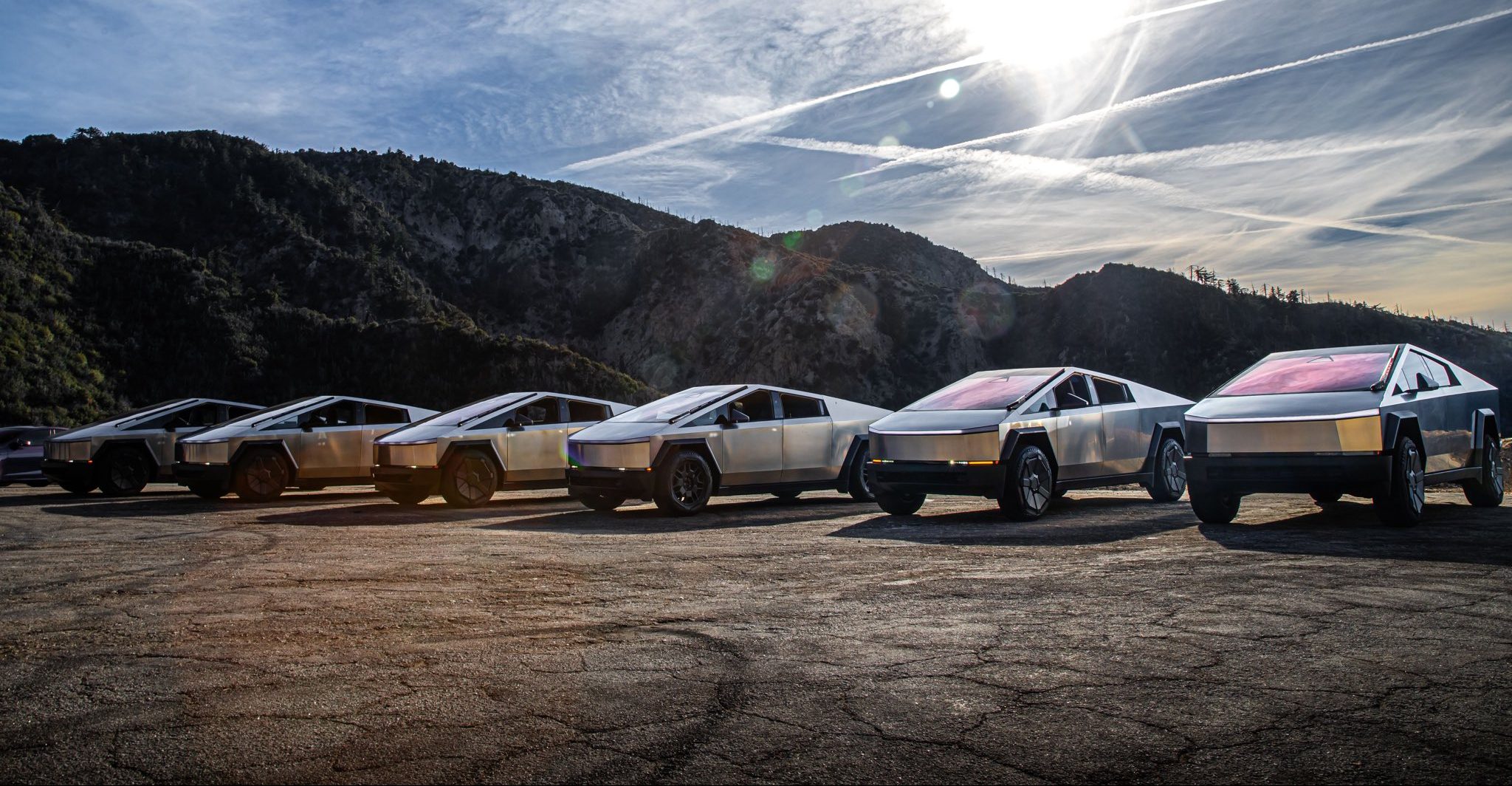
Tesla is ending Cybertruck production sometime in mid-2027, according to CEO Elon Musk.
Musk made the announcement on X last night, which came as a shock to many. He said that the Cybertruck will end production “to make room for increased Cybercab production” at Gigafactory Texas.
It is a huge blow to the fans of Tesla who have come to love the Cybertruck and identify with it as a symbol of their fandom. It has been the best-selling electric pickup, but it has had an underwhelming sales performance in terms of what was expected. This is mostly due to Tesla not meeting the prices it planned to offer the Cybertruck, as its unveiling and actual release were four years apart.
Tesla will be winding down production of the Cybertruck at Gigafactory Texas around the middle of next year to make room for increased Cybercab production
— Elon Musk (@elonmusk) November 6, 2026
Overall, the responses were mixed. Some fans understood the move toward Cybercab production, especially as Tesla is truly pushing the autonomous future through its Robotaxi platform. However, others did not understand it.
“Damn, how many Cybercabs do you guys need?” one response read. Another said it was “Sad but understandable.”Even analyst Gary Black had responded to the news, stating he hoped Tesla planned to replace it with a traditional pickup design.
It doesn’t seem like that will be the case.
Tesla is so hell-bent on delivering autonomy and eventually providing a driverless service that owning a car seems like an arbitrary idea, according to their thesis. Instead, Cybercabs will be available to pick you up and drop you off on demand, safely, without any human help.
As a result, Tesla has thinned its lineup considerably, and one can only ask where the vehicle lineup goes from here. Eventually, it seems like Cybercab could be the only vehicle that Tesla will sell.
Elon Musk
SpaceX’s next Starship flight set to make history on Friday the 13th
SpaceX is targeting Friday, November 13 for Starship Flight 15 and its first ship catch.

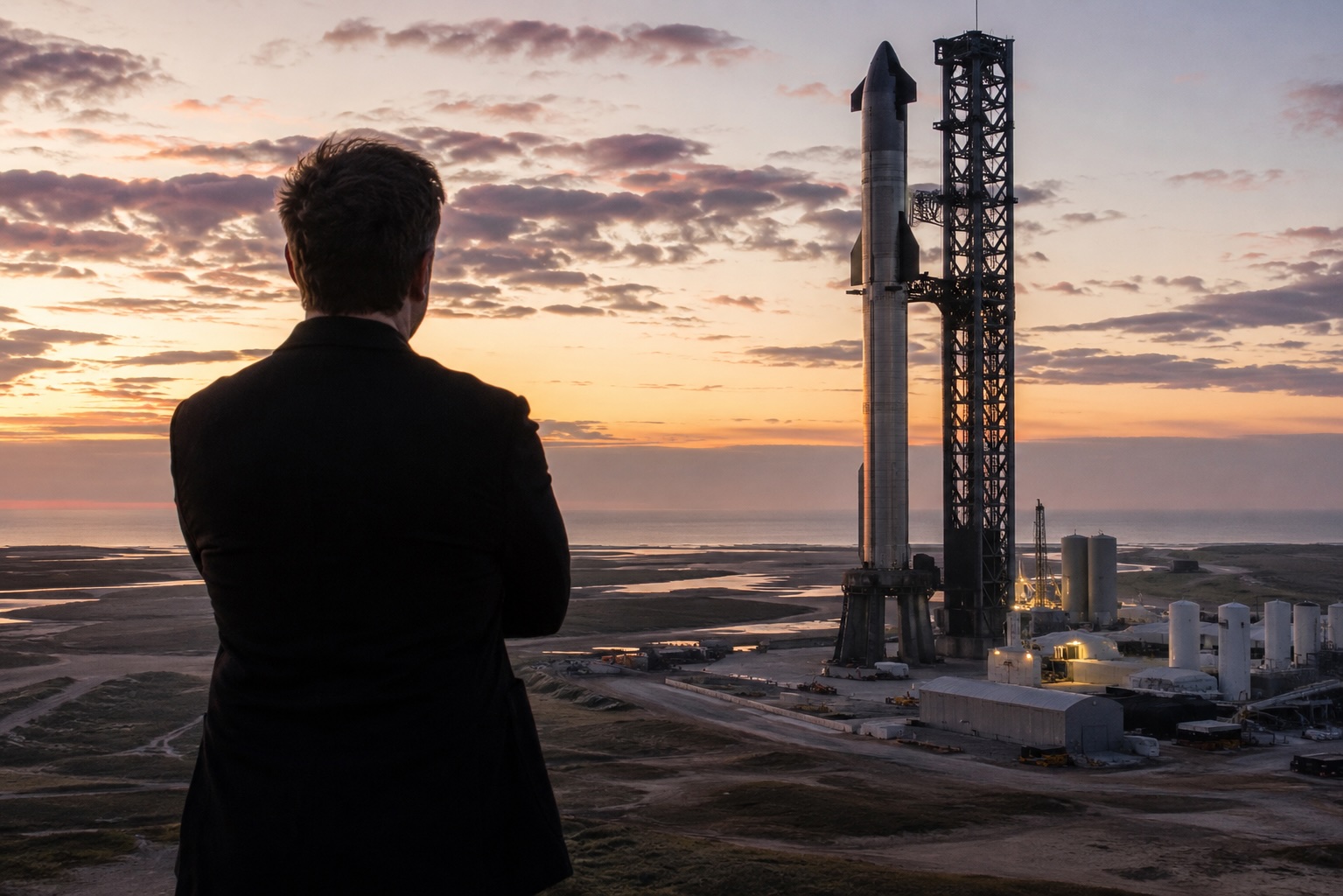
SpaceX is targeting Friday, November 13 for Starship Flight 15, the mission the company plans to use for its first attempt at catching the ship itself with the launch tower.
SpaceX Vice President of Launch Kiko Dontchev shared the date on stage at the UP.Summit on Thursday, according to Ars Technica’s Eric Berger, who was in attendance. It is the first launch target to come directly from a SpaceX executive. Until now, the public schedule had relied on FAA air traffic planning slides, which listed Flight 15 for no earlier than November 8 and later November 12. SpaceX has not posted an official mission page yet, and no launch time has been shared.
The date lands inside the window Elon Musk sketched out last month. Speaking at Giga Texas on October 10, Musk said the flight would “probably launch a little bit before Thanksgiving,” as Teslarati reported. On SpaceX’s third quarter earnings call ten days later, he confirmed that Flight 15 would try to catch both the Super Heavy booster and the ship, and put the odds of a successful ship catch at “more likely than not.” SpaceX also aired an animation of the maneuver during that webcast, showing the ship swinging vertical over Starbase before dropping into the tower’s chopsticks.
The hardware is ready. Booster 22 fired all 33 of its Raptor engines for a full duration static fire at Pad 2 on October 25. Ship 42 followed with a single engine burn simulating a deorbit maneuver on October 26 and a 60 second firing of all six engines the next day, according to NASASpaceflight. Ship 42 had already rehearsed the catch in September, when the Pad 2 arms lifted it into position and crews connected the quick disconnect arm while the vehicle hung from the tower.
The remaining hurdle is regulatory. The FAA’s Starship page does not yet list a Flight 15 license. SpaceX President Gwynne Shotwell said in October that, after “significant constructive engagement with the FAA,” she expects the license to cover a return to the launch site and a tower catch for both stages. Bringing the ship home means a reentry path that heads toward land, rather than ending over open ocean as every Starship flight so far has.
SpaceX has caught Super Heavy three times, on Flights 5, 7 and 8, but the ship comes back from orbital velocity and has never been caught. Flight 14 on September 28 was the first Starship to reach orbit, deploying 26 Starlink V3 satellites before splashing down despite an early engine shutdown that Musk blamed on engine computer software.
Musk has called a successful ship catch “the first time that there’s been full recovery of an orbital class rocket,” and he has already named the step after it: a Flight 16 where both the booster and the ship fly again. NASASpaceflight reports that Ship 43, the next vehicle in line, is set for static fire testing in December.
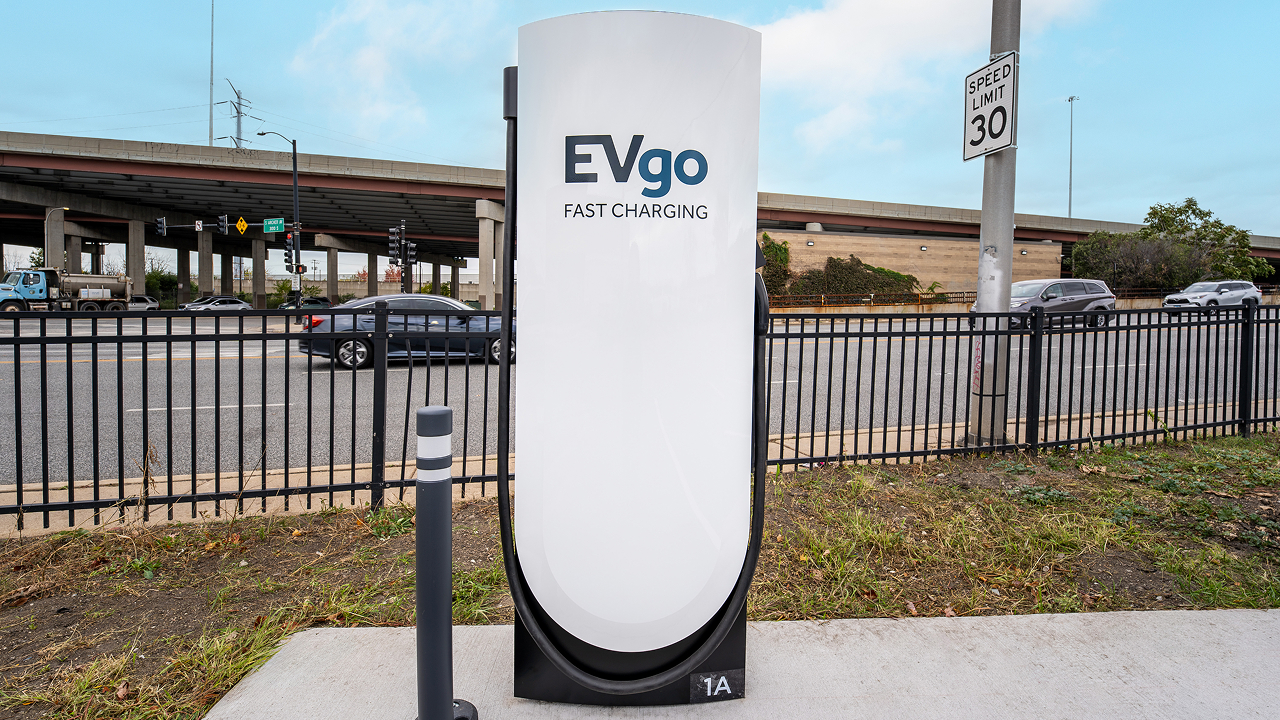
EVgo has tapped Tesla Superchargers for its most recent efforts to expand its charging presence in the United States, a move that seems logical based on the effectiveness of the automaker’s own infrastructure.
EVgo opened its first Supercharger site in Illinois, a 12-stall station near downtown Chicago at 3145 South Ashland Avenue in the Riverside Square & River’s Edge center, right beside a grocery store. This marks the start of the company’s plan to deploy hundreds of Supercharger stalls across the United States, primarily at grocery-anchored Regency Centers properties where drivers can shop, eat, or run errands while they charge.
We’ve opened our first EVgo Supercharger location in Illinois, marking the start of our plan to add hundreds of Supercharger stalls across the U.S.
Designed for both NACS and CCS vehicles with Magic Dock technology, these new sites help make fast charging more accessible and convenient for all EV drivers. Learn more: https://t.co/V92t5FDryQ
— EVgo Fast Charging Network (@evgonetwork) November 5, 2026
The new location uses Tesla’s Magic Dock technology so both NACS and CCS vehicles can plug in natively without drivers needing to carry their own adapters. Peak power reaches 325 kW at this site, with pricing set between $0.25 and $0.35 per kWh depending on the hour—the same rate for Tesla and non-Tesla drivers.
The stalls also appear in Tesla’s in-car navigation and Trip Planner, making them easy for Tesla owners to find and route to. Illinois has seen EV registrations rise nearly 60 percent over the past two years, and EVgo’s broader network has experienced more than 700 percent growth in charging demand over three years, so the timing fits the market’s trajectory.
Choosing Tesla hardware through the Supercharger for Business program turns out to have been a smart, practical move.
Tesla’s V4 stalls and cabinets deliver high, reliable power with a proven track record of strong uptime, while Magic Dock delivers true dual-standard compatibility in one package. Because the sites show up in Tesla’s navigation tools, EVgo instantly gains visibility among millions of existing Tesla drivers, which should raise utilization and help the company double its addressable market as more vehicles adopt NACS. EVgo still owns the stations and sets pricing, yet benefits from Tesla’s established hardware, longer cables, and operational support.
The result is faster, lower-risk infrastructure expansion that serves every EV driver—Tesla or otherwise—with convenient, high-power charging at everyday retail locations. For drivers, that means fewer adapters, more predictable stops, and a denser network just as electric vehicles become everyday transportation.

Tesla is ending Cybertruck production

SpaceX’s next Starship flight set to make history on Friday the 13th


