Lifestyle
Tesla Model S All Glass Panoramic Roof

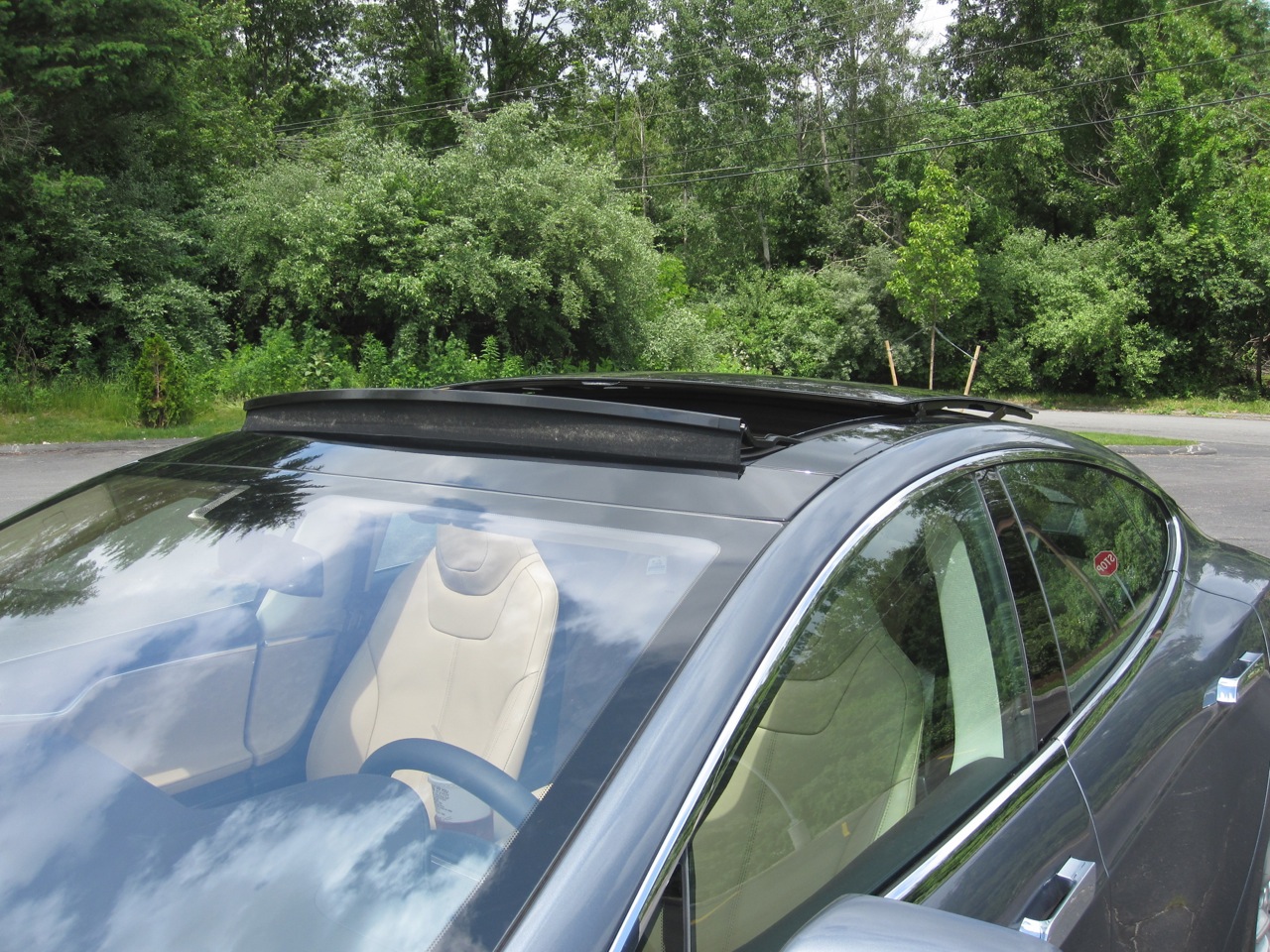
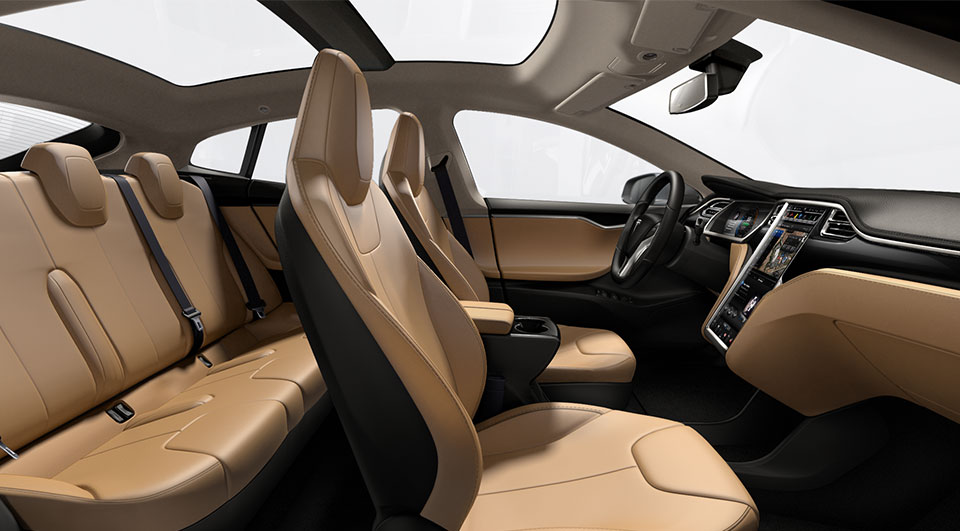
For me getting the Tesla Model S Panoramic sunroof option was a no-brainer
 Although I don’t often drive with a sunroof open, I’ve always been a big fan of having one in car. Sunroofs seem to open up the cabin space to make it feel less enclosed.
Update: Tesla has announced a new Model 3-like Glass Roof option available for the Model S
Design
The Panoramic sunroof is a $2,500 option on the Model S and for me represents approximately 2.5% of my total vehicle cost. Tesla claims it blocks 98% of ultraviolet light and 81% of solar heat.
I love sunroofs, but my wife hates them. It’s always a discussion point when I’m buying a car. If it’s for me I get the sunroof, but if it’s for her we try not to. If she gets a car with a sunroof for some reason (“loaded” ones that have everything on them) then she pulls the shade over it to pretend it doesn’t exist. She dislikes the glare of the sun on her and the feeling of openness. Knowing this, I expected her to have dissatisfaction with the Model S panoramic sunroof since it does not include a pullover shade, but surprisingly she has never complained about it.
The reality is that the sunroof is so dark and so great at blocking out light that it meets my needs (more room, some outside light, openness) as well as my wife’s needs of having no glare. This is the first car I’ve owned where we’re both happy with the sunroof.
Function
There’s a separate section of your Model S controls dedicated to the sunroof. From there you can open the sunroof by dragging on the roof itself in the picture or by sliding the blue control to the desired setting. As the roof opens, the picture moves along with it and shows progress. Everyone always thinks its cool to be able to drag your finger and watch the progress while the mechanics are also taking place.
There are 4 key positions for the sunroof but you can also open to any setting you want:
- Closed
- Vent
- 80% open
- 100% open

Generally you end up using only positions 1-3. 100% open is ok if you’re sunbathing or parked but it makes a lot more noise than the 80% position when you’re driving.
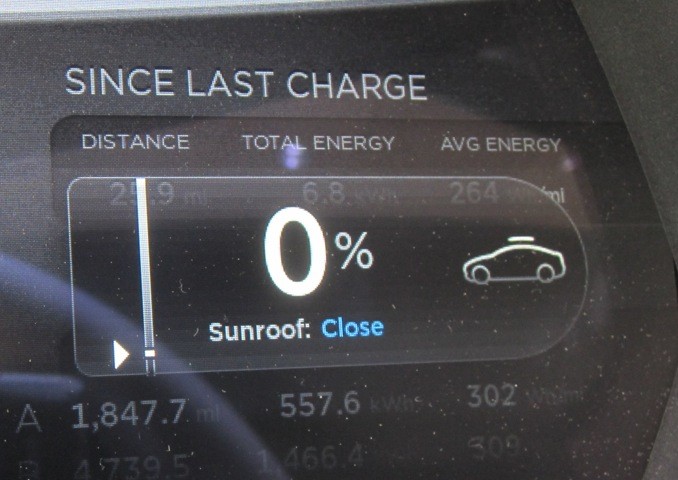 In addition to the controls on the large touchscreen, you can also control the sunroof through use of the right scroll wheel on your steering wheel. Select the sunroof setting and begin scrolling int the direction you want the panoramic roof to slide. A second press on the scroll wheel will close or open it without you needing to scroll. So usually you just double tap the scroll wheel if you’re looking for a quick vent or close the vent operation.
The Tesla mobile app gives owners the ability to vent or close the sunroof remotely, but not open it. This could be useful if you’re about to leave work and want to let some heat out of the car before getting in. You can also combine this with turning on the A/C to really maximize your pre-cooling efforts. The Visible Tesla app will allow you to open and close the sunroof to any setting you want directly from your computer.
Wind Noise
The wind noise that occurs is what I’d expect based on my experience with other cars. This is impressive since the panoramic sunroof, even at 80% open, is much larger than most sunroofs. The 100% open position is the oddity since its much noisier and I don’t use that setting. 80% is like a normal sunroof being open. Opening the sunroof adds noise, but that is to be expected.
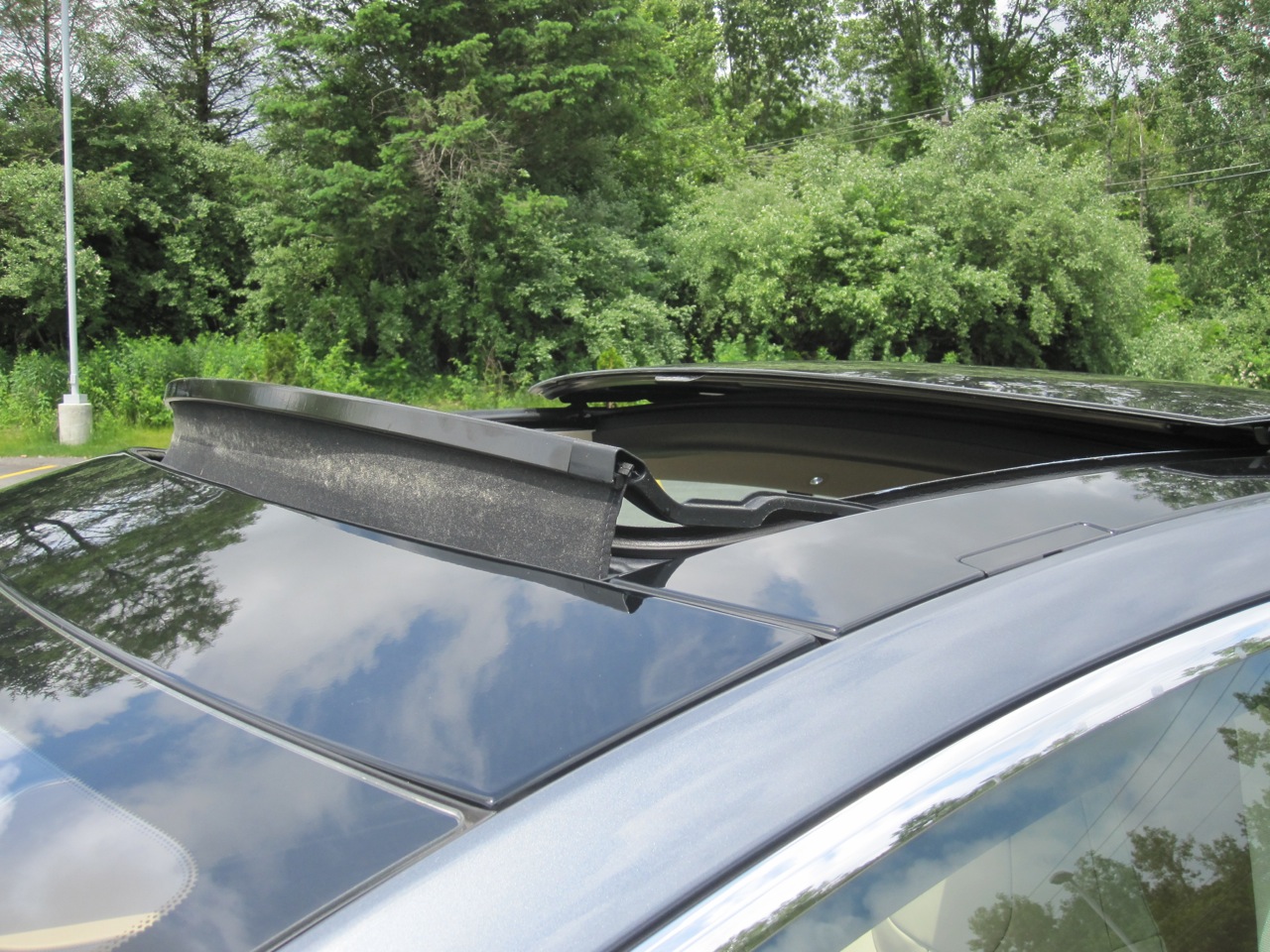 When the roof is open (not tilted) a sound baffle pops up to help with buffering wind noise while the sunroof is open. This baffle is larger than you see on most cars (to account for the large open area). I have 2 complaints with this sound baffle:
- I’m not real fond of the look of it since it stands up so much. Part of the tradeoff for the noise reduction.
- It’s made of cloth/fabric and collects bugs/pollen. Look at the the close up picture and think about me not using it very often. Its very dirty and hard to clean.
It has to be large for the size of the sunroof. It has to be fabric because its large. But the combination doesn’t work well for looks or maintenance.
Another thing that I’ve noticed on my Model S is that when the sunroof is open (vent or 80%), it rattles a bit more than I’d expect when traveling along some back roads. I’m assuming something just needs to be adjusted/tightened the next time I take it to Tesla Service.
Summary
Purchasing the optional sunroof was a no-brainer for me, but if you’re on the fence, or if you usually hate sunroofs on cars, you should take a second look at the Model S Panoramic sunroof in person before making a decision.
This is a feature you should not quickly dismiss when ordering your Model S and, unlike other features, there’s no chance they can retrofit this one after you take delivery.


Lifestyle
Tesla teases “Halloween Mode” update with Optimus rising from a graveyard
Tesla’s Halloween teaser hides a covered vehicle and an Optimus hand rising from the ground.

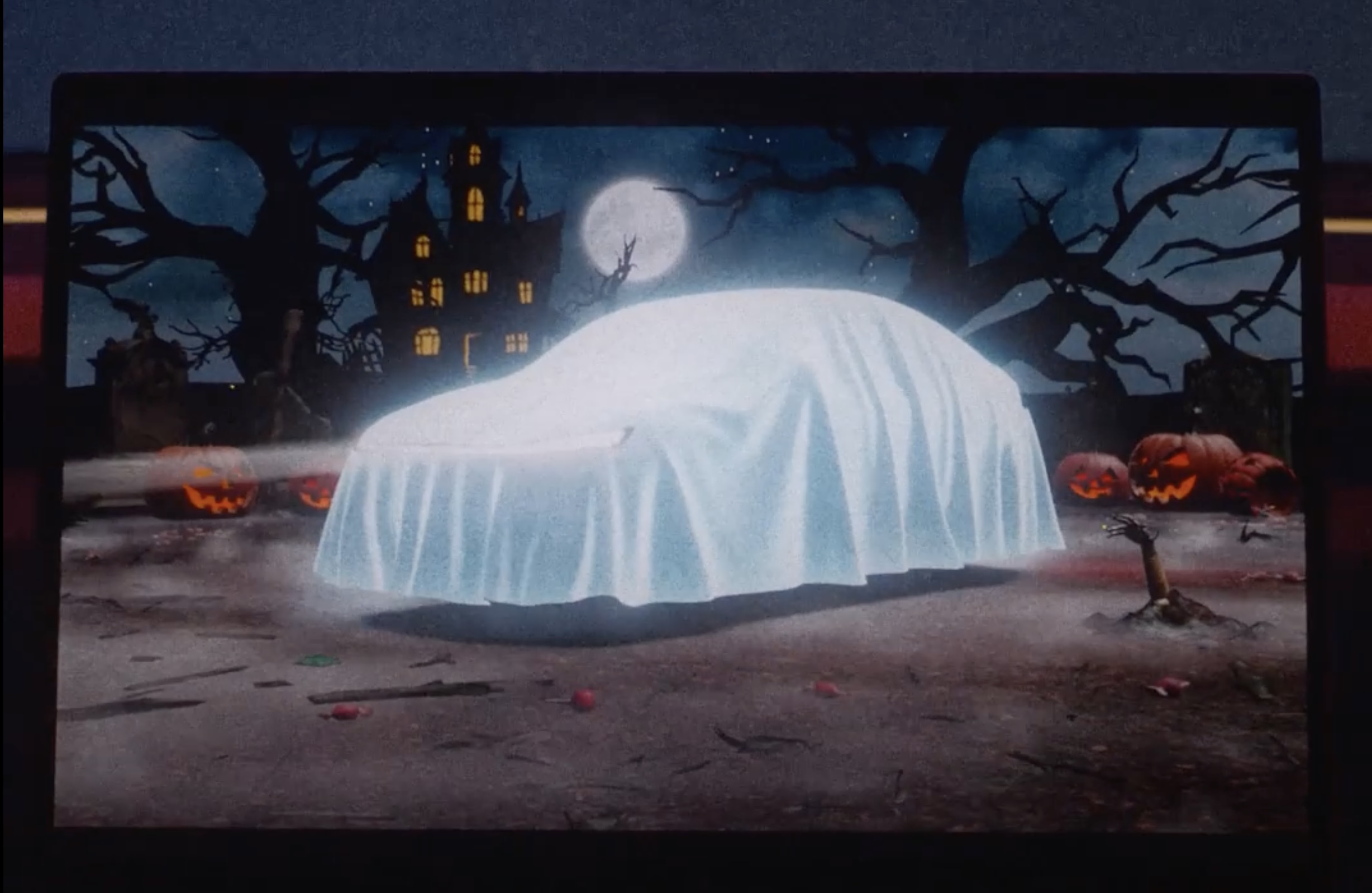
Tesla has started teasing a Halloween software update for its vehicles, with a short clip on X that reads, “Halloween is coming.” The clip opens on a glowing pumpkin before pulling back to the car’s center touchscreen, where the usual parked visualization has been replaced by a graveyard scene, and the vehicle draped with a white sheet so it reads as a cartoon ghost.
Halloween is coming pic.twitter.com/lM3ASUeOqX
— Tesla (@Tesla) October 1, 2026
The second detail is a robotic hand clawing its way out of the dirt like a zombie, which looks to be the hand of Tesla’s latest Optimus V3 humanoid robot. While Tesla still has not formally shown Optimus Gen 3 walking around in service, renders pulled from Tesla’s Android app last month gave the clearest look yet, including far more refined hands that Tesla has said carry 22 degrees of freedom. The hand has been the hardest part of the program. Musk has called it the majority of the robot’s engineering difficulty, and Tesla’s patents describe a design driven by tendons with the actuators moved into the forearm.
Tesla Optimus V3 hand and arm details revealed in new patents
Optimus also has a Halloween track record. Last October the robot handed out candy in Times Square, and a costumed “zombie” Optimus shuffled around the Tesla Diner in Los Angeles on Halloween night.
On the software side, Tesla’s 2025 Holiday Update expanded Santa Mode with a Santa sleigh, snowmen, snow effects, and a festive lock chime, so it wouldn’t be too far fetched if we saw something similar but themed for a Halloween Mode.
Lifestyle
Tesla’s newest feature lets you floor it out of a Supercharger while plugged in
Tesla’s new Emergency Drive Away feature lets owners flee a Supercharger while still plugged in.
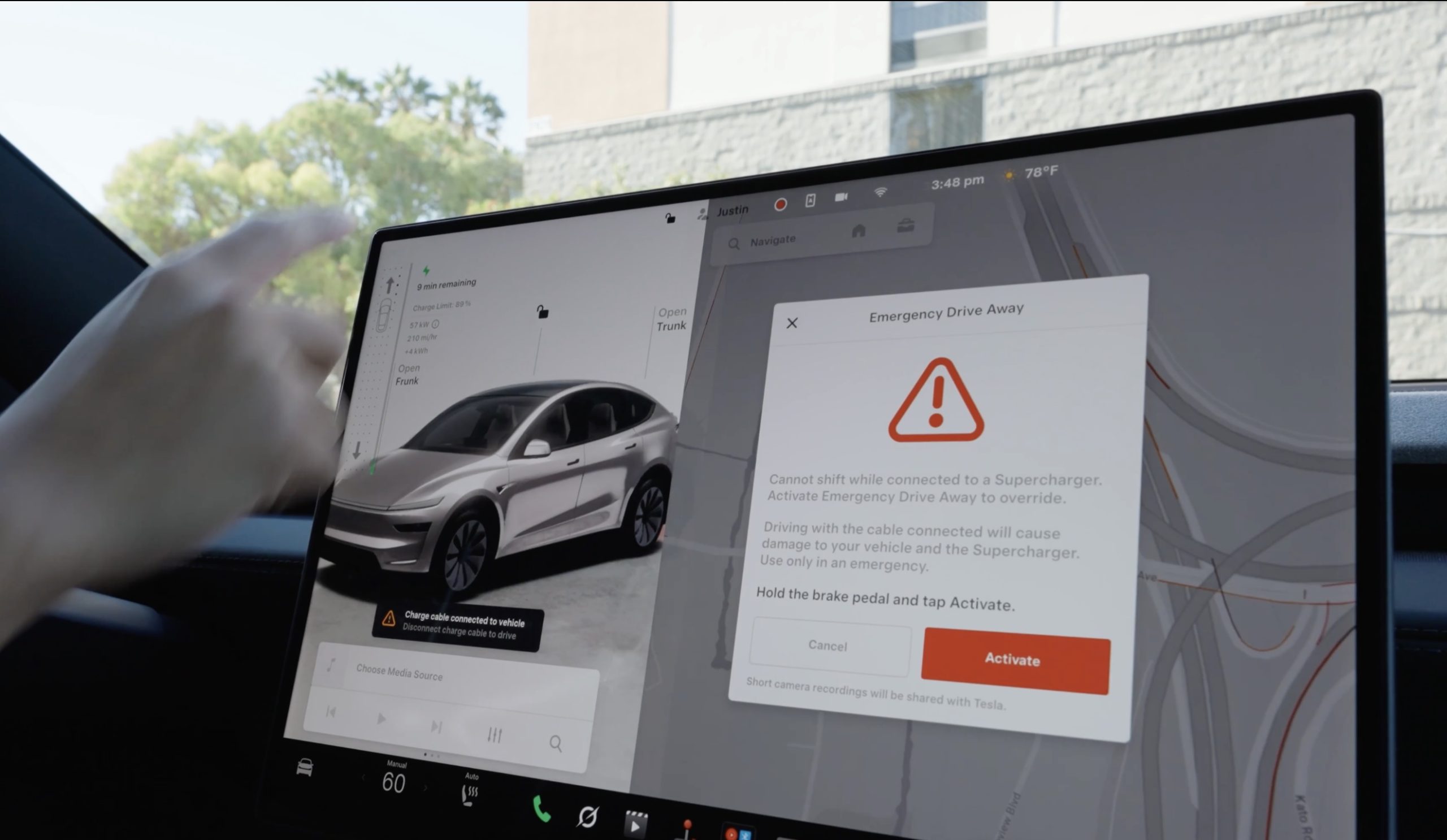
Tesla has given drivers a way to escape while a vehicle is plugged-in at a Supercharger, in the event of an emergency. The company’s charging team announced a new feature on X called Emergency Drive Away, which lets a driver shift into Drive and pull away while the charging cable is still connected to the car.
Until now, a Tesla would not leave Park with a charge cable plugged in. Drivers had to release the latch from the touchscreen, the Tesla app, or the button on the charge handle, then wait for the port to let go. Emergency Drive Away removes that lockout, but Tesla is clear that it comes at a cost. “Use of this feature will damage your vehicle and the Supercharger,” the company wrote, adding that the function is meant for emergencies only and that deliberate misuse will lead to “additional penalties.” Tesla did not say what those penalties are.
Emergency Drive Away lets you shift into Drive while still plugged into a Supercharger pic.twitter.com/40GSzyP4lG
— Tesla Charging (@TeslaCharging) October 1, 2026
The in-car prompt is just as direct, with the warning reading: “Driving with the cable connected will cause damage to your vehicle and the Supercharger. Short camera recordings will be shared with Tesla.” That footage gives Tesla a way to separate a real emergency from someone who simply did not want to wait for the latch.
The feature requires software update 2026.38.3, and Tesla said in replies to owners that it works at every Supercharger in the United States without new stall hardware. Model S and Model X vehicles built before 2021 are not supported, and the company says the feature applies to U.S. Superchargers “for now,” leaving Canada and other markets out at launch.
Tesla Supercharger argument leads to tragic shooting incident
Tesla did not tie the announcement to any specific event, but it arrives two months after a gunman opened fire at an In-N-Out in Twin Falls, Idaho, on August 1, targeting three people in two Teslas at the neighboring Supercharger. One of them, a 66 year old man from Salt Lake City, was killed. Superchargers have been the scene of violence before, including a fatal shooting at a station near Denver in 2023.
In the weeks after Twin Falls, owners pushed Tesla for a native way to escape a stall, and many pointed back to EVject, the aftermarket breakaway connector Tesla sued in 2024 over claims it lacked overtemperature protection. The two companies later reached an agreement that led EVject to recall its earlier connectors in favor of a version with thermal sensors.
Our mission has always been about providing peace of mind and eliminating sitting duck scenarios.
We patented the built-in breakaway charger tip on Feb 15, 2023. Awarded Jan 30, 2024. Then shared the designs with @TeslaCharging
Thank you @Tesla for rolling out a solution. This… https://t.co/djOzswLw9N
— EVject (@EVject) October 2, 2026
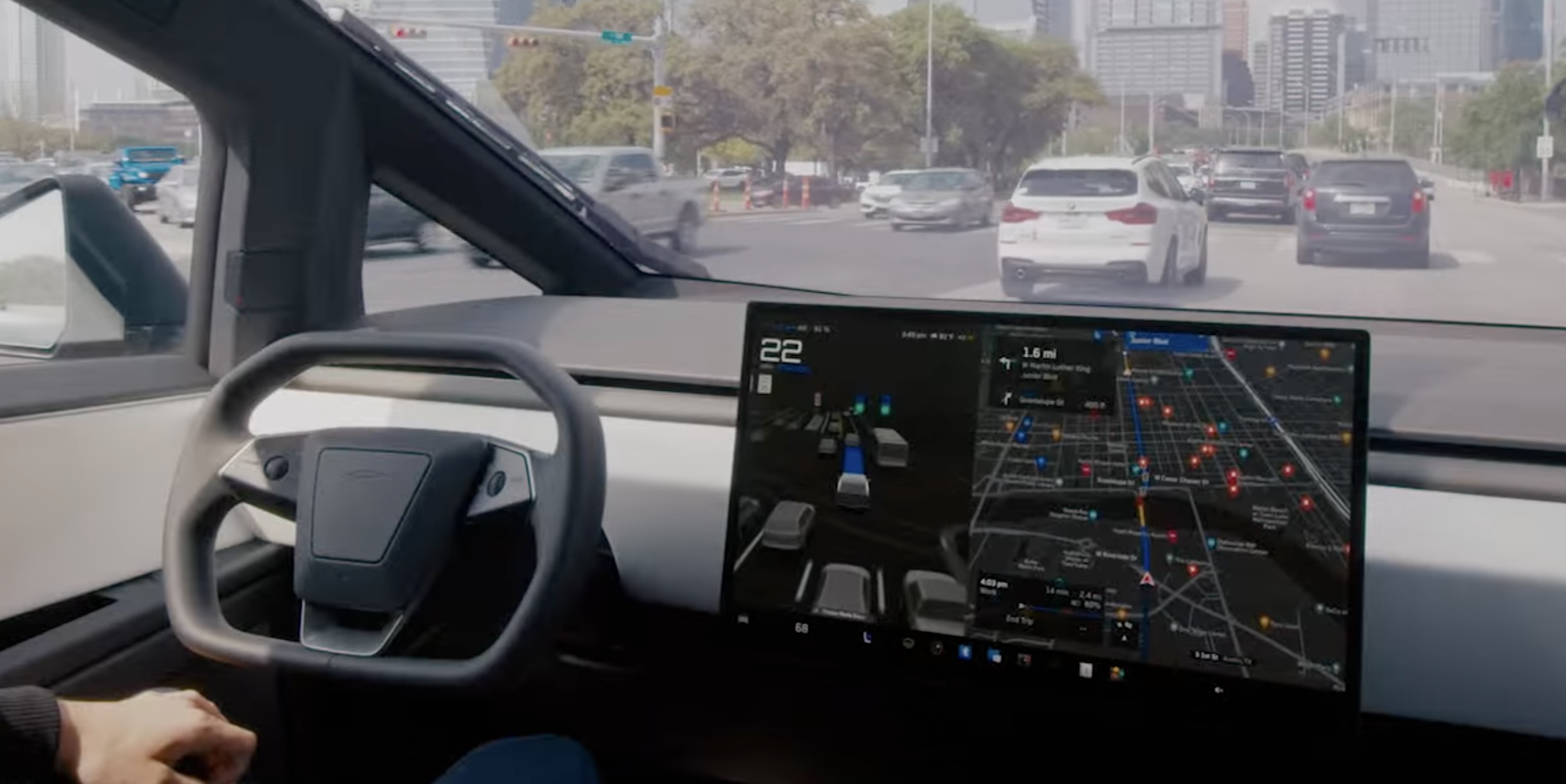
Tesla’s Automatic Collision Evasion feature can be seen in one of the first owner videos of it in action.
Tesla owner Spencer (@scotsrule08) posted on Monday that the feature “worked flawlessly,” saying FSD reengaged itself just as he was about to hit a curb. Ashok Elluswamy, who leads Tesla’s AI team, shared the clip and wrote, “A guardian angel always looking out for you.”
The video arrives in the middle of a staged rollout. Tesla first shipped Automatic Collision Evasion with FSD (Supervised) v14.3.9 in software update 2026.27.6 earlier this month, which Teslarati covered as it reached cars. Update 2026.27.10, which began going out on September 19, carried the feature improvements with FSD v14.3.10, according to release notes tracked by Not a Tesla App. The newer 2026.27.11 build is now reaching another wave of vehicles.
The new Automatic Collision Evasion feature worked flawlessly! FSD reengaged itself just as I was about to hit a curb.
Kudos @Tesla_AI team! 👏 pic.twitter.com/Fbp15HhpL2
— Spencer (@scotsrule08) September 28, 2026
The feature only runs on HW4 vehicles, and it requires an active FSD purchase or subscription with both FSD (Supervised) and Automatic Emergency Braking enabled. HW3 owners receive FSD v14.2 Lite in the same updates, but that build does not include collision evasion.
Tesla’s release notes describe two triggers. The first is an imminent frontal collision that braking alone may not prevent, in which case the car can activate FSD to steer, brake or accelerate around the hazard. That scenario is limited to highways below 85 mph, with no pedestrians or cyclists detected and no slippery road surface. The second covers a driver who appears inattentive, such as reaching into the back seat, or who seems to have switched off FSD by accident. Spencer’s curb clip appears to fall into that second category.
Tesla plans big safety improvements for Full Self-Driving v15
Once the system takes over, the accelerator is muted and light brake input will not cancel the maneuver. Drivers need to apply firm, deliberate steering force to take back control, and the car chimes to hand control back once the danger has passed.
Elluswamy recently noted that earlier hazard prediction, faster reaction time and better collision avoidance would arrive with FSD v15, the next major version.

Tesla teases “Halloween Mode” update with Optimus rising from a graveyard

Tesla says fixes on Full Self-Driving’s two biggest issues are on the way


