Lifestyle
5 lessons learned from a long-distance Tesla road trip

Having logged over 60,000 miles in the past two years with my Model S, I figured my upcoming journey from Boston to Tampa Bay, Florida would be a pretty routine run-of-the-mill Tesla road trip, but soon found out that I still had plenty more lessons to learn when it came to long distance travel.
Update/Note: I realized after I saw a number of comments to this post that I neglected to mention that I didn’t use Autopilot for any of this trip. My Model S, an April 2014 build, sadly doesn’t have the hardware or capability. The trip would have taken the same time with Autopilot but would likely have had some other kinds of experiences to share (good and bad i’m sure).
Trip Routing
Before embarking on my road trip, I mapped out my entire drive using Google directions which indicated that the drive from Boston, MA to Tampa, FL would take approximately 20 hours. Google factors in traffic and speed of travel, but doesn’t add any time to refuel, eat, etc. If you’re adventurous you can simply hop in your Tesla, input your destination address into the onboard Nav without much planning and begin driving. The Tesla navigation system will guide you to your destination while making use of Superchargers along the way. If you get tired you can always find a hotel, take a pit stop and then carry on the next day.
For many of us, this casual and unplanned approach to a lengthy trip isn’t always ideal. We want to know where we’ll be staying the night and know we’ll have a bed in a nice hotel that offers food at the time we’ll be arriving at. Doing the preparation while sitting in front of your Tesla navigation screen could be frustrating. And if you want to add a stop somewhere along the way, forget it, Tesla doesn’t support that.
Also, beware the onboard Tesla trip planner can be steadfast in its ways. For instance it flat out refused to route us through a convenient charger in Paramus, NJ because of a temporarily “Closed” Supercharger.
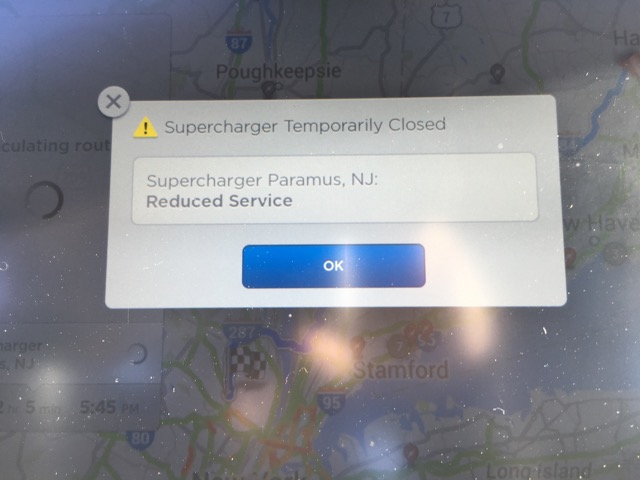
This had us quite concerned as we were already pretty committed to going in that direction. A quick call to the Tesla store at that charger site revealed that theres nothing wrong with the charger. Evidently the charging speeds are slow after 10pm due to some ongoing battle between Tesla and the local power company. As a result power at the Supercharger station is limited at night. But as long as we were visiting before 10pm we were clear to use the charger. This type of information needs to be conveyed to drivers.
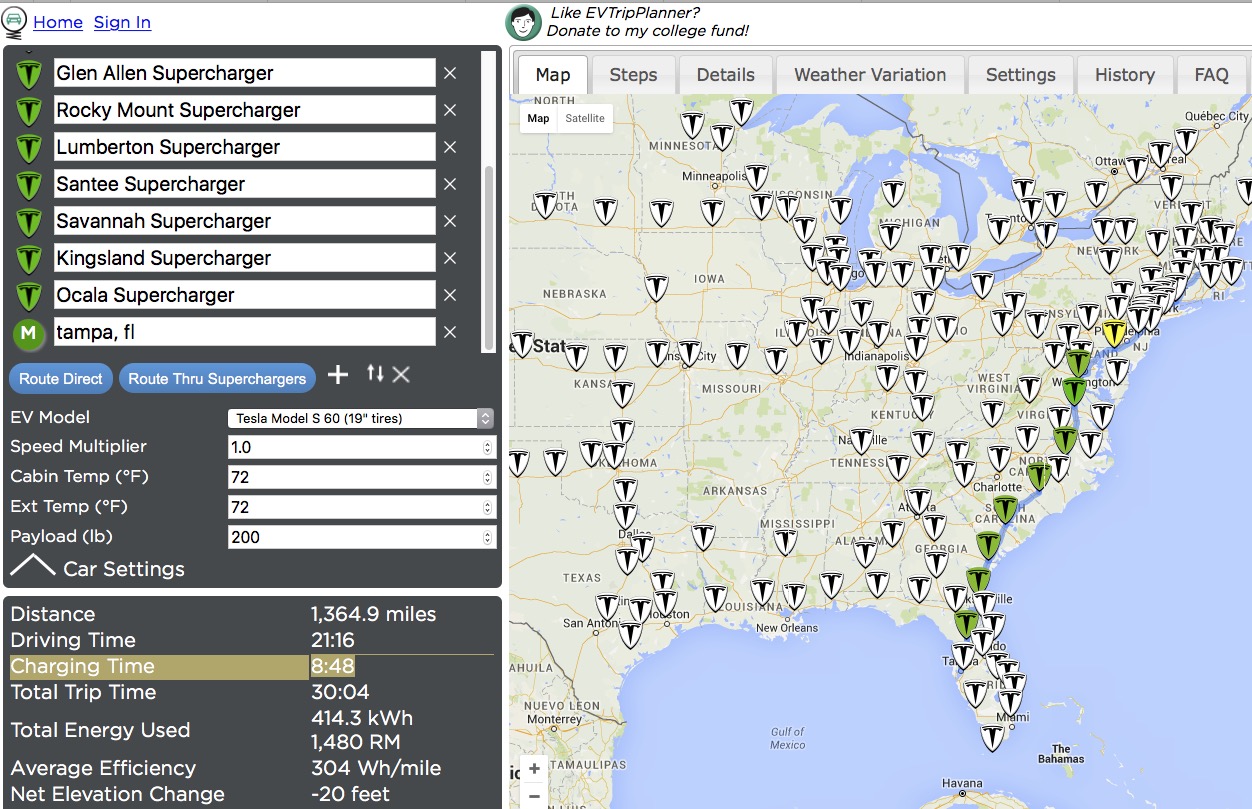
Fortunately there’s a site that helps with some of the planning called EVTripPlanner. This site will help perform similar calculations on what charging stops are needed along the way and also allows you to add waypoints if you want to stop at specific locations outside of Tesla Superchargers. I used EVTripPlanner to plan my trip to Florida.
Calculating Driving Time
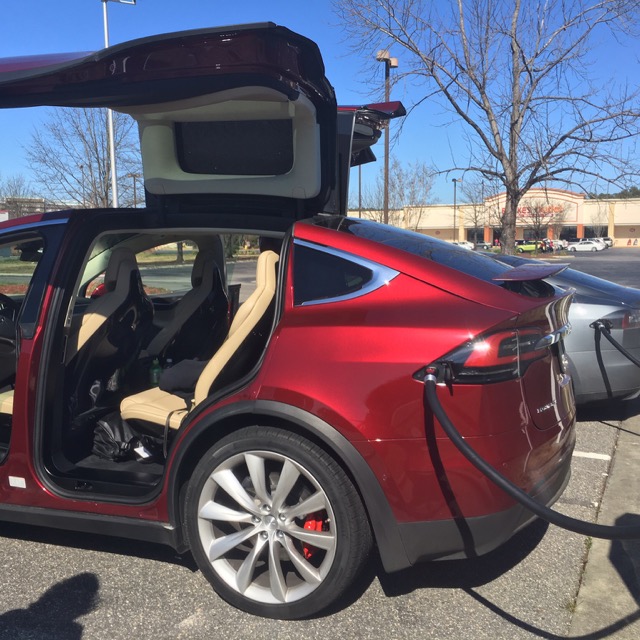
First Model X seen in the wild at Lumberton, NC Supercharger
At the time I planned the trip, EVTripPlanner did not have the ability to track charging times. Though I knew that had to factor in the amount of time spent at each charger before computing my total drive time, I severely underestimated the amount of time needed for charging. EVTripPlanner has since added the feature to take into account charging times.
If you take a look at the app now for the same route, EVTripPlanner will tell you that charging will add and additional 8 hours and 48 minutes of charging through a combined 11 Supercharger stops along the way. Your 21 hour drive turns into a 30 hour drive. This backs into an increase of time spent by 43%.
When I did the math myself I used an average of 30 minutes per stop. The problem with that approach is somewhere along the way I did the math wrong and things didn’t add up right. Perhaps I missed a leg somewhere along the way. More on that later.
EVTripPlanner doesn’t currently provide an “elapsed time” or “time of day” readout and the data is difficult to retrieve especially if you plan on importing it into Excel or Google sheets.
Planning Mistake 1 – Cold Battery Pack
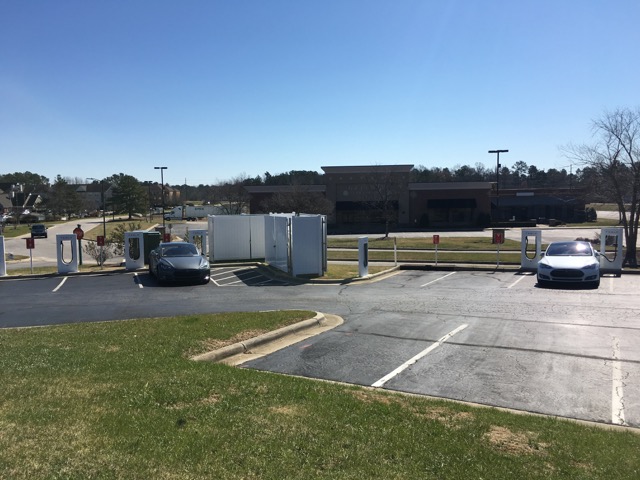
Rocky Mount, NC Supercharger
On the way down I couldn’t leave until 2pm, so we left and ultimately hit East Coast traffic for rush hour. This added time to the drive but fortunately doesn’t use extra range as EVs are even more efficient when moving slowly. Between the traffic and the expected charging stops we got to the hotel in Woodbridge, VA quite late. Rather than charging up for the next day that evening, we decided to hit the sack and charge up in the morning. This was a mistake.
It got down to about 40 degrees overnight and I had intentionally picked a hotel near a Supercharger. The next morning when we went to charge the charge was more than 30% slower than average. Reason being cold battery packs don’t charge as fast as warm battery packs, something I already knew but hadn’t considered late at night. We would have been better off charging the night before when our battery was warm. That or driving for a while before charging would have been good had we had enough charge to be able to do so.
Planning Mistake 2 – Charging Speeds
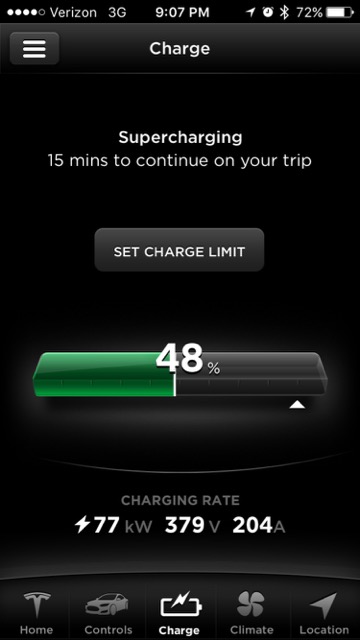 While we know that most Tesla Superchargers can achieve 170 miles of range in 30 minutes, we found out the hard way that not all chargers can deliver this. Despite a warm pack and ideal charging conditions we found that some of the chargers are significantly slower than others. It’s still not as bad as trying to charge on a cold pack, but the end result is a 25% slower charging speed than the usual.
Our average charge rate turned out to be 120 rated miles added to the batter pack in 30 minutes of charging time (240 rated miles added per hour) which is significantly lower than Tesla’s number.
Planning Mistake 3 – Round Trips
Our average Supercharger stop time was 34 minutes. While Tesla and EVTripPlanner recommended eleven Supercharger stops, we ended up making twelve stops. The reason for that was we didn’t have enough charge to arrive at our stay, cruise the town and get back to the Supercharger network on the leg to go back home.
As a result of that we pit stopped at one additional charger and charged enough to allow for comfortable driving around town and enough juice to get back to that Supercharger on the way home. This added time.
Planning Mistake 4 – Battery Buffer
 Tesla has been adjusting the onboard trip planner over time. In the early days it wasn’t possible to route via Superchargers and then they added it but it was very conservative and often buggy. They’ve continued to make updates to it (although slowly) and now it is a lot more aggressive. For most of my legs it was calculating routes that had me arriving at the next charger with a buffer of 11-12% remaining battery capacity — that’s about 32 miles of safety.
Teslas charge faster from a lower starting state of charge. Charging from 0 to 50 is a lot faster than charging from 20 to 70. So generally you want to arrive at the next charger with as low a state of charge and charge just enough to get to the next stop safely.
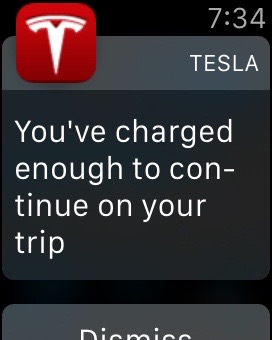
To keep things moving along and not lose time you need to watch your charge and hop back in the car as soon as the car says you’re safe to get to the next stop. Any more time and it’s un-optimal as a higher state of charge results in slower charging for your next charge.
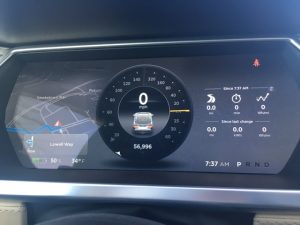
Single digit margins
Under ideal circumstances Tesla’s buffer would be fine since their computations take into account temperature and elevation changes. The problem is they don’t factor in wind or driving speeds.
I typically drive about 5mph over the speed limit. These days this classifies me as a “slower” driver but it’s what I’m comfortable with. In MA that means driving about 70mph on the highways but down towards Florida you’re doing 75 and still considered slow. After taking one of the recommended charging stops the Model S was predicting that we would arrive at our next stop with 12% charge remaining, but then it started to drop. 12% went to 11%, then 10%, then all the way down to 8%. There were no other chargers along the way and the estimated remaining charge continued to drop rapidly. I dropped my speed from 75 to 65 mph and arrived at the next charger with 9% remaining (24 rated miles). When all else fails, slow down.
From that point on, each time we charged and saw the vehicle telling us we would arrive at the next stop with 12% battery remaining, we waited to charge a few extra minutes just as added safety. It added time to our overall trip but at that point we were happy gaining that additional peace of mind.
Planning Mistake 5 – Calculate Twice, Drive Once
On the second day of driving we were making good progress, but as the day went on we realized that rather than getting to Tampa around midnight it would be more like 3am and we’re not the kind of drivers that like driving late at night. Fortunately a quick call back to my wife who was in front of a computer got us a hotel reservation and off the road before it got too late.
Somehow along the way the initial calculations were off by 3 hours. I suspect that I forgot to factor in one of the legs. Since there really isn’t a single system to help plan the entire trip, I was at the mercy of being human and making a mistake. I should have spent a bit more time double checking my planning before taking off.
Other Learnings
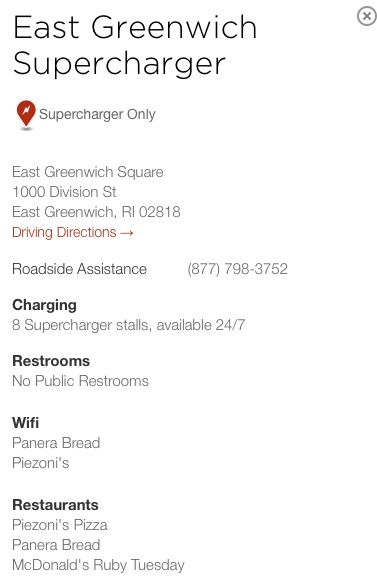 There’s a few other things I wanted to mention. First, as you drive from charger to charger on a long road trip a common question is “Whats at the next stop?” That question is still pretty painful to answer. You’d think you could just click on the charger icon and see the amenities, but it doesn’t. Apps like Teslarati’s own app (iOS | Android) aim to provide this type of info through crowd sourced data from other Tesla drivers, but even that requires several clicks and scrolling before you get to the information, plus you’re supposed to be driving. A simple page allowing easy access to nearby Supercharger details or next charger would be very helpful on a trip like this. Was there a Chick-fil-A at the next stop or just another terrible Texas Roadhouse? We had to know!
We also experienced a wide range of charger types. From the usual 8 in a row, back in variety, to those where you pull head in in an airport parking garage and have to get your parking ticket stamped.
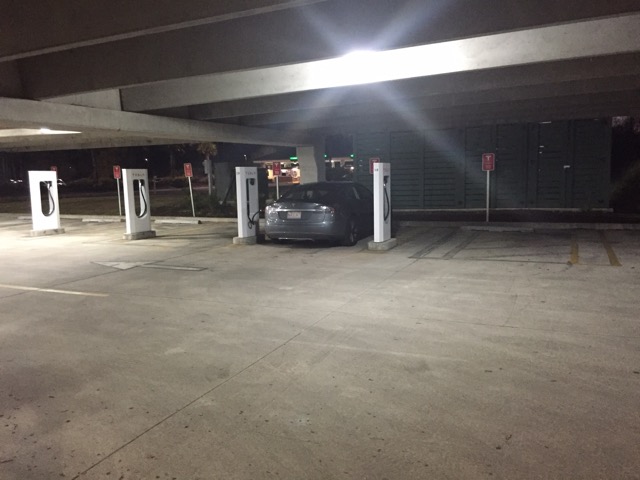
Savannah, GA Supercharger
There were also those those with poorly painted lines providing no clue on how you’re supposed to drive into the stall.
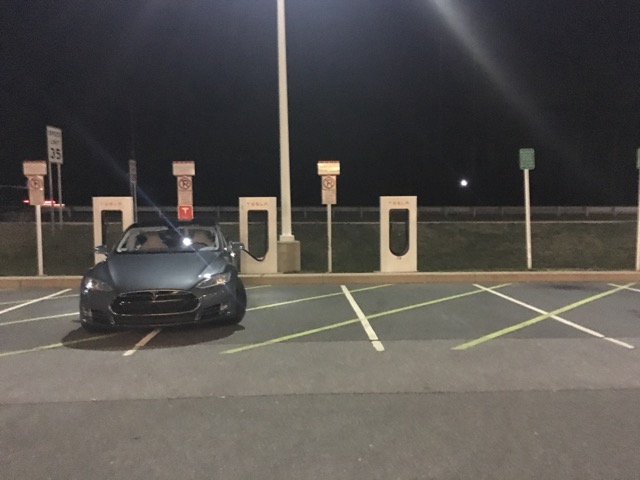
Newark, DE Supercharger
All this so I could introduce my Tesla to a palm tree for the first time.
And get in a few bike rides while New England tried to thaw out.

Summary
Before this trip I had dozens of Tesla road trips under my belt and have visited chargers in many states at all different times of the year. I was very familiar with the mechanics of an EV road trip, charging times and what to expect. My friend wanted to go to Florida around the same time and had never taken a road trip in an EV before. I warned him up front about the charging times and he assured me it was not a problem.
By the end of the trip he said he didn’t regret taking the trip, but next time he’d take an ICE car or fly — adding 40% to your travel time is unacceptable if you’re trying to get somewhere and not just touring the country. It was hard to argue with him.
While records have been set driving cross country in a Tesla, those are usually done with multiple drivers and with very little down time. That style of driving isn’t for everyone.
For myself, I still dream of driving across the country to California someday in my Tesla. I need to rest up first as the FL trip took away some of my desire to do that. Also I’m worried that once I get there I wouldn’t want to drive all the way back home :p
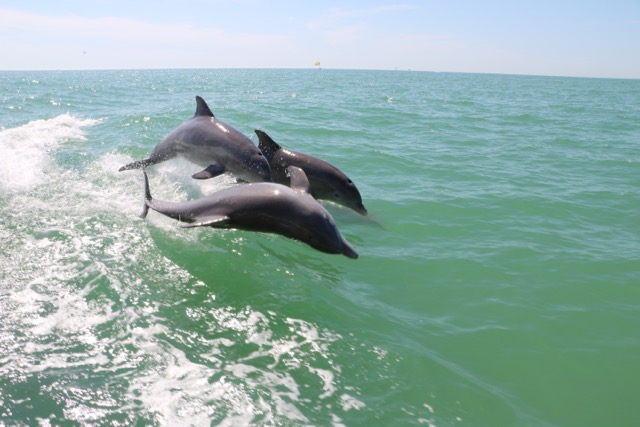
If you do plan to do a longer road trip, spend extra time in the planning phase. New tools and sites continue to be developed to simplify the process, but make sure you’ve had some experience with shorter trips first. With good planning and a relaxed approach you can still be jumping for joy at the end of a successful long road trip in your Tesla.


Elon Musk
How to use Grok Bot to block spam calls and texts
Musk told users to ask Grok Bot to scrub their phone numbers from spam lists.

Elon Musk has a new use case for Grok Bot, and it is the spam call. On Thursday he replied to an X user named Arash with a short instruction: “Ask your @Grok @Bot to remove your phone number from spam call & text lists!” Arash had said he got tired of the calls, had an AI bot find his number on listing sites and file removal requests, and packaged the process as a free skill for others.
The skill is called Spam-Call Scrubber, which is described to find a phone number on people search sites and data brokers, submits the opt outs, completes the confirmation emails those sites send back, and rechecks on a schedule the user picks. Using it requires the Grok Bot app. The pitch is time saved, since most broker opt outs sit behind separate forms on separate sites.
Ask your @Grok @Bot to remove your phone number from spam call & text lists!
— Elon Musk (@elonmusk) October 15, 2026
Musk said Grok Bot now gives each bot its own email address, and that it can detect scam emails. On Thursday he also said SpaceX would make users whole if the bot botches a purchase or leaks a card, then told users to shop away from Amazon after the retailer blocked the agent, as Teslarati reported. The terms of service we reviewed at the time put responsibility for what an agent does on the user.
For Tesla owners, Grok Bot is not just a phone app. Tesla brought Grok Bot into its vehicles on September 22, and we argued earlier this week that the Cybercab’s real advantage may be the errands it runs during a ride. Every Cybercab and the rest of the Model Y Robotaxi fleet has it enabled. The more routine tasks like this one become, the more a rider has reason to hand over something personal in the back seat.
The new Spam-Call Scrubber skill can be downloaded for free and works on sites that honor removal requests, while noting that listings can reappear, and illegal robocallers do not check any registry. Whether Spam-Call Scrubber cuts anyone’s call volume is something the first wave of users will find out, and Musk’s endorsement guarantees that wave is coming.
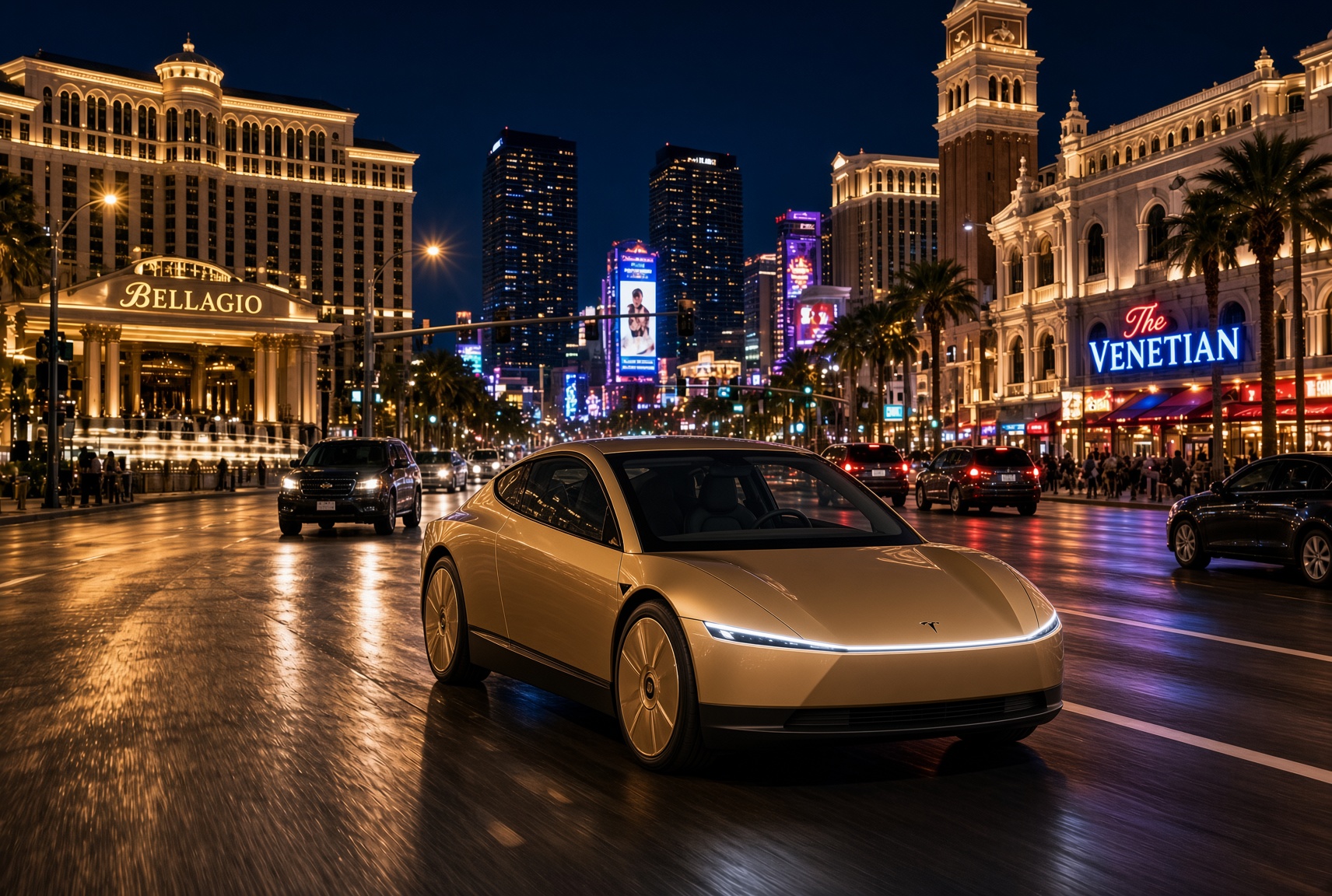
For a century, the car has asked the same thing of its owner, which is basically to pay attention. Even the best ride-hailing app like Uber or Lyft only moved the problem into someone else’s hands. You stopped driving, but you still sat in a stranger’s car, while half listening, and wondering whether to take a phone call in the car without being rude. The Cybercab has no wheel, no pedals and no driver. With Grok @bot now live inside it, it becomes something else entirely, and I think that matters more than the fleet count that everyone is tracking.
Grok @bot is an agent, not a voice assistant. A rider signs in once, and from then on can say what they need and watch it happen. Order dinner from a favorite restaurant. Fill the grocery cart. Move money, answer email, adjust a calendar, push a work project forward. Tesla engineer Yun-Ta Tsai confirmed it is enabled across every Cybercab and the rest of the Model Y fleet, and Tesla’s own pitch is that Full Self-Driving handles the commute while Grok handles the errands.
Think about what that does to a thirty minute ride. Uber sells you a trip, while Waymo sells you the same trip in a more private setting. Tesla is selling the thirty minutes themselves, returned to you with an assistant attached. Errands that used to eat a Saturday get done between pickup and drop off. The ride stops being dead time between two places and becomes a place of its own.
Tesla integrates Grok Bot into its vehicles for the ultimate personal assistant
Best of all, your Bots follow you into any Cybercab, and presumably your own Tesla, then logs you out automatically when you step out. Anyone can bolt a chatbot onto a screen, but much harder to own the vehicle, the autonomy stack and the assistant at once. It also quietly ties SpaceX’s Super Intelligence business to Tesla’s fleet, after Tesla converted its xAI stake into SpaceX equity. The relationship between those two companies is getting harder to describe as separate.
This is also where the hard questions start, because an agent that can spend your money in a vehicle other people also ride in needs some answers. How does it handle a voice it shouldn’t trust? What gets recorded, who can see it, and for how long? What happens when a rider leaves halfway through a task?
If Tesla gets those answers right, the scoreboard changes. We have been counting Cybercabs and wait times. The more telling number may be what riders accomplish per trip. That is data almost no one else will ever have, and it is the real reason to watch Grok @bot.
What do you think? Leave me a comment.
Lifestyle
Tesla’s mirrorless Cybercab will give riders a visibility upgrade
Tesla engineer confirms Cybercab update letting riders pull up rear and repeater cameras on demand.
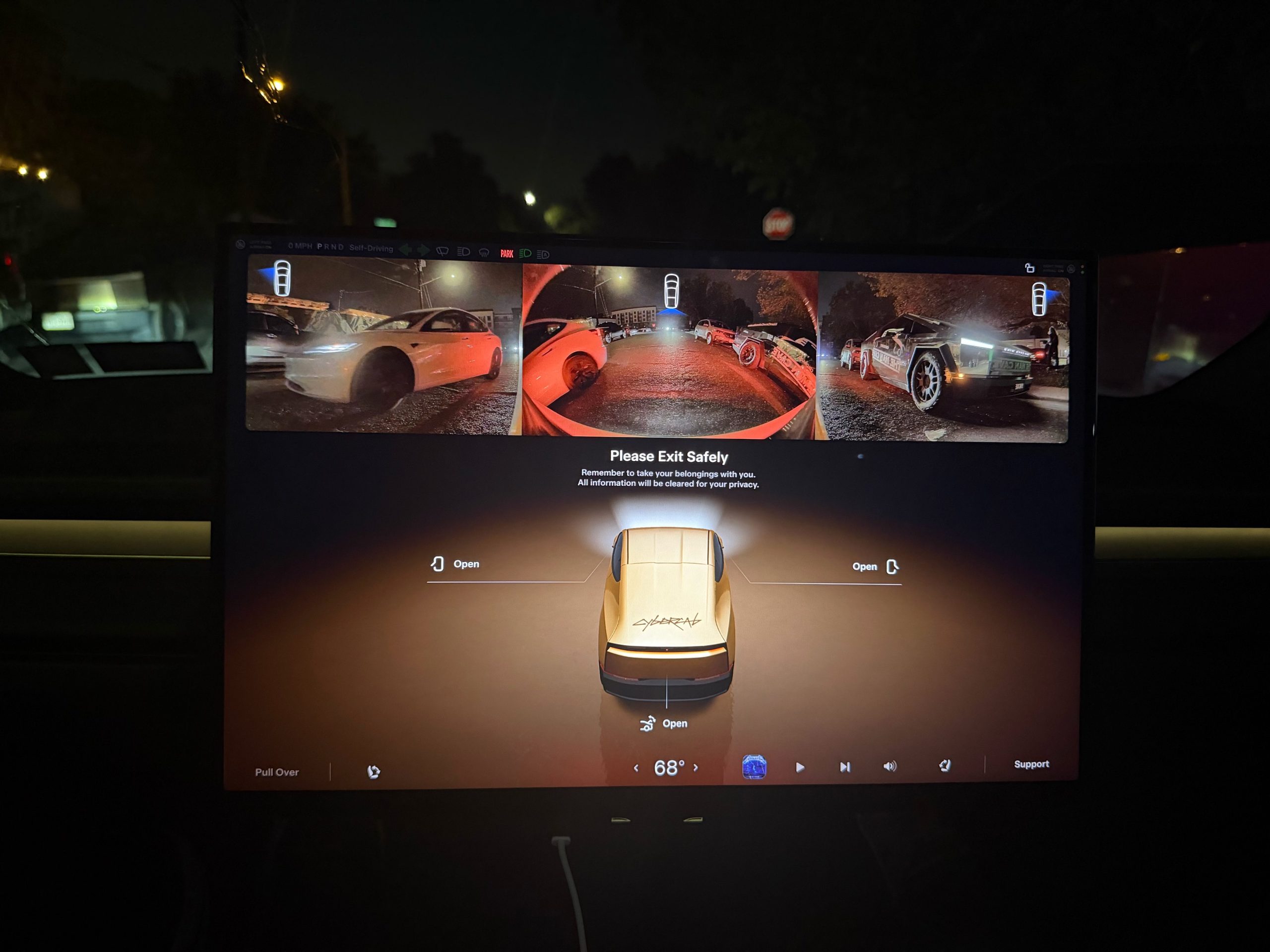
Tesla is working on a Cybercab update that would let passengers pull up the vehicle’s rear and side cameras on demand, and the request came straight from a rider.
The exchange played out on X late Friday. Cybercab rider Dan Burkland shared photos of the two-seater’s cabin screen after an evening ride, praised the UI team’s work, and left one request: let riders open the rear and repeater cameras whenever they want, “especially for peace of mind.” Tesla UI software engineer Evan (@CarCoder) answered with two words: “In development.”
The Tesla UI team absolutely crushed it with the infotainment software. Nicely done @CarCoder!
One feature request: Allow folks to pull up the rear & repeater cameras on demand. This would be great especially for peace of mind. https://t.co/mNAOSLx6pE
— Dan Burkland (@DBurkland) October 10, 2026
The idea fits a pattern Teslarati has tracked since public rides began. Days after paid Cybercab service opened in Austin, Tesla sent riders a survey that asked them to rate the touchscreen, the app and the cabin, and to pick the features they wanted most. We reported on that survey in September, and a camera view is the kind of small software change Tesla can push quickly if riders keep asking.
It also speaks to something unique about the vehicle. With no steering wheel, no pedals and no driver, passengers have no mirror to check and no way to see behind them. The hardware is clearly built for camera awareness, from the repeater cameras to the rear camera. Letting a passenger look through those same cameras would give a nervous first time rider a way to confirm what is around the car.
The timing matters because the fleet is growing fast. Tesla’s Robotaxi account said on Saturday that more than 300 Cybercabs are now serving Austin, an eightfold increase in 30 days, and Tesla AI chief Ashok Elluswamy named Dallas as the next city. More cars and more cities mean more people riding in a driverless vehicle for the first time, which is exactly when small trust features carry weight.
For now, the feature is confirmed only as in development. If Tesla follows its usual pattern with Cybercab software, riders could see it appear in a point release without any announcement, and Teslarati will watch for it.

Tesla Roadster owners to get “Flying Stunt Mode” and looping track access

How to use Grok Bot to block spam calls and texts

Tesla’s flying Roadster just revealed something bigger than the car

SpaceX reveals how its 1 Million AI satellite network will work and prevent space collisions

Elon Musk’s Boring Company lands a new Middle East deal, and Nashville is about to get faster


