Lifestyle
Integrating Portable Solar Panel Technology into the Tesla Model S

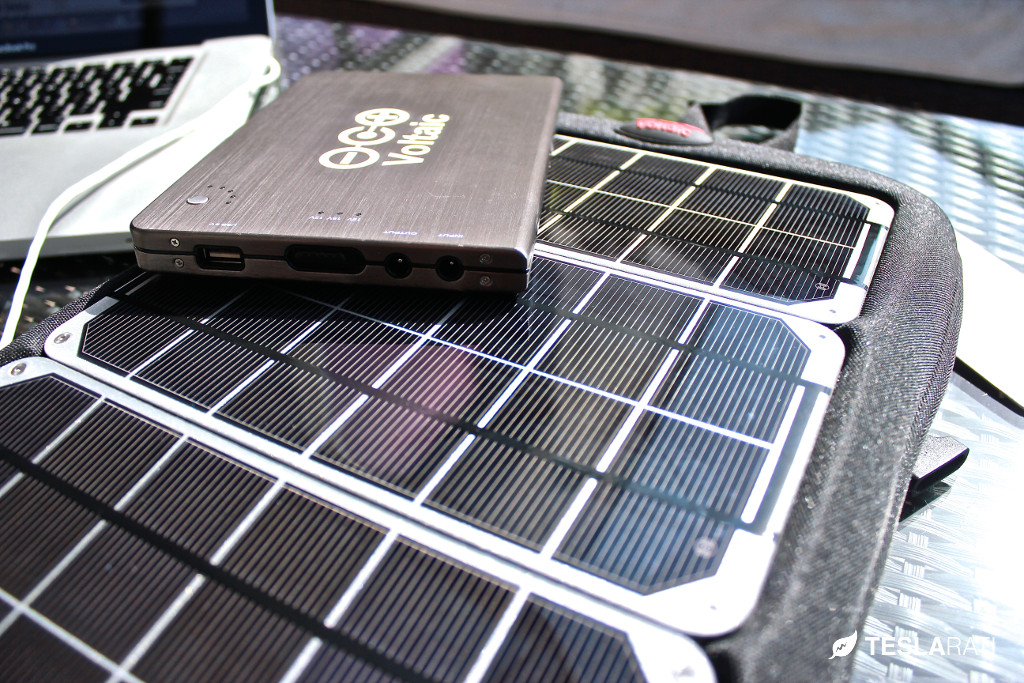
******************
UPDATE: 8/19/14 – After three months of continuous everyday use, both in-car and outdoors (predominantly left on the patio), the Voltaic 10W portable solar system has managed to power a household of two iPhones and one iPad purely on solar energy, and become a welcomed new member of the family.
It took some getting used to at first considering the entire assembly is as tall as a high schoolers backpack and more cumbersome to lug around than some of the smaller portable solar devices that I had a chance to test (Solar Joos, Anker). But despite the larger size, the Voltaic solar panel was hands down the best performing, most reliable and had superior quality over the others. In fact, it’s changed my entire perspective on how useful solar energy can actually be to the point I felt dirty just plugging anything into a wall (as ironic as that may sound from an EV family).
The Voltaic System portable solar panel device is certainly not the cheapest and some will argue that the cost for portability far exceeds what you would be paying if using a standard wall outlet, and they are right.
But for some it goes beyond just a cost benefit analysis. If you’re that type, then this device is for you. All in all, it’s a superb device in every sense and has made me become quite reliant on it. It’s hard to imagine adjusting back to using outlets for my mobile and tablet devices when each day brings free energy from the sun.
Read the original review below.
******************
Elon Musk has long touted that solar energy will be the future of electric vehicles so why wasn’t it incorporated into the Tesla Model S?
A part of me still wonders why this never happened. Perhaps it was a way to offset the large costs associated with having an automotive-grade lithium ion battery pack capable of 260+ miles of range. Or was it due to the fact that roof-integrated solar cells à la now defunct Fisker is nothing more than a cool factor with no real cost benefit?
Either way, it got me thinking – how can I store some of the sun’s energy while embarking on a long distance Tesla road trip? Or better yet, store solar energy while the Model S is at rest during the work week? The energy recouped through the sun need not be channeled back into the car itself, but could still provide usable power for a mobile device or laptop.
This exact thought led us to find three leading makers of portable solar charging technology with the goal of being able to store solar energy implicitly through our Tesla Model S. We’ll be conducting a review of each product in a three part series. The first being Voltaic System‘s Fuse 10W Solar Laptop Charger.
Initial Impressions
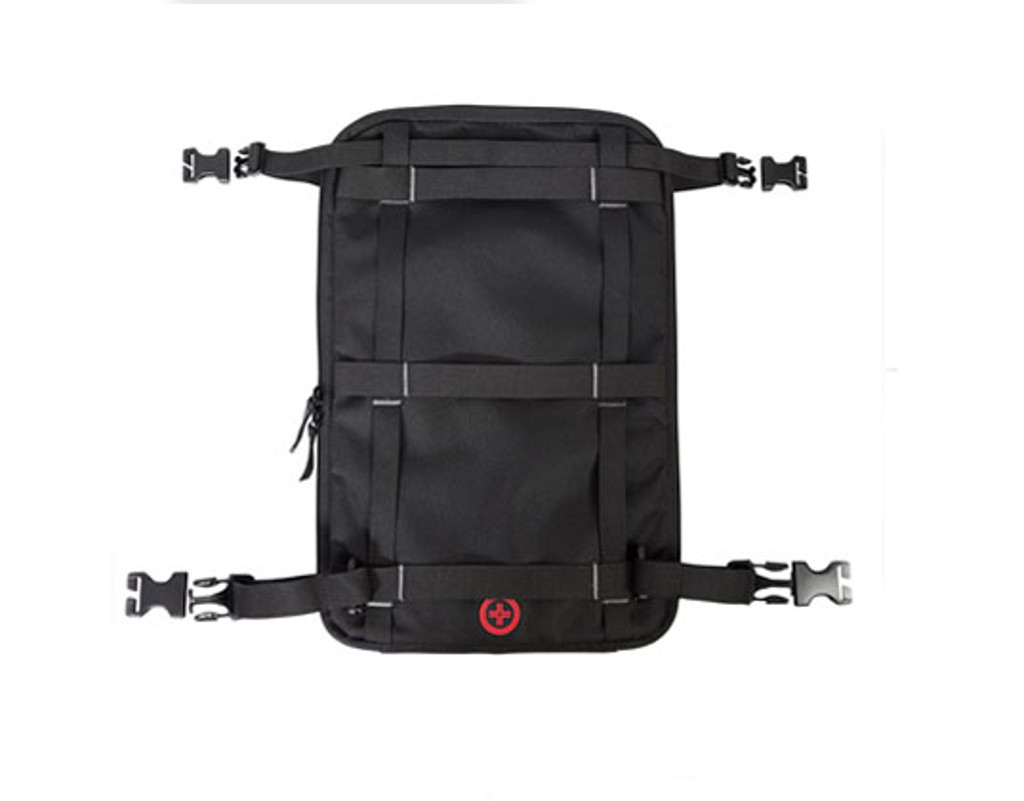 Voltaic’s 10W Fuse Solar Charger dominates in its presence. The three large solar panels encased within a beautiful gloss coated metal frame is a tell-tale indicator that this device can pack some serious charging capabilities. At first I was surprised to feel how heavy the entire unit was (3.6 lbs), only to later find out that the bulk of the weight was from the detachable high capacity lithium polymer battery that was stowed inside the zippered clam-shell casing.
Attached to the back of the Fuse Solar Charger unit was a set of straps and clips which, frankly, I had no idea how to use but was eager to learn.
Technical Specifications
The Fuse is capable of generating 10 Watts of power through its three 3.4 Watt solar panels. Configurable voltage settings provide the flexibility to power your most basic low voltage mobile device and tablets, to laptops and digital cameras that can demand up to 18V.
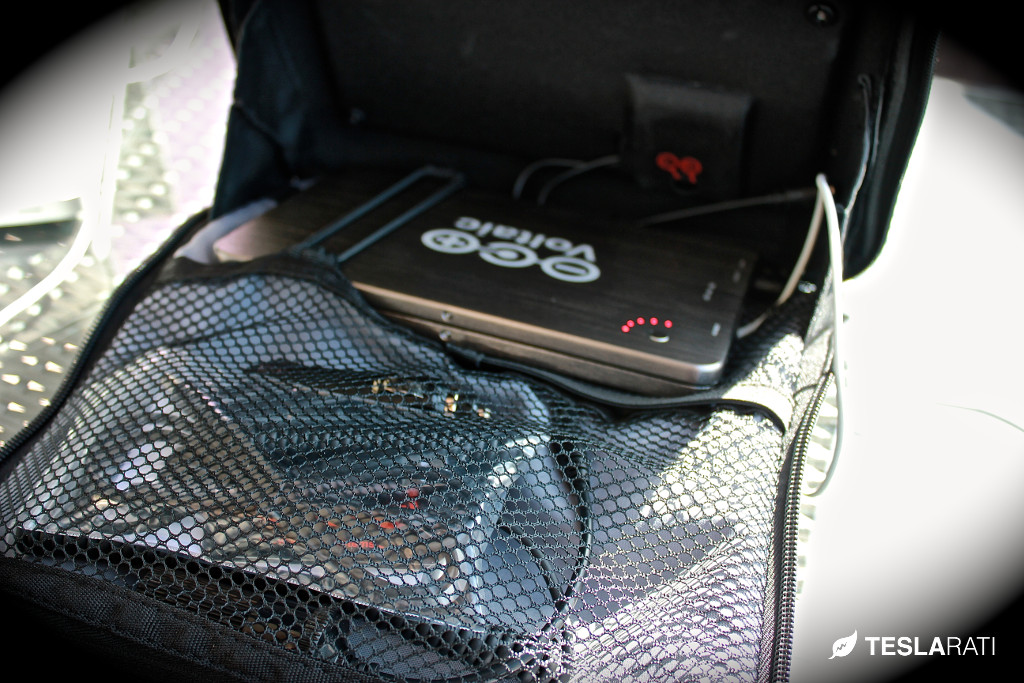
Aside from the obvious good of using renewable solar energy, Voltaic Systems took it to a whole new level of being eco-conscious by mounting the solar panels to a durable and lightweight shell made from recycled plastic soda bottles, otherwise known as PET. The clam shell design allows it to be used as a storage container for the detachable 20,000 mAh, 72 Wh lithium polymer battery and a plethora of device adapters.
NOTE: Amazon’s description shows a 16,000 mAh although the one we received directly from Voltaic Systems contained a 20,000 mAh battery
Tablets and small notebooks can easily fit within the casing.
LEDs on the battery indicate the level of charge. Five lit LEDs represents a full 100% state of charge. The battery has a USB out as well as an attachment set that allows you to connect to virtually any type of device.
Solar Panels
- Solar panels are waterproof and abrasion resistant
- Power: 10 Watts total peak output at 6 or 18 Volts
V72 Universal Laptop Battery
- 20,000 mAh, 72 Wh battery capacity is one of the larger portable batteries I’ve seen. Capable of replenishing an iPhone ten times and an iPad twice on a single charge.
- When not in the sun, the battery can also be charged through the included DC car or AC chargers, making it just as useful on the grid as off.
- Charge Time: In direct sun, V72 battery fully charges in 14.5 hours from 10 Watts and in 9 hours from 16.8 Watts of solar panels.
- Protection: Short Circuit, Over Charge, Over Discharge, Over Current, Over Temperature
- Charge Display: LEDs light sequentially when charging.
- Capacity Display: 1 light < 20%, 2 lights < 40%, 3 lights < 60%, 4 lights < 80% full, 5 lights > 95%
Solar Charging Tesla Center Console
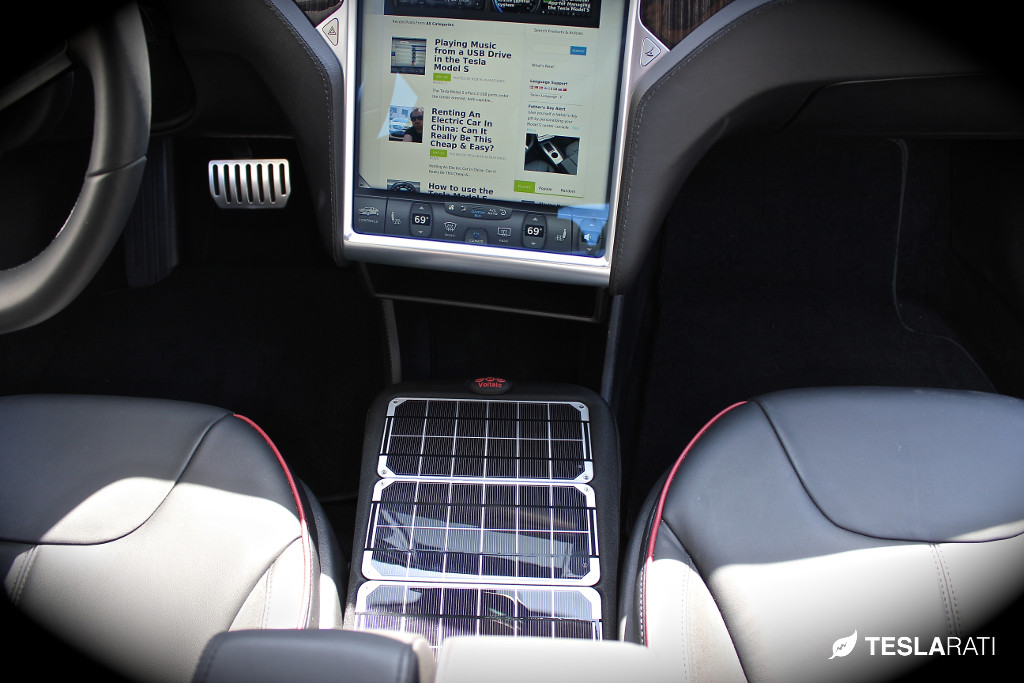
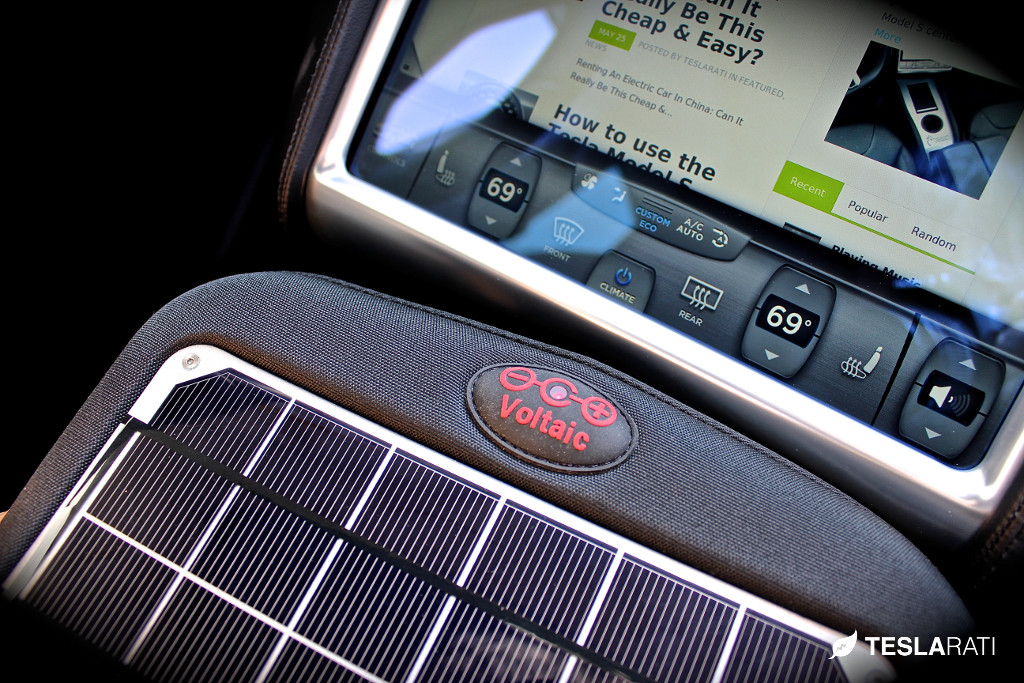
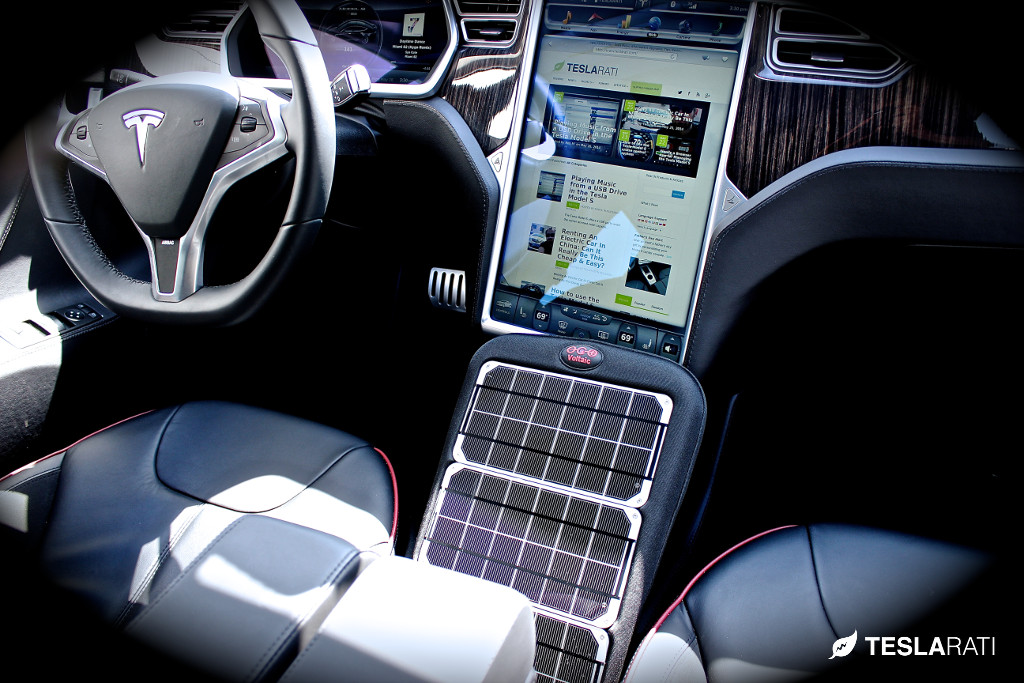
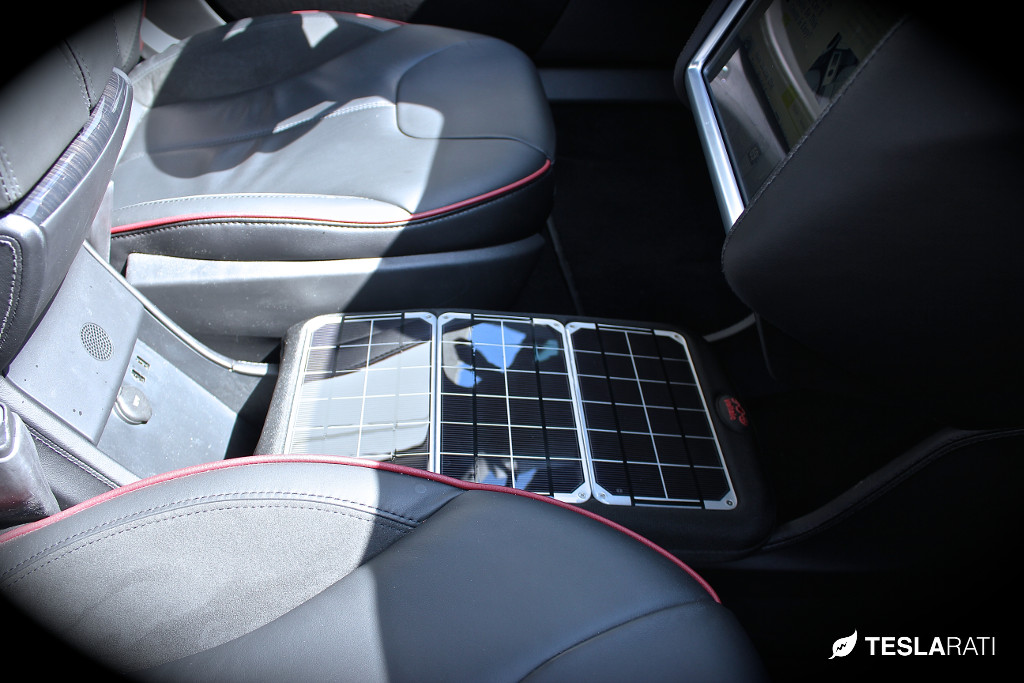
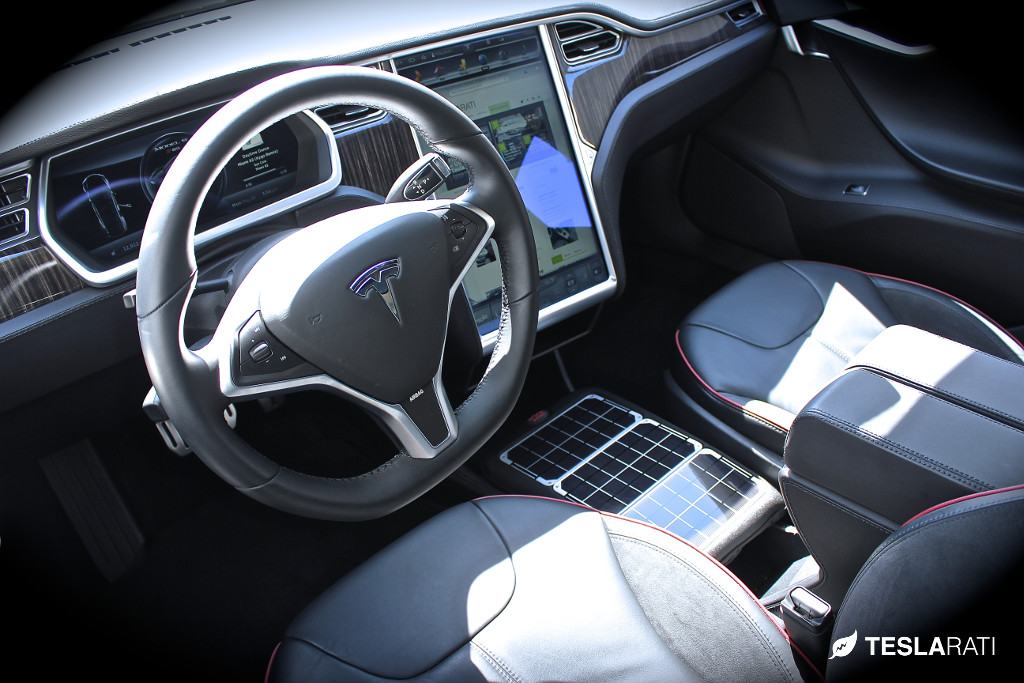
Instead I found a perfect home for the Fuse in the Tesla Model S center channel. Not only does it fit great within that location, it helped conceal any miscellaneous belongings that would normally be left out in the open without a Tesla Center Console unit.
Charging in direct sunlight will clearly achieve the best charging results, but nevertheless I wanted to see how much solar energy I can gather behind the UV protected glass of the Model S.
A red LED towards the top of the “Voltaic” insignia lights up as soon I placed the Fuse solar charger between the two front seats to indicate that solar energy is being collected. Bingo.
Placing the Fuse 10W Portable Solar Charger on the Model S center channel allows it to harnesses the power of the sun and store it for later use.
Even behind glass I was able to capture enough solar energy to charge a mobile phone. However, the most common use case for me was to leave the Fuse in the center channel of the Model S each day while I was at work. It’s always an exhilarating feeling to be able to come back to some additional energy at the end of each work day. The energy is stored within the detachable battery making it a useful battery extender for my notebook when I’m on the go or just as a battery backup.
Summary
Voltaic System’s Fuse 10W Portable Laptop Charger is extremely durable and capable of the most rugged of outdoor adventures. Short of going on a camping excursion where access to electricity maybe limited, it’s hard to see the need to carry both laptop and Fuse device simultaneously, although the name of the product may suggest otherwise.
However if you’re looking for a world-class portable solar charging device that can mount to practically anything, blends naturally into the Tesla Model S, has a huge industry-leading 20,000 mAh battery capacity with adjustable voltage outputs, and don’t mind paying a premium $339 USD, then Voltaic System‘s portable solar charger just might be for you.


Elon Musk
How to use Grok Bot to block spam calls and texts
Musk told users to ask Grok Bot to scrub their phone numbers from spam lists.
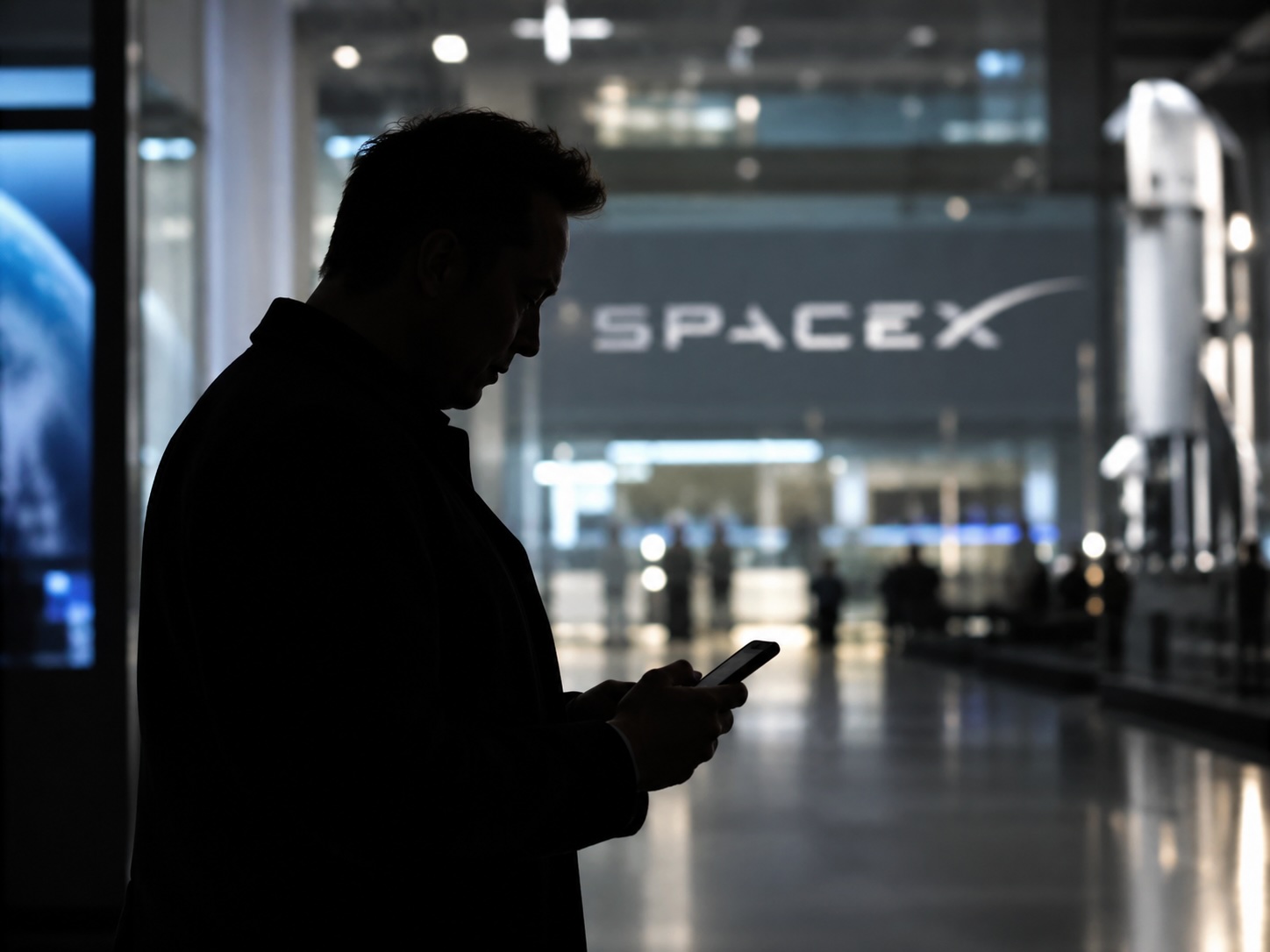
Elon Musk has a new use case for Grok Bot, and it is the spam call. On Thursday he replied to an X user named Arash with a short instruction: “Ask your @Grok @Bot to remove your phone number from spam call & text lists!” Arash had said he got tired of the calls, had an AI bot find his number on listing sites and file removal requests, and packaged the process as a free skill for others.
The skill is called Spam-Call Scrubber, which is described to find a phone number on people search sites and data brokers, submits the opt outs, completes the confirmation emails those sites send back, and rechecks on a schedule the user picks. Using it requires the Grok Bot app. The pitch is time saved, since most broker opt outs sit behind separate forms on separate sites.
Ask your @Grok @Bot to remove your phone number from spam call & text lists!
— Elon Musk (@elonmusk) October 15, 2026
Musk said Grok Bot now gives each bot its own email address, and that it can detect scam emails. On Thursday he also said SpaceX would make users whole if the bot botches a purchase or leaks a card, then told users to shop away from Amazon after the retailer blocked the agent, as Teslarati reported. The terms of service we reviewed at the time put responsibility for what an agent does on the user.
For Tesla owners, Grok Bot is not just a phone app. Tesla brought Grok Bot into its vehicles on September 22, and we argued earlier this week that the Cybercab’s real advantage may be the errands it runs during a ride. Every Cybercab and the rest of the Model Y Robotaxi fleet has it enabled. The more routine tasks like this one become, the more a rider has reason to hand over something personal in the back seat.
The new Spam-Call Scrubber skill can be downloaded for free and works on sites that honor removal requests, while noting that listings can reappear, and illegal robocallers do not check any registry. Whether Spam-Call Scrubber cuts anyone’s call volume is something the first wave of users will find out, and Musk’s endorsement guarantees that wave is coming.
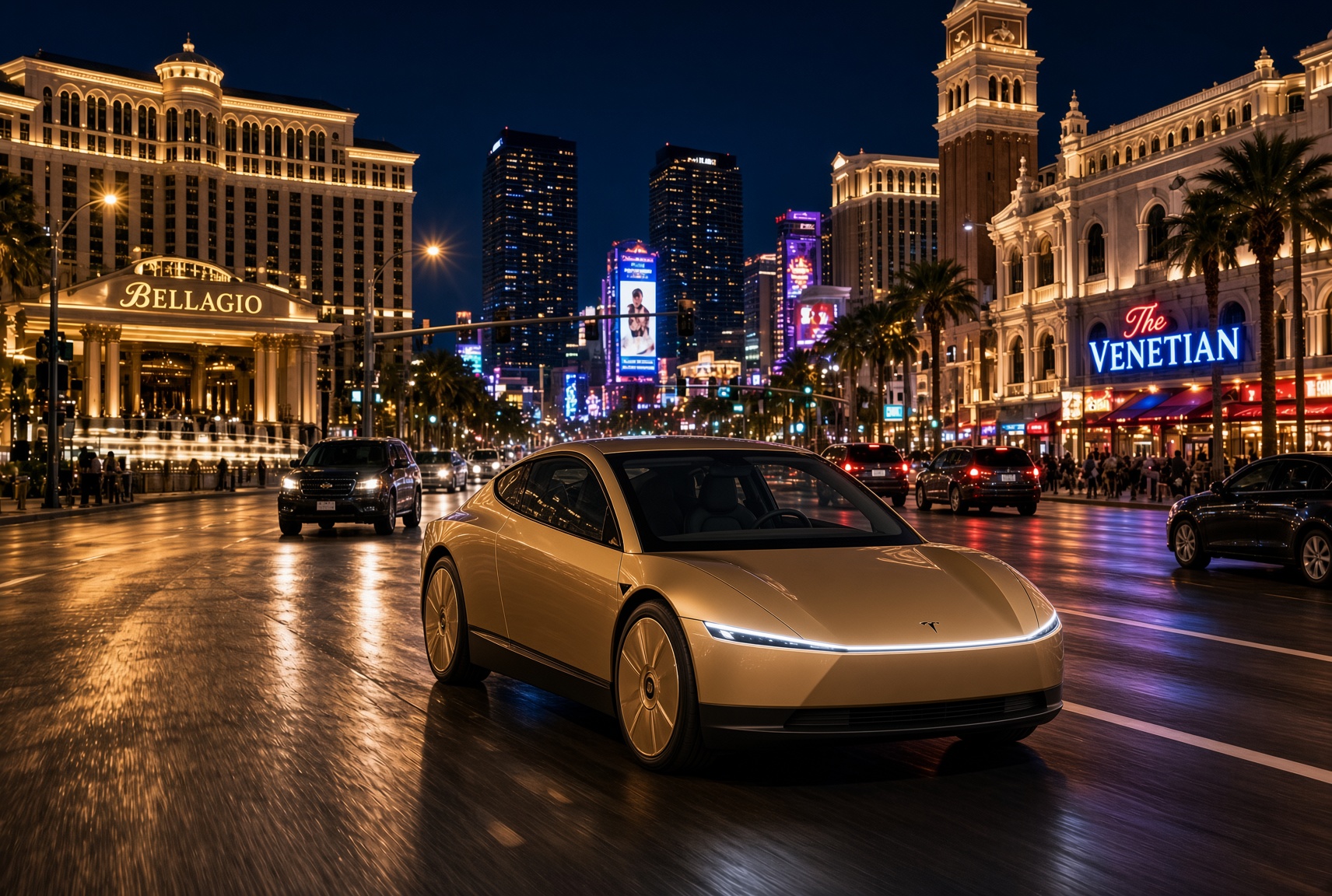
For a century, the car has asked the same thing of its owner, which is basically to pay attention. Even the best ride-hailing app like Uber or Lyft only moved the problem into someone else’s hands. You stopped driving, but you still sat in a stranger’s car, while half listening, and wondering whether to take a phone call in the car without being rude. The Cybercab has no wheel, no pedals and no driver. With Grok @bot now live inside it, it becomes something else entirely, and I think that matters more than the fleet count that everyone is tracking.
Grok @bot is an agent, not a voice assistant. A rider signs in once, and from then on can say what they need and watch it happen. Order dinner from a favorite restaurant. Fill the grocery cart. Move money, answer email, adjust a calendar, push a work project forward. Tesla engineer Yun-Ta Tsai confirmed it is enabled across every Cybercab and the rest of the Model Y fleet, and Tesla’s own pitch is that Full Self-Driving handles the commute while Grok handles the errands.
Think about what that does to a thirty minute ride. Uber sells you a trip, while Waymo sells you the same trip in a more private setting. Tesla is selling the thirty minutes themselves, returned to you with an assistant attached. Errands that used to eat a Saturday get done between pickup and drop off. The ride stops being dead time between two places and becomes a place of its own.
Tesla integrates Grok Bot into its vehicles for the ultimate personal assistant
Best of all, your Bots follow you into any Cybercab, and presumably your own Tesla, then logs you out automatically when you step out. Anyone can bolt a chatbot onto a screen, but much harder to own the vehicle, the autonomy stack and the assistant at once. It also quietly ties SpaceX’s Super Intelligence business to Tesla’s fleet, after Tesla converted its xAI stake into SpaceX equity. The relationship between those two companies is getting harder to describe as separate.
This is also where the hard questions start, because an agent that can spend your money in a vehicle other people also ride in needs some answers. How does it handle a voice it shouldn’t trust? What gets recorded, who can see it, and for how long? What happens when a rider leaves halfway through a task?
If Tesla gets those answers right, the scoreboard changes. We have been counting Cybercabs and wait times. The more telling number may be what riders accomplish per trip. That is data almost no one else will ever have, and it is the real reason to watch Grok @bot.
What do you think? Leave me a comment.
Lifestyle
Tesla’s mirrorless Cybercab will give riders a visibility upgrade
Tesla engineer confirms Cybercab update letting riders pull up rear and repeater cameras on demand.
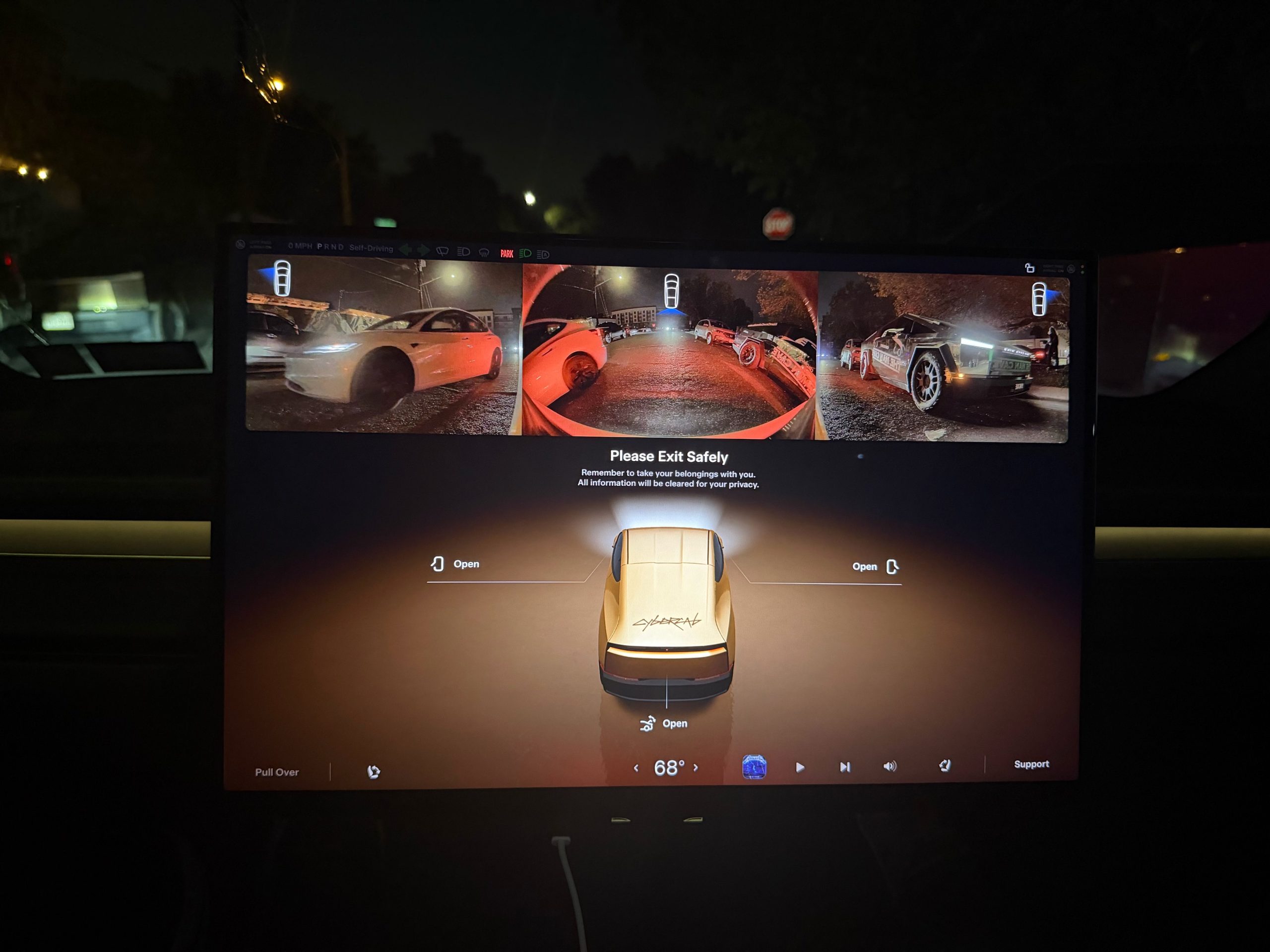
Tesla is working on a Cybercab update that would let passengers pull up the vehicle’s rear and side cameras on demand, and the request came straight from a rider.
The exchange played out on X late Friday. Cybercab rider Dan Burkland shared photos of the two-seater’s cabin screen after an evening ride, praised the UI team’s work, and left one request: let riders open the rear and repeater cameras whenever they want, “especially for peace of mind.” Tesla UI software engineer Evan (@CarCoder) answered with two words: “In development.”
The Tesla UI team absolutely crushed it with the infotainment software. Nicely done @CarCoder!
One feature request: Allow folks to pull up the rear & repeater cameras on demand. This would be great especially for peace of mind. https://t.co/mNAOSLx6pE
— Dan Burkland (@DBurkland) October 10, 2026
The idea fits a pattern Teslarati has tracked since public rides began. Days after paid Cybercab service opened in Austin, Tesla sent riders a survey that asked them to rate the touchscreen, the app and the cabin, and to pick the features they wanted most. We reported on that survey in September, and a camera view is the kind of small software change Tesla can push quickly if riders keep asking.
It also speaks to something unique about the vehicle. With no steering wheel, no pedals and no driver, passengers have no mirror to check and no way to see behind them. The hardware is clearly built for camera awareness, from the repeater cameras to the rear camera. Letting a passenger look through those same cameras would give a nervous first time rider a way to confirm what is around the car.
The timing matters because the fleet is growing fast. Tesla’s Robotaxi account said on Saturday that more than 300 Cybercabs are now serving Austin, an eightfold increase in 30 days, and Tesla AI chief Ashok Elluswamy named Dallas as the next city. More cars and more cities mean more people riding in a driverless vehicle for the first time, which is exactly when small trust features carry weight.
For now, the feature is confirmed only as in development. If Tesla follows its usual pattern with Cybercab software, riders could see it appear in a point release without any announcement, and Teslarati will watch for it.

FCC green lights SpaceX’s move to a showdown with Verizon and AT&T

Tesla’s Roadster appearance at SpaceX has merger watchers talking


