Lifestyle
Winter Driving in the Tesla Model S

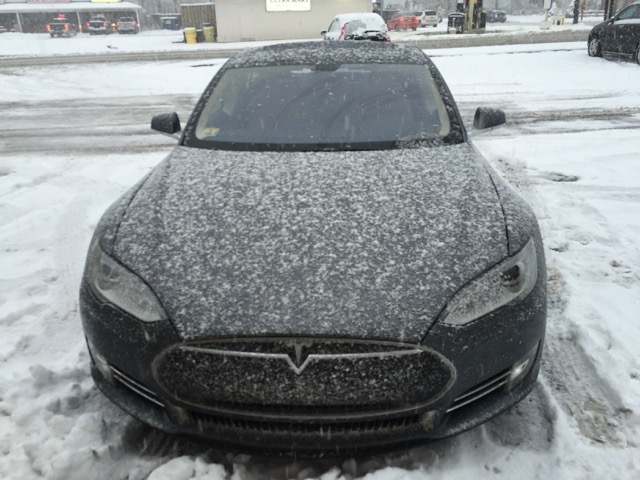
We’re hit with record breaking snow in the north eastern part of the US but that hasn’t stopped me from taking my Tesla Model S (non-AWD) out for some winter driving. My Nokian Hakkapeliitta R2 winter tires have seen wet, snowy and icy conditions and I’m here to tell you about how the experience has been thus far.
Traction and Stability Control
Before I go into details on how the winter tires perform I need to touch on traction control first. The Tesla Model S has both stability and traction control, something I reviewed in a previous post, which are designed to help a driver maintain control of the vehicle. You’ll really get to see traction control take effect when driving through a mix of wet slushy snow.
RELATED: Tesla Model S Winter Tires and Wheels Preparation
The Model S is able to respond to tire slippage much faster than other cars due to the super-fast response time between the traction control unit and the electric motor driving the wheels. Traction control allows the Model S to quickly shift power between wheels via an open differential. It will back off power to those wheels that slip.
With traction control enabled you can literally pull onto a patch of snow and floor the “go pedal”without losing control. The Model S will begin picking up speed as long as the wheels aren’t slipping. It’s been a fun and bizarre experience to try this and so far it hasn’t gotten old.
Tires
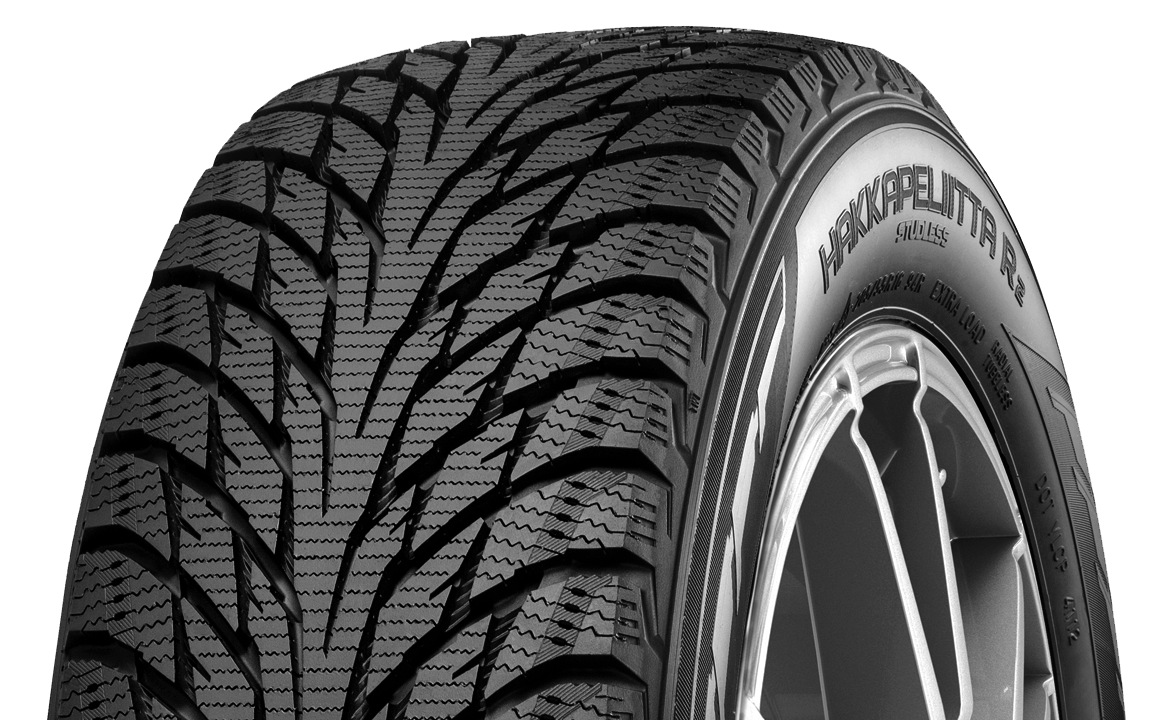 Traction control is great however in order for braking to be effective, the tires essentially need to be able to grip onto the road. It doesn’t matter how much sophistication is built into traction control since at the end of the day you’ll still need a good set of winter tires that can bite into the slipper winter surface.
Last year here in Boston there were reports of Model S owners that couldn’t drive up small hills found across the city. This all comes down to tires. The factory 21″ performance tires won’t get you up the hills during a Boston winter.
The Nokian tires on the other hand are designed specifically for the winter. They’re designed to grip on snow, ice and at very low temperatures. I tried the tires in a number of different conditions ranging from a few inches of snow, to a foot of slush to ice/snow mixes, to extremely cold weather and in each case the tires were able to grab hold.
Be Safe
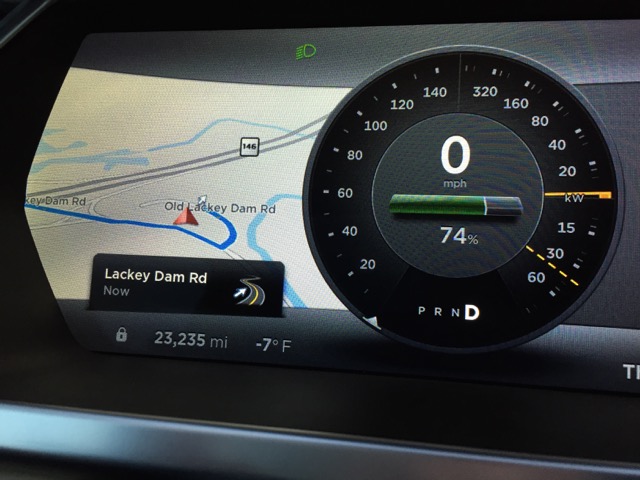 Traction control and winter tires aside, the most important tip for winter driving is to exercise caution. Here are a few more winter driving tips for the Tesla Model S:
- Assuming your regenerative braking isn’t limited due to extreme weather conditions, you may want to change the regenerative braking option to low. The aggressive deceleration of full regenerative braking isn’t good for traction when dealing with slippery conditions.
- The Model S is low to the ground so I’d think twice before driving through more than 6″ of snow regardless of your setup.
- Be extra careful around turns and give yourself plenty of stopping distance by leaving enough space between you and the car ahead of you.
- Watch those behind you and make sure they’re capable of stopping in time.
- Stay home and work at home if you can. The Model S is really efficient, but not commuting at all is even more efficient. You can still go sit in your Model S if you miss it!
AAA has a great guide for winter driving which is a good read to help you prep your Model S for winter.
Stay warm and be safe out there!


Lifestyle
Tesla wins over Netflix’s Selling Sunset star, who’s now ditching his Bentley
Selling Sunset’s Jason Oppenheim swapped his Bentley for a Tesla and promised ten for employees.

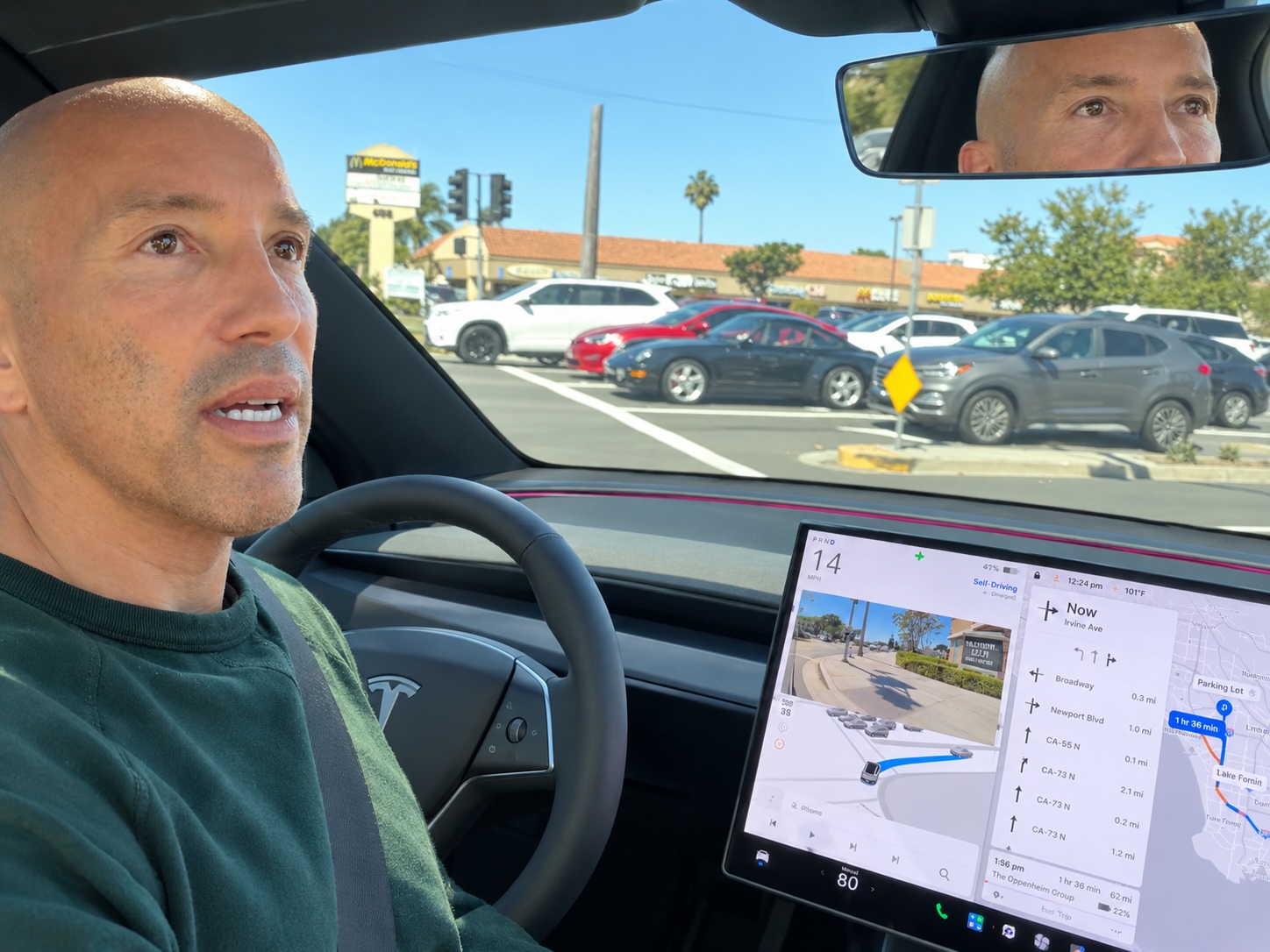
Jason Oppenheim, the luxury real estate broker best known as the star of Netflix’s Selling Sunset, has parked his Bentley for good and moved into a Tesla Model Y, and he says Full Self-Driving (Supervised) is the reason.
Oppenheim, who founded The Oppenheim Group, the Los Angeles brokerage at the center of the show, posted a video to X on Saturday evening that he called “the most important video I’ve ever posted.” In it, he rides from Newport Beach to his firm’s Los Angeles office, a trip he put at roughly an hour and 15 minutes, while FSD handles the drive and parks the car without him touching the wheel or the accelerator. He said he handed the Bentley to his father because he no longer has any use for it.
Tesla shared the clip from its main account on X about two hours later, pulling out the quote that has since spread well beyond the Tesla community:
“[FSD Supervised] is life-changing. I was on the phone with my brother last night, and I made him buy one. He literally bought one while we were talking. I’m buying 10 of my employees a Tesla with FSD. It’s 8x safer than the average driver. There’s nothing more important than the safety of you and your loved ones.”
Oppenheim was candid about why the safety pitch landed with him. He admitted in the video that he is a distracted driver who answers emails and texts behind the wheel, and framed the employee purchases as a way to keep his team off their phones while driving. Elon Musk posted “Tesla FSD feels like magic” less than half an hour after the video went live.
The endorsement lands at a convenient moment for Tesla. The company delivered 486,532 vehicles in Q3, beating Wall Street’s estimates and marking its best quarter ever without the $7,500 federal EV tax credit.
A public service announcement. https://t.co/NYa1IpKwBX
— Jason Oppenheim (@OppenheimJason) October 4, 2026
Tesla FSD has been subscription only in the U.S. since February at $99 per month, and Tesla said in its Q2 update that active subscriptions hit 1.48 million, up 56 percent year over year, with more than 55 percent of new North American deliveries leaving with FSD attached. That attach rate is the figure Ron Baron cited last month when he told CNBC “the time to buy the stock is now.” At current pricing, Oppenheim’s 10 employee cars alone would add $990 a month, or about $11,880 a year, in FSD revenue.
Tesla AI head Ashok Elluswamy said in July that FSD had logged more than 12 billion miles while going roughly twice as far between collisions as manual driving. FSD also remains a supervised system, so Oppenheim and his employees are still required to watch the road, even as Tesla rolls out v14.3.10 with Automatic Collision Evasion, which can steer or brake on its own to avoid a frontal crash.
Lifestyle
Tesla teases “Halloween Mode” update with Optimus rising from a graveyard
Tesla’s Halloween teaser hides a covered vehicle and an Optimus hand rising from the ground.
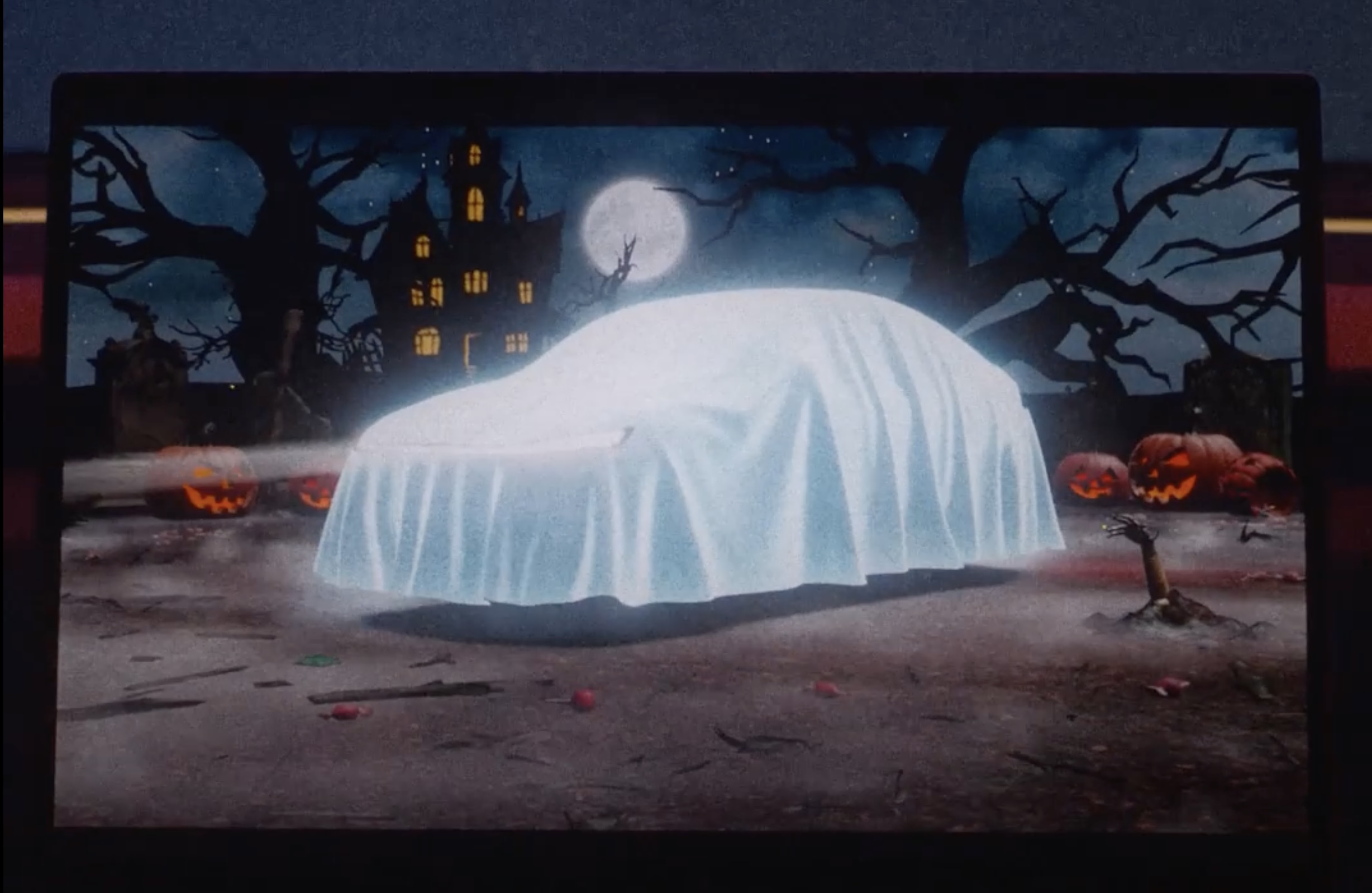
Tesla has started teasing a Halloween software update for its vehicles, with a short clip on X that reads, “Halloween is coming.” The clip opens on a glowing pumpkin before pulling back to the car’s center touchscreen, where the usual parked visualization has been replaced by a graveyard scene, and the vehicle draped with a white sheet so it reads as a cartoon ghost.
Halloween is coming pic.twitter.com/lM3ASUeOqX
— Tesla (@Tesla) October 1, 2026
The second detail is a robotic hand clawing its way out of the dirt like a zombie, which looks to be the hand of Tesla’s latest Optimus V3 humanoid robot. While Tesla still has not formally shown Optimus Gen 3 walking around in service, renders pulled from Tesla’s Android app last month gave the clearest look yet, including far more refined hands that Tesla has said carry 22 degrees of freedom. The hand has been the hardest part of the program. Musk has called it the majority of the robot’s engineering difficulty, and Tesla’s patents describe a design driven by tendons with the actuators moved into the forearm.
Tesla Optimus V3 hand and arm details revealed in new patents
Optimus also has a Halloween track record. Last October the robot handed out candy in Times Square, and a costumed “zombie” Optimus shuffled around the Tesla Diner in Los Angeles on Halloween night.
On the software side, Tesla’s 2025 Holiday Update expanded Santa Mode with a Santa sleigh, snowmen, snow effects, and a festive lock chime, so it wouldn’t be too far fetched if we saw something similar but themed for a Halloween Mode.
Lifestyle
Tesla’s newest feature lets you floor it out of a Supercharger while plugged in
Tesla’s new Emergency Drive Away feature lets owners flee a Supercharger while still plugged in.
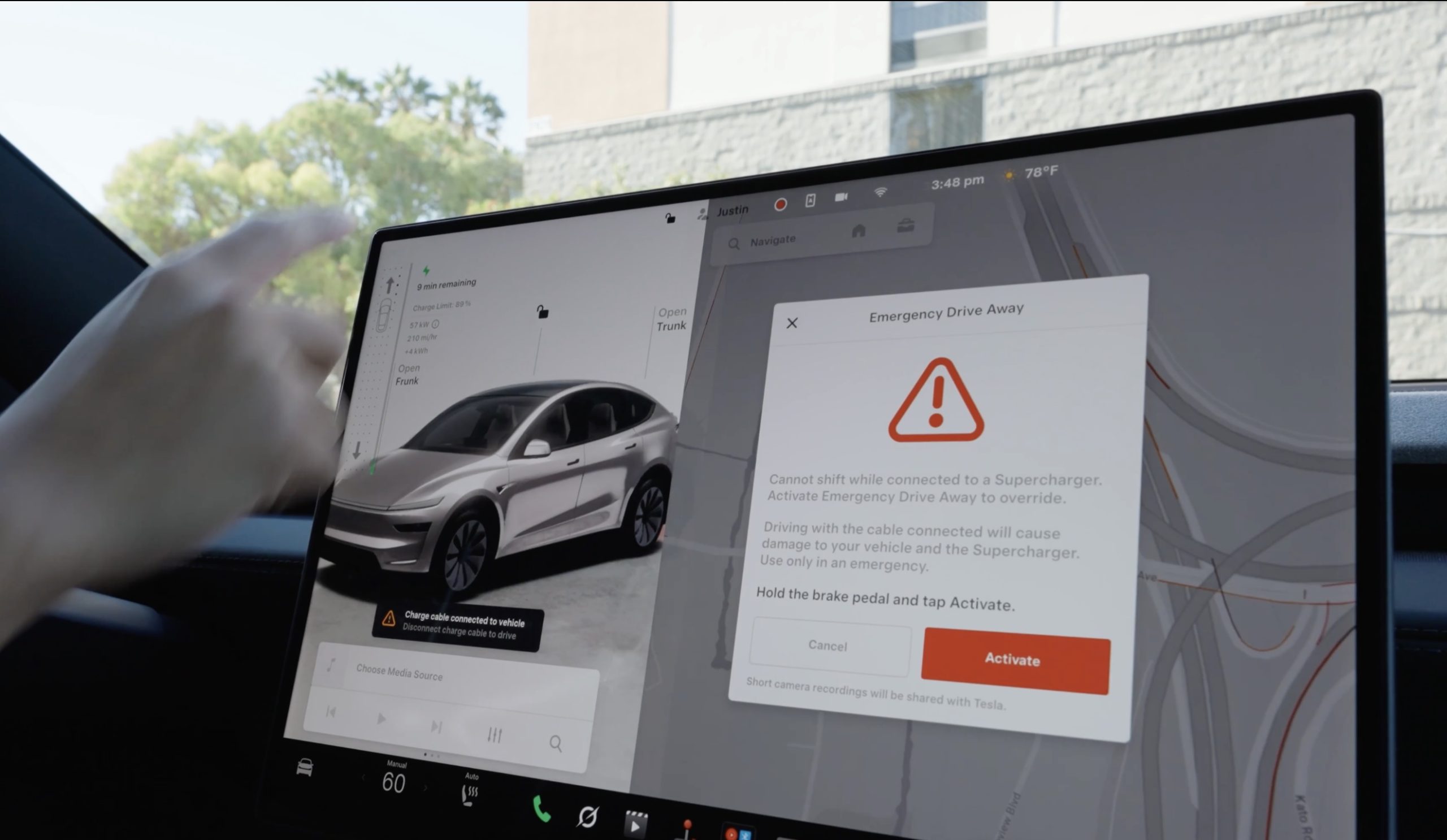
Tesla has given drivers a way to escape while a vehicle is plugged-in at a Supercharger, in the event of an emergency. The company’s charging team announced a new feature on X called Emergency Drive Away, which lets a driver shift into Drive and pull away while the charging cable is still connected to the car.
Until now, a Tesla would not leave Park with a charge cable plugged in. Drivers had to release the latch from the touchscreen, the Tesla app, or the button on the charge handle, then wait for the port to let go. Emergency Drive Away removes that lockout, but Tesla is clear that it comes at a cost. “Use of this feature will damage your vehicle and the Supercharger,” the company wrote, adding that the function is meant for emergencies only and that deliberate misuse will lead to “additional penalties.” Tesla did not say what those penalties are.
Emergency Drive Away lets you shift into Drive while still plugged into a Supercharger pic.twitter.com/40GSzyP4lG
— Tesla Charging (@TeslaCharging) October 1, 2026
The in-car prompt is just as direct, with the warning reading: “Driving with the cable connected will cause damage to your vehicle and the Supercharger. Short camera recordings will be shared with Tesla.” That footage gives Tesla a way to separate a real emergency from someone who simply did not want to wait for the latch.
The feature requires software update 2026.38.3, and Tesla said in replies to owners that it works at every Supercharger in the United States without new stall hardware. Model S and Model X vehicles built before 2021 are not supported, and the company says the feature applies to U.S. Superchargers “for now,” leaving Canada and other markets out at launch.
Tesla Supercharger argument leads to tragic shooting incident
Tesla did not tie the announcement to any specific event, but it arrives two months after a gunman opened fire at an In-N-Out in Twin Falls, Idaho, on August 1, targeting three people in two Teslas at the neighboring Supercharger. One of them, a 66 year old man from Salt Lake City, was killed. Superchargers have been the scene of violence before, including a fatal shooting at a station near Denver in 2023.
In the weeks after Twin Falls, owners pushed Tesla for a native way to escape a stall, and many pointed back to EVject, the aftermarket breakaway connector Tesla sued in 2024 over claims it lacked overtemperature protection. The two companies later reached an agreement that led EVject to recall its earlier connectors in favor of a version with thermal sensors.
Our mission has always been about providing peace of mind and eliminating sitting duck scenarios.
We patented the built-in breakaway charger tip on Feb 15, 2023. Awarded Jan 30, 2024. Then shared the designs with @TeslaCharging
Thank you @Tesla for rolling out a solution. This… https://t.co/djOzswLw9N
— EVject (@EVject) October 2, 2026

SpaceX just locked up a NASA record no other U.S. spacecraft can touch

Elon Musk teases TSMC as potential Terafab partner


