News
I figured out how to charge my Tesla at my rented townhouse – Here’s how
I hope that this article is able to help the prospective EV buyer or the current Tesla owner who is living in a rental and does not have a straightforward solution to home charging. My situation will be presented in this article, and I will tell you why I went with the solution I went with, and alternatives, because there is more than one way to do this.

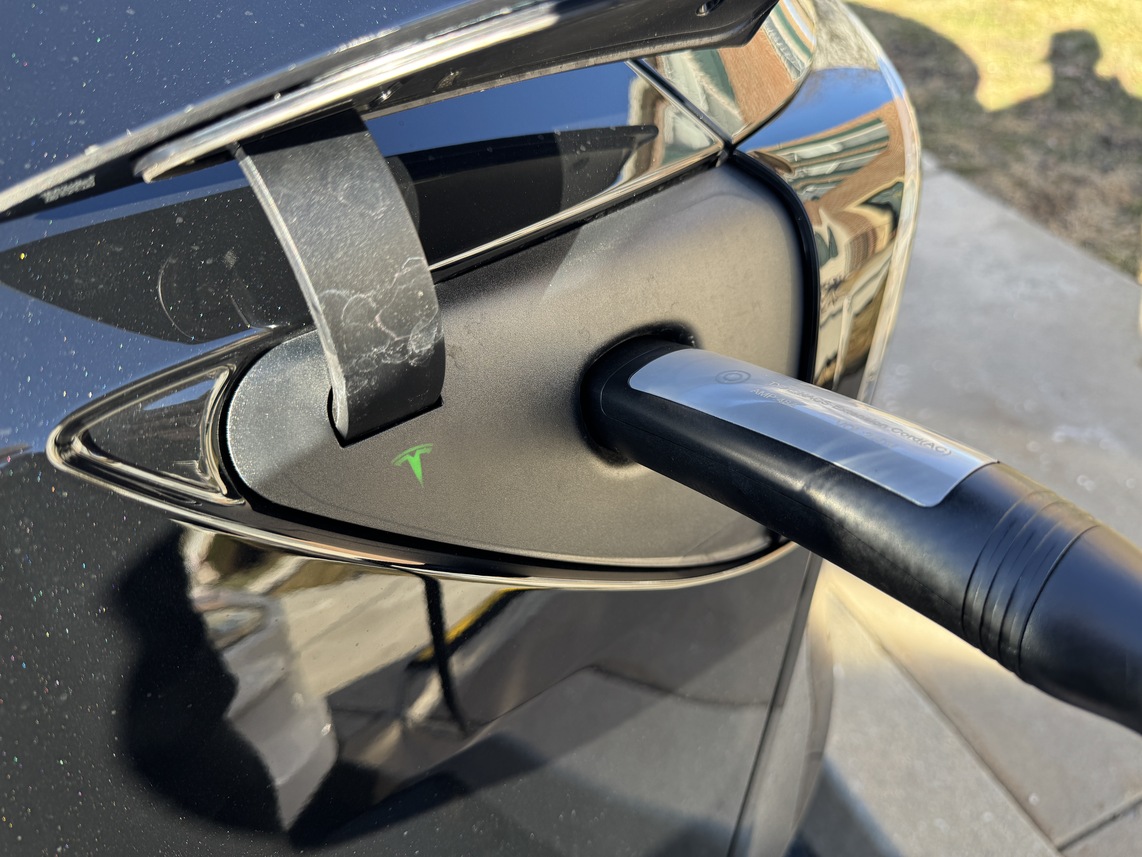
When I bought my Tesla Model Y Premium All-Wheel-Drive last year, I knew I would have to try to figure out a way not become totally reliant on Superchargers. After about six months of ownership, it came time to resolve that problem once and for good, and being a tenant in a rented townhouse community definitely added to my challenge.
Before I even bought my Tesla, I emailed my leasing office to see if the community had any plans to bring EV charging to the neighborhood. I had made myself available to them as I am familiar with a lot of the solutions out there and how much of an advantage this could be for the community, and attracting new tenants. After months of trying, I bought my Tesla in August anyway, and figured I’d be able to find an answer — whether positive or negative — and go from there.
I hope that this article is able to help the prospective EV buyer or the current Tesla owner who is living in a rental and does not have a straightforward solution to home charging. My situation will be presented in this article, and I will tell you why I went with the solution I went with, and alternatives, because there is more than one way to do this.
My Challenge with Home Charging
In a rental community, apartment complex, or even townhouse row, parking spots are a little complicated. I have assigned parking at my house, and unfortunately, my parking spot is not right in front of my front door. Instead, it is staggered, so my car is parked in front of my neighbor’s front door.
Initially, I had spoken to my neighbor whose spot is right in front of my front door and had gotten permission to park in their spot during the day while it is vacant. However, I was not going to be able to upgrade my outlet from a 110v-120v to the typical and suggested 220v-240v alternative.
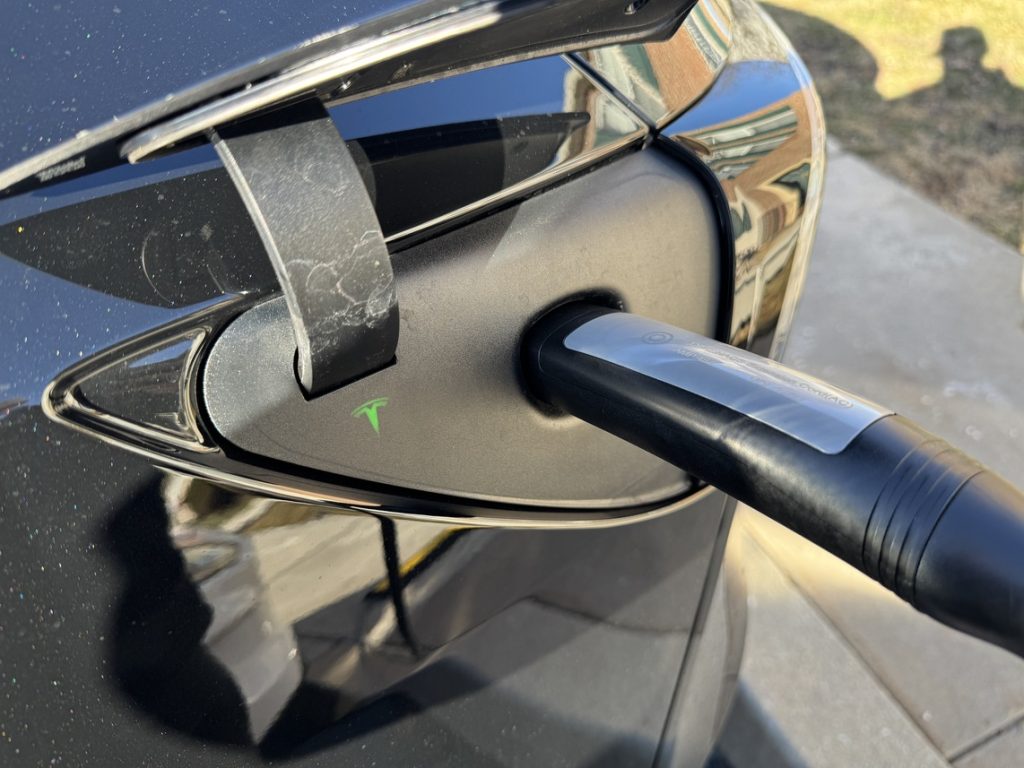
I knew that this would mean I would need to be in my permanent spot because charging sufficiently, especially in preparation for trips or errands, would require overnight charging.
The Tesla Mobile Connector is 20 feet long, which is sufficient for most applications. Mine, however, required about 30 feet, maybe even a little more, to charge.
My Options
I had a few options: Use the Mobile Connector and park in my neighbor’s spot and charge when I could, buy an 8 or 10-gauge extension cord that could handle moving power from the Mobile Connector to my car, or buy an NACS to NACS extension cord.
I didn’t really want to do the first option, considering I knew that spot would only be available when my neighbor was not there. It didn’t seem like a viable option, and I figured it would be better to figure out something from my personal, permanent parking spot anyway.
The 10-gauge extension cord option was what I first considered: it was less expensive than buying an NACS extension, it was more readily available, and it was the first thing my friends who are electricians recommended.
However, running this option would have put the Mobile Connector in the grass or on the ground, and I was not interested in doing that. Running the risk of having that $300 connector that came with the car in the grass and exposing it to dew, dogs, and various other things just did not seem like the best idea.
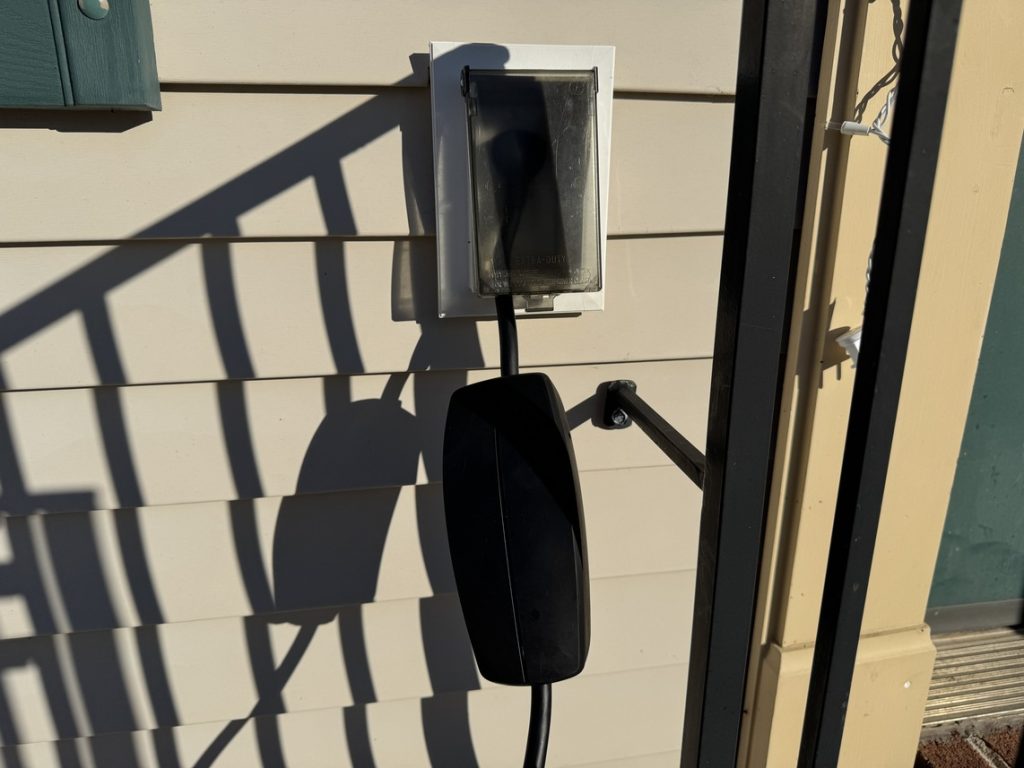
I looked around for some NACS to NACS connectors, and there are a lot of options. Given that this was something that was going to plug into a $50,000 car, I chose to spend the additional money on one that was not from Amazon, and I went with this one from A2Z, which was recommended by other owners, and their reputation seemed more than positive. I was leaning toward this option anyway because it would keep the Mobile Connector off the ground, and it gave me an additional 16 feet of length to work with.
This was the solution.
Putting It Into Action
It was a relatively simple process: Plug the Mobile Connector into my house, plug the NACS to NACS extension into the Mobile Connector, plug the NACS extension into the car. It all worked immediately, but there are some things you should know if you are also planning to do this.
The first is that you should be very aware that these cables are going to be a target of thieves. I don’t have too much of an issue with this in my area, but if you’re in a place where copper wiring is heavily sought after, be sure to keep these in a place where they won’t be stolen. I put mine away when they’re not charging, and at night, they’re visible from my Ring camera, so I’m not overly concerned. Definitely be aware of it, though.
Additionally, if you’re going to run it across the sidewalk like I am, you’re going to want to pick up some sort of cable cover from a local hardware store. I picked up this one from Amazon because it was a little more heavy-duty, and it was big enough to cover the thicker gauge of the NACS to NACS extension:
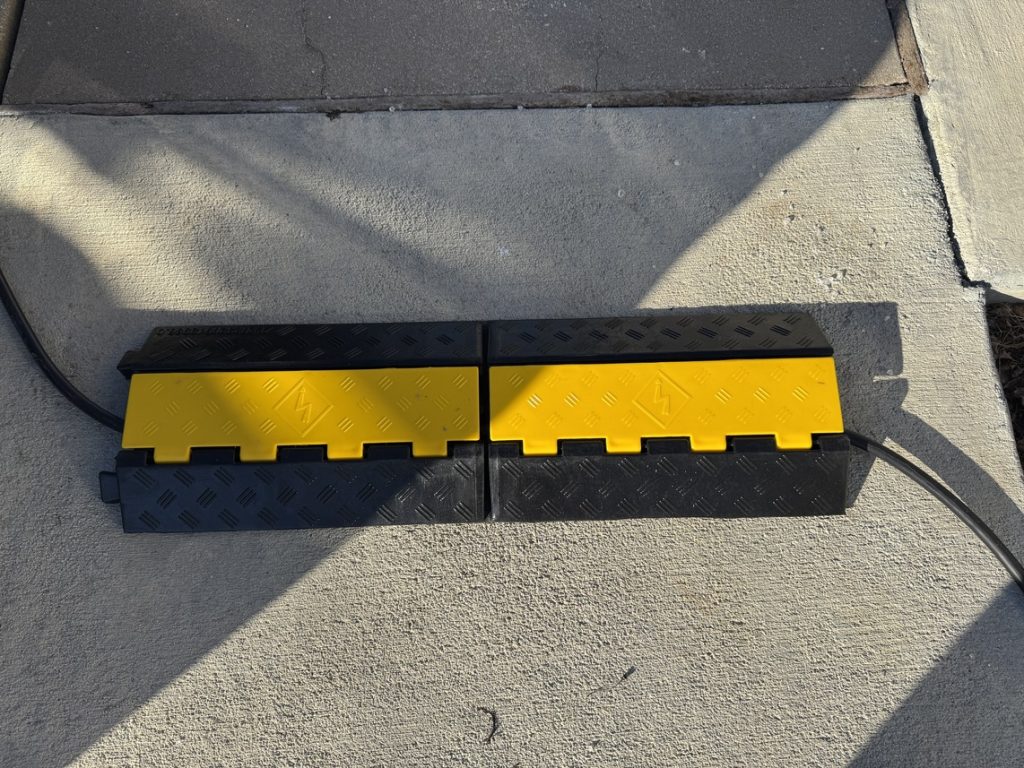
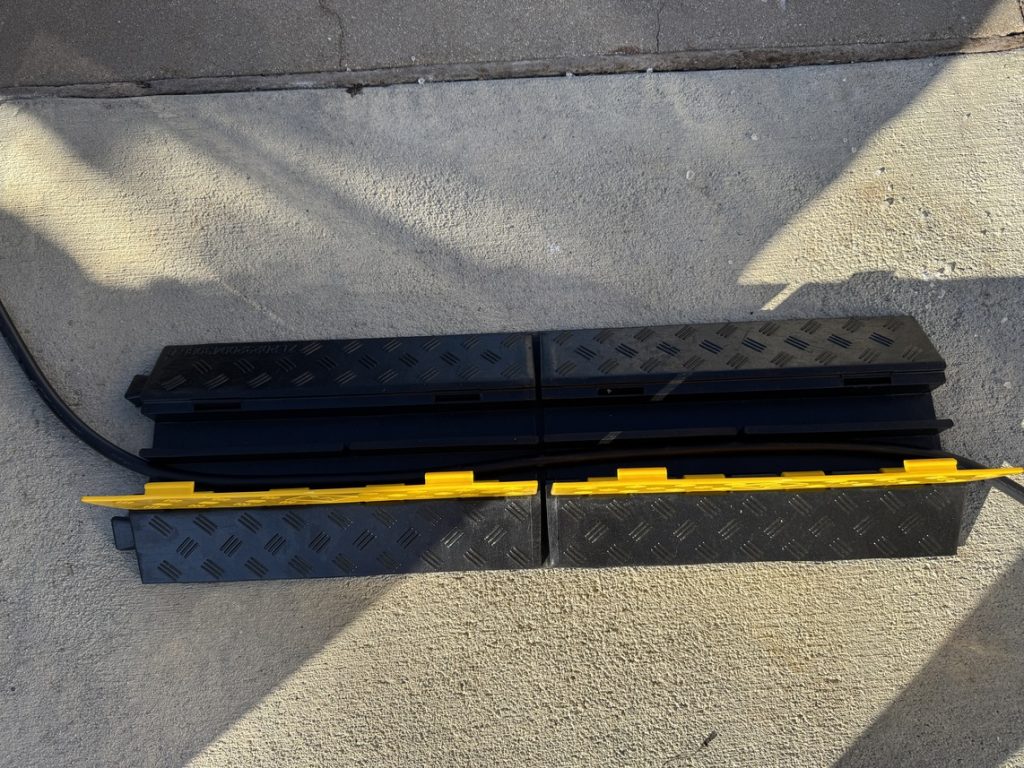
I’ve considered picking up a second one for the visible cable, but I am undecided.
So far, I’ve been able to add some range to my car three times using this strategy, and while it is very slow, it is definitely worth it. It’s better than it sitting there stagnant.
Speed of Charging
Tesla says the Mobile Connector will provide you with between 3 and 5 miles of range per hour when plugged into a typical wall outlet. That is about what I’ve gotten with it. From 30 percent to 80 percent, be aware that it will take well over 24 hours to charge your car.
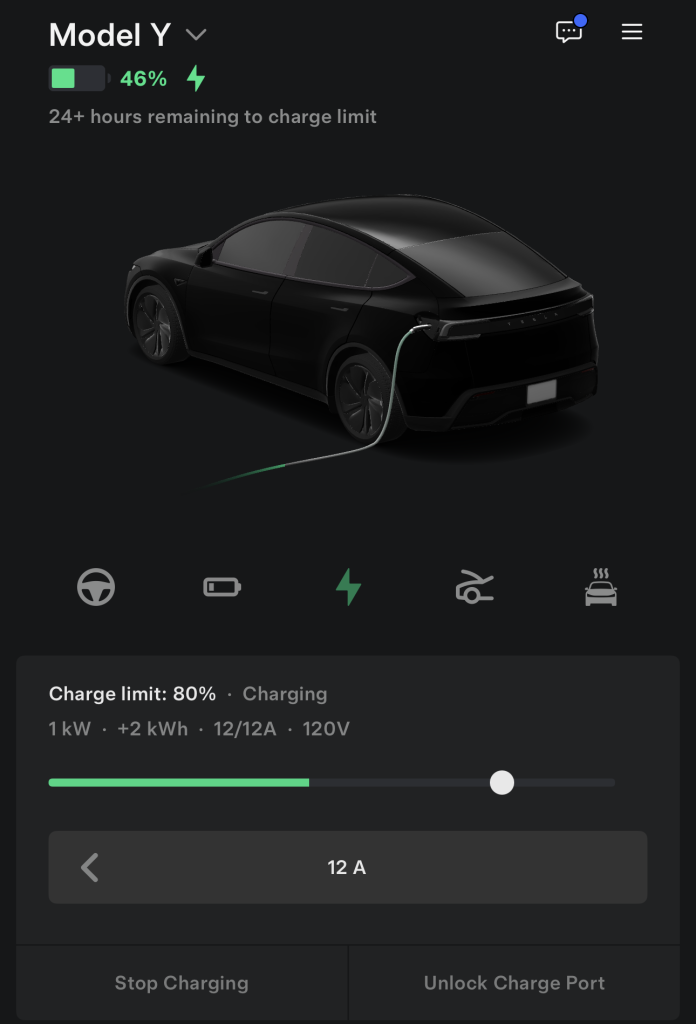
I plan to cover some additional details on this as time goes on, including any troubleshooting I might have to do, how much my electric bill goes up, and whether or not I run into any issues with my neighbors or my leasing office.
If you’re looking for some help on an at-home charging solution or have any questions about my setup, please email me at joey@teslarati.com.
🚨 I FINALLY figured out a way to charge my Tesla at home as a renter — Using Superchargers exclusively was inconvenient, tough on the battery, and expensive
Here’s how I did it: https://t.co/TZokpc6Fh3 pic.twitter.com/UtRYKLvB2Y
— TESLARATI (@Teslarati) March 2, 2026


Elon Musk
Elon Musk rips ABC News over fatal NYC Tesla crash report
Musk pushed back on NYC Tesla crash coverage, pointing to a pattern of premature blame.

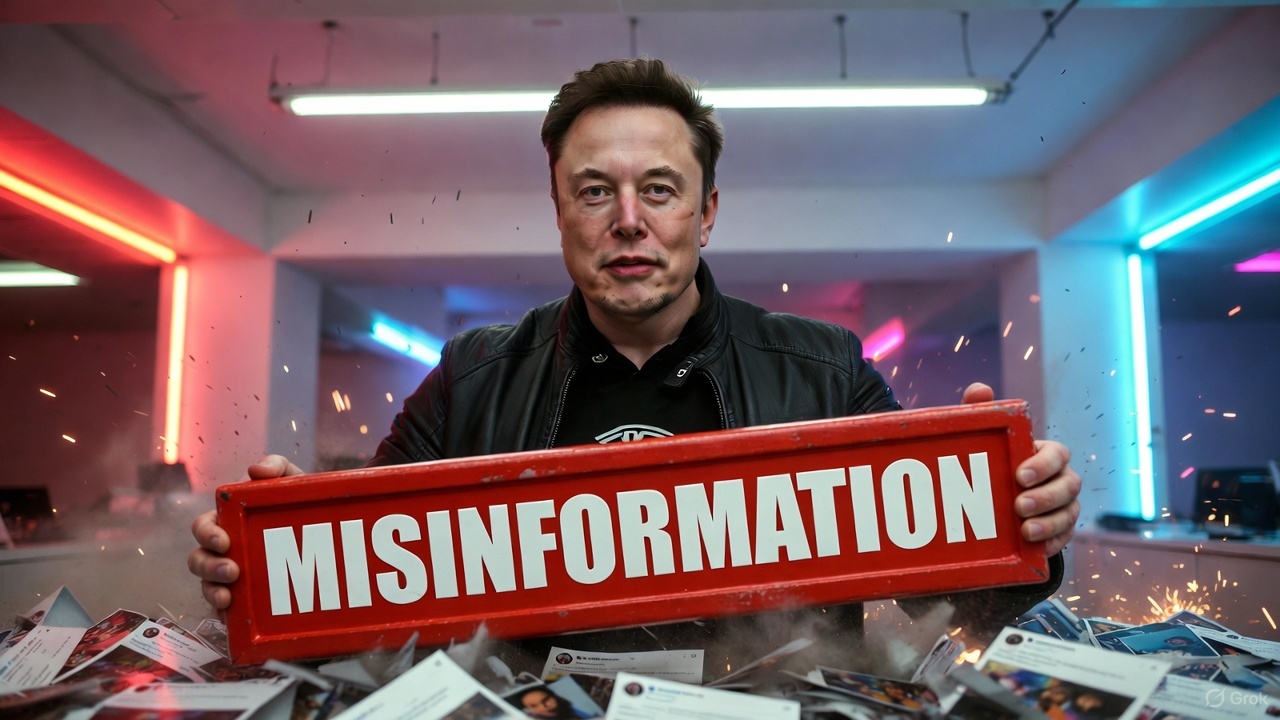
Elon Musk pushed back overnight against media framing of a fatal Tesla crash in Midtown Manhattan, telling a user on X that “it wasn’t the car” and that the vehicle’s Autopilot system had nothing to do with the wreck.
The crash happened just before 3 a.m. Wednesday, when a 2024 Tesla Model Y struck a sidewalk shed outside 315 Madison Ave., a bus stop pole and a mailbox on East 42nd Street, according to the NYPD. The car kept moving several more blocks before stopping near Second Avenue. Both women inside, each 27, were taken to Bellevue Hospital, where the passenger was pronounced dead. The driver was charged with vehicular manslaughter, driving while ability impaired and leaving the scene of an accident.
Police have not attributed the crash to Autopilot or Full Self-Driving in any public statement. The charges point to impairment, not software. Musk’s response followed a since-deleted ABC News post that he said mischaracterized the incident. Replying to a user on X, Musk wrote that if Autopilot had been engaged, “they would not have crashed,” and added that “the legacy media will never forgive Tesla for failing to advertise with them,”
The legacy media will never forgive Tesla for failing to advertise with them
— Elon Musk (@elonmusk) September 9, 2026
It’s a familiar cycle for Tesla. In June, headlines from several national outlets described a fatal crash in Katy, Texas, as happening while the car was “on autopilot,” based on the driver’s own account to police after his Model 3 struck a home and killed a 76-year-old woman. Tesla’s data told a different story when Ashok Elluswamy, Tesla’s head of AI, said the driver had pressed the accelerator to 100% and reached 73 mph in a residential zone. Harris County prosecutors later confirmed the human override and the driver was charged with manslaughter.
Florida Gov. Ron DeSantis pointed to that same Katy crash last month to argue that outlets routinely name Tesla in crash headlines while leaving other automakers unnamed, even after a driver’s own actions are shown to be the cause. A similar pattern played out in 2024, when Musk had to clarify that FSD was never even downloaded onto the Model 3 involved in a fatal Colorado DUI crash, despite a passenger’s claim that an “auto drive feature” was in use.
Tesla has not issued a separate statement on the Manhattan crash beyond Musk’s posts on X. The NYPD’s investigation is ongoing, and no cause for the driver losing control has been released.
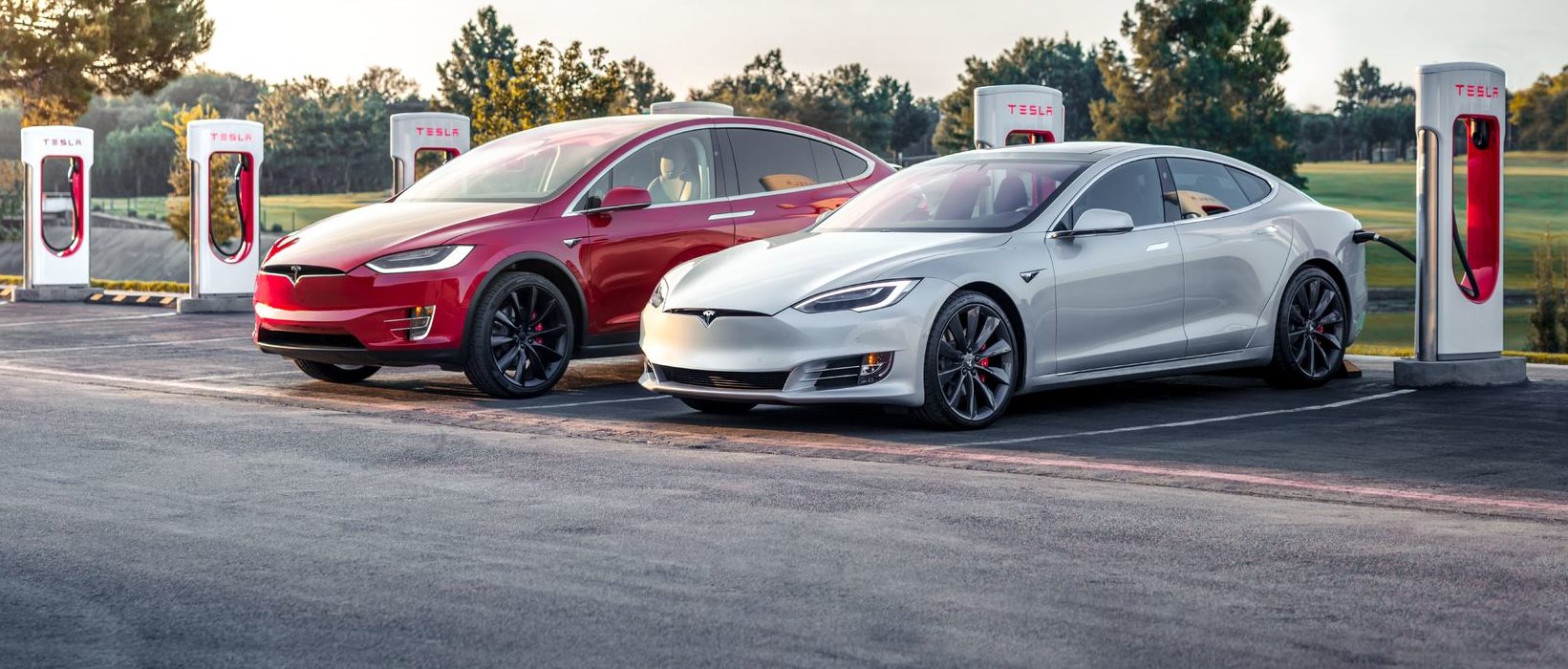
Tesla’s two recently-defunct flagship models, the Model S and Model X, are getting a big upgrade, according to the company’s Head of AI, Ashok Elluswamy.
Older Hardware 3 Model S and Model X vehicles have been the last major holdouts in Tesla’s Full Self-Driving v14 Lite rollout, and that wait now appears to be ending.
Tesla brings closure to flagship ‘sentimental’ models, Musk confirms
At Tesla’s Cybercab launch, AI chief Ashok Elluswamy told Ryan McCaffrey that he thought the S and X build “was supposed to go out last week.” Evidently, Elluswamy expects the suite to be rolled out to those HW3 Model S and Model X very soon:
For my @Tesla friends – and specifically Model S & X owners with HW3 who are waiting on FSD v14 Lite – I spoke to @aelluswamy at the Cybercab launch, & when I asked for an ETA on v14 Lite for S/X owners, he said, “Oh, I thought it was supposed to go out last week.”
So: soon! 🙌
— Ryan McCaffrey (@DMC_Ryan) September 7, 2026
Those cars are not the current Model S and Model X, which already ship with Hardware 4. They are the pre-refresh flagships built around Tesla’s older Autopilot computer, often called HW3 or AI3.
Tesla stopped putting that computer in new vehicles years ago, which is why owners treat these S and X cars as a closed generation. Model 3 and Model Y vehicles on the same computer began receiving v14 Lite in late June 2026 and saw a wider North American expansion in July. South Korea followed as an early international market. The S and X versions of the same software never joined that wave.
v14 Lite is Tesla’s way of squeezing the current v14 driving stack onto hardware that cannot run the full AI 4 model. The company describes the process as distillation: behaviors learned on the newer computer, including reinforcement learning and offline models, are compressed so the older chip and cameras can use them as a guide.
Early descriptions put the distilled network at roughly 15 percent of the original size. The result is still supervised Level 2 driving. Tesla has been clear that HW3 cannot support unsupervised Full Self-Driving or robotaxi operation because of memory and bandwidth limits.
The feature list is what made the wait so frustrating for S and X owners, as plenty of new features are to be shipped with it.
Official notes for the first Lite build, firmware 2026.20.5.1, added parking, unparking, and reversing; arrival options for a parking lot, street, driveway, or curbside; speed profiles that stay available at all times; and start-from-park engagement. Tesla also claimed better handling of merges, forks, pedestrians, traffic lights, and cut-ins, plus fewer false slowdowns and smoother lane centering.
A mid-July follow-on build, 2026.20.6.10, added more of the Hardware 4 interface, including a standalone Self-Driving app and the ability to start a trip from Park without a brake-pedal confirmation.
Elluswamy called that version the one “likely going to wide release.”
That wide release already reached most other HW3 cars in the United States and Canada. International timing still depends on regional validation and regulatory approval. For S and X owners, the remaining work appears to be model-specific validation rather than a new software stack.
There is no official Tesla changelog or build number for those two models yet, only Elluswamy’s offhand timeline. Some HW3 drivers who already have Lite report large gains over v12.6; others have described new indecision or phantom braking. The next test will be whether the same software lands cleanly on the older flagships that have waited the longest.
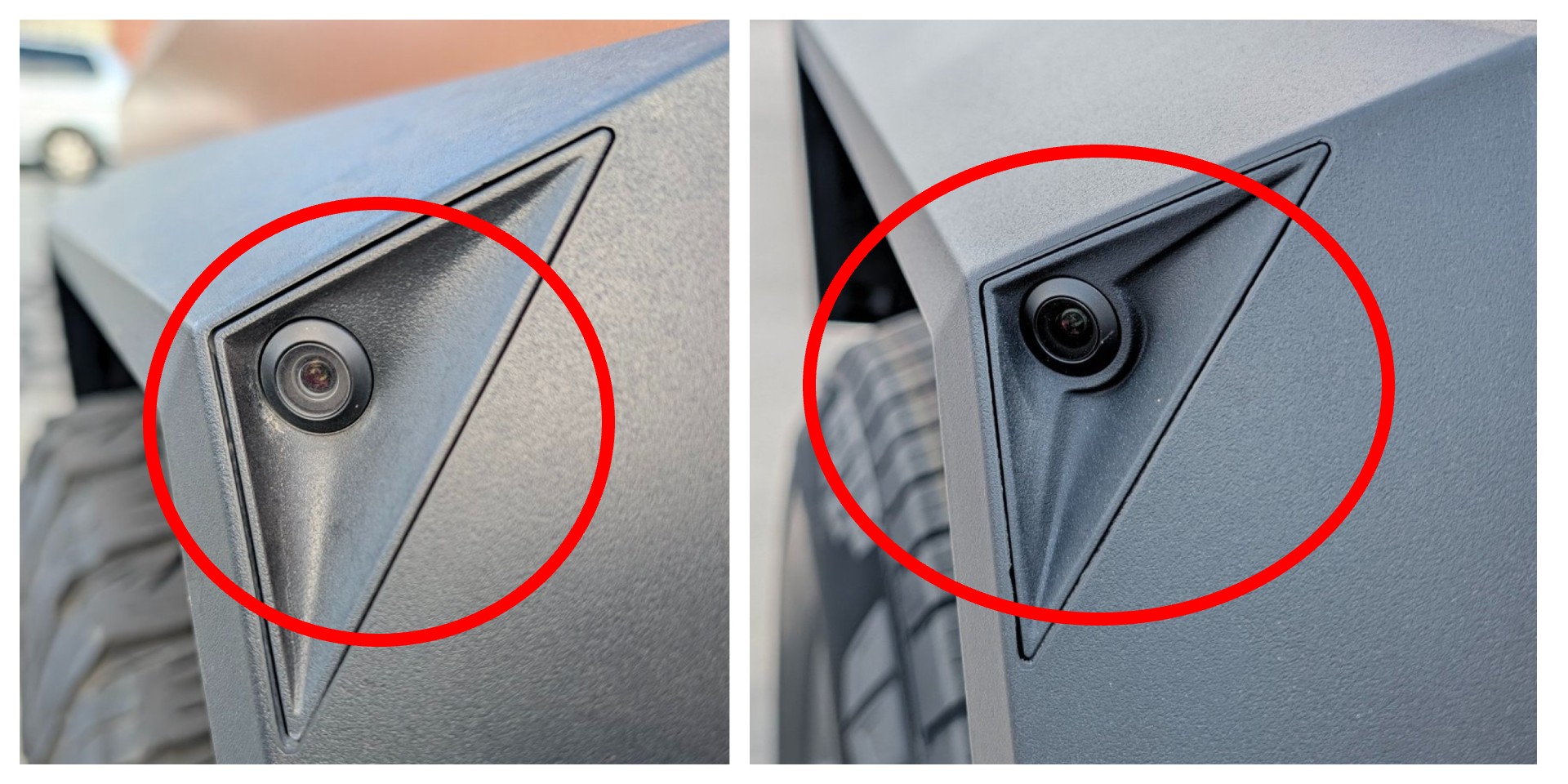
Yesterday, we reported on Tesla Cybertruck getting some major adjustments from a manufacturing standpoint in an effort to make the all-electric pickup more cost-effective, more reliable, more serviceable, and more easily produced.
Tesla Cybertruck engineer reveals new changes in ‘constantly evolving’ pickup
One of those changes was the addition of a self-reinforcing polypropylene aero shield that sits underneath the truck. Previously, Tesla utilized aluminum for this, but the self-reinforcing polypropylene was more durable while also being cheaper and lighter.
Tesla has revealed another small change it made to the Cybertruck, and it has to do with the side repeater cameras.
Tesla does not wait for a new model year to improve its vehicles. On September 8, Cybertruck lead engineer Wes Morrill posted side-by-side photos of an updated side repeater camera housing now rolling off the line at Gigafactory Texas.
The triangular camera pod mounted on the front fender looks almost identical at first glance. A closer look reveals a revised contour that uses the air already flowing around the truck to keep the lens clearer in rain and road spray.
The side repeater camera was updated – the version on the left is the newer part which uses passive geometry to create airflow disturbance that better keep water off the lens while driving. No cost penalty, just pure vision improvement. pic.twitter.com/wAbXtcL1Jf
— Wes (@wmorrill3) September 8, 2026
The side repeater cameras sit in an exposed position on the Cybertruck’s angular stainless-steel body.
In wet weather, they readily collect water droplets that can degrade the image Autopilot and Full Self-Driving use for lane changes and blind-spot monitoring. Early production trucks sometimes left owners wiping lenses by hand or accepting temporary restrictions on driver-assistance features.
Tesla has added washers to cameras on certain other models and on Cybercab prototypes, but those active systems add cost, complexity, and extra potential leak points.
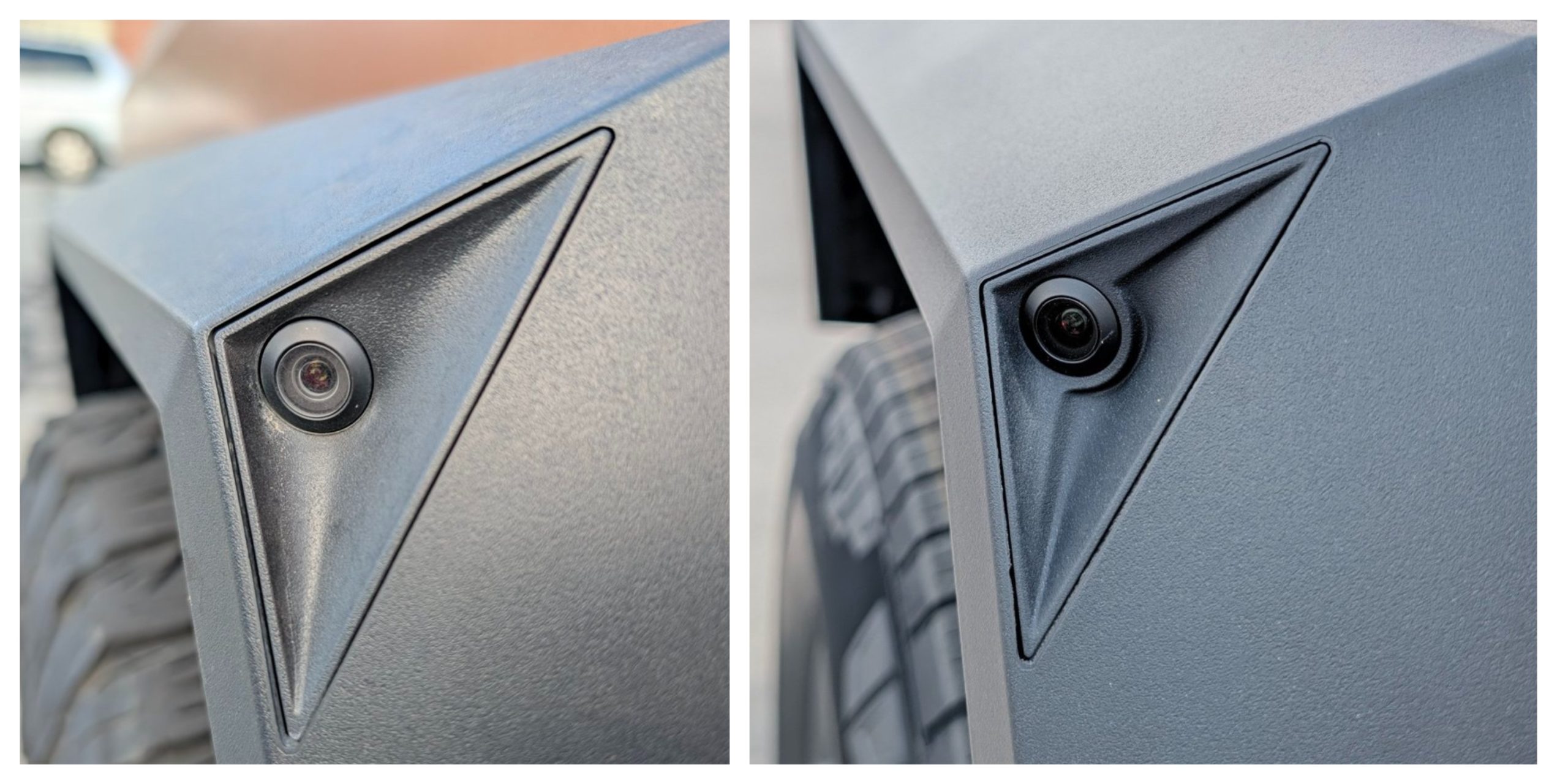
The new housing solves the problem with passive geometry. Subtle changes in the surround create localized airflow disturbances as the vehicle moves. Those eddies physically push water droplets away from the optical surface. Morrill called the result “pure vision improvement” achieved at “no cost penalty.” Once the production mold is updated, every subsequent part costs the same as the original.
The advantages compound quickly. Clearer cameras in rain improve the reliability of driver-assistance features precisely when they are needed most. The design consumes no extra energy and introduces no new failure modes.
New Cybertrucks built after the tooling changeover receive the updated part automatically. Some owners of trucks delivered as late as June 2026 have already confirmed they received the revised housing. Retrofit questions have appeared in replies, and the cameras appear electrically compatible, though Tesla has not announced an official service program.
A few millimeters of reshaped housing will not make headlines the way a new battery pack does, but these changes are incremental and increase the Cybertruck’s effectiveness as a vehicle over time.
This improvement illustrates how Tesla continues to refine the Cybertruck after volume production began. Better wet-weather vision, zero added cost, and no extra hardware add up to a meaningful gain in everyday usability and safety.

Elon Musk rips ABC News over fatal NYC Tesla crash report

Tesla’s two defunct flagship models are getting a big upgrade


