News
Blue Origin teases first New Glenn rocket prototype at Blue Moon lander event

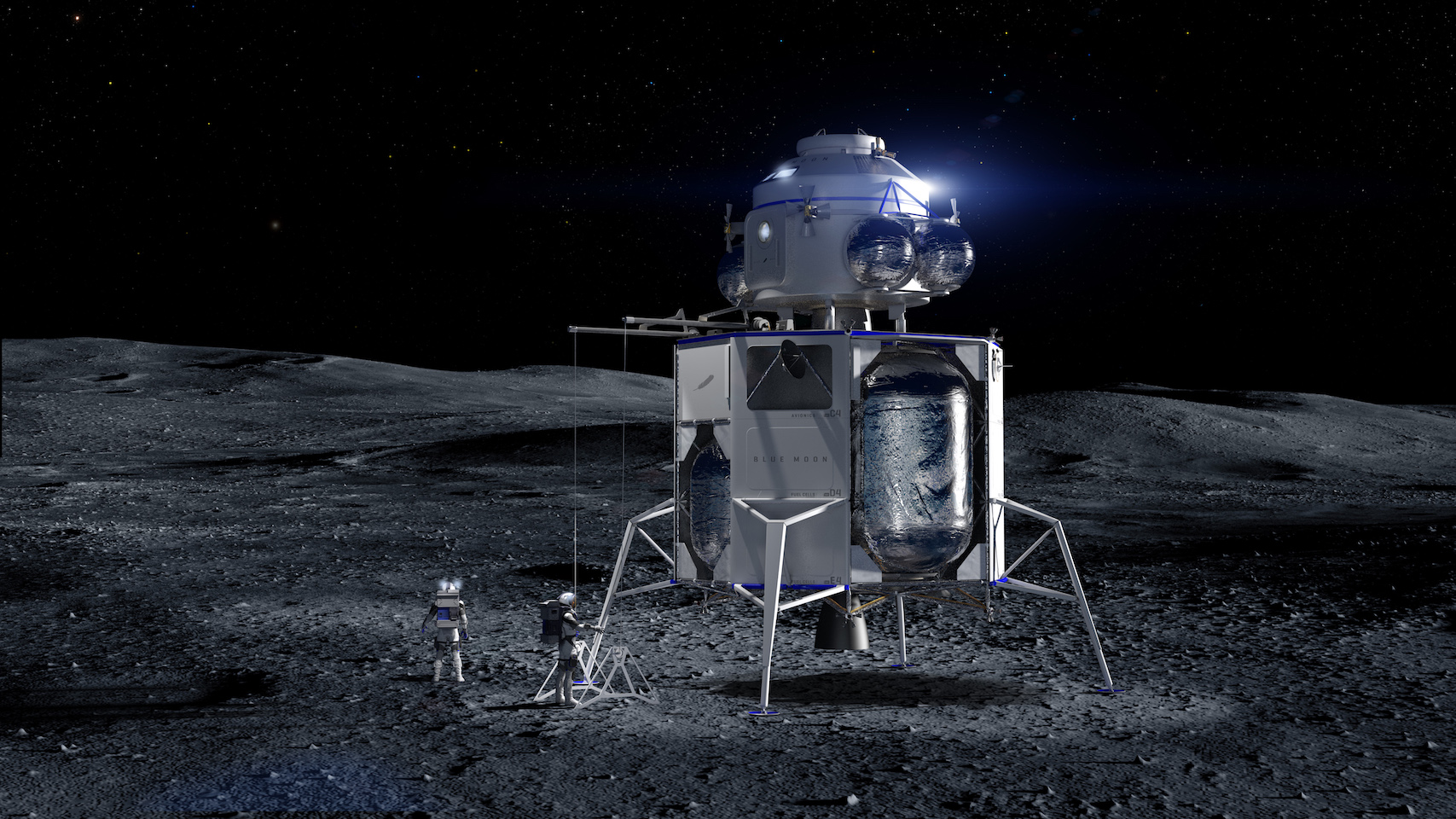
In May 2019, Blue Origin unveiled plans to build and launch “Blue Moon” lunar landers. Five months later, founder Jeff Bezos has announced a proposal for NASA’s Artemis Moon lander program that would augment Blue Moon with hardware from aerospace stalwarts Lockheed Martin, Northrop Grumman, and Draper to land astronauts on the Moon in the 2020s.
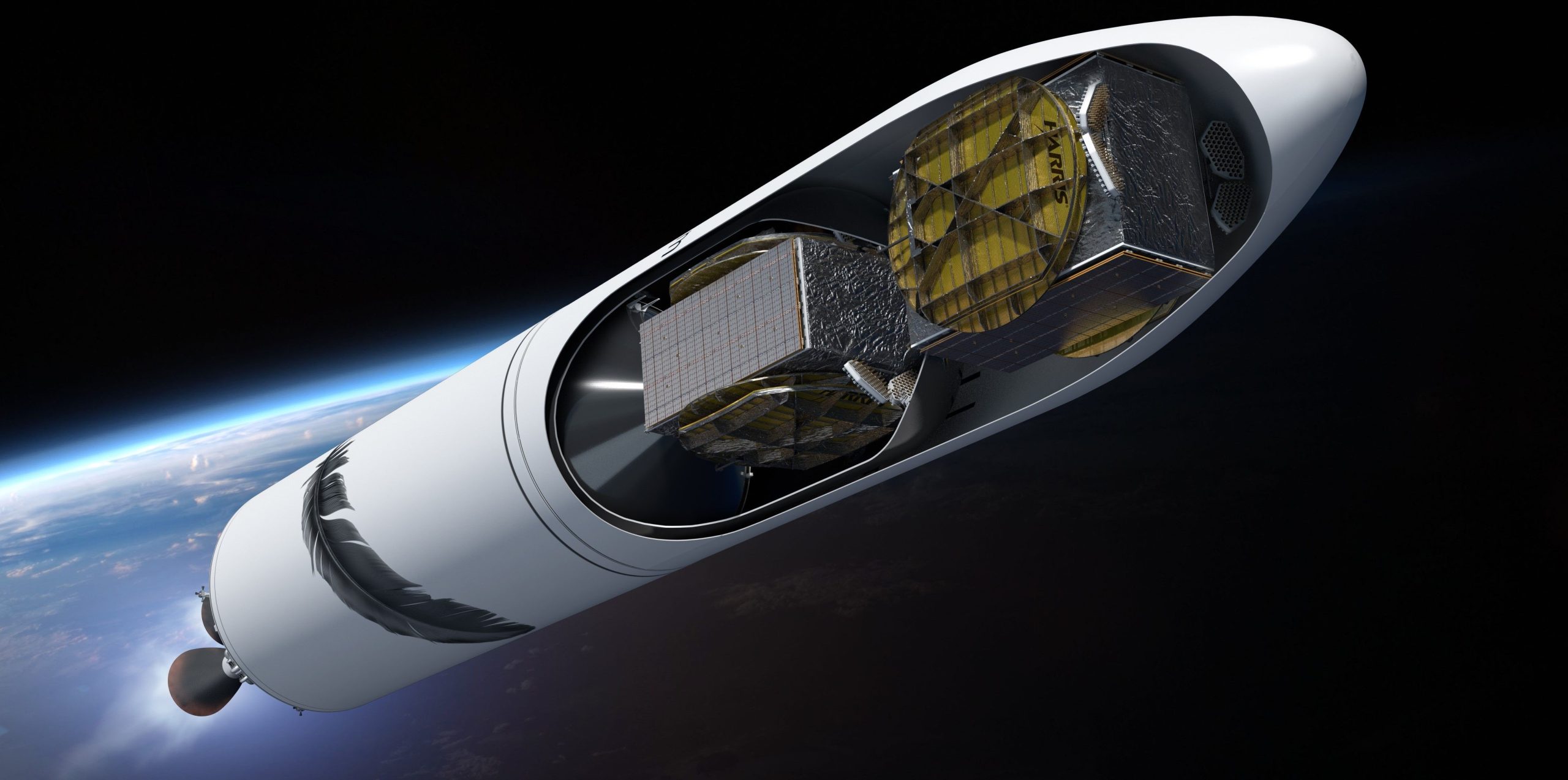
On top of that, Bezos also revealed the first unequivocal confirmation that Blue Origin has begun building full-scale prototype hardware for its ambitious New Glenn orbital launch vehicle – in this case, half of a massive carbon fiber payload fairing.
In a press release posted to the company’s website, Blue Origin’s Chief Executive Officer, Bob Smith, stated that “national challenges call for a national response. We are humbled and inspired to lead this deeply committed team that will land NASA astronauts on the Moon.” The national team will be managed with Blue Origin as the principal contractor and “[combine] our partners’ heritage with our advance work on the Blue Moon lunar lander and its BE-7 engine.”
Solving the lunar landing equation
Each company was selected based on a demonstrated area of expertise that solves a very specific piece of the equation that is landing astronauts on the moon. Blue Origin will serve as the primary contractor leading mission engineering and assurance, as well as providing the lunar Descent Element, Blue Moon. Lockheed Martin will provide the reusable Ascent Element vehicle and lead the operations and flight training of the crew, while Northrop Grumman provides the Transfer Element vehicle to deliver Blue Moon to the lunar surface.
Draper’s contribution is integral to mission success. It will provide a navigation system “designed to give crewed missions precise location and navigation data needed for safe and accurate lunar and planetary landings” as outlined in a NASA Space Technology Mission Directorate statement earlier this month. The Draper navigation system is expected to debut during a launch of Blue Origin’s suborbital rocket, New Shepard as proof of concept by year’s end.
Debuting super-heavy rocket hardware
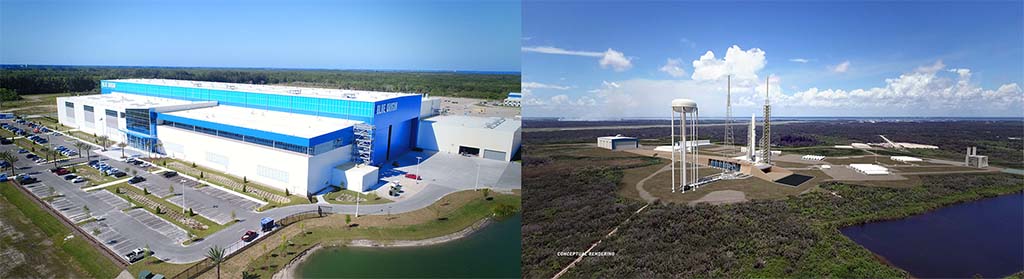
During his IAC presentation, Bezos revealed a video of what is almost certainly the first full-scale prototype hardware of Blue Origin’s reusable New Glenn rocket. In the clip, a massive carbon-composite payload fairing half is moved inside an even larger curing oven located on Blue Origin’s Cape Canaveral, FL campus, offering an incredibly rare glimpse inside the company’s purported New Glenn factory.
New Glenn’s payload fairing will measure 7m (23 ft) wide and roughly 22m (72 ft) tall, dwarfing the 5ish-meter options currently used by SpaceX and ULA. As of now, New Glenn’s payload fairing will be the largest expendable fairing on Earth when it debuts in 2021 or 2022.
Aside from a Blue Moon lander mockup, Blue Origin also brought an entire BE-4 engine to IAC 2019. Seven BE-4s will power New Glenn’s reusable first stage and the United Launch Alliance (ULA) has also selected BE-4 to power its Vulcan booster. Capable of producing roughly 550,000 lbf (2400 kN) of thrust, Blue Origin is slowly but surely qualifying BE-4 for flight and recently began its first full-thrust static fires at the company’s Van Horn, Texas test facilities.
While Bezos’s presentation provided the briefest of views inside Blue Origin’s rocket factory, Space Coast local Julia Bergeron posted a photo on Twitter showing an impressive fleet of cranes hard at work building Blue Origin’s LC-36 New Glenn launch pad in Cape Canaveral, Florida.
Blue Origin is notoriously hesitant to share much of anything about its next-generation New Glenn rocket, so it’s a pleasant surprise to receive even the briefest of glimpses behind the scenes. Combined with Blue’s undeniable rocket propulsion expertise and shrewdly political (albeit unsavory) approach to industry collaboration, the company is clearly here to stay and is certainly doing everything it can to give NASA an offer it simply can’t refuse.
Check out Teslarati’s Marketplace! We offer Tesla accessories, including for the Tesla Cybertruck and Tesla Model 3.


News
Tesla makes good on its Cybercab promise in just two weeks
Tesla Cybercab riders can now pull up a rear camera view and darken the screen.

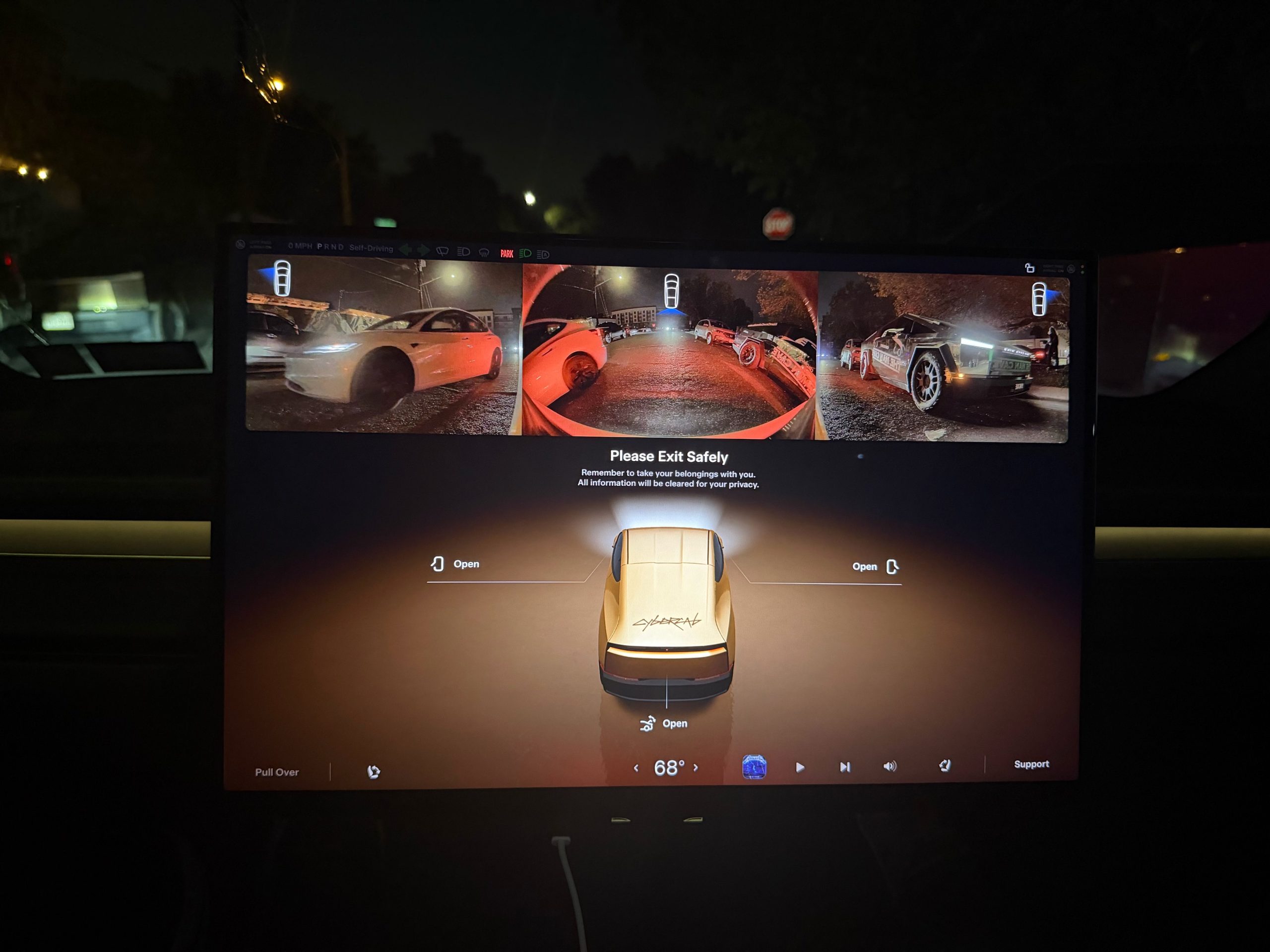
Tesla has given Cybercab passengers a way to see what is behind them, along with a way to turn the cabin screen off entirely.
Riders in Austin can now bring up a live rearview camera feed on the Cybercab’s center display in the middle of a trip. Austin rider Ethan McKanna spotted the change late Friday night, posting from a ride that “You can now open the camera to view what’s behind you in Cybercab!” His photo shows a strip of rear camera video across the top of the screen, with another Cybercab following on a bridge. Sawyer Merritt shared the image Saturday and wrote that it “sounds like” there is also a new quiet mode that darkens the entire screen for riders who want to relax, sleep, or avoid a bright display at night.
The camera view goes beyond the rear feed. Tesla UI software engineer Evan, who posts as @CarCoder, replied to McKanna with a tip: “You can also tap it to see more cameras, and swipe it up or down to hide and show.” Until now, the Cybercab only showed its rear and repeater feeds on the “Please Exit Safely” screen at the end of a ride, so passengers could check for cyclists and traffic before opening a door.
Quiet mode surfaced a day earlier. Austin rider Jackson Blatz posted a video Friday morning of the new Robotaxi interface in a Cybercab with the option. Tesla has not published release notes for either feature.
The rear camera view moved quickly from request to release. Earlier this month, Cybercab rider Dan Burkland asked Tesla to let passengers pull up the rear and repeater cameras whenever they want, “especially for peace of mind.” Evan answered “In development,” as Teslarati reported at the time. About two weeks later, riders have it.
The feature fills a gap created by the Cybercab’s design. With no steering wheel, no pedals, no mirrors and no rear window, a passenger has no natural way to glance behind the car. The eight exterior cameras that feed Tesla’s autonomy software were already on board, so the change only required software.
There is also an AI angle to how it was built. Yun-Ta Tsai, a senior staff engineer on Tesla’s AI team, quoted Merritt’s post and wrote that the “(human) camera view tuning is optimized with Grok and implements part of the algorithm by directly programming the fixed-function hardware, so I don’t even need to check the datasheet.” Tsai did not say which part of the algorithm Grok handled. Grok already plays a bigger role inside the vehicle, with Grok Bot now enabled across every Cybercab and the Model Y Robotaxi fleet after Tesla brought the agent into its cars in September.
The two features join a busy week of changes for riders in Austin, which also brought a redesigned Live Activity for iPhone and Apple Watch and live trip sharing. They also arrive as Tesla prepares the Cybercab for life outside its own fleet. On the third quarter earnings call, Lars Moravy said the company is aiming to deliver Cybercabs to customers before the end of 2026. Tesla has not said whether the camera view and quiet mode will also come to its Model Y Robotaxis.
Elon Musk
Tesla shows what Roadster drivers will see on screen before thruster activation
Tesla’s Roadster video reveals a fighter jet inspired cockpit with a 5,500 PSI thruster gauge.
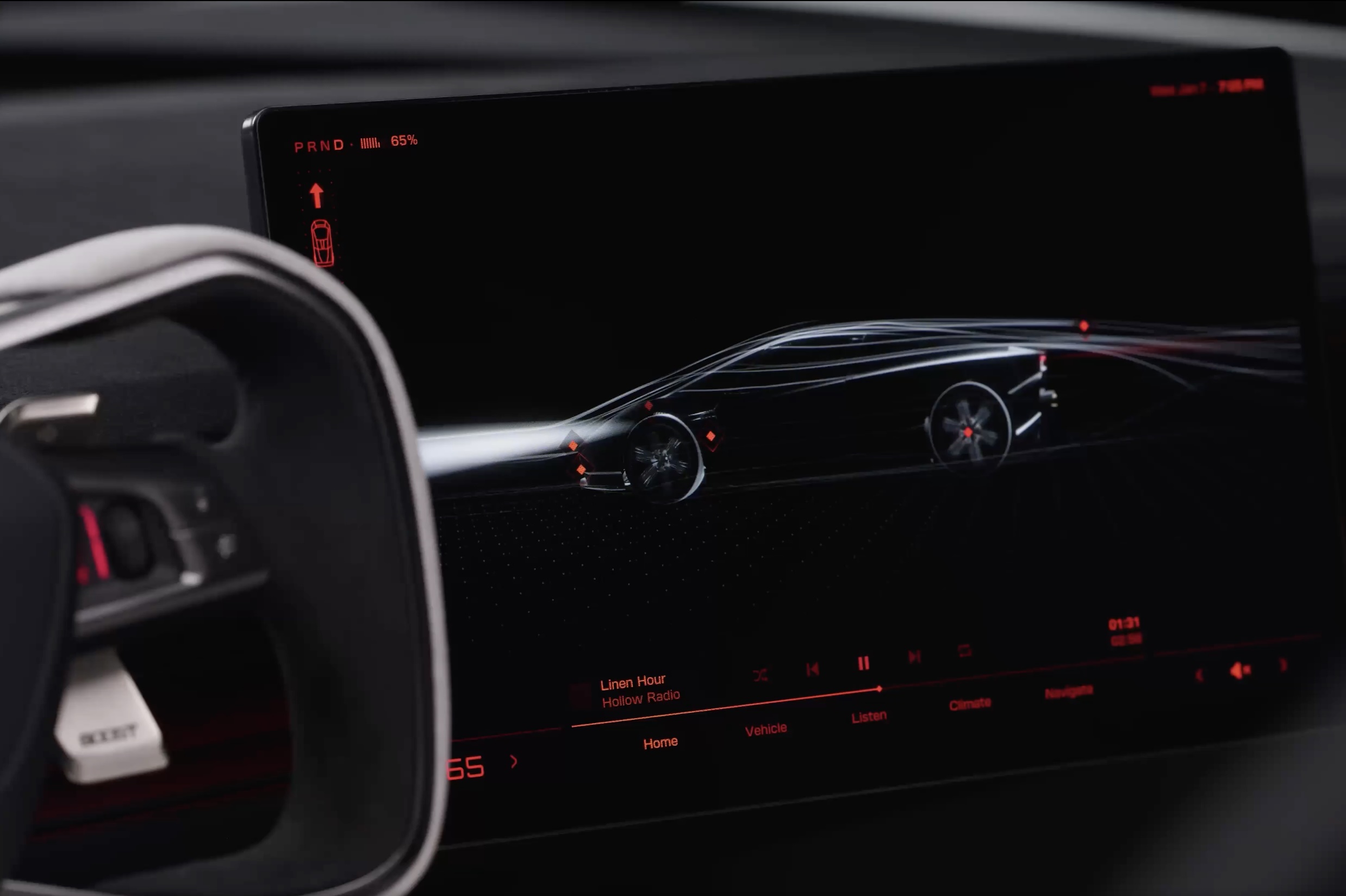
Tesla has given future owners their clearest look yet at the cockpit of its next generation Roadster. In a 34 second video posted to X on Friday afternoon, the company walked through the car’s touchscreen with a caption: “Inspired by fighter jet cockpits, Roadster’s interface was designed around the pilot.”
The clip opens on a black screen with red graphics and a 3D wireframe of the car, which sits beside the Roadster’s squared off yoke. Tapping parts of the model brings up controls for the rear wing, including low drag and high downforce positions, along with a charging page with a charge limit bar and a small music player. A row of tabs along the bottom reads Home, Vehicle, Listen, Climate and Navigate.
Most of the video is spent in Track Mode. The dashboard shows a live circuit map, a list of session lap times, brake and motor temperatures, and pressure and temperature readouts for each tire. A setup page lets the driver pick Auto, Low Drag, High Downforce or Custom aero modes, adjust aero balance and brake balance, and switch stability and traction control off. Along the bottom, a status bar reads “Thruster · 5,500 PSI” next to a “Boost Ready” indicator.
That gauge ties the software to the hardware Tesla showed off near Waco, Texas on October 15. The Thrust and Rocket versions use cold gas thrusters fed by carbon overwrapped pressure vessels, and Tesla lists 0 to 60 mph times of under 0.9 seconds and under 0.59 seconds for them, as Teslarati detailed in its breakdown of the three Roadster configurations. The base Performance car relies on a fan and ground sealing system for grip, and the aero settings on screen match the active wings and suction setup covered in our look at how the Roadster generates downforce.
The Roadster layout is a departure from the rest of Tesla’s lineup. Instead of a map centered screen, the Roadster puts the car itself at the center of the home page, and Tesla’s Roadster page lists two smaller forward displays alongside the main touchscreen. Tesla has not said whether any of the Track Mode telemetry will make its way to the Model 3 Performance or other vehicles.
The interface could still change before deliveries. Elon Musk said at the event that Roadster production will begin in 2028, and Tesla says the flagship Rocket version is not approved for public road use. Reservations are open with a $50,000 payment, while Thrust is listed as a limited release and Rocket is invite only.
Those who want to see the car in person will get their first chance this weekend. The Roadster goes on display in the lobby of the Petersen Automotive Museum in Los Angeles from October 24 to 27, according to Sawyer Merritt, the first time the public will be able to view it up close.
Elon Musk
Tesla reveals Optimus Academy, where robots teach themselves
Tesla has begun building production quality Optimus robots in Fremont and revealed its training plan.
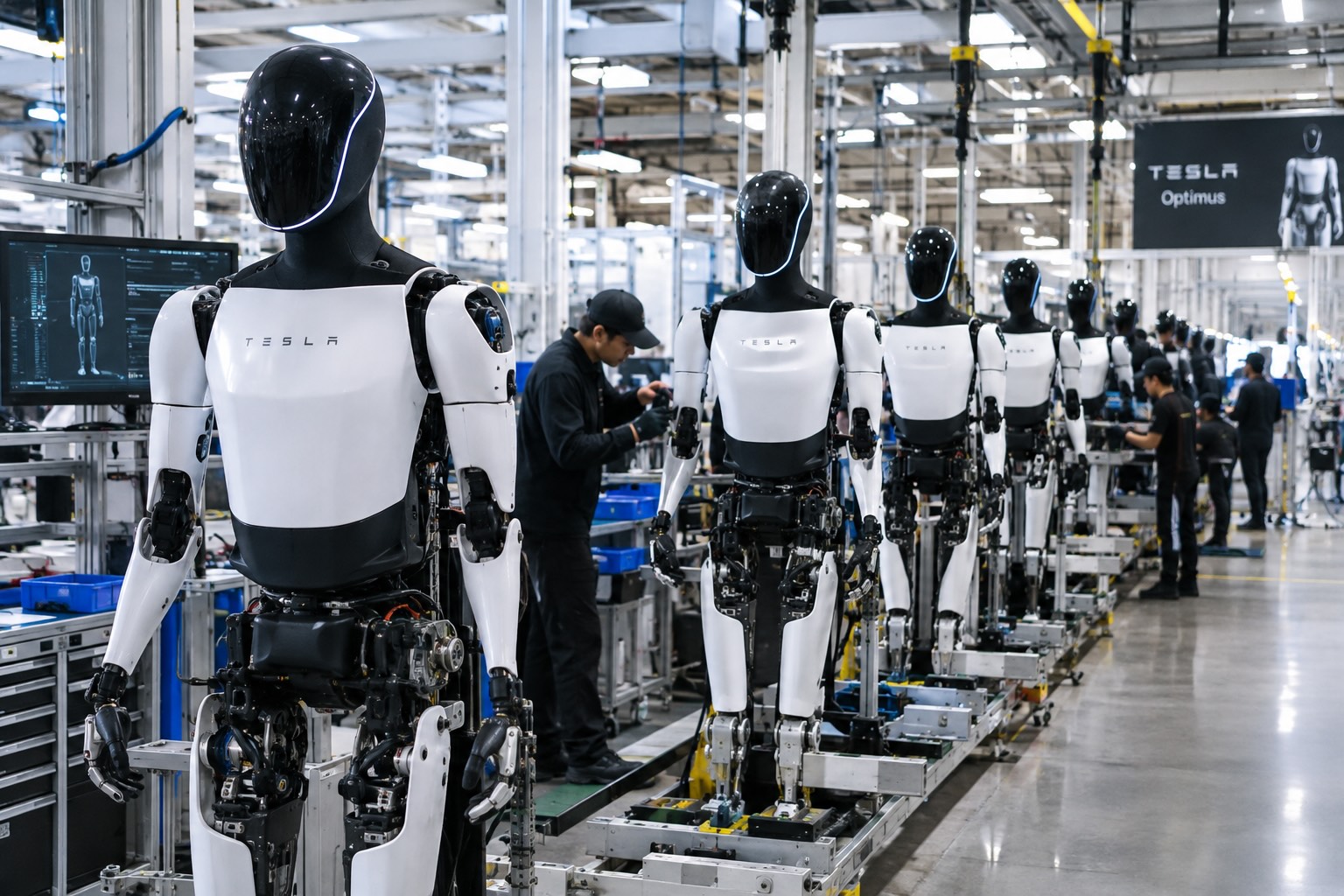
Tesla has started building Optimus on the high volume line it set up inside its Fremont factory, and the company says the robots coming off it are the first that meet the bar for a real product. “The bots coming off this line are the first production-quality bots that we have manufactured,” Tesla wrote in its third quarter shareholder letter, adding that it has “proven that the current manufacturing process for Optimus is suitable for a commercial product.”
The line sits in space that built the Model S and Model X until this spring. Tesla cleared the old vehicle line in 46 days, as Teslarati reported in July, to make room for robot production sized for one million units a year. On Wednesday’s earnings call, Elon Musk said most of the equipment for that capacity is already in Fremont, with output set to climb toward roughly 20,000 robots a week as the line ramps.
Musk described the ramp as a classic S curve. “The growth of Optimus is an S curve, but the initial curve is a shallow slope,” he said. The team is now refining the robot’s AI, electromechanical design, reliability and service life, and Musk expects that work to be finished by the end of next year, when Tesla plans to start delivering Optimus to outside companies for dangerous, repetitive and around the clock jobs.
The most interesting part of the call was how Tesla plans to teach the robots. Its cars send real driving data back to the AI team from millions of vehicles, but Optimus has no fleet like that yet. “A big difference with Optimus versus the cars is we don’t have this vast fleet of cars from which we can gather training data,” Musk said. Tesla’s answer is an Optimus Academy, where 10,000 to 20,000 robots will practice a wide range of tasks and feed what they learn into the next version of the model. Every unit off the Fremont line becomes a source of that training data.
Smarter hardware is on the way too. Tesla plans to put its AI5 chip into Optimus next year, and Musk said a new Optimus video should arrive within one or two months showing the robot completing tasks driven by AI rather than preprogrammed motions. He took aim at rival humanoid demos that only run scripted routines, saying those would not hold up in the real world.
The supply chain is lining up behind the program. In September, Tesla certified Tuopu, Joyson and Sanhua as mass production partners for Optimus components. A far larger Optimus factory is also rising at Giga Texas, where drone footage from Joe Tegtmeyer showed the steel frame nearing completion, and Musk has pegged that plant’s long term target at 10 million robots a year.
Tesla executives also said Optimus production costs are trending toward the expected manufacturing cost of Cybercab, a sign the robot is being engineered for volume from the start. The hands remain the toughest piece of the design, a point Musk also made at the X Takeover event earlier this month, as Teslarati covered at the time, and that is where much of the current engineering effort is focused.

Tesla makes good on its Cybercab promise in just two weeks

Tesla shows what Roadster drivers will see on screen before thruster activation


