Tesla Model S
Every New Tesla Owner’s Dilemma: Dual Chargers vs High Power Wall Connector (HPWC)
An analysis of the HPWC and Dual Charger options for charging the Tesla Model S.

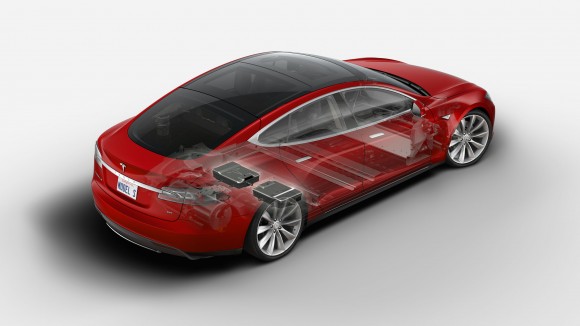
When you purchase a car, you typically buy what’s on the lot and it’s either fully loaded or stripped down with the bare necessities. Custom orders are few and far between. With Tesla you almost always end up configuring the vehicle to your exact specifications. While they do have inventory cars for immediate sale, they’re often used vehicles with a previous life as a service loaner or test drive vehicle.
There are really 3 kinds of buyers for the Model S when it comes to options:
- Those who opt for every available option and price is not a factor.
- Those that go for the bare minimum options and stretch their budgets in order to get into the car. These are the owners with the stripped down Model S 60 kWh’s (or even 40’s!) with no Tech package etc.
- Those that are in between and select only those options that they really need in order to save money.
If you’re in category 3 then read on.
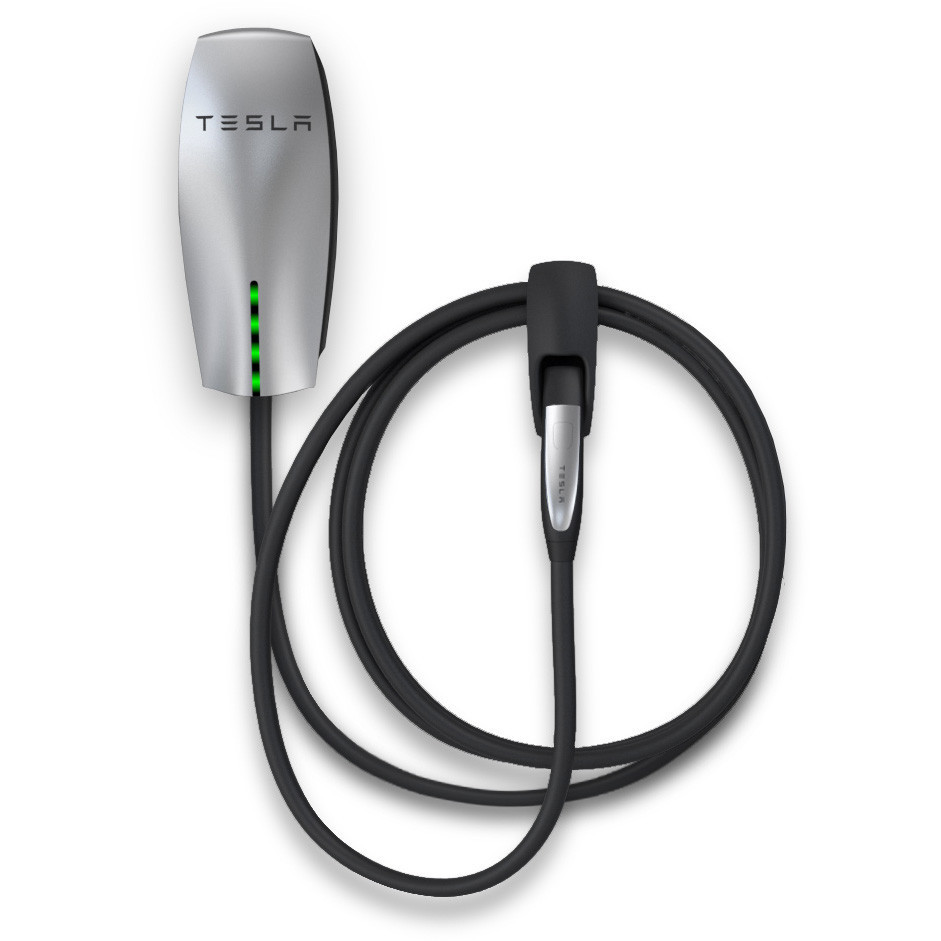
Two points that need to be considered when ordering a Tesla Model S is whether or not the High Power Wall Connector (HPWC) is really for you; a $1,200 option that provides two times the charging rate of the standard option.
The second point to consider is whether you want the on-board dual chargers,
another $1,500 option which allows twice the conversion capacity as the single charger when the power is available.
Originally the HPWC and Dual Chargers were a single option around $3,000 and later on Tesla split the options out. Why they did that is interesting and indicates that there maybe a reason for having dual chargers without the HPWC.
Also see: Should You Leave Your Tesla Universal Mobile Connector (UMC) Plugged In?
I drive a lot: 35K miles per year. Other than a relative who’s a full time truck driver, I drive more than anyone I know. I plan on driving my Tesla just as much. On a daily basis I range from 90 miles to 175 miles in a given day just based on my usual pattern of family shuttling and commuting.
Do you really need the Tesla High Power Wall Connector (HPWC)?
Tesla has a good charging speed calculator on their site. If you take a conservative 200 miles per day and charge on the “standard recommended” home adapter through a NEMA 14-50 outlet, you can replenish the battery capacity in 6 hours 48 minutes. This measure of time is somewhat misleading as Tesla tends to provide “best” numbers and, unlike an ICE car, charging from an empty battery state is faster than charging from 20% left. Assuming you don’t arrive home with 0 miles left, the time to charge could be a bit longer. Most people I know, once home from work, are there for a minimum of 8 hours thereby giving them a significant amount of time to charge up. While Tesla recommends the HPWC for anyone regularly driving over 100 miles a day, I think the guidance is incorrect and the HPWC is not needed for the most part.
That being said, there are possible edge cases where it could be needed:
- On-call type people that can come and go from the charge location with few hours each time and long times away from the charger. Doctors and other professions like that should carefully consider their patterns.
- People that can take advantage of time-of-use metering (discounted off-peak electricity rates) from their electricity provider. Here in Massachusetts you have to consume at least 2,500 kWh per month over a 12 month period to qualify and generally this doesn’t work for homeowners even with high energy consumption. My utilization can run as high as 2,296 kWh/month but this still wouldn’t qualify.
- The HPWC is one way to get a second charging cable. It’s not the most efficient way since a second mobile connector is just over half the price, so you’re better off buying that second mobile connector and leaving it connected in the garage.
- It’s for a business or public use environment. Here people need to come and go as fast as possible. Whether that’s your business or you decided to share your power via PlugShare or the like, then you’ll want to provide the fastest charge possible to get people moving on.
So you don’t need the HPWC. Also don’t forget that the HPWC requires a lot more power and will likely cost more to install than a standard NEMA 14-50. A NEMA 14-50 home installation can run between $1,000-$1,500 but this varies greatly depending on the distance that power lines needs to be pulled and the underlying power supply/infrastructure of your home set up. I was fortunate enough to have mine installed at $675 since, apparently, my infrastructure didn’t require too much of an upgrade.
Tesla Dual Chargers

If you don’t purchase the HPWC option do you really need dual chargers? Personally, unless you never plan on taking an extended road trip or don’t care about future proofing you car, the on board dual chargers could provide some tremdous value. It’s this very same reason why I modified my order at the last minute and added the dual charger option.
At home using a NEMA 14-50 or on the road using only the Tesla Superchargers network (ie, epic 12,000 mile Tesla road trip) you wouldn’t need dual chargers. The dual chargers provides no benefit in each of those scenarios.
However, by having the dual chargers, you’d be able to take advantage of several fast charge options out there while future-proofing your vehicle as public charging technology advances.
- Publicly available HPWC’s out there like those at a Tesla Store or Tesla Service Center or those shared by homeowners and businesses which will grow over time. To take advantage of max charge rates on these you need dual chargers. Not all HPWCs provide more than 40A though.
- Public EV Plugs (J1772) can go up to 70A. The number of these that are over 40A is very limited today but that is rapidly changing. To take advantage of max charge rates on these you need dual chargers.
- CHAdeMO outlets offer higher speed charging for those that can take advantage of them. Tesla has been promising an adapter for a while but has yet to deliver.
While dual chargers are an extra cost on top of an already expensive car, at roughly 1% of the cost of the car and potentially saving hours of frustrating wait time, I think the decision to get dual chargers is a no-brainer and provides some future proofing for the car. HPWC likely always an unnecessary expense.
Thoughts/comments? Would love to hear from you.



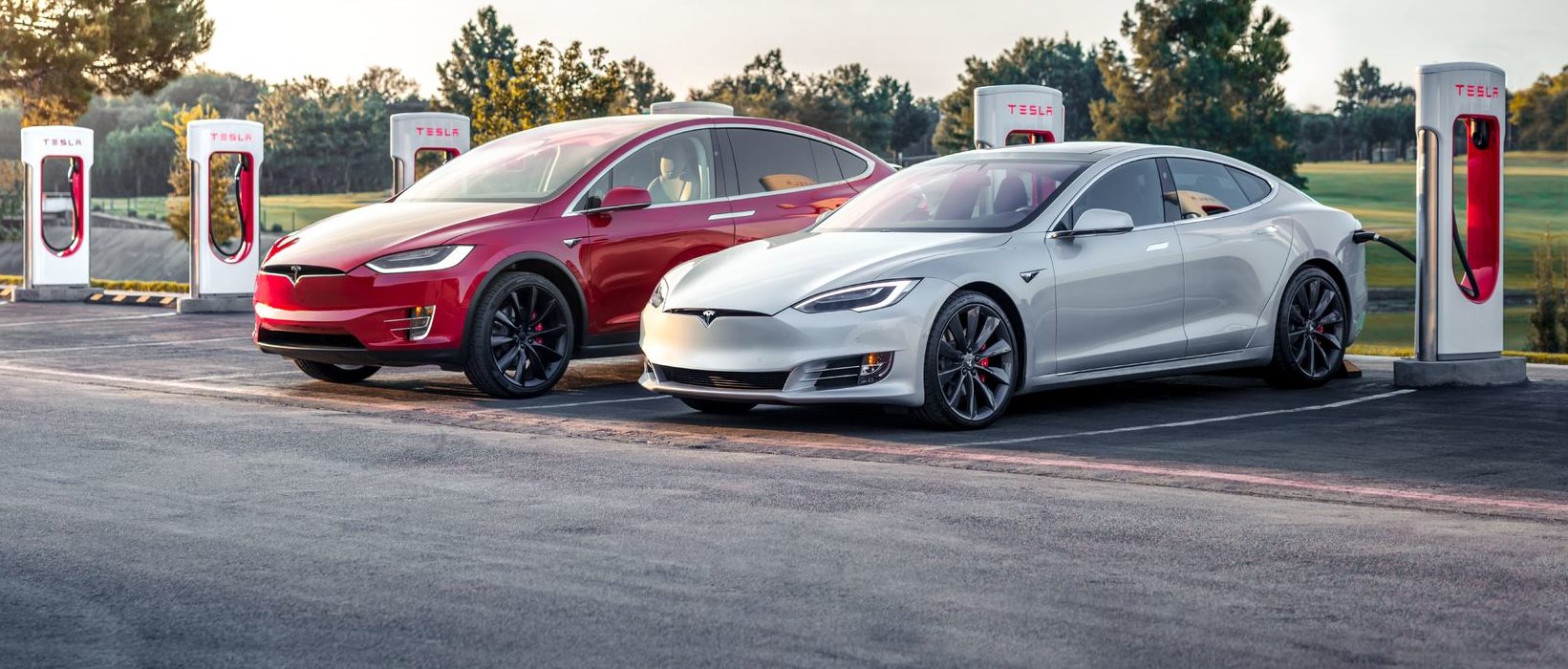
Tesla’s two recently-defunct flagship models, the Model S and Model X, are getting a big upgrade, according to the company’s Head of AI, Ashok Elluswamy.
Older Hardware 3 Model S and Model X vehicles have been the last major holdouts in Tesla’s Full Self-Driving v14 Lite rollout, and that wait now appears to be ending.
Tesla brings closure to flagship ‘sentimental’ models, Musk confirms
At Tesla’s Cybercab launch, AI chief Ashok Elluswamy told Ryan McCaffrey that he thought the S and X build “was supposed to go out last week.” Evidently, Elluswamy expects the suite to be rolled out to those HW3 Model S and Model X very soon:
For my @Tesla friends – and specifically Model S & X owners with HW3 who are waiting on FSD v14 Lite – I spoke to @aelluswamy at the Cybercab launch, & when I asked for an ETA on v14 Lite for S/X owners, he said, “Oh, I thought it was supposed to go out last week.”
So: soon! 🙌
— Ryan McCaffrey (@DMC_Ryan) September 7, 2026
Those cars are not the current Model S and Model X, which already ship with Hardware 4. They are the pre-refresh flagships built around Tesla’s older Autopilot computer, often called HW3 or AI3.
Tesla stopped putting that computer in new vehicles years ago, which is why owners treat these S and X cars as a closed generation. Model 3 and Model Y vehicles on the same computer began receiving v14 Lite in late June 2026 and saw a wider North American expansion in July. South Korea followed as an early international market. The S and X versions of the same software never joined that wave.
v14 Lite is Tesla’s way of squeezing the current v14 driving stack onto hardware that cannot run the full AI 4 model. The company describes the process as distillation: behaviors learned on the newer computer, including reinforcement learning and offline models, are compressed so the older chip and cameras can use them as a guide.
Early descriptions put the distilled network at roughly 15 percent of the original size. The result is still supervised Level 2 driving. Tesla has been clear that HW3 cannot support unsupervised Full Self-Driving or robotaxi operation because of memory and bandwidth limits.
The feature list is what made the wait so frustrating for S and X owners, as plenty of new features are to be shipped with it.
Official notes for the first Lite build, firmware 2026.20.5.1, added parking, unparking, and reversing; arrival options for a parking lot, street, driveway, or curbside; speed profiles that stay available at all times; and start-from-park engagement. Tesla also claimed better handling of merges, forks, pedestrians, traffic lights, and cut-ins, plus fewer false slowdowns and smoother lane centering.
A mid-July follow-on build, 2026.20.6.10, added more of the Hardware 4 interface, including a standalone Self-Driving app and the ability to start a trip from Park without a brake-pedal confirmation.
Elluswamy called that version the one “likely going to wide release.”
That wide release already reached most other HW3 cars in the United States and Canada. International timing still depends on regional validation and regulatory approval. For S and X owners, the remaining work appears to be model-specific validation rather than a new software stack.
There is no official Tesla changelog or build number for those two models yet, only Elluswamy’s offhand timeline. Some HW3 drivers who already have Lite report large gains over v12.6; others have described new indecision or phantom braking. The next test will be whether the same software lands cleanly on the older flagships that have waited the longest.
Firmware
Tesla unlocks in-car web conferencing to extend Google Meet, Teams and beyond
Tesla’s Summer Update lets owners join Google Meet, Teams, and Discord calls via cabin camera.

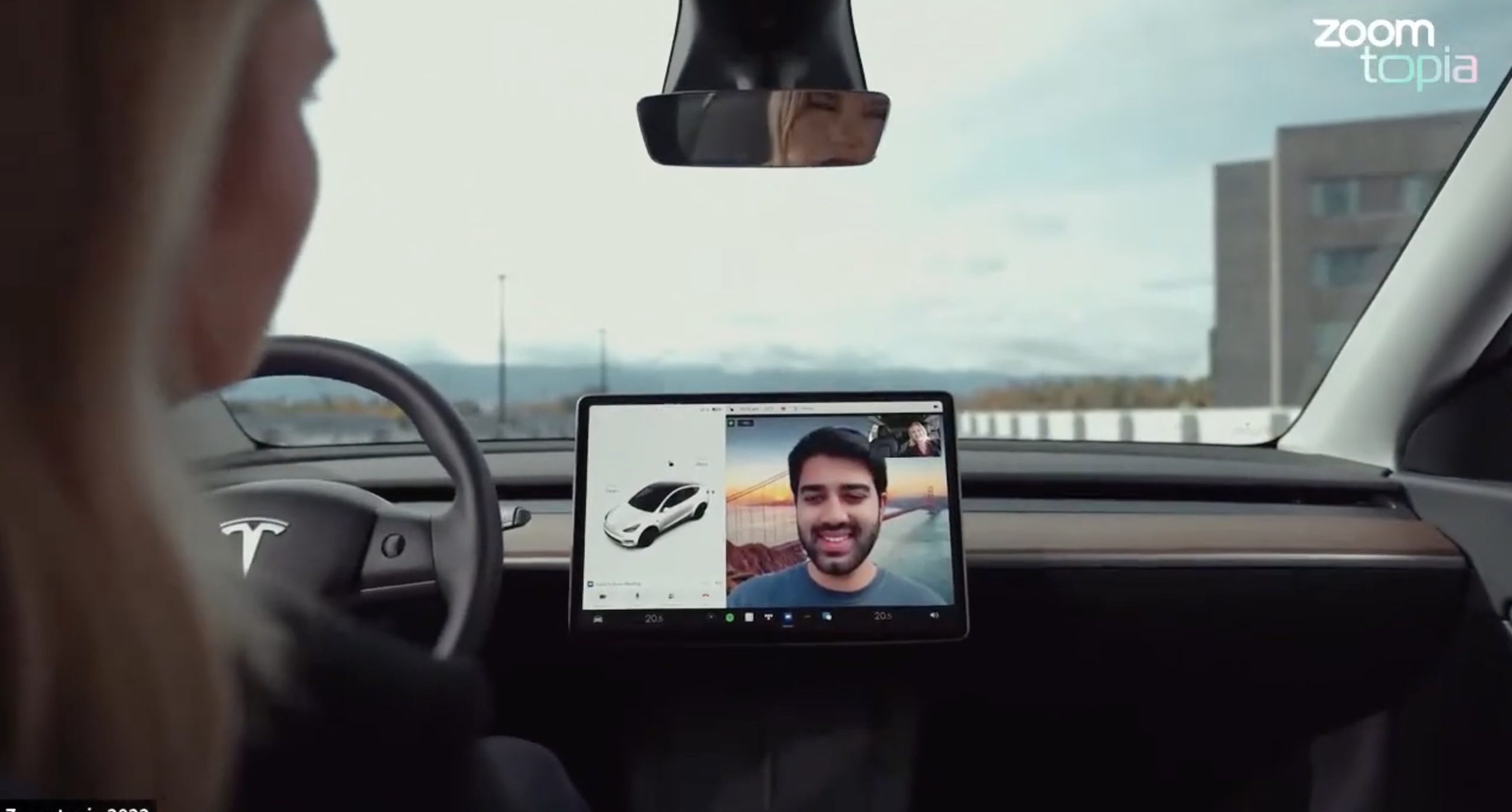
Tesla’s 2026 Summer Update, which just began rolling out to customer vehicles, now links the built-in web browser with the in-cabin camera feed and microphone input, thereby letting owners join video calls on nearly any browser-based service instead of just Zoom.
The change appears in Tesla’s own release notes for software version 2026.26 under “Web Browser,” which states that the vehicle can now use its interior camera and cabin microphone when a website requests access, with permission granted the same way a desktop browser handles it. As NotATeslaApp notes, this feature opens the door to Google Meet, Microsoft Teams, Discord, and other webcam-enabled sites to activate the in-car cabin-facing camera. The feed automatically crops and zooms to center the driver in frame.
Tesla has offered in-car video calling before, but only through a dedicated Zoom app that launched at the end of 2022, a stripped-down browser preloaded with Zoom’s own web client and gated behind Premium Connectivity. Opening the full browser to any camera-requesting site removes that walled garden. Elon Musk first called video conferencing “definitely a future feature” back in 2020, when the pandemic pushed remote meetings into daily life, so this update effectively finishes something Tesla has been promising for six years.
Tesla Summer Update begins rolling out: a look at the new features
The feature keeps the same restrictions that applied to Zoom on Tesla vehicles. It only works while the car is parked; shifting into Drive disables the camera feed, according to the release notes. It is also limited to vehicles running Tesla’s AMD Ryzen infotainment hardware, meaning older Intel-based Model S and Model X units, along with early Model 3 and Model Y builds, don’t get it.
Turning the browser into a general entry point for the in-cabin camera, rather than routing everything through one local app, widens the number of third-party sites that can ask for access, even though Tesla’s permission prompt.
With the Summer update only days into its rollout, be sure to stay with us on TikTok and X to see the latest video demonstrations.
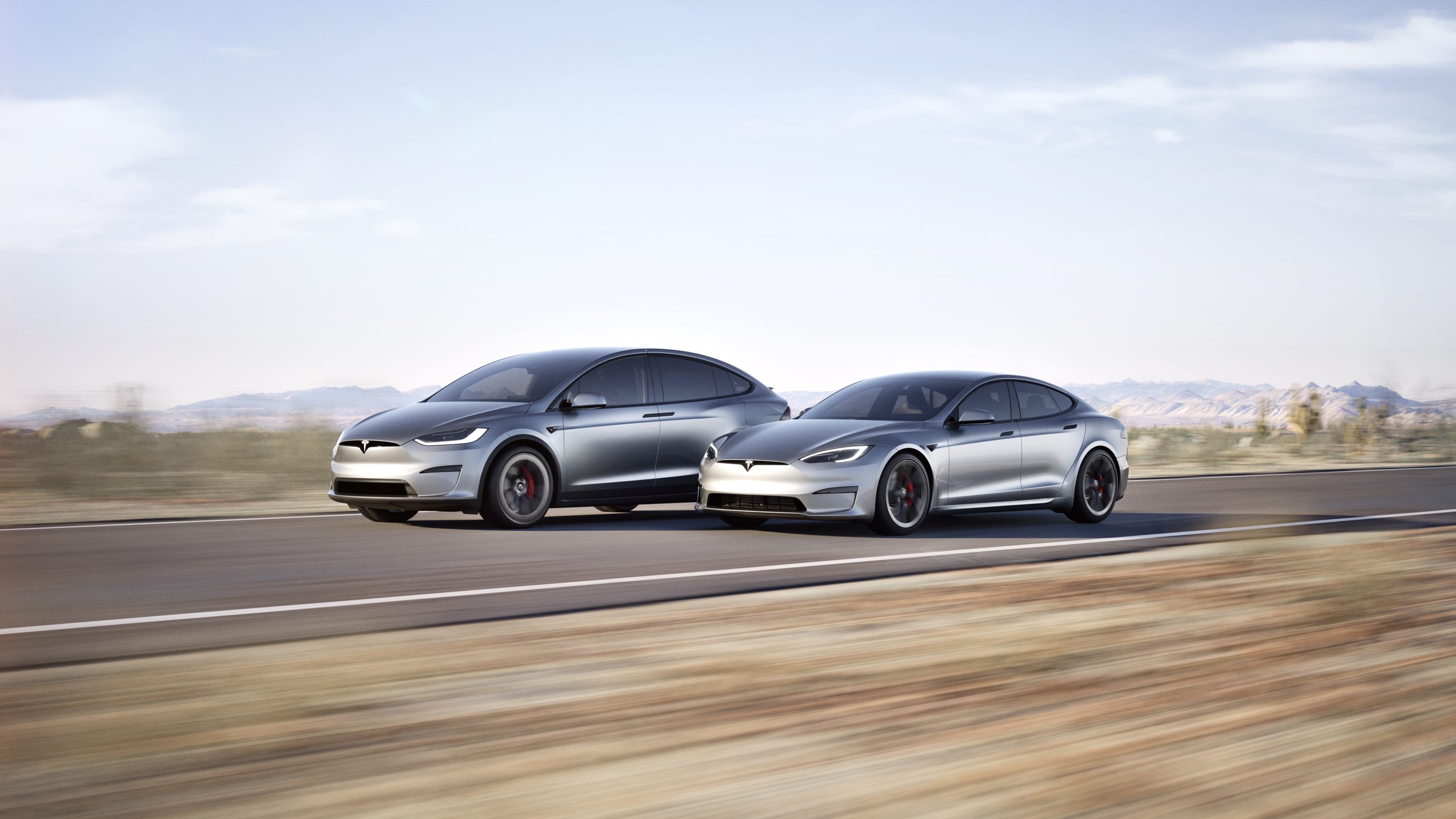
In a move echoing its earlier commitment to open innovation, Tesla CEO Elon Musk announced recently that the company plans to make the design and software of its Model S and Model X fully open source.
This follows the same approach Tesla took with its original Roadster, releasing all available design, engineering, and diagnostic materials in November 2023 so that “whatever we have, you now have.”
Just as Tesla made the original Roadster design & software open source, we plan to do the same with Model S & X
— Elon Musk (@elonmusk) July 24, 2026
The Model S, introduced in 2012, was Tesla’s first mass-produced vehicle and a groundbreaking luxury electric sedan. It offered impressive range, rapid acceleration, and over-the-air software updates that redefined expectations for electric cars.
The Model X, launched in 2015, built on that foundation as a high-performance electric SUV notable for its distinctive falcon-wing doors, spacious interior, and advanced safety features. Both models served as flagships that helped establish Tesla as a leader in the EV industry and popularized long-range battery-electric vehicles.
Production of the Model S and Model X was wound down earlier in 2026, with manufacturing ending in the second quarter. Tesla redirected the Fremont factory space previously used for these vehicles toward higher-priority projects, including Optimus humanoid robots and the Cybercab autonomous vehicle.
By the time of Musk’s open-source announcement, custom orders had closed and only remaining inventory was available.
Open-sourcing the designs and software offers several clear advantages. Owners of these aging but still capable vehicles gain better access to technical documentation, diagnostic tools, and software resources, making independent repairs and modifications easier and more affordable.
Independent repair shops and third-party specialists can support the large existing fleet without relying solely on Tesla’s service network. Enthusiasts and engineers can study real-world implementations of Tesla’s battery, powertrain, and software systems, potentially accelerating broader industry progress in electric mobility.
The step aligns with Tesla’s 2014 patent pledge and its overall mission to advance sustainable transport by sharing hard-won knowledge rather than locking it behind proprietary walls.
By releasing these materials now that the models have left production, Tesla ensures continued support for its early adopters while freeing internal resources for future technologies. The open-source release of the original Roadster already enabled simulations, community projects, and deeper technical understanding.
Extending that practice to the Model S and Model X should deliver similar benefits on a larger scale, helping keep these influential vehicles relevant and repairable for years to come

Tesla has a Cybercab problem nobody saw coming

How SpaceX Is raising Raptor’s sea-level thrust while holding engine mass steady


