Firmware
How Does Autopilot React to Disappearing Lane Markings?

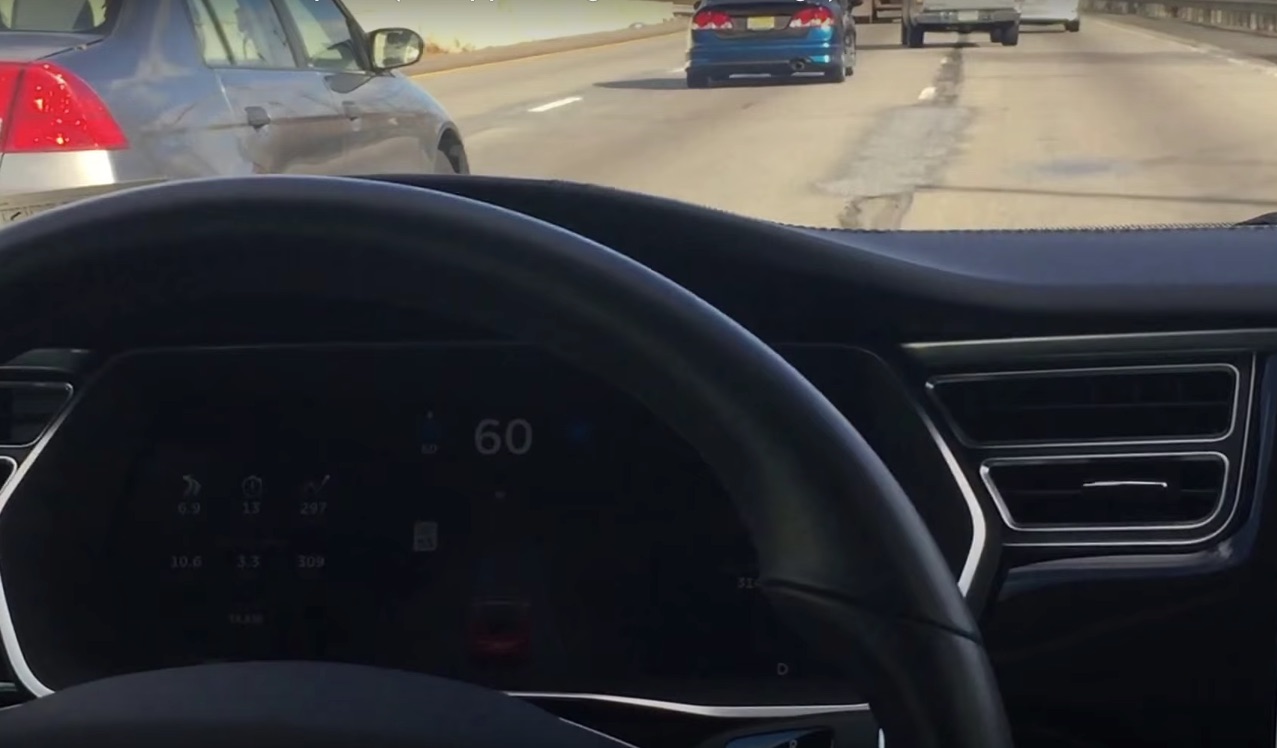
Autopilot has now been live for over a month. Some 40,000 Autopilot-enabled Teslas are currently on the road and combine for roughly a million miles of driving per day. I don’t believe it was clarified if those miles were Autopilot or in total but If we assume that just 10% of those miles are spent using Autopilot, Tesla would have already gathered data from 3,000,000 miles of driving. Fleet learning, the concept that when one car learns something the whole fleet learns something, is one of the many things that makes Tesla’s model of incremental improvements so revolutionary. Changes can be made quickly and the software can be refined using data that would be otherwise impossible to collect. They are even creating incredibly detailed maps using the data collected from these cars.
All of this is good news for many reasons, not the least of which is this: roads are not perfect. Whether the road is just old with faded markings or in the midst of being refreshed via construction, lanes are not always consistent, nor are they always clear. Even where they are perfect, it wouldn’t take long for a car driving at highway speeds to reach a stretch of road where that is no longer the case and the lane marking disappear.
So what happens when Autopilot experiences disappearing lane markings?
Here is how the manual describes perfect operation.
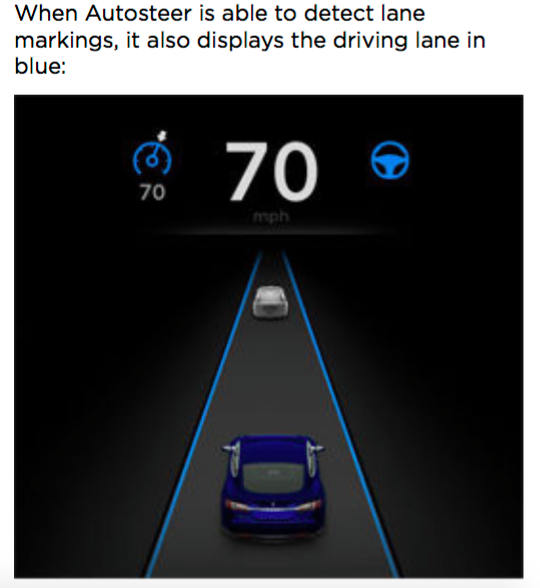
Autosteer builds upon Traffic-Aware Cruise Control, intelligently keeping Model S in its driving lane when cruising at a set speed. Using the forward looking camera, the radar sensor, and the ultrasonic sensors, Autosteer detects lane markings and the presence of vehicles and objects, steering Model S based on the lane markings and the vehicle directly in front of you.
Note: In most cases, Autosteer attempts to center Model S in the driving lane. However, if the sensors detect the presence an obstacle (such as a vehicle or guard rail), Autosteer may steer Model S in a driving path that is offset from the center of the lane.
What it doesn’t describe is what happens when one of the lane markings disappears while Autosteer is engaged. In my experiences, the car does an excellent job of tracking the vehicle directly in front of it. That is one way the Tesla keeps an appropriate driving path. We also know from the owners manual excerpt above that the car also uses the camera, among other hardware components to keep in the lane. In a system this complex, redundancies are necessary.
When one lane is no longer visible to the forward looking camera, the car will favor the other side. This assumes it sees no obstacles preventing that behavior. This may also be the reason I’ve experienced the car taking (or trying to take) an exit when the lane of travel widens and splits. I am hopeful that inadvertent exit taking is one of the things fleet learning and map data will help to eliminate over time. In fact, today I used Autopilot on a highway I don’t often take and on two occasions assumed the car would attempt to follow the exit but was pleasantly surprised when it did not.
![Tesla Autopilot Version 7.0 Dashboard Display [Source: Tesla Motors]](http://www.teslarati.com/wp-content/uploads/2015/10/Tesla-Version-7-Autopilot-Dash.jpg)
Tesla Autopilot Version 7.0 Dashboard Display [Source: Tesla Motors]
Just as quickly as a clear lane marking can become unclear, the Tesla will sense and act. Drivers should regularly check the center dash screen to understand the status of Autopilot. The act of monitoring the data that is presented on the screen and mentally process that information helps a driver to better understand how the system works. As a result, a driver learns how to work the system. Watching how the car physically reacts to things such as an unclear lane markings also makes drivers more confident in the system’s abilities. Limitations and situations when it is appropriate to take over will become apparent and all combined, lead to responsible and successful trips. We learn from it while it learns from us.
In the video below, I show you exactly what it looks like when the car loses sight of a lane and corrects itself to maintain a safe driving path. Please excuse the quality of the video. Bright sun made seeing the display screen challenging, and I manually held the camera in an attempt to show both the screen and the road ahead, while not showing the driver’s shoulder.
More Autopilot News
- Tesla Autopilot is the perfect traffic companion
- What happens when you ignore the Tesla Autopilot warnings?
- Will Autopilot have an ethical component built in?
- Watch Tesla Autopark react to 3 parking challenges


Firmware
Tesla unlocks in-car web conferencing to extend Google Meet, Teams and beyond
Tesla’s Summer Update lets owners join Google Meet, Teams, and Discord calls via cabin camera.

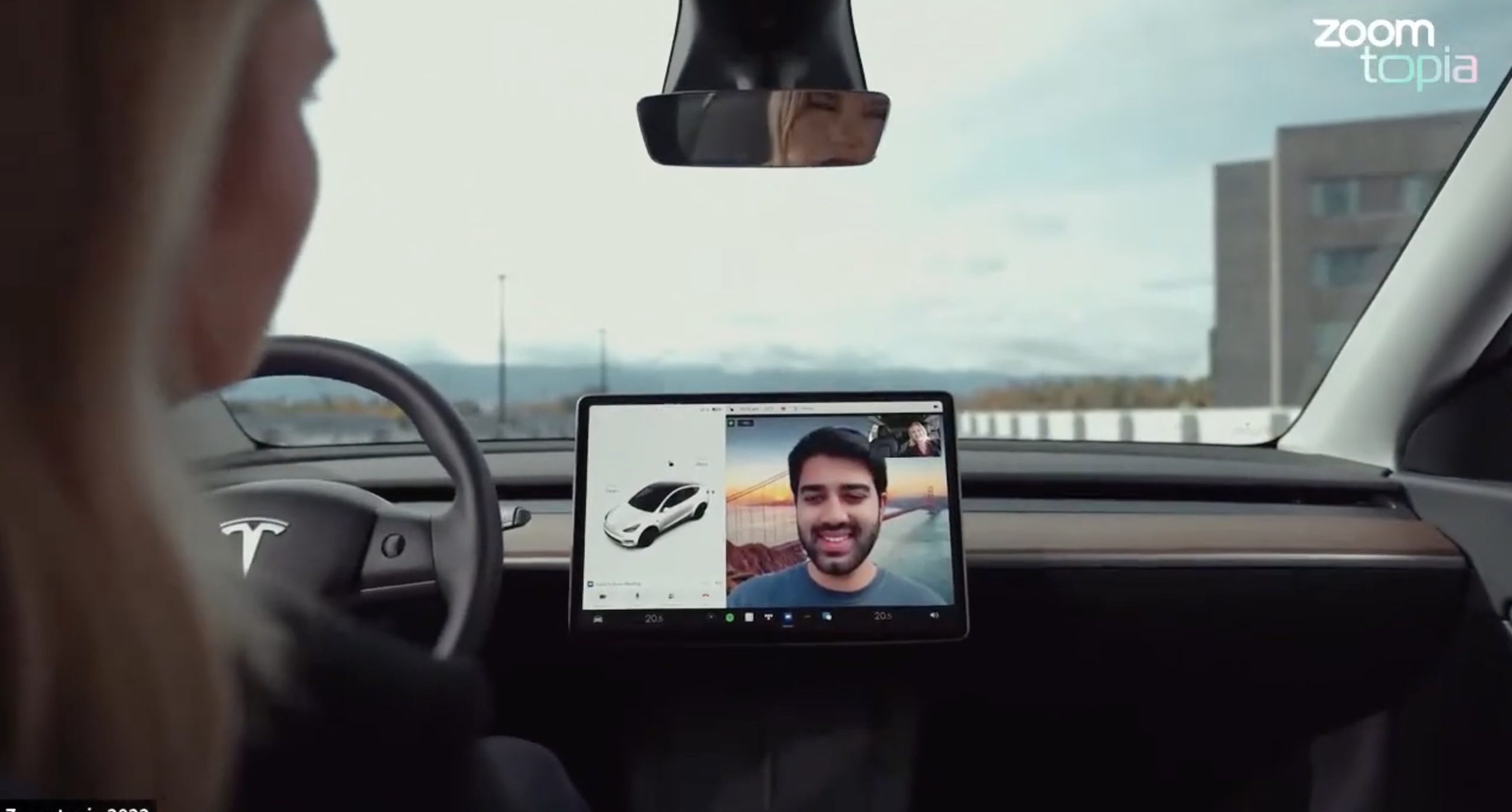
Tesla’s 2026 Summer Update, which just began rolling out to customer vehicles, now links the built-in web browser with the in-cabin camera feed and microphone input, thereby letting owners join video calls on nearly any browser-based service instead of just Zoom.
The change appears in Tesla’s own release notes for software version 2026.26 under “Web Browser,” which states that the vehicle can now use its interior camera and cabin microphone when a website requests access, with permission granted the same way a desktop browser handles it. As NotATeslaApp notes, this feature opens the door to Google Meet, Microsoft Teams, Discord, and other webcam-enabled sites to activate the in-car cabin-facing camera. The feed automatically crops and zooms to center the driver in frame.
Tesla has offered in-car video calling before, but only through a dedicated Zoom app that launched at the end of 2022, a stripped-down browser preloaded with Zoom’s own web client and gated behind Premium Connectivity. Opening the full browser to any camera-requesting site removes that walled garden. Elon Musk first called video conferencing “definitely a future feature” back in 2020, when the pandemic pushed remote meetings into daily life, so this update effectively finishes something Tesla has been promising for six years.
Tesla Summer Update begins rolling out: a look at the new features
The feature keeps the same restrictions that applied to Zoom on Tesla vehicles. It only works while the car is parked; shifting into Drive disables the camera feed, according to the release notes. It is also limited to vehicles running Tesla’s AMD Ryzen infotainment hardware, meaning older Intel-based Model S and Model X units, along with early Model 3 and Model Y builds, don’t get it.
Turning the browser into a general entry point for the in-cabin camera, rather than routing everything through one local app, widens the number of third-party sites that can ask for access, even though Tesla’s permission prompt.
With the Summer update only days into its rollout, be sure to stay with us on TikTok and X to see the latest video demonstrations.
Elon Musk
Tesla confirmed HW3 can’t do Unsupervised FSD but there’s more to the story
Tesla confirmed HW3 vehicles cannot run unsupervised FSD, replacing its free upgrade promise with a discounted trade-in.
Tesla has officially confirmed that early vehicles with its Autopilot Hardware 3 (HW3) will not be capable of unsupervised Full Self-Driving, while extending a path forward for legacy owners through a discounted trade-in program. The announcement came by way of Elon Musk in today’s Tesla Q1 2026 earnings call.
🚨 Our LIVE updates on the Tesla Earnings Call will take place here in a thread 🧵
Follow along below: pic.twitter.com/hzJeBitzJU
— TESLARATI (@Teslarati) April 22, 2026
The history here matters. HW3 launched in April 2019, and Tesla sold Full Self-Driving packages to owners on the understanding that the hardware was sufficient for full autonomy. Some owners paid between $8,000 and $15,000 for FSD during that period. For years, as FSD’s AI models grew more demanding, HW3 vehicles fell progressively further behind, eventually landing on FSD v12.6 in January 2025 while AI4 vehicles moved to v13 and then v14. When Musk acknowledged in January 2025 that HW3 simply could not reach unsupervised operation, and alluded to a difficult hardware retrofit.
The near-term offering is more concrete. Tesla’s head of Autopilot Ashok Elluswamy confirmed on today’s call that a V14-lite will be coming to HW3 vehicles in late June, bringing all the V14 features currently running on AI4 hardware. That is a meaningful software update for owners who have been frozen at v12.6 for over a year, and it represents genuine effort to keep older hardware relevant. Unsupervised FSD for vehicles is now targeted for Q4 2026 at the earliest, with Musk describing it as a gradual, geography-limited rollout.
For HW3 owners, the over-the-air V14-lite update is welcomed, and the discounted trade-in path at least acknowledges an old obligation. What happens next with the trade-in pricing will define how this chapter ultimately gets written. If Tesla prices the hardware path fairly, acknowledges what early adopters are owed, and delivers V14-lite on the June timeline it committed to today, it has a real opportunity to convert one of the longest-running sore subjects among early adopters into a loyalty story.
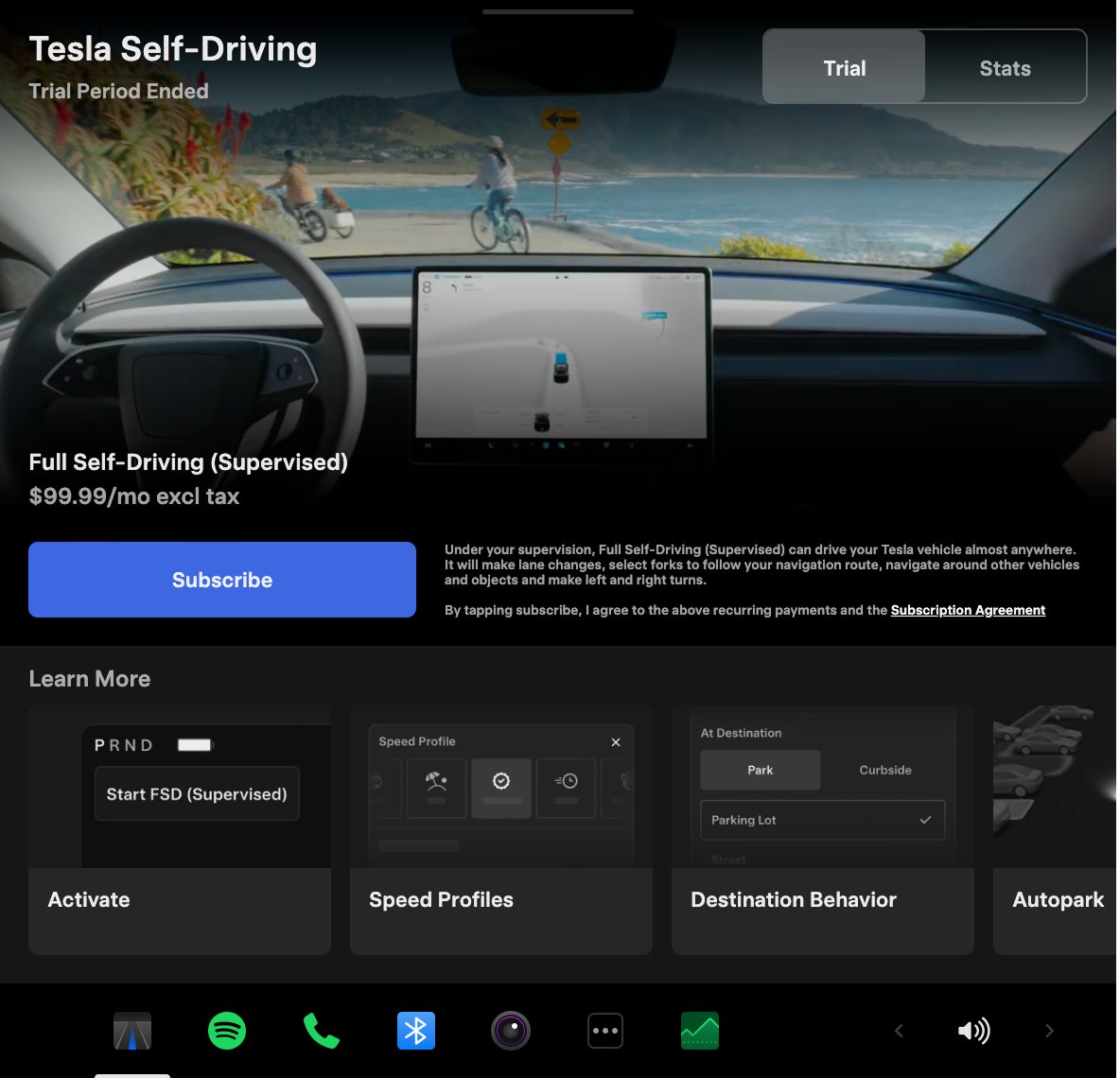
Tesla announced its Spring 2026 software update, and it’s the most feature-dense seasonal release the company has put out. The update covers twelve named changes spanning FSD, voice AI, safety lighting, dashcam storage, and pet display customization, among other things.
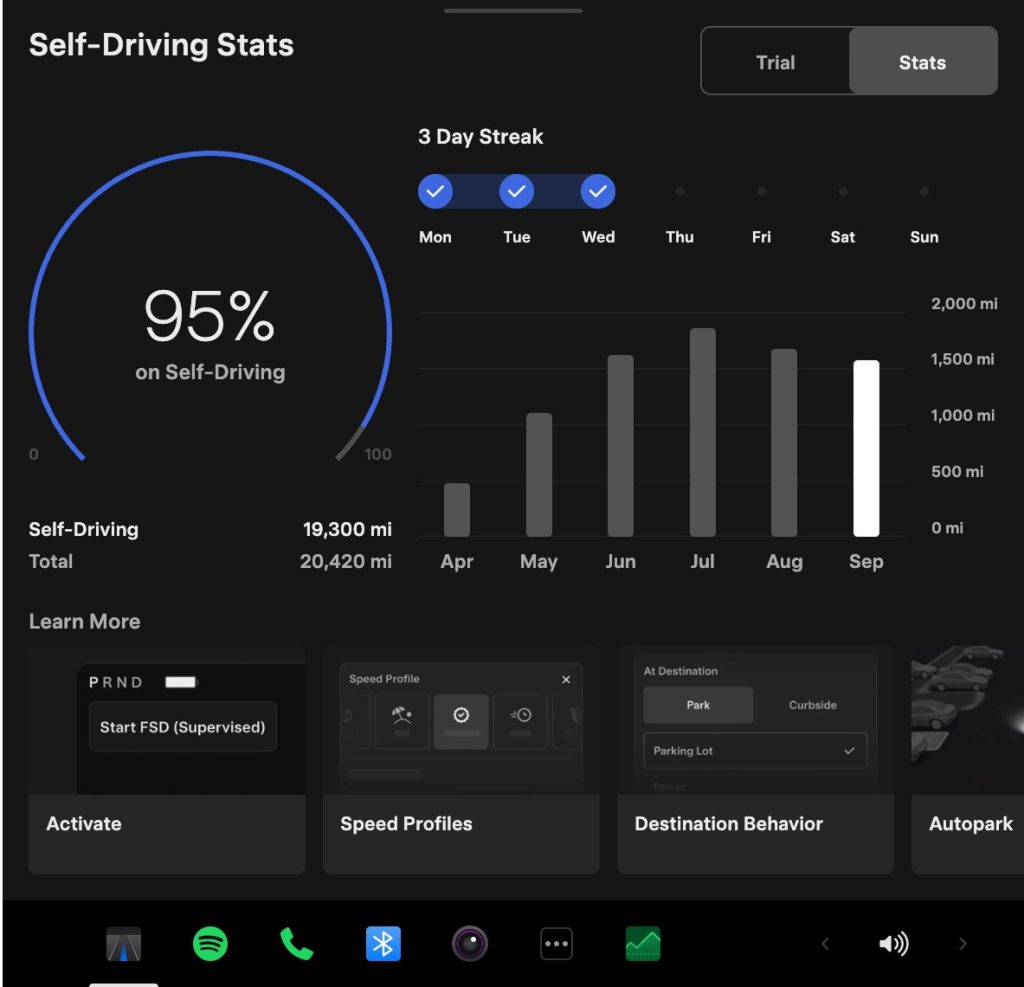
The centerpiece for owners with AI4 hardware is a redesigned Self-Driving app. The new interface lets owners subscribe to Full Self-Driving with a single tap and view ongoing FSD usage stats directly in the vehicle.
Grok gets its biggest in-car upgrade yet. The update adds a “Hey Grok” hands-free wake word along with location-based reminders, so a driver can now say “remind me to pick up groceries when I get home” without touching the screen. Grok first arrived in vehicles in July 2025, but each update has pushed it closer to genuine daily utility. Musk framed the broader vision clearly at Davos in January, saying Tesla is “really moving into a future that is based on autonomy.”
On safety, the update introduces enhanced blind spot warning lights that integrate directly with the cabin’s ambient lighting, building on the blind spot door warning that arrived in update 2026.8.
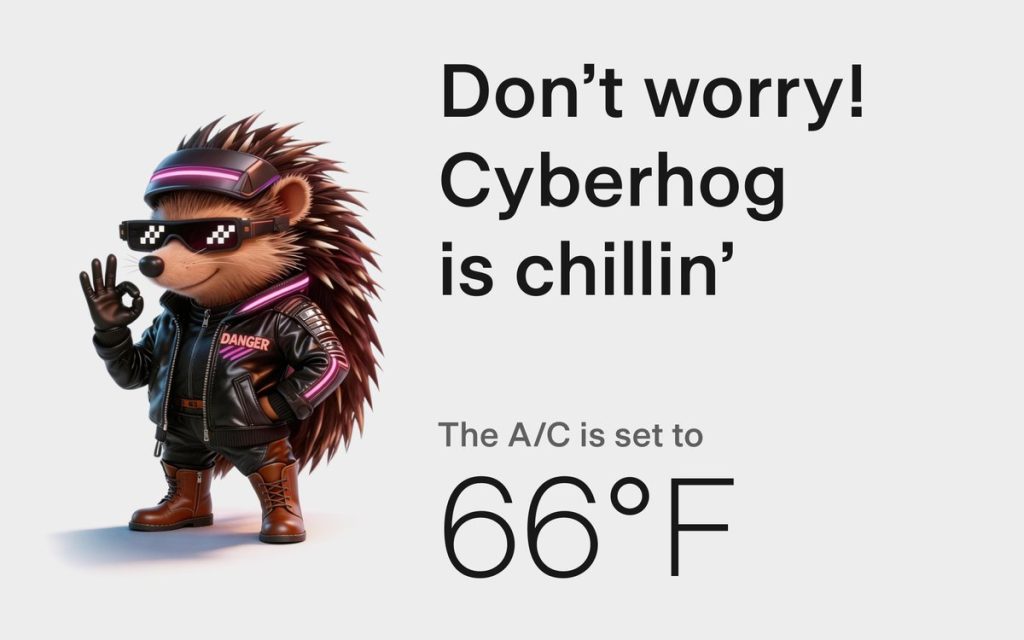
Dog Mode has been renamed Pet Mode and now lets owners choose a dog, cat, or hedgehog icon and add their pet’s name to the display.
Dashcam retention now extends up to 24 hours, up from the previous one-hour rolling loop, with a permanent save option for any clip. Weather maps now show rain and snow with better color differentiation and include the past hour of precipitation data along the route.
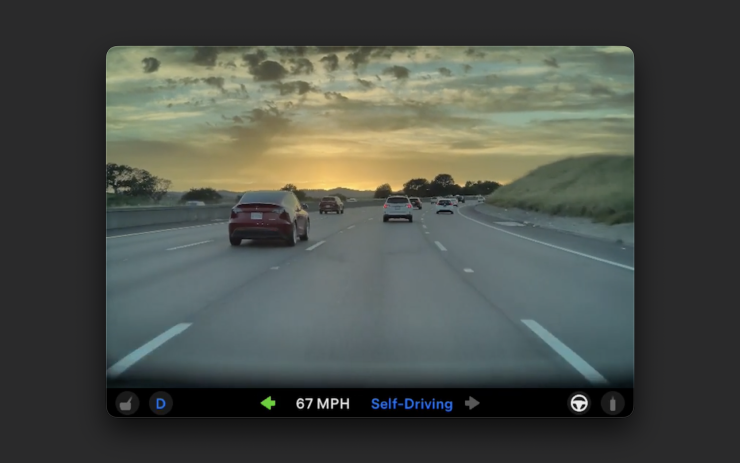
Tesla has now established a clear rhythm of two major OTA pushes per year. As with last year’s Spring update, that cycle started taking shape in 2025 with adaptive headlights and trunk customization. The 2025 Holiday Update then added Grok to the vehicle for the first time. This Spring follows that structure: the Holiday update introduces new architecture, and the Spring update broadens it across the fleet.
Two notable features still did not make it. IFTTT automations, which launched in China earlier this year, were held back from this North American release for unknown reasons, and Apple CarPlay remains absent, reportedly still delayed by iOS 26 and Apple Maps compatibility issues.
Below is the full list of feature updates released by Tesla.
— Tesla (@Tesla) April 13, 2026

Tesla Cybercab and Robotaxi’s real advantage won’t be the ride service

Why Elon Musk’s target date for buying an Optimus robot is harder than it sounds

Elon Musk drops a Thanksgiving hint about Starship’s biggest test yet

The Pentagon taps Elon Musk to design the battlefield of the future

Tesla Roadster’s new patent preps white-knuckle speeds, keeping it grounded


