News
SpaceX wins US Air Force contract for Falcon Heavy launch

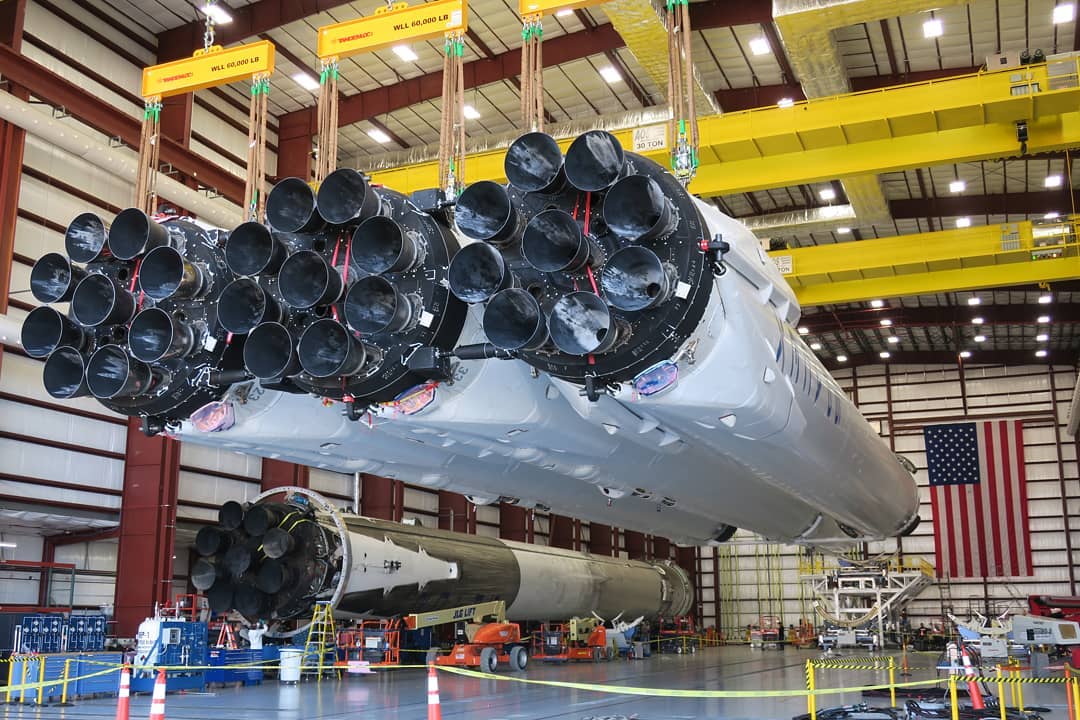
In an unexpected bode of confidence in the nascent vehicle, SpaceX has competed for and won a $130 million US Air Force launch contract for the massive Falcon Heavy rocket. While not planned to occur until September 2020 at the earliest, the most critical aspect of this development is the fact that the USAF has apparently already certified Falcon Heavy for high-value military launches.
The almost knee-jerk certification of Falcon Heavy for USAF launches makes for an extraordinary contrast when compared with the certification of SpaceX’s Falcon 9 workhorse rocket, a tedious political minefield that took more than two years, led SpaceX to (successfully) sue the federal government, and forced the Air Force to critically reexamine its internal processes after they delayed SpaceX’s certification by six or more months. For that particular endeavor, the USAF required SpaceX to complete three successful Falcon 9 launches, while also preventing SpaceX from engaging in launch contract competitions until their launch vehicle was certified in May 2015.
#SpaceX has won a competitively-awarded #AirForce launch contract for the AFSPC-52 flight. The mission will utilize a #FalconHeavy rocket. Mission will launch by Sept. 2020 from LC-39A at Kennedy Space Center. Statement from Gwynne Shotwell below… pic.twitter.com/a5ka2ov20L
— Chris G (@ChrisG_SpX) June 21, 2018
Jump ahead to 2018 and SpaceX appears to have been allowed to compete for this particular mission – known cryptically as AFSPC-52 – before Falcon Heavy had so much as completed an integrated static fire test. The awe-inspiring rocket did, however, complete a nearly-flawless debut launch in February 2018, a mission that required the company’s Falcon upper stage to survive a lengthy (6+ hour) coast in orbit before igniting its Merlin vacuum engine for one final burn. Regardless of the specifics, many of which have likely been kept under wraps, the Air Force must have been quite impressed with the rocket’s debut performance, and Falcon Heavy has now – according to President and COO Gwynne Shotwell – been certified for USAF missions just four months later.
-
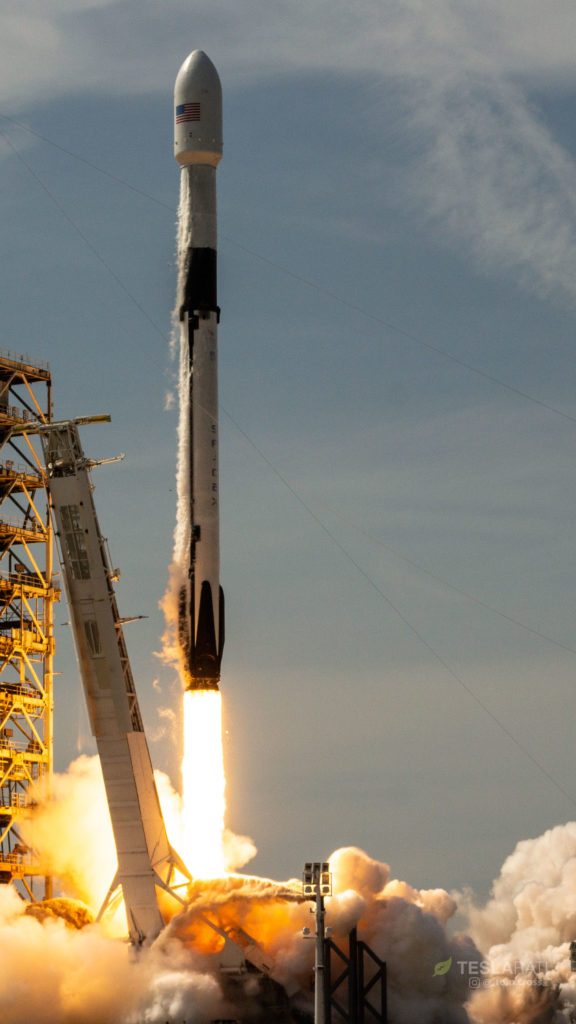
- Falcon 9 Block 5 completed its first launch on May 11, carrying the Bangabandhu-1 communications satellite to geostationary transfer orbit. (Tom Cross)
-
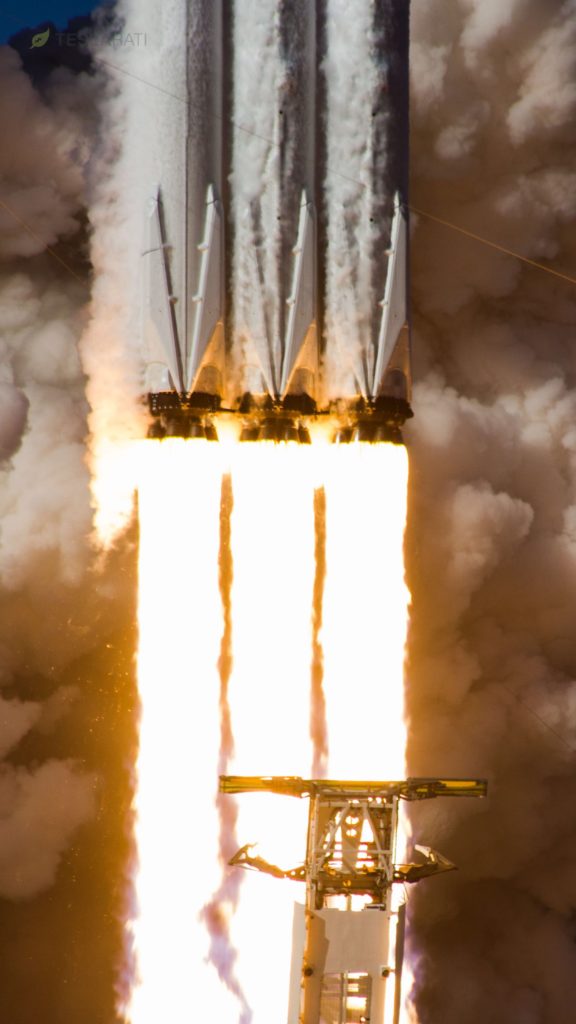
- Falcon Heavy clears the top of the strongback in a spectacular fashion. Two of the rocket’s three manifested missions are now for the USAF. (Tom Cross)
It’s somewhere between difficult and impossible to accurately compare the different payloads and launches of the Air Force Space Command (AFSPC), but SpaceX’s only competitor ULA was awarded a contract for the launch of two relatively different AFSPC payloads at an average (fixed) cost of $175 million per mission. Those satellites were likely much smaller than AFSPC-52 but they require direct insertion into geostationary orbit (GEO), whereas AFSPC-52 may instead be sent to a geostationary transfer orbit (GTO) before circularizing the orbit under its own power.
Still, SpaceX’s triple-booster Falcon Heavy launch contract will cost the USAF a slim $130m. It’s worth noting that the 2018 AFSPC-8 and -12 contracts awarded to ULA were for the company’s single-booster Atlas 5 rocket, with most of the draw coming from its admittedly advanced, efficient, and extraordinarily reliable Centaur upper stage, tasked with reigniting repeatedly to circularize the orbit of its valuable satellite payloads once in space.
While it requires far less rigor than the Air Force’s more secretive, national security-sensitive satellite launches, SpaceX’s second Falcon Heavy launch – this time with three highly-reusable Block 5 boosters – will also be conducted with the military branch as the primary customer. Known as Space Test Mission-2 (STP-2), Falcon Heavy will be tasked with carrying a stack of dozens of different smallsats to a variety of orbits. Of note, the vast majority of that mission’s payload comes in the form of a 5000-kilogram ballast mass, included because the mission was manifested on Falcon Heavy (instead of the operational Falcon 9) for the sole purpose of facilitating the rocket’s rapid certification for critical Air Force missions.
-
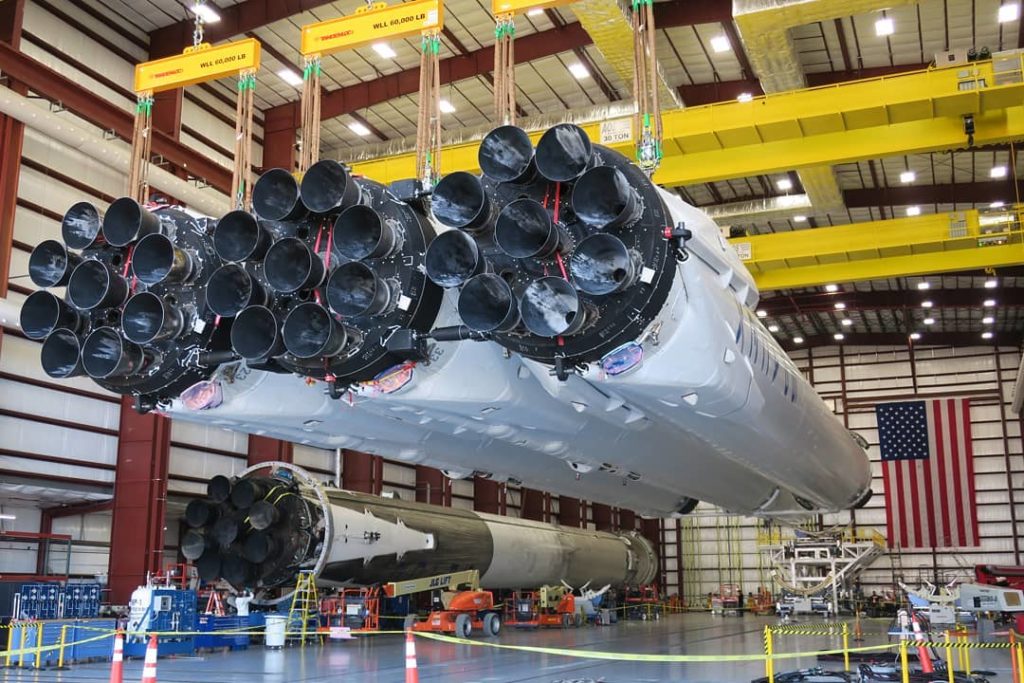
- Falcon Heavy may look for more condensed than Delta Heavy, but its performance dramatically outclasses the ULA rocket in all but the highest-energy mission profiles. (SpaceX)
-
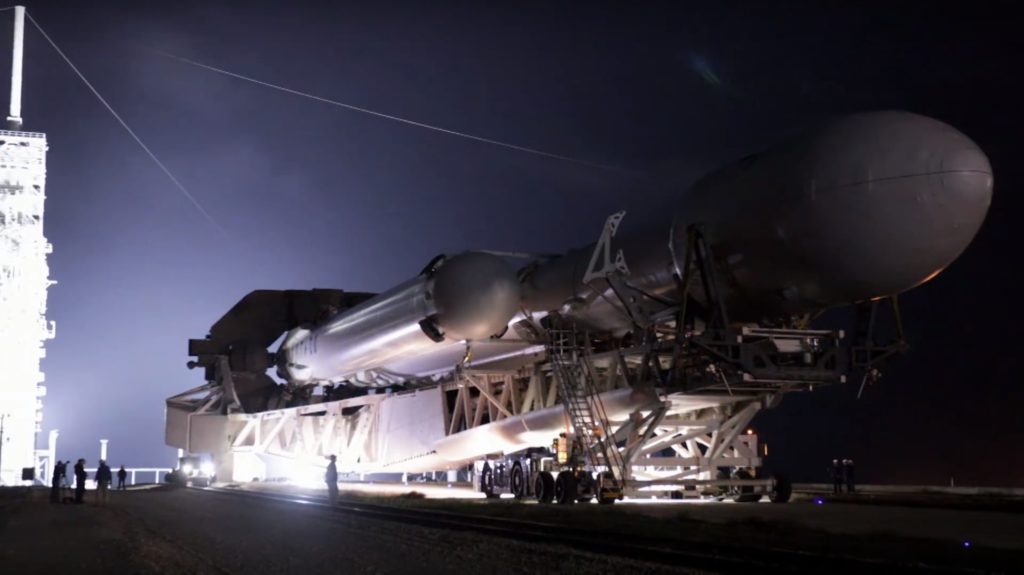
- The fully-integrated Falcon Heavy rolls out to Pad 39A. For vertical integration, think of this… but vertical. (SpaceX)
STP-2 is currently scheduled for no earlier than (NET) November 2018, while the third launch of Falcon Heavy – the commercial Arabsat 6A communications satellite – is tentatively targeted for December, although it’s almost guaranteed to slip into Q1 2019.
Follow us for live updates, peeks behind the scenes, and photos from Teslarati’s East and West coast photographers.
Teslarati – Instagram – Twitter
Tom Cross – Twitter
Pauline Acalin – Twitter
Eric Ralph – Twitter


News
SpaceX’s Gwynne Shotwell just made a quiet gesture toward Tesla
SpaceX president Gwynne Shotwell quietly followed Tesla on X, and merger watchers noticed right away.

SpaceX President and COO Gwynne Shotwell has started following Tesla’s official account on X, a small change that landed in the middle of a very loud merger conversation. Whole Mars Catalog joked about it on Sunday.
A follow is not an announcement, and neither company has said anything about a deal. What gives the moment weight is the timing. Barclays analyst Dan Levy has told clients that an agreement could come before Tesla’s annual meeting, which must be held by December 6, with SpaceX as the buyer in an all stock deal, as we reported after the Roadster unveiling. Wedbush’s Dan Ives has stuck with a 2027 timeline.
“Shit, I better start following their X account if i’m gonna be helping run the company”
— Whole Mars Catalog (@wholemars) October 18, 2026
Shotwell is the executive most worth watching if the two companies do move closer. When Musk was asked at the All In Summit why Tesla and SpaceX remain separate, Shotwell sat next to him and said SpaceX personnel had already moved into xAI to fill leadership and engineering gaps. The businesses were integrating “faster than I thought,” she said, though “not fully integrated yet.” Her responsibilities have also grown since SpaceX absorbed xAI, and she now oversees operations that include Grok and the company’s AI compute buildout.
The financial links are already there. Tesla’s $2 billion xAI investment turned into a stake of less than one percent in SpaceX, the two share the Terafab chip project in Austin, and Musk exercised his 2018 Tesla options a week after SpaceX began trading, a sequence analysts flagged as giving SpaceX public shares to use in a deal. Musk holds about 20 percent of Tesla and controls 85.1 percent of SpaceX’s voting power, according to our earlier breakdown.
The next test is close at hand. SpaceX reports its second earnings as a public company on Tuesday after the close, and Tesla follows on Wednesday. Musk told analysts in July that “we can’t talk about combining companies and that kind of thing on an earnings call,” so a direct answer is unlikely from either stage. Tesla shareholders can still submit and vote on questions through the Say portal until 4 p.m. EDT on Monday, and the merger is a recurring theme in the queue.
Elon Musk
Tesla Roadster owners to get “Flying Stunt Mode” and looping track access
Musk says Roadster owners can command the unveiling stunts autonomously, with a Texas looping track.
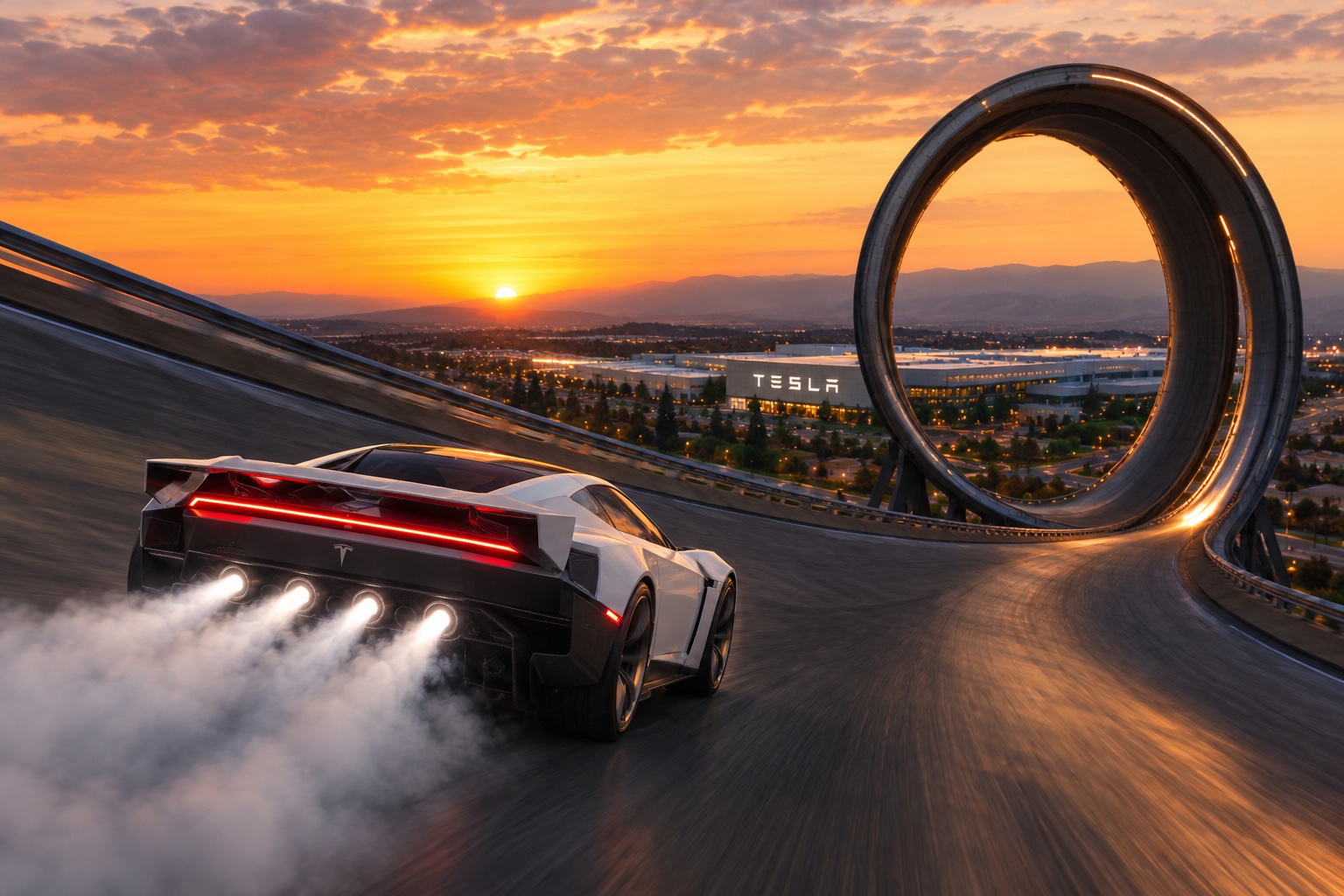
Elon Musk says owners of the new Tesla Roadster will be able to ask the car to perform the stunts Tesla showed at its unveiling, with the car doing the driving itself. Musk made the comment Saturday in a reply on X to tech blogger Robert Scoble, and he added a promise of a looping track at Tesla’s Texas headquarters.
Scoble had argued that the person in the Roadster is not really driving it. In his description, the driver operates a computer that tells another computer what to do, with steering, braking and acceleration all handled by wire. Musk answered, “True. You will be able to ask the Roadster to perform any of the tricks shown autonomously, as it will be sentient. Also, we will have a wild looping track (crazier even than Hot Wheels) at our Texas HQ where you can test out your Roadster.”
@Scobleizer True.
You will be able to ask the Roadster to perform any of the tricks shown autonomously, as it will be sentient.
Also, we will have a wild looping track (crazier even than Hot Wheels) at our Texas HQ where you can test out your Roadster.
— Elon Musk (@elonmusk) October 17, 2026
At the October 15 event outside Waco, the car drove up a curved ramp until it was upside down, flew off on cold gas thrusters, flipped and landed. It also hovered over a Cybercab, Cybertruck, Semi, Model Y and Model 3 while moving. As we noted in our breakdown of the three Roadster configurations, Musk said at the event that the car “literally is just going to puff itself up” to perform the maneuvers whenever an owner wants. Saturday’s reply adds that the car would run them on its own.
Tesla has described some of the hardware that would make that possible. The Roadster uses steer by wire with a yoke, and its cold gas thrusters rely on electric actuators for small adjustments in flight. A fan system under the car creates suction, which Tesla says is strong enough to hold it upside down, a setup we covered in our look at the Roadster’s fan system and thrusters.
Musk did not say when an autonomous stunt feature might arrive, how it would work, or what he means by sentient. He also gave no size, location or opening date for the Texas track. Production is planned for Giga Texas in 2027 or 2028, and Tesla says the car is not approved for public road use. The Rocket version, the one built to fly, is invite only.
The comment follows a week of Musk teasing the event, including his claim that the demo would be a banger, which we covered before the stream. Tesla reports third quarter earnings on October 21, and shareholders can submit and vote on questions through the Say portal until 4 p.m. EDT on October 20, according to our earnings Q&A preview. A question about autonomous Roadster stunts and the Texas track would be a quick way to get specifics from management.
Elon Musk
How to use Grok Bot to block spam calls and texts
Musk told users to ask Grok Bot to scrub their phone numbers from spam lists.
Elon Musk has a new use case for Grok Bot, and it is the spam call. On Thursday he replied to an X user named Arash with a short instruction: “Ask your @Grok @Bot to remove your phone number from spam call & text lists!” Arash had said he got tired of the calls, had an AI bot find his number on listing sites and file removal requests, and packaged the process as a free skill for others.
The skill is called Spam-Call Scrubber, which is described to find a phone number on people search sites and data brokers, submits the opt outs, completes the confirmation emails those sites send back, and rechecks on a schedule the user picks. Using it requires the Grok Bot app. The pitch is time saved, since most broker opt outs sit behind separate forms on separate sites.
Ask your @Grok @Bot to remove your phone number from spam call & text lists!
— Elon Musk (@elonmusk) October 15, 2026
Musk said Grok Bot now gives each bot its own email address, and that it can detect scam emails. On Thursday he also said SpaceX would make users whole if the bot botches a purchase or leaks a card, then told users to shop away from Amazon after the retailer blocked the agent, as Teslarati reported. The terms of service we reviewed at the time put responsibility for what an agent does on the user.
For Tesla owners, Grok Bot is not just a phone app. Tesla brought Grok Bot into its vehicles on September 22, and we argued earlier this week that the Cybercab’s real advantage may be the errands it runs during a ride. Every Cybercab and the rest of the Model Y Robotaxi fleet has it enabled. The more routine tasks like this one become, the more a rider has reason to hand over something personal in the back seat.
The new Spam-Call Scrubber skill can be downloaded for free and works on sites that honor removal requests, while noting that listings can reappear, and illegal robocallers do not check any registry. Whether Spam-Call Scrubber cuts anyone’s call volume is something the first wave of users will find out, and Musk’s endorsement guarantees that wave is coming.

SpaceX’s Gwynne Shotwell just made a quiet gesture toward Tesla

Tesla Roadster owners to get “Flying Stunt Mode” and looping track access

How to use Grok Bot to block spam calls and texts

SpaceX reveals how its 1 Million AI satellite network will work and prevent space collisions

Tesla Roadster: Three configs, one can fly, 0-60 in 0.8 seconds


