Video
Electric Drag Race: Tesla P85 Model S vs. Remote Control Car

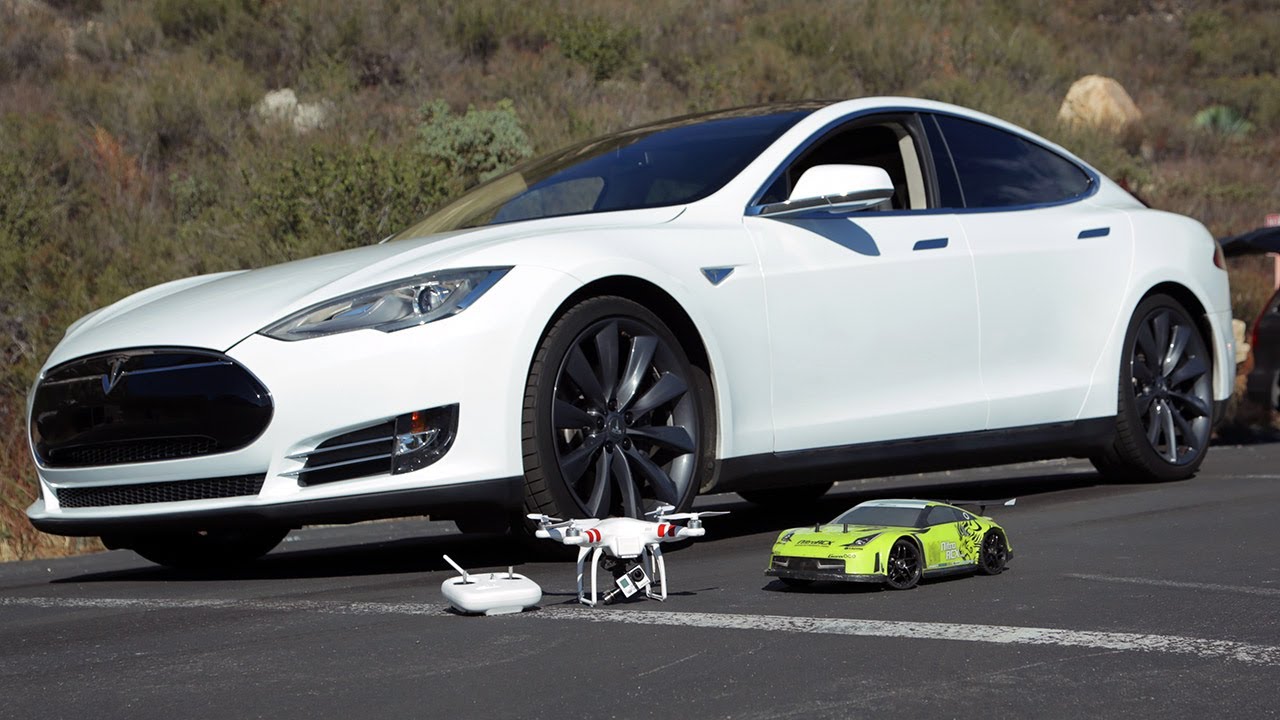
Just when you thought you’ve seen every drag race video there was between a Tesla Model S and <insert gasoline powered car of choice>, a new video surfaces that may just blow you away – a drag race between the Tesla P85 and another electric car!
NitroRCX, an online shop for remote control (RC) cars, pits the Tesla Model S in a drag race against a brushed 1/10th and a brushless 1/8th scale electric RC car. Let the battles begin!
See more Tesla Model S Racing Videos


News
How Tesla’s Roadster fan system and thrusters are built to dominate the corners
Tesla’s Roadster uses fans, active wings and cold gas thrusters to create grip at any speed.

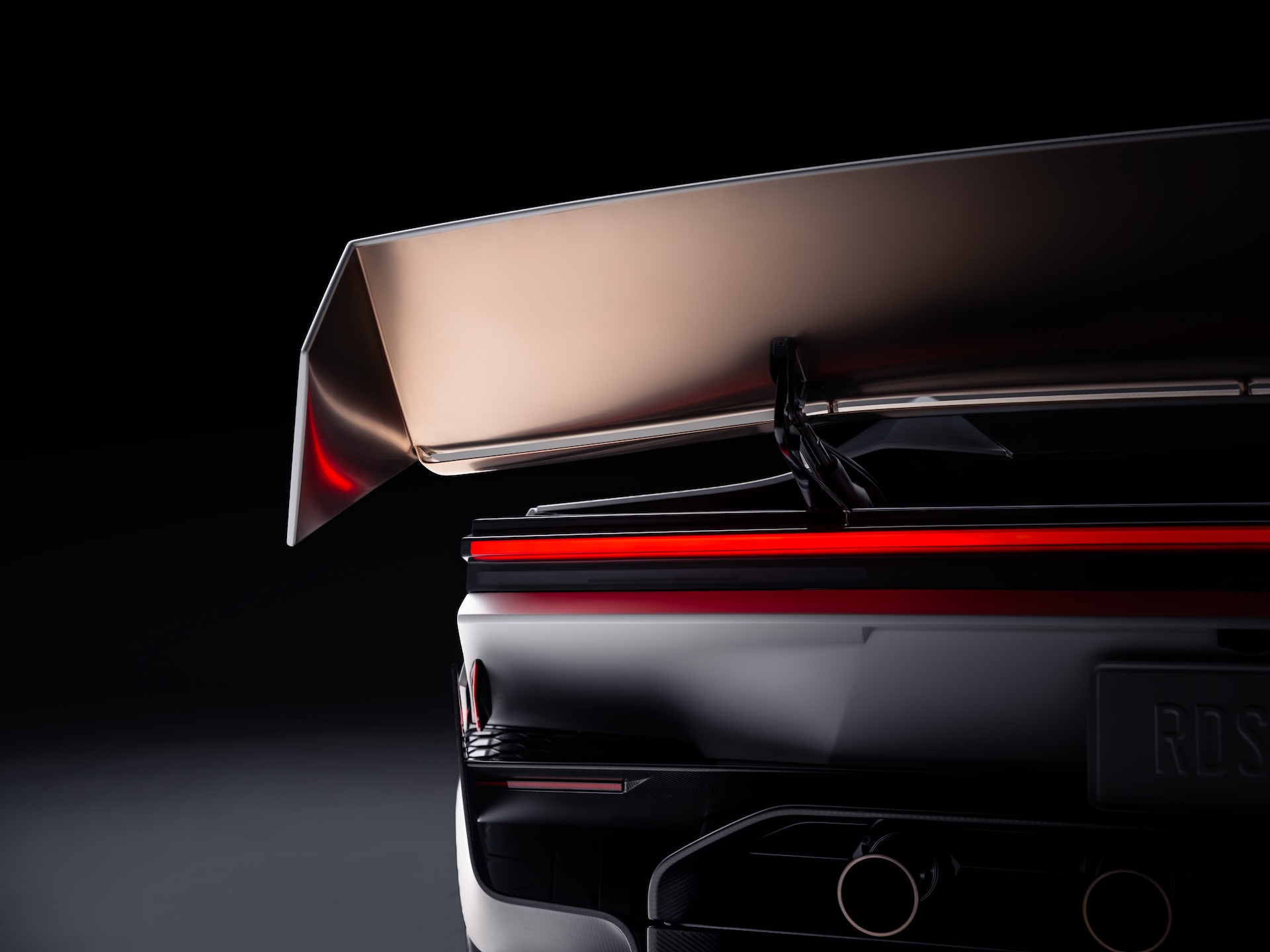
Tesla’s new Roadster is best known for flipping through the air in Texas, but the technology that matters most for a race track is the stuff that keeps it on the ground. Tesla’s Roadster page describes a multi-mode fan and ground sealing system that acts as a downforce generator, pulling air out from beneath the car. Tesla says it provides enough suction to hold the vehicle upside down, even when stationary.
That is the key difference from the wings and diffusers on a normal supercar. Conventional aero only makes downforce when the car is moving, and it grows with speed, so a car has the least grip in the slow corners and under hard braking. A fan system makes downforce at any speed. Tesla’s patent, which we covered last year, describes fans and deployable skirts that create sealed or partially sealed regions under the car, with the fans extracting air to lower the pressure and increase grip and stability.
Still processing this … the most unreal thing I’ve seen. https://t.co/HtEuvnkZjY
— TESLARATI (@Teslarati) October 16, 2026
Tesla pairs that with active wings, a next generation steer by wire system and a Track Mode that lowers the car and changes the suspension, with high downforce and low drag settings for the circuit. To keep weight down, Tesla points to magnesium, titanium and carbon fiber, manual controls and a fixed seat position, which it says lets the car respond to driver inputs almost instantly.
Tesla Roadster: Three configs, one can fly, 0-60 in 0.8 seconds
The cold gas thrusters are the other half. On the Thrust version they sit at the rear and Tesla says they take the car from 0 to 60 mph in under 0.9 seconds, while the Rocket version adds perimeter thrusters for forward, upward and lateral rotational movement. Tesla says the all electric actuators make micro adjustments within a fraction of a second.
Roadster transforms in Track Mode
These aero features aren’t just for looks: they provide the best passive downforce package of any road car (approaching F1 levels!) with wing actuation driven by the @Tesla_Optimus actuator system https://t.co/AqrC4qUga9
— Tesla (@Tesla) October 16, 2026
Musk has been talking about records for years. In June 2019 he said, “We’re going to do things with the new Roadster that are kind of unfair to other cars.” That September, when a follower asked whether the Roadster would beat the Nürburgring production car record, he replied with one word, “Absolutely,” as we reported at the time. In February 2024 he said Tesla had “radically increased the design goals” for the car and that its sub one second 0 to 60 time would be “the least interesting part.”
There are caveats. Tesla has not published a lap time or a verified cornering figure, so the record talk is still a promise rather than a result. Tesla also says the car is not approved for public road use, and the thruster features are limited to the Rocket trim, which is invite only. Fan cars have also been banned or withdrawn before, and getting a sealed underbody to work on a rough public road is a harder problem than on a smooth track. The first real test will be an official lap at a circuit.
Lifestyle
Tesla FSD changed its mind mid-intersection, and it may have saved a life
Tesla shares dashcam footage of FSD Supervised stopping mid intersection to avoid a T-bone crash.
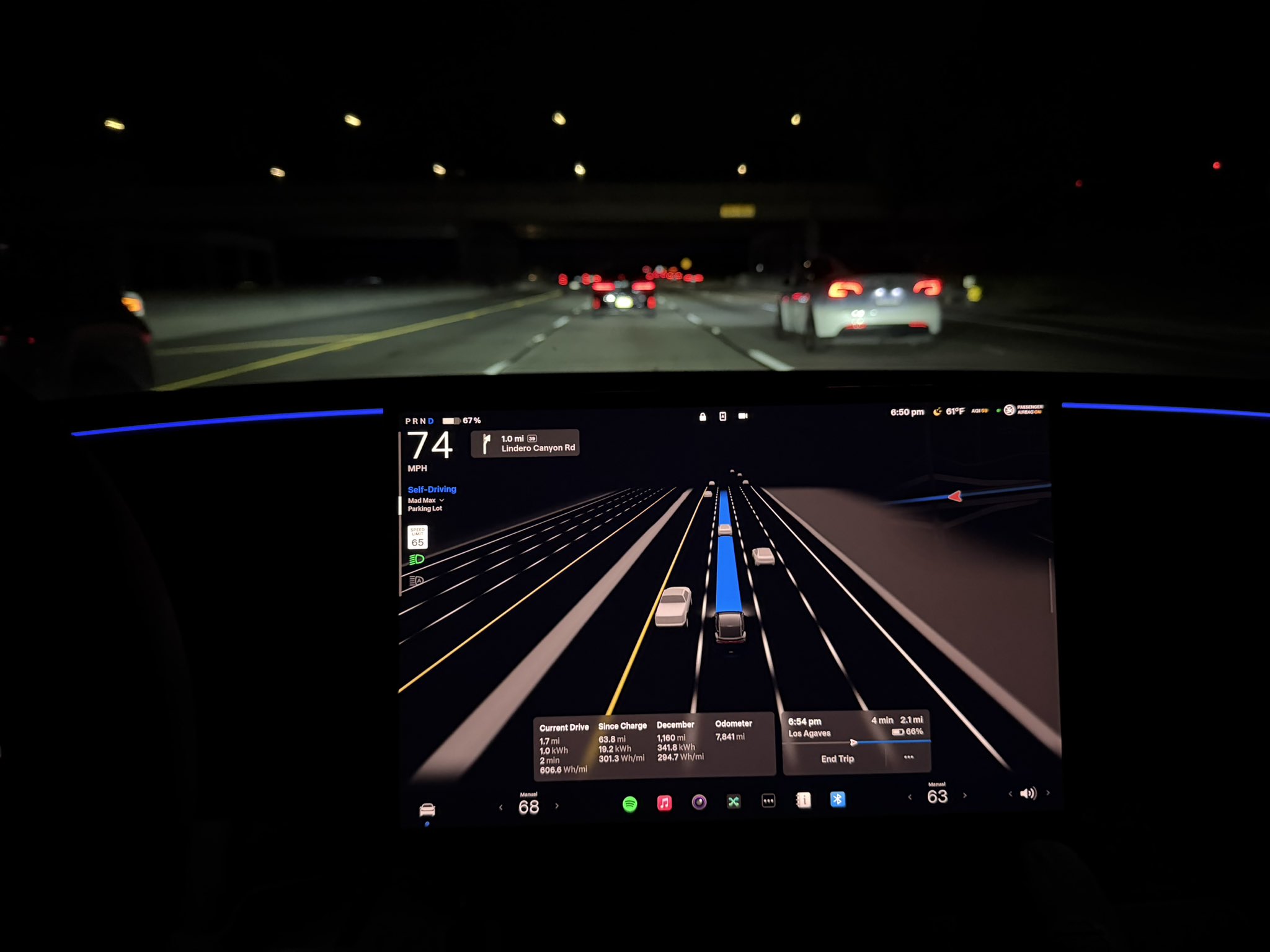
Tesla is putting another Full Self-Driving save in front of its 24.8 million followers on X.
On Tuesday morning, Tesla’s main account shared a dashcam clip with the caption “FSD Supervised preventing T-bone crash.” The footage came from an owner posting as TheNewGrid, who described what happened at a stop sign: “I looked at the car coming to the stop sign figured they would stop, my car went, then came to a stop mid intersection as they flew by. Had I been manually driving this would have resulted in a crash.”
The sequence is the notable part. FSD had already started crossing when the other driver ran the stop sign. Instead of pressing on, the car braked hard in the middle of the intersection and let the crossing vehicle pass in front of it. By the owner’s own account, they had made the same assumption the software initially made, that the other car would stop, and would not have corrected in time.
FSD Supervised preventing T-bone crash
— Tesla (@Tesla) October 6, 2026
The clip is the latest in a run of safety posts Tesla has amplified over the past several days. On Saturday, the company shared a video from Selling Sunset star Jason Oppenheim, who sold his Bentley for a Model Y and said he was buying Teslas with FSD for 10 of his employees. Ashok Elluswamy, who leads Tesla AI, followed up by writing that Tesla self-driving “reacts to other people cutting into your path with super-human response times.” On Monday, a Cybertruck owner posted footage of FSD moving across three lanes from a red light to clear a path for an ambulance approaching from behind.
This recent clip also lands a few weeks after Tesla began shipping Automatic Collision Evasion with FSD v14.3.9, a feature that can activate FSD on the driver’s behalf when a frontal collision is imminent or the driver appears distracted. Elluswamy said in September that “even earlier prediction of hazards, even faster reaction time and overall significantly better safety and collision avoidance” are coming with v15, the release Tesla has tied to round the clock Robotaxi operation.
The safety messaging matters beyond social media. Tesla has said FSD Supervised was 4.1 times less likely to crash than manual driving across 100 million kilometers on European roads, and it has been putting those figures in front of regulators. Eight EU countries have now approved FSD Supervised, with Croatia the most recent, but the EU’s bloc-wide vote originally set for October 6 has been pushed to December at the earliest.
FSD Supervised is still a Level 2 system, and the driver remains responsible at all times. Even heavy users find reasons to step in. Teslarati’s Joey Klender, who uses FSD for about 76 percent of his driving, laid out five recurring issues on Tuesday that still prompt him to intervene. Clips like this one show the other column of that ledger: moments where the software caught a mistake a human was about to make.
Lifestyle
Tesla’s newest feature lets you floor it out of a Supercharger while plugged in
Tesla’s new Emergency Drive Away feature lets owners flee a Supercharger while still plugged in.
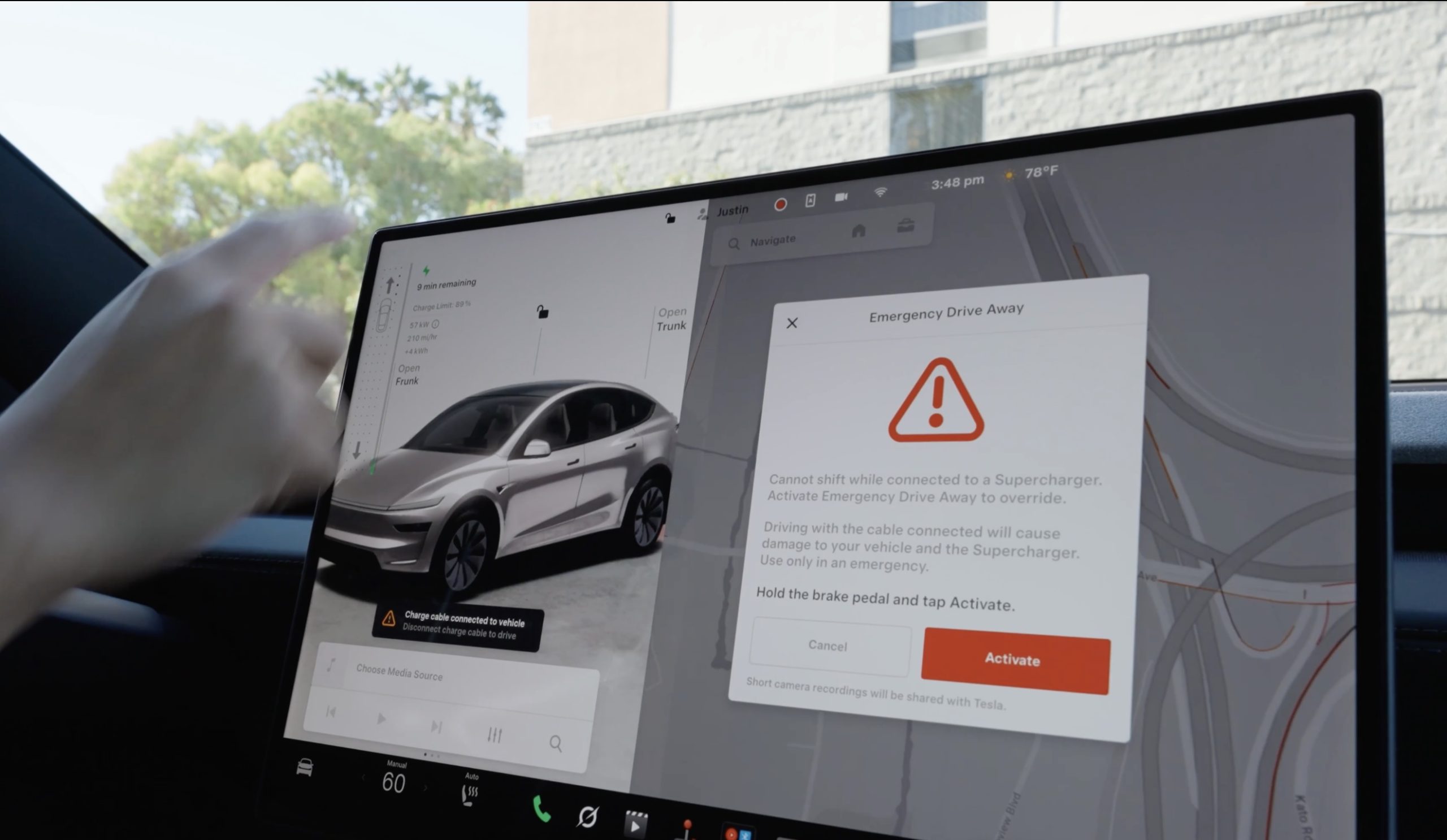
Tesla has given drivers a way to escape while a vehicle is plugged-in at a Supercharger, in the event of an emergency. The company’s charging team announced a new feature on X called Emergency Drive Away, which lets a driver shift into Drive and pull away while the charging cable is still connected to the car.
Until now, a Tesla would not leave Park with a charge cable plugged in. Drivers had to release the latch from the touchscreen, the Tesla app, or the button on the charge handle, then wait for the port to let go. Emergency Drive Away removes that lockout, but Tesla is clear that it comes at a cost. “Use of this feature will damage your vehicle and the Supercharger,” the company wrote, adding that the function is meant for emergencies only and that deliberate misuse will lead to “additional penalties.” Tesla did not say what those penalties are.
Emergency Drive Away lets you shift into Drive while still plugged into a Supercharger pic.twitter.com/40GSzyP4lG
— Tesla Charging (@TeslaCharging) October 1, 2026
The in-car prompt is just as direct, with the warning reading: “Driving with the cable connected will cause damage to your vehicle and the Supercharger. Short camera recordings will be shared with Tesla.” That footage gives Tesla a way to separate a real emergency from someone who simply did not want to wait for the latch.
The feature requires software update 2026.38.3, and Tesla said in replies to owners that it works at every Supercharger in the United States without new stall hardware. Model S and Model X vehicles built before 2021 are not supported, and the company says the feature applies to U.S. Superchargers “for now,” leaving Canada and other markets out at launch.
Tesla Supercharger argument leads to tragic shooting incident
Tesla did not tie the announcement to any specific event, but it arrives two months after a gunman opened fire at an In-N-Out in Twin Falls, Idaho, on August 1, targeting three people in two Teslas at the neighboring Supercharger. One of them, a 66 year old man from Salt Lake City, was killed. Superchargers have been the scene of violence before, including a fatal shooting at a station near Denver in 2023.
In the weeks after Twin Falls, owners pushed Tesla for a native way to escape a stall, and many pointed back to EVject, the aftermarket breakaway connector Tesla sued in 2024 over claims it lacked overtemperature protection. The two companies later reached an agreement that led EVject to recall its earlier connectors in favor of a version with thermal sensors.
Our mission has always been about providing peace of mind and eliminating sitting duck scenarios.
We patented the built-in breakaway charger tip on Feb 15, 2023. Awarded Jan 30, 2024. Then shared the designs with @TeslaCharging
Thank you @Tesla for rolling out a solution. This… https://t.co/djOzswLw9N
— EVject (@EVject) October 2, 2026

Tesla Cybercabs take over Austin’s F1 weekend

Tesla makes good on its Cybercab promise in just two weeks


