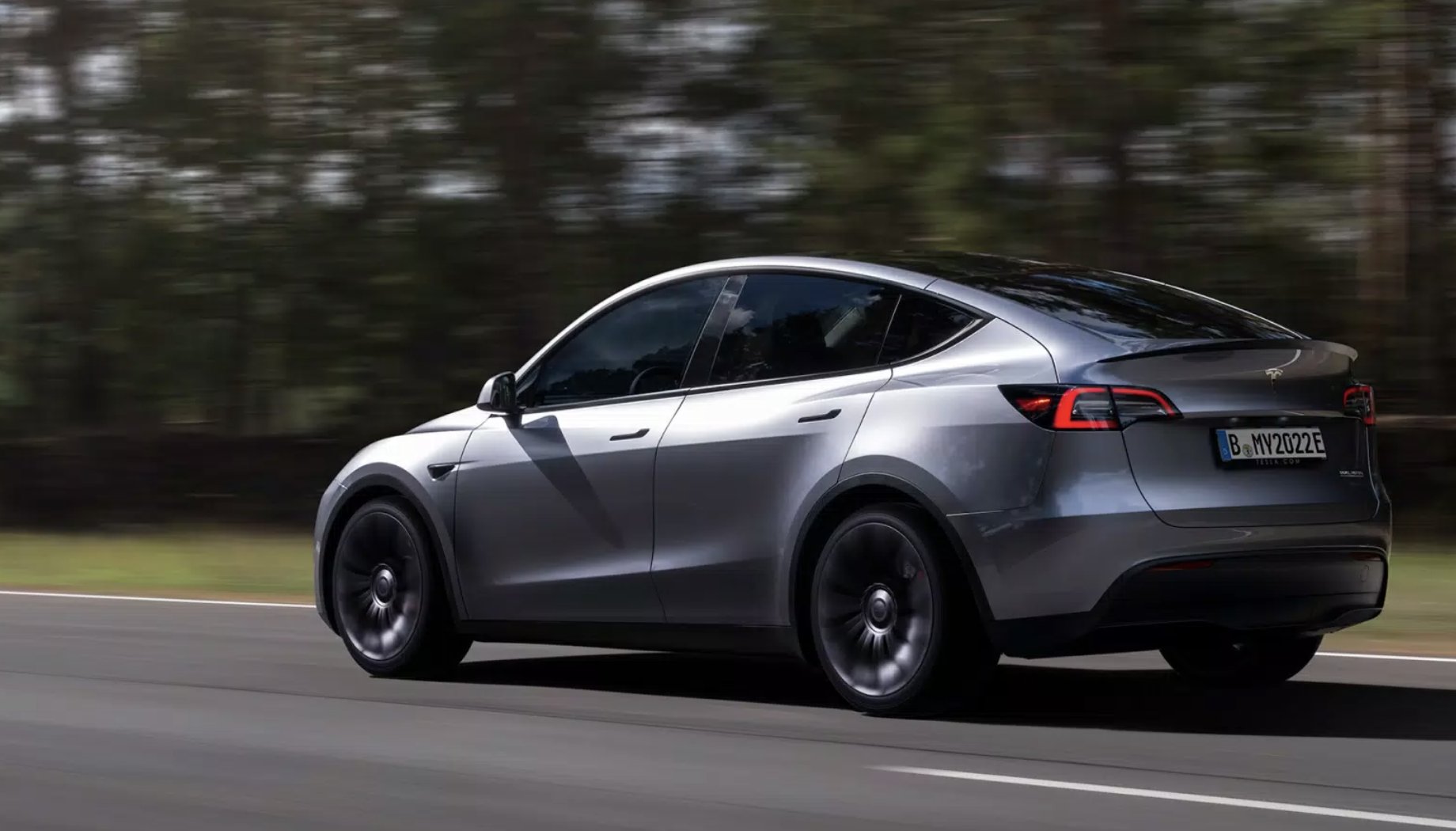

With the Tesla holiday update, the automaker is finally bringing track mode to the Model Y Performance and a set of new capabilities.
Tesla Model Y owners have literally been asking for track mode for years. The software available on the Tesla Model 3 counterpart brings some fantastic features that make the vehicle an ideal electric track toy. Now that functionality has finally been made available on the Model Y via Tesla’s holiday software update.
Apple Music now goes to 11 ?
— Tesla (@Tesla) December 13, 2022
Tesla’s second-generation track mode came out two years ago, and it revitalized the software. It allows the driver to make up to 20 track mode profiles, and each can have custom settings for handling balance, stability assist, regenerative braking, post-drive cooling, and compressor overclocking. On top of that, it gives the driver a new level of analysis via the car’s onboard accelerometer data, battery/motor/brake/tire data, and even GPS-based track timing. And if these settings weren’t cool enough, track mode allows the driver to record their laps via the car’s onboard cameras, which can then be used to brag to their friends (or whatever you do with a track recording).
The full release notes are available below:
Track Mode has been improved to make it easier to monitor the status of your car, create custom track mode settings profiles and record your track day data.
Monitor the status of your car motors, battery, brakes, and tires, allowing you to adjust your driving in real-time. G-meter, a real-time accelerometer, can now be viewed in the Cards area of the touchscreen. The map now displays a Lap Timer. Follow the onscreen instructions to place a start/finish pin on the map. At the completion of each lap, the Lap Timer displays the duration of the lap. It also displays the times associated with the previous and best laps in the driving session.
Track Mode allows you to save up to 20 Track Mode profiles to suit your preferences or driving scenario, or customize for a specific track. A new settings profile can be created by tapping Track Mode Settings > Add New Settings, entering a name for the settings profile, then adjusting settings including Handling Balance, Stability Assist, Regenerative Braking, Post-Drive Cooling and Compressor Overclock. Refer to the Owner’s Manual for more information regarding each setting.
You can now save a video and data of the Track Mode driving session to a plugged in USB flash drive which must contain a folder named “TeslaTrackMode” (without the quotation marks). When “Save Dashcam for Laps” is enabled, Track Mode stores a video of each lap in a driving session when using the Lap Timer. Track Mode also stores the car status and telemetry data including details about the vehicle’s position, speed, acceleration, and use of accelerator which is stored as a .CSV file on the USB flash drive.
While some have pointed out that the Model 3 is the more ideal vehicle for the track due to its smaller size, better aerodynamics, and lower center of gravity, the Model Y offers a better user experience for someone who wants to track their vehicle less frequently, or for someone who doesn’t want to take their car to competitions.
As Tesla vehicles become more recognized for their performance prowess, more capabilities will likely come to track mode in the coming years. And as shown by Unplugged Performance, physical upgrades are following closely behind.
The newest Tesla update brought a wealth of other improvements ahead of the holiday season. The update shows the incredible benefit of over-the-air updates in general, making Tesla’s vehicles better without even moving them. Hopefully, this functionality will spread to other brands quickly in the coming years and allow for an ever-improving ownership experience for everyone.
What do you think of the article? Do you have any comments, questions, or concerns? Shoot me an email at william@teslarati.com. You can also reach me on Twitter @WilliamWritin. If you have news tips, email us at tips@teslarati.com!



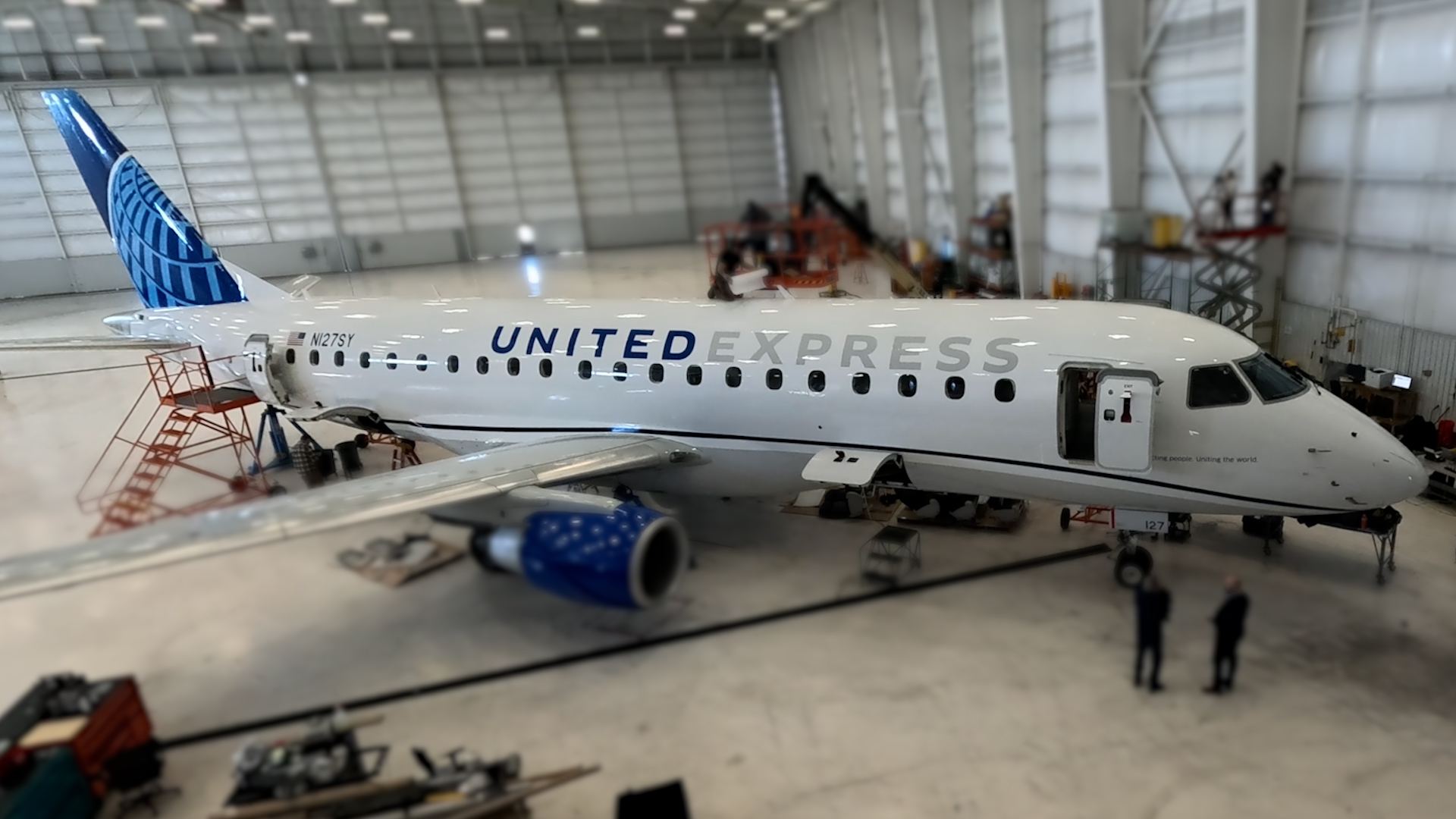
United Airlines CEO Scott Kirby said that SpaceX’s Starlink satellite internet is its leading competitive advantage in the U.S. airline industry. However, in recent comments, while he described the service as “the biggest competitive advantage” the carrier currently holds, he also acknowledged that the edge is temporary.
“…everybody eventually is going to have high-speed low earth orbit internet connectivity. It’s going to be a must-have. We are going to have a few years of being the only airline that has it at scale, and that’s our mission,” Kirby said. Until everyone has it, United aims to capitalize on its head start by converting trial users into long-term loyal customers.
🚨 United CEO Scott Kirby calls Starlink “the biggest competitive advantage,” but says it’s temporary.
“I think it’s the biggest competitive advantage. And it’s temporary. Like it’s not, everybody eventually is going to have high speed low earth orbit internet connectivity. It’s going to be a must-have. But we are going to have a few years of being the only airline that has it at scale, and that’s our mission.”
“I think we’re going to convince customers that United is the best airline and we’re going to get customers to switch their loyalty, to get our credit card, switch their loyalty to United. Not because of Starlink. They’re going to try us for Starlink and they’re going to stay with all the other technology, and everything else is better, and the technology in particular is so much better than technology other, and it’s accelerating because we’ve got the right tech stack, and because we’re like, our gap is getting wider and wider with our technology every day.”
Next: LAX becomes United’s first 100% Starlink hub in the first half of next year, and the United app will show your Starlink odds for each flight. https://t.co/hToyFWaWj7
— TESLARATI (@Teslarati) October 27, 2026
United has moved faster than its rivals on Starlink installations. As of mid-to-late October 2026, the system was on roughly 43 percent of its fleet, with plans to reach 61 percent by year-end, 87 percent by June 2027, and full fleet coverage by the end of next year.
The airline already operates more Starlink-equipped flights than the rest of the U.S. industry combined. Los Angeles International Airport is scheduled to become United’s first 100 percent Starlink hub in the first half of 2027, and the carrier’s app will display the likelihood that any given flight has the service.
Kirby has pointed to early evidence that the offering influences booking decisions. Some passengers loyal to other airlines are already switching flights for Starlink connectivity, something the airline, along with American Airlines, has tried to leverage against competing airlines. Both companies used status-match programs, and some of those customers are pursuing company-specific credit cards, which signals an intent to stay.
Once onboard, these customers encounter the airline’s broader investments in aircraft, larger seat-back screens, oversized bins, connection tools, and a mobile app that Kirby says outperforms competitors. Wi-Fi satisfaction scores on Starlink-equipped planes have been reported to be nearly double those on aircraft with other systems.
Competitors are moving slowly to do the same. Southwest Airlines began installations in 2025 and expects to complete them soon. Delta is pursuing Amazon’s Leo system, while American expects to start Starlink work in early 2027 and has not yet detailed regional-fleet plans. This timeline gap gives United a multi-year window in which it remains the only major U.S. carrier offering Starlink at scale.
Kirby has framed the strategy as pressing that advantage while simultaneously widening gaps in other technology areas so that customers who try United for the Wi-Fi remain for the overall experience.
The approach reflects a calculated bet that superior in-flight connectivity can accelerate share gains and support longer-term financial targets, including a 10 percent pre-tax margin goal.
High-speed internet is particularly valued by premium and business travelers who can work or stream reliably. As low-Earth-orbit service becomes ubiquitous, the temporary nature of the pure connectivity edge means United’s retention will depend on whether its other product and operational improvements keep pace.
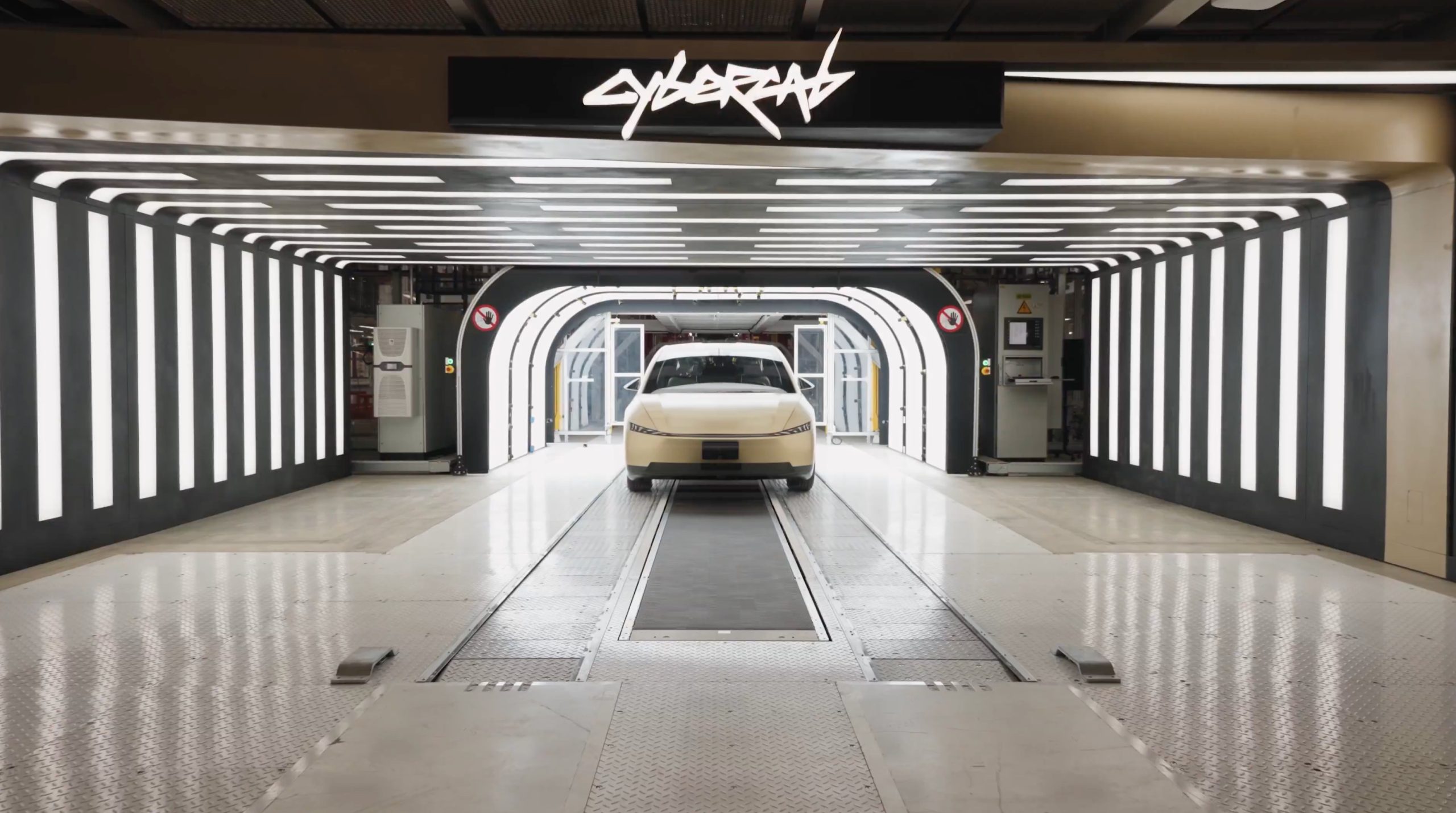
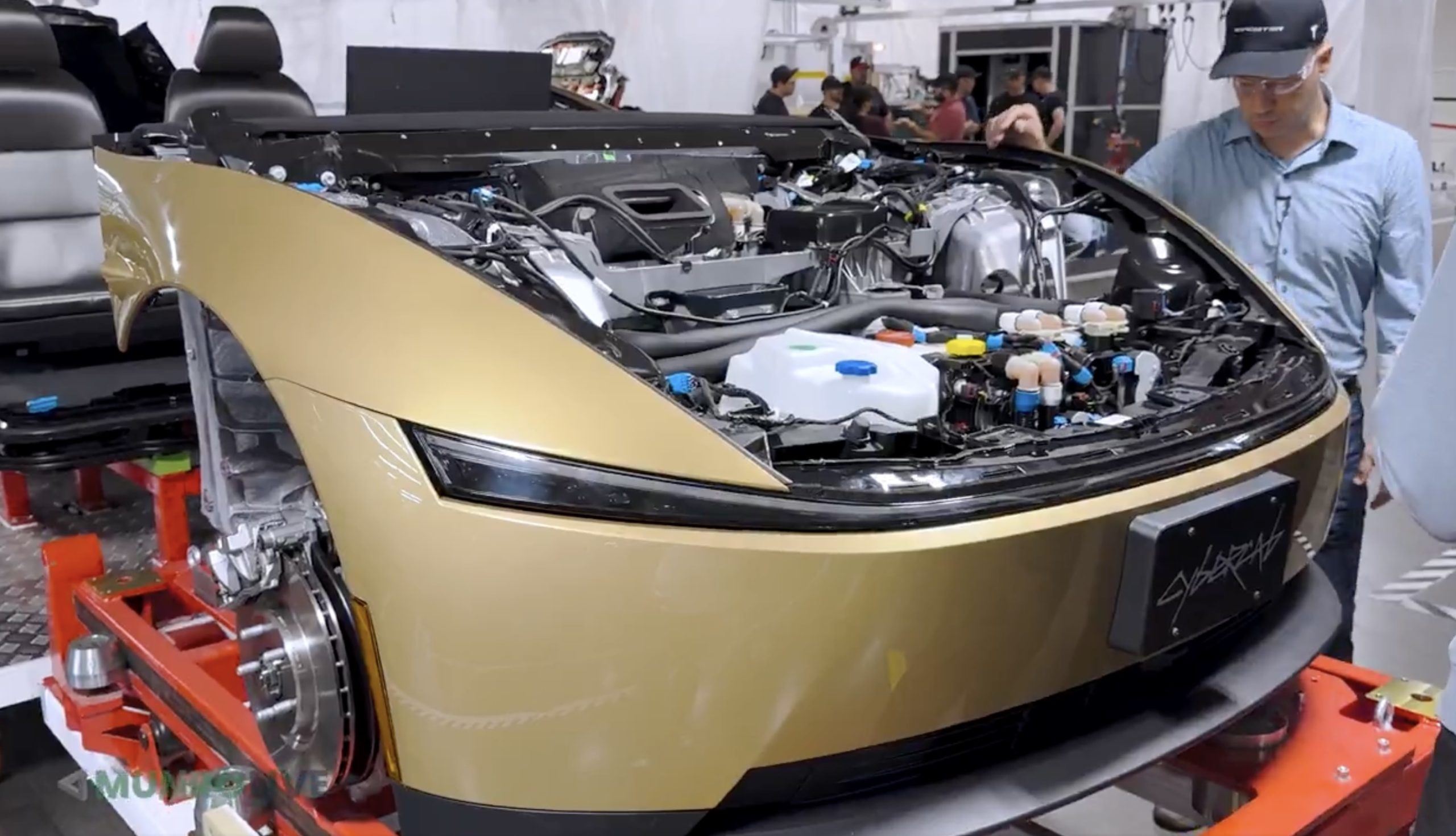
Tesla Cybercab skips the traditional paint shop entirely, marking an unorthodox process for coloring the fully autonomous vehicle. However, the decision was a smart one, as it slashed factory costs, floor space utilization, and complexity, since Tesla relied on specialized alloys and in-mold coloring.
Munro Live was given the opportunity to do a factory walkthrough with Tesla Vice President of Vehicle Engineering Lars Moravy, who explained and detailed how Cybercab production at Giga Texas eliminates one of the automotive manufacturing industry’s most expensive and space-hungry elements.
A conventional paint line can cost hundreds of millions of dollars and require a million man-hours to build. Moravy framed the choice around Tesla’s core rule: “Question the requirements: why do you need paint?”
🚨 Super cool quote from the Cybercab breakdown on the decision to avoid traditional paint:
“One of the most expensive parts of the factory is a paint line… a few hundred million dollars, a million man hours to build one… rule number one at Tesla, question the requirements. Why do you need paint?… the alloys we use in the castings… don’t oxidize and reduce strength over time.” -@larsmoravy
Model Y and Cybertruck bodies are fully coated and painted. On Cybercab, only the side pieces get the anti-corrosion dip coat, and there’s no paint shop at all, which helps cut factory floor space per car by about 50%.
— TESLARATI (@Teslarati) October 26, 2026
The structural answer lies in material selection. The aluminum alloys used in Cybercab’s front and rear castings do not oxidize and lose strength over time, the way many common automotive aluminum alloys do. Only the side modules, built around hot-stamped boron-steel door rings, receive an anti-corrosion e-coat, or dip coat. Front and rear modules skip coating altogether.
Model Y and Model 3 bodies, by contrast, are fully coated and painted.
Exterior colors come from the plastics shop, which Tesla engineers described as “our paint shop” for the Cybercab. Body panels are produced via reaction injection molding, referred to as RIM. Color is then mixed into a polyurethane resin at the mix head immediately before injection, so the panel emerges already colored with a Class-A surface.
Robots trim overflow to control sink marks and flow lines. The process avoids conventional spray-paint defects like orange peel and paint bleed. Scratches can still be repaired with compatible coatings that behave “basically like paint.” Because color is integral rather than a surface layer, shallow scratches do not expose a contrasting undercoat.
The secret behind Tesla’s Cybercab Gold goes well beyond just the color
Tesla has also explored related approaches, including in-mold lamination and painted films on stamped panels.
The manufacturing payoff is substantial because removing the paint shop, combined with the “unboxed” modular process that builds and tests front, rear, side, and center modules in parallel before a short final assembly, cuts factory floor space per vehicle by about 50 percent.
Final assembly itself uses only about 25 automated stations, far fewer than the typical Model Y line, and the overall line runs at about 78 percent automation, Moravy said. The approach also eliminates volatile organic compound emissions associated with traditional spray painting for these panels and shortens the coloring cycle from hours to minutes.
Cybercab’s paint strategy is clearly less about aesthetics than about systematically deleting capital-intensive, energy-heavy, and space-consuming steps once material science and process design make them unnecessary. It is a concrete example of Tesla applying first-principles questioning to one of the auto industry’s most entrenched factory requirements.
Investor's Corner
Tesla has a Cybercab problem nobody saw coming
Tesla’s Cybercab line now builds robotaxis faster than Tesla can deploy them, Lars Moravy says.

Tesla’s Cybercab line in Texas can now build the two seat robotaxi faster than the company can put it into service, according to Lars Moravy, Tesla’s Vice President of Vehicle Engineering. “We don’t run every day because the line can run so fast. It’s currently outpacing our deployments,” Moravy said in a new Cybercab deep dive from Munro Live. “So, it’s a bit of a race right now. Who’s going to go faster? Right now the manufacturing line’s ahead.”
Tesla’s official Robotaxi account shared a Cybercab analysis video on X on Monday, calling it a “Cybercab engineering deep dive.” Moravy’s comments go further than what he told analysts on the Q3 earnings call last week, when he said the Cybercab line’s listed capacity of more than 125,000 units a year undersells what it can actually run.
The tour shows where that speed comes from. Tesla’s unboxed process splits the Cybercab into front, rear, side and center modules that are built and tested on their own before they meet on a short final line. That final line has just 25 fully automated stations, which Tesla’s team estimated is a fifth to a tenth of what a Model Y needs. The full line is about 78% automated, the framing line is already at 100%, and the layout uses roughly 50% less floor space per vehicle. The stated goal is “100% automation in 10 second cycle time,” or one finished Cybercab every 10 seconds.
Tesla also deleted the paint shop. Only the side modules are coated, and the exterior panels get their color inside the molding machine. Engineers said the car is designed to run at least 500,000 miles, which matters for a vehicle that will spend most of its day carrying riders.
The battery got the same treatment. The Cybercab uses an 88S6P pack of 4680 cells in a steel enclosure, a first for Tesla, with each module potted separately so a single failed module can be swapped instead of the whole pack. Wireless battery management boards replace a wiring harness, and new contactors are fast enough to drop the pyro fuse entirely. Tesla’s battery director graded the pack an A minus, compared with a D for the Model Y structural pack and a B minus for Cybertruck. Up front, the drive unit runs an 11:1 gear ratio versus roughly 9:1 on most Teslas, since the Cybercab does not need a high top speed.
Cybercab engineering deep dive — Robotaxi (@robotaxi) October 26, 2026
The deployment side is now the bottleneck Moravy described. Tesla had more than 50 Cybercabs working the Formula 1 weekend in Austin, and Texas records show 463 Cybercabs registered. Tesla said on its earnings call that Cybercab service will launch in Dallas next month, and Moravy said the company is aiming to get Cybercabs to customers by the end of 2026. Every unit built so far has gone into Tesla’s own fleet since the line moved into volume production in April.
Munro Live also asked when it could get a Cybercab to tear down. Tesla’s answer: “Not yet.”

Starlink is ‘biggest competitive advantage,’ but it’s temporary, United CEO says

Tesla Cybercab’s unorthodox paint process explained


