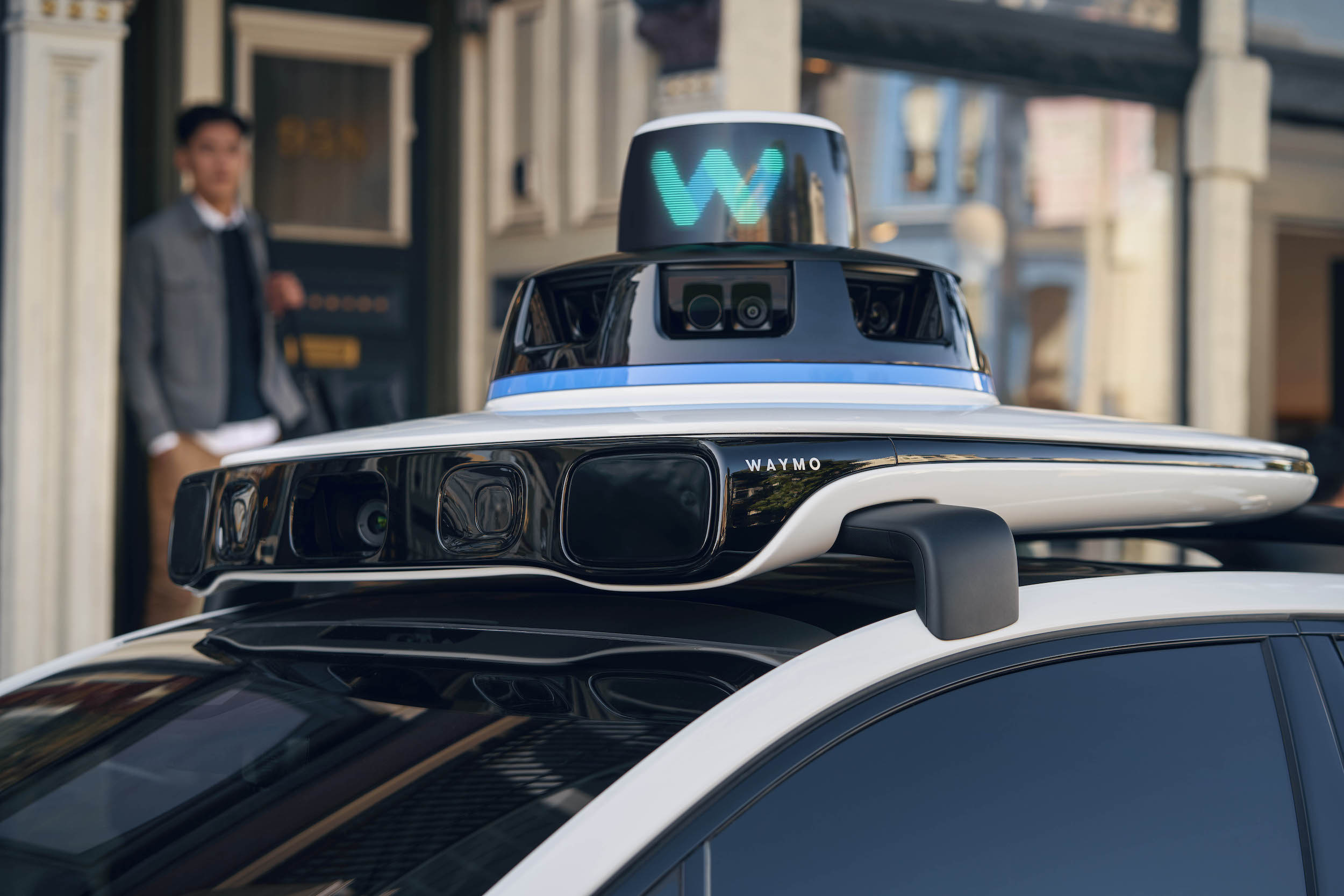

Alphabet-owned robotaxi company Waymo has been operating driverless ride-hailing services in San Francisco for around six months, and new data shows where riders are going most with the service.
Waymo riders most commonly travel to Hayes Valley, Mission Bay, South of Market, and to the Mission District, according to a report from The San Francisco Chronicle citing data the company is required to report to state regulators. Between September and February, Waymo robotaxis carried over 530,000 passengers around the city, most frequently bringing passengers to job centers like the Financial District, event hubs like the Chase Center, and other areas—especially those with difficult parking situations.
Waymo driverless robotaxi attacked and set on fire in San Francisco
“Those areas definitely resonate with low parking availability and therefore provide a better or an easier way to get around the city versus driving your own cars,” said Aman Nalavade, Waymo group product manager.
Nalavade also says that many of the passengers utilizing Waymo are “power riders” who use the service on an almost daily basis for their work commute, while Friday and Saturday nights remain popular riding nights. In addition, some riders prefer the “private environment” offered by Waymo’s robotaxis for trips to and from medical appointments.
The data also shows that over 12,000 individual rides ended within the census tract in the Mission Bay, though the company has conducted driverless rides in every census tract within the city. Fewer rides were reported to start or end in Bayview, Excelsior, Ingleside and around the Outer Sunset district.
Waymo was approved last month to expand its areas of operation in California, including the launch of Los Angeles services and an expansion into the peninsula of San Francisco. You can see the area in which Waymo is approved to operate in San Francisco below.
Credit: Waymo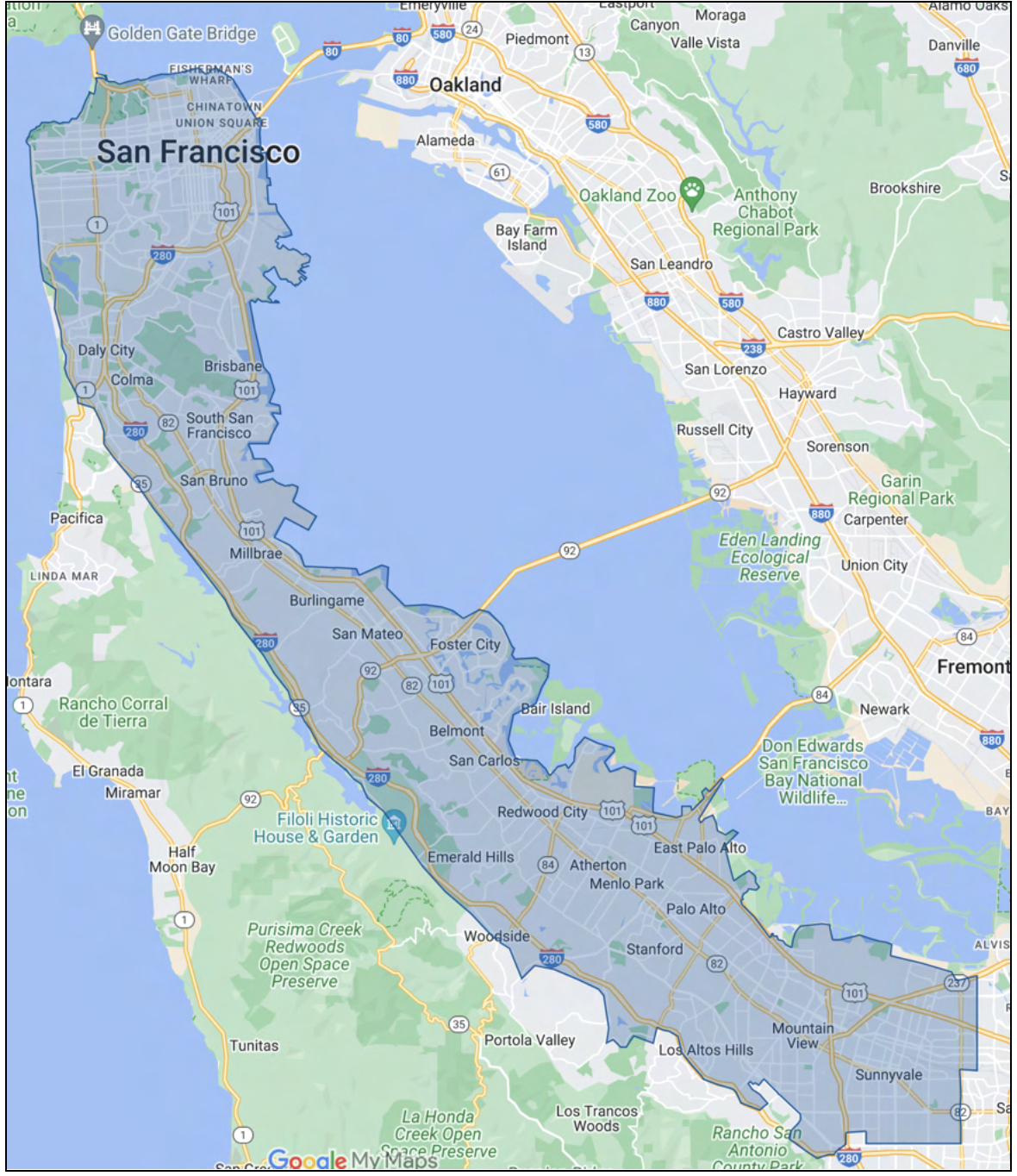
Still, public acceptance of robotaxi operations remains hit or miss, especially after a driverless ride-hailing vehicle from General Motors (GM) self-driving unit Cruise hit, dragged and pinned a pedestrian in San Francisco in October. As for Waymo, the company’s expansion could face additional legal barriers, as a recently proposed bill aims to give communities more control over where their robotaxis can legally operate.
The company’s expansions were also contested by the city of South San Francisco, San Mateo County, the Los Angeles Department of Transportation, the San Francisco County Transportation Authority, and the San Francisco Taxi Workers Alliance.
Waymo and Cruise both gained initial approval to conduct commercial rides 24 hours a day with the driverless vehicles from the California Public Utilities Commission (CPUC) in August, though the state suspended Cruise’s license immediately following the accident.
The data also arrives ahead of Tesla’s plans to unveil a highly anticipated robotaxi platform in August, as announced by Elon Musk earlier this month.
What are your thoughts? Let me know at zach@teslarati.com, find me on X at @zacharyvisconti, or send your tips to us at tips@teslarati.com.


Elon Musk
Tesla shows what Roadster drivers will see on screen before thruster activation
Tesla’s Roadster video reveals a fighter jet inspired cockpit with a 5,500 PSI thruster gauge.

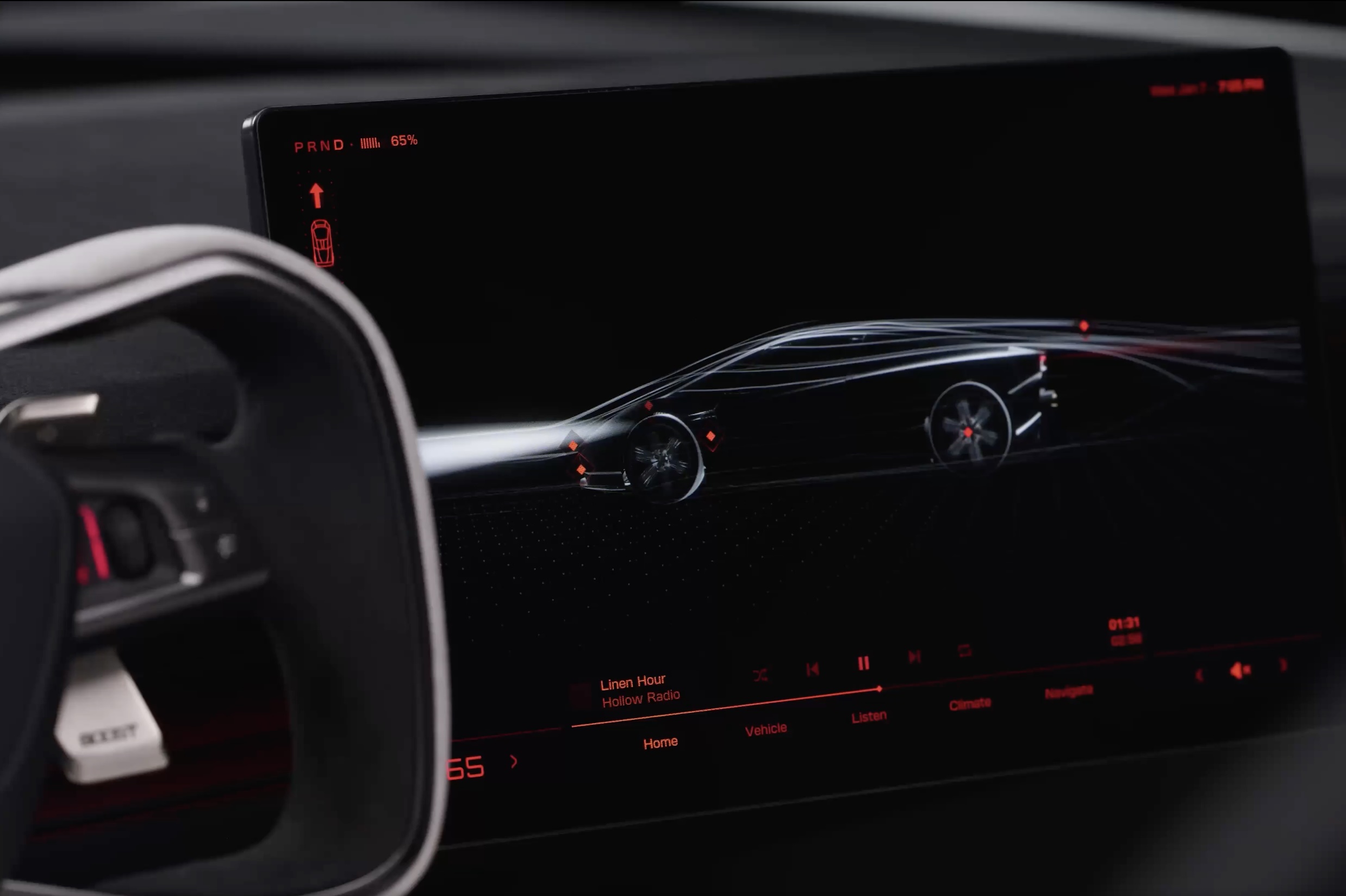
Tesla has given future owners their clearest look yet at the cockpit of its next generation Roadster. In a 34 second video posted to X on Friday afternoon, the company walked through the car’s touchscreen with a caption: “Inspired by fighter jet cockpits, Roadster’s interface was designed around the pilot.”
The clip opens on a black screen with red graphics and a 3D wireframe of the car, which sits beside the Roadster’s squared off yoke. Tapping parts of the model brings up controls for the rear wing, including low drag and high downforce positions, along with a charging page with a charge limit bar and a small music player. A row of tabs along the bottom reads Home, Vehicle, Listen, Climate and Navigate.
Most of the video is spent in Track Mode. The dashboard shows a live circuit map, a list of session lap times, brake and motor temperatures, and pressure and temperature readouts for each tire. A setup page lets the driver pick Auto, Low Drag, High Downforce or Custom aero modes, adjust aero balance and brake balance, and switch stability and traction control off. Along the bottom, a status bar reads “Thruster · 5,500 PSI” next to a “Boost Ready” indicator.
That gauge ties the software to the hardware Tesla showed off near Waco, Texas on October 15. The Thrust and Rocket versions use cold gas thrusters fed by carbon overwrapped pressure vessels, and Tesla lists 0 to 60 mph times of under 0.9 seconds and under 0.59 seconds for them, as Teslarati detailed in its breakdown of the three Roadster configurations. The base Performance car relies on a fan and ground sealing system for grip, and the aero settings on screen match the active wings and suction setup covered in our look at how the Roadster generates downforce.
The Roadster layout is a departure from the rest of Tesla’s lineup. Instead of a map centered screen, the Roadster puts the car itself at the center of the home page, and Tesla’s Roadster page lists two smaller forward displays alongside the main touchscreen. Tesla has not said whether any of the Track Mode telemetry will make its way to the Model 3 Performance or other vehicles.
The interface could still change before deliveries. Elon Musk said at the event that Roadster production will begin in 2028, and Tesla says the flagship Rocket version is not approved for public road use. Reservations are open with a $50,000 payment, while Thrust is listed as a limited release and Rocket is invite only.
Those who want to see the car in person will get their first chance this weekend. The Roadster goes on display in the lobby of the Petersen Automotive Museum in Los Angeles from October 24 to 27, according to Sawyer Merritt, the first time the public will be able to view it up close.
Elon Musk
Tesla reveals Optimus Academy, where robots teach themselves
Tesla has begun building production quality Optimus robots in Fremont and revealed its training plan.
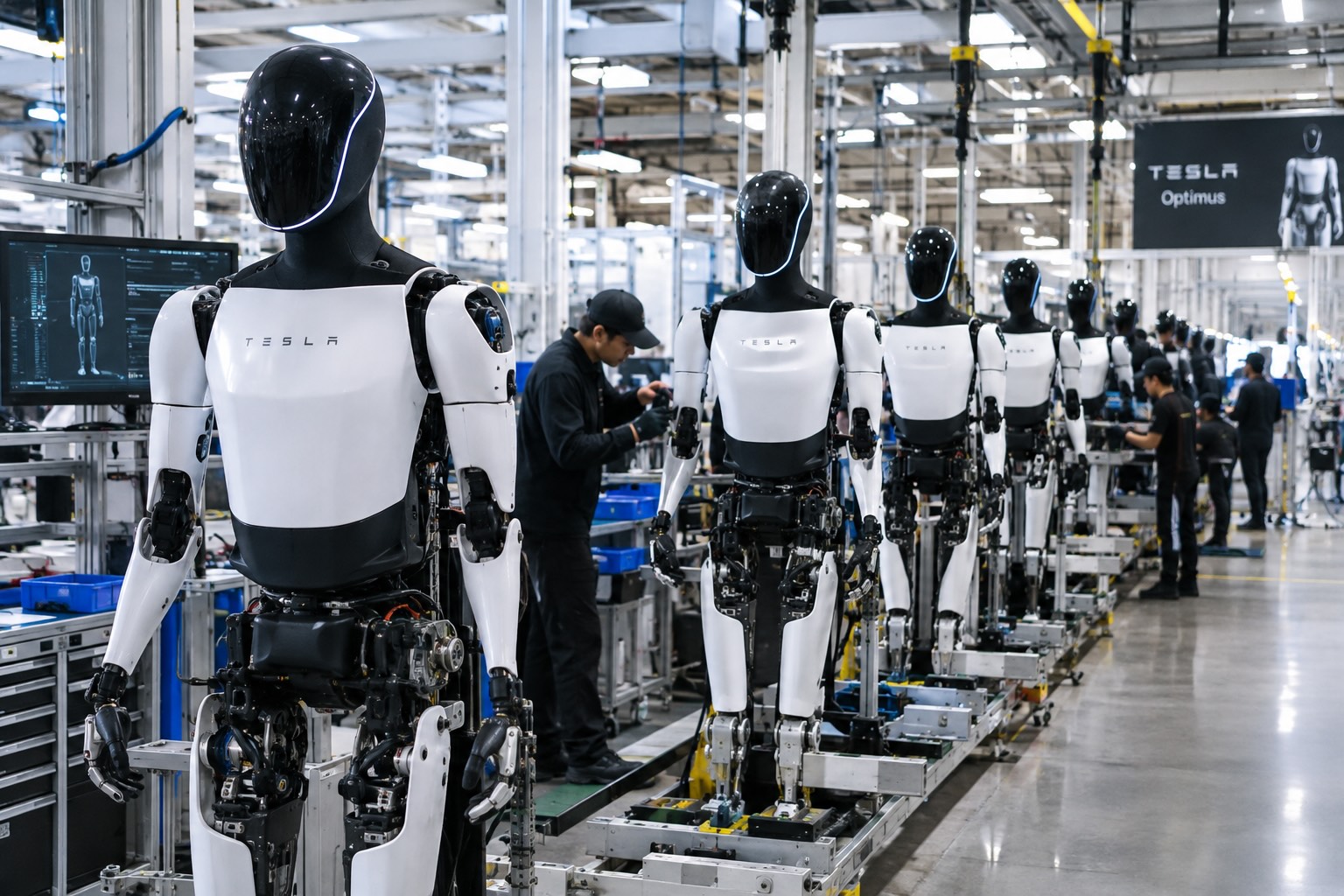
Tesla has started building Optimus on the high volume line it set up inside its Fremont factory, and the company says the robots coming off it are the first that meet the bar for a real product. “The bots coming off this line are the first production-quality bots that we have manufactured,” Tesla wrote in its third quarter shareholder letter, adding that it has “proven that the current manufacturing process for Optimus is suitable for a commercial product.”
The line sits in space that built the Model S and Model X until this spring. Tesla cleared the old vehicle line in 46 days, as Teslarati reported in July, to make room for robot production sized for one million units a year. On Wednesday’s earnings call, Elon Musk said most of the equipment for that capacity is already in Fremont, with output set to climb toward roughly 20,000 robots a week as the line ramps.
Musk described the ramp as a classic S curve. “The growth of Optimus is an S curve, but the initial curve is a shallow slope,” he said. The team is now refining the robot’s AI, electromechanical design, reliability and service life, and Musk expects that work to be finished by the end of next year, when Tesla plans to start delivering Optimus to outside companies for dangerous, repetitive and around the clock jobs.
The most interesting part of the call was how Tesla plans to teach the robots. Its cars send real driving data back to the AI team from millions of vehicles, but Optimus has no fleet like that yet. “A big difference with Optimus versus the cars is we don’t have this vast fleet of cars from which we can gather training data,” Musk said. Tesla’s answer is an Optimus Academy, where 10,000 to 20,000 robots will practice a wide range of tasks and feed what they learn into the next version of the model. Every unit off the Fremont line becomes a source of that training data.
Smarter hardware is on the way too. Tesla plans to put its AI5 chip into Optimus next year, and Musk said a new Optimus video should arrive within one or two months showing the robot completing tasks driven by AI rather than preprogrammed motions. He took aim at rival humanoid demos that only run scripted routines, saying those would not hold up in the real world.
The supply chain is lining up behind the program. In September, Tesla certified Tuopu, Joyson and Sanhua as mass production partners for Optimus components. A far larger Optimus factory is also rising at Giga Texas, where drone footage from Joe Tegtmeyer showed the steel frame nearing completion, and Musk has pegged that plant’s long term target at 10 million robots a year.
Tesla executives also said Optimus production costs are trending toward the expected manufacturing cost of Cybercab, a sign the robot is being engineered for volume from the start. The hands remain the toughest piece of the design, a point Musk also made at the X Takeover event earlier this month, as Teslarati covered at the time, and that is where much of the current engineering effort is focused.
Elon Musk
The Starship moon landing number NASA and Elon Musk can’t agree on
Musk disputes NASA estimate of 22 Starship launches for Moon landing, predicting 6 to 8.
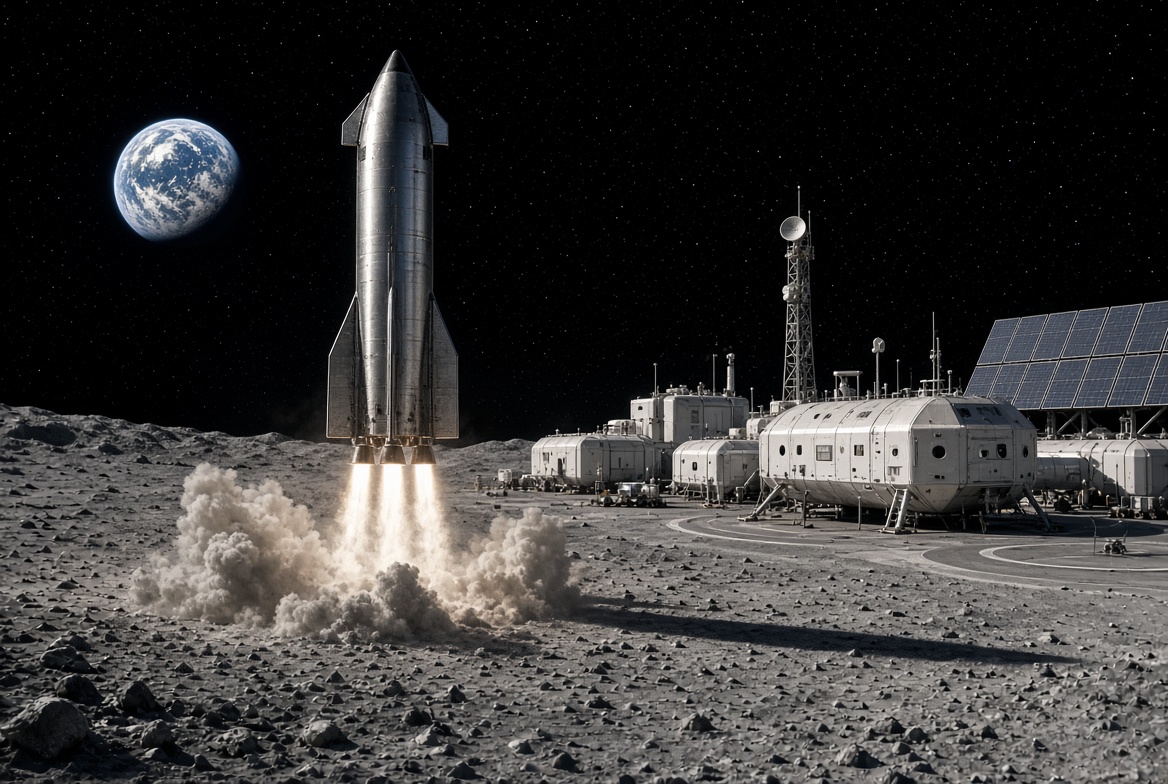
Elon Musk is disputing a new NASA safety panel estimate of how many Starship launches it will take to put astronauts on the Moon, saying the real number will be less than half the panel’s figure.
On Thursday, NASA’s Aerospace Safety Advisory Panel held its quarterly public meeting. Panel member Charlie Precourt, a former NASA astronaut, flagged the fueling process for SpaceX’s lunar lander as a major risk for Artemis IV, the mission planned to land a crew on the Moon in 2028. “We need to keep our eyes on numerous required fuelings for the lander,” Precourt said, according to Ars Technica. “I think the last estimate is around 22 flights.”
Ars Technica’s Eric Berger posted the comment on X, and Musk replied. “That’s way too high,” Musk wrote. “Actual number will be more like 6 to 8.”
The disagreement comes down to a basic problem with sending a ship as large as Starship to the Moon. Starship burns nearly all of its propellant just reaching Earth orbit, so it cannot continue on to the Moon without stopping for a refill. SpaceX’s answer is a gas station in space. First, a Starship that works as a storage tank, called a depot, is launched into orbit. Then a series of tanker Starships launch one at a time, dock with the depot and pump their leftover propellant into it. Once the depot is full, the lunar lander version of Starship launches, docks, fills up and heads for the Moon.
Every tanker trip is its own full rocket launch, which is why the count matters. More launches mean more time, more cost and more chances for something to go wrong before astronauts ever leave Earth. Berger estimated that even if SpaceX reaches twice weekly Starship launches by the end of 2027, filling a depot at the panel’s number would still take roughly three months.
How many tankers are needed depends mostly on how much propellant each one can carry to orbit and how much is lost along the way. Starship’s fuel and oxygen are stored at extremely cold temperatures, and some of it slowly boils off while waiting in orbit. More is lost in each transfer. NASA appears to be working from what Starship can lift today, while Musk’s range assumes a more capable rocket.
Musk has pushed back on higher counts before. In 2021, after a government document suggested 16 launches, he called that “extremely unlikely” and said eight tankers would be the most required.
Much of the answer depends on hardware SpaceX has not finished flying. As Teslarati noted earlier this year, the company plans to carry out the refueling process with its upgraded V3 Starship, and Precourt described Artemis IV as carrying “a large number of firsts.” He also praised NASA Administrator Jared Isaacman’s team for working to clear obstacles for both SpaceX and Blue Origin, whose Blue Moon lander does not rely on orbital refueling for its first mission.

Tesla shows what Roadster drivers will see on screen before thruster activation

Tesla reveals Optimus Academy, where robots teach themselves


