
Reviews
Reviewing the Tesla Model S Navigation System

I was hoping that Tesla firmware 6.0 would be out by now, especially having heard Elon promise that it would be “out soon”, but having seen 5.9, 5.10, 5.11 roll out over the last months, it’s safe to say that I may be living with the current Tesla navigation system for a bit longer.
In this post we’ll cover the navigation display and how to use it, but we’ll perform a deeper review on the navigation system in a follow up post.
Google Maps Display
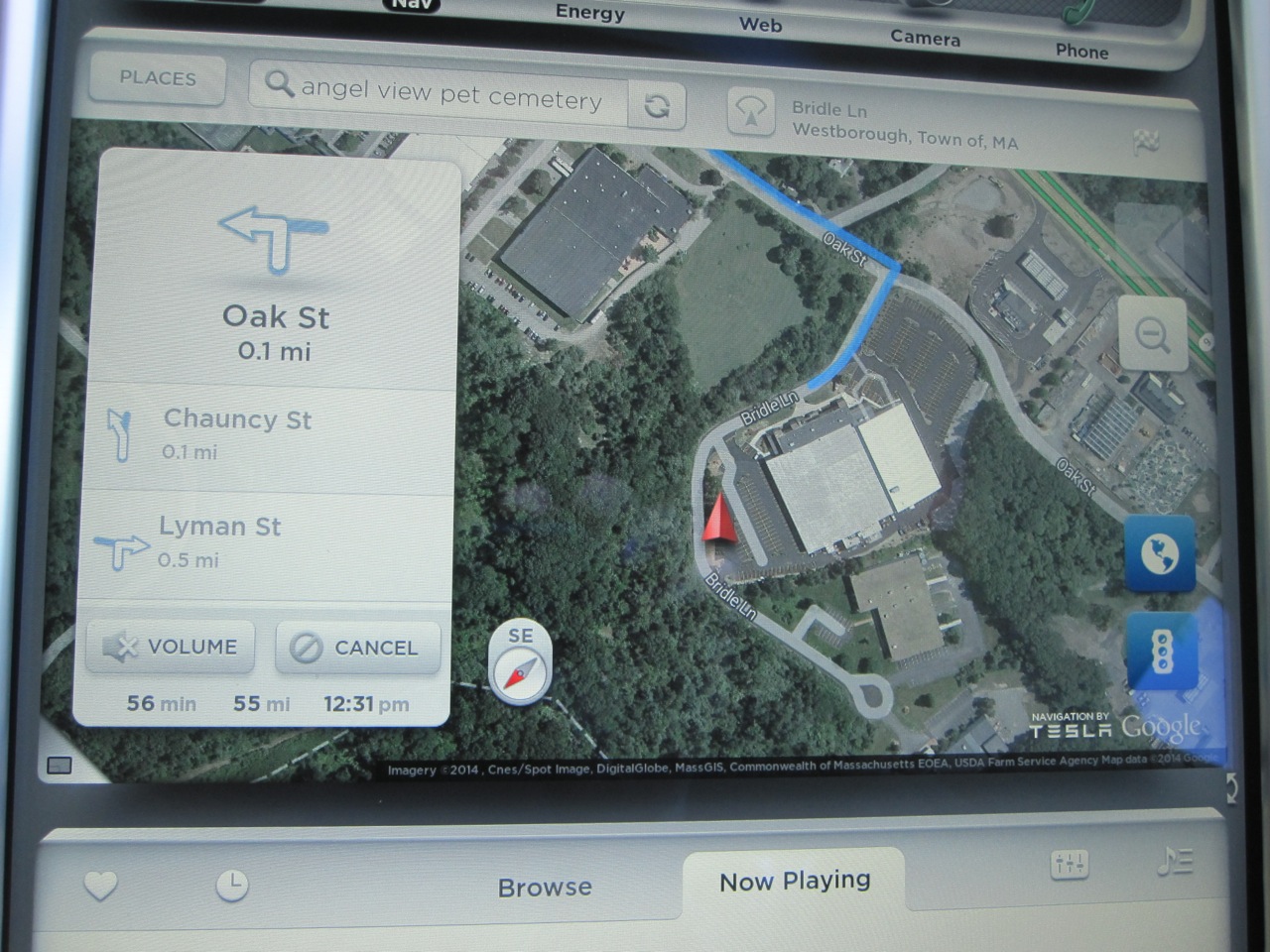 Google Maps powers the Tesla Model S Navigation system which appears on the 17″ touchscreen in either half screen (huge!) or full screen mode (mind blowing!).
In half-screen mode you can place the map on either the top or the bottom pane of the display. I prefer to have the map on the top as it’s closest to the windshield and my line of sight. I don’t find the map distracting and for me the viewing height in this position is very reasonable.
The map shown is a Tesla-modified and co-branded version of Google Maps. As you’d expect you can zoom in or out by pinching/reverse pinching or with the +/- icons. You can also drag to move the map, twist to rotate and interact with it the same way you would using your traditional smartphone or tablet.
Like Google Maps, the Tesla version offers both satellite and regular map views. Press on the globe icon and you get a satellite view. This is really cool for exploring areas or understanding your terrain better. The maps are a little more sluggish to load in satellite view but it’s only painful when you’re moving quickly on the map. One trick is to set the map in north up mode when in satellite view to reduce the number of screen refreshes which helps improve performance.
When in heading up view an extra compass icon appears on the map indicating which way is north. You can also tap that icon to switch back and forth between heading up and north up views.
There’s the ability to show traffic along your route by clicking the stop light icon. The map will be overlaid in green, yellow and red (and solid and dashed) lines indicating the severity of traffic.
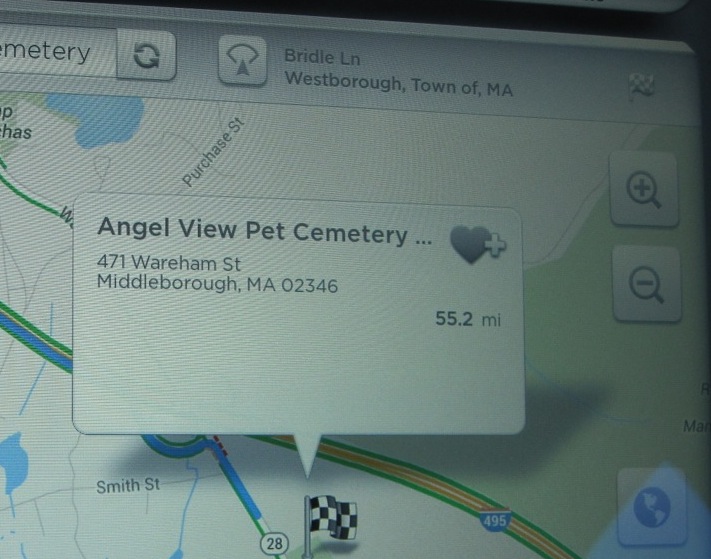 At the top of the display are a number of controls:
- A button to take you to saved/special places
- A search box to find new places
- A button to bring your back to your current position or switch between heading up or north up modes of display
- And a flag icon to show you your destination information.
For those that have the Technology Package (about 85% of owners), a popup navigation with turn-by-turn directions appears on the upper top left of the map. This popup can’t be hidden, but the directions that are shown within it are scrollable — just drag your finger up and down on the directions and you’ll see all your turns.
At the bottom of the box is the remaining distance, current time and estimated time of arrival (ETA) to your destination. These numbers do not take into account traffic so you’re left to do the revised estimation on your own.
Navigon Display
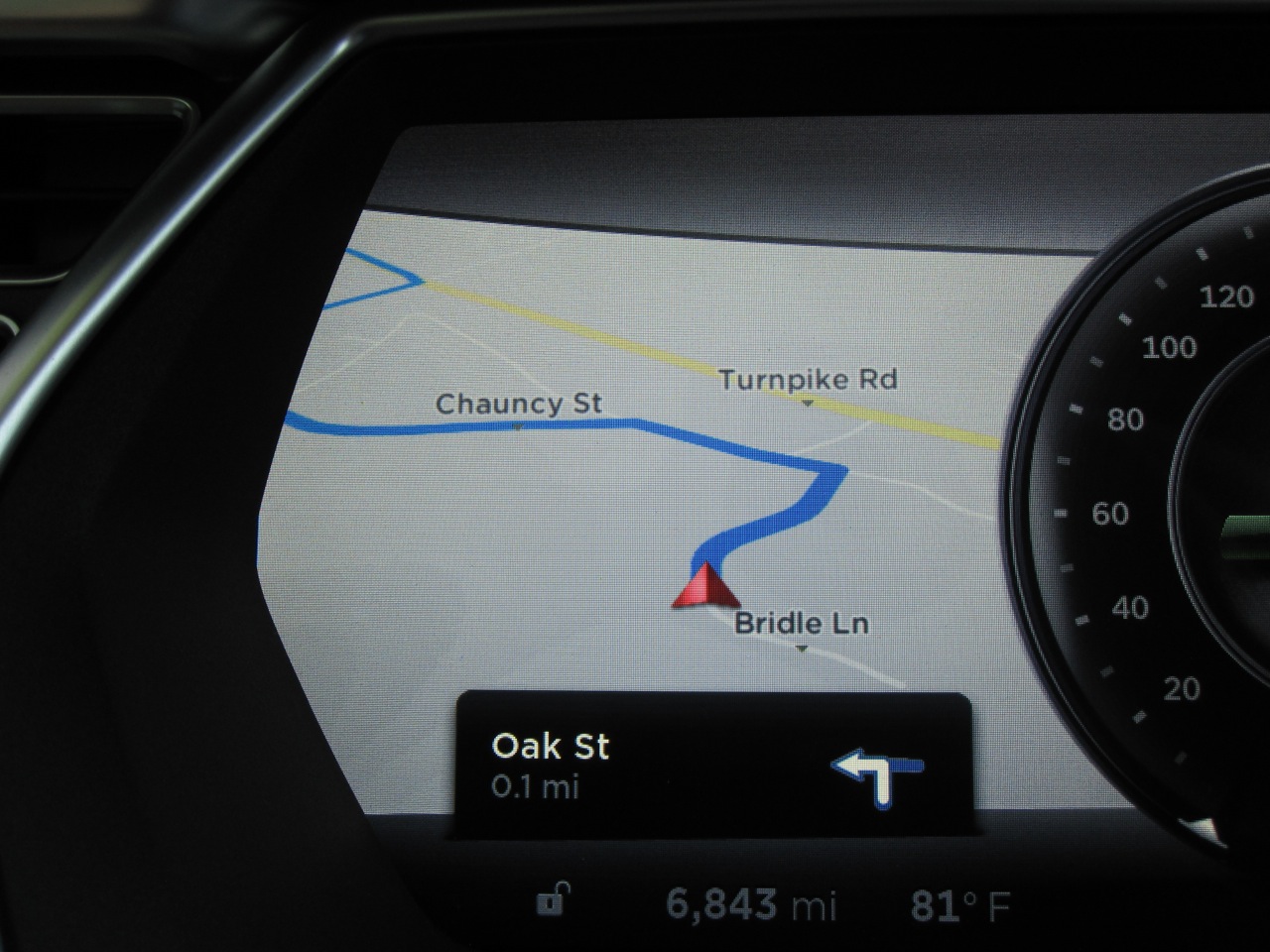 The Tesla Model S Navigation System comes with the technology package along with the the turn by turn directions and voice guidance. The technology package brings in a second navigation component, a version of Navigon by Garmin licensed by Tesla, that can produce directions and maps even when there is no network connectivity.
When you have a destination punched in, a second display becomes active automatically on your dash served by the Navigon component. This is a small section of a map that shows your route with turn by turn guidance. There’s absolutely no control over this display and no user preferences related to this display. You can’t zoom in or out and you can’t even stop it from popping up on your dash. Once the display is up (always on the left side of your dash), you can switch away from it to another display (like Media) but next time you start navigating somewhere it will pop back up again.
This second display is pretty quirky. At times the graphics, fonts and other items can look dated or poorly done, and at other times you’ll see graphics that don’t make a lot of sense or look as if they were incomplete. That said, I generally use the 17″ screen more for my turn information than the dashboard one. Fortunately the two guidance systems have both provided identical results — it would be a real mess if they gave different recommendations.
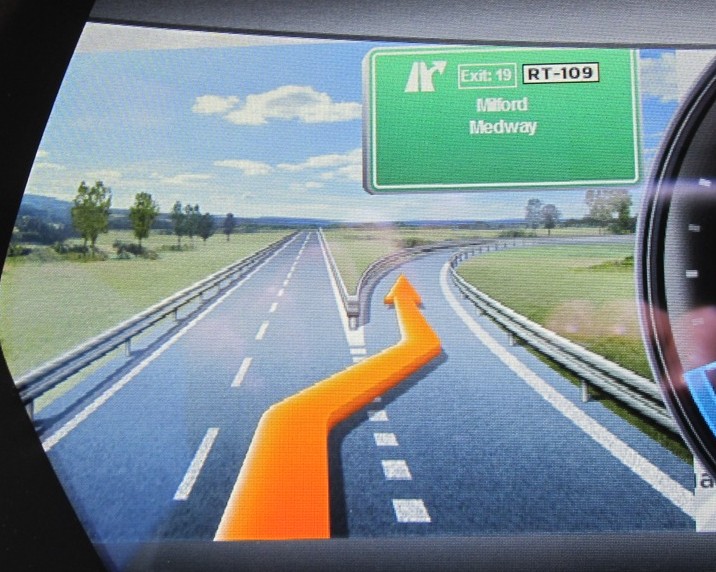
One thing I really like on the Navigon display is the way they do exits. They make an exit sign that is pretty darn close to what you’ll see in real life.
They even have different pictures for day vs night. If you look closely at any of these special exit displays you’ll notice that the image is actually an overlay on top of the navigation map (to the left of the speedo). This seems unfinished to me but it’s a minor nit.pick.
Display Summary

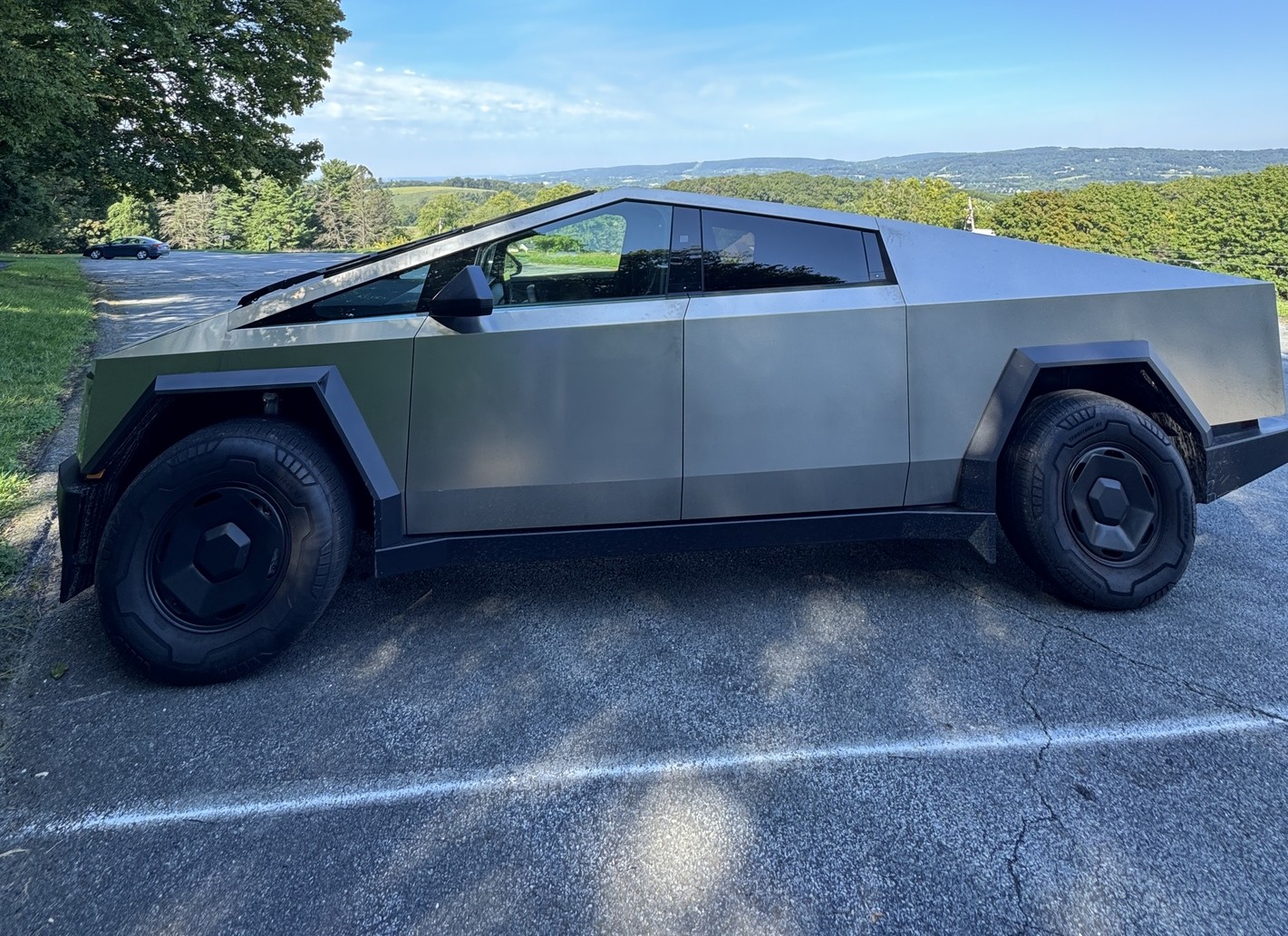
Tesla Cybertruck’s three configurations are all the same on the outside from an appearance perspective, but they differ slightly in price, range, performance, and other features. After yesterday’s price adjustment, Tesla’s Base All-Wheel-Drive Cybertruck is now priced at $74,990, a far cry from the $59,990 it started at several months ago.
At $60,000, the Cybertruck All-Wheel-Drive is a steal: no pickup, electric or gas-powered, comes close in terms of overall driving capability thanks to Steer-by-Wire; no truck is more fun to drive at that price, and add in Full Self-Driving for $99 per month, and you truly have the best possible pickup on the market, at least if you’re planning to use it for driving.
I unfortunately didn’t have the equipment to test towing and payload and how it impacts the truck.
But at $75,000, is it still worth it? Obviously, the question gets to be more difficult because of the $15,000 difference. But there’s still an argument.
I spent the last week with this awesome truck, and when I took it back, I was sad because it truly is the best Tesla in the lineup. I formerly said the Model S was my favorite Tesla, but after a week with Cybertruck, I can easily say it would be my choice over the now-defunct all-electric sedan.
What makes it so great? Well, a lot of things, and there are some things that I’d like to see change. However, this is a truck that truly has a serious argument for those who are thinking of trying something completely different.
Exterior and Interior
This build comes with 18″ Molten Wheels as the standard offering, but 20″ Core Wheels with 35″ tires are also available. The standard wheel option on this affordable model is not my favorite, but it can be easily swapped for something more attractive.
Overall, this particular build did have some panel gap issues that were especially noticeable between the hood and both front quarter panels. This is obviously not an “across the board” issue, as the Cyberbeast I took home for comparative reasons was significantly better overall.
It’s 📐 week. Cybertruck AWD!!! pic.twitter.com/0hkmTQDQYk
— TESLARATI (@Teslarati) August 19, 2026
The interior is different, with its textile material instead of the vegan leather. Personally, I missed the leather due to the ventilated seats, but I prefer the textile as I personally felt like they were more comfortable. This is something I’d definitely consider if I were between the three trim levels and money was not really an issue.
After 610 miles on Monday in this thing, I did not feel any different than I did when I left my house that morning. It feels like a living room on wheels; after a long drive, you truly do not feel as if you’ve been in a car all day long.
My biggest interior complaints were that I’d like at least two USB-C ports in the front; you are confined to just one, and it’s hidden in the center console. The rear row has two ports. Additionally, the windshield is super difficult to clean, so if you end up buying one of these, save your back and get something that extends.
Driving Performance and Comfort
One of the most surprising things about Cybertruck is the fact that it is perhaps the smoothest ride of any Tesla available. Most believe it might be rough, stiff, and rugged like most trucks, maybe not as forgiving on the back and bottom as you sit in it for an extended period of time.
I’m here to tell you, you won’t regret sitting in a Cybertruck for a long drive.
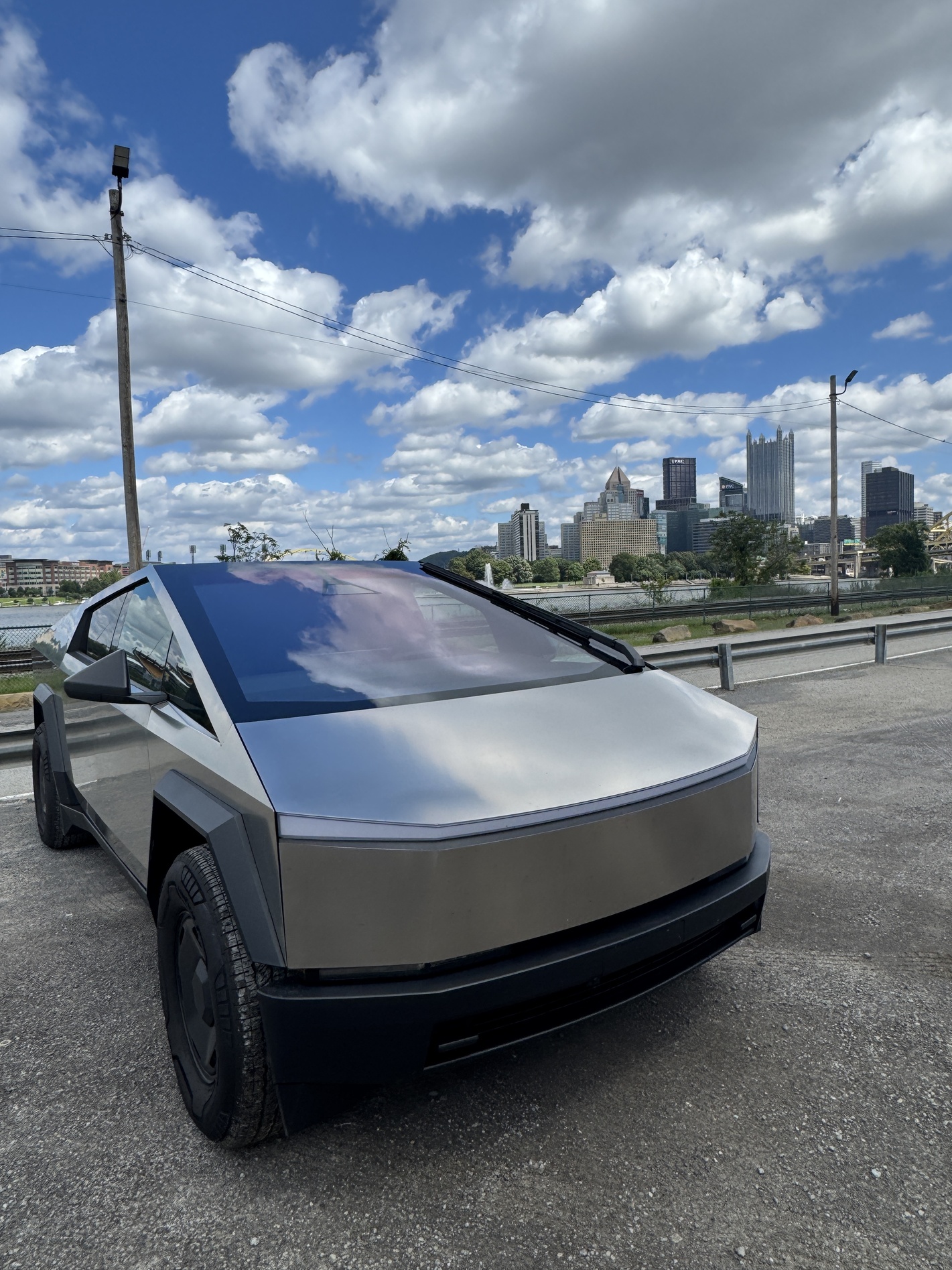
I put as many people who dislike EVs, don’t like Cybertrucks, or use trucks for work, and judge the Cybertruck in this thing in the past week. Every single person who got in this truck loved it: they loved the speed, the handling, FSD, the space, the capability, and the feel.
As previously noted, even after hundreds of miles and 14 hours spent driving around Pennsylvania, I didn’t feel tired, exhausted, or in any hurry to come home. I would have driven another 300 miles without question.
Final Thoughts
If I had my choice of the three Cybertruck trims, I think I’d take the All-Wheel-Drive for a few reasons. Initially, the price is more attractive, it is not that stripped of features, and it has everything I need.
Is it worth it at $75,000? I believe it is. I’ve driven trucks that are at a higher price point and consider this to be a better product from a driving and experience perspective. However, other pickups on the market have more towing capacity, payload capacity, and range. They do not have FSD or steer-by-wire, the two things that truly make the Cybertruck in a league of its own.
I can’t think of a time in recent memory that I’ve been this excited to drive a vehicle each day, and I literally look for excuses to drive my Model Y on a daily basis. This Cybertruck just blows the Model Y out of the water in every possible way, at least in my opinion. With the size, performance, and driving experience, there is no better Tesla out there.
You can check out the full video review below. If you have any questions about the Cybertruck AWD, be sure to reach out and let me know:
🚨FULL REVIEW of the unbelievable Tesla Cybertruck AWD 📐 pic.twitter.com/S0wHALl87K
— TESLARATI (@Teslarati) August 26, 2026
News
Tesla’s AI Chief just hinted at something big for FSD v14 lite owners
Tesla’s AI chief suggests the newest FSD v14 Lite build may finally go wide release.

Tesla’s head of AI, Ashok Elluswamy, noted on Sunday that the newest FSD v14 Lite build rolling out to Hardware 3 cars is likely the version that goes to wide release, the strongest signal yet that Tesla is near to closing out an early access phase that Hardware 3 owners have waited more than a year for.
Elluswamy made the comment in response to an extensive review from Tesla owner Zack, known on X as @BLKMDL3, who tested software version 2026.20.6.10 and detailed the changes in a lengthy post. “FSD v14 Lite (for Tesla AI3 hardware vehicles) review.
The update restarts a rollout that had stalled after its initial release. Tesla began pushing FSD v14 Lite to Hardware 3 early access drivers on June 29, bringing driving behavior learned on the newer Hardware 4 computer down to the more limited chip that has powered Tesla vehicles built between 2019 and early 2023. That release, as we covered in detail, gave roughly 4 million HW3 vehicles their first meaningful update since being frozen on version 12.6 in early 2025.
Tesla Full Self-Driving v14 ‘Lite’ Release Notes: new capabilities and features
The latest build adds features that bring Hardware 3 closer in line with what Hardware 4 owners already have. FSD can now start directly from park without a brake pedal confirmation, a change Zack called a small but meaningful quality of life improvement. The interface also picks up the blue “P” park icon, approaching destination alerts, and a dedicated Self-Driving app with streak tracking, all details previously exclusive to the AI4 branch of v14, as outlined in Tesla’s original release notes.
The stakes around Hardware 3 go beyond software polish. Tesla sold the Full Self-Driving package for years on the promise that every vehicle equipped with it had the hardware needed to eventually drive itself without supervision. That promise broke down during Tesla’s Q1 2026 earnings call, when Musk acknowledged HW3 cars could not run unsupervised FSD, prompting Tesla to offer trade-in discounts and hardware retrofits alongside the Lite software track.
Tesla confirmed HW3 can’t do Unsupervised FSD but there’s more to the story
Tesla has continued to frame v14 Lite as the primary path forward for the HW3 fleet, telling owners in April that international markets would follow the U.S. rollout once regulatory approvals came through. For now, HW3 owners in the early access group are the only ones running the new build. A broader rollout would mark the second major software delivery to the legacy fleet since Tesla first released FSD v14 to Hardware 4 vehicles, and the first sign since June that the Lite program is still moving rather than stuck in early access limbo.
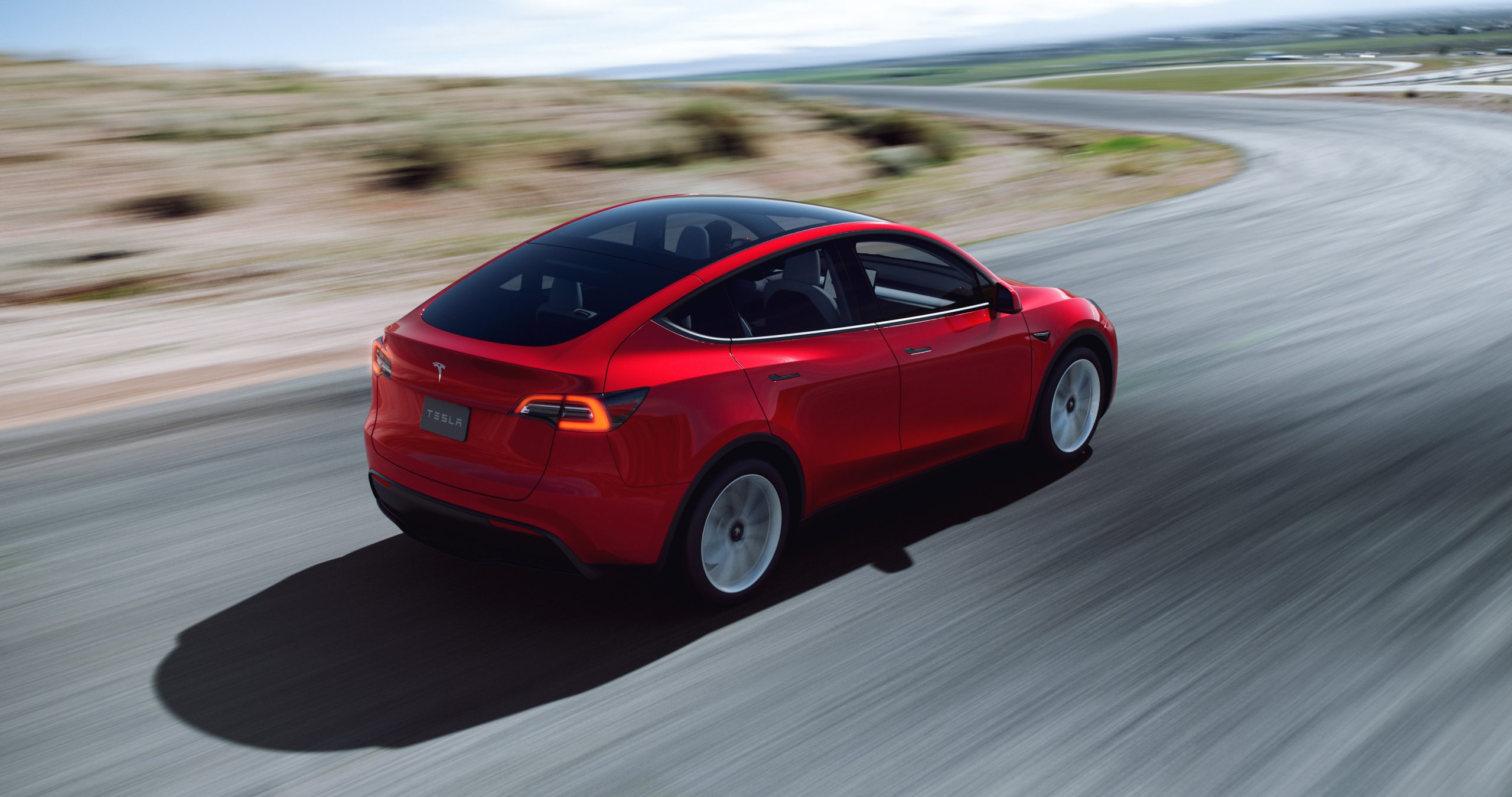
The Tesla Model Y has won U.S. News award for “Best Luxury Electric SUV,” beating out a heavy lineup of worthy battery-powered sport utility vehicles.
The Model Y first was delivered to owners in early 2020 and was the automaker’s answer to the widely-popular crossover SUV sector. A sibling of the first mass-market vehicle the company offered, the Model 3, Tesla’s Model Y has quickly become the company’s best-selling electric car, and that’s saying something considering it is not the most affordable Tesla vehicle and starts at $62,990.
U.S. News recognizes Tesla’s influence in the changing automotive market, identifying that it was likely the catalyst in bringing EVs to mainstream status. Despite the rapid expansion of the EV segment, Tesla has remained at the top of the hill, fending off worthy competitors like Volkswagen, Ford, and General Motors, who have spent decades developing some of the best automotive technology the world has seen. However, Tesla has also managed to stay above tech-focused and savvy automotive startups entering the electric sector, with battery powertrains being their only focus. Rivian and Lucid, two of the most notable names to fit that description, still have not managed to catch up with Tesla.
The Model Y effectively expanded Tesla’s product line to include a new body style. While the Model X has been offered for seven years, the falcon-wing door-equipped SUV is still only produced for sentimental reasons, according to CEO Elon Musk. It also is much more expensive than the Model Y, and starts at $114,990.
Tesla plans to produce Model Ys with both 4680 and 2170 cells at Gigafactory Texas this year
Those who do not quite have the means to spend over $100,000 on an all-electric SUV have plenty of options, but if a consumer is looking for luxury, the Model Y may be the best choice. U.S. News highlights that, while the Model Y does offer less overall cargo and utility room than the Model X, it still boasts many of the same tech features that Tesla has been known to put in its cars. The Model Y has plenty of performance too, and its premier trim level will get you from 0 to 60 MPH in just 3.5 seconds, while still having over 300 miles of range and a 155 MPH top speed.
“Despite the onslaught of new competitors, the Tesla Model Y is one of the most capable and well-rounded luxury electric SUVs that you can buy at the moment,” U.S. News writes. “If you’re in the market, this is an option that’s well-worth a test drive.”
I’d love to hear from you! If you have any comments, concerns, or questions, please email me at joey@teslarati.com. You can also reach me on Twitter @KlenderJoey, or if you have news tips, you can email us at tips@teslarati.com.

Tesla Model Y L gets suspension complaints in over odd issue China

Tesla Cybercab event gains steam ahead of massive launch


