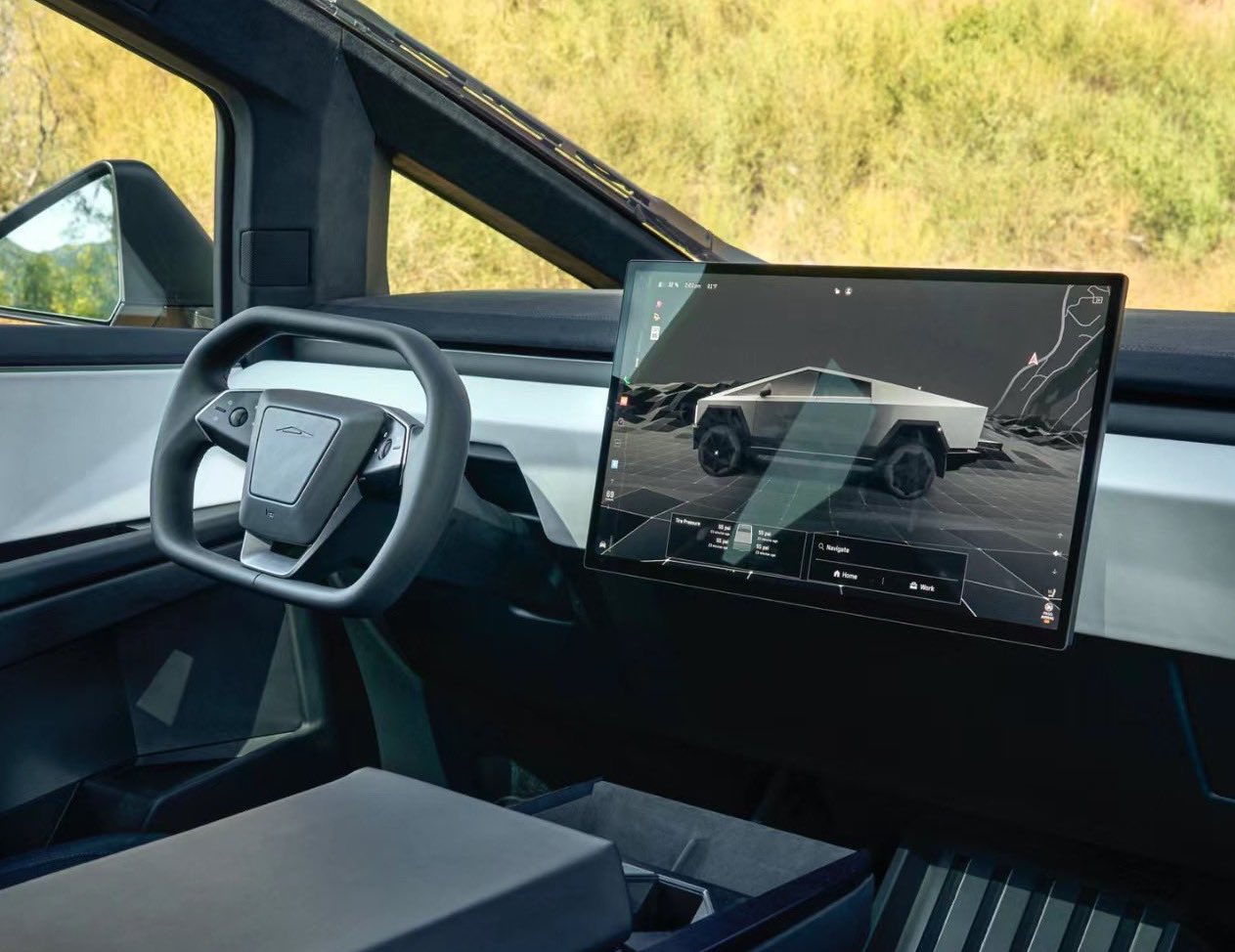

Tesla began delivering initial Cybertruck units late last month, and many are curious about the details surrounding the highly anticipated electric vehicle (EV). In a recent interview, one automotive manufacturing expert sat down with five of Tesla’s top executives for a deep dive into the Cybertruck.
On Monday, lean manufacturing veteran Sandy Munro shared a video featuring a deep-dive interview about the Cybertruck with five of Tesla’s top executives. The executives include Tesla’s Head of Vehicle Engineering Lars Moravy, Head of Design Franz von Holzhausen, Head of Powertrain Drew Baglino, Head of Low-Voltage Hardware Pete Bannon, and Head of Software David Lau.
Interestingly, Munro notes at the beginning of the video that it was sponsored by Ford, which sells the F-150 Lightning, widely considered a competitor to the Cybertruck in the electric pickup space.
The nearly one-hour conversation covers a wide range of technical topics, notably including the unique EV’s revolutionary gigabit ethernet loop, or etherloop, which connects all of the Cybertruck’s high-speed controllers together. The result is a major reduction in wiring needed in the car, significantly reducing overall weight and communication latency.
As Bannon points out, the etherloop system reduces wiring needed in the vehicle from 490 wires across the Model 3 to just 155 in the Cybertruck, representing a roughly 68 percent decrease. This also comes despite the Cybertruck increasing end points to 368, from just 273 in the Model 3, highlighting the overall efficiency of the unique wiring system.
The executive also explains that the system improves communication speeds, increasing data flow with millisecond scale latency. Along with these improvements, the etherloop is also used to bi-directionally transmit audio data to the car’s speakers, both for using the sound system and for the Cybertruck’s active road noise cancellation system, which utilizes microphone and sensor data to decrease cabin noise.
Thank you to every single person who made our trip to Austin amazing@anuarbekiman @haya_austin @MattHolm3 @farzyness @woodhaus2 @baglino @eric_platzke @elonmusk and so many more pic.twitter.com/IzgrSbt5eg
— Sandy Munro (@teardowntitan) December 6, 2023
The conversation also touches on several other topics, including the Cybertruck’s stainless steel exoskeleton, Tesla’s Giga Press casting machines, the EV’s 4680 battery cells and much more. About halfway through the video, you can see Munro and the executives pivot from their seated conversation to a hands-on look at the Cybertruck’s various components
You can watch the full interview about the Cybertruck from Sandy Munro and five of Tesla’s executives below.
Updated 12:01 p.m. MT: Corrected number of wires in the Model 3 to 490 in the fifth paragraph. Edited the third paragraph for clarity.
What are your thoughts? Let me know at zach@teslarati.com, find me on X at @zacharyvisconti, or send your tips to us at tips@teslarati.com.


Investor's Corner
Tesla’s flying Roadster just revealed something bigger than the car
Analysts say the Roadster demo puts a Tesla and SpaceX merger back on the table.

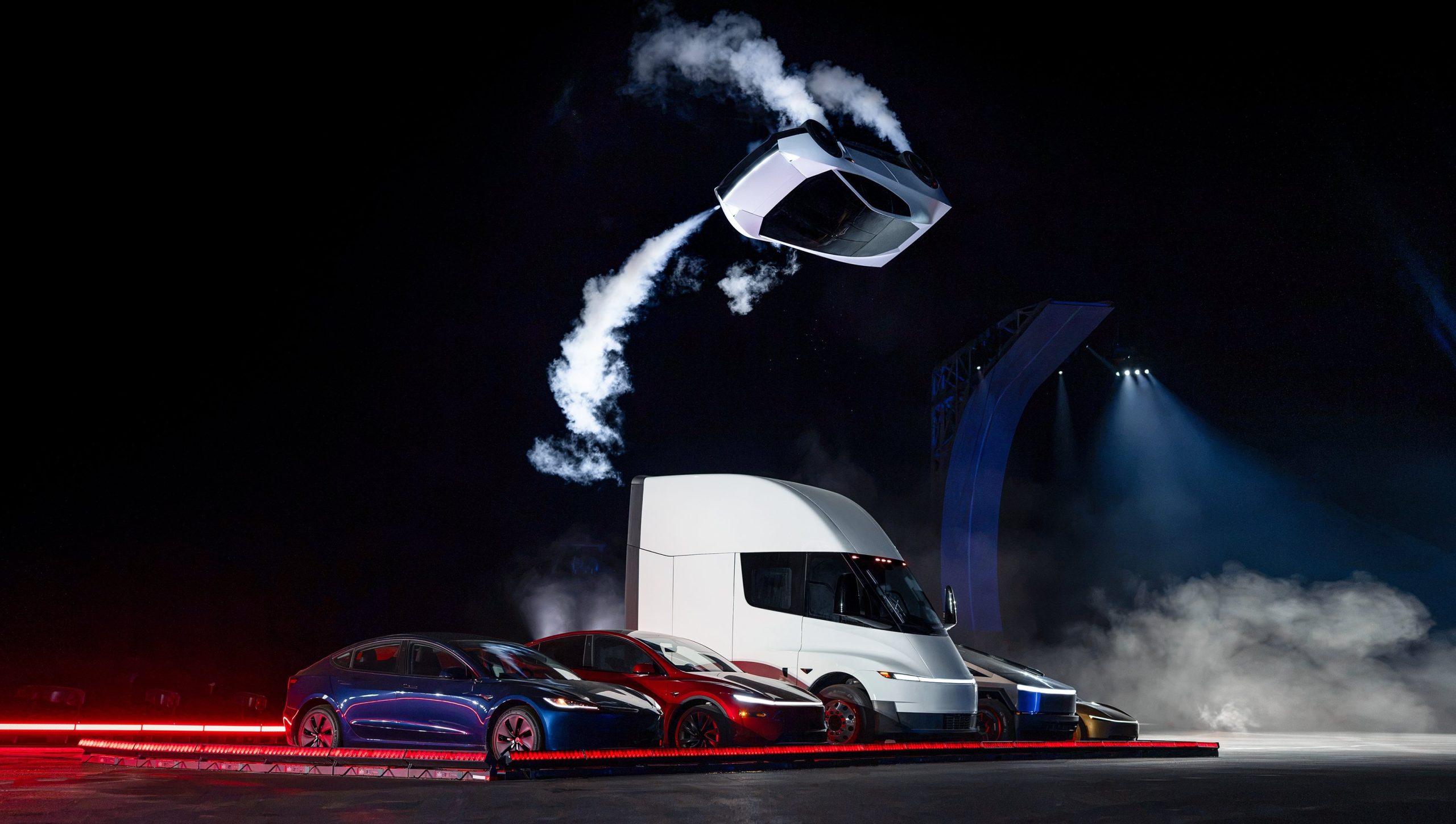
The Roadster unveiling near Waco ended Thursday night, and by Friday morning much of the investor reaction had less to do with the car than with who owns the rocket technology inside it.
Wedbush analyst Dan Ives said the event “puts the Tesla/SpaceX relationship on the table in a tangible way,” pointing to the propulsion, pressure vessel and control hardware sitting on a Tesla product. Gene Munster of Deepwater Asset Management called the demo “a ridiculous display of engineering” with “no commercial value” beyond embarrassing traditional automakers, though he said it showed Musk wants the two companies together.
The more specific forecast came a day earlier from Barclays. Analyst Dan Levy told clients a deal could be announced before Tesla’s annual meeting, which must happen by December 6, and that an announcement in late October or early November could make shareholder approval harder. Barclays expects SpaceX to be the buyer in an all stock deal, with Tesla holders receiving SpaceX shares at a premium, based on market values of roughly $2.1 trillion for SpaceX and $1.5 trillion for Tesla. If nothing lands around the meeting, the bank still sees an announcement within 6 to 12 months.
The Roadster demo just added more weight to merger speculations. Tesla’s demo used cold gas thrusters and pressure tanks of the kind SpaceX uses on Falcon 9, and Musk described the car as a collaboration between Tesla and SpaceX engineers, as we mentioned in our breakdown of the three Roadster configurations.
Musk has not publicly addressed a deal since the event, as far as we have seen. His most direct answer remains the one he gave at the All In Summit, when he said that with so much collaboration, “who can imagine what action one might take” without ruling anything out. Ives has held to a 2027 timeline since his March note, and Musk pushed back on the China piece of the speculation when ARK floated a year end announcement in August.
The next test is Tesla’s third quarter earnings call on October 21. However, we recall in July that Musk told analysts, “we can’t talk about combining companies and that kind of thing on an earnings call,” so a clear answer wouldn’t be expected.
News
How Tesla’s Roadster fan system and thrusters are built to dominate the corners
Tesla’s Roadster uses fans, active wings and cold gas thrusters to create grip at any speed.
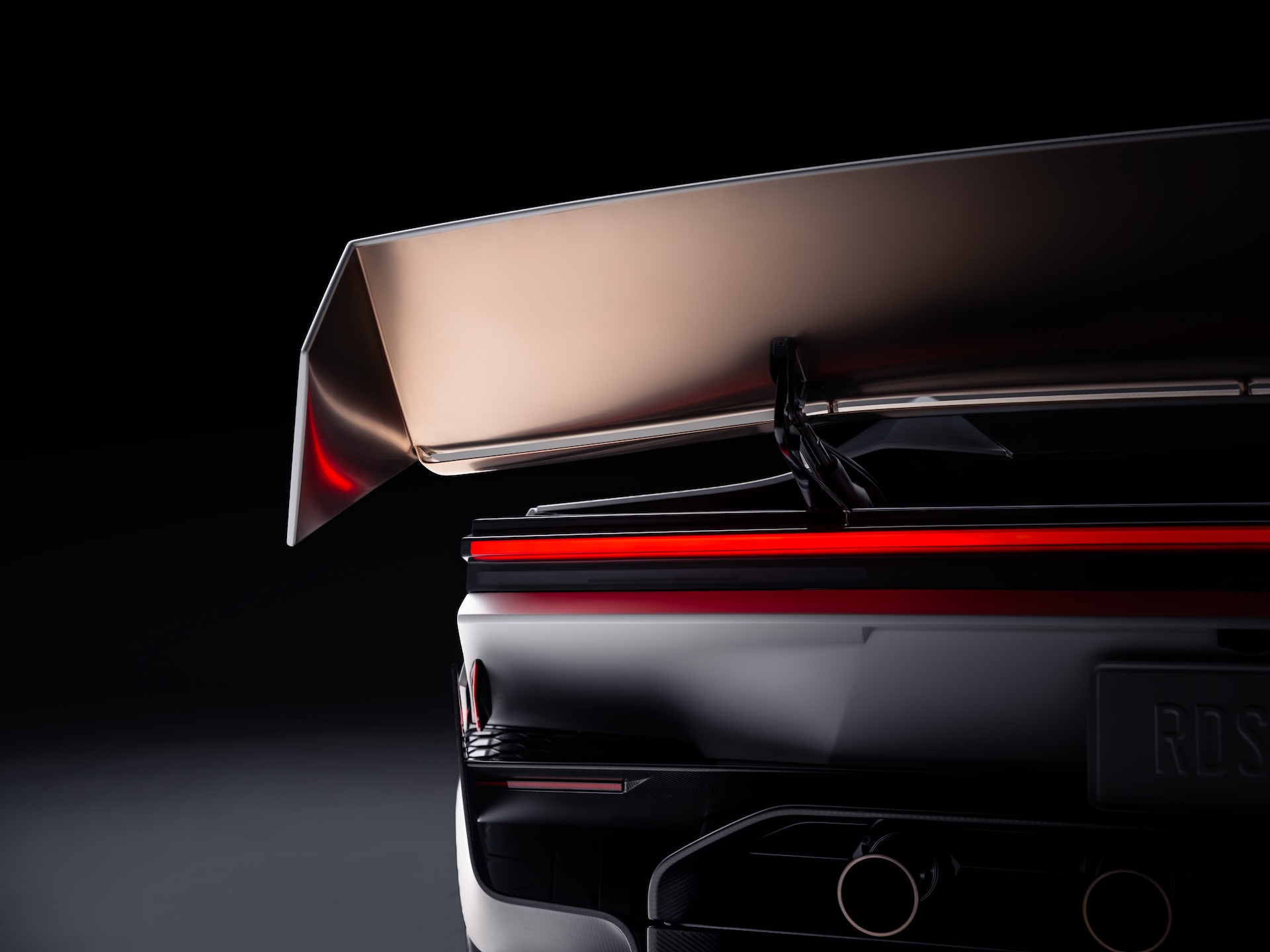
Tesla’s new Roadster is best known for flipping through the air in Texas, but the technology that matters most for a race track is the stuff that keeps it on the ground. Tesla’s Roadster page describes a multi-mode fan and ground sealing system that acts as a downforce generator, pulling air out from beneath the car. Tesla says it provides enough suction to hold the vehicle upside down, even when stationary.
That is the key difference from the wings and diffusers on a normal supercar. Conventional aero only makes downforce when the car is moving, and it grows with speed, so a car has the least grip in the slow corners and under hard braking. A fan system makes downforce at any speed. Tesla’s patent, which we covered last year, describes fans and deployable skirts that create sealed or partially sealed regions under the car, with the fans extracting air to lower the pressure and increase grip and stability.
Still processing this … the most unreal thing I’ve seen. https://t.co/HtEuvnkZjY
— TESLARATI (@Teslarati) October 16, 2026
Tesla pairs that with active wings, a next generation steer by wire system and a Track Mode that lowers the car and changes the suspension, with high downforce and low drag settings for the circuit. To keep weight down, Tesla points to magnesium, titanium and carbon fiber, manual controls and a fixed seat position, which it says lets the car respond to driver inputs almost instantly.
Tesla Roadster: Three configs, one can fly, 0-60 in 0.8 seconds
The cold gas thrusters are the other half. On the Thrust version they sit at the rear and Tesla says they take the car from 0 to 60 mph in under 0.9 seconds, while the Rocket version adds perimeter thrusters for forward, upward and lateral rotational movement. Tesla says the all electric actuators make micro adjustments within a fraction of a second.
Roadster transforms in Track Mode
These aero features aren’t just for looks: they provide the best passive downforce package of any road car (approaching F1 levels!) with wing actuation driven by the @Tesla_Optimus actuator system https://t.co/AqrC4qUga9
— Tesla (@Tesla) October 16, 2026
Musk has been talking about records for years. In June 2019 he said, “We’re going to do things with the new Roadster that are kind of unfair to other cars.” That September, when a follower asked whether the Roadster would beat the Nürburgring production car record, he replied with one word, “Absolutely,” as we reported at the time. In February 2024 he said Tesla had “radically increased the design goals” for the car and that its sub one second 0 to 60 time would be “the least interesting part.”
There are caveats. Tesla has not published a lap time or a verified cornering figure, so the record talk is still a promise rather than a result. Tesla also says the car is not approved for public road use, and the thruster features are limited to the Rocket trim, which is invite only. Fan cars have also been banned or withdrawn before, and getting a sealed underbody to work on a rough public road is a harder problem than on a smooth track. The first real test will be an official lap at a circuit.
Featured
Tesla Roadster: Three configs, one can fly, 0-60 in 0.8 seconds
Tesla’s Roadster comes in Performance, Thrust and Rocket versions, with a claimed 0-60 under 0.59 seconds.
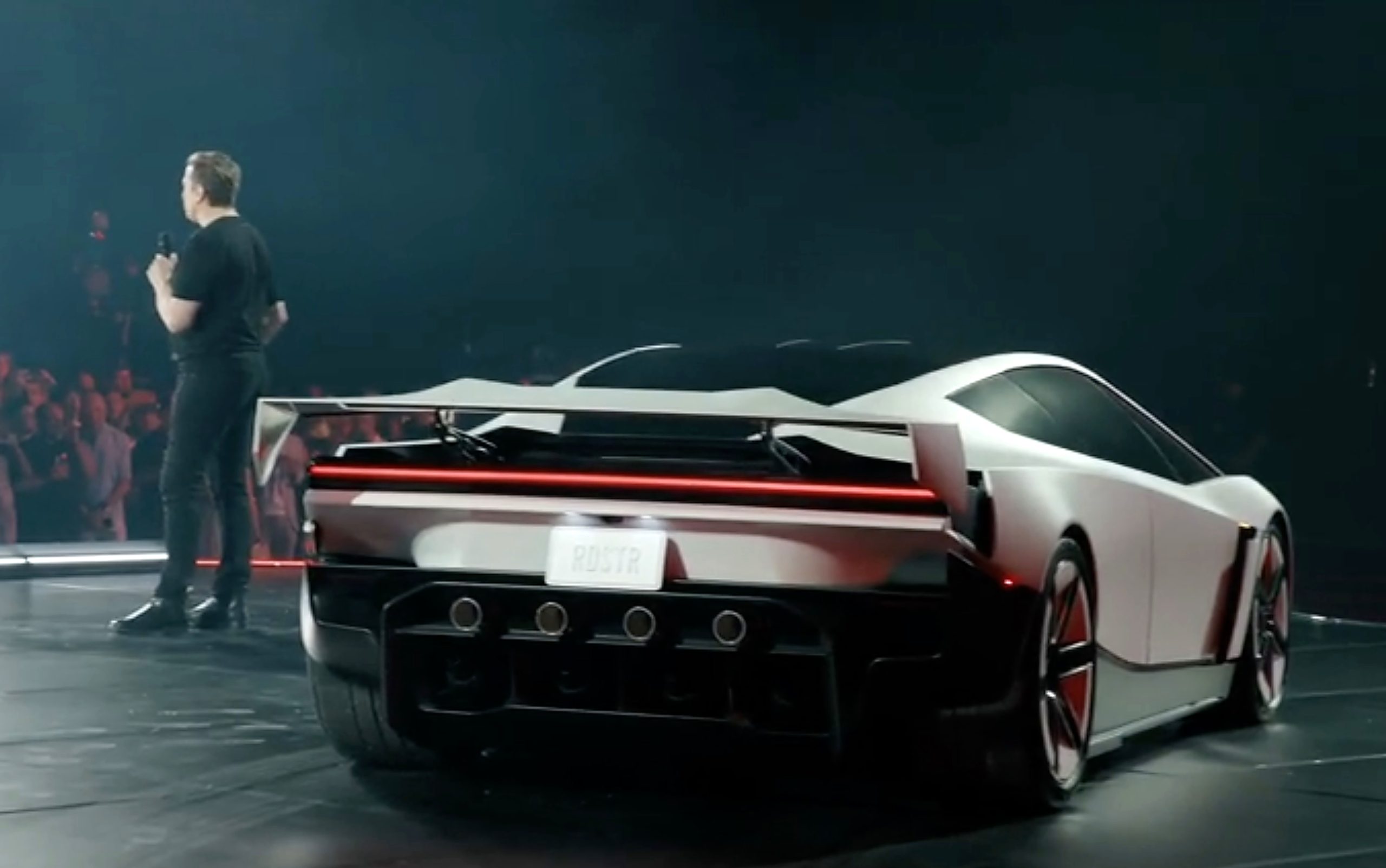
Tesla finally showed the next generation Roadster on Thursday night, and the demo had more in common with a SpaceX test than a track lap. At an event outside Waco, Texas, near SpaceX’s McGregor site, the car used a mix of fans and cold gas thrusters to drive up a curved ramp until it was upside down, then flew off, flipped and landed on the pavement. “Well, it worked,” Elon Musk said. “Flying cars are real.”
The Roadster also hovered itself over a Cybercab, Cybertruck, Tesla Semi, Model Y and Model 3 while moving, and that Tesla showed it going 0 to 60 mph in one second. Musk said “this will be the actual car that’s on the roads” and that it “literally is just going to puff itself up” to perform the maneuvers whenever an owner wants. He called the result a collaboration between Tesla and SpaceX engineers that is “better than any James Bond car,” with Franz von Holzhausen and Lars Moravy on site.
Tesla published new mind-blowing stats for the car that replace the previous targets. The Performance version is road ready and seats two, with active aerodynamics and a multi-mode suction system, and Tesla lists 0 to 60 mph in under 1.6 seconds. The Thrust version is race ready, also seats two, and adds rear-mounted cold gas thrusters for a 0 to 60 time of under 0.9 seconds. The Rocket version is described as air ready, seats one, and uses perimeter-mounted thrusters for forward and upward acceleration plus lateral rotational movement.
| Configuration | Seats | 0 to 60 mph |
|---|---|---|
| Performance | 2 | under 1.6 s |
| Thrust | 2 | under 0.9 s |
| Rocket | 1 | under 0.59 s |
Tesla’s own description: “So…yes, it can fly.” It lists a 0 to 60 time of under 0.59 seconds for Rocket, a top speed of up to more than 230 mph, and range of more than 300 miles. Tesla has not yet given pricing in the information we have seen, but has reopened $50,000 reservations in the newly updated Tesla Roadster configurator. Production is planned for Giga Texas in 2027 or 2028, and Musk has said it would follow the demo by 12 to 18 months.
Every car on the road today is limited by one thing: tire grip
Roadster’s thruster system generates 4–5x the force the tires can.
More force on the same mass means significantly better acceleration – physics does the rest https://t.co/zdPRT2aKwZ
— Tesla (@Tesla) October 16, 2026
Tesla’s Roadster page adds more on how the car works. A multi-mode fan and ground sealing system pulls air from under the car, producing enough suction to hold it upside down even when stationary. Active wings, steer-by-wire with a yoke, and a Track Mode that lowers the car round out the driving setup. The cold gas thrusters use all-electric actuators for micro adjustments to stabilize the car in flight. Tesla says it cut weight with magnesium, titanium and carbon fiber, manual controls and a fixed seat position, and the exterior has hidden headlights, a full-length taillight and Ano White paint inspired by aerospace coatings. Inside are an Ultrawhite interior with gray microsuede, a center touchscreen and two smaller forward displays, and gold tinted glass modeled on spacesuit visors. Availability is tiered: Performance is by reservation, Thrust is a limited release, and Rocket is invite only. Tesla notes the car is not approved for public road use, and that Rocket is not available in all regions.
Tesla Roadster Highlights
- Aero and suction: a multi-mode fan and ground sealing system pulls air from under the car and can hold it upside down even when stationary. There are also active wings and a Track Mode that lowers the car.
- Controls and thrusters: steer-by-wire with a yoke. The cold gas thrusters use all-electric actuators for micro adjustments that stabilize the car in flight.
- Weight: magnesium, titanium and carbon fiber, manual controls and a fixed seat position.
- Design: hidden headlights, a full-length taillight, Ano White paint inspired by aerospace coatings, and gold tinted glass modeled on spacesuit visors.
- Interior: an Ultrawhite interior with gray microsuede, a center touchscreen and two smaller forward displays.
- Availability: Performance is by reservation, Thrust is a limited release, and Rocket is invite only.
- Road use: Tesla notes the car is not approved for public road use, and that Rocket isn’t available in all regions.
Musk has described the Roadster as “the best of the last of the human-driven cars,” and he has been open that it is a halo product. He said he is “not sure it moves the needle massively from a revenue standpoint,” and has warned that anyone whose top priority is safety should not buy it. Tesla reports third quarter earnings on October 21.
Roadster is a true pilot’s car: active aerodynamics, a multi-mode suction system & cold-gas thrusters
Exterior
– Concealed headlights, full-length taillight & flush-mounted surfaces for a minimalist, highly technical form– Super light wheels w/ thin spokes that reinforce structural strength when earthbound
– Ano White paint brings an aerospace-derived finish w/ UV & cryogenic protection, electrostatic dissipation & corrosion resistance
– Gold Glazed tinted glass mimicking the copper coating of spacesuit visors, w/ subtle titanium accents
— Tesla (@Tesla) October 16, 2026

Tesla’s flying Roadster just revealed something bigger than the car

How Tesla’s Roadster fan system and thrusters are built to dominate the corners

Tesla Roadster: Three configs, one can fly, 0-60 in 0.8 seconds

SpaceX reveals how its 1 Million AI satellite network will work and prevent space collisions

Elon Musk’s Boring Company lands a new Middle East deal, and Nashville is about to get faster


