Lifestyle
Review: Tesla Model S J1772 Charger Lock

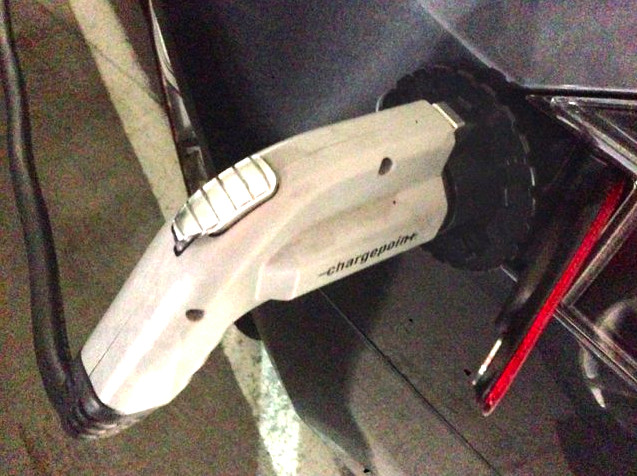
Driving a Model S is a terrific experience but it does come with new territory from time to time. Things that you never had to deal with as a gas car owner. Charging for example. An overwhelming majority of the time I charge my Model S inside my own garage with a 240v 40amp outlet. But there are times when I need to charge away from home and don’t have access to a Supercharger oasis from Tesla. It also means that there are extended periods of time where I’m away from my car while a charging cable is attached to it. You never leave your gas car with a running fuel pump inserted in the tank intake.
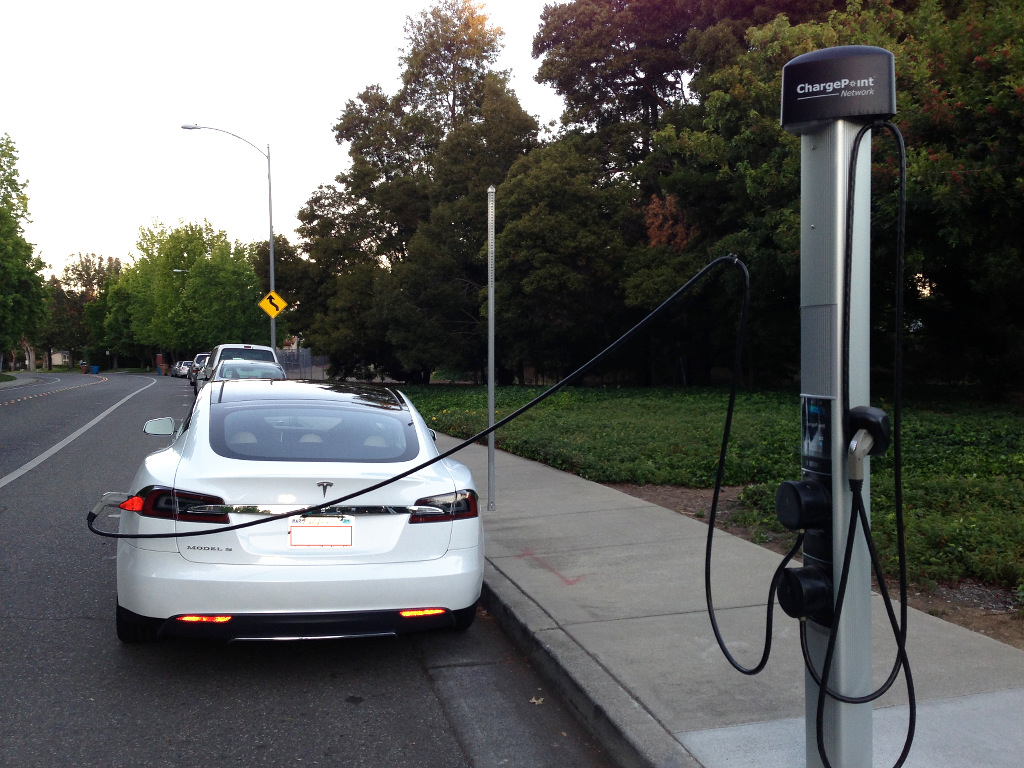
Image source: wikimedia.org
Here in the Chicagoland area we have a pretty healthy number of ChargePoint stations. A couple of years ago you would see most of these spaces empty, but now it’s unusual to see one not in use. On occasion I work in our downtown office and although I could take the train, I prefer to drive. Yeah, you know why. Parking garages in Chicago are very expensive but are also abundant, and so savvy owners have installed free ChargePoint stations and reserved spaces for EV’s. Sweet.
Also see: Using public EV charging stations with your Tesla Model S
Are you comfortable leaving your car parked in a public lot all day with a charge cable attached to it? Well, Power 12 has developed a simple product, the CapturePro CP1, designed to provide a greater peace of mind while you’re away from your charging Model S. It’s a hard plastic ring designed to sit between your Model S J1772 adapter and the charge handle. It’s singular purpose is to help protect from unwanted charging disconnections.
CapturePro CP1
I tested one yesterday. I drove into the city and wheeled into a rock star EV reserved spot in a Chicago River North parking garage. The CapturePro was easy to use. I simply slipped it onto my Tesla Model S J1772 adapter and connected the ChargePoint handle to the adapter.
The handle snaps onto the adapter to make a solid connection. But anyone can remove it. Here is where the CapturePro CP1 comes in. It slides over the connection, preventing purposeful or accidental disconnection.
Functionality
The ring has six different size notches so you can find just the right one to secure the handle to the adapter. Once you return to your Model S you simply disconnect the adapter from your charge port and slide off the ring. Once in place I applied some pretty serious pressure to try and dislodge it. I could not do so.
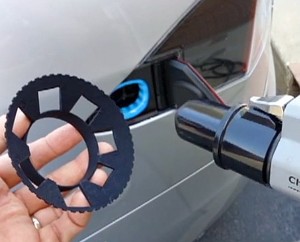 It would likely require significant force or a cutting tool to completely compromise the structure.
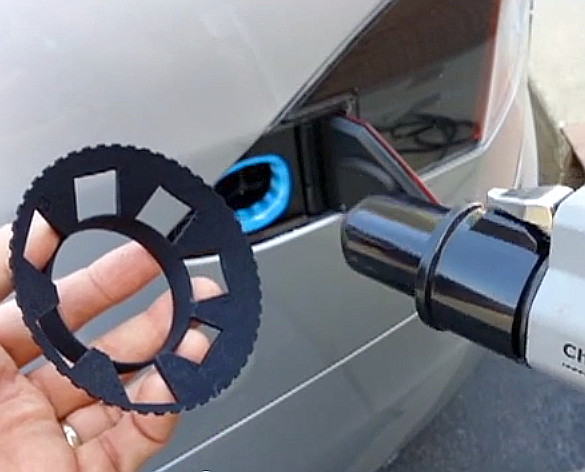
In other words someone would have to have strong purpose to break the connection. The CP1 requires no assembly and has a label for recording contact information, like a cell phone number, you can attach to the ring.
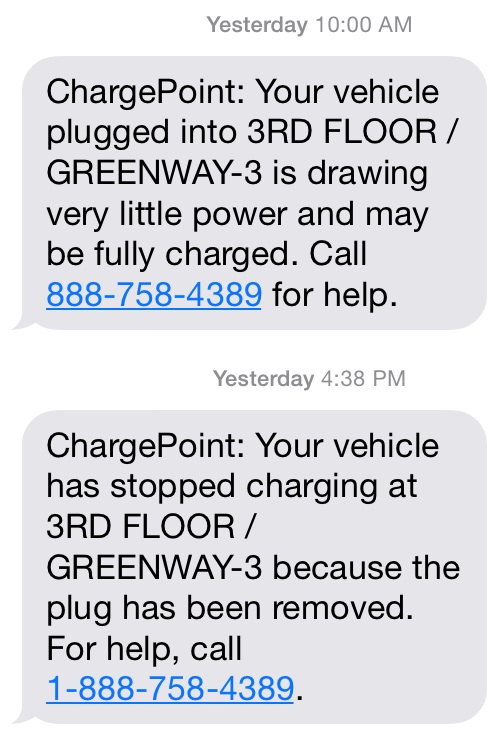 I plugged into ChargePoint at 8:00 and at 10:00 am my Model S was fully charged. I knew because ChargePoint has an excellent alert system that texted me when it was charged.
They also text you when the plug has been removed. Had removal occurred during the day I would have simply walked the two blocks to my car and assessed the situation. My Tesla iPhone app would tell me that my car is still parked, locked and in the same place I parked it.
Conclusion
Should you have one in your Model S at all times? That depends entirely on your level of risk acceptance. Do you buy insurance or extended warranties for your electronics? Do these types of things reduce stress? If so, then the CapturePro might be for you.
At $39.99 it’s not an impulse buy. It worked exactly as advertised, but in my opinion if you’re going to do this I think it should be made out of something significantly stronger. I know it adds to the cost, but it also increases security. Do you opt for the cheap bicycle helmet that will shatter or is your brain worth top shelf protection?
RELATED: Tesla Charging Etiquette: SuperchargerQR App, Paper Note and Google Voice


Elon Musk
How to use Grok Bot to block spam calls and texts
Musk told users to ask Grok Bot to scrub their phone numbers from spam lists.

Elon Musk has a new use case for Grok Bot, and it is the spam call. On Thursday he replied to an X user named Arash with a short instruction: “Ask your @Grok @Bot to remove your phone number from spam call & text lists!” Arash had said he got tired of the calls, had an AI bot find his number on listing sites and file removal requests, and packaged the process as a free skill for others.
The skill is called Spam-Call Scrubber, which is described to find a phone number on people search sites and data brokers, submits the opt outs, completes the confirmation emails those sites send back, and rechecks on a schedule the user picks. Using it requires the Grok Bot app. The pitch is time saved, since most broker opt outs sit behind separate forms on separate sites.
Ask your @Grok @Bot to remove your phone number from spam call & text lists!
— Elon Musk (@elonmusk) October 15, 2026
Musk said Grok Bot now gives each bot its own email address, and that it can detect scam emails. On Thursday he also said SpaceX would make users whole if the bot botches a purchase or leaks a card, then told users to shop away from Amazon after the retailer blocked the agent, as Teslarati reported. The terms of service we reviewed at the time put responsibility for what an agent does on the user.
For Tesla owners, Grok Bot is not just a phone app. Tesla brought Grok Bot into its vehicles on September 22, and we argued earlier this week that the Cybercab’s real advantage may be the errands it runs during a ride. Every Cybercab and the rest of the Model Y Robotaxi fleet has it enabled. The more routine tasks like this one become, the more a rider has reason to hand over something personal in the back seat.
The new Spam-Call Scrubber skill can be downloaded for free and works on sites that honor removal requests, while noting that listings can reappear, and illegal robocallers do not check any registry. Whether Spam-Call Scrubber cuts anyone’s call volume is something the first wave of users will find out, and Musk’s endorsement guarantees that wave is coming.
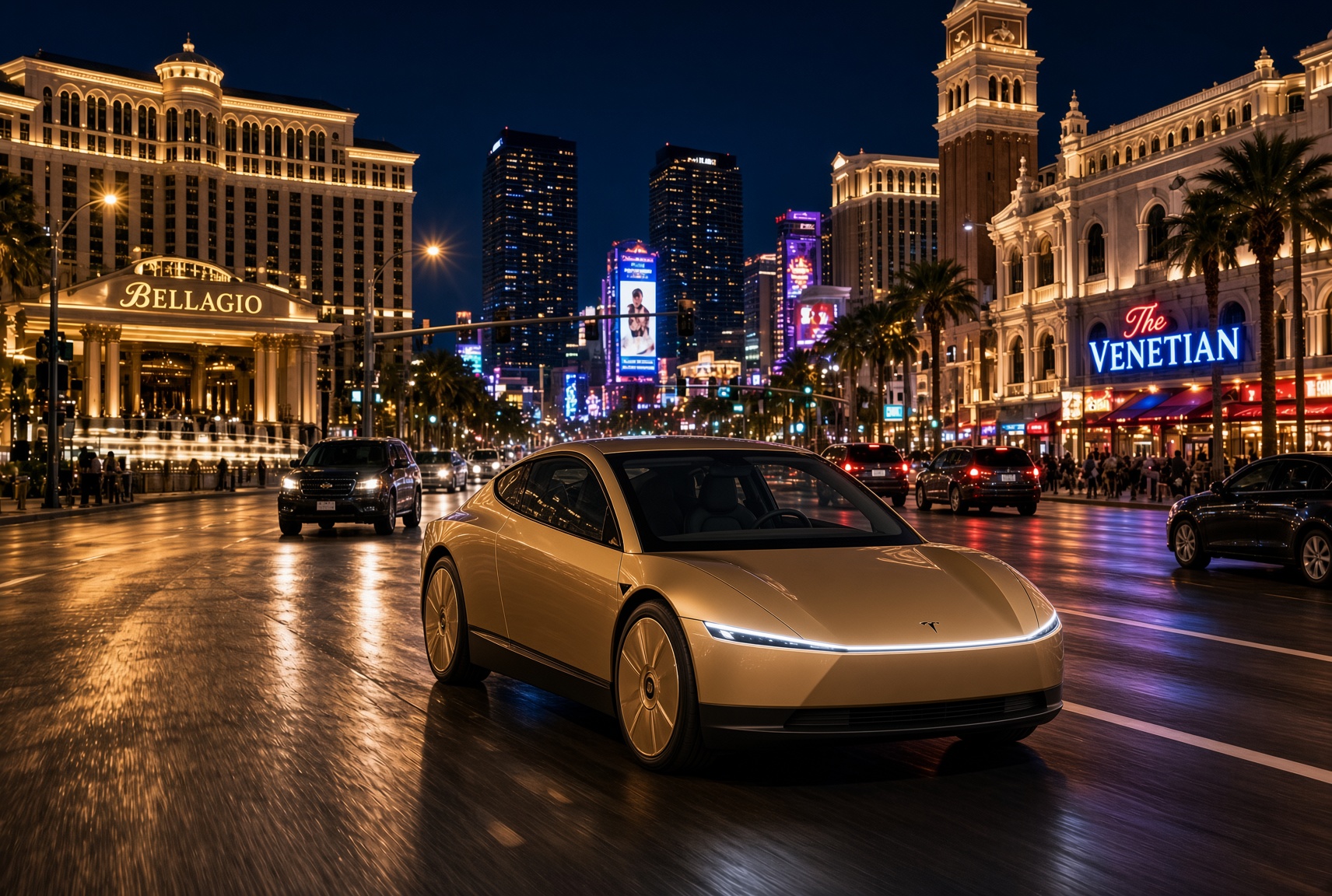
For a century, the car has asked the same thing of its owner, which is basically to pay attention. Even the best ride-hailing app like Uber or Lyft only moved the problem into someone else’s hands. You stopped driving, but you still sat in a stranger’s car, while half listening, and wondering whether to take a phone call in the car without being rude. The Cybercab has no wheel, no pedals and no driver. With Grok @bot now live inside it, it becomes something else entirely, and I think that matters more than the fleet count that everyone is tracking.
Grok @bot is an agent, not a voice assistant. A rider signs in once, and from then on can say what they need and watch it happen. Order dinner from a favorite restaurant. Fill the grocery cart. Move money, answer email, adjust a calendar, push a work project forward. Tesla engineer Yun-Ta Tsai confirmed it is enabled across every Cybercab and the rest of the Model Y fleet, and Tesla’s own pitch is that Full Self-Driving handles the commute while Grok handles the errands.
Think about what that does to a thirty minute ride. Uber sells you a trip, while Waymo sells you the same trip in a more private setting. Tesla is selling the thirty minutes themselves, returned to you with an assistant attached. Errands that used to eat a Saturday get done between pickup and drop off. The ride stops being dead time between two places and becomes a place of its own.
Tesla integrates Grok Bot into its vehicles for the ultimate personal assistant
Best of all, your Bots follow you into any Cybercab, and presumably your own Tesla, then logs you out automatically when you step out. Anyone can bolt a chatbot onto a screen, but much harder to own the vehicle, the autonomy stack and the assistant at once. It also quietly ties SpaceX’s Super Intelligence business to Tesla’s fleet, after Tesla converted its xAI stake into SpaceX equity. The relationship between those two companies is getting harder to describe as separate.
This is also where the hard questions start, because an agent that can spend your money in a vehicle other people also ride in needs some answers. How does it handle a voice it shouldn’t trust? What gets recorded, who can see it, and for how long? What happens when a rider leaves halfway through a task?
If Tesla gets those answers right, the scoreboard changes. We have been counting Cybercabs and wait times. The more telling number may be what riders accomplish per trip. That is data almost no one else will ever have, and it is the real reason to watch Grok @bot.
What do you think? Leave me a comment.
Lifestyle
Tesla’s mirrorless Cybercab will give riders a visibility upgrade
Tesla engineer confirms Cybercab update letting riders pull up rear and repeater cameras on demand.
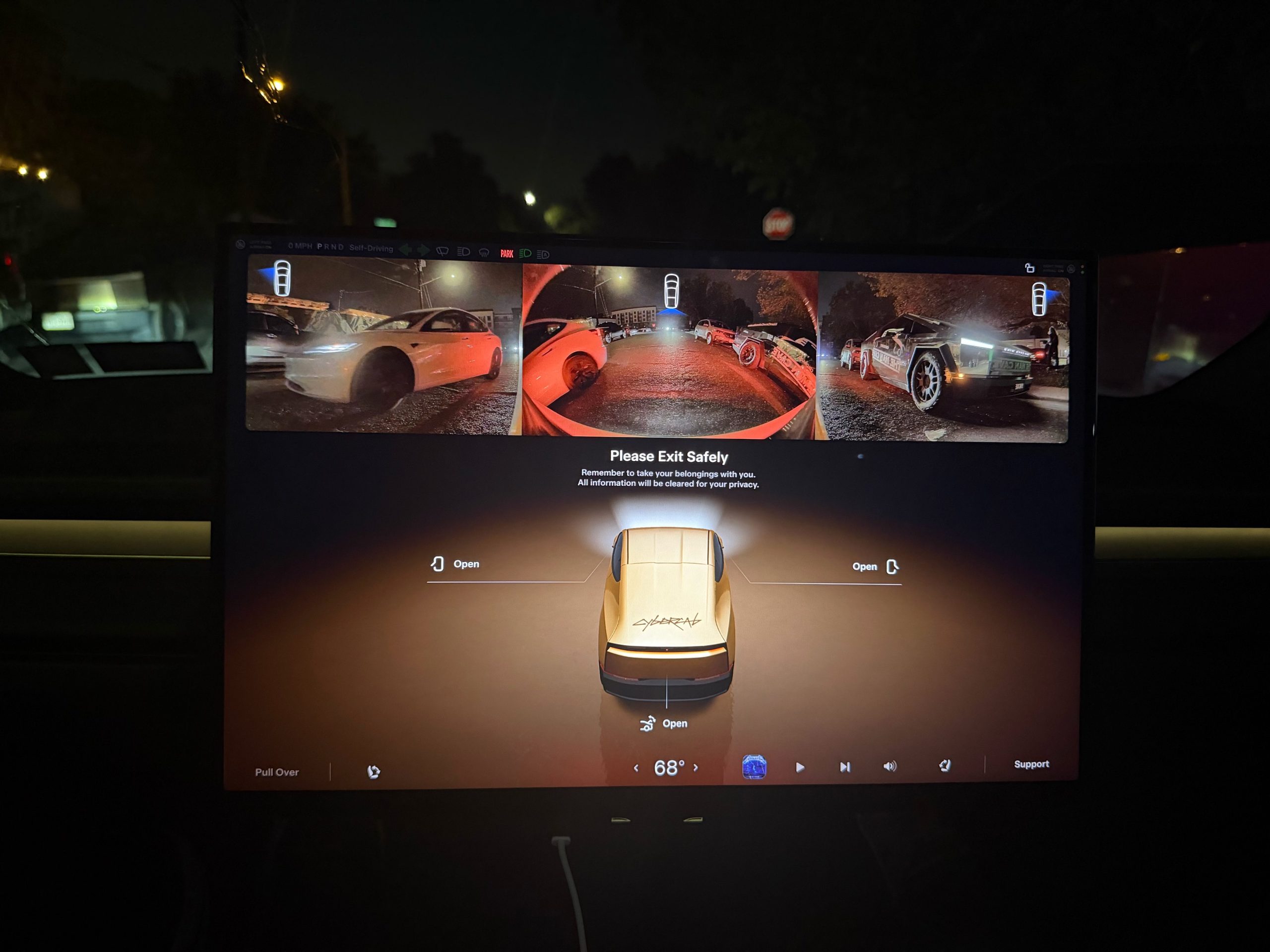
Tesla is working on a Cybercab update that would let passengers pull up the vehicle’s rear and side cameras on demand, and the request came straight from a rider.
The exchange played out on X late Friday. Cybercab rider Dan Burkland shared photos of the two-seater’s cabin screen after an evening ride, praised the UI team’s work, and left one request: let riders open the rear and repeater cameras whenever they want, “especially for peace of mind.” Tesla UI software engineer Evan (@CarCoder) answered with two words: “In development.”
The Tesla UI team absolutely crushed it with the infotainment software. Nicely done @CarCoder!
One feature request: Allow folks to pull up the rear & repeater cameras on demand. This would be great especially for peace of mind. https://t.co/mNAOSLx6pE
— Dan Burkland (@DBurkland) October 10, 2026
The idea fits a pattern Teslarati has tracked since public rides began. Days after paid Cybercab service opened in Austin, Tesla sent riders a survey that asked them to rate the touchscreen, the app and the cabin, and to pick the features they wanted most. We reported on that survey in September, and a camera view is the kind of small software change Tesla can push quickly if riders keep asking.
It also speaks to something unique about the vehicle. With no steering wheel, no pedals and no driver, passengers have no mirror to check and no way to see behind them. The hardware is clearly built for camera awareness, from the repeater cameras to the rear camera. Letting a passenger look through those same cameras would give a nervous first time rider a way to confirm what is around the car.
The timing matters because the fleet is growing fast. Tesla’s Robotaxi account said on Saturday that more than 300 Cybercabs are now serving Austin, an eightfold increase in 30 days, and Tesla AI chief Ashok Elluswamy named Dallas as the next city. More cars and more cities mean more people riding in a driverless vehicle for the first time, which is exactly when small trust features carry weight.
For now, the feature is confirmed only as in development. If Tesla follows its usual pattern with Cybercab software, riders could see it appear in a point release without any announcement, and Teslarati will watch for it.

Elon Musk calls Earth’s data centers “peanuts” next to what SpaceX is planning in orbit

SpaceX President to gift Trump Accounts her SpaceX stock


