Lifestyle
5 lessons learned from a long-distance Tesla road trip

Having logged over 60,000 miles in the past two years with my Model S, I figured my upcoming journey from Boston to Tampa Bay, Florida would be a pretty routine run-of-the-mill Tesla road trip, but soon found out that I still had plenty more lessons to learn when it came to long distance travel.
Update/Note: I realized after I saw a number of comments to this post that I neglected to mention that I didn’t use Autopilot for any of this trip. My Model S, an April 2014 build, sadly doesn’t have the hardware or capability. The trip would have taken the same time with Autopilot but would likely have had some other kinds of experiences to share (good and bad i’m sure).
Trip Routing
Before embarking on my road trip, I mapped out my entire drive using Google directions which indicated that the drive from Boston, MA to Tampa, FL would take approximately 20 hours. Google factors in traffic and speed of travel, but doesn’t add any time to refuel, eat, etc. If you’re adventurous you can simply hop in your Tesla, input your destination address into the onboard Nav without much planning and begin driving. The Tesla navigation system will guide you to your destination while making use of Superchargers along the way. If you get tired you can always find a hotel, take a pit stop and then carry on the next day.
For many of us, this casual and unplanned approach to a lengthy trip isn’t always ideal. We want to know where we’ll be staying the night and know we’ll have a bed in a nice hotel that offers food at the time we’ll be arriving at. Doing the preparation while sitting in front of your Tesla navigation screen could be frustrating. And if you want to add a stop somewhere along the way, forget it, Tesla doesn’t support that.
Also, beware the onboard Tesla trip planner can be steadfast in its ways. For instance it flat out refused to route us through a convenient charger in Paramus, NJ because of a temporarily “Closed” Supercharger.
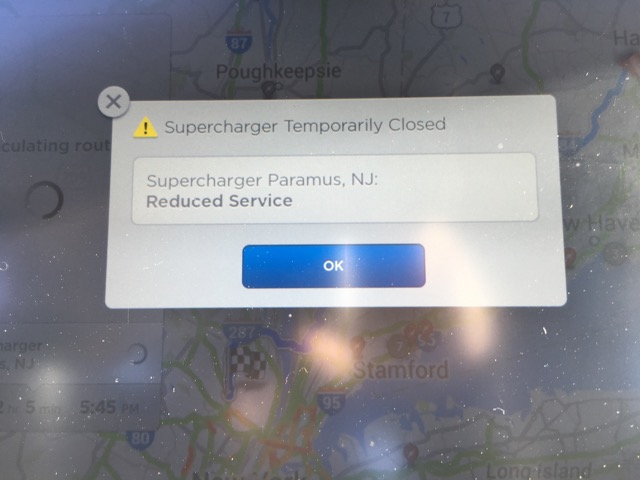
This had us quite concerned as we were already pretty committed to going in that direction. A quick call to the Tesla store at that charger site revealed that theres nothing wrong with the charger. Evidently the charging speeds are slow after 10pm due to some ongoing battle between Tesla and the local power company. As a result power at the Supercharger station is limited at night. But as long as we were visiting before 10pm we were clear to use the charger. This type of information needs to be conveyed to drivers.
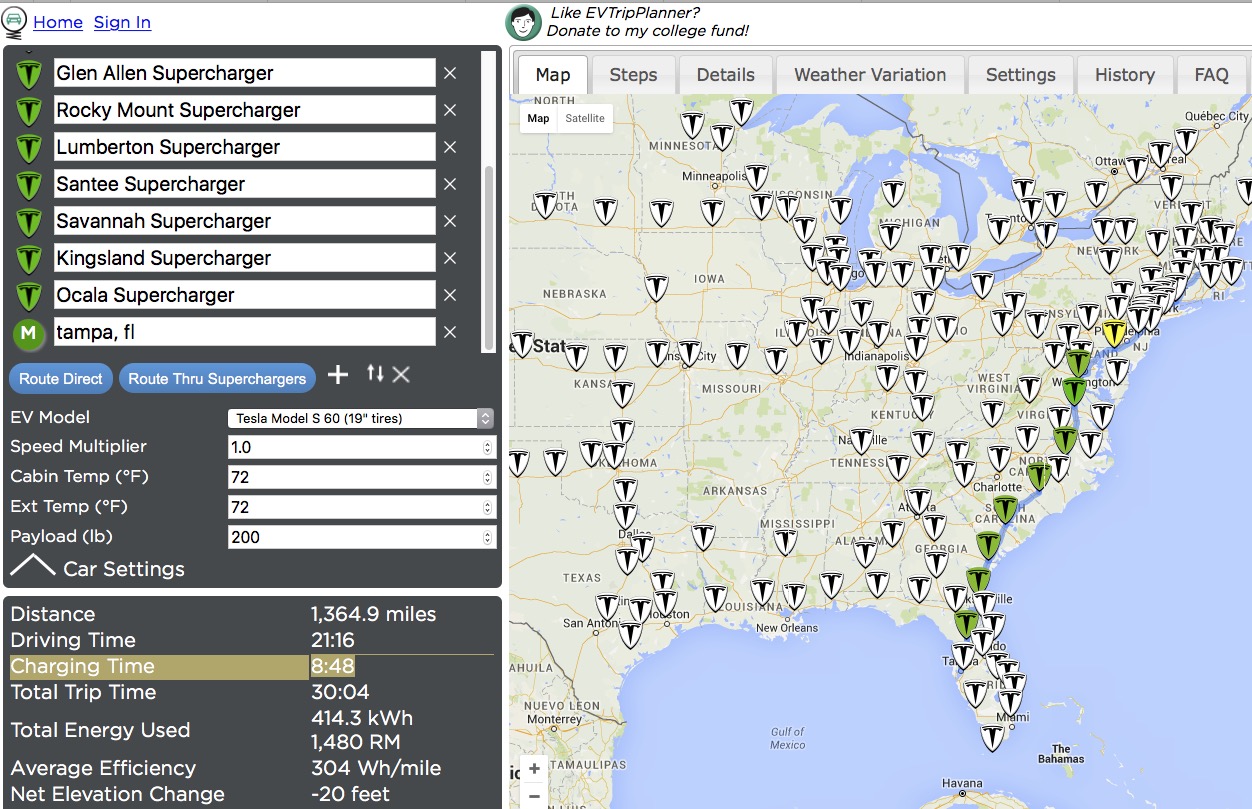
Fortunately there’s a site that helps with some of the planning called EVTripPlanner. This site will help perform similar calculations on what charging stops are needed along the way and also allows you to add waypoints if you want to stop at specific locations outside of Tesla Superchargers. I used EVTripPlanner to plan my trip to Florida.
Calculating Driving Time
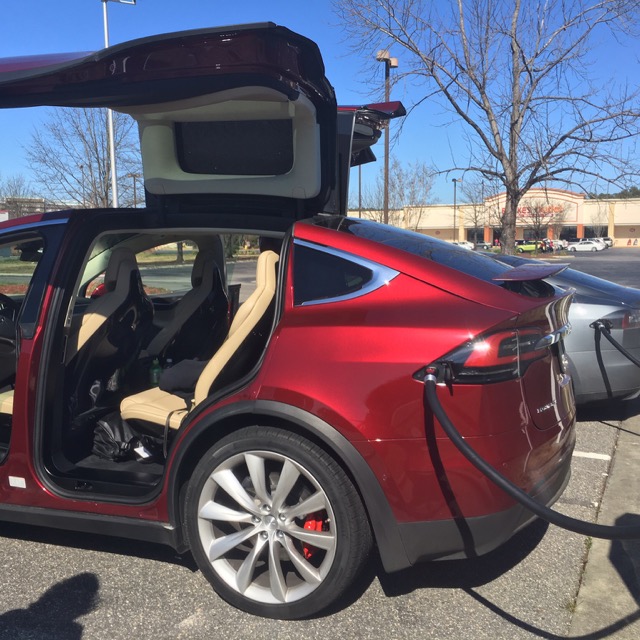
First Model X seen in the wild at Lumberton, NC Supercharger
At the time I planned the trip, EVTripPlanner did not have the ability to track charging times. Though I knew that had to factor in the amount of time spent at each charger before computing my total drive time, I severely underestimated the amount of time needed for charging. EVTripPlanner has since added the feature to take into account charging times.
If you take a look at the app now for the same route, EVTripPlanner will tell you that charging will add and additional 8 hours and 48 minutes of charging through a combined 11 Supercharger stops along the way. Your 21 hour drive turns into a 30 hour drive. This backs into an increase of time spent by 43%.
 -
-
When I did the math myself I used an average of 30 minutes per stop. The problem with that approach is somewhere along the way I did the math wrong and things didn’t add up right. Perhaps I missed a leg somewhere along the way. More on that later.
EVTripPlanner doesn’t currently provide an “elapsed time” or “time of day” readout and the data is difficult to retrieve especially if you plan on importing it into Excel or Google sheets.
Planning Mistake 1 – Cold Battery Pack
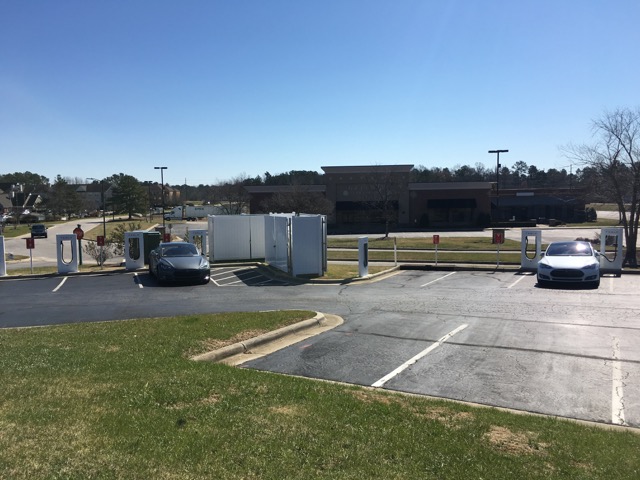
Rocky Mount, NC Supercharger
On the way down I couldn’t leave until 2pm, so we left and ultimately hit East Coast traffic for rush hour. This added time to the drive but fortunately doesn’t use extra range as EVs are even more efficient when moving slowly. Between the traffic and the expected charging stops we got to the hotel in Woodbridge, VA quite late. Rather than charging up for the next day that evening, we decided to hit the sack and charge up in the morning. This was a mistake.
It got down to about 40 degrees overnight and I had intentionally picked a hotel near a Supercharger. The next morning when we went to charge the charge was more than 30% slower than average. Reason being cold battery packs don’t charge as fast as warm battery packs, something I already knew but hadn’t considered late at night. We would have been better off charging the night before when our battery was warm. That or driving for a while before charging would have been good had we had enough charge to be able to do so.
Planning Mistake 2 – Charging Speeds
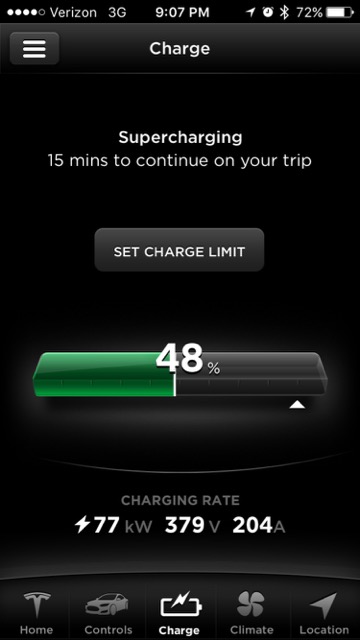 While we know that most Tesla Superchargers can achieve 170 miles of range in 30 minutes, we found out the hard way that not all chargers can deliver this. Despite a warm pack and ideal charging conditions we found that some of the chargers are significantly slower than others. It’s still not as bad as trying to charge on a cold pack, but the end result is a 25% slower charging speed than the usual.
Our average charge rate turned out to be 120 rated miles added to the batter pack in 30 minutes of charging time (240 rated miles added per hour) which is significantly lower than Tesla’s number.
Planning Mistake 3 – Round Trips
Our average Supercharger stop time was 34 minutes. While Tesla and EVTripPlanner recommended eleven Supercharger stops, we ended up making twelve stops. The reason for that was we didn’t have enough charge to arrive at our stay, cruise the town and get back to the Supercharger network on the leg to go back home.
As a result of that we pit stopped at one additional charger and charged enough to allow for comfortable driving around town and enough juice to get back to that Supercharger on the way home. This added time.
Planning Mistake 4 – Battery Buffer
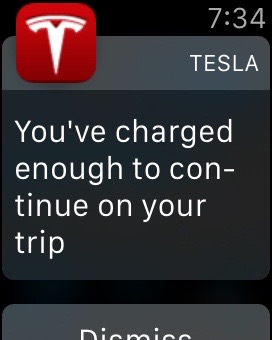 Tesla has been adjusting the onboard trip planner over time. In the early days it wasn’t possible to route via Superchargers and then they added it but it was very conservative and often buggy. They’ve continued to make updates to it (although slowly) and now it is a lot more aggressive. For most of my legs it was calculating routes that had me arriving at the next charger with a buffer of 11-12% remaining battery capacity — that’s about 32 miles of safety.
Teslas charge faster from a lower starting state of charge. Charging from 0 to 50 is a lot faster than charging from 20 to 70. So generally you want to arrive at the next charger with as low a state of charge and charge just enough to get to the next stop safely.
-
To keep things moving along and not lose time you need to watch your charge and hop back in the car as soon as the car says you’re safe to get to the next stop. Any more time and it’s un-optimal as a higher state of charge results in slower charging for your next charge.
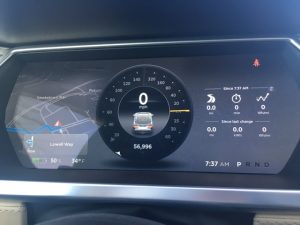
Single digit margins
Under ideal circumstances Tesla’s buffer would be fine since their computations take into account temperature and elevation changes. The problem is they don’t factor in wind or driving speeds.
I typically drive about 5mph over the speed limit. These days this classifies me as a “slower” driver but it’s what I’m comfortable with. In MA that means driving about 70mph on the highways but down towards Florida you’re doing 75 and still considered slow. After taking one of the recommended charging stops the Model S was predicting that we would arrive at our next stop with 12% charge remaining, but then it started to drop. 12% went to 11%, then 10%, then all the way down to 8%. There were no other chargers along the way and the estimated remaining charge continued to drop rapidly. I dropped my speed from 75 to 65 mph and arrived at the next charger with 9% remaining (24 rated miles). When all else fails, slow down.
From that point on, each time we charged and saw the vehicle telling us we would arrive at the next stop with 12% battery remaining, we waited to charge a few extra minutes just as added safety. It added time to our overall trip but at that point we were happy gaining that additional peace of mind.
Planning Mistake 5 – Calculate Twice, Drive Once
On the second day of driving we were making good progress, but as the day went on we realized that rather than getting to Tampa around midnight it would be more like 3am and we’re not the kind of drivers that like driving late at night. Fortunately a quick call back to my wife who was in front of a computer got us a hotel reservation and off the road before it got too late.
Somehow along the way the initial calculations were off by 3 hours. I suspect that I forgot to factor in one of the legs. Since there really isn’t a single system to help plan the entire trip, I was at the mercy of being human and making a mistake. I should have spent a bit more time double checking my planning before taking off.
Other Learnings
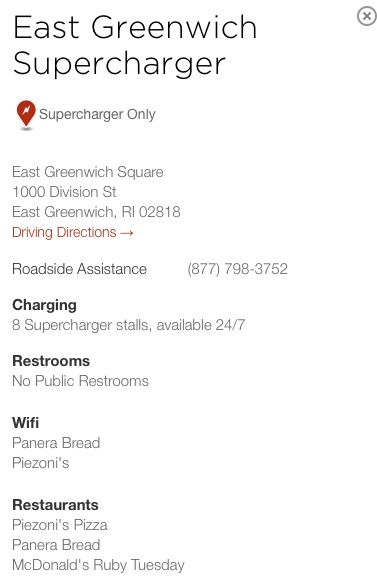 There’s a few other things I wanted to mention. First, as you drive from charger to charger on a long road trip a common question is “Whats at the next stop?” That question is still pretty painful to answer. You’d think you could just click on the charger icon and see the amenities, but it doesn’t. Apps like Teslarati’s own app (iOS | Android) aim to provide this type of info through crowd sourced data from other Tesla drivers, but even that requires several clicks and scrolling before you get to the information, plus you’re supposed to be driving. A simple page allowing easy access to nearby Supercharger details or next charger would be very helpful on a trip like this. Was there a Chick-fil-A at the next stop or just another terrible Texas Roadhouse? We had to know!
We also experienced a wide range of charger types. From the usual 8 in a row, back in variety, to those where you pull head in in an airport parking garage and have to get your parking ticket stamped.
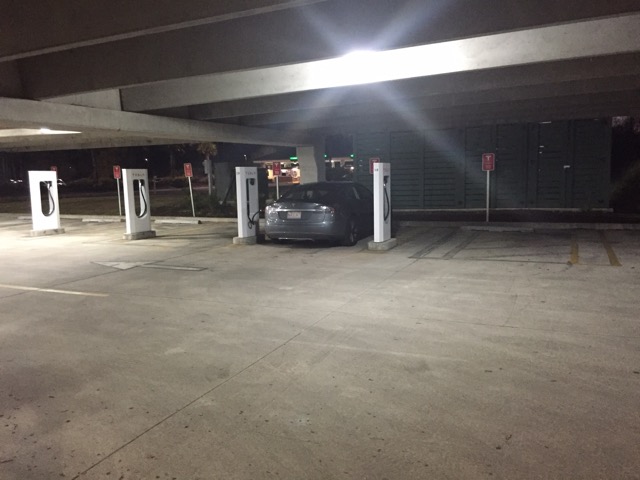
Savannah, GA Supercharger
There were also those those with poorly painted lines providing no clue on how you’re supposed to drive into the stall.
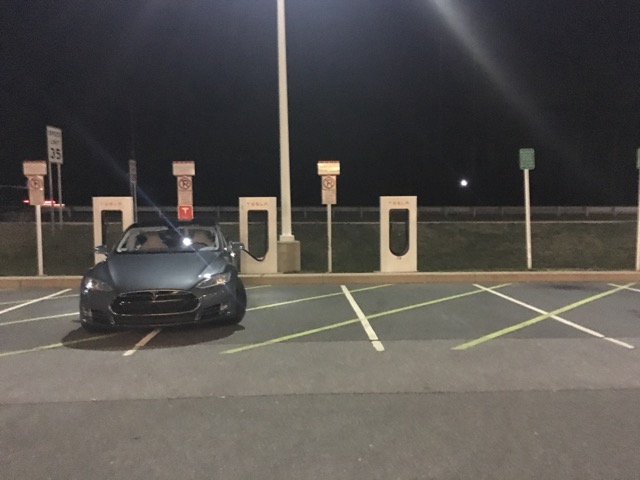
Newark, DE Supercharger
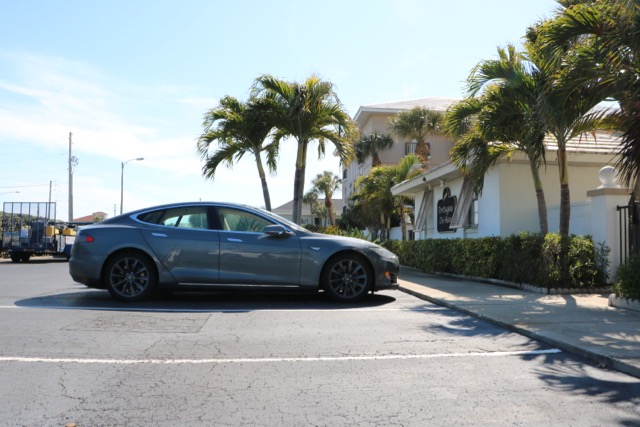
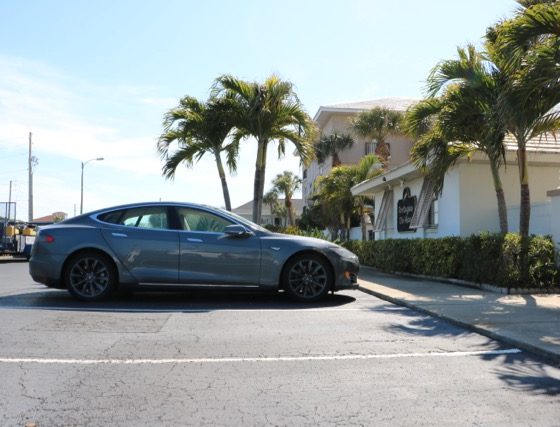
All this so I could introduce my Tesla to a palm tree for the first time.
And get in a few bike rides while New England tried to thaw out.
-

Summary
Before this trip I had dozens of Tesla road trips under my belt and have visited chargers in many states at all different times of the year. I was very familiar with the mechanics of an EV road trip, charging times and what to expect. My friend wanted to go to Florida around the same time and had never taken a road trip in an EV before. I warned him up front about the charging times and he assured me it was not a problem.
By the end of the trip he said he didn’t regret taking the trip, but next time he’d take an ICE car or fly — adding 40% to your travel time is unacceptable if you’re trying to get somewhere and not just touring the country. It was hard to argue with him.
While records have been set driving cross country in a Tesla, those are usually done with multiple drivers and with very little down time. That style of driving isn’t for everyone.
For myself, I still dream of driving across the country to California someday in my Tesla. I need to rest up first as the FL trip took away some of my desire to do that. Also I’m worried that once I get there I wouldn’t want to drive all the way back home :p
If you do plan to do a longer road trip, spend extra time in the planning phase. New tools and sites continue to be developed to simplify the process, but make sure you’ve had some experience with shorter trips first. With good planning and a relaxed approach you can still be jumping for joy at the end of a successful long road trip in your Tesla.


Lifestyle
Tesla’s driverless Cybercab just passed a big test with State Governor
Florida’s governor rode Tesla’s Cybercab at a closed test track and called the experience impressive.

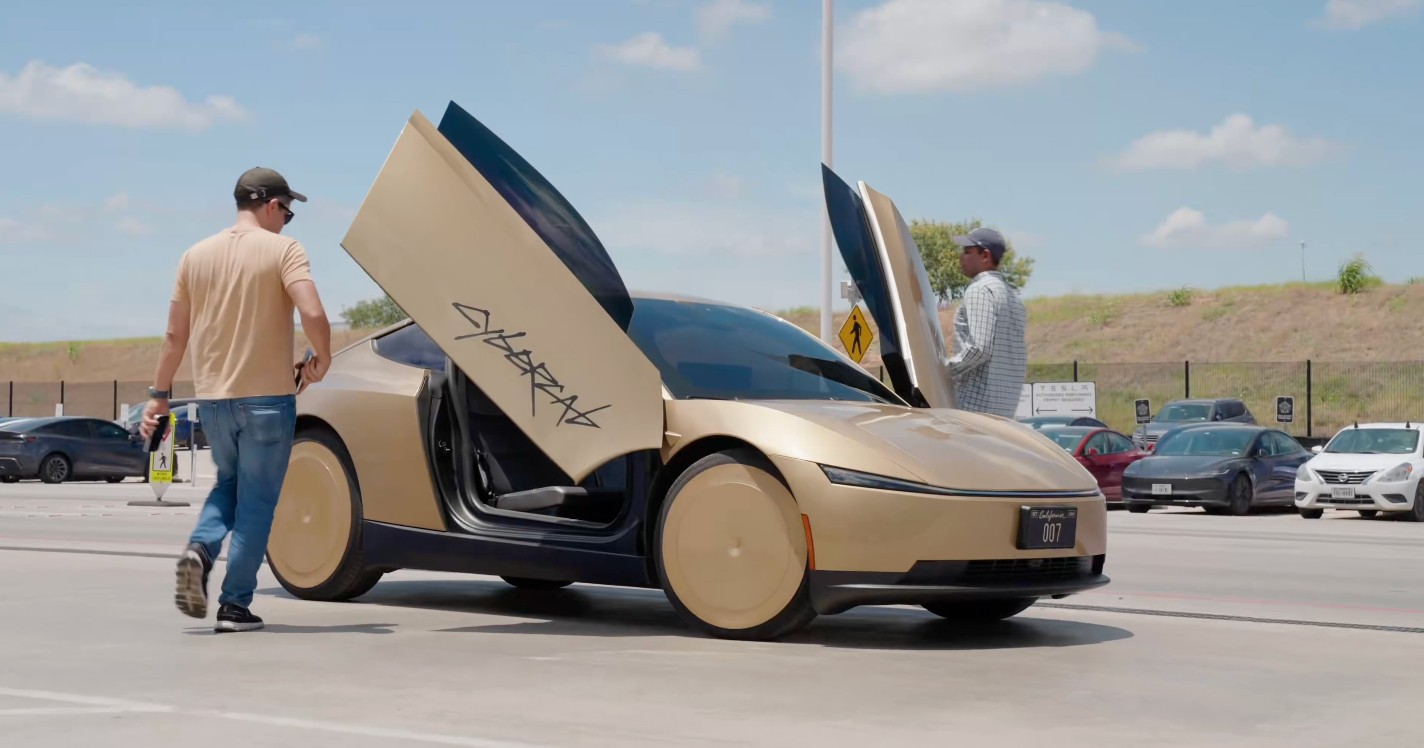
Florida Governor Ron DeSantis rode in a Tesla Cybercab on a closed test track this week and came away impressed, posting on X that the vehicle “successfully navigated all hazards — a kid running into the street, a crash with police stopping traffic, a Model S cutting us off, etc.” He called the ride “impressive.”
The stop was part of a broader event Monday at SunTrax, a 775 acre state owned proving ground in Auburndale that Florida built specifically to test autonomous and connected vehicles before they reach public roads. Standing next to a gold Cybercab, DeSantis described the car in plain terms: “You go in there and you just sit. You have a screen. There’s no steering wheel, no pedals. Clearly these things could be very beneficial.”
We took a ride on a robotaxi on the Suntrax course and it successfully navigated all hazards — a kid running into the street, a crash with police stopping traffic, a Model S cutting us off, etc.
Impressive! https://t.co/FVAkzFLz3r
— Ron DeSantis (@RonDeSantis) August 11, 2026
DeSantis paired the praise with a caveat that has followed autonomous vehicles since the category existed. “You don’t want to be in an autonomous vehicle and it drives you into a ditch. That would not be good,” he said, framing safety validation as the gate before wider deployment.
SunTrax, the 2.25 mile oval which the state calls the only high speed autonomous vehicle test track in the Southeast, can simulate rain, pedestrian crossings, hills and crowded urban conditions at highway speeds, letting companies push a car past what an early public rollout would risk. Tesla, Waymo and Beep all use the facility, and Florida’s regulatory approach, among the most permissive for autonomous vehicles in the country, doesn’t require a human operator inside a fully autonomous car.
-
Tesla has reason to want the blessing of Florida and states beyond, as the Cybercab entered volume production at Gigafactory Texas this spring and has since self certified as SAE Level 4 under Texas law. Public road testing so far has kept a safety monitor in the passenger seat, and Florida is where Tesla has been expanding its existing Model Y based Robotaxi service instead, adding Miami in July and then Orlando and Tampa two weeks later. A closed track endorsement from a sitting governor doesn’t change any of that, but it does put Tesla’s newest hardware in front of a state that has already shown it will move fast on rules.
Elon Musk
The real reason Elon Musk wants every car connected to space
Elon Musk says all cars will eventually need Starlink to handle massive AI bandwidth demand.
Elon Musk is making the case that satellite internet, not fiber or cellular towers, will end up wired into every car on the road. In a string of posts on X, the SpaceX CEO wrote that all cars will have Starlink in the future and called satellite connectivity the only way to get super high bandwidth to billions of vehicles.
The posts started with Musk endorsing a Cloudflare forecast that traffic generated by autonomous AI agents will soon dwarf traffic generated by humans browsing the internet, a shift he described as not a close call at all. From there he narrowed the argument to infrastructure, writing that the only system that can support the insanely fast bandwidth growth needed by AI is Starlink, before extending the logic to cars specifically.
AI agentic Internet traffic will obviously VASTLY exceed human usage. Not a close call at all.
Cloudflare’s forecast is accurate. https://t.co/VztgrinN5k pic.twitter.com/Wo4FiRKjPU
— Elon Musk (@elonmusk) August 9, 2026
The timing lines up with Tesla’s own hardware decisions. On July 20, Tesla confirmed the Cybercab would ship with a Starlink V5 terminal built into its roof, the first time the company had put satellite hardware in a production vehicle. A day later, Tesla’s head of AI, Ashok Elluswamy, explained the connection wasn’t there for safety and that Cybercab’s driving stack runs entirely on onboard cameras and compute, while the satellite link exists for navigation, customer service, and fleet management instead. Musk followed with his own post about the feature, saying riders would be able to watch 4K streaming video during rides.
By July 22, Musk had already said Starlink would extend beyond Cybercab to Tesla’s full lineup. Sunday’s posts push that same logic outward again, this time framed as a requirement across the industry rather than a feature specific to Tesla, and tied directly to the bandwidth AI systems are expected to consume.
SpaceX’s newest Starmind will make earth data centers obsolete
-
The AI argument has been building on SpaceX’s side for months. The company has an FCC filing pending for a third generation Starlink constellation, and it has separately proposed Starmind, a constellation of up to a million satellites designed to run AI computation directly in orbit rather than just relay data. Musk has said he expects space to become the cheapest place to deploy AI compute within two to three years. Starlink and Starmind serve different jobs inside that vision, one moving data and the other processing it, but Sunday’s posts treat vehicles as one more category of hardware that will eventually need both.
None of this changes anything for Tesla owners today. Cars already on the road keep running on LTE and Wi-Fi, and Tesla hasn’t outlined a retrofit path for existing vehicles. The July 22 commitment applies to future production, not the fleet already delivered. What Musk added on Sunday is the reasoning: satellite connectivity isn’t a Cybercab novelty, it’s a bet that ground based networks won’t keep up with how much data cars, robots, and AI systems are about to generate.
Elon Musk
The Boring Company’s newest tunnel vehicle runs on Tesla parts and no one is driving it
The Boring Company’s new tunnel vehicle runs on Tesla Model 3 batteries and drive units.
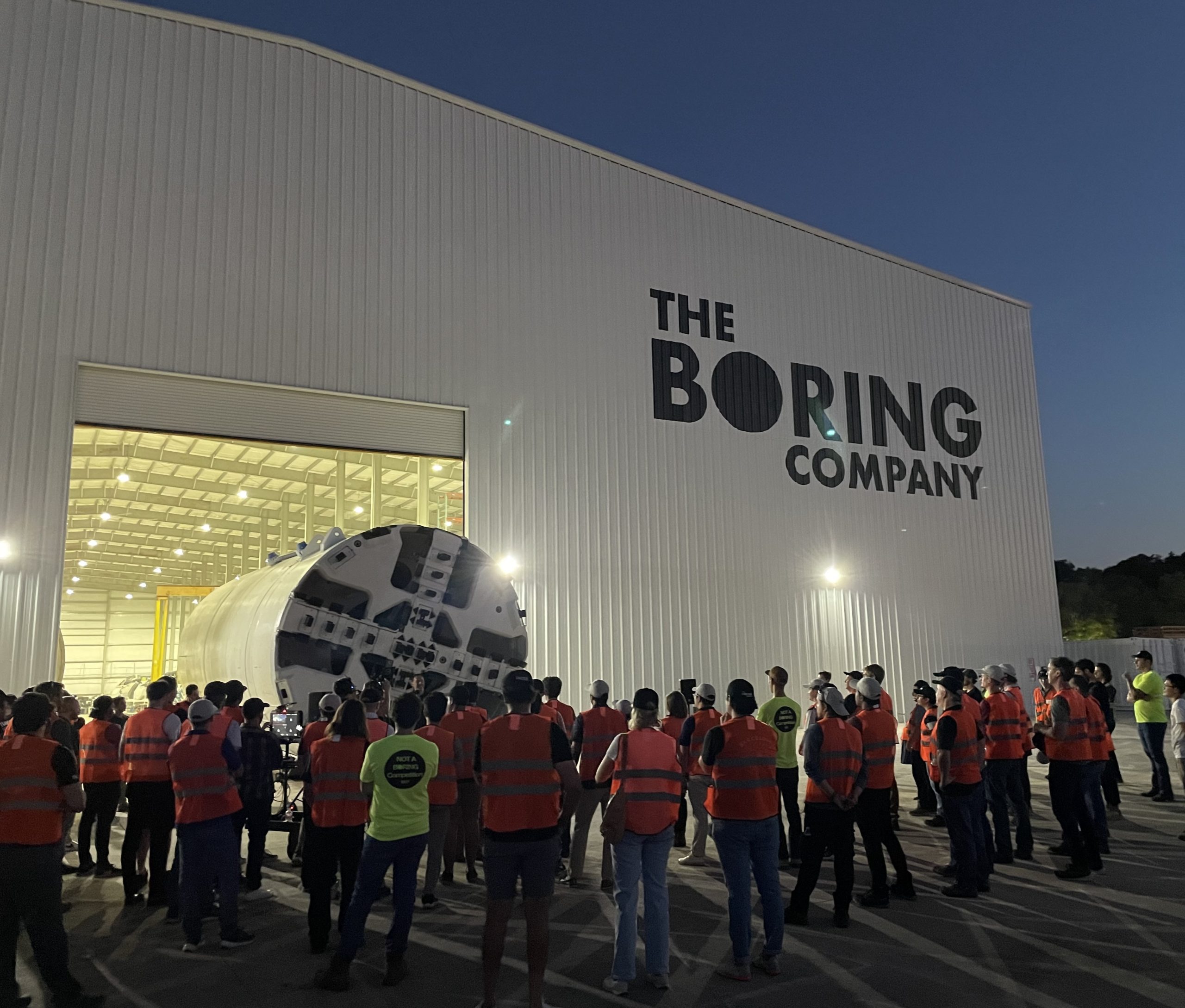
The Boring Company just introduced a new piece of hardware, and it runs on parts pulled straight from a Tesla showroom. Liner Truck 3, unveiled in a post from the tunneling company’s official X account, is an all electric vehicle built around Tesla Model 3 battery packs and drive units, purpose built to move concrete tunnel segments to the boring machine face without a single person underground.
Introducing Liner Truck 3 — our latest fully electric tunnel vehicle.
– Tesla Model 3 battery and drive units
– Transports 22,000+ lb of concrete segments to the boring machine
– 28 miles of range
– 12 mph max operating speed
– Remotely piloted from Global OCC in Texas, with… pic.twitter.com/XB7FgSXnpy— The Boring Company (@boringcompany) August 7, 2026
The job itself is unglamorous but critical. Each precast segment run weighs more than 22,000 pounds, roughly the load of a full cement mixer, and Liner Truck 3 hauls that weight repeatedly between the surface staging area and wherever the Prufrock machine happens to be cutting.
The Boring Company said Liner Truck 3 is piloted remotely out of its Global Operations Control Center in Texas, extending the Zero-People-In-Tunnel approach the company has spent years building toward. An earlier version of a ZPIT liner truck was already tested at the company’s Bastrop, Texas research tunnels, and a factory tour released last month showed an employee flying a fully loaded liner truck with a PlayStation controller. Liner Truck 3 looks like the production version of that same idea, cleaned up and pushed into daily use.
The timing lines up with a company digging in more places than it ever has before. The Boring Company now has multiple Prufrock machines active or arriving in Nashville, where Music City Loop construction has been accelerating since February, and its Vegas Loop network keeps adding tunnel mileage on a near monthly basis. Every one of those projects depends on getting concrete segments to the cutting face fast enough to keep the boring machine from idling, which is exactly the bottleneck Liner Truck 3 is designed to remove.
-
It also reinforces something Tesla owners have watched happen gradually across Musk’s companies: passenger car hardware finding a second life in heavy equipment. Model 3 drive units already move people through the Vegas Loop, and now the same components are hauling concrete underground in Nashville and wherever The Boring Company digs next. Whether that kind of component reuse extends further into TBC’s equipment lineup, or into other Musk owned industrial hardware, is the next thing worth watching.

Tesla launches Powerwall Lease for affordable home backup

Elon Musk teases Tesla Roadster unveiling once again


