
Details of Tesla’s 2023 Holiday Update — or at least a notable portion of it — have been leaked online. Based on the reaction from Tesla owners on social media, it appears that Tesla’s 2023 Holiday Update has made some EV owners feel like Santa Claus gave them coal instead of toys.
The anticipation for Tesla’s 2023 Holiday Update was palpable, with software tracking services such as Teslascope hinting that employees who received the update were under a nondisclosure agreement. The release notes for update 2023.44.25 were posted online anyway, providing a pretty good teaser of what’s to come with the 2023 Holiday Update.
Following are the release notes of Tesla update 2023.44.25, as shared by Not a Tesla App.
Here is your Tesla’s 2023 holiday update:
– Trip Planner on Mobile App
– More Cameras in Live Camera View
– Automatic Blind Spot Camera
– Light Show
– Apple Podcasts
– Tesla Arcade Updates
– Automatic 911 Calls
– Speed Cameras on Your Route
– Shuffle Play in TIDAL
– Apple and… pic.twitter.com/FRh2Rfv3E6— Not a Tesla App (@NotATeslaApp) December 7, 2023
Apple Podcasts
Listen to millions of the world’s most popular podcasts. Apple Podcasts for Tesla syncs with your favorite Apple devices, so you can seamlessly follow shows, save episodes, and pick up right where you left off. Browse new and noteworthy podcasts or explore what’s trending on Top Charts.
From the Application Launcher, open the Apple Podcasts app, scan the QR code, and log in with your Apple ID. Premium Connectivity required.
Tesla Arcade Updates
-Beach Buggy Racing – Unlock new vehicles and tracks. Your racing vehicle now matches the color you’ve set in Toybox > Colorizer.
-Polytopia Diplomacy Update — Explore new options for peaceful and hostile interactions, from peace treaties and embassies to stealth infiltration and guerrilla warfare.
-Vampire Survivors Chilling Update – Melt hordes of snowmen and defend against ice monsters in the new wintry Whiteout map, along with a new character, achievements, and items to collect.
-PS4, PS5, and Xbox Controllers – Feel more immersed in the action with rumble effects in select Tesla Arcade games.
To pair a controller, open the Bluetooth panel and follow the instructions.
Availability varies by model and location.
Automatic 911 Calls
Your vehicle will call 911 if an accident triggers the airbags.
A countdown timer allows you to cancel the call before it’s placed if you don’t need 911.
This feature works automatically when your mobile phone is connected to your vehicle via Bluetooth.
Speed Cameras on Your Route
Navigation now includes symbols along your route to show speed cameras, stop signs, and traffic lights.
To see this route information, you must have Navigation > Online Routing turned on. Requires Premium Connectivity.
Trip Planner on Mobile App
Use the Tesla mobile app to plan a trip.
Go to Location > Navigate and enter a destination. For multiple stops or to make changes, simply Edit Trip > Add Stop. If needed, Trip Planner will also include charging stops along the way. Then choose Send to Car to share it with your vehicle.
Requires Tesla app 4.27.5+ to add multiple stops to a trip.
More Cameras in Live Camera View
When you view your vehicle surroundings from the Tesla app, now you’ll have access to the left and right pillar cameras.
On your vehicle touchscreen, go to Controls > Safety > View Live Camera via Mobile App. Then you can view from the app on your phone.
Live Camera is end-to-end encrypted and can’t be accessed by Tesla. Requires Tesla app 4.27.5+ and Premium Connectivity.
Automatic Blind Spot Camera
Tesla’s blind spot warning in this year’s holiday update
— Not a Tesla App (@NotATeslaApp) December 7, 2023
The blind spot camera view now alerts you with red shading along the edge when your turn signal is on and your vehicle detects an object or another vehicle in your blind spot.
Go to Controls > Autopilot > Automatic Blind Spot Camera.
Light Show
Time to celebrate with the latest Light Show to the tune of The Arrival by Irving Victoria.
Play it right away, or schedule the show up to 10 minutes in advance, with one vehicle or synced with friends. Go to Toybox > Light Show.
Light Show enthusiasts can now play multiple custom Light Shows from the same USB flash drive. Simply save the show files to a directory named “LightShow” on your flash drive, connect, and choose.
Shuffle Play in TIDAL
Shuffle your TIDAL playlists and albums.
Apple and Spotify Profile Image
In Apple Music and Spotify, you can show your account profile image to indicate which account you’re using for each.
Availability varies by model and location.
Search Includes Owner’s Manual
When you use Controls > Search on the touchscreen, your results now include links to entries in the Owner’s Manual, in addition to results with vehicle settings. So you can find the setting you want or learn more about it.
Charging Location Filters
When you search the vehicle map for charging locations, you can now filter between two charging speeds: Three lightning bolts shows locations with more than 70 kW. One lightning bolt shows locations with 70 kW or less.
As we were saying… Take a moment, enjoy what has been posted so far, and remember “Don’t Panic”.
More is still coming… pic.twitter.com/y0AlGLmknl
— Teslascope (@teslascope) December 7, 2023
Among the most notable criticisms of Tesla’s 2023 Holiday Update is its apparent focus on minor features and quality-of-life improvements, not the rollout of substantial functions such as FSD V12 or the much-anticipated Actual Smart Summon. Some Tesla owners noted that the 2023 Holiday Update feels like a regular software update from the EV maker that could have been released at any month of the year.
That being said, Tesla software tracking service Teslascope noted that the 2023 Holiday Update release notes do not include specific changes for vehicles that are running Full Self-Driving Beta, as those improvements have not been rolled out yet. Thus, inasmuch as the 2023 Holiday Update seems underwhelming so far, there seems to be a pretty fair chance that more will be coming.
Don’t hesitate to contact us with news tips. Just send a message to simon@teslarati.com to give us a heads up.


Energy
Tesla Model 3 and Model Y can now do what only Cybertruck could
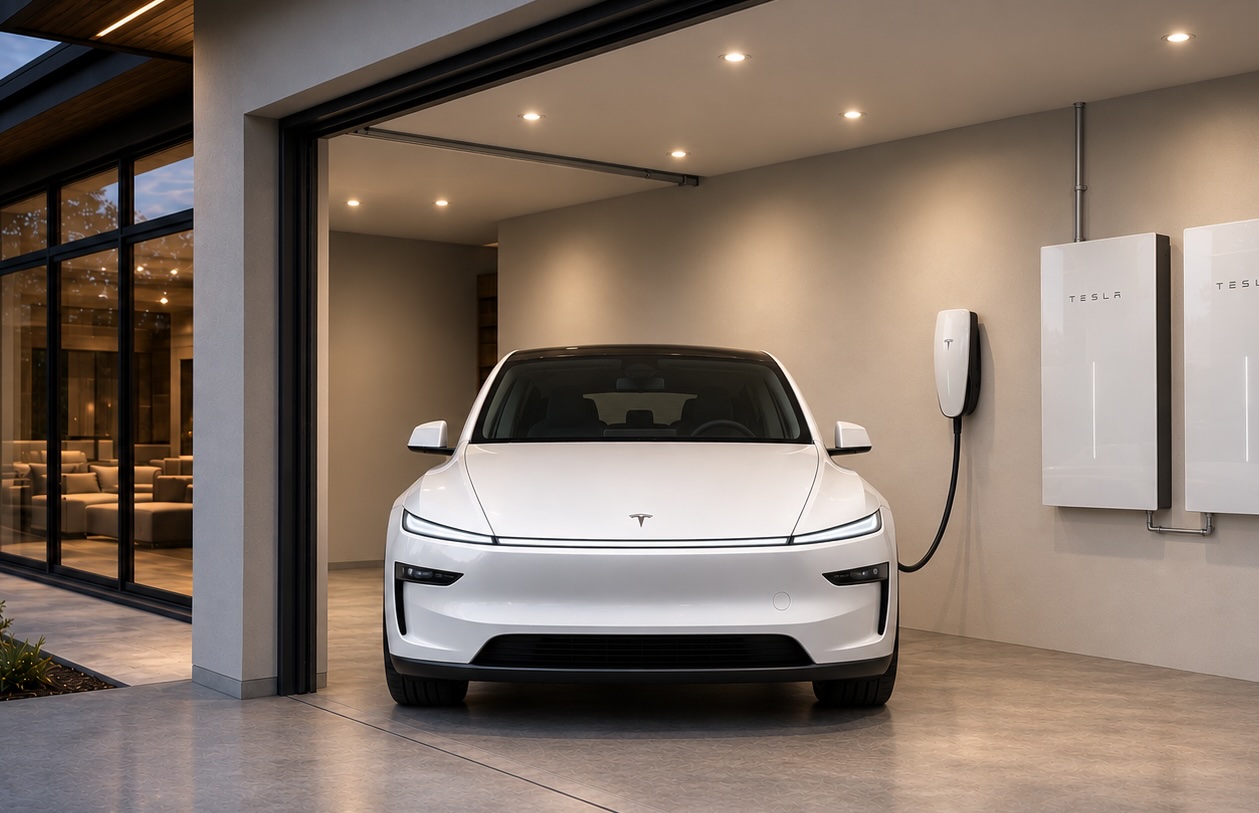
Tesla Model 3 and Model Y can power your home with Powerwall 3 during outages.

Tesla has turned its two top sellers into backup batteries for the house.
Tesla Energy announced on Tuesday that Powershare Home Backup is now available for new Model 3 and Model Y vehicles paired with a Powerwall 3, saying the car can “extend your home backup by over 2 days.” Minutes later, Tesla’s main account quoted the post with a broader pitch: “With Powerwall 3, every Tesla can now serve as your home’s backup battery.”
Until this week, the Cybertruck was the only Tesla that could send power back into a home, and that capability only began working alongside Powerwall 3 last month, after years of ambitious targets.
Tesla’s updated Powershare page says every Model 3 and Model Y ordered in the U.S. or Puerto Rico on or after October 1, 2026 can use the feature. Some, but not all, earlier cars also qualify. Owners can check on the touchscreen under Software, then Additional Vehicle Information, where a capable car shows “Powershare Support: Enabled.” As Electrek reported, bidirectional power on the two cars runs through an inverter Tesla calls PCS2 Lite, and the company has not said when that part entered production on each trim.
The home side is simpler. A house that already has a Powerwall 3 and either a Wall Connector 3 or Universal Wall Connector needs no additional equipment, and Tesla says compatibility is enabled through a software update. When the grid drops, the Powerwall and the car work together, with up to 11.52 kW of continuous power available. Tesla’s “over two days” estimate assumes a home using 30 kWh per day and a car starting at a 90 percent charge. Standard trims are rated for up to two days, while the Cybertruck adds more than three.
There are limits. Powerwall 2 and Powerwall+ support is listed as “coming soon.” Model S and Model X are not included, and Grid Support, the program that lets Cybertruck owners in Texas send power back to the grid during demand spikes for bill credits, is not available for Model 3 or Model Y.
The rollout also lines up with something Elon Musk said more than three years ago. At Tesla’s March 2023 Investor Day, Musk said, “I don’t think very many people are going to want to use bidirectional charging, unless you have a Powerwall.” Tesla has now shipped the feature for its volume cars with exactly that requirement attached.
The Powerwall pairing was the hard part on Cybertruck. Tesla told owners in December 2025 that Powershare with Powerwall had been pushed to mid 2026, and lead engineer Wes Morrill explained that two devices capable of forming a home’s grid have to negotiate which one leads during an outage, across multiple generations of hardware. With that work done for the truck, Tesla was able to extend it to the Model 3 and Model Y within a month.
Ford and GM have offered home backup from their EVs for several years, but both require a separate inverter and backup hardware. Tesla’s version leans on equipment many Powerwall 3 owners already have on the wall. Powershare for the two cars also ships as part of software update 2026.38.3, the same release that began delivering Halloween Mode on Tuesday.

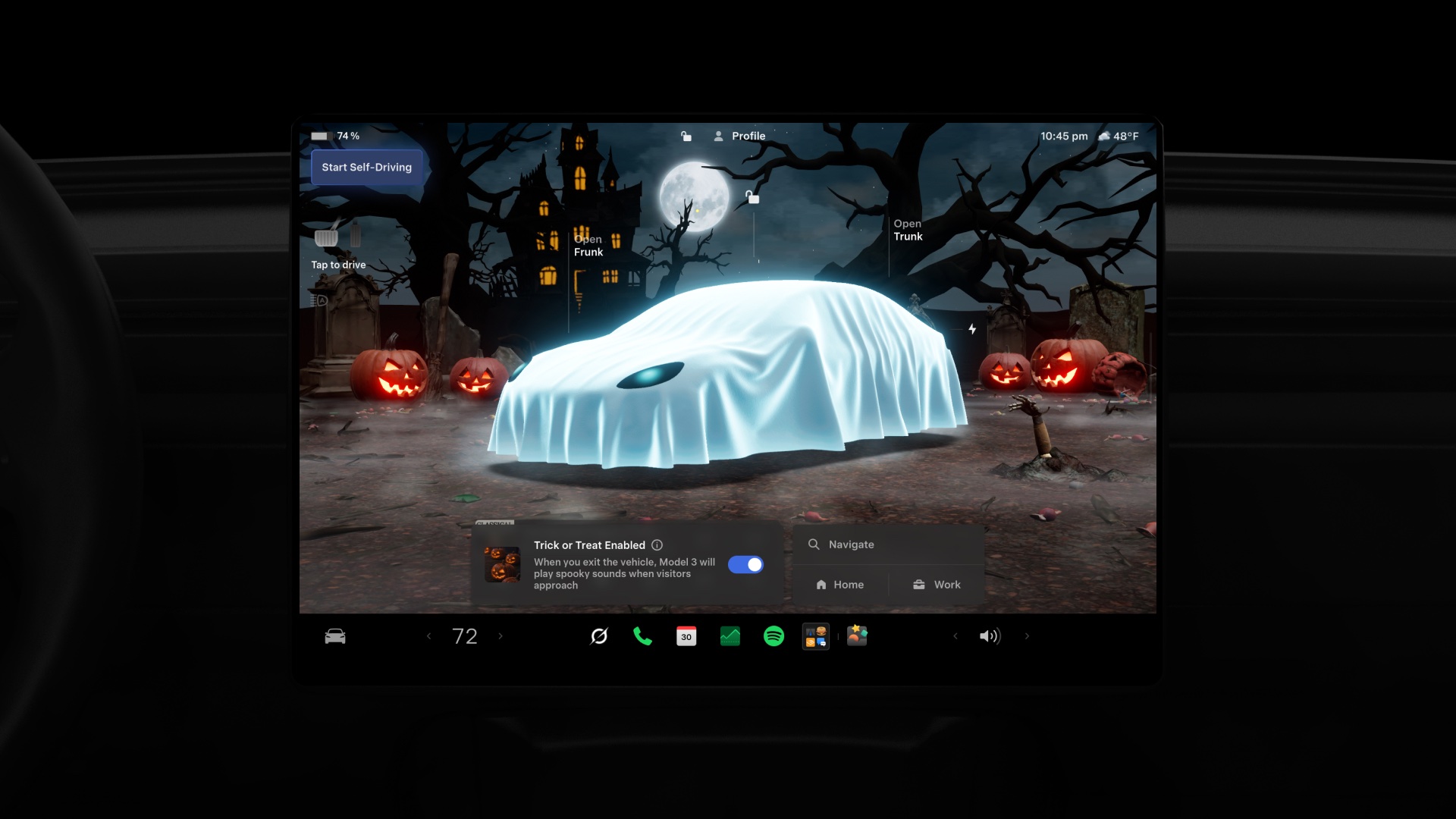
Tesla is now starting to ship a “Halloween Mode” that is filled with some creepy and fun features; the company says, “This spooky update turns your Tesla into a haunted house on wheels.”
The update is just the latest in a series of updates that Tesla typically ships out in a seasonal fashion. The Spring and Summer Updates provided some fun novelty items while also packing some cool features that are actually useful for the ownership experience.
This one seems to be more fun-forward, and there are not any updates to the Full Self-Driving suite or overall operation of the vehicle. Instead, these novelty features are geared toward getting you in the mood for the Fall and Halloween.
Halloween Mode now rolling out 🎃
This spooky update turns your Tesla into a haunted house on wheels
– Ghost costume on your car’s avatar
– Enable Trick or Treat to play spooky sounds & flicker the lights when visitors approach
– New haunting light show, wraps & lock sound
– A rather chilling Photobooth
– Frighten people remotely by speaking through the app…your car will say it in a voice of its own
Side effects may include neighborhood notoriety
— Tesla (@Tesla) October 6, 2026
New Ghost Costume on Car Avatar
Driver Visualization will now show your vehicle as a ghost, as an all-white sheet is draped over the vehicle. Pedestrians are turned into mummies or skeletons, and other vehicles are all a spooky green:
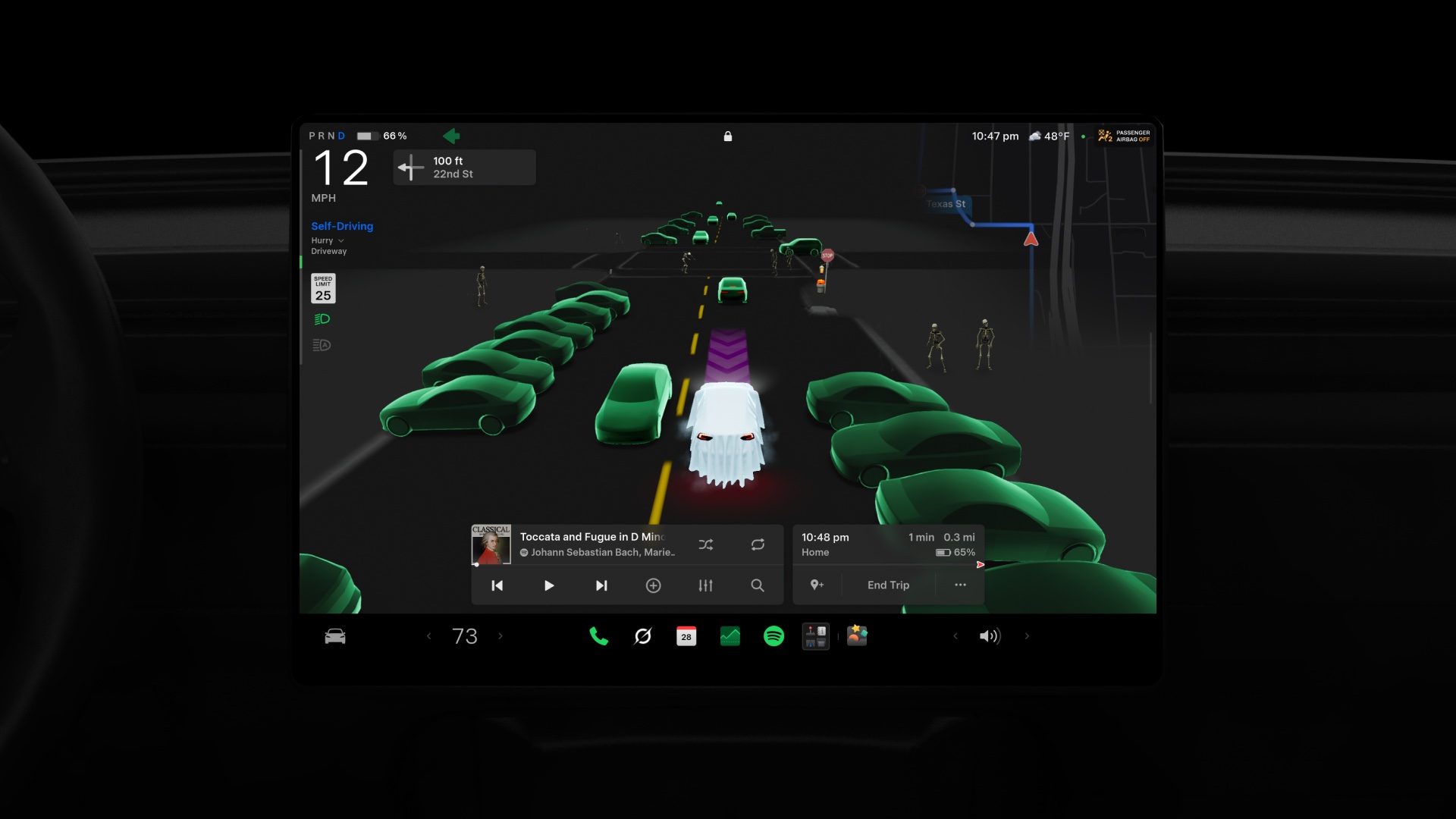
Credit: Tesla
Additionally, the Park Scene with your Tesla now displays that ghost costume draped over your vehicle in the foreground of a scary backdrop with Jack-o-Lanterns and a haunted house:
Credit: Tesla
Trick or Treat Mode
Trick or Treat Mode will enable the vehicle to play spooky sounds and flicker the lights as visitors approach. This might be a nice touch for when you’re handing out candy to kids on Halloween Night.
Other Features
Tesla is also adding a new Light Show, new Wrap Options, and a new Lock Sound with this update.
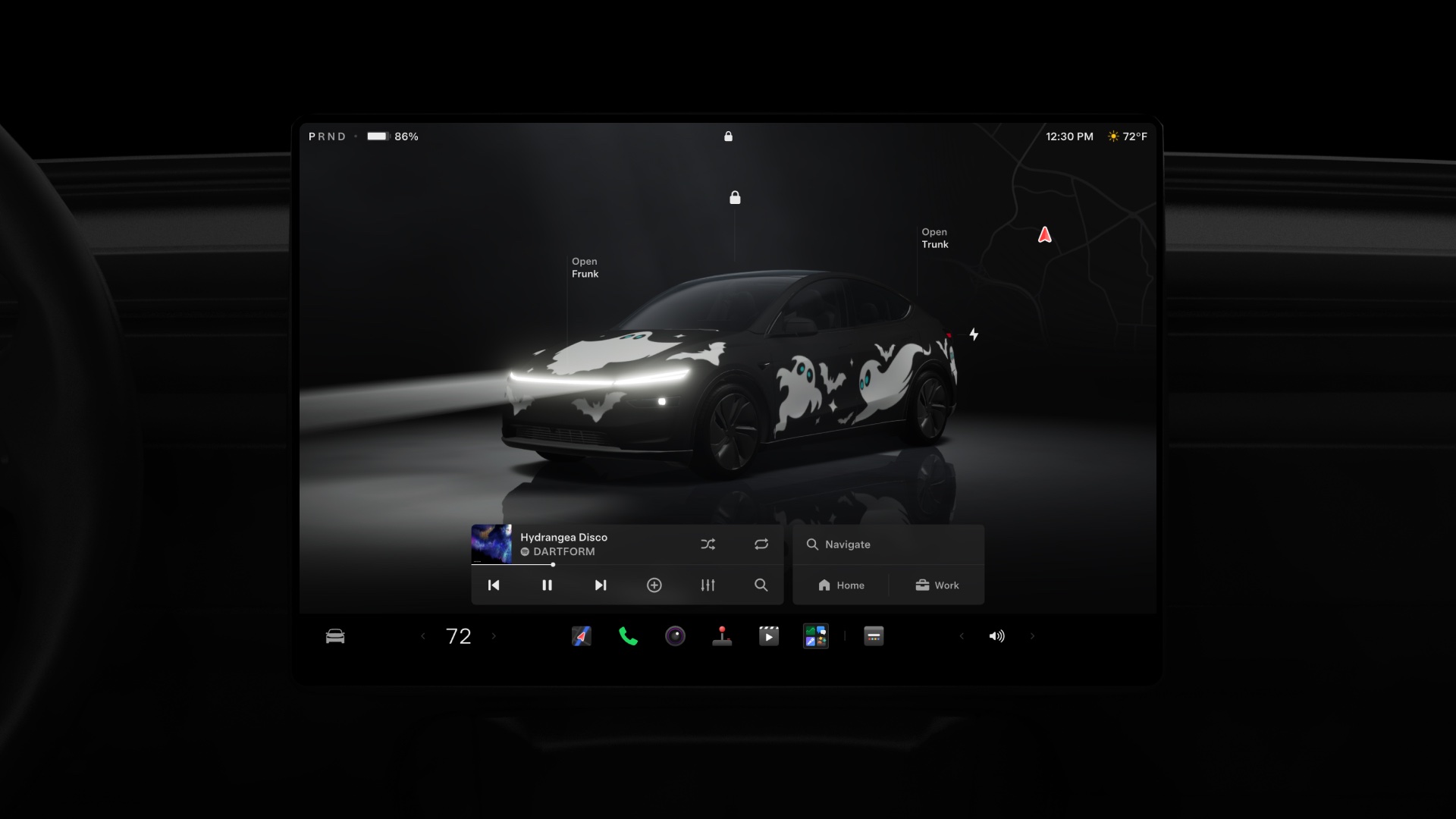
Credit: Tesla
Additionally, Photobooth has a new Halloween option:
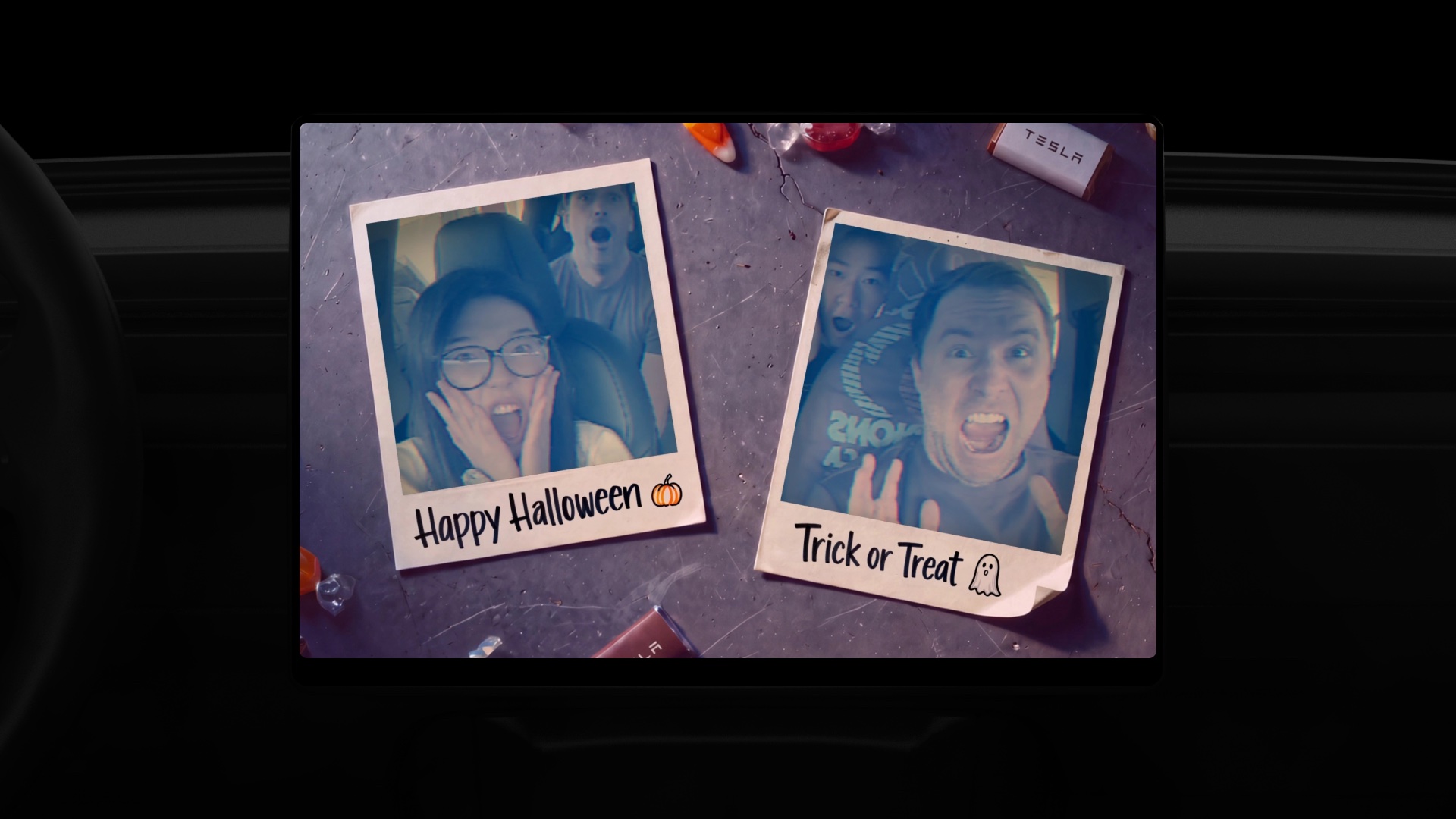
Credit: Tesla
You will also be able to speak remotely through the app and transmit your voice to people outside, which is not a new feature, but the car will say it in a voice of its own, which is a new feature with that bullhorn-like feature.
Investor's Corner
SpaceX reveals how its 1 Million AI satellite network will work and prevent space collisions
SpaceX reveals plans for one million Starmind AI satellites and calls out operators hiding maneuvers.
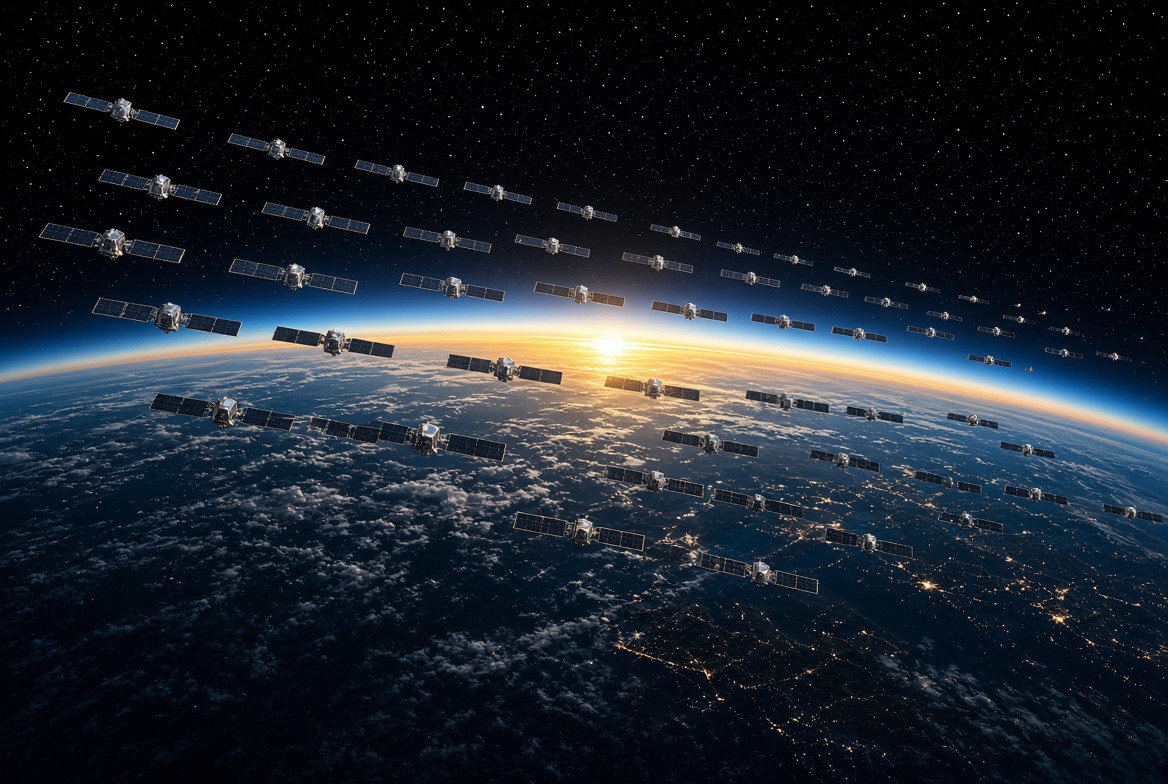
SpaceX has put the largest satellite count it has ever published into writing, and it says that plan only works if every other operator in orbit starts sharing what it knows.
In a new Space Safety page highlighted Tuesday morning by Sawyer Merritt on X, SpaceX said it “plans to operate up to 100,000 Starlink satellites and up to 1 million Starmind AI satellites to meet the growing demand for broadband and supercompute.” Starlink has a little over 11,000 satellites in orbit today, so the target alone implies roughly a ninefold expansion of the broadband network.
Starmind is SpaceX’s orbital AI compute constellation. Elon Musk confirmed the Starmind name in June after an xAI trademark filing surfaced, and in August SpaceX said it was working with Nvidia on the compute payload. The FCC accepted the filing for up to one million satellites back in February.
FCC accepts SpaceX filing for 1 million orbital data center plan
SpaceX also released a new render of what a full Starmind constellation could look like. Alongside it, SpaceX VP Michael Nicolls explained why the satellites will not operate on their own. “We need to operate clusters of satellites in tight formation to get enough coherent compute to run AI models efficiently,” Nicolls said. “A cluster will be 10-ish satellites connected with 10 terabits or so of bandwidth between them, and interconnected to the broader constellation.”
That is the most specific detail SpaceX has given on how Starmind will be built. Instead of a million independent servers, the network would work as tightly packed groups of about 10 satellites acting as one compute unit, with Starlink’s laser links carrying results back to Earth.
There is a bright and exciting future for humanity ahead – and space is fundamental to that future.
To achieve this, space safety must be done right. We encourage every operator to not only share ephemeris data proactively the same way Starlink already does, but to also adopt the high standards of space safety that SpaceX and Starlink use every day → https://t.co/QizAkQZvEm
— Starlink (@Starlink) October 6, 2026
Packing satellites that close together, at that scale, makes collision avoidance the central problem, and most of the Space Safety page is aimed at other operators. SpaceX said Starlink encountered collision risks with about 650 unique maneuvering third party satellites in 2026, and only about half of them shared data. Over six months, Starlink recorded roughly 164,000 more collision risks where the closest approach came within four hours of an unannounced maneuver.
Some operators keep maneuver plans private over proprietary concerns, while others cannot get government permission to share them. SpaceX called those policies “counterproductive,” saying they “largely only serve to create preventable collision risk between satellites.” Starlink is also offering a free ephemeris sharing and screening platform that returns risk results within a minute, backed by its Stargaze network of 30,000 optical sensors.
The push comes as the Starmind application draws opposition from astronomers and environmental groups. In a September filing with the FCC, SpaceX said each Starmind satellite could weigh up to 4,000 kg, nearly seven times the mass of a Starlink V2 Mini. Musk has brushed off crowding concerns before, telling viewers in June that “space is enormous” and that SpaceX already knows how to run very large constellations safely.
SpaceX’s Starmind page says its Gigasat factory in Bastrop, Texas, is designed to produce AI satellites at scale, with deployment of thousands of units starting as soon as late 2027.

Tesla Model 3 and Model Y can now do what only Cybertruck could

Tesla ships ‘spooky’ Halloween Mode with creepy and fun features


