Lifestyle
Tesla Autopilot will have a tough job covering all real-world anomalies

Having an always-on HD dashcam installed in the Tesla generally means that 99% of the footage captured is of your everyday run-of-the-mill commute, but it’s that out of the ordinary 1% that really makes things exciting.
On the way to a family luncheon held at a local sushi buffet we encountered a little more excitement than usual. Not because I’m convinced that Route 90 in Massachusetts is a magnet for idiots who like to drive while texting with their phones, express themselves using crazy bumper stickers, and do terrible things to their vehicles, but because among the mix of crazies and commuters, we also managed to encounter a flying hubcap.
The scenario
We were cruising along in our pre-Autopilot Model S when the hubcap of the van in front of us popped off. The hubcap would appear to roll to my left, but only before a steel band separated projecting itself left and up as the hubcap veered right. Surrounded by cars on either side of me, I was faced with the split-second decision to choose between which one to hit.
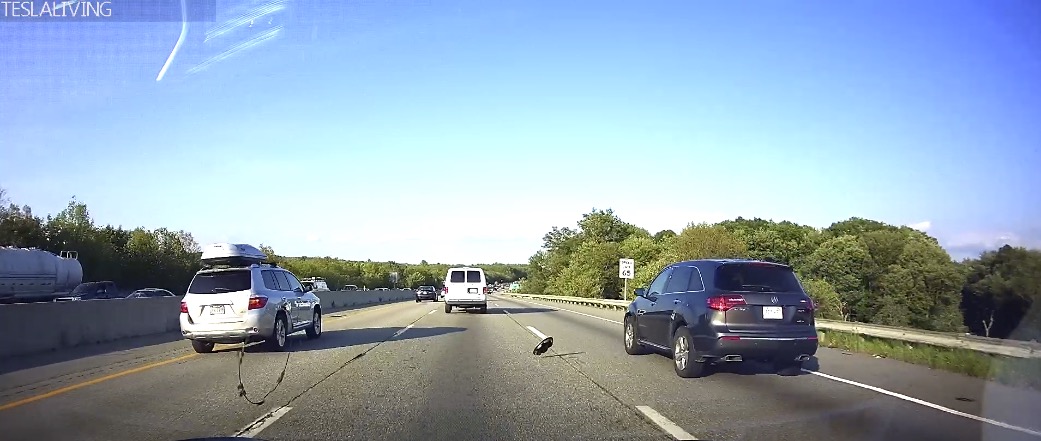
Flying wheel bands and hubcaps
The band looked a lot smaller, appeared lighter and was at a height where it would hit the glass rather than my paint so I decided to take that on. The band struck my windshield and went spinning off. The hubcap continued to veer to my right and rolled off the road. As far as I can tell neither the hubcap or band hit another vehicle.
My human reaction was to move slightly to my left lane after thinking about which would be the lesser of two evils while keeping safety in mind. Braking hard or swerving to either side could have resulted in a lot more negative consequences. While it’s instinct to dodge flying trash, debris and even animals, the unfortunate reality of it all is that striking the obstacles is sometimes the best decision.
I suppose, you never know what’s best until you’re faced with these rarities.
Autopilot and flying objects
This experience got me thinking about Tesla’s Autopilot and whether their team will incorporate an ethical component to the Autopilot algorithm. Navigating roads, dodging cars and avoiding the side of white trucks cast against a brightly lit sky is one big challenge Tesla continues to try and figure out. To make things even more difficult, how will autonomous vehicles adjust to airborne obstacles? The car can react a a lot faster than I can and technically has more opportunity to potentially make the wrong decision. One can argue that the additional time also provides the vehicle more opportunity to fully analyze the situation and make the right decision if programmed correctly.
With today’s sensors the car probably wouldn’t see the objects I encountered, but in the future it may very well be able to do so. Full autopilot that is as good as an experienced driver is a massive undertaking and Tesla knowingly still has a long way to go. The flying hubcap experience was a good first-hand reminder of why you should keep your hands on the wheel at all times – Autopilot or not.
Summary
In the end I was fortunate — I got some rubber on my glass that I could remove with baking soda, and I was left with a couple of scratches on the windshield near my line of sight. I’ll have to check with a glass expert to see if there are any safety issues with the depth of those scratches — tempered glass becomes a lot less structurally sound after the outside layer is compromised. You normally want every significant windshield impact repaired but I’m hoping not to be writing about the woes of a windshield replacement for the Tesla Model S anytime soon.
My dashcam caught the whole thing in action. Should I ever need proof of what happened for insurance, it’s all there including the van’s license plate, proof that the hubcap came from that van etc. The dashcam provides that extra level of comfort and the ability to go back and review your own reactions in situations like this so that, like Autopilot, you’re learning from each and every experience.
The brief video is below:


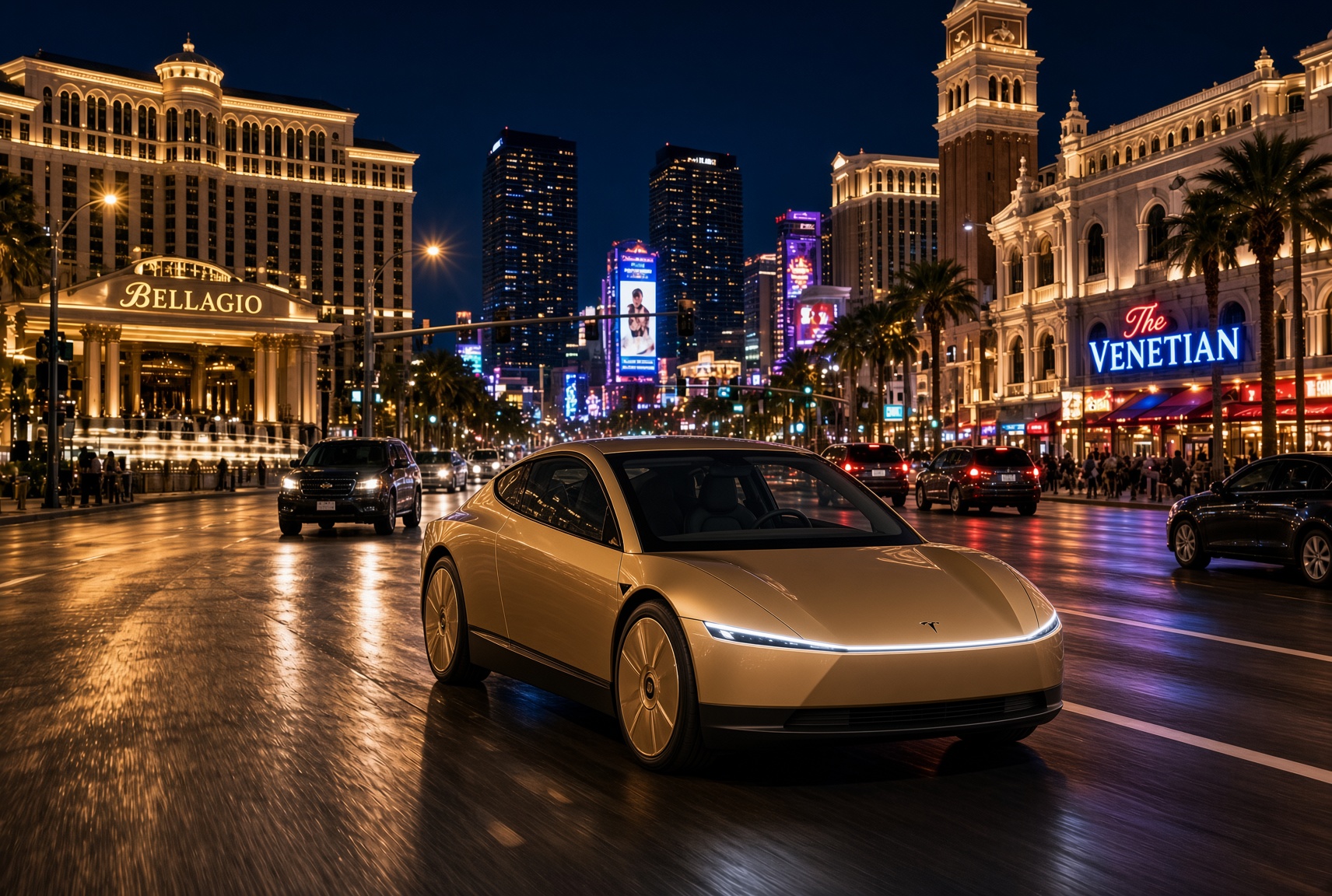
For a century, the car has asked the same thing of its owner, which is basically to pay attention. Even the best ride-hailing app like Uber or Lyft only moved the problem into someone else’s hands. You stopped driving, but you still sat in a stranger’s car, while half listening, and wondering whether to take a phone call in the car without being rude. The Cybercab has no wheel, no pedals and no driver. With Grok @bot now live inside it, it becomes something else entirely, and I think that matters more than the fleet count that everyone is tracking.
Grok @bot is an agent, not a voice assistant. A rider signs in once, and from then on can say what they need and watch it happen. Order dinner from a favorite restaurant. Fill the grocery cart. Move money, answer email, adjust a calendar, push a work project forward. Tesla engineer Yun-Ta Tsai confirmed it is enabled across every Cybercab and the rest of the Model Y fleet, and Tesla’s own pitch is that Full Self-Driving handles the commute while Grok handles the errands.
Think about what that does to a thirty minute ride. Uber sells you a trip, while Waymo sells you the same trip in a more private setting. Tesla is selling the thirty minutes themselves, returned to you with an assistant attached. Errands that used to eat a Saturday get done between pickup and drop off. The ride stops being dead time between two places and becomes a place of its own.
Tesla integrates Grok Bot into its vehicles for the ultimate personal assistant
Best of all, your Bots follow you into any Cybercab, and presumably your own Tesla, then logs you out automatically when you step out. Anyone can bolt a chatbot onto a screen, but much harder to own the vehicle, the autonomy stack and the assistant at once. It also quietly ties SpaceX’s Super Intelligence business to Tesla’s fleet, after Tesla converted its xAI stake into SpaceX equity. The relationship between those two companies is getting harder to describe as separate.
This is also where the hard questions start, because an agent that can spend your money in a vehicle other people also ride in needs some answers. How does it handle a voice it shouldn’t trust? What gets recorded, who can see it, and for how long? What happens when a rider leaves halfway through a task?
If Tesla gets those answers right, the scoreboard changes. We have been counting Cybercabs and wait times. The more telling number may be what riders accomplish per trip. That is data almost no one else will ever have, and it is the real reason to watch Grok @bot.
What do you think? Leave me a comment.
Lifestyle
Tesla’s mirrorless Cybercab will give riders a visibility upgrade
Tesla engineer confirms Cybercab update letting riders pull up rear and repeater cameras on demand.

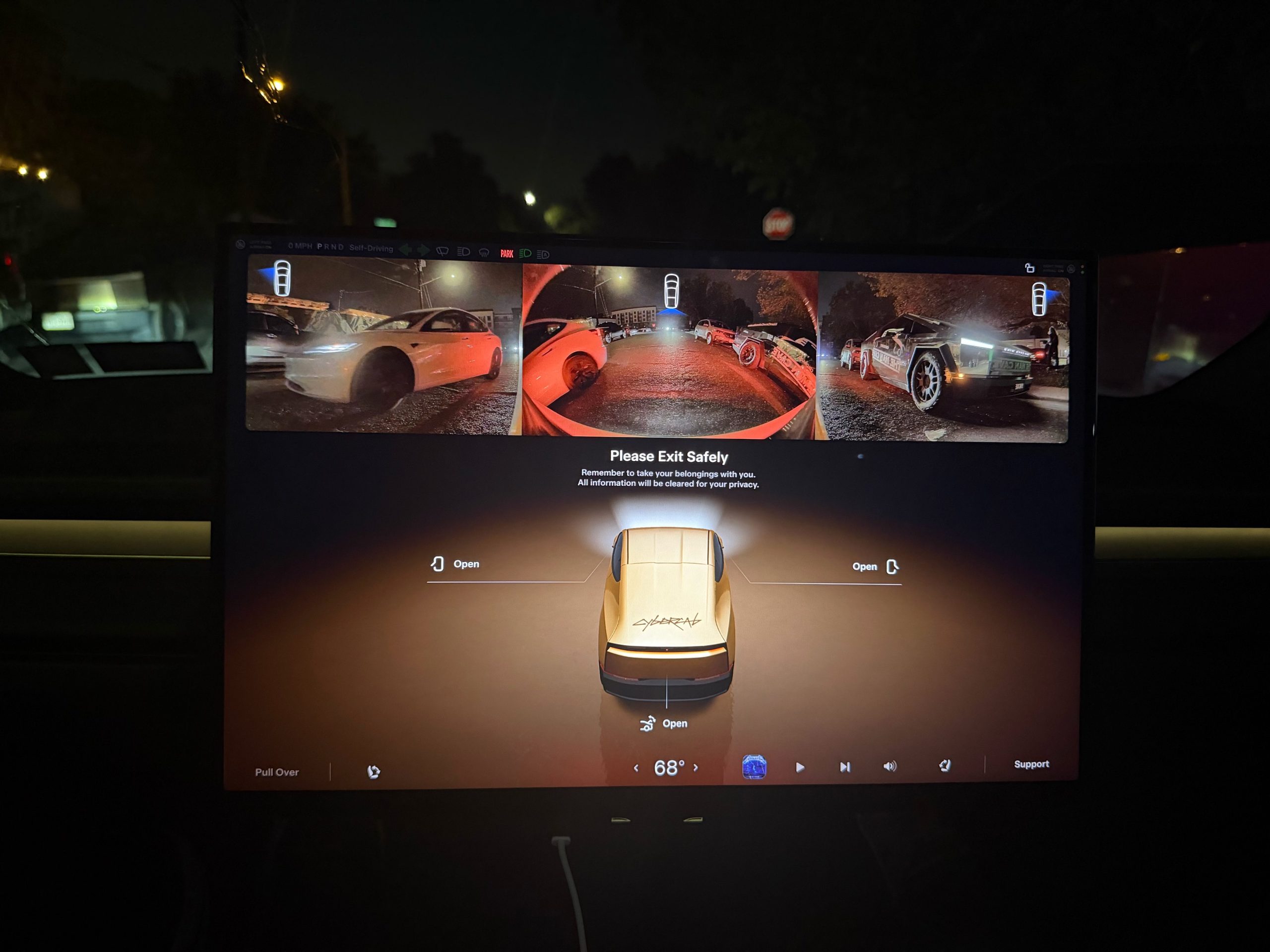
Tesla is working on a Cybercab update that would let passengers pull up the vehicle’s rear and side cameras on demand, and the request came straight from a rider.
The exchange played out on X late Friday. Cybercab rider Dan Burkland shared photos of the two-seater’s cabin screen after an evening ride, praised the UI team’s work, and left one request: let riders open the rear and repeater cameras whenever they want, “especially for peace of mind.” Tesla UI software engineer Evan (@CarCoder) answered with two words: “In development.”
The Tesla UI team absolutely crushed it with the infotainment software. Nicely done @CarCoder!
One feature request: Allow folks to pull up the rear & repeater cameras on demand. This would be great especially for peace of mind. https://t.co/mNAOSLx6pE
— Dan Burkland (@DBurkland) October 10, 2026
The idea fits a pattern Teslarati has tracked since public rides began. Days after paid Cybercab service opened in Austin, Tesla sent riders a survey that asked them to rate the touchscreen, the app and the cabin, and to pick the features they wanted most. We reported on that survey in September, and a camera view is the kind of small software change Tesla can push quickly if riders keep asking.
It also speaks to something unique about the vehicle. With no steering wheel, no pedals and no driver, passengers have no mirror to check and no way to see behind them. The hardware is clearly built for camera awareness, from the repeater cameras to the rear camera. Letting a passenger look through those same cameras would give a nervous first time rider a way to confirm what is around the car.
The timing matters because the fleet is growing fast. Tesla’s Robotaxi account said on Saturday that more than 300 Cybercabs are now serving Austin, an eightfold increase in 30 days, and Tesla AI chief Ashok Elluswamy named Dallas as the next city. More cars and more cities mean more people riding in a driverless vehicle for the first time, which is exactly when small trust features carry weight.
For now, the feature is confirmed only as in development. If Tesla follows its usual pattern with Cybercab software, riders could see it appear in a point release without any announcement, and Teslarati will watch for it.
Elon Musk
Elon Musk’s surprise addition to the X Takeover lineup has fans talking
Elon Musk will join Saturday’s X Takeover at Giga Texas for a live virtual interview.
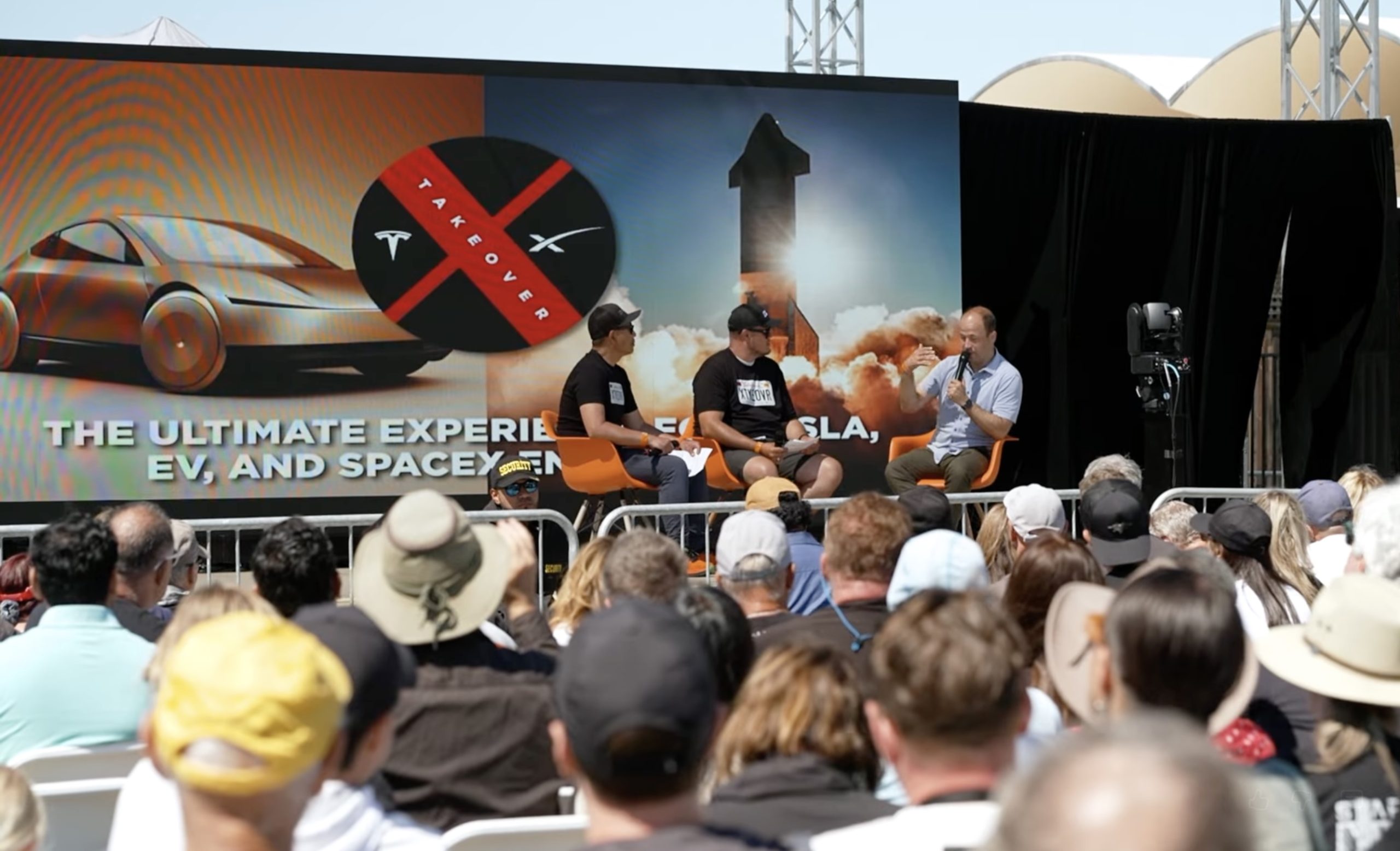
Elon Musk will join X Takeover at Giga Texas on Saturday for a live virtual interview, according to Sawyer Merritt, who shared the news late Thursday. Musk will not be on stage in Austin. The conversation is set to stream for free on the @teslaownersSV account on X.
Organizers had kept expectations in check. In a September update, Tesla Owners Silicon Valley said Musk had appeared at the event twice before but was not promising a third appearance, even as fans hoped he would walk the Giga Texas grounds in person. A virtual spot matches 2024, when Musk gave a surprise interview of about an hour to the crowd in San Luis Obispo, as Teslarati reported at the time.
Wasn’t expecting this 🫡
— Tesla Owners Silicon Valley (@teslaownersSV) October 9, 2026
This year’s edition is a first in several ways. It is the first X Takeover held outside California and the first at a Tesla facility, with tickets selling out in eight days. Tesla provides the venue, but the event is produced independently by Tesla Owners Silicon Valley. The main event runs from 10 a.m. to 6 p.m. CT, followed by a drone and light show at 9 p.m. Maye Musk is the keynote speaker, Franz von Holzhausen is set for a virtual keynote, and Nicki Minaj is the special guest. Joe Tegtmeyer, whose drone footage Teslarati used to track the Optimus factory steel frame at Giga Texas, is also on the speaker list.
Musk’s interview topics have not been revealed, but the backdrop is busy. Tesla doubled its Cybercab fleet in Austin in late September, and last week Musk explained why Robotaxi hours only moved from 10 p.m. to 11 p.m.. Merritt also reported Thursday that Texas DMV records now show 319 registered Cybercabs, up from 169. NHTSA’s deadline for Tesla’s sworn answers on Cybercab certification is October 30, and Tesla reports third quarter earnings on October 21.
Fans who cannot make it to Austin can watch the livestream on X. Musk tends to say more in unscripted settings than he does in prepared remarks, which is the reason this one is worth having open on Saturday.

Tesla Cybercab and Robotaxi’s real advantage won’t be the ride service

Why Elon Musk’s target date for buying an Optimus robot is harder than it sounds

Elon Musk drops a Thanksgiving hint about Starship’s biggest test yet

The Pentagon taps Elon Musk to design the battlefield of the future

Tesla Roadster’s new patent preps white-knuckle speeds, keeping it grounded


