News
What does a Tesla Model S owner think of the Chevy Bolt? (Full review)

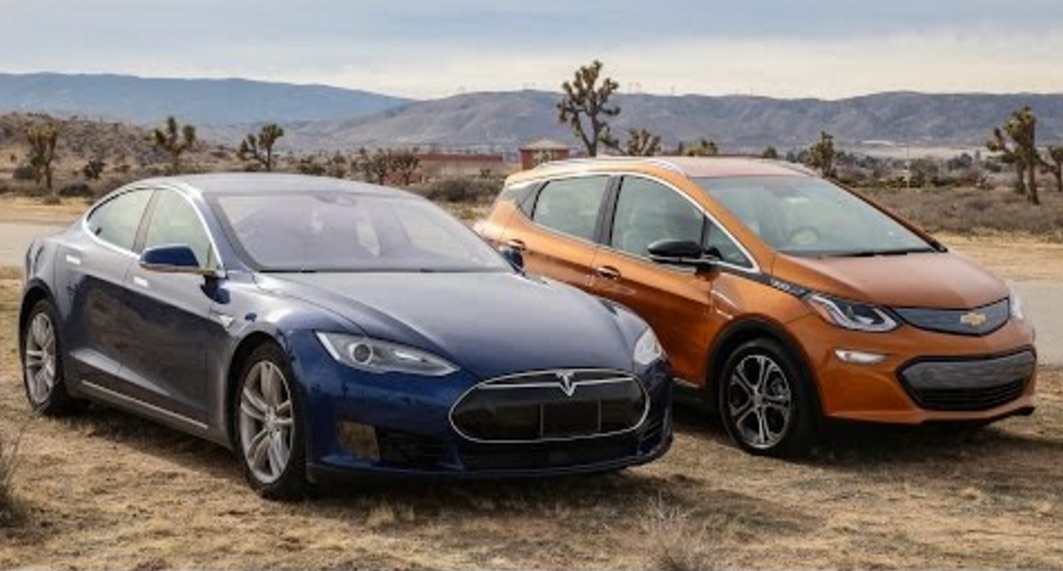
Southern California Tesla Model S owner Alex Venz was recently given 24-hour access to a Chevy Bolt with the stipulation that he not drive it more than 100 miles. After his time with the car was up, Alex put together a lengthy video that explores the Bolt and highlights some of its pluses and minuses.
For starters, Alex found the Bolt was somewhat smaller than the Nissan LEAF he used to own. He calls it larger than a Ford Fiesta but smaller than a Ford Focus. His first impression is that the seats are somewhat narrow. In fact, they measure about 17 inches wide. A quick check on his Model S finds those seats are about 20 inches wide, as are the seats in a Honda Accord he had access to. So the Bolt is a little tight when it comes to hip room.
Head room is another story. The Bolt has more front and rear head room than the Model S. Venz, who says he is 5′ 9″ finds he has almost no headroom in the back seat of his Model S but about 3 inches of clearance in the Bolt. Front headroom in the Bolt is about double what he has in his Model S.
Luggage capacity is also significantly greater in the Tesla. The Bolt can handle three moderate size carry on bags, but with little to no room left over. The rear seats of the Bolt do fold flat, however. Lenz says there’s not enough room to actually lie down in back with the seats folded, but there is enough room for lots of cargo if the rear seats aren’t needed for passengers.
The Bolt takes about 2 seconds more to get to 60 mph than Lenz’s Model S 70 but the time required is still around 7 seconds, which is fairly quick in comparison to most in-category cars with internal combustion engines. The quality of interior materials is adequate, Lenz finds, and he notes that the Bolt has fewer squeaks and rattles than his Model S.
Checking out the car’s controls, Venz found the Bolt comes up short when it comes to ease of operation. The touchscreen is customizable, but requires far more effort to drill down through the available menus than the Tesla does. The Bolt also has no built in navigation function for route planning or finding charging locations. Instead, Bolt drivers will have to rely on apps or the mapping functions provided by Apple Car Play or Android Auto. Neither map program is as fully featured as what Tesla offers.
Venz notes that CCS quick charging is a $750 option. Without it, the Bolt can only be charged at either 8 or 12 amps from a household outlet, or roughly 3 miles of range per hour of charge. Just as with the Chevy Volt, 8 amps is the default setting. The driver must manually select the 12 amp setting every time, which is tedious. The car also is programmed to do a 100% charge every time. There is no way to select a lesser charging level.
Update: In the comments to this post, several people took issue with Venz’s information on charging. This comes from GreenMonkeyPants: “Untrue. without the CSS option, there’s a standard J1772 that will charge at 32A @240V.” Further information may be obtained from the website Chevy EV Life.
The ride and handling of the Bolt are described as good. The car is responsive and nimble in a way the Model S, being considerably larger, is not. Venz does praise the regenerative braking feature built into the Bolt, which he says permits one pedal driving. The regen is available even with a full battery and can be boosted with a paddle mounted low and on the left side of the steering wheel.
Venz’s conclusion is that the Bolt is an excellent car for someone who will use it primarily for commuting. It has more than adequate range for most people, it is comfortable, and fun to drive. The seating position is higher than in the Model S and is more like what a driver would expect in a crossover SUV than a sedan. That’s a big plus for a lot of drivers.
On balance, Venz feels the Bolt is one of the best products to come from Chevrolet in quite some time. Comparing prices and functions with the Model S, the Bolt is a good car for the money and may actually be better suited to the way ordinary people drive on a daily basis than the Model S.
That’s not the whole story, of course. The real test will be how the Chevy Bolt stacks up against the Model 3. Most people expect the Tesla midsize car to be more refined and offer a higher level of technology than the Bolt. The Chevrolet product has lane keeping assist, blind spot warnings, and automatic emergency braking available but nothing similar to the Autosteer or TACC features available in the Tesla. The Model 3 will be capable of full autonomous driving; the Bolt is not. It will be interesting to see how the two cars compare when both are available to consumers.


Elon Musk
Tesla Roadster owners to get “Flying Stunt Mode” and looping track access
Musk says Roadster owners can command the unveiling stunts autonomously, with a Texas looping track.

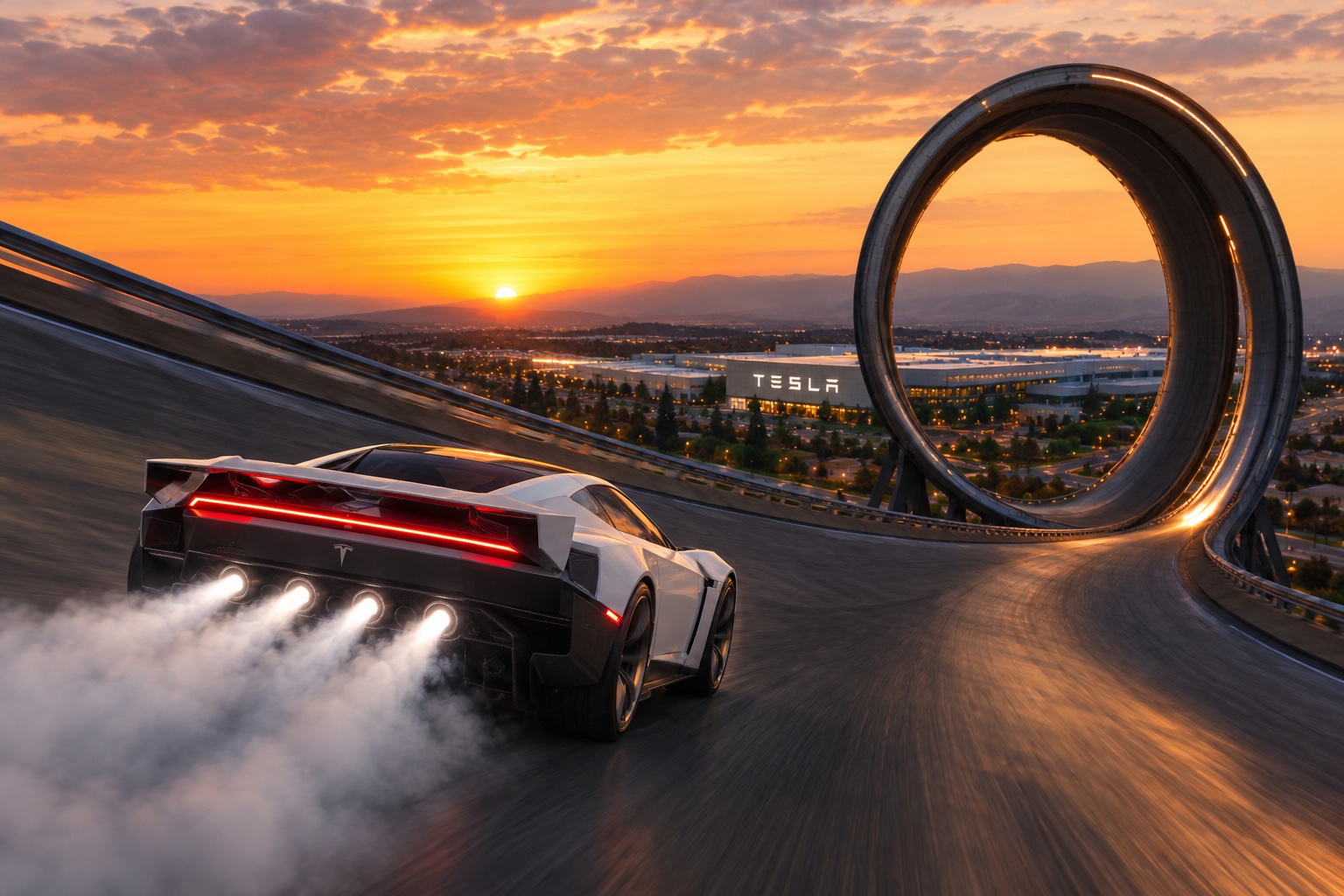
Elon Musk says owners of the new Tesla Roadster will be able to ask the car to perform the stunts Tesla showed at its unveiling, with the car doing the driving itself. Musk made the comment Saturday in a reply on X to tech blogger Robert Scoble, and he added a promise of a looping track at Tesla’s Texas headquarters.
Scoble had argued that the person in the Roadster is not really driving it. In his description, the driver operates a computer that tells another computer what to do, with steering, braking and acceleration all handled by wire. Musk answered, “True. You will be able to ask the Roadster to perform any of the tricks shown autonomously, as it will be sentient. Also, we will have a wild looping track (crazier even than Hot Wheels) at our Texas HQ where you can test out your Roadster.”
@Scobleizer True.
You will be able to ask the Roadster to perform any of the tricks shown autonomously, as it will be sentient.
Also, we will have a wild looping track (crazier even than Hot Wheels) at our Texas HQ where you can test out your Roadster.
— Elon Musk (@elonmusk) October 17, 2026
At the October 15 event outside Waco, the car drove up a curved ramp until it was upside down, flew off on cold gas thrusters, flipped and landed. It also hovered over a Cybercab, Cybertruck, Semi, Model Y and Model 3 while moving. As we noted in our breakdown of the three Roadster configurations, Musk said at the event that the car “literally is just going to puff itself up” to perform the maneuvers whenever an owner wants. Saturday’s reply adds that the car would run them on its own.
Tesla has described some of the hardware that would make that possible. The Roadster uses steer by wire with a yoke, and its cold gas thrusters rely on electric actuators for small adjustments in flight. A fan system under the car creates suction, which Tesla says is strong enough to hold it upside down, a setup we covered in our look at the Roadster’s fan system and thrusters.
Musk did not say when an autonomous stunt feature might arrive, how it would work, or what he means by sentient. He also gave no size, location or opening date for the Texas track. Production is planned for Giga Texas in 2027 or 2028, and Tesla says the car is not approved for public road use. The Rocket version, the one built to fly, is invite only.
The comment follows a week of Musk teasing the event, including his claim that the demo would be a banger, which we covered before the stream. Tesla reports third quarter earnings on October 21, and shareholders can submit and vote on questions through the Say portal until 4 p.m. EDT on October 20, according to our earnings Q&A preview. A question about autonomous Roadster stunts and the Texas track would be a quick way to get specifics from management.
Elon Musk
How to use Grok Bot to block spam calls and texts
Musk told users to ask Grok Bot to scrub their phone numbers from spam lists.
Elon Musk has a new use case for Grok Bot, and it is the spam call. On Thursday he replied to an X user named Arash with a short instruction: “Ask your @Grok @Bot to remove your phone number from spam call & text lists!” Arash had said he got tired of the calls, had an AI bot find his number on listing sites and file removal requests, and packaged the process as a free skill for others.
The skill is called Spam-Call Scrubber, which is described to find a phone number on people search sites and data brokers, submits the opt outs, completes the confirmation emails those sites send back, and rechecks on a schedule the user picks. Using it requires the Grok Bot app. The pitch is time saved, since most broker opt outs sit behind separate forms on separate sites.
Ask your @Grok @Bot to remove your phone number from spam call & text lists!
— Elon Musk (@elonmusk) October 15, 2026
Musk said Grok Bot now gives each bot its own email address, and that it can detect scam emails. On Thursday he also said SpaceX would make users whole if the bot botches a purchase or leaks a card, then told users to shop away from Amazon after the retailer blocked the agent, as Teslarati reported. The terms of service we reviewed at the time put responsibility for what an agent does on the user.
For Tesla owners, Grok Bot is not just a phone app. Tesla brought Grok Bot into its vehicles on September 22, and we argued earlier this week that the Cybercab’s real advantage may be the errands it runs during a ride. Every Cybercab and the rest of the Model Y Robotaxi fleet has it enabled. The more routine tasks like this one become, the more a rider has reason to hand over something personal in the back seat.
The new Spam-Call Scrubber skill can be downloaded for free and works on sites that honor removal requests, while noting that listings can reappear, and illegal robocallers do not check any registry. Whether Spam-Call Scrubber cuts anyone’s call volume is something the first wave of users will find out, and Musk’s endorsement guarantees that wave is coming.
Investor's Corner
Tesla’s flying Roadster just revealed something bigger than the car
Analysts say the Roadster demo puts a Tesla and SpaceX merger back on the table.
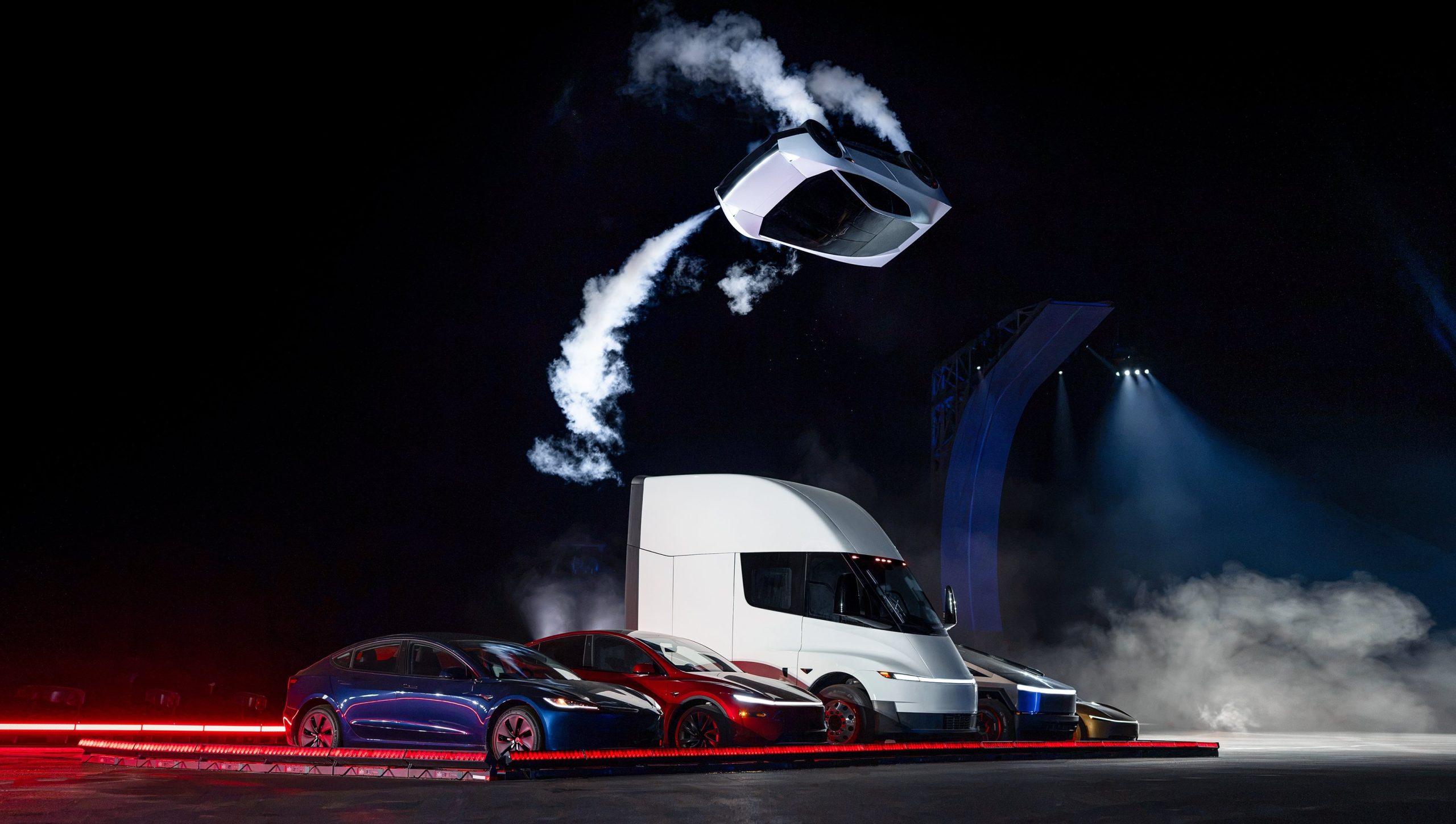
The Roadster unveiling near Waco ended Thursday night, and by Friday morning much of the investor reaction had less to do with the car than with who owns the rocket technology inside it.
Wedbush analyst Dan Ives said the event “puts the Tesla/SpaceX relationship on the table in a tangible way,” pointing to the propulsion, pressure vessel and control hardware sitting on a Tesla product. Gene Munster of Deepwater Asset Management called the demo “a ridiculous display of engineering” with “no commercial value” beyond embarrassing traditional automakers, though he said it showed Musk wants the two companies together.
The more specific forecast came a day earlier from Barclays. Analyst Dan Levy told clients a deal could be announced before Tesla’s annual meeting, which must happen by December 6, and that an announcement in late October or early November could make shareholder approval harder. Barclays expects SpaceX to be the buyer in an all stock deal, with Tesla holders receiving SpaceX shares at a premium, based on market values of roughly $2.1 trillion for SpaceX and $1.5 trillion for Tesla. If nothing lands around the meeting, the bank still sees an announcement within 6 to 12 months.
The Roadster demo just added more weight to merger speculations. Tesla’s demo used cold gas thrusters and pressure tanks of the kind SpaceX uses on Falcon 9, and Musk described the car as a collaboration between Tesla and SpaceX engineers, as we mentioned in our breakdown of the three Roadster configurations.
Musk has not publicly addressed a deal since the event, as far as we have seen. His most direct answer remains the one he gave at the All In Summit, when he said that with so much collaboration, “who can imagine what action one might take” without ruling anything out. Ives has held to a 2027 timeline since his March note, and Musk pushed back on the China piece of the speculation when ARK floated a year end announcement in August.
The next test is Tesla’s third quarter earnings call on October 21. However, we recall in July that Musk told analysts, “we can’t talk about combining companies and that kind of thing on an earnings call,” so a clear answer wouldn’t be expected.

Tesla Roadster owners to get “Flying Stunt Mode” and looping track access

How to use Grok Bot to block spam calls and texts

Tesla’s flying Roadster just revealed something bigger than the car

SpaceX reveals how its 1 Million AI satellite network will work and prevent space collisions

Elon Musk’s Boring Company lands a new Middle East deal, and Nashville is about to get faster


