News
Tesla Full Self-Driving v14.1 first impressions: Robotaxi-like features arrive
Tesla Full Self-Driving v14.1 is here, and we got to experience it for ourselves.

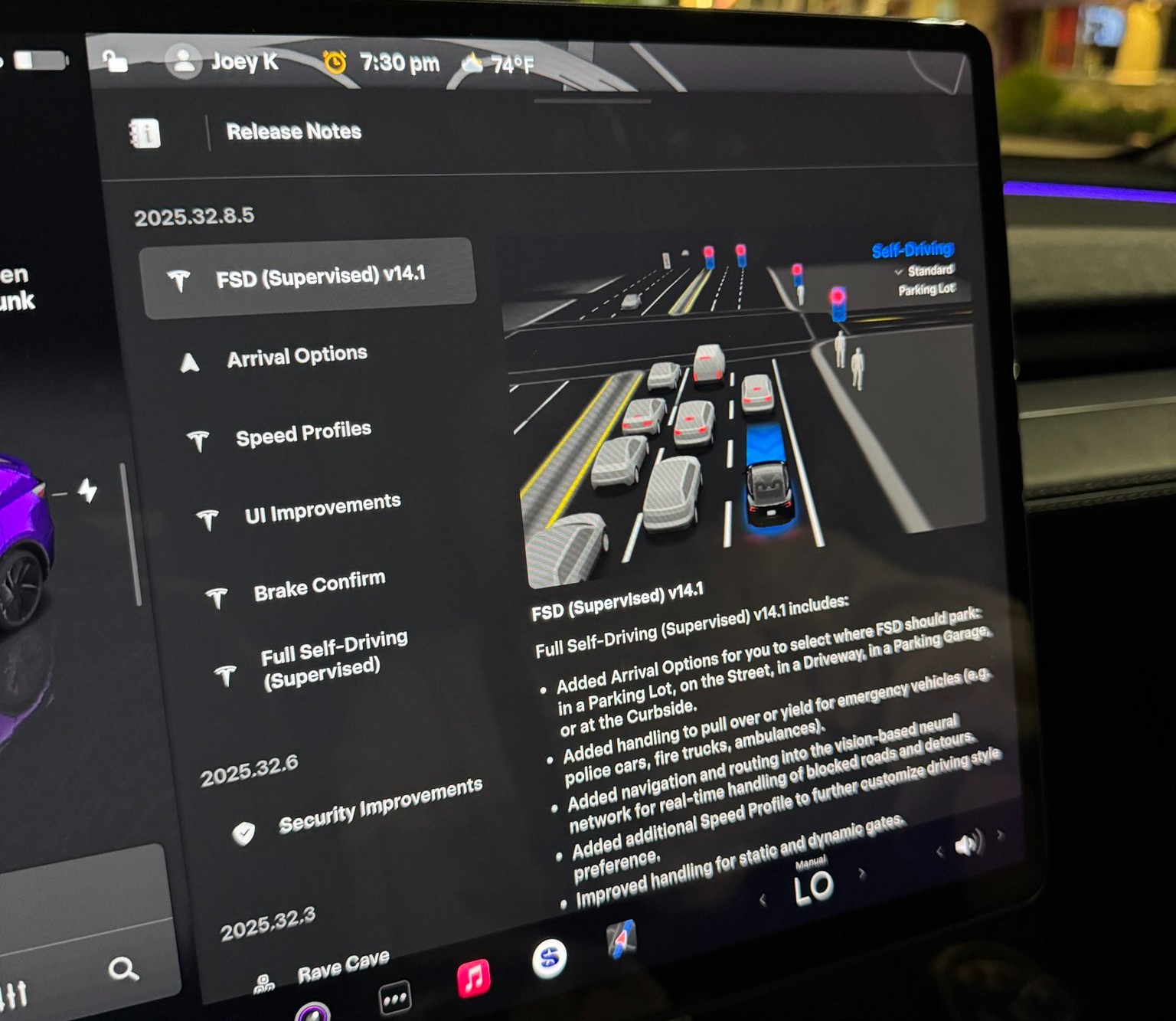
Tesla rolled out its Full Self-Driving v14.1 yesterday, its first public launch of its most robust and accurate FSD iteration yet. Luckily, I was able to get my hands on it through the Early Access Program.
The major changes in FSD v14.1 were revealed in the release notes, which outline several notable improvements in areas such as driving styles, parking, and overall navigation. Here’s what Tesla outlined fully in its release notes:
- Added Arrival Options for you to select where FSD should park: in a Parking Lot, on the Street, in a Driveway, in a Parking Garage, or at the Curbside.
- Added handling to pull over or yield for emergency vehicles (e.g. police cars, fire trucks, ambulances).
- Added navigation and routing into the vision-based neural network for real-time handling of blocked roads and detours.
- Added additional Speed Profile to further customize driving style preference.
- Improved handling for static and dynamic gates.
- Improved offsetting for road debris (e.g. tires, tree branches, boxes).
- Improve handling of several scenarios including: unprotected turns, lane changes, vehicle cut-ins, and school busses.
- Improved FSD’s ability to manage system faults and recover smoothly from degraded operation for enhanced reliability.
- Added alerting for residue build-up on interior windshield that may impact front camera visibility. If affected, visit Service for cleaning!
I wanted to try it for myself. My big must-dos were my complaints with v13.2.9, which included parking when arriving at a destination, Navigation when leaving a destination, and definitely a general improvement in the car traveling at an acceptable rate of speed, even when using the “Hurry” driving style.
Here’s what I noticed with the new Full Self-Driving v14.1:
Speed Profiles are More Realistic
I am driving on “Hurry” about 95% of the time when utilizing Full Self-Driving. In past versions, most notably v13.2.9, my Tesla would slowly reach the speed limit, and it would tend to hang out at about 1-2 MPH either above or below it.
My first observation with v14.1 was the vehicle’s tendency to get right up to speed and, since I was still on Hurry, drive slightly above the speed limit. It never got out of line; it traveled at speeds I would typically drive at manually.
I think this is a big improvement on its own, because I felt that I was pressing the accelerator too frequently in past FSD versions. Oftentimes, it just wasn’t going fast enough to justify the “Hurry” label; it felt more conservative and more like a student driver than anything.
Check it out:
🚨 Tesla Full Self-Driving v14.1 travels at more realistic speeds on local roads.
With 13.2.9, even on Hurry, it would hover the speed limit a little too much, often times traveling 1-2 MPH below or over.
It now travels at more realistic speeds. The removal of Max Speed and… pic.twitter.com/DPC0oBl3SC
— TESLARATI (@Teslarati) October 8, 2025
This was among my favorite improvements, and it was the first thing I noticed as the car navigated me to the Supercharger, where my next positive is.
Navigating into parking lots, self-parking at Supercharger
One of the changes noted in the Release Notes was the addition of Arrival Options, which allows the car to select the appropriate parking situation. Since I was going to charge, the car had already chosen “Charger” as the parking option.
Pulling into a gas station or convenience store, especially during work days, can be stressful, as they are usually congested and full of foot and vehicle traffic. In past FSD versions, I have noticed the car being slightly “jumpy” and even hesitant to proceed through the lot.
Driving through parking lots was a noticeable improvement. It seems as if the car is much more confident in making its way through, while still being aware and cautious enough to safely navigate to the Supercharger.
It then backed straight into a Supercharger stall, which was recently repaired and is once again active. I was actually upset it chose this specific stall because it had been inactive for a while. However, Tesla got this stall back up and running, the car chose it, and backed into the spot flawlessly:
🚨 Check out Tesla Full Self-Driving v14 choosing and backing into a Supercharger
After selecting this Supercharger at the beginning of my trip, my Tesla had already selected “Charger” as the arrival option pic.twitter.com/jqLNwQ9x0o
— TESLARATI (@Teslarati) October 8, 2025
This was super cool to experience, and I think it is a testament to how hard the Tesla AI team has worked. CEO Elon Musk recently stated that FSD would enable automatic parking at Superchargers, which was really awesome to experience firsthand.
I decided to leave the Supercharger and go to an auto parts store to pick up some interior cleaner and some microfiber towels. I love keeping my Tesla clean!
I also thought it would be a great opportunity to see how it would react to another parking lot, how it would navigate it, and let it choose a parking spot. It did it all flawlessly:
🚨 Here’s Tesla Full Self-Driving v14.1 navigating to a store, pulling in, choosing a parking spot, and backing right in
From v13.2.9, this is a drastic improvement. Typically, manual parking was required in past versions when arriving at retail locations. pic.twitter.com/kgFMu6dxnW
— TESLARATI (@Teslarati) October 8, 2025
I had zero complaints about everything here. All of it was done really well.
Making a choice after being caught in the middle of an intersection
I arrived at a tight intersection in Dallastown, PA, and what my car did next has catalyzed quite a conversation on X.
It proceeded out into the middle of the intersection as the light was green. It had to yield to oncoming traffic, and while waiting, the light turned yellow, then red.
Most people, including myself, would have turned right and proceeded through the intersection since the car was already past the line. However, FSD chose to back up and wait for the next light cycle, which I felt was also a more than acceptable option:
🚨 Super cool thing Tesla FSD v14.1 did: it proceeded thru this intersection to turn left, but the light had gone to red before the turn could be completed.
It put itself in reverse and backed up to the “Stop Here on Red” sign/line. Didn’t proceed at a red or impede others. pic.twitter.com/AKb1AI32fK
— TESLARATI (@Teslarati) October 8, 2025
There are some conflicting perspectives on what it chose to do here. Some said they would have proceeded and would want FSD to also proceed. I can agree with that perspective, but I also think it is not the worst thing in the world to back up. In Pennsylvania, I couldn’t find the exact law that says what is right or wrong. Instead, I did see that a left turn on red is only feasible when you’re going from a One-Way street to another One-Way.
I’m not totally sure what is “correct” here, but I think either option is fine. I have personally done both, and I’ve seen other drivers do both. I was more than fine with the car doing this, and I was honestly impressed that it did.
Navigated a busy grocery store lot, found suitable parking
This is not the busiest my local grocery store gets, but it was still congested enough for me to be impressed.
FSD decided to do one loop in the parking lot before it found a spot that it felt was good enough for me. I was perfectly fine with where it chose to park, and I thought it did a really great job. I was impressed with how stress-free I felt, as I have noted in the past that parking lots are definitely an area where Tesla needs to improve.
I was happy with its performance:
🚨 Here, @Tesla Full Self-Driving v14.1 searched for a parking space at the grocery store.
It did one loop, navigating safely through pedestrians and carts before it decided this spot was good enough for me.
This truly will take the stress out of parking at busy stores pic.twitter.com/73U3Bl7Odm
— TESLARATI (@Teslarati) October 8, 2025
Strange right turn signal as if it saw an emergency vehicle
This was the first bug I noticed with FSD v14.1. While traveling on a local road, it put the right turn signal on and approached the curb as if it was pulling over for an emergency vehicle or as if it was going to park on the street.
It then realized its mistake and proceeded:
Now for a couple bugs 🐞
Tesla FSD v14.1 put its right turn signal on as if it was going to pull over. It did move closer to curb, but then realized this wasn’t the correct maneuver for our route.
It proceeded without much issue pic.twitter.com/yoUoyzWMDM
— TESLARATI (@Teslarati) October 8, 2025
I’m not super sure what caused this, but I was a tad bit confused. There were no police cars, ambulances, or anyone with flashing lights to my rear. There was a dump truck on the other side of the road, and I almost felt like the way it navigated “around” that was probably what triggered it.
Navigation is still making strange decisions
I’ve written about navigation and my discontent with some of its decisions. It seems v14.1 didn’t resolve much of anything with navigation, and it did a couple of things wrong.
The first was that it tried to take the illogical and pointless path out of the Supercharger. I wrote about this a few days ago, as FSD tried to take my car the wrong way.
It did it again, but I overrode the decision, and it was all okay:
Bug 🐞 no. 3: I have this issue at this Supercharger and I talk about it frequently.
Navigation takes illogical and strange exit from Supercharger. I override, turning left instead of right, Nav adjusts and picks correct routing. Hoping this is resolved soon. pic.twitter.com/4VsCGHZbYW
— TESLARATI (@Teslarati) October 8, 2025
This is a minor issue, but it is still pretty frustrating. Hopefully, the navigation will learn after performing this adjustment after enough times.
The next navigation issue was more frustrating than the Supercharger one, especially considering it completely ignored the route. The navigation had the vehicle very clearly heading straight, but out of nowhere, the right turn signal went on. I overrode it, but the car still turned right, ignoring the navigation completely:
Bug 🐞 no. 2: Navigation clearly shows the route continuing straight through the traffic light. I noticed the right turn signal coming on, so I overrode it.
The car turned right anyway. I took over and drove manually until I was able to get to a stop so I could re-activate FSD pic.twitter.com/nxt4UlRqkK
— TESLARATI (@Teslarati) October 8, 2025
I ended up taking over here and driving until I could get to a stop sign.
Final Thoughts
I am really impressed with all of the changes Tesla made with FSD v14.1, and while there were a handful of bugs, things were tremendously better than v13.2.9.


News
Tesla launches first ‘true’ East Coast V4 Supercharger: here’s what that means
What truly distinguishes this installation from the hundreds of “V4” stalls already scattered across the network? Most existing V4 dispensers, rolled out since 2023, feature welcome upgrades like longer cables, built-in touchscreen displays, integrated credit-card readers for non-Tesla users, and improved ergonomics.
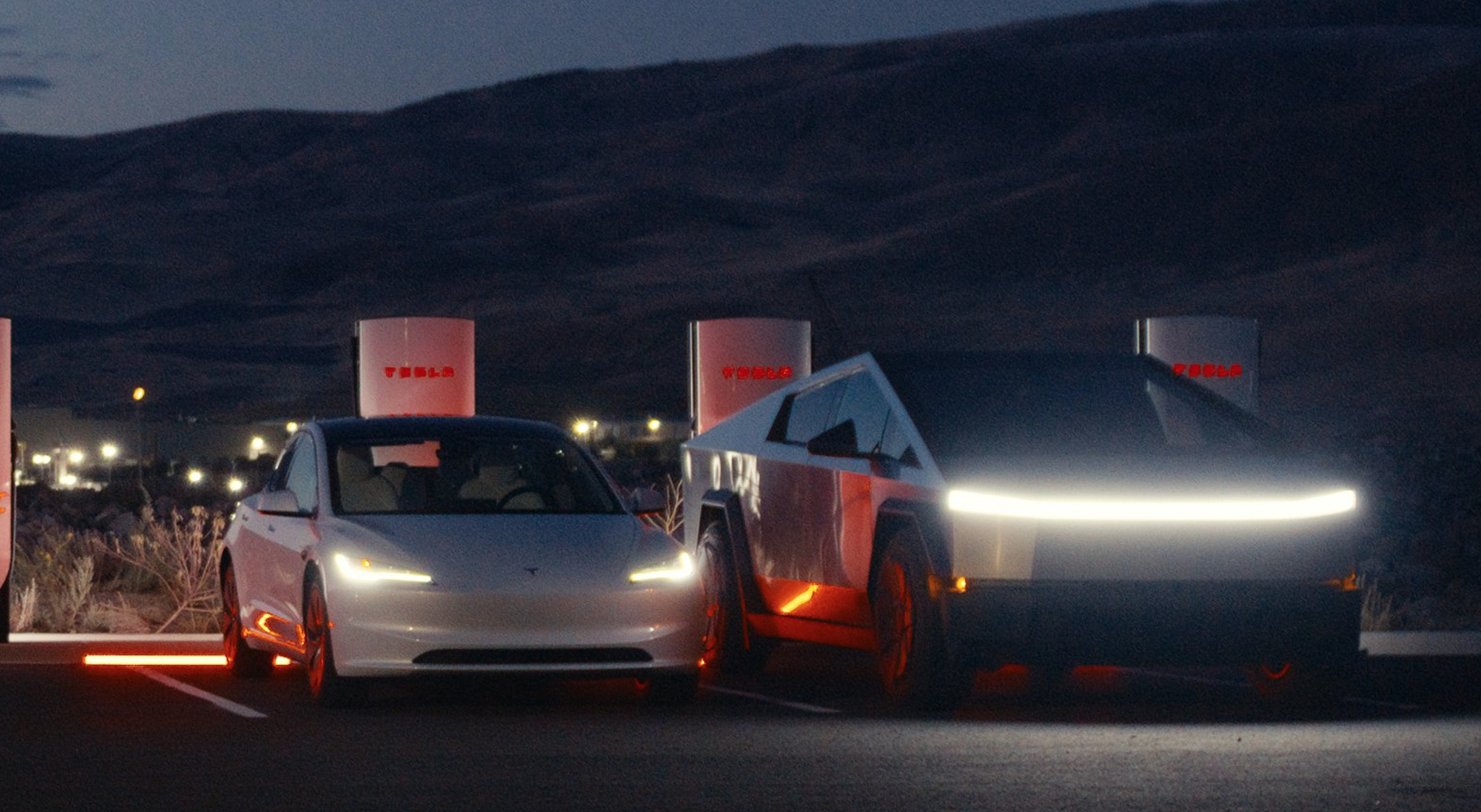
Tesla has launched its first “true” V4 Supercharger on the East Coast, and while that may be sort of confusing, here’s what we mean by that.
Tesla has opened its first true V4 Supercharging station on the East Coast in Kissimmee, Florida, just south of Orlando.
The eight-stall site, powered by an advanced 1.2 MW V4 power cabinet, is capable of delivering up to 500 kW, making it one of only four fully operational 500 kW-capable V4 stations in the United States.
Pricing is dynamic and competitive, as Tesla owners pay $0.40 per kWh during peak hours (8 a.m. to midnight), dropping to an attractive $0.20/kWh off-peak (midnight to 8 a.m.).
Non-Tesla EVs, which can now plug directly into the NACS ports thanks to the open standard, are charged a premium—$0.56/kWh peak and $0.28/kWh off-peak—reflecting Tesla’s strategy to monetize network access while rewarding its own customers.
What’s Makes This a “True” V4 Supercharger
What truly distinguishes this installation from the hundreds of “V4” stalls already scattered across the network? Most existing V4 dispensers, rolled out since 2023, feature welcome upgrades like longer cables, built-in touchscreen displays, integrated credit-card readers for non-Tesla users, and improved ergonomics.
However, nearly all of these have been paired with legacy V3 power cabinets. These hybrid setups, sometimes informally called V3.5, deliver charging curves virtually identical to standard V3 stations, typically topping out at 250-325 kW depending on the vehicle and site conditions.
In contrast, Kissimmee’s true V4 architecture incorporates next-generation 1.2 MW power cabinets. These support battery voltages up to 1,000 V (double the 500 V of V3 systems) and can push up to 500 kW per stall.
NEWS: Tesla has opened its first true V4 Supercharging station on the East Coast, capable of delivering up to 500 kW charging speeds.
• Location: Kissimmee, Florida (near Orlando)
• 8 charging stalls
• Fees for Tesla owners: $0.40/kWh ($0.20/kWh off-peak)
• Fees for all… pic.twitter.com/E8AkaibWsC— Sawyer Merritt (@SawyerMerritt) March 19, 2026
One compact cabinet efficiently powers all eight stalls, slashing the physical footprint and reportedly keeping deployment costs under $40,000 per stall, far cheaper than earlier designs.
Right now, the primary beneficiary is the Cybertruck, which can achieve dramatically faster charging at low states of charge.
Everyday models like the Model 3 and Model Y see little immediate difference in peak speeds, but the hardware lays the groundwork for future vehicles with higher-voltage batteries.
Tesla launches faster Cybertruck charging at all V4 Superchargers
This milestone signals Tesla’s accelerating push toward a high-power, future-proof Supercharger network.
As true V4 sites multiply, charging times will shrink, grid efficiency will improve, and the entire EV ecosystem, Tesla and non-Tesla alike, will benefit from the infrastructure lead Tesla continues to expand. For drivers in central Florida, the Kissimmee station is more than just another charging stop; it’s a glimpse of the faster, smarter charging era that’s finally arriving.
Elon Musk
Tesla reveals various improvements to the Semi in new piece with Jay Leno
Tesla Chief Designer Franz von Holzhausen and Semi Program Director Dan Priestley joined Leno in a 47-minute segment revealing all of the various things it did to make the Semi even better as it heads toward volume production this year.
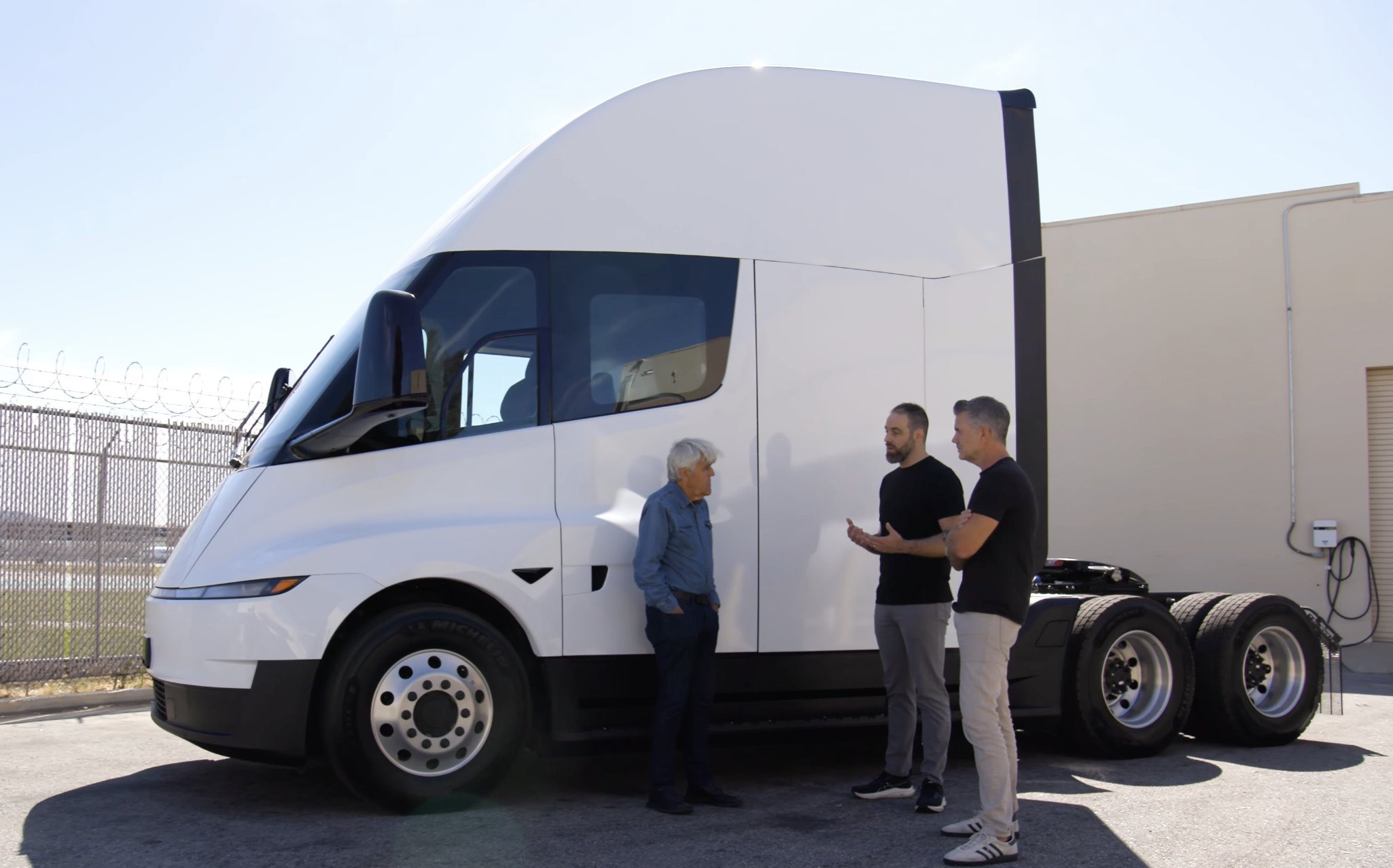
Tesla has revealed the various improvements it has made to the Semi with its redesign, which was unveiled late last year, on a new episode of Jay Leno’s Garage.
Tesla Chief Designer Franz von Holzhausen and Semi Program Director Dan Priestley joined Leno in a 47-minute segment revealing all of the various things it did to make the Semi even better as it heads toward volume production this year.
Last year, Tesla revealed it had updated the Semi design to fit the bill of its aesthetic, which, on its other vehicles, includes things like lightbars and a sleeker and more aerodynamic design. The changes were not all to appease the eye, but the drivers who will use the Semi on a daily basis to haul goods regionally as the program gets off the ground running.
Weight Reduction
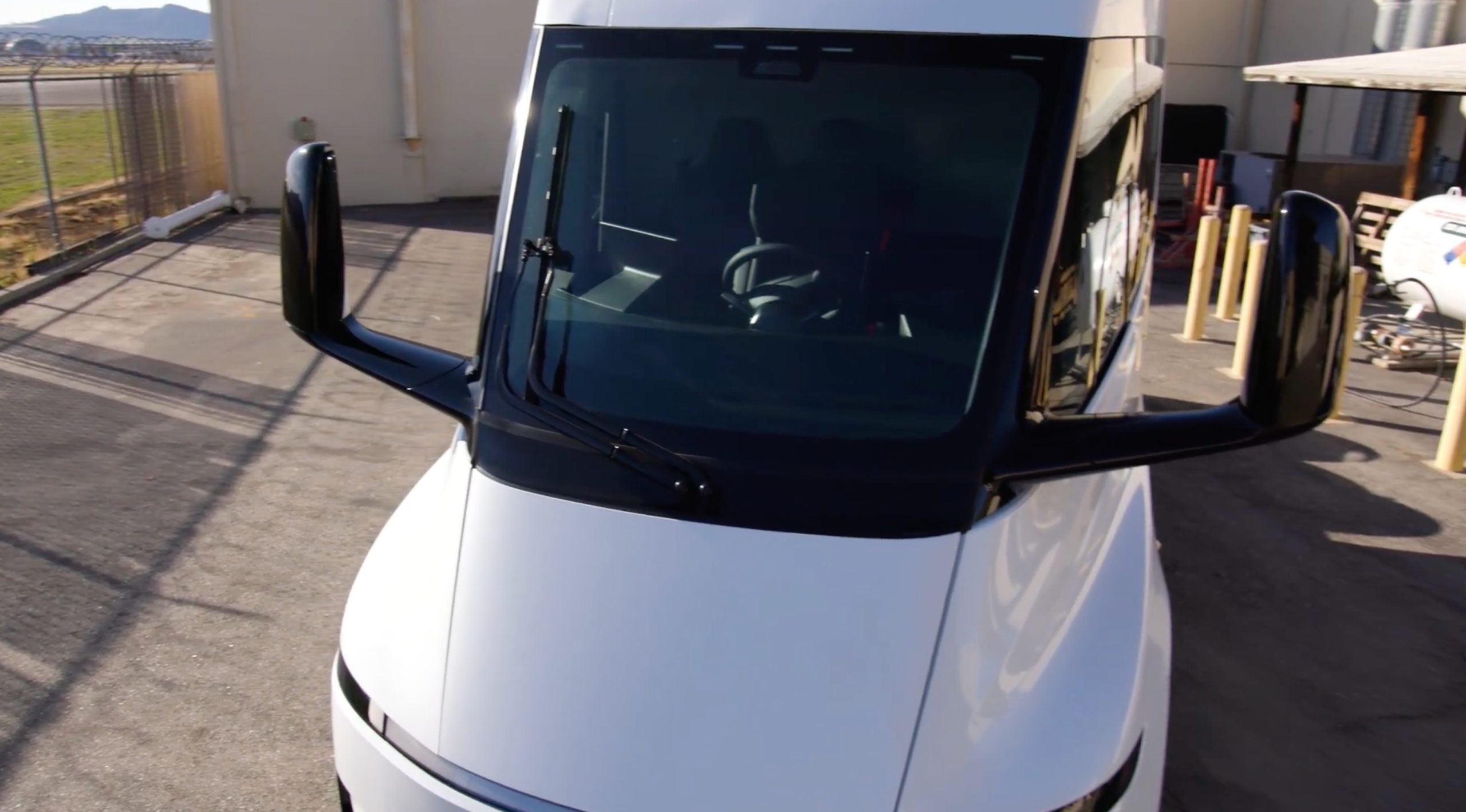
Priestley revealed almost immediately that Tesla was able to cut out about 1,000 pounds of weight from the Semi compared to the previous version.
This does several things, all of which are positive to the mission of a Class 8 truck, which is to haul goods and obtain more efficient travel to cut down on logistics costs.
Initially, this can increase payload capacity, which is often the biggest value driver for fleets that frequently hit gross vehicle weight limits. Tesla’s early Pilot Program members, like PepsiCo. and Frito-Lay, are large-scale companies. They will benefit from a decreased overall weight.
Lighter vehicles also require less energy to accelerate, climb hills, and maintain highway speeds. This new design has that advantage, and as Leno said in his first drive with the Semi as he hauled another unit behind, “I don’t feel like I’m pulling anything.”
Drag Coefficient
Franz said one of the goals of the Semi was to get the drag coefficient down below that of a Bugatti Veyron. This would increase efficiency tremendously, a major need with a large truck like a Semi.
Drag coefficient is extremely valuable when it comes to electric vehicles, because the displacement of air is incredibly important for range ratings.
Franz said aerodynamic efficiency has been improved by 7 percent compared to the last model. He says the coefficient is around 0.4.
New Features and Improvements
Priestley shed some additional light on the Semi and some of the improvements the company has made under the hood.
These include:
- Fully Electric Steering Assist
- Cybertruck actuators are being used for more strength
- Tesla included a 48-volt architecture
- Semi will utilize 4680 battery cells, which are designed to last 1 million miles
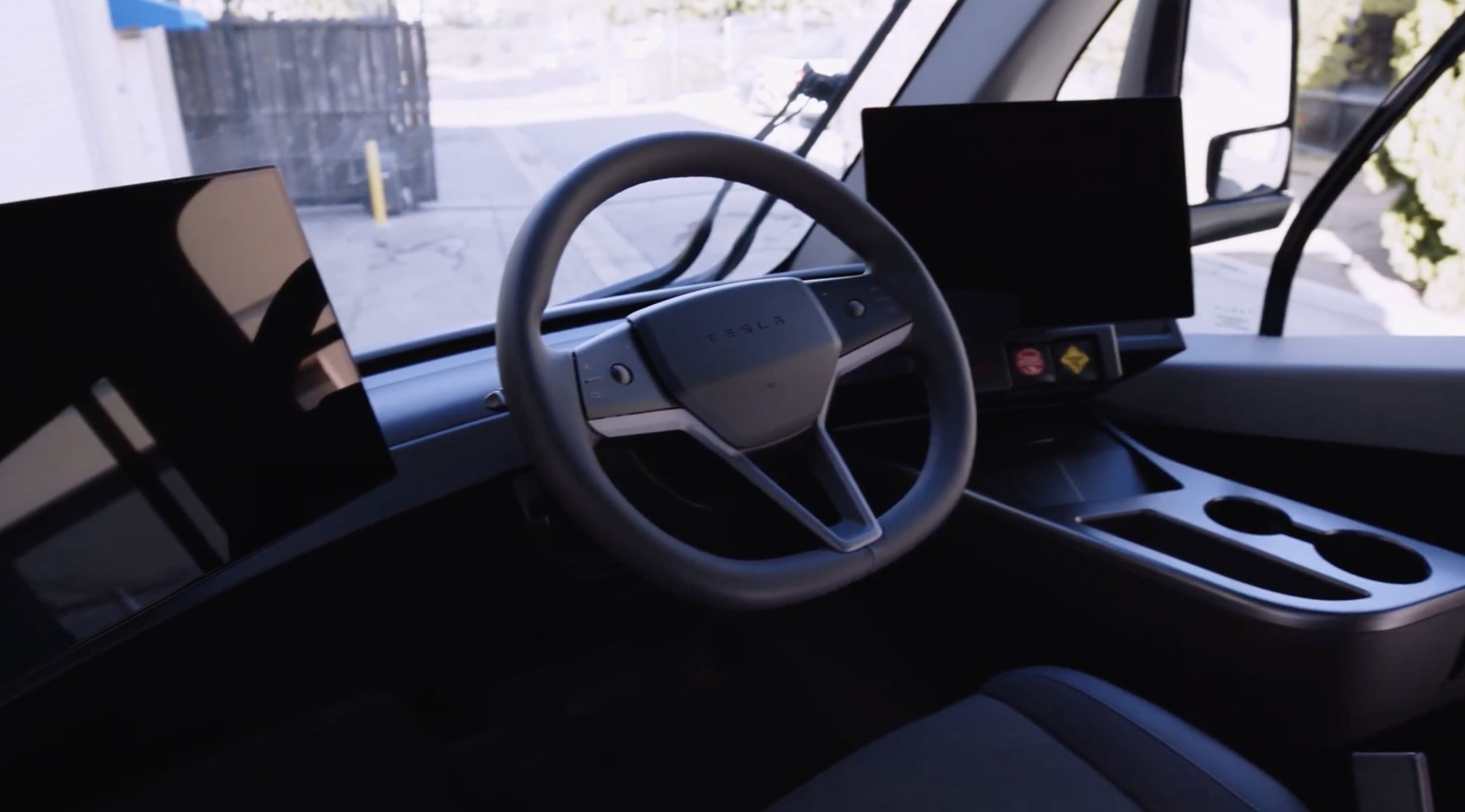
These changes come after Tesla rolled out the Semi to various companies for its Pilot Program, which yielded tremendous results. Due to the years it has been working with those companies, it knew what things it had to change and what it had to improve upon before selling the Semi openly.
Fleet Data
The fleet data Tesla has gathered from the Pilot Program has been one of the most widely discussed parts of the Semi program.
Franz and Priestley said that there are currently a few hundred Semi units in the real world, and Tesla has gathered 13.5 million miles. One of those units has traveled over 440,000 miles in the years it has been on the road.
Tesla Semi’s latest adoptee will likely encourage more of the same
Pilot Program members have reported an uptime of 95 percent, and Tesla’s maintenance and Service teams have kept things running:
“80% of breakdowns if you have one, are returned back to the customer in less than 24 hours, and half are back in less than 1 hour.”
Demand
Priestley says demand for the Semi has never been higher, and due to the recent political climate and the impact things have had on gas prices, Tesla has never received more inquiries for the Semi than it has recently.
Many companies will be surprised to hear that the Semi Pilot Program has been an overwhelming success. As Tesla begins to build out the infrastructure for the vehicle, it will only benefit the all-electric Class 8 trucks that keep things moving.
CEO Elon Musk said Tesla plans to start high-volume production this year. The company also plans to start deliveries this year.
News
Tesla launches amazing new feature for shared vehicles
Tesla has quietly introduced one of its most practical software features yet in update 2026.8: real-time visibility of the active driver profile directly in the Tesla mobile app. Available under the Security & Drivers section, this new tool lets owners see exactly who is behind the wheel or who last drove the vehicle.
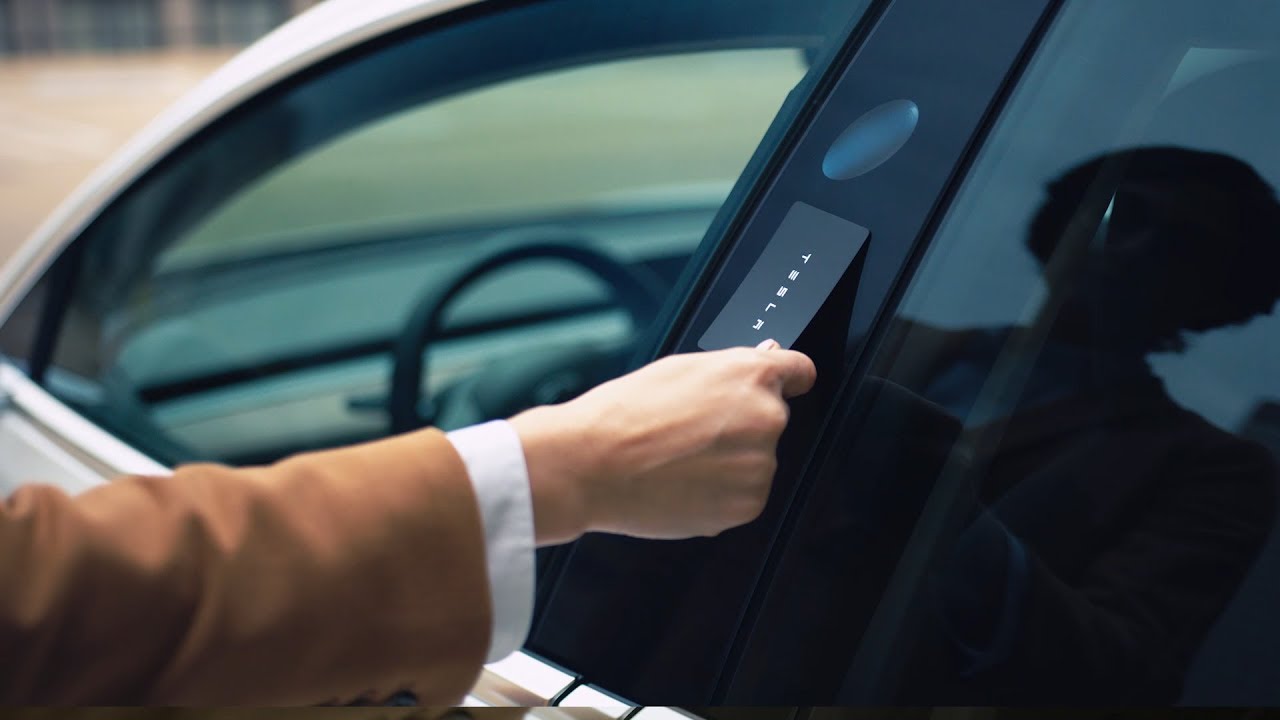
Tesla is launching an amazing new feature for shared vehicles, giving owners more transparency when they choose to have a Tesla ownership experience with another driver.
This is one of the many advantages of having a Tesla. New features are constantly rolled out through software updates and Over-the-Air fixes, which download directly to the car with an internet connection.
Tesla has quietly introduced one of its most practical software features yet in update 2026.8: real-time visibility of the active driver profile directly in the Tesla mobile app. Available under the Security & Drivers section, this new tool lets owners see exactly who is behind the wheel or who last drove the vehicle.
The feature works seamlessly. While the car is driving, the app displays the name of the currently selected driver profile in real time.
When the vehicle is parked or asleep, it shows the last active profile.
Requiring both the 2026.8 vehicle software and the latest Tesla app, the update brings this capability to every model in the lineup, including legacy Model S and Model X vehicles, which are unfortunately being phased out of the company lineup later this year.
Tesla makes latest move to remove Model S and Model X from its lineup
The feature was first reported on by Not a Tesla App.
Tesla driver profiles have always excelled at personalization, automatically adjusting seat positions, mirrors, steering wheel height, climate settings, navigation recents and favorites, and media preferences.
These profiles link to specific phone keys for automatic activation and support PIN protection for privacy and security. Restricted profiles for teens can also limit speed or features.
This feature shines brightest in single-car households with multiple drivers. Families, couples, and roommates frequently share one Tesla, leading to constant adjustments and questions about settings. Now, a quick app check reveals the current profile, allowing users to anticipate seat configurations or confirm usage without entering the vehicle.
Tesla’s cloud-synced driver profiles to bring custom settings across multiple cars
Parents particularly benefit: they can verify that teens are driving under their assigned (and possibly restricted) profiles, adding a layer of safety oversight and peace of mind. Teslas are already so incredibly safe that many parents dream of putting their kids in one.
Two kids around the same age could now share a Tesla, and this feature would make that effort, which is likely to be a difficult one at times, more seamless.
Beyond convenience, it promotes accountability and reduces everyday friction. No more manual profile switching or arguments over mirror positions. Before approaching the car, anyone can check the app and know exactly what to expect, no more wasted minutes readjusting everything.
In multi-driver setups, it transforms the shared EV into a truly intelligent, user-aware machine that respects individual preferences while keeping the primary owner informed.
Tesla’s commitment to over-the-air updates continues to enhance ownership value years after purchase.
This small but significant addition highlights how software can solve real-world problems in multi-user environments, making Tesla vehicles more family-friendly and practical than ever. For the millions of owners sharing a single car, the 2026.8 update delivers transparency, time savings, enhanced safety, and effortless personalization. It is a great new feature that is rolling out to vehicles now.

Tesla launches first ‘true’ East Coast V4 Supercharger: here’s what that means

Tesla reveals various improvements to the Semi in new piece with Jay Leno


