News
Tesla’s spring update arrives with adaptive headlights and more
The highly anticipated adaptive headlights are finally set to roll out to owners in the U.S. and Canada.

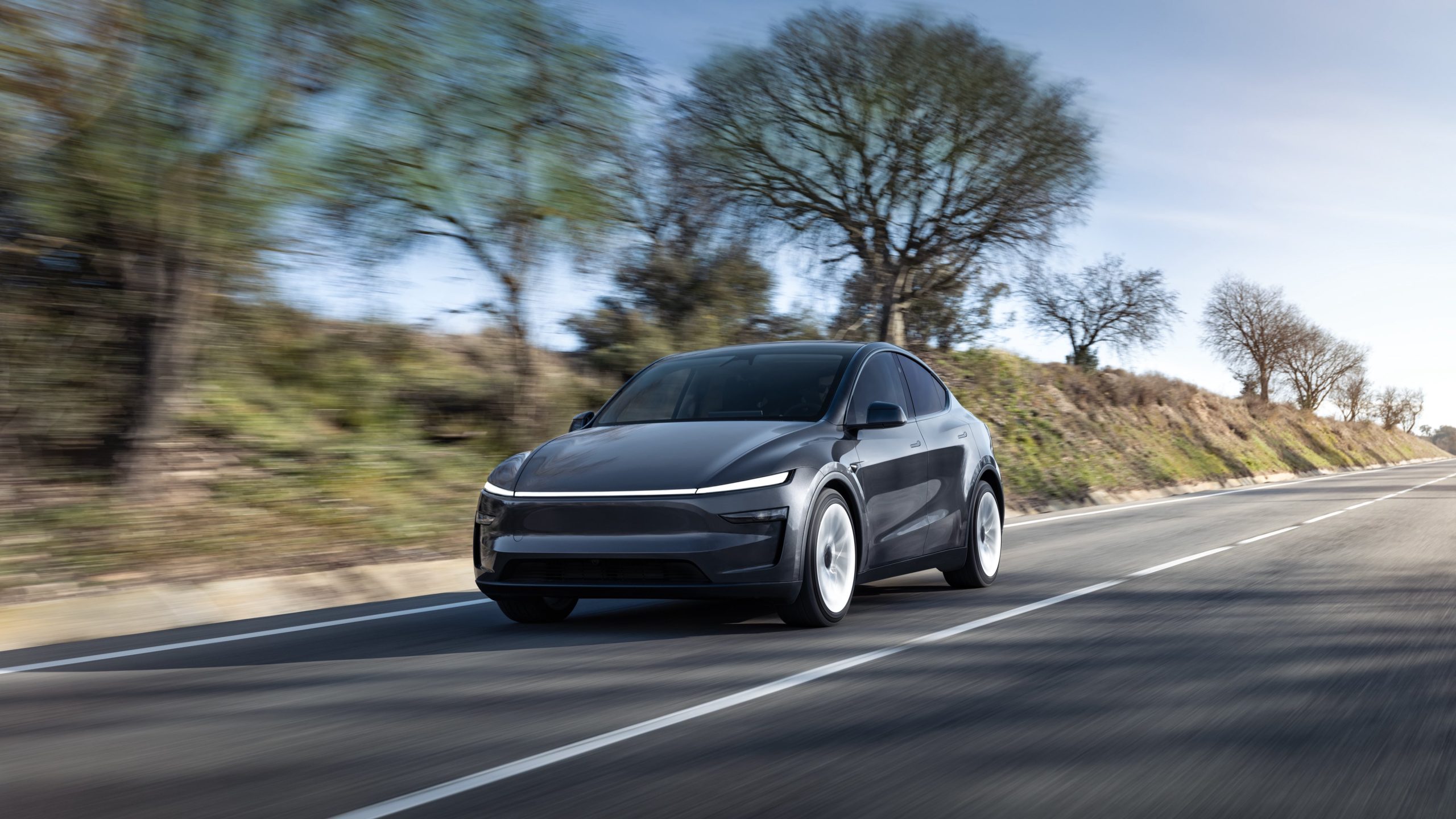
Tesla shared release notes for its spring update over the weekend, and the forthcoming update includes new features such as the highly anticipated adaptive headlights, custom trunk height settings, and more.
In a post on X on Saturday, Tesla said that the 2025 spring update would be rolling out soon, along with noting that the software version would include the highly anticipated adaptive headlights for owners in the U.S. and Canada. The update also adds features such as the ability to set custom frunk and trunk heights at saved locations, view and select alternative trip routing plans, and a number of other minor improvements.
After the release of the new Model Y, Tesla’s VP of Vehicle Engineering Lars Moravy confirmed in February that the matrix headlights and adaptive headlights would be making their way to the U.S. soon, alongside their inclusion in the refreshed model. Additionally, Moravy went on to confirm that the adaptive headlights would be coming to the Cybertruck after speculation around the topic.
READ MORE ON TESLA SOFTWARE UPDATES: Tesla’s new Model Y gets first software update—Here’s what’s in it
You can see the full release notes for Tesla’s 2025 spring update below, as shared by the company over the weekend.
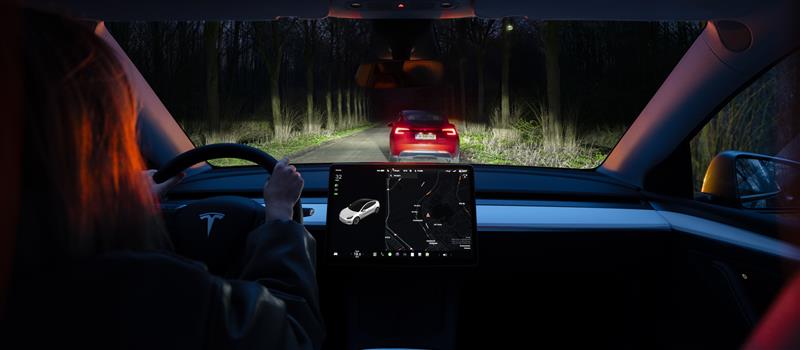
Adaptive Headlights (U.S. and Canada)
Credit: Tesla | X
High beams adapt to reduce glare for other drivers and cyclists. By detecting other road users, and selectively dimming individual pixels of the headlight, your high beams stay on more often for greater visibility at night.
If your vehicle has the necessary hardware, you will see the setting under Controls > Lights > Adaptive Headlights
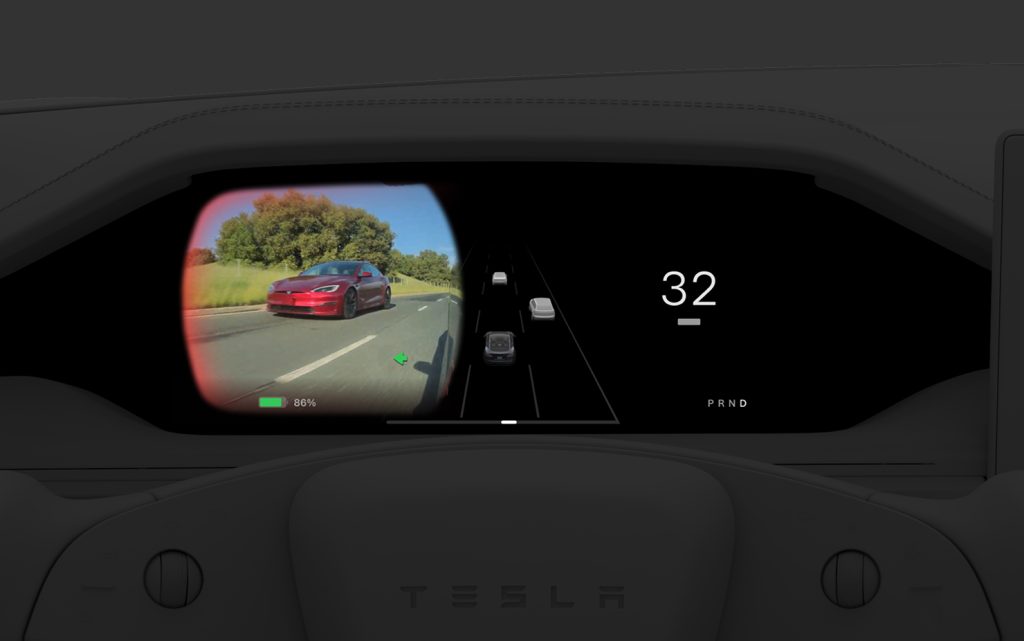
Blind Spot Camera on Driver Screen (New Model S/X)
Credit: Tesla | X
Blind Spot Camera feed is now available on the instrument panel.
Controls > Display > Automatic Blind Spot Camera & select Driver Screen
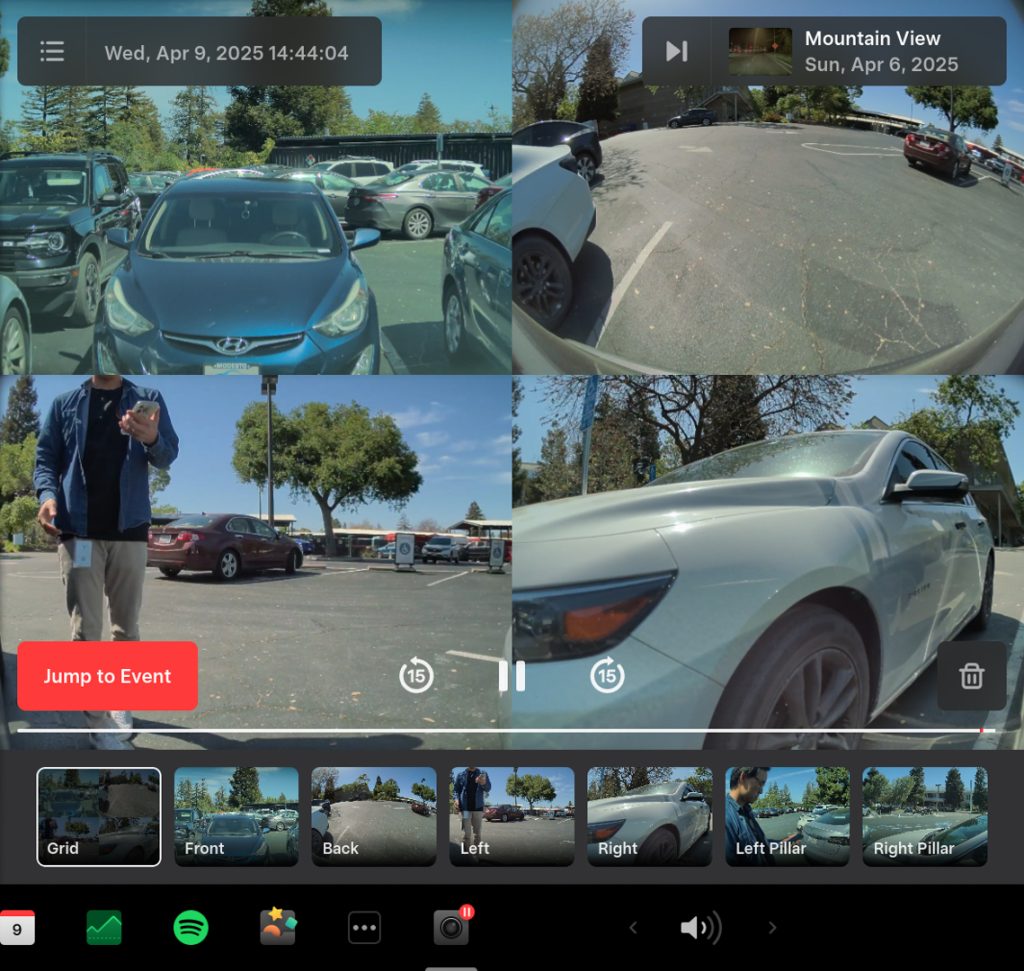
Dashcam Update & Side Camera Recording (Newer Model S, 3, X, and Y)
Credit: Tesla | X
Your vehicle’s side cameras (B-Pillar) will now be recorded to both Dashcam and Sentry clips, increasing the total number of camera views from 4 to 6.
The Dashcam Viewer app has also been redesigned with a grid view and quick access to the next video, making it easier review recordings.
Alternative Trip Plans
Credit: Tesla | X
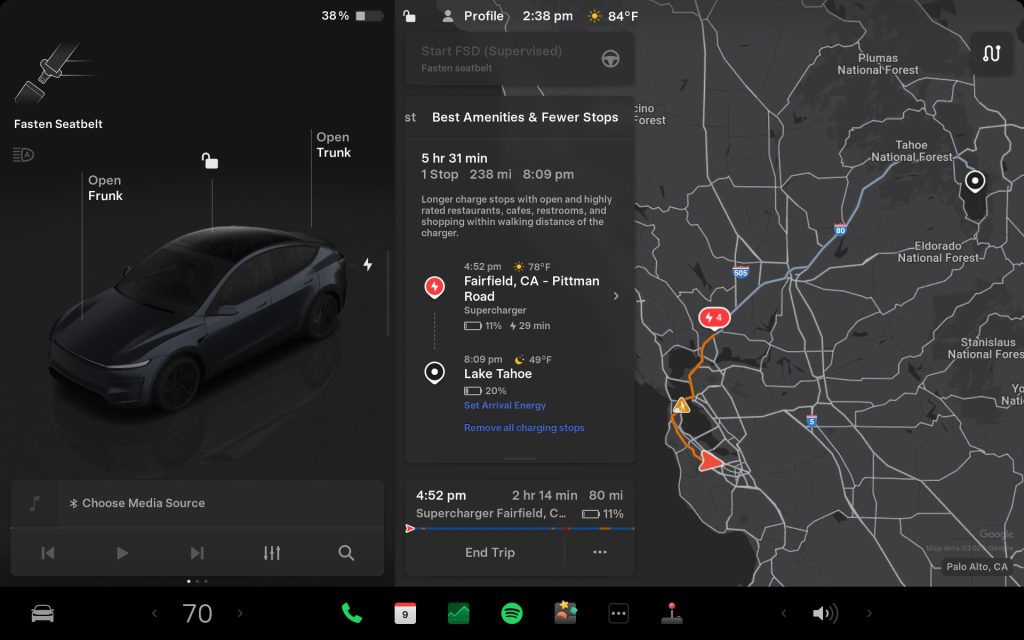
Multiple trip plans are now available for you to choose from, allowing you to better suit your travel needs. Also, when viewing a charger location page, nearby restaurants, cafes, and shops within walking distance are displayed at the bottom
Fastest: offers the quickest route
Best Amenities: prioritizes stops near open and highly rated restaurants, shops, and restrooms
Fewer Stops: minimizes charging stops
Comfort Drive Mode in Autopilot (Cybertruck)
Your Cybertruck will now automatically transition to Comfort Drive Mode when Autopilot is engaged.
Lane Departure Avoidance (Cybertruck)
Credit: Tesla | X
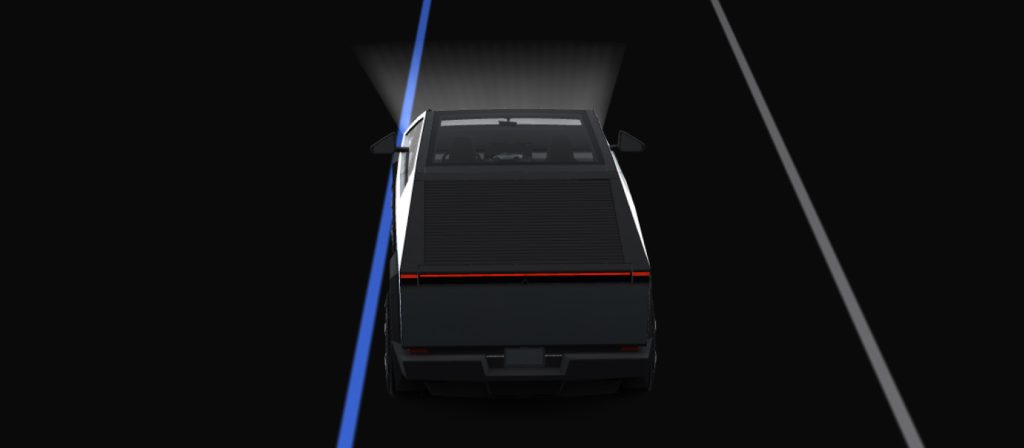
This feature warns you if your vehicle drifts near or out of your lane. With this update, your Cybertruck can now also assist you.
When enabled, a blue indicator line will appear on the touchscreen, showing which lane marking is being crossed. You can customize Lane Departure Avoidance in Controls > Autopilot > Lane Departure Avoidance.
Save Trunk Height Based on Location (Model 3, Model Y, New Model S/X, New Model 3)
Credit: Tesla | X
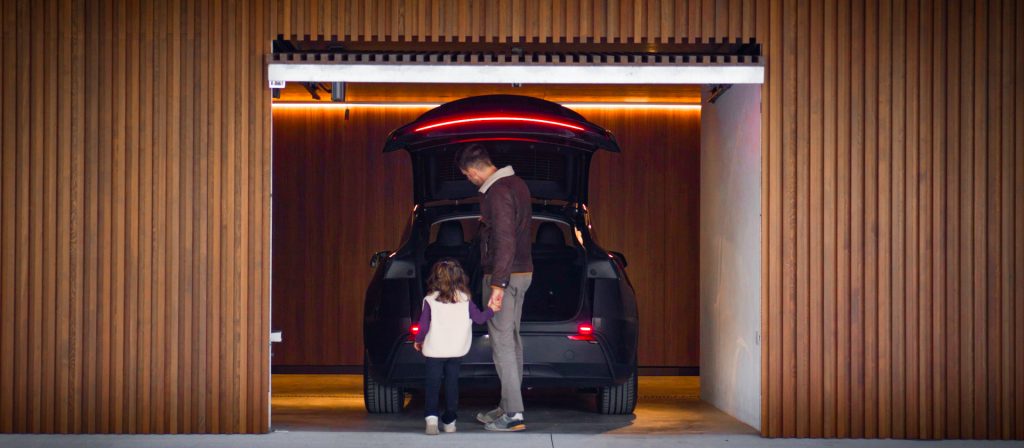
Customize the opening height of your trunk & save it as the default for a specific location, such as your garage.
To set height, manually adjust the lift gate to your preferred opening height, then press & hold the trunk close button until you hear a chime.
Save Frunk Height Based on Location (Cybertruck)
Customize the opening height of your frunk & save it as the default or for a specific location, such as your garage. Manually adjust to your preferred height, then press & hold frunk exterior button until you hear a chime.
Avoid Highways
Navigation can now avoid highways when possible. Go to Controls > Navigation > Avoid Highways
Keyboard languages
Credit: Tesla | X
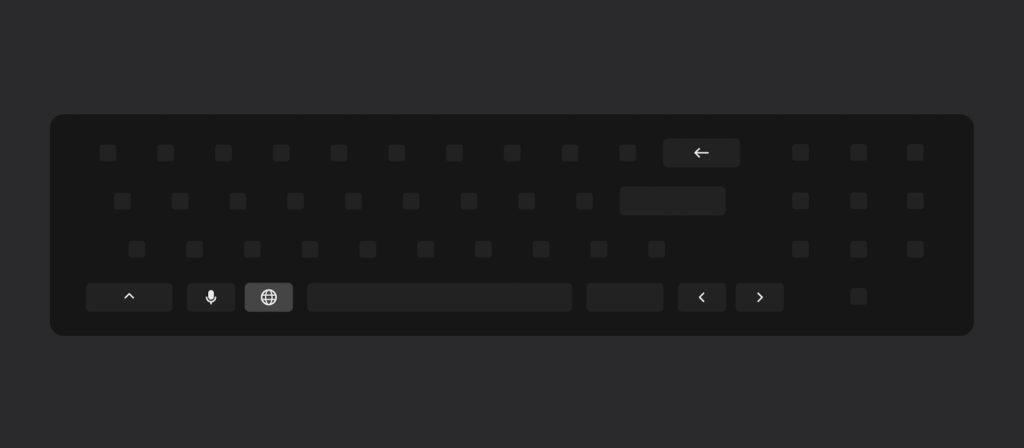
Switch between different language input methods on your touchscreen. Go to Controls > Display > Keyboards
Keep Accessory Power On
Use or charge devices through USB ports / inductive phone charger / low voltage outlets (depending on what your vehicle is equipped with) after exiting your Tesla, as long as battery is >20 percent
Minor Updates
- Media search results are now filtered by sources, providing faster and more streamlined access to content
- You can now shuffle an entire Apple Music playlist that contains more than 100 songs
- Easily scroll through your SiriusXM favorites by tapping the steering wheel button left or right
- Sign in with your Amazon Music Free account. Requires Premium Connectivity or an active WiFi connection
- See what song will play next on YouTube Music playlists in the Up Next view of the media player
- If your hotspot is enabled, it will automatically connect to your vehicle once you start driving, so you won’t have to reconnect each time
Tesla launches Holiday Update: Apple Watch app, Sentry Mode upgrades, and more


News
Tesla Cybercabs take over Austin’s F1 weekend
Tesla Cybercabs swarmed Austin’s F1 Grand Prix as sightings hit a record during race weekend.

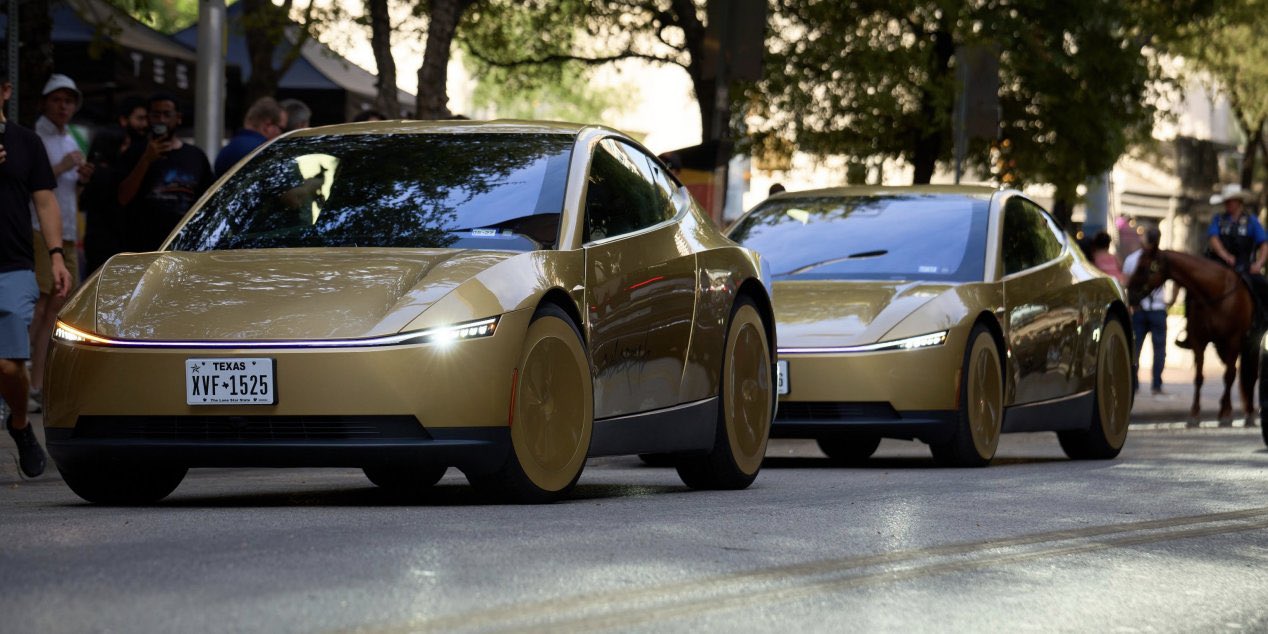
Tesla’s driverless Cybercabs used the Formula 1 United States Grand Prix in Austin as their biggest public stress test yet. On Sunday afternoon, Tesla head of AI software Ashok Elluswamy quoted a photo from X user Ben Steindl showing a long line of gold Cybercabs and Model Y Robotaxis stacked up on a road near Circuit of the Americas. “Robotaxis as far as the eye can see!” Elluswamy wrote. Steindl’s original post was more matter of fact: “@Tesla @robotaxi is busy for the Austin F1.”
The fleet also handled the trip home. The race started at 3 p.m. Central, and once it ended, Cybercab Spotter, an account that logs Cybercab sightings around Austin, posted that “People are requesting Cybercabs to get home.”
Robotaxis as far as the eye can see! 🤩
— Ashok Elluswamy (@aelluswamy) October 25, 2026
Tesla set this up days in advance without announcing it. Late on October 22, rider David Moss posted Robotaxi app screenshots showing the Austin service area wrapping around the track toward Elroy and FM 812, with ride requests open until 1 a.m. A banner in the app read “Last call is 1am · Limited to nearby dropoffs.” Austin rides ended at 11 p.m. as recently as early October, as Teslarati reported, before moving to midnight on October 17.
Not every rider got dropped at the gate. Early app searches showed spots like COTA Karting as “Service blocked,” and one rider who took a Cybercab to the track Friday said the rideshare area was less than a 20 minute walk from the front gate.
The weekend also produced a new activity record. Cybercab Spotter counted 1,250 Cybercab sightings in Austin on Saturday, qualifying day. The previous high was 1,072 on October 16. Sightings count the same car more than once, so they measure how busy the fleet is rather than how big it is. For size, the Texas automated vehicle registry listed 463 Cybercabs at midday Sunday, up from the 300+ Tesla claimed on October 10, when Elluswamy also said Dallas is next for Cybercab.
The track was out of reach for Tesla’s main rival. Waymo runs in Austin only through Uber, and its service area stops well short of COTA. Waymo did not announce any race day service.
Tesla has not said how many rides it gave to and from the circuit, or whether the expanded zone and 1 a.m. cutoff will stay after race weekend. On the third quarter earnings call, Elluswamy said 2 a.m. service is coming “pretty soon” and that Tesla plans to run Robotaxi around the clock before the end of the year. The company is also aiming to hand the first Cybercabs to customers before 2026 ends, which would put cars like these outside Tesla’s own fleet for the first time.
News
Tesla makes good on its Cybercab promise in just two weeks
Tesla Cybercab riders can now pull up a rear camera view and darken the screen.
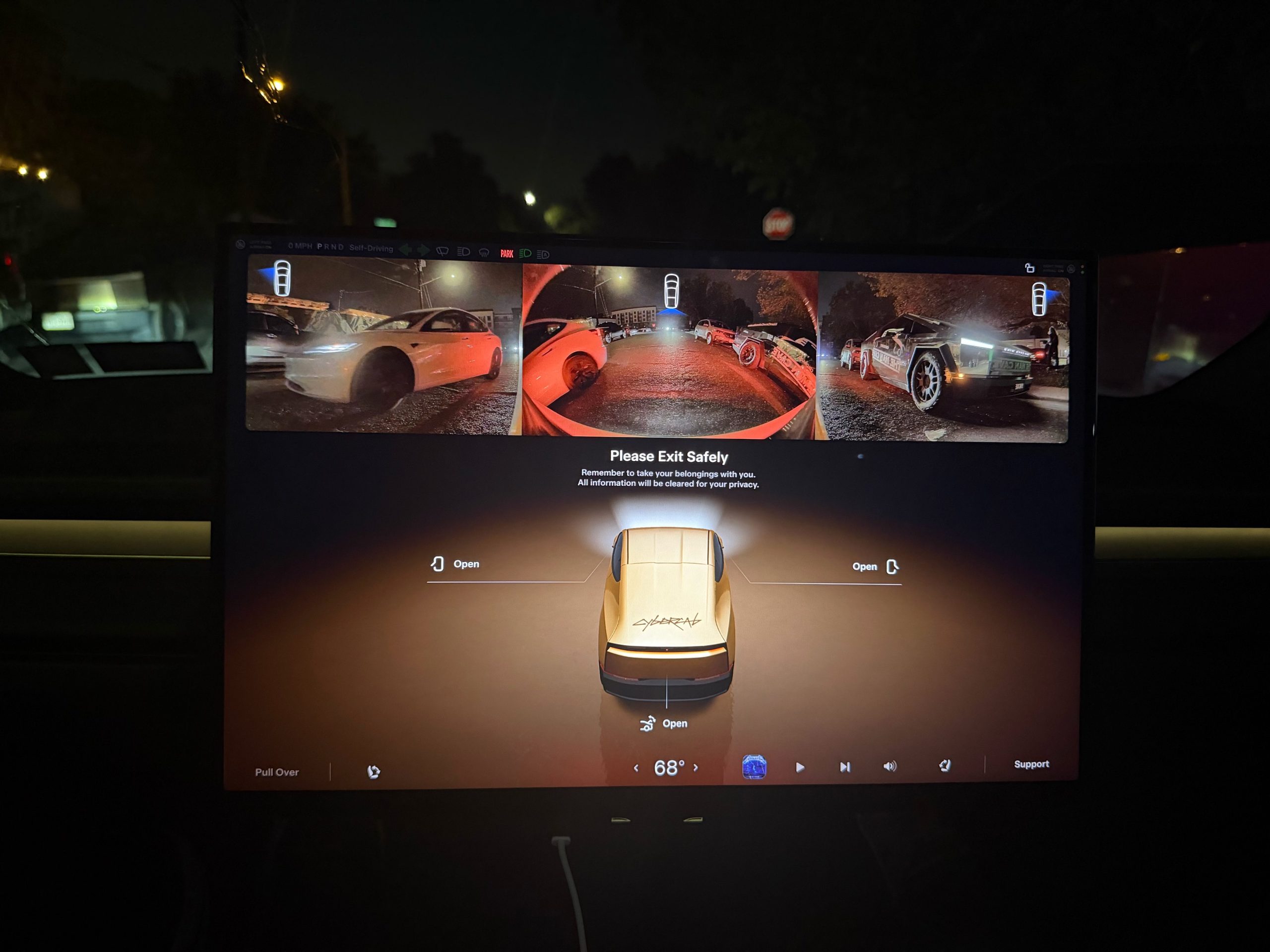
Tesla has given Cybercab passengers a way to see what is behind them, along with a way to turn the cabin screen off entirely.
Riders in Austin can now bring up a live rearview camera feed on the Cybercab’s center display in the middle of a trip. Austin rider Ethan McKanna spotted the change late Friday night, posting from a ride that “You can now open the camera to view what’s behind you in Cybercab!” His photo shows a strip of rear camera video across the top of the screen, with another Cybercab following on a bridge. Sawyer Merritt shared the image Saturday and wrote that it “sounds like” there is also a new quiet mode that darkens the entire screen for riders who want to relax, sleep, or avoid a bright display at night.
The camera view goes beyond the rear feed. Tesla UI software engineer Evan, who posts as @CarCoder, replied to McKanna with a tip: “You can also tap it to see more cameras, and swipe it up or down to hide and show.” Until now, the Cybercab only showed its rear and repeater feeds on the “Please Exit Safely” screen at the end of a ride, so passengers could check for cyclists and traffic before opening a door.
Quiet mode surfaced a day earlier. Austin rider Jackson Blatz posted a video Friday morning of the new Robotaxi interface in a Cybercab with the option. Tesla has not published release notes for either feature.
The rear camera view moved quickly from request to release. Earlier this month, Cybercab rider Dan Burkland asked Tesla to let passengers pull up the rear and repeater cameras whenever they want, “especially for peace of mind.” Evan answered “In development,” as Teslarati reported at the time. About two weeks later, riders have it.
The feature fills a gap created by the Cybercab’s design. With no steering wheel, no pedals, no mirrors and no rear window, a passenger has no natural way to glance behind the car. The eight exterior cameras that feed Tesla’s autonomy software were already on board, so the change only required software.
There is also an AI angle to how it was built. Yun-Ta Tsai, a senior staff engineer on Tesla’s AI team, quoted Merritt’s post and wrote that the “(human) camera view tuning is optimized with Grok and implements part of the algorithm by directly programming the fixed-function hardware, so I don’t even need to check the datasheet.” Tsai did not say which part of the algorithm Grok handled. Grok already plays a bigger role inside the vehicle, with Grok Bot now enabled across every Cybercab and the Model Y Robotaxi fleet after Tesla brought the agent into its cars in September.
The two features join a busy week of changes for riders in Austin, which also brought a redesigned Live Activity for iPhone and Apple Watch and live trip sharing. They also arrive as Tesla prepares the Cybercab for life outside its own fleet. On the third quarter earnings call, Lars Moravy said the company is aiming to deliver Cybercabs to customers before the end of 2026. Tesla has not said whether the camera view and quiet mode will also come to its Model Y Robotaxis.
Elon Musk
Tesla shows what Roadster drivers will see on screen before thruster activation
Tesla’s Roadster video reveals a fighter jet inspired cockpit with a 5,500 PSI thruster gauge.
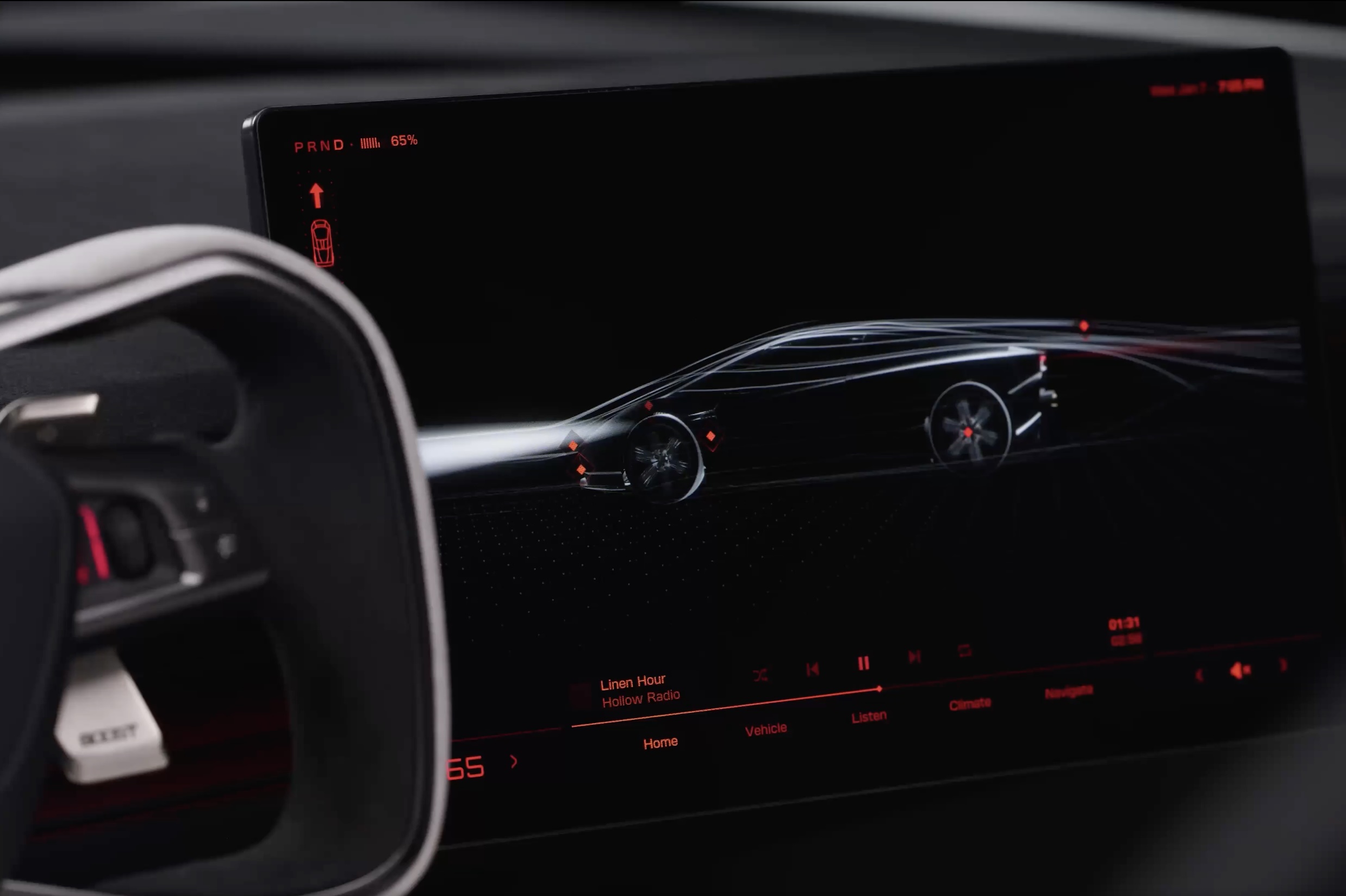
Tesla has given future owners their clearest look yet at the cockpit of its next generation Roadster. In a 34 second video posted to X on Friday afternoon, the company walked through the car’s touchscreen with a caption: “Inspired by fighter jet cockpits, Roadster’s interface was designed around the pilot.”
The clip opens on a black screen with red graphics and a 3D wireframe of the car, which sits beside the Roadster’s squared off yoke. Tapping parts of the model brings up controls for the rear wing, including low drag and high downforce positions, along with a charging page with a charge limit bar and a small music player. A row of tabs along the bottom reads Home, Vehicle, Listen, Climate and Navigate.
Most of the video is spent in Track Mode. The dashboard shows a live circuit map, a list of session lap times, brake and motor temperatures, and pressure and temperature readouts for each tire. A setup page lets the driver pick Auto, Low Drag, High Downforce or Custom aero modes, adjust aero balance and brake balance, and switch stability and traction control off. Along the bottom, a status bar reads “Thruster · 5,500 PSI” next to a “Boost Ready” indicator.
That gauge ties the software to the hardware Tesla showed off near Waco, Texas on October 15. The Thrust and Rocket versions use cold gas thrusters fed by carbon overwrapped pressure vessels, and Tesla lists 0 to 60 mph times of under 0.9 seconds and under 0.59 seconds for them, as Teslarati detailed in its breakdown of the three Roadster configurations. The base Performance car relies on a fan and ground sealing system for grip, and the aero settings on screen match the active wings and suction setup covered in our look at how the Roadster generates downforce.
The Roadster layout is a departure from the rest of Tesla’s lineup. Instead of a map centered screen, the Roadster puts the car itself at the center of the home page, and Tesla’s Roadster page lists two smaller forward displays alongside the main touchscreen. Tesla has not said whether any of the Track Mode telemetry will make its way to the Model 3 Performance or other vehicles.
The interface could still change before deliveries. Elon Musk said at the event that Roadster production will begin in 2028, and Tesla says the flagship Rocket version is not approved for public road use. Reservations are open with a $50,000 payment, while Thrust is listed as a limited release and Rocket is invite only.
Those who want to see the car in person will get their first chance this weekend. The Roadster goes on display in the lobby of the Petersen Automotive Museum in Los Angeles from October 24 to 27, according to Sawyer Merritt, the first time the public will be able to view it up close.

Tesla Cybercabs take over Austin’s F1 weekend

Tesla makes good on its Cybercab promise in just two weeks


