News
Rivian posts in-depth look at its Gear Guard software and hardware security suite

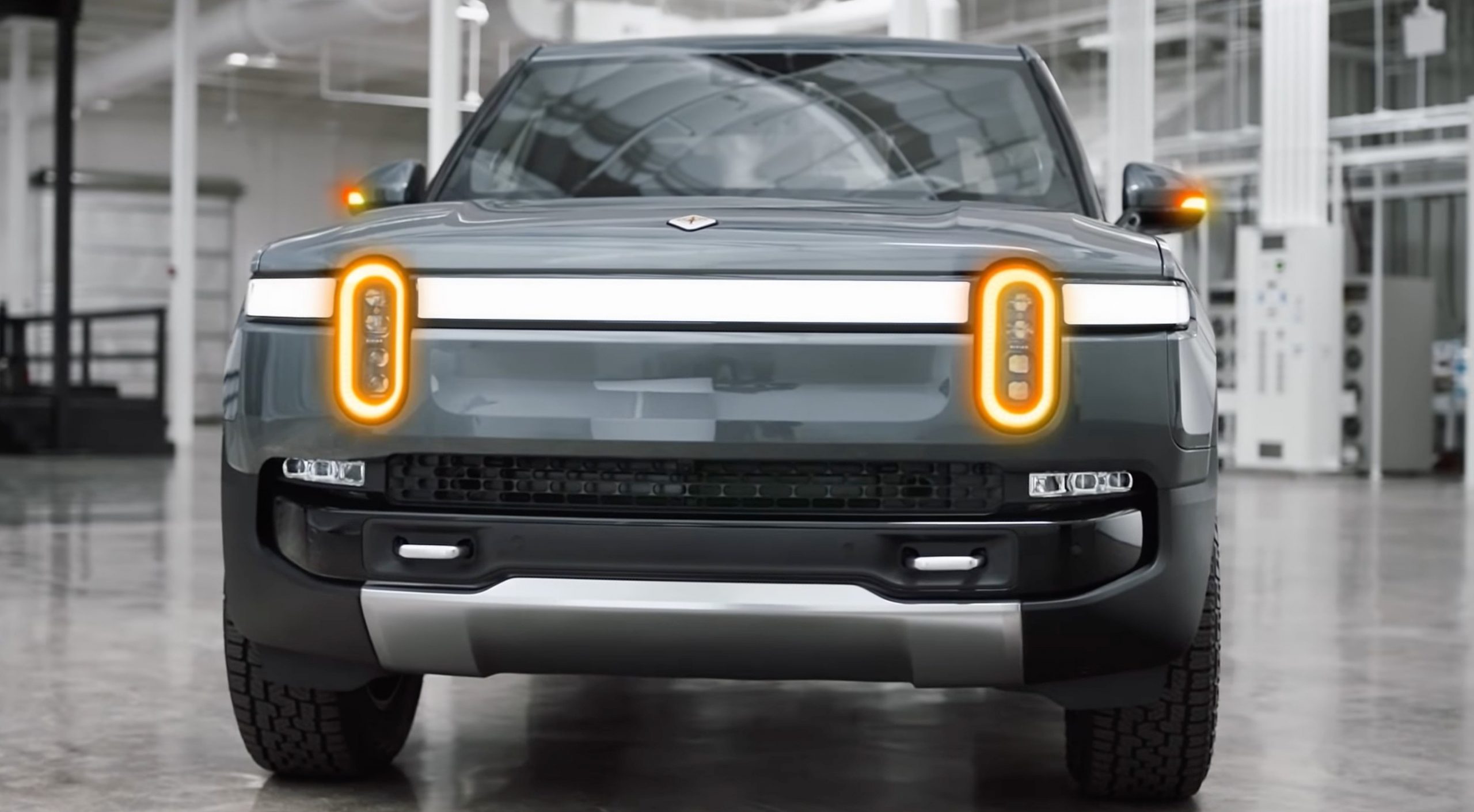
Rivian recently released an in-depth look at Gear guard, its security system for R1 vehicle owners.
In an email to Teslarati, Rivian broke down each Gear Guard feature. Based on Rivian’s explanation, Gear Guard is not just a software security system but a blanket term for products that provide security in different ways.
Gear Guard Security System
The Gear Guard Security system features the Gear Guard Alarm and Gear Guard Video.
The R1T pickup truck is equipped with 11 embedded cameras. Gear Guard uses 5 cameras to monitor the space around the vehicle while drivers are away. The 5 cameras are enough to provide a full 360-degree view of the space surrounding the car, including a direct view inside the truck bed.
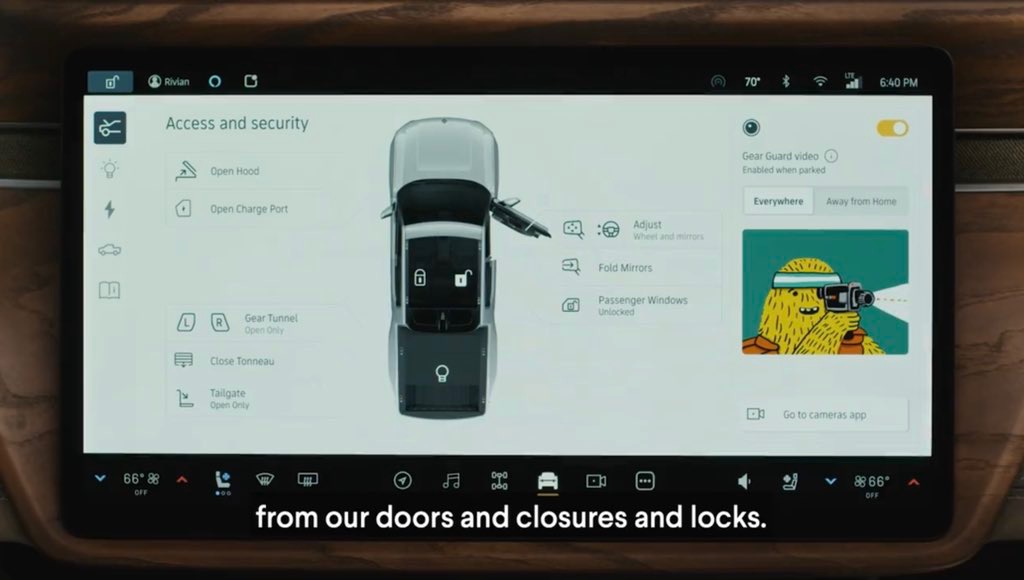
The five cameras Gear Guard uses to monitor the R1T are located in the front bumper, both the side mirrors, above the truck bed, and above the license plate. Gear Guard will record any nearby human activity while drivers are away in 30-second clips. Each clip will be organized by location, date, and time. Drivers can watch the saved clips via the R1 vehicle’s center display.
Next comes Gear Guard’s leading character. Tesla once had HAL 3000 for Sentry Mode, now Rivian has “Yeti.” In October 2021, the public got a sneak peek at the Rivian Yeti. The peculiar character received mixed reviews, with more family-oriented drivers thinking Yeti was perfect for their kids. Other drivers commented that the character would attract strangers to their cars rather than deter them.
“I love the Gear Guard character!” said Wassym Bensaid, VP of Software Development. “I think it represents everything which is unique about Gear Guard. It’s not an aggressive system. It’s a character which is smart.”
According to Rivian, Yeti was born in 2017 and has since changed in form, color, and attire. Yeti inhabits the center display in Rivian vehicles and pops up when cameras detect someone approaching the cars to remind people passing by that they are being monitored. When a passerby does trigger a vehicle’s alarm, drivers are notified remotely through the Rivian app.
Gear Guard Cable
Along with its security system, Rivian released an 8-foot Gear Guard cable, as well as an upcoming 14-foot version that’s coming in the Spring. The Gear Guard cable is made of braided steel wrapped in a woven nylon jacket. The cable attaches directly into a bezel in the truck bed to help secure gear, including bikes, kayaks, storage bins, and furniture, too.
“There’s all sorts of things in the vehicle that came out of just observing people,” shared Larry Parker, Executive Creative Director.
Parker shared that Rivian met with mountain bikers, skiers, and all sorts of people. They observed that people were very concerned about their stuff, like bikes, being stolen during trips.
“Gear Guard really started with [the] understanding that our customers were very likely to take mountain bikes or roads bikes somewhere,” said Erik Glaser Principal UX Designer. “And so thinking of the bike really led to this discussion around the cable.”
Watch Rivian’s video below to learn more about Gear Guard!



Tesla has officially launched the Model Y L in the United States and Puerto Rico for $61,990. It is the longer-wheelbase version of the Model Y, and has been available in China since last year.
Tesla brings the Model Y L to the U.S. just months after it phased out the only pure SUV in its lineup, the Model X. It is slightly longer than the Model Y configurations that are already available in the U.S., and features a three-row, six-seat setup with Captain’s Chairs being among the many features that make this a truly fantastic offering.
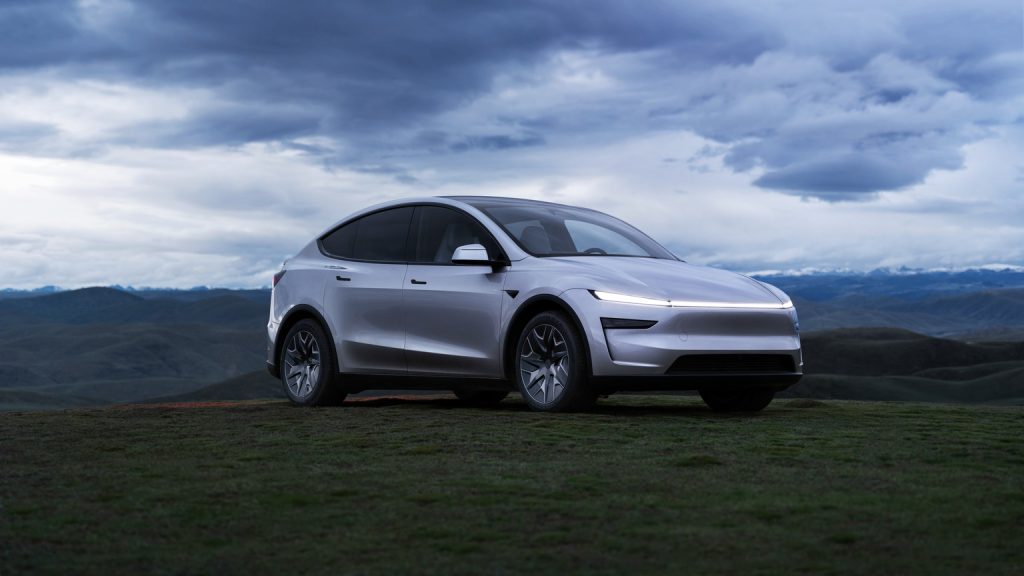
The Model Y L is priced competitively at $61,990, and features 325 miles of range and a 0-60 MPH in just 4.4 seconds.
Tesla also added a handful of new features that are not available in even the Premium Model Y. Here’s a full list of its features:
- Heated/Ventilated Front Seats with Powered Thigh Cushion
- Heated/Ventilated Captain’s Seats in Second Row with Powered Armrests & One-Touch Fold
- Heated Third-Row Seats with Power Recline, One-Touch Fold & Child Seat Anchors
- Improved Airflow, Increased Efficiency, More Range
- 89 cubic feet of trunk space
- Upgraded Acoustic Glass and Suspension to Minimize Road Noise
- Adaptive Damping for a Smooth, Stable Ride
- Staggered Tires for Enhanced Grip
- Larger Tailgate for Better Rear Visibility and Bigger Windows Overall
- 16″ First Row and 8″ Second Row Touchscreens
- 19-Speaker Immersive Tesla Audio
- 50W Wireless Charging Pads with Active Cooling and Charging Ports for All Other Seats
- FSD Supervised and Integrated Grok AI
Tesla is also delivering these first units as a “Launch Series,” which comes with additional features, such as:
- Door Trim Puddle Lights
- Suede Dashboard Wing
- Exterior and Interior Badging
- Floor Mats
- Sill Plates
The launch of the Model Y L in the U.S. marks a huge offering from Tesla to U.S. consumers. People have been calling for Tesla to bring a larger car to the U.S., and it needed it more than ever now that the Model X is gone.
-
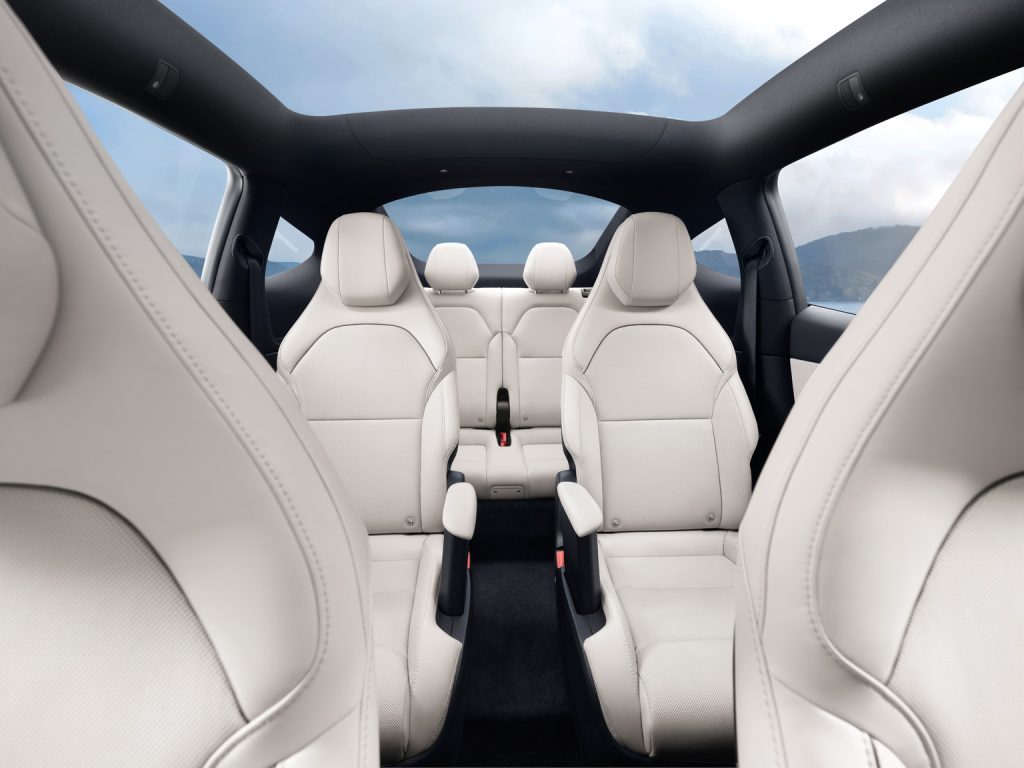
- Credit: Tesla
-
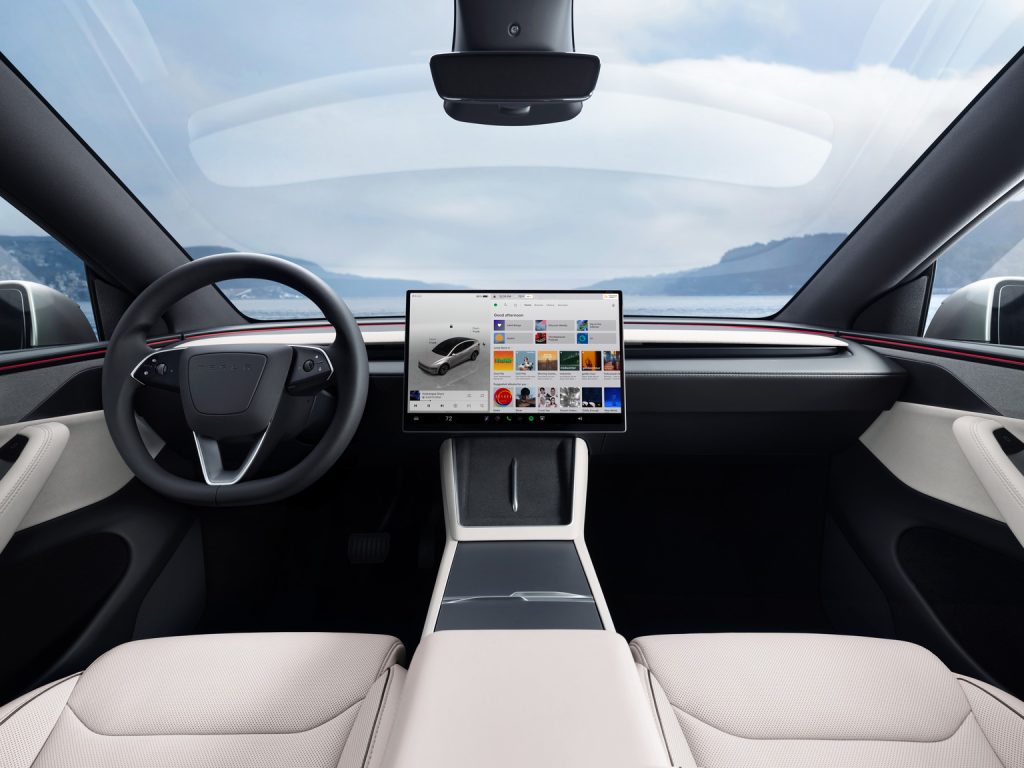
- Credit: Tesla
It is a huge accomplishment for Tesla to get the Model Y L to the U.S., and after reporting strong deliveries today, it will be interesting to see how this car impacts future quarterly delivery reports.
Deliveries for the Model Y L “Launch Series” are slated for September or October of this year.
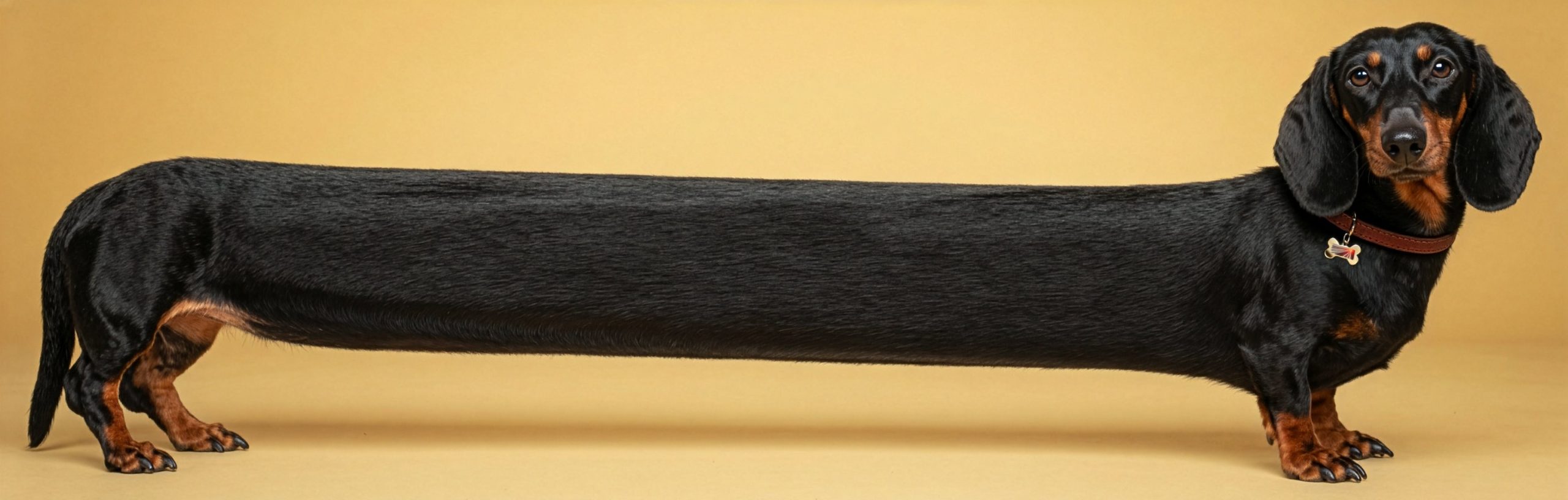
Tesla just told us twice that the Model Y L is coming to the U.S., and two social media posts definitely just tipped the company’s hand, as if they wanted it to be any other way.
The two social media posts basically confirm that the slightly longer version of the Model Y will be heading to the United States soon, and many have speculated that the company could launch the vehicle as soon as this weekend.
The first post was directly from Tesla, and it showed an incredibly long Dachshund, with words above that said, “Looking forward to the long weekend.”
Looking forward to the long weekend pic.twitter.com/URzH6zOUdn
— Tesla (@Tesla) July 1, 2026
Anyone who knows Tesla knows the company loves to troll its fans and have fun, and this is a perfect example of that. While not a direct acknowledgement, Tesla is very involved on social media, especially CEO Elon Musk’s platform X, and the company is well aware of what is being discussed within the community.
With recent sightings of Model Y L test mules in California, peeks of the vehicle at Giga Texas, and a large call for the car to come to the U.S., Tesla is simply stoking conversation with this.
However, the company also made another move that was recognized on social media. Tesla has a large gallery that includes photos of its products so media and others can use them. This gallery applies to the U.S. market specifically, unless otherwise specified.
Tesla uploaded a Model Y L to the Gallery last night:
This looks like a Model Y L https://t.co/TpnBwrLmH9
— TESLARATI (@Teslarati) July 2, 2026
This seems to be another indication that the Model Y L is coming to the United States.
Musk said last year that the Model Y L could make its way to the United States late this year, but it was not something that was set in stone by Tesla. The company definitely needs to establish something in the SUV market that is larger than the Model Y, and the Model Y L might be the answer.
Even still, there are consumers out there who would love Tesla to develop something even larger, like a competitor to the Tahoe or Expedition. Tesla has not really given much of an indication that it will go in that direction.
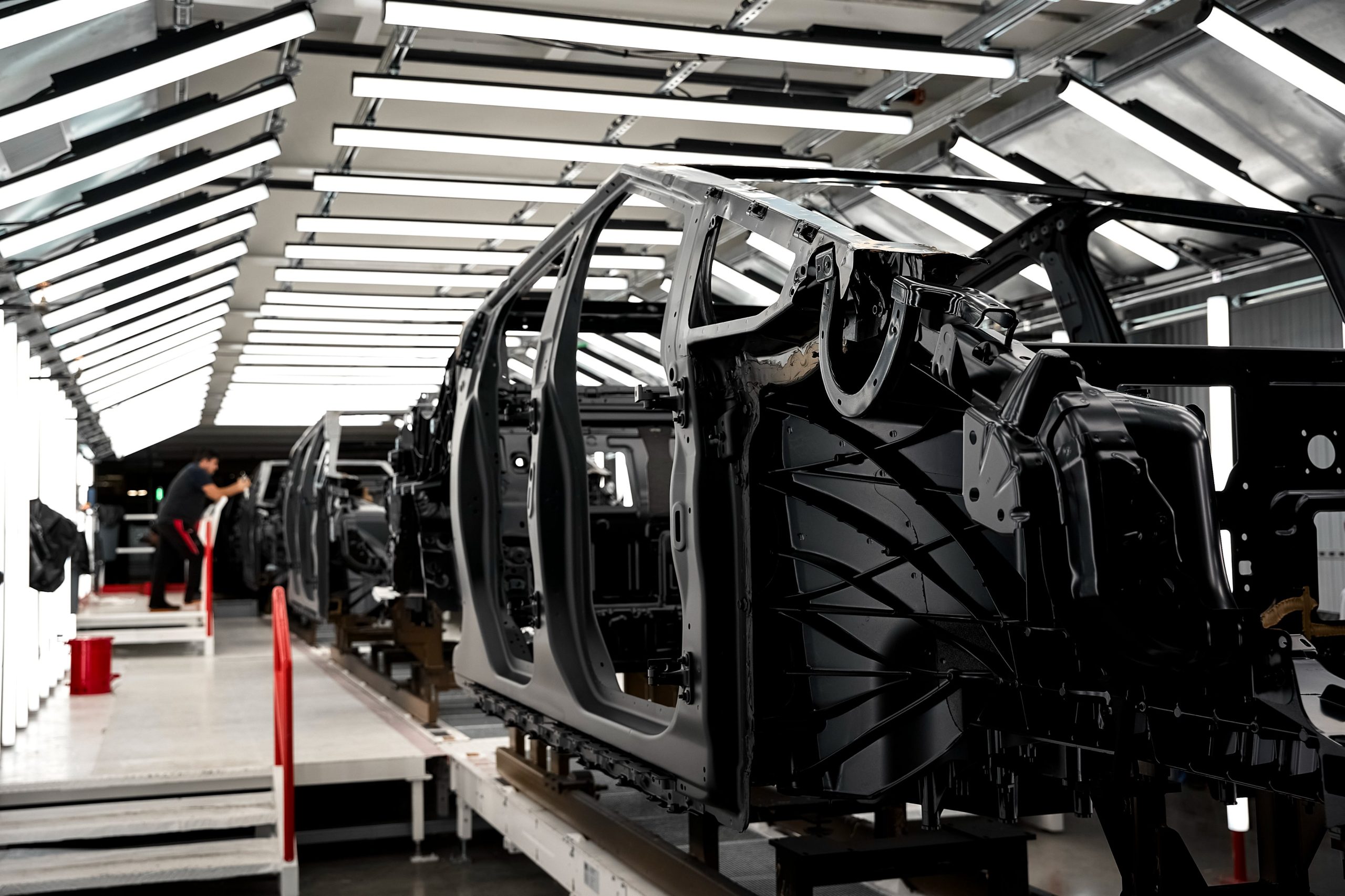
Tesla is using the vehicles’ internal microphones to improve build quality, Vice President of Engineering Lars Moravy revealed recently.
It’s no secret that Tesla is always finding ways to make its manufacturing operations more efficient, accurate, and valuable. Constantly trying to make its cars better, the company has never placed any restrictions on what it will do to improve everything from panel gaps to paint.
As Teslas have been driving autonomously on the property of the Gigafactory Texas plant for a while now, Moravy revealed to Herbert Ong in a new interview that cars rolling off production lines now autonomously navigate themselves through a bumps, squeaks, and rattles (BSR) portion of the line. This helps to identify any loose or improperly installed internal parts.
The cabin’s microphones, which are used for a variety of things in ownership, simultaneously monitor any noises inside the vehicle while it rolls through the BSR portion of the production line. Moravy actually revealed that Tesla is trying to build “Full Self-Hearing,” an AI system that will detect minor imperfections so they can be corrected before delivery.
It’s no secret that build quality is something that Tesla struggled with as it scaled to a fully massive production operation that manufactures over 1.6 million vehicles per year. However, in recent years, especially, there have not been as many complaints. Tesla has truly improved upon its build quality and paint quality over the past several years, especially in the U.S.
Tesla’s ‘megacasts’ are key to massive build quality improvements
While those improvements have been evident, there are still some complaints; no automaker is perfect with this. But this step will now ensure that every single car that rolls off the production lines at Gigafactory Texas will be void of any creaks, squeaks, or squeals when it leaves the factory.
This measure is one of the most unique we’ve seen in terms of a strategy to avoid build quality issues, but it is not exclusive to Tesla.
Ford uses acoustic analysis AI to find abnormalities in seat motors, climate control units, and other components. Suppliers and OEMs will also use microphone arrays or particle velocity sensors in end-of-line stations.
The full interview with Lars Moravy is available below:
🚨 If you’re a Tesla investor, this is one interview you don’t want to skip. The full video posted below.
Jeff Lutz @thejefflutz and I sat down with Tesla VP of Engineering Lars Moravy, and it was packed with insights!
A few of the biggest takeaways:
• Cybercab is expected to… pic.twitter.com/fhYSr2dCqP
— Herbert Ong (@herbertong) July 1, 2026
Tesla brings Model Y L ‘Launch Series’ to the U.S. at $61,990

Tesla just told us twice that Model Y L is coming to the U.S.


