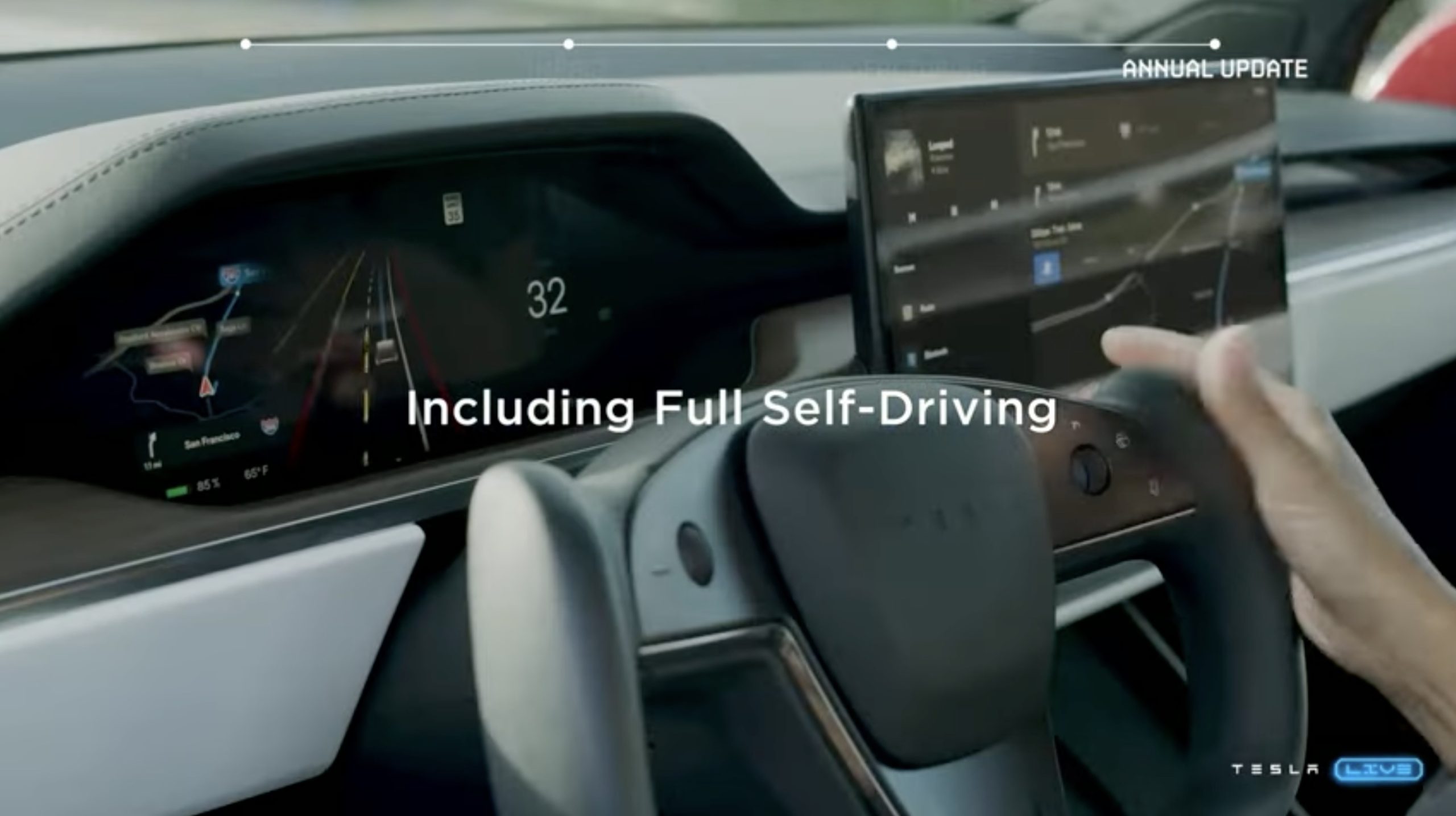

It has been several weeks since Tesla kicked off the roll-out of its latest FSD Beta update, and a few Beta testers shared their thoughts on v10.69.2. FSD Beta testers told Teslarati that v10.69.2 made noticeable improvements to FSD, but a few issues have lingered from 10.69.1.
Tesla FSD Beta 10.69.2 Reviews
After talking to quite a few FSD Beta testers about 10.69.1, a pattern started to emerge. Testers mentioned similar issues repeatedly. The top three mentioned by testers were phantom braking, issues with turns, and speed limit recognition.
Lane selection issues seemed to be a prevalent one in FSD Beta 10.69.2. Multiple FSD Beta testers mentioned that their Tesla would take the turn lane on the road even if they intended to go straight.
“A major issue that I’ve had with this release has to do with lane selection. I find that sometimes, it’s going into an inappropriate lane. And sometimes it’s confused which lane to choose and bunks between a couple of lanes,” noted Dr. Sultan Rahaman, M.D.
“On one occasion, it was moving from the right lane into a right-turn-only lane. A lane that was going into a plaza that was just a right only. But it was driving down that lane at normal speed as if it believed that this lane was going straight through, and it was not, it was just a right turn lane. So I had to disengage because it seemed like it was identifying that right turn lane as just a regular lane going straight,” said Dr. Rahaman.
Long-time Tesla FSD Beta tester Les also experienced issues with lane selection and turns with v10.69.2.
“After multiple test loops and drives, there’s really just one main problem remaining for me at this point on 10.69.2, it’s significant, and that is lane selection,” noted Les.
Les also pointed out two other issues with FSD Beta 10.69.2: multilane turns and opposing turns in close succession. He noted that midterm, his car crosses lanes on 50% of attempts.
Les also stated that his car was successful 50% of the time when taking succeeding turns in opposite directions. “If I have a right turn followed by a left (or vice versa), within a space of a half a block or less, the car at this point fails to get over in time or oddly moves in the opposite direction,” he noted.
Dr. Rahaman also mentioned some issues with turns. He noted seeing improvements with left turns, but he also highlighted that his vehicle would perform left turns a bit aggressively.
“There’s another left turn, however, that’s a simple left turn from just crossing two lanes of traffic into my community—which is an unprotected left turn. I don’t like how it does that. I find that it gets very close to the incoming traffic, and at one point, it seems like it was just hesitating. I think I had to disengage because it seemed like it was moving forward, and traffic was coming,” Dr. Rahaman noted.
Tesla FSD Beta 10.69.2.2 Reviews
Tesla FSD Beta 10.69.2.2 is currently rolling out to more drivers. Plans are underway to roll out FSD Beta 10.69.2.3 shortly after AI Day 2 next week.
Les told Teslarati that there wasn’t any notable changes between 10.69.2, though there were still issues with lane selection. “If this lane selection problem can be solved, it will feel like a good step improvement for me,” he said.
Beta tester Neeraj noted that FSD maintains the posted speed limit even during inclement weather, like while it’s raining, and at night or on curvy roads. He noted that it gets a little unnerving when FSD does not slow down during those appropriate times. Neeraj also noted that his vehicle took long to turn in areas with no traffic lights.
Beta tester Howard also mentioned having trouble with turns since 10.69.2. “Turns at lights and stop signs way, way worse than 69.0!!!! Unusable in my area. Two times it almost caused an accident, once by stuttering and once by entering the opposing lane! Both times there was light traffic, 90-degree turn, good center, and fog lines, two lane road intersection another two lane road,” Howard told Teslarati.
FSD Beta 10.69.2 and 10.69.2.2 Verdict
Overall, testers seem impressed with v10.69 updates thus far. Most of the testers who spoke with Teslarati highlighted that v10.69 significantly improved FSD Beta. A lot of the beta testers stated that they drive more confidently through residential streets after FSD Beta 10.69.
However, a few did note that FSD might not be ready for a wider release by the end of the year. The main reason they believe FSD Beta isn’t ready for more drivers is because it still needs to be well-monitored.
“I still have to be cautious though. I would not want it in the hands of individuals who will not be alert and ready to take control at a moment’s notice,” one beta tester noted.
Have you tried out FSD Beta 10.69.2.2? I’d like to hear from you! Contact me at maria@teslarati.com or via Twitter @Writer_01001101.


News
Tesla Cybercabs take over Austin’s F1 weekend
Tesla Cybercabs swarmed Austin’s F1 Grand Prix as sightings hit a record during race weekend.

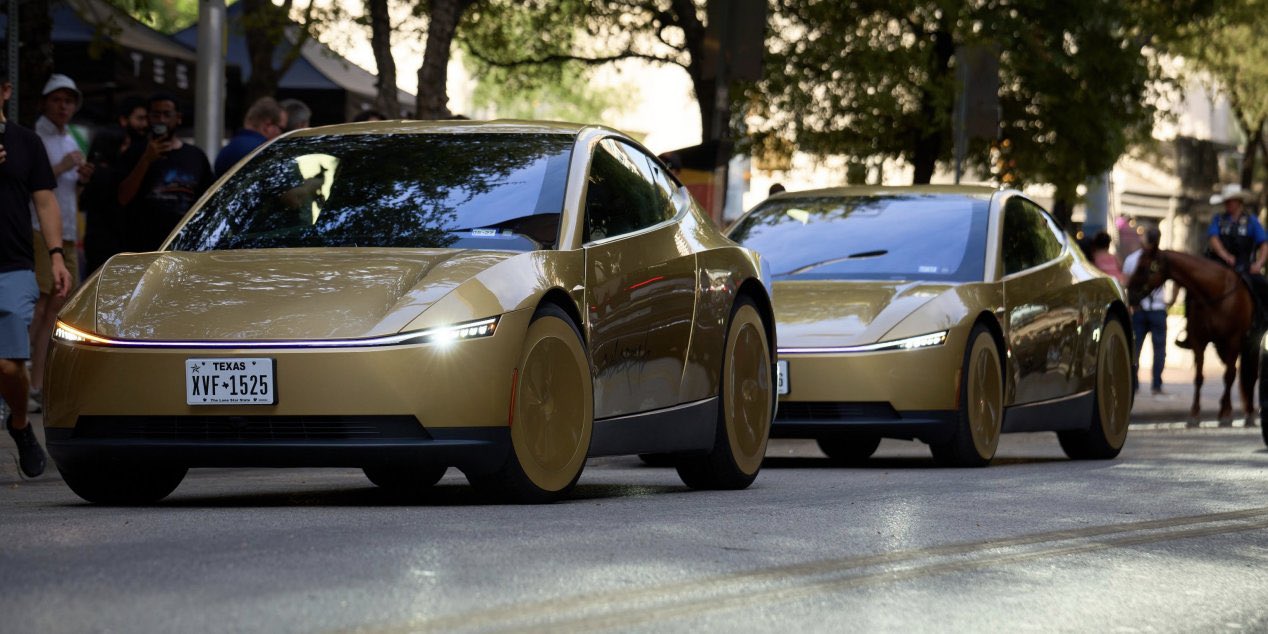
Tesla’s driverless Cybercabs used the Formula 1 United States Grand Prix in Austin as their biggest public stress test yet. On Sunday afternoon, Tesla head of AI software Ashok Elluswamy quoted a photo from X user Ben Steindl showing a long line of gold Cybercabs and Model Y Robotaxis stacked up on a road near Circuit of the Americas. “Robotaxis as far as the eye can see!” Elluswamy wrote. Steindl’s original post was more matter of fact: “@Tesla @robotaxi is busy for the Austin F1.”
The fleet also handled the trip home. The race started at 3 p.m. Central, and once it ended, Cybercab Spotter, an account that logs Cybercab sightings around Austin, posted that “People are requesting Cybercabs to get home.”
Robotaxis as far as the eye can see! 🤩
— Ashok Elluswamy (@aelluswamy) October 25, 2026
Tesla set this up days in advance without announcing it. Late on October 22, rider David Moss posted Robotaxi app screenshots showing the Austin service area wrapping around the track toward Elroy and FM 812, with ride requests open until 1 a.m. A banner in the app read “Last call is 1am · Limited to nearby dropoffs.” Austin rides ended at 11 p.m. as recently as early October, as Teslarati reported, before moving to midnight on October 17.
Not every rider got dropped at the gate. Early app searches showed spots like COTA Karting as “Service blocked,” and one rider who took a Cybercab to the track Friday said the rideshare area was less than a 20 minute walk from the front gate.
The weekend also produced a new activity record. Cybercab Spotter counted 1,250 Cybercab sightings in Austin on Saturday, qualifying day. The previous high was 1,072 on October 16. Sightings count the same car more than once, so they measure how busy the fleet is rather than how big it is. For size, the Texas automated vehicle registry listed 463 Cybercabs at midday Sunday, up from the 300+ Tesla claimed on October 10, when Elluswamy also said Dallas is next for Cybercab.
The track was out of reach for Tesla’s main rival. Waymo runs in Austin only through Uber, and its service area stops well short of COTA. Waymo did not announce any race day service.
Tesla has not said how many rides it gave to and from the circuit, or whether the expanded zone and 1 a.m. cutoff will stay after race weekend. On the third quarter earnings call, Elluswamy said 2 a.m. service is coming “pretty soon” and that Tesla plans to run Robotaxi around the clock before the end of the year. The company is also aiming to hand the first Cybercabs to customers before 2026 ends, which would put cars like these outside Tesla’s own fleet for the first time.
News
Tesla makes good on its Cybercab promise in just two weeks
Tesla Cybercab riders can now pull up a rear camera view and darken the screen.
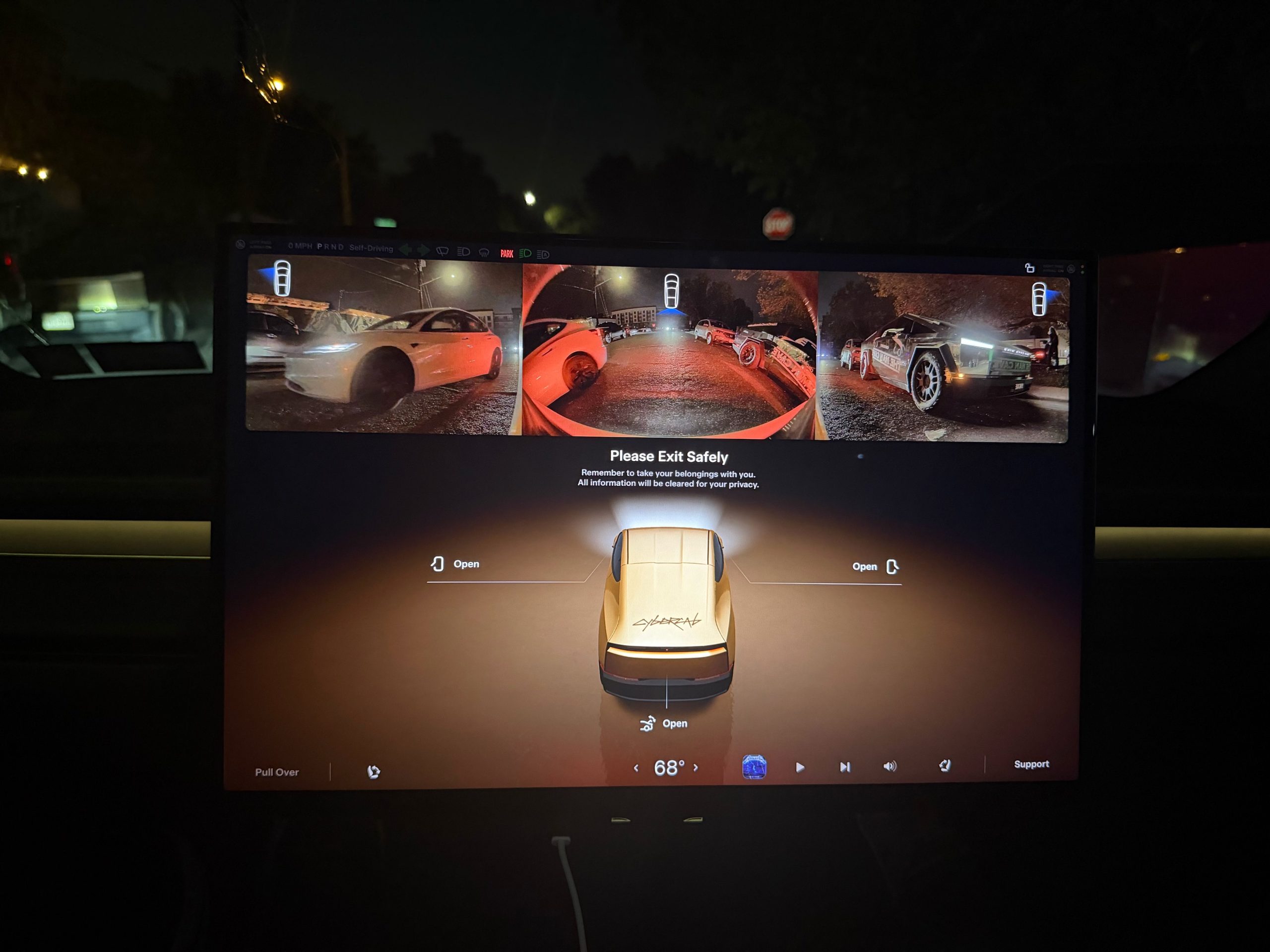
Tesla has given Cybercab passengers a way to see what is behind them, along with a way to turn the cabin screen off entirely.
Riders in Austin can now bring up a live rearview camera feed on the Cybercab’s center display in the middle of a trip. Austin rider Ethan McKanna spotted the change late Friday night, posting from a ride that “You can now open the camera to view what’s behind you in Cybercab!” His photo shows a strip of rear camera video across the top of the screen, with another Cybercab following on a bridge. Sawyer Merritt shared the image Saturday and wrote that it “sounds like” there is also a new quiet mode that darkens the entire screen for riders who want to relax, sleep, or avoid a bright display at night.
The camera view goes beyond the rear feed. Tesla UI software engineer Evan, who posts as @CarCoder, replied to McKanna with a tip: “You can also tap it to see more cameras, and swipe it up or down to hide and show.” Until now, the Cybercab only showed its rear and repeater feeds on the “Please Exit Safely” screen at the end of a ride, so passengers could check for cyclists and traffic before opening a door.
Quiet mode surfaced a day earlier. Austin rider Jackson Blatz posted a video Friday morning of the new Robotaxi interface in a Cybercab with the option. Tesla has not published release notes for either feature.
The rear camera view moved quickly from request to release. Earlier this month, Cybercab rider Dan Burkland asked Tesla to let passengers pull up the rear and repeater cameras whenever they want, “especially for peace of mind.” Evan answered “In development,” as Teslarati reported at the time. About two weeks later, riders have it.
The feature fills a gap created by the Cybercab’s design. With no steering wheel, no pedals, no mirrors and no rear window, a passenger has no natural way to glance behind the car. The eight exterior cameras that feed Tesla’s autonomy software were already on board, so the change only required software.
There is also an AI angle to how it was built. Yun-Ta Tsai, a senior staff engineer on Tesla’s AI team, quoted Merritt’s post and wrote that the “(human) camera view tuning is optimized with Grok and implements part of the algorithm by directly programming the fixed-function hardware, so I don’t even need to check the datasheet.” Tsai did not say which part of the algorithm Grok handled. Grok already plays a bigger role inside the vehicle, with Grok Bot now enabled across every Cybercab and the Model Y Robotaxi fleet after Tesla brought the agent into its cars in September.
The two features join a busy week of changes for riders in Austin, which also brought a redesigned Live Activity for iPhone and Apple Watch and live trip sharing. They also arrive as Tesla prepares the Cybercab for life outside its own fleet. On the third quarter earnings call, Lars Moravy said the company is aiming to deliver Cybercabs to customers before the end of 2026. Tesla has not said whether the camera view and quiet mode will also come to its Model Y Robotaxis.
Elon Musk
Tesla shows what Roadster drivers will see on screen before thruster activation
Tesla’s Roadster video reveals a fighter jet inspired cockpit with a 5,500 PSI thruster gauge.
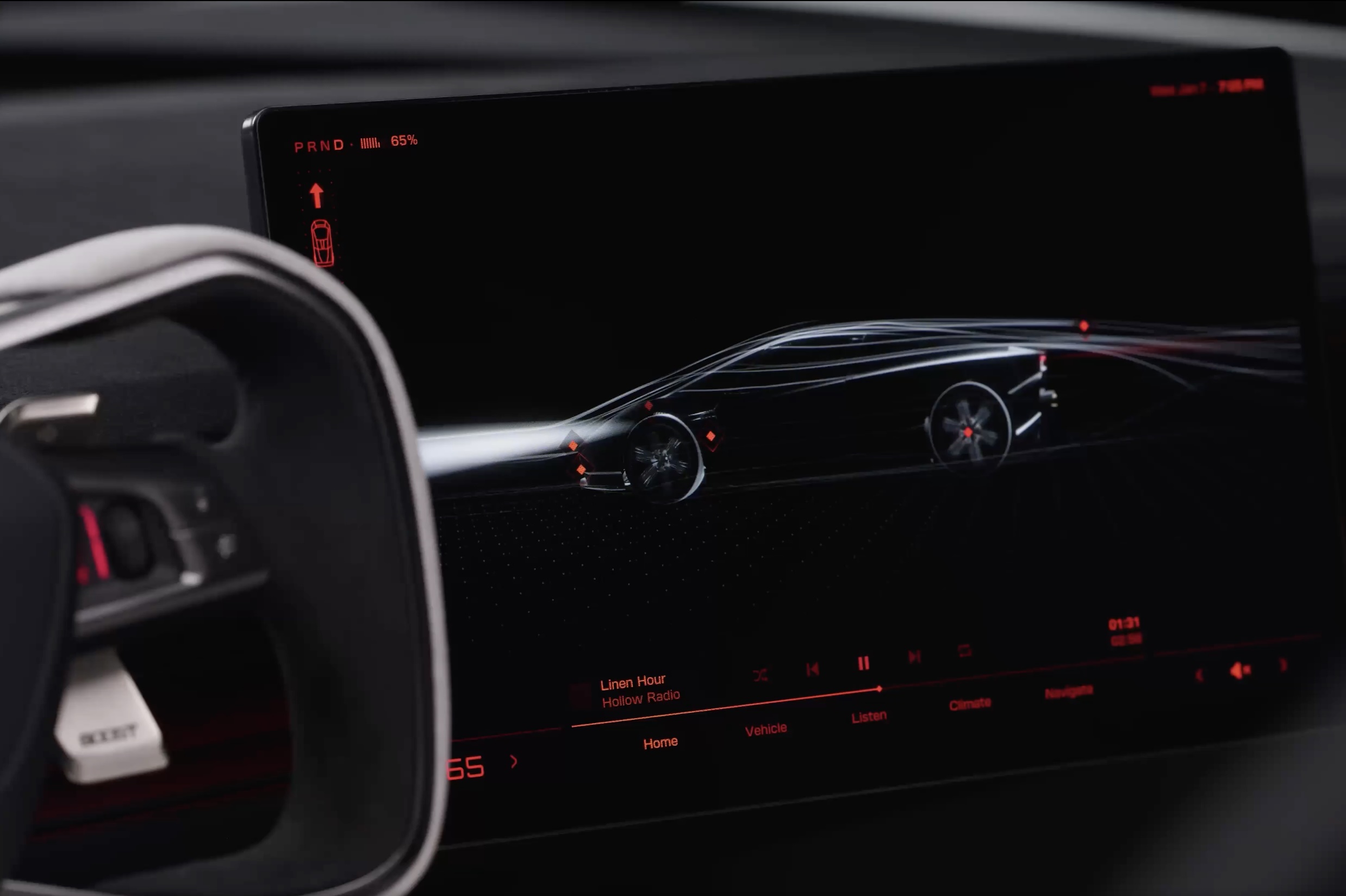
Tesla has given future owners their clearest look yet at the cockpit of its next generation Roadster. In a 34 second video posted to X on Friday afternoon, the company walked through the car’s touchscreen with a caption: “Inspired by fighter jet cockpits, Roadster’s interface was designed around the pilot.”
The clip opens on a black screen with red graphics and a 3D wireframe of the car, which sits beside the Roadster’s squared off yoke. Tapping parts of the model brings up controls for the rear wing, including low drag and high downforce positions, along with a charging page with a charge limit bar and a small music player. A row of tabs along the bottom reads Home, Vehicle, Listen, Climate and Navigate.
Most of the video is spent in Track Mode. The dashboard shows a live circuit map, a list of session lap times, brake and motor temperatures, and pressure and temperature readouts for each tire. A setup page lets the driver pick Auto, Low Drag, High Downforce or Custom aero modes, adjust aero balance and brake balance, and switch stability and traction control off. Along the bottom, a status bar reads “Thruster · 5,500 PSI” next to a “Boost Ready” indicator.
That gauge ties the software to the hardware Tesla showed off near Waco, Texas on October 15. The Thrust and Rocket versions use cold gas thrusters fed by carbon overwrapped pressure vessels, and Tesla lists 0 to 60 mph times of under 0.9 seconds and under 0.59 seconds for them, as Teslarati detailed in its breakdown of the three Roadster configurations. The base Performance car relies on a fan and ground sealing system for grip, and the aero settings on screen match the active wings and suction setup covered in our look at how the Roadster generates downforce.
The Roadster layout is a departure from the rest of Tesla’s lineup. Instead of a map centered screen, the Roadster puts the car itself at the center of the home page, and Tesla’s Roadster page lists two smaller forward displays alongside the main touchscreen. Tesla has not said whether any of the Track Mode telemetry will make its way to the Model 3 Performance or other vehicles.
The interface could still change before deliveries. Elon Musk said at the event that Roadster production will begin in 2028, and Tesla says the flagship Rocket version is not approved for public road use. Reservations are open with a $50,000 payment, while Thrust is listed as a limited release and Rocket is invite only.
Those who want to see the car in person will get their first chance this weekend. The Roadster goes on display in the lobby of the Petersen Automotive Museum in Los Angeles from October 24 to 27, according to Sawyer Merritt, the first time the public will be able to view it up close.

Tesla Cybercabs take over Austin’s F1 weekend

Tesla makes good on its Cybercab promise in just two weeks


