News
Tesla Summon got insanely good in FSD v14.3.2 — Navigation? Not so much
There were two new lines of improvements in the release notes: one addressing Actually Smart Summon (ASS), and another that now allows drivers to choose a reason for an intervention via a small menu during disengagement.

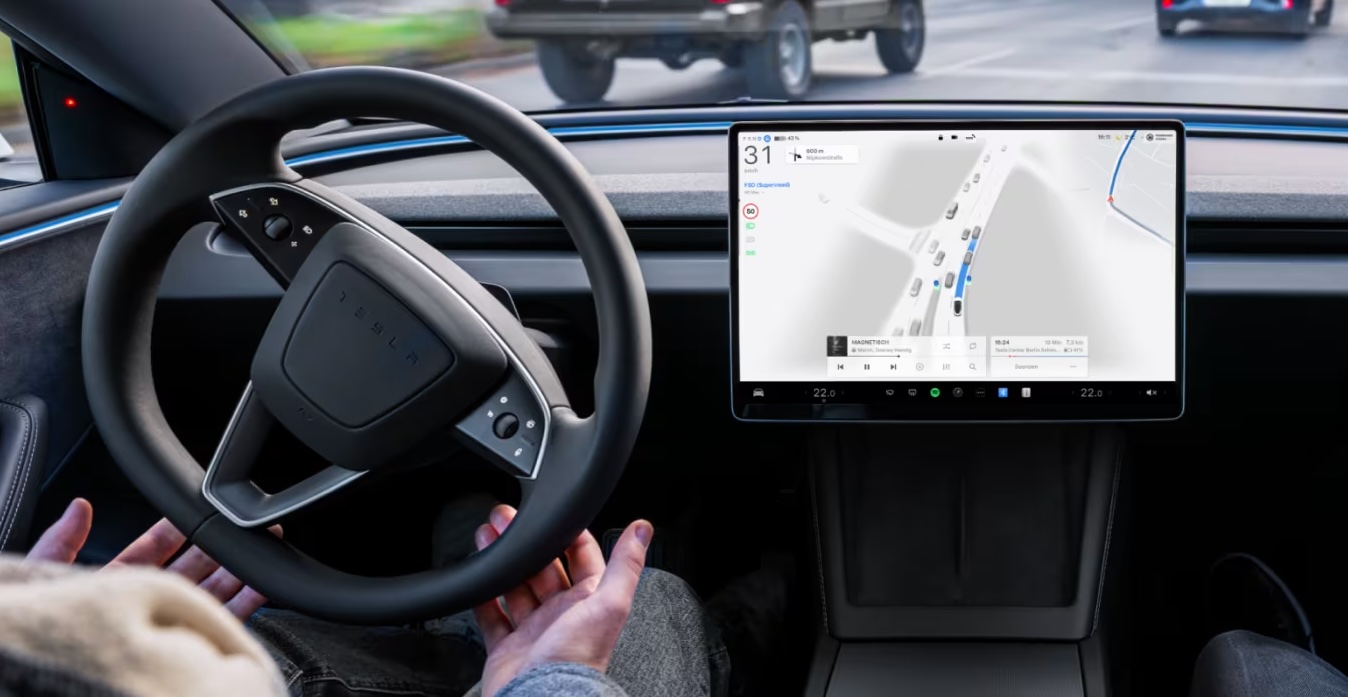
Tesla Full Self-Driving v14.3.2 began rolling out to some owners earlier this week, and there are some notable improvements that came with this update.
There were two new lines of improvements in the release notes: one addressing Actually Smart Summon (ASS), and another that now allows drivers to choose a reason for an intervention via a small menu during disengagement.
Overall operation saw a handful of slight improvements, especially with parking performance, which has been the most notable difference with the arrival of FSD v14.3. However, there are still some very notable shortcomings, most notably with region-specific signage and navigation.
Tesla Assisted Smart Summon (ASS) improvements
There are noticeable improvements to ASS operation, which has definitely been inconsistent in terms of performance. Tesla wrote in the release notes for v14.3.2:
“Unified the model between Actually Smart Summon, FSD, and Robotaxi for more capable and reliable behavior.”
As recently as this month, I used Summon with no success. It had pulled around the parking lot I was in incorrectly, leaving the range at which Summon can be operated and losing a signal while moving in the middle of the lot.
This caused me to sprint across the lot to retrieve the vehicle:
It was pouring when I left the gym so I tried to Summon my Model Y
It turned the opposite way and drove out of range, stopping here and forcing me to walk even further across the lot in the rain for it 🤣
One day pic.twitter.com/iD10c8sriB
— TESLARATI (@Teslarati) April 5, 2026
Unfortunately, Summon was not dependable or accurate enough to use regularly. It appears Tesla might have bridged the gap needed to make it an effective feature, as two tests in parking lots proved that Summon was more responsive and faster to navigate to the location chosen.
It also did so without hesitation, confidently, and at a comfortable speed. I was able to test it twice at different distances:
🚨 Tesla FSD v14.3.2 ASS testing part 1
This was a significant improvement than recent tries using ASS. The parking lot was pretty empty but getting it to come to my location in one singular motion and maneuver was encouraging. https://t.co/vF7TS48GGV pic.twitter.com/sYt8tyHgNn
— TESLARATI (@Teslarati) April 23, 2026
Tesla Full Self-Driving v14.3.2 ASS testing part 2 https://t.co/lxfWfnLUxf pic.twitter.com/2R0r3ohI3M
— TESLARATI (@Teslarati) April 23, 2026
I plan to test this more thoroughly and regularly through the next few weeks, and I avoided using it in a congested parking lot initially because I have not had overwhelming success with Summon in the past. I wanted to set a low baseline for it to see if it could simply pull up to the place I pinned in the Tesla app.
It was two for two, which is a big improvement because I don’t think I ever had successful Summon attempts back-to-back. It just seems more confident than ever before.
New Disengagement Categories
This is a really good idea from Tesla, but there are some issues with it. The categories you can select are Critical, Comfort, Preference, and Other.
I think the reasons why people choose to take over would be a better way to prompt drivers, like, “Traveling Too Fast,” “Incorrect Maneuver,” “Navigation Error,” would be more beneficial.
I say this because it seems that how we each categorize things might be different. For example, I shared a video of an intervention because the car had navigated to an exit to a parking lot and put its left blinker on, despite left turns not being allowed there.
I disengaged and chose Critical as the reason; it’s not a comfort issue, it’s not a preference, it’s quite literally an illegal turn, and it’s also dangerous because it cuts across several lanes of traffic and is 180 degrees.
I chose to label this Navigation error as “Critical” while testing FSD v14.3.2
Here’s why:
✅ This intervention wasn’t “preference,” as the maneuver FSD routed was illegal
✅ If a police officer saw this maneuver, it would result in a ticket https://t.co/znhHb4haAo pic.twitter.com/bZOiLwWmQa— TESLARATI (@Teslarati) April 23, 2026
Some said I should not have labeled this as Critical, but that’s the description I best characterized the disengagement as.
Categorizing interventions is a good thing, but it’s kind of hard to determine how to label them correctly.
Inconsistency with Regional Traffic Patterns
Tesla Full Self-Driving is pretty inconsistent with how it handles regional or local traffic patterns and road rules. The most frequent example I like to use is that of the “Except Right Turn” stop sign, which has become a notorious sighting on our social media platforms.
In the initial rollout of v14.3, my Model Y successfully navigated through one of these stop signs with no issues. However, testing at two of these stop signs yesterday proved it is still not sure how to read signs and navigate through them properly.
🚨 Tesla FSD v14.3.2 attempts the “Except Right Turn” stop sign: https://t.co/W5MjAybaNK pic.twitter.com/P6oeUsk4PN
— TESLARATI (@Teslarati) April 23, 2026
Off camera, I approached another one of these signs and felt the car coming to a stop, so I nudged it forward with the accelerator pedal pressed.
This helped the car go through the sign without stopping, but I could feel the bucking of the vehicle as the car really wanted to stop.
Musk said on the earnings call earlier this week that unsupervised FSD would probably be available in some regions before others, including a state-to-state basis in the U.S.
“It’s difficult to release this like to everyone everywhere all at once because we do want to make sure that they’re not unique situations in a city that particularly complex intersection or — actually, they tend to be places where people get into accidents a lot because they’re just — perhaps there’s — and like I said, an unsafe intersection or bad road markings or a lot of weather challenges. So I think we would release unsupervised gradually to the customer fleet as we feel like a particular geography is confirmed to be safe.”
This could be one of those examples that Tesla just has to figure out.
Highway Operation
Full Self-Driving is already pretty good at routine roadway navigation, so I don’t have too much to report here.
However, I was happy with FSD’s decision-making at several points, including its choice not to pass a slightly slower car and remain in the right lane as we approached the off-ramp:
🚨 Tesla FSD v14.3.2 highway operation: generally happy with the performance here, especially behavior near the exit
Love that the car got over in the right lane after its final pass, and stayed there as the off ramp was approaching https://t.co/qVRVhg6XGR pic.twitter.com/1ELwHf2XKS
— TESLARATI (@Teslarati) April 23, 2026
Better Maneuvering at Stop Signs
Many FSD users report some strange operations at stop signs, especially four-way intersections where there is a stop sign and a line on the road, and they’re not even with one another.
I experienced this quite frequently and found that FSD would actually double stop: once at the stop sign and again at the line.
This created some interesting scenarios for me and I had many cars honk at me when the second stop would happen. Other vehicles that had waved me on to proceed through the intersection would become frustrated at the second stop.
FSD seems to have worked through this particular maneuver:
🚨 Tesla FSD v14.3.2 with a singular stop at the correct spot
No double stopping anymore in my experience https://t.co/Wd0TaNjc1R pic.twitter.com/CdQPvJHaAM
— TESLARATI (@Teslarati) April 23, 2026
FSD should know to go to the more appropriate location (whichever provides better visibility), and proceed when it is the car’s turn to move. The double stop really ruined the flow of traffic at times and generally caused some frustration from other drivers.


Elon Musk
Tesla shows what Roadster drivers will see on screen before thruster activation
Tesla’s Roadster video reveals a fighter jet inspired cockpit with a 5,500 PSI thruster gauge.

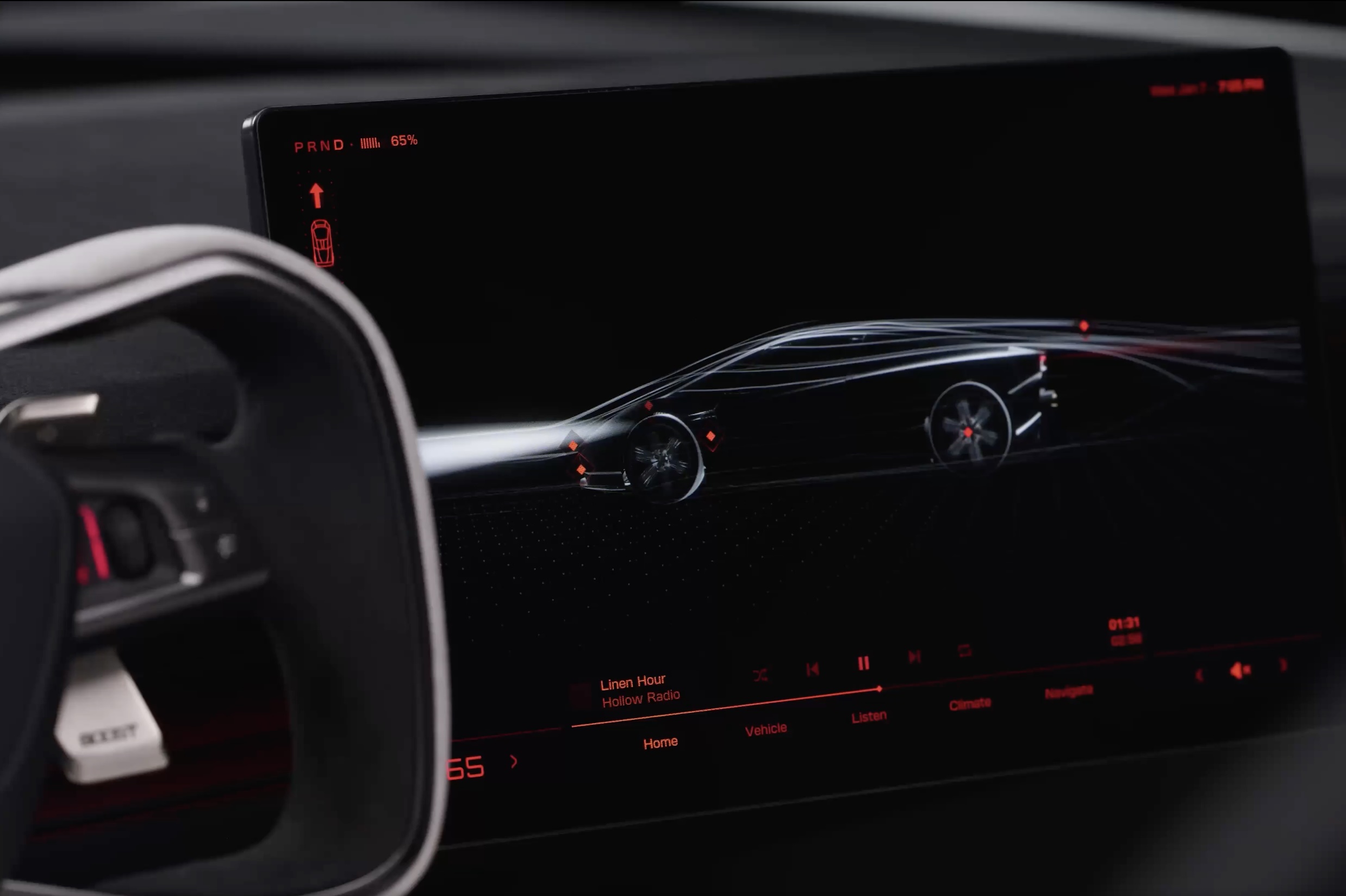
Tesla has given future owners their clearest look yet at the cockpit of its next generation Roadster. In a 34 second video posted to X on Friday afternoon, the company walked through the car’s touchscreen with a caption: “Inspired by fighter jet cockpits, Roadster’s interface was designed around the pilot.”
The clip opens on a black screen with red graphics and a 3D wireframe of the car, which sits beside the Roadster’s squared off yoke. Tapping parts of the model brings up controls for the rear wing, including low drag and high downforce positions, along with a charging page with a charge limit bar and a small music player. A row of tabs along the bottom reads Home, Vehicle, Listen, Climate and Navigate.
Most of the video is spent in Track Mode. The dashboard shows a live circuit map, a list of session lap times, brake and motor temperatures, and pressure and temperature readouts for each tire. A setup page lets the driver pick Auto, Low Drag, High Downforce or Custom aero modes, adjust aero balance and brake balance, and switch stability and traction control off. Along the bottom, a status bar reads “Thruster · 5,500 PSI” next to a “Boost Ready” indicator.
That gauge ties the software to the hardware Tesla showed off near Waco, Texas on October 15. The Thrust and Rocket versions use cold gas thrusters fed by carbon overwrapped pressure vessels, and Tesla lists 0 to 60 mph times of under 0.9 seconds and under 0.59 seconds for them, as Teslarati detailed in its breakdown of the three Roadster configurations. The base Performance car relies on a fan and ground sealing system for grip, and the aero settings on screen match the active wings and suction setup covered in our look at how the Roadster generates downforce.
The Roadster layout is a departure from the rest of Tesla’s lineup. Instead of a map centered screen, the Roadster puts the car itself at the center of the home page, and Tesla’s Roadster page lists two smaller forward displays alongside the main touchscreen. Tesla has not said whether any of the Track Mode telemetry will make its way to the Model 3 Performance or other vehicles.
The interface could still change before deliveries. Elon Musk said at the event that Roadster production will begin in 2028, and Tesla says the flagship Rocket version is not approved for public road use. Reservations are open with a $50,000 payment, while Thrust is listed as a limited release and Rocket is invite only.
Those who want to see the car in person will get their first chance this weekend. The Roadster goes on display in the lobby of the Petersen Automotive Museum in Los Angeles from October 24 to 27, according to Sawyer Merritt, the first time the public will be able to view it up close.
Elon Musk
Tesla reveals Optimus Academy, where robots teach themselves
Tesla has begun building production quality Optimus robots in Fremont and revealed its training plan.
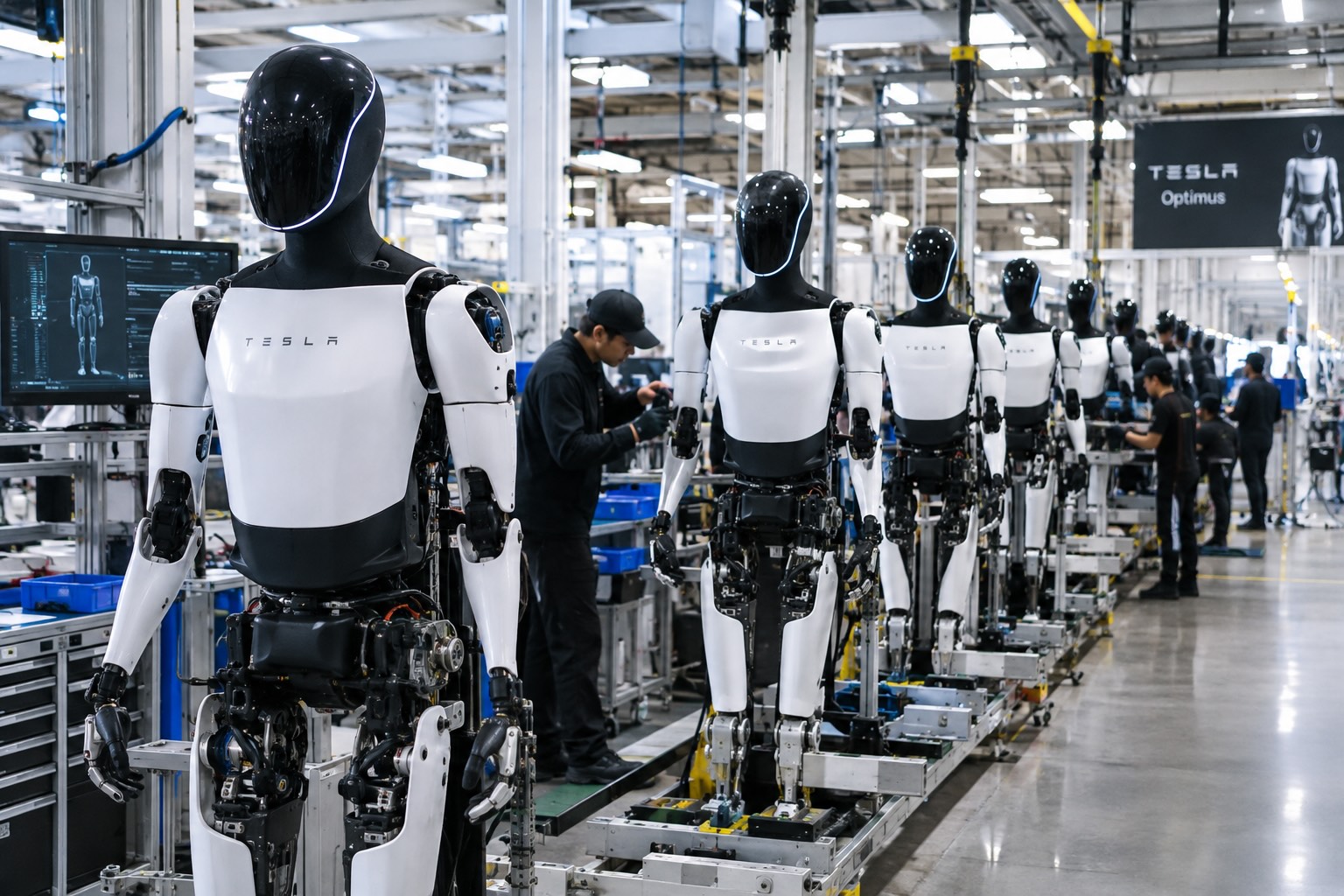
Tesla has started building Optimus on the high volume line it set up inside its Fremont factory, and the company says the robots coming off it are the first that meet the bar for a real product. “The bots coming off this line are the first production-quality bots that we have manufactured,” Tesla wrote in its third quarter shareholder letter, adding that it has “proven that the current manufacturing process for Optimus is suitable for a commercial product.”
The line sits in space that built the Model S and Model X until this spring. Tesla cleared the old vehicle line in 46 days, as Teslarati reported in July, to make room for robot production sized for one million units a year. On Wednesday’s earnings call, Elon Musk said most of the equipment for that capacity is already in Fremont, with output set to climb toward roughly 20,000 robots a week as the line ramps.
Musk described the ramp as a classic S curve. “The growth of Optimus is an S curve, but the initial curve is a shallow slope,” he said. The team is now refining the robot’s AI, electromechanical design, reliability and service life, and Musk expects that work to be finished by the end of next year, when Tesla plans to start delivering Optimus to outside companies for dangerous, repetitive and around the clock jobs.
The most interesting part of the call was how Tesla plans to teach the robots. Its cars send real driving data back to the AI team from millions of vehicles, but Optimus has no fleet like that yet. “A big difference with Optimus versus the cars is we don’t have this vast fleet of cars from which we can gather training data,” Musk said. Tesla’s answer is an Optimus Academy, where 10,000 to 20,000 robots will practice a wide range of tasks and feed what they learn into the next version of the model. Every unit off the Fremont line becomes a source of that training data.
Smarter hardware is on the way too. Tesla plans to put its AI5 chip into Optimus next year, and Musk said a new Optimus video should arrive within one or two months showing the robot completing tasks driven by AI rather than preprogrammed motions. He took aim at rival humanoid demos that only run scripted routines, saying those would not hold up in the real world.
The supply chain is lining up behind the program. In September, Tesla certified Tuopu, Joyson and Sanhua as mass production partners for Optimus components. A far larger Optimus factory is also rising at Giga Texas, where drone footage from Joe Tegtmeyer showed the steel frame nearing completion, and Musk has pegged that plant’s long term target at 10 million robots a year.
Tesla executives also said Optimus production costs are trending toward the expected manufacturing cost of Cybercab, a sign the robot is being engineered for volume from the start. The hands remain the toughest piece of the design, a point Musk also made at the X Takeover event earlier this month, as Teslarati covered at the time, and that is where much of the current engineering effort is focused.
Elon Musk
The Starship moon landing number NASA and Elon Musk can’t agree on
Musk disputes NASA estimate of 22 Starship launches for Moon landing, predicting 6 to 8.
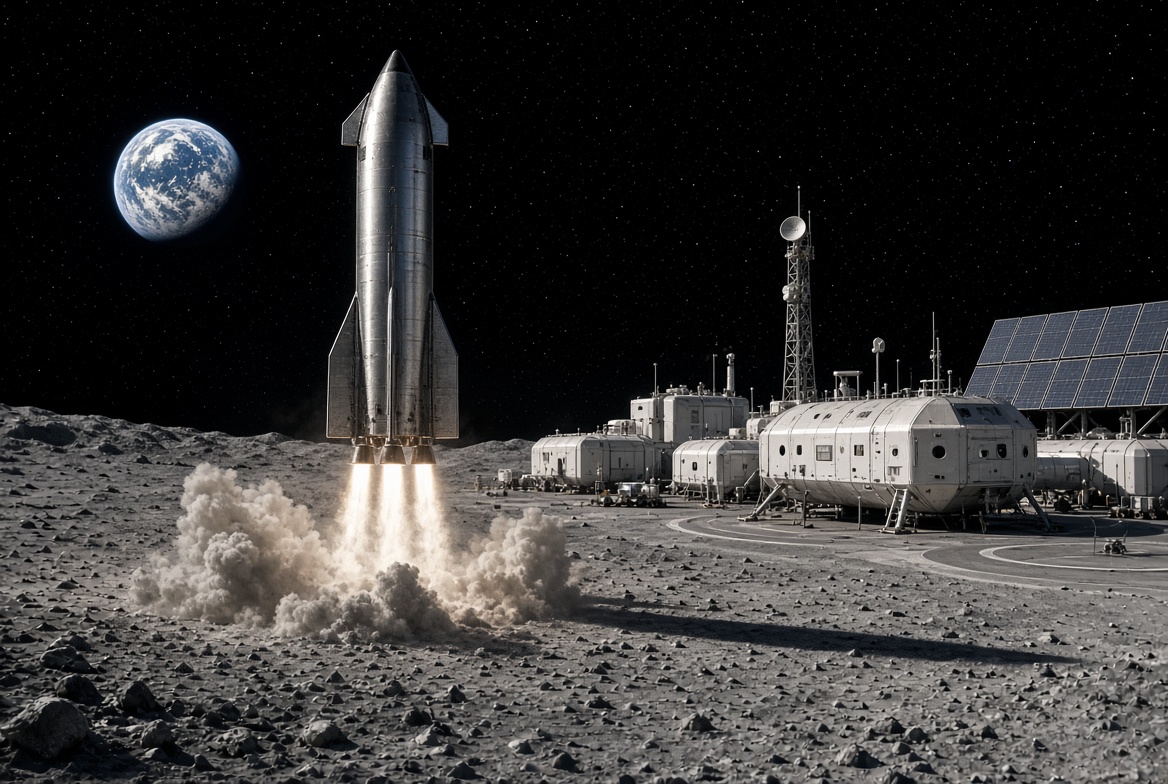
Elon Musk is disputing a new NASA safety panel estimate of how many Starship launches it will take to put astronauts on the Moon, saying the real number will be less than half the panel’s figure.
On Thursday, NASA’s Aerospace Safety Advisory Panel held its quarterly public meeting. Panel member Charlie Precourt, a former NASA astronaut, flagged the fueling process for SpaceX’s lunar lander as a major risk for Artemis IV, the mission planned to land a crew on the Moon in 2028. “We need to keep our eyes on numerous required fuelings for the lander,” Precourt said, according to Ars Technica. “I think the last estimate is around 22 flights.”
Ars Technica’s Eric Berger posted the comment on X, and Musk replied. “That’s way too high,” Musk wrote. “Actual number will be more like 6 to 8.”
The disagreement comes down to a basic problem with sending a ship as large as Starship to the Moon. Starship burns nearly all of its propellant just reaching Earth orbit, so it cannot continue on to the Moon without stopping for a refill. SpaceX’s answer is a gas station in space. First, a Starship that works as a storage tank, called a depot, is launched into orbit. Then a series of tanker Starships launch one at a time, dock with the depot and pump their leftover propellant into it. Once the depot is full, the lunar lander version of Starship launches, docks, fills up and heads for the Moon.
Every tanker trip is its own full rocket launch, which is why the count matters. More launches mean more time, more cost and more chances for something to go wrong before astronauts ever leave Earth. Berger estimated that even if SpaceX reaches twice weekly Starship launches by the end of 2027, filling a depot at the panel’s number would still take roughly three months.
How many tankers are needed depends mostly on how much propellant each one can carry to orbit and how much is lost along the way. Starship’s fuel and oxygen are stored at extremely cold temperatures, and some of it slowly boils off while waiting in orbit. More is lost in each transfer. NASA appears to be working from what Starship can lift today, while Musk’s range assumes a more capable rocket.
Musk has pushed back on higher counts before. In 2021, after a government document suggested 16 launches, he called that “extremely unlikely” and said eight tankers would be the most required.
Much of the answer depends on hardware SpaceX has not finished flying. As Teslarati noted earlier this year, the company plans to carry out the refueling process with its upgraded V3 Starship, and Precourt described Artemis IV as carrying “a large number of firsts.” He also praised NASA Administrator Jared Isaacman’s team for working to clear obstacles for both SpaceX and Blue Origin, whose Blue Moon lander does not rely on orbital refueling for its first mission.

Tesla shows what Roadster drivers will see on screen before thruster activation

Tesla reveals Optimus Academy, where robots teach themselves


