Lifestyle
Tesla Model S All Glass Panoramic Roof

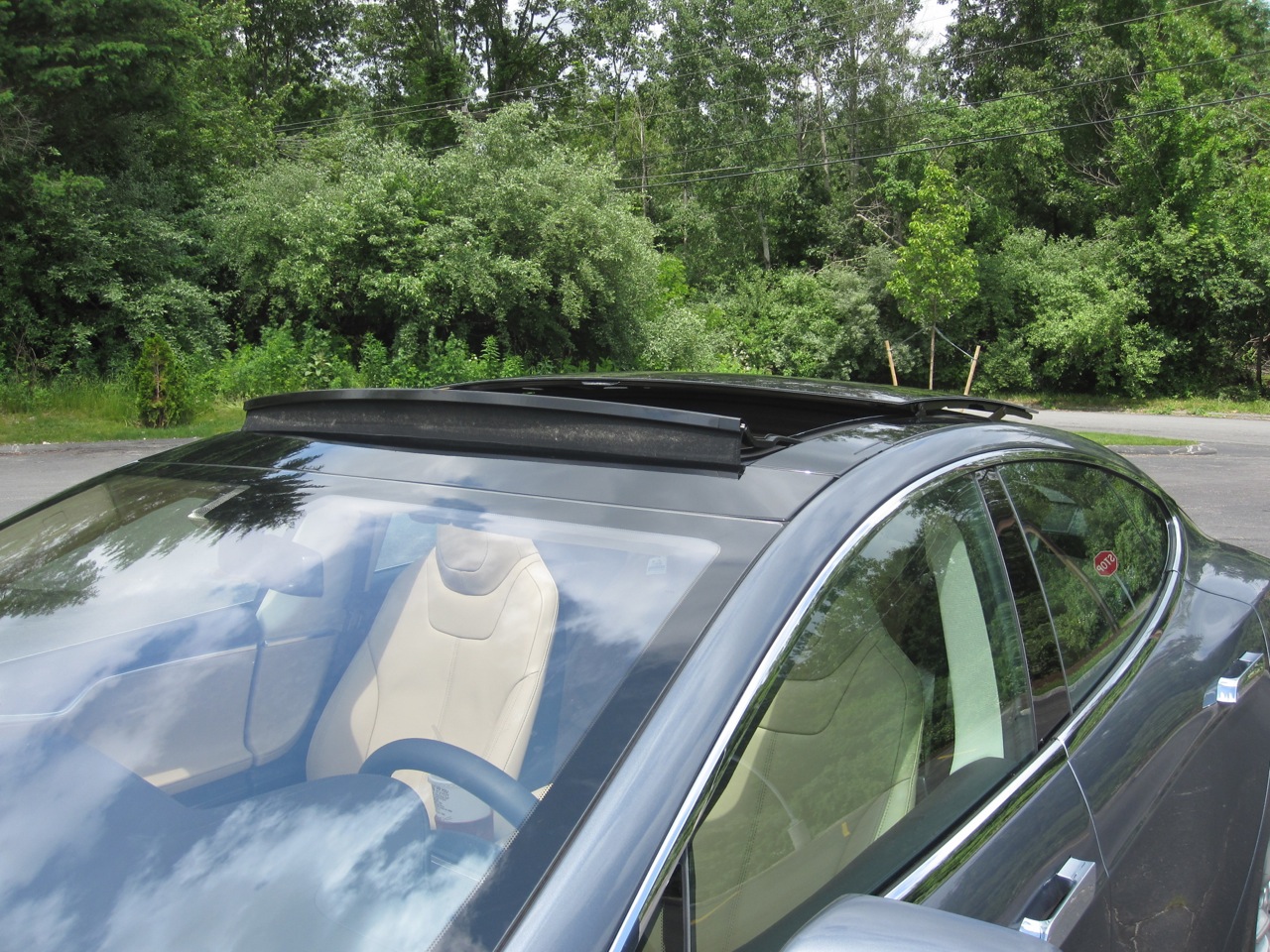
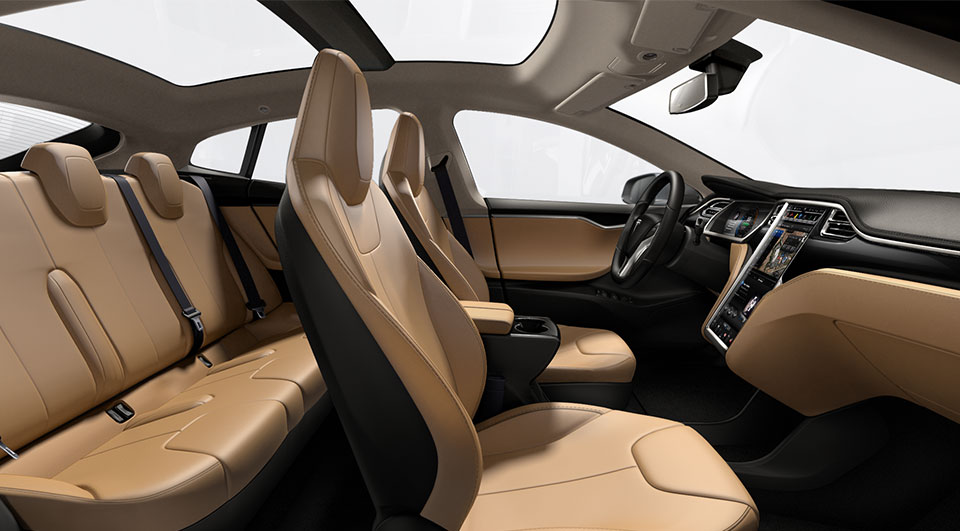
For me getting the Tesla Model S Panoramic sunroof option was a no-brainer
 Although I don’t often drive with a sunroof open, I’ve always been a big fan of having one in car. Sunroofs seem to open up the cabin space to make it feel less enclosed.
Update: Tesla has announced a new Model 3-like Glass Roof option available for the Model S
Design
The Panoramic sunroof is a $2,500 option on the Model S and for me represents approximately 2.5% of my total vehicle cost. Tesla claims it blocks 98% of ultraviolet light and 81% of solar heat.
I love sunroofs, but my wife hates them. It’s always a discussion point when I’m buying a car. If it’s for me I get the sunroof, but if it’s for her we try not to. If she gets a car with a sunroof for some reason (“loaded” ones that have everything on them) then she pulls the shade over it to pretend it doesn’t exist. She dislikes the glare of the sun on her and the feeling of openness. Knowing this, I expected her to have dissatisfaction with the Model S panoramic sunroof since it does not include a pullover shade, but surprisingly she has never complained about it.
The reality is that the sunroof is so dark and so great at blocking out light that it meets my needs (more room, some outside light, openness) as well as my wife’s needs of having no glare. This is the first car I’ve owned where we’re both happy with the sunroof.
Function
There’s a separate section of your Model S controls dedicated to the sunroof. From there you can open the sunroof by dragging on the roof itself in the picture or by sliding the blue control to the desired setting. As the roof opens, the picture moves along with it and shows progress. Everyone always thinks its cool to be able to drag your finger and watch the progress while the mechanics are also taking place.
There are 4 key positions for the sunroof but you can also open to any setting you want:
- Closed
- Vent
- 80% open
- 100% open

Generally you end up using only positions 1-3. 100% open is ok if you’re sunbathing or parked but it makes a lot more noise than the 80% position when you’re driving.
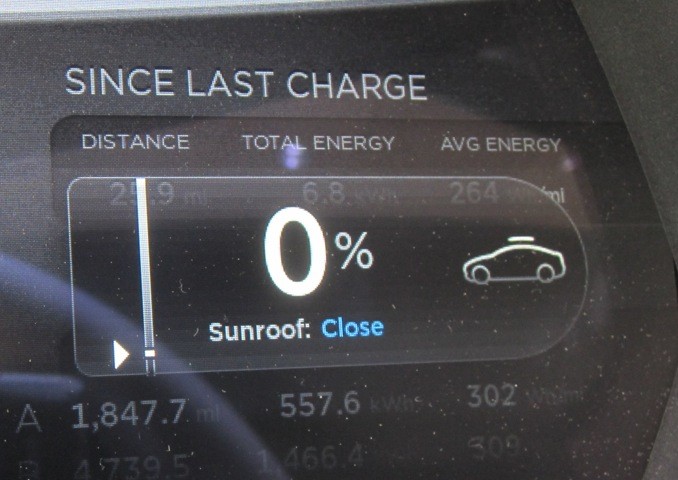 In addition to the controls on the large touchscreen, you can also control the sunroof through use of the right scroll wheel on your steering wheel. Select the sunroof setting and begin scrolling int the direction you want the panoramic roof to slide. A second press on the scroll wheel will close or open it without you needing to scroll. So usually you just double tap the scroll wheel if you’re looking for a quick vent or close the vent operation.
The Tesla mobile app gives owners the ability to vent or close the sunroof remotely, but not open it. This could be useful if you’re about to leave work and want to let some heat out of the car before getting in. You can also combine this with turning on the A/C to really maximize your pre-cooling efforts. The Visible Tesla app will allow you to open and close the sunroof to any setting you want directly from your computer.
Wind Noise
The wind noise that occurs is what I’d expect based on my experience with other cars. This is impressive since the panoramic sunroof, even at 80% open, is much larger than most sunroofs. The 100% open position is the oddity since its much noisier and I don’t use that setting. 80% is like a normal sunroof being open. Opening the sunroof adds noise, but that is to be expected.
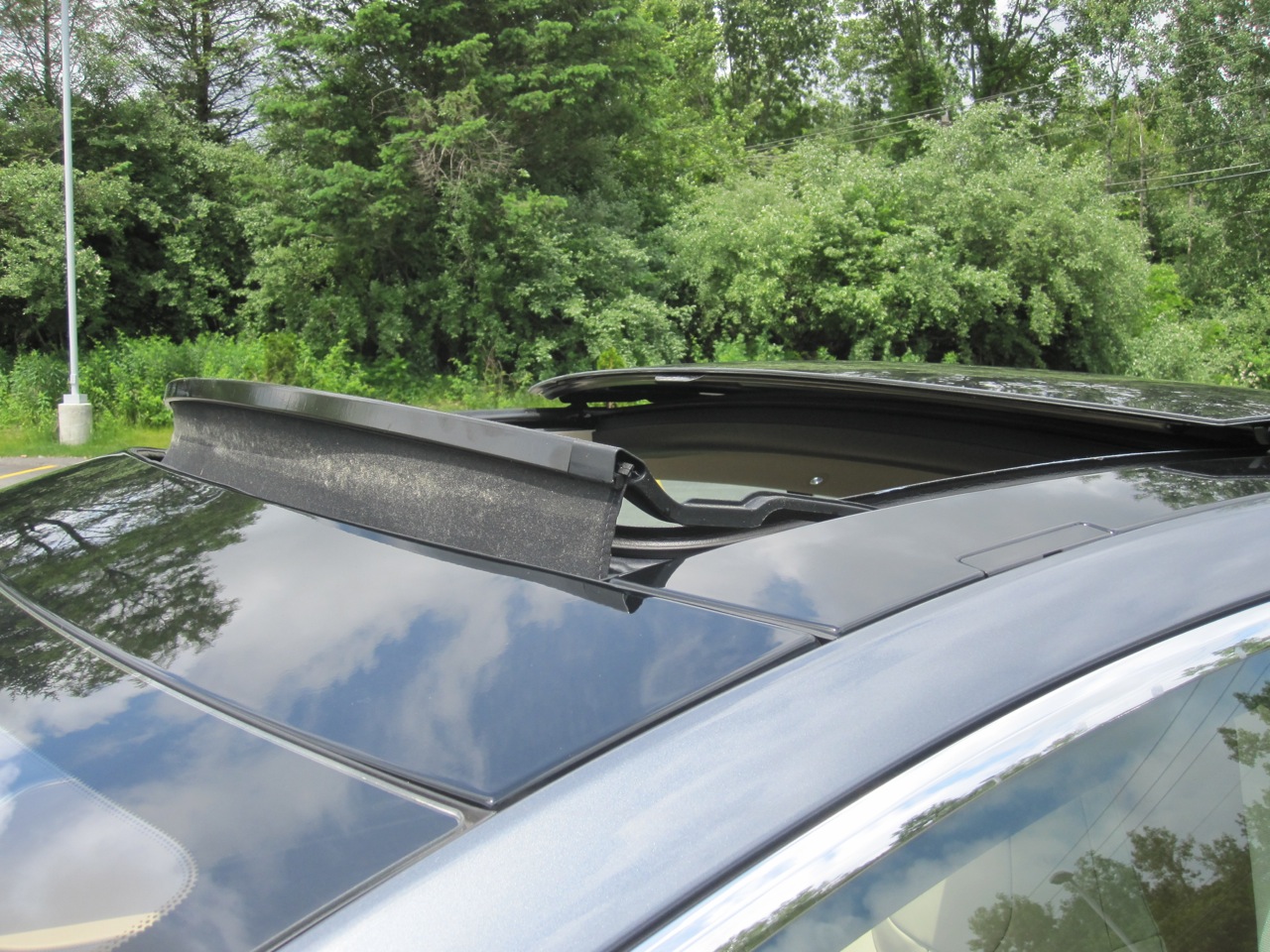 When the roof is open (not tilted) a sound baffle pops up to help with buffering wind noise while the sunroof is open. This baffle is larger than you see on most cars (to account for the large open area). I have 2 complaints with this sound baffle:
- I’m not real fond of the look of it since it stands up so much. Part of the tradeoff for the noise reduction.
- It’s made of cloth/fabric and collects bugs/pollen. Look at the the close up picture and think about me not using it very often. Its very dirty and hard to clean.
It has to be large for the size of the sunroof. It has to be fabric because its large. But the combination doesn’t work well for looks or maintenance.
Another thing that I’ve noticed on my Model S is that when the sunroof is open (vent or 80%), it rattles a bit more than I’d expect when traveling along some back roads. I’m assuming something just needs to be adjusted/tightened the next time I take it to Tesla Service.
Summary
Purchasing the optional sunroof was a no-brainer for me, but if you’re on the fence, or if you usually hate sunroofs on cars, you should take a second look at the Model S Panoramic sunroof in person before making a decision.
This is a feature you should not quickly dismiss when ordering your Model S and, unlike other features, there’s no chance they can retrofit this one after you take delivery.


Elon Musk
Elon Musk drops a surprise update on Boring Company’s next big dig
Musk says Boring Company could shrink the Austin to San Antonio drive to just minutes.

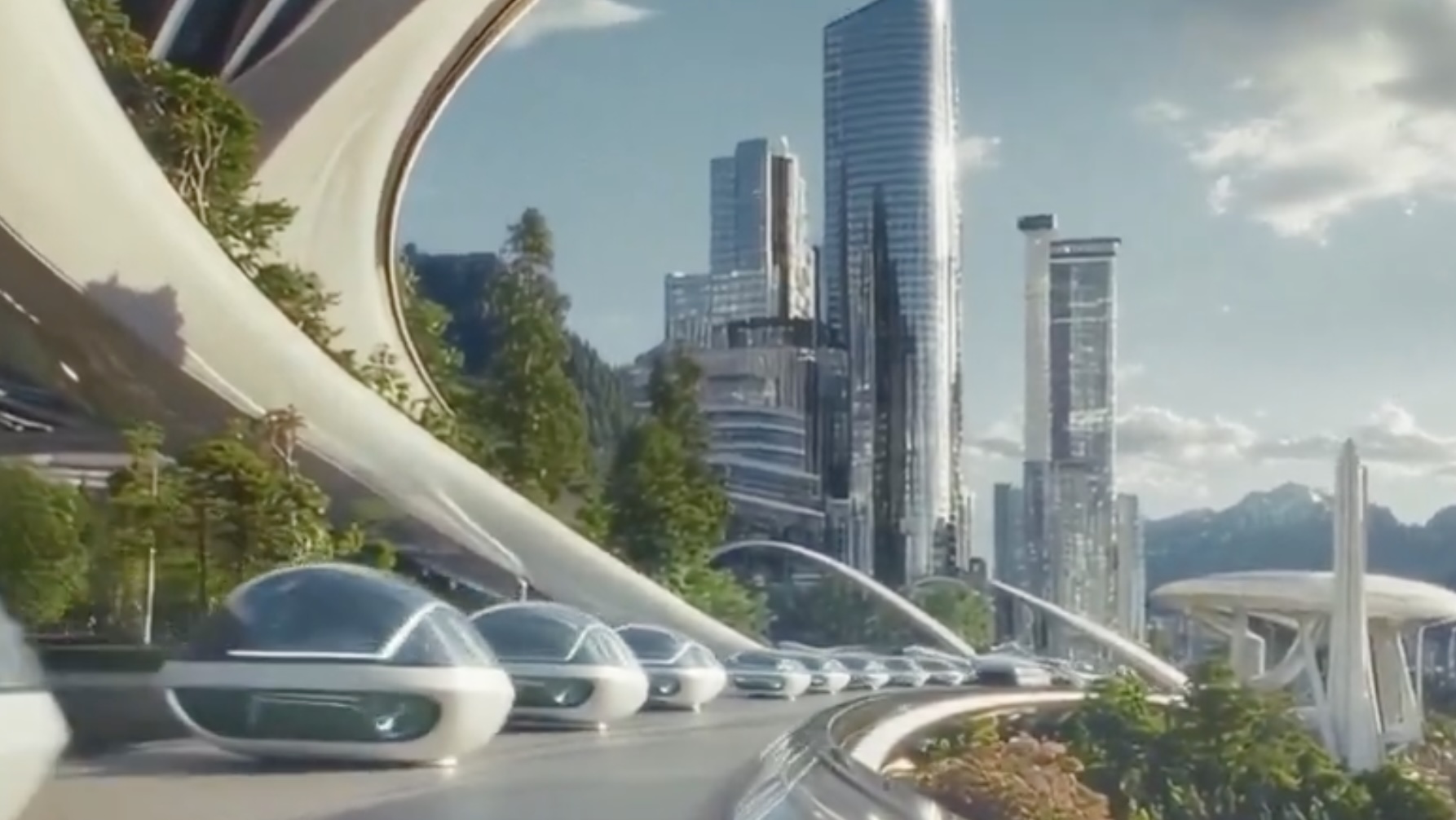
Elon Musk says The Boring Company is working on what he called “a simple, precursor Hyperloop” tunnel connecting Austin and San Antonio, targeting speeds above 200 mph and cutting a drive that can take up to two and a half hours down to a consistent under 30 minutes. Musk posted the idea on X Sunday, in a reply to a repost of an AI generated video imagining a science fiction future with human colonies on other worlds, which he shared with the line “This is the future we shall bring into being.”
This is the future we shall bring into being pic.twitter.com/8aD0w8MDVc
— Elon Musk (@elonmusk) September 20, 2026
The Boring Company’s own account picked up the idea in the same thread, adding a detail about how the trip would actually work: “Because Loop/Hyperloop is express (i.e. no intermediate stops), one could travel from an Austin parking lot to a favorite San Antonio restaurant in about 30 minutes. As long as they both have Loop stations.” That framing ties the proposed intercity link to the same station model the company already runs in Las Vegas, where riders enter the tunnel network through small, garage style stops rather than one central terminal.
This is not the company’s first run at the Austin to San Antonio corridor. Boring Company floated tunnels between the two cities as far back as 2021, and later competed for a separate San Antonio Loop project tied to the airport before that specific bid stalled. Pitches for tunnels in Chicago, Los Angeles, and a New York to Washington corridor have followed a similar pattern of big announcement without a shovel in the ground.
What is different this time is the balance sheet, especially since The Boring Company closed a 3 billion dollar funding round led by investors in the United Arab Emirates earlier this month at a valuation near 23 billion dollars, giving the tunneling company more capital to chase speculative projects than it had during its earlier Texas pitches. The company is also mid-build on two other intercity systems it has actually broken ground on, inc;luding a Nashville tunnel linking downtown to the airport, where a second boring machine finished commissioning in June, and its Las Vegas network, where the station count keeps climbing on paper faster than tunnels get dug.
That gap between announcement and execution is the reason to treat Sunday’s post as an opening bid rather than a project. A tunnel spanning roughly 80 miles between two metro areas, running at speeds Boring Company has not demonstrated over any real distance, would dwarf anything the company has built. For now, the Austin to San Antonio Hyperloop exists as a caption under an AI generated space video.
Elon Musk
Tesla eyes supply partners for Optimus mass production
Tesla certified three Chinese suppliers for Optimus mass production, signaling its robot timeline is accelerating.
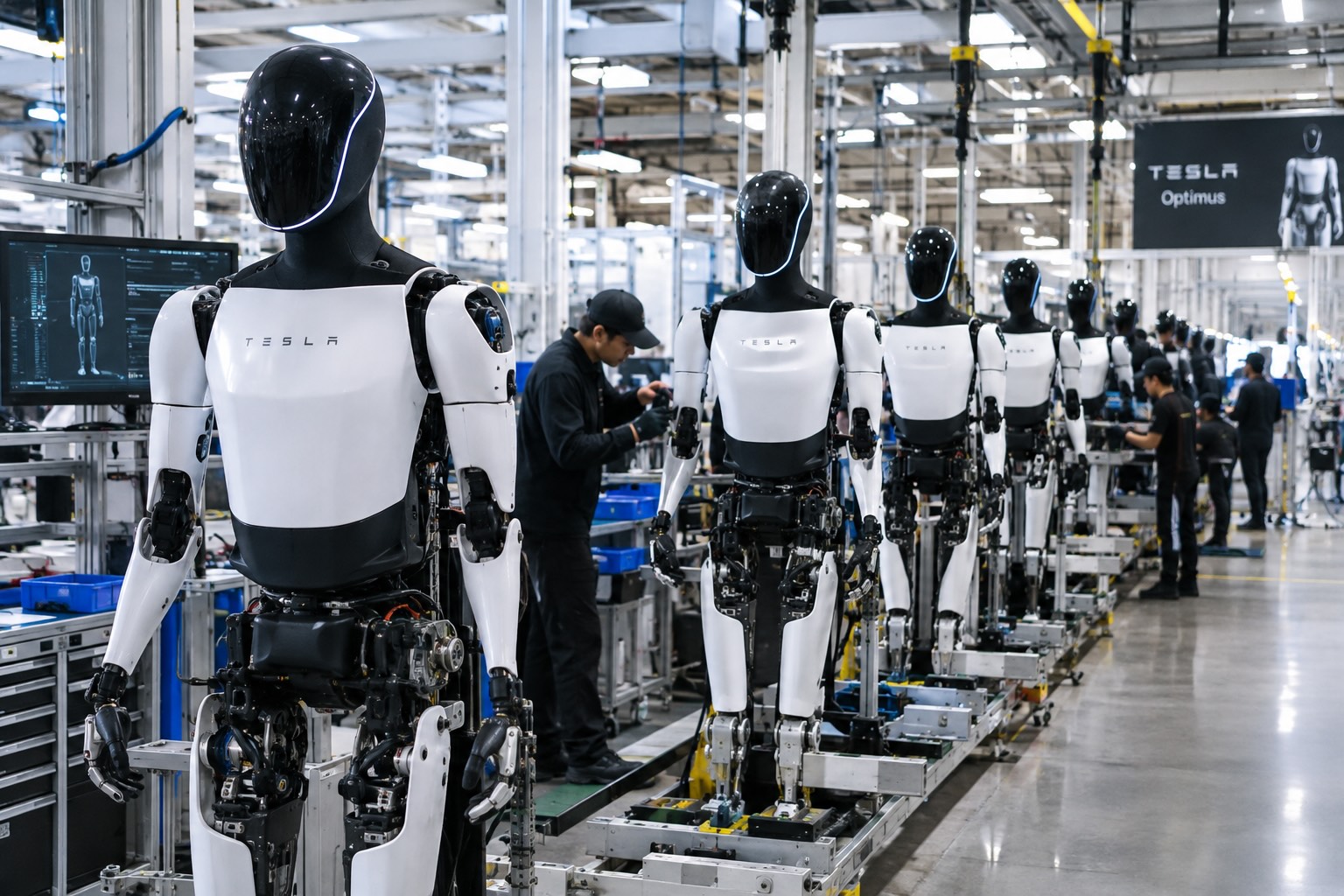
Tesla’s robotics team traveled to Ningbo, in China’s Zhejiang province, on September 16 and spent the following day auditing component suppliers for Optimus, according to a Bloomberg report cited by RobotAIGeek. The visit moved three manufacturers from provisional status to certified mass production partners: Tuopu Group, which handles actuators and chassis components, Ningbo Joyson Electronic, a sensor supplier, and Zhejiang Sanhua Intelligent Controls, which builds thermal management systems. All three already supply parts to Tesla’s electric vehicles, and the audit reportedly came with fresh orders that supply chain reports put at an initial batch of roughly 5,000 units.
Tuopu, Joyson, and Sanhua built their manufacturing base serving the automotive industry, where tolerances and volume requirements are already close to what a mass produced humanoid robot demands. Sanhua in particular has history here. Teslarati reported last October that the company had received a roughly $685 million order for linear actuators tied to Optimus, a volume industry watchers estimated could cover around 180,000 robots once production ramped.
Supply chain reports tied to this week’s audit put Tesla’s near term production goal at about 1,000 Optimus units a week by late September, rising to 2,000 to 2,500 units a week by the end of the year. That pace would put real weight behind the timeline Tesla has been building toward since May, when it wound down Model S and Model X production at Fremont to convert that floor space into a dedicated Optimus line targeting one million units annually. JPMorgan analysts who toured the factory in August confirmed the conversion took roughly four months, a pace Musk has called unprecedented for a facility that size.
New drone video shows Tesla’s Optimus Factory reaching a turning point
Fremont is only the first phase. A second, larger Optimus plant is rising at Gigafactory Texas, where drone footage shared by Joe Tegtmeyer last week showed the structural steel nearing completion on the north end of the building. Tesla has said that facility is meant to eventually support production of up to 10 million units a year, though volume output there is not expected before 2027.
Commercial sales of Optimus are still targeted for the second half of 2027, but production is expected to start well before then. JPMorgan analyst Rajat Gupta has said Tesla’s “Optimus Academy” program, which uses early units to collect real world training data inside Tesla’s own facilities, is expected to be running later this year. Bloomberg Intelligence analyst Ian Ma described the Ningbo audits as “a positive commercialization signal for China’s humanoid supply chain,” noting that sentiment could improve further if the visit leads to confirmed supplier nominations and larger orders. The Solactive China Humanoid Robotics Index rose about 1.4% on the news, though it remains down roughly 30% for the year.
Elon Musk
Tesla primes Cybercabs for 4K streaming and high bandwidth gaming with Starlink integration
Tesla is now shipping Cybercabs from Giga Texas with Starlink hardware built in as standard.
Tesla’s Cybercabs are now leaving Gigafactory Texas with Starlink hardware on the rear hatch in significant numbers, according to drone footage captured Tuesday by longtime Austin drone observer Joe Tegtmeyer. Production at the factory ramped back up after the Labor Day weekend, and his flyover of the outbound lot showed rows of gold Cybercabs alongside Model Y Long Wheelbase units, many carrying the satellite module for the first time as standard equipment rather than a one off retrofit.
Giga Texas today is busy with production coming back up following the long weekend. Of interest today in the outbound lot is the appearance of hundreds of Mode; YL’s and many more Cybercabs and for the 1st time equipped with the Starlink module one the hatch in big numbers.
At… pic.twitter.com/G9yl6s51m4
— Joe Tegtmeyer 🚀 🤠🛸😎 (@JoeTegtmeyer) September 8, 2026
Tesla first showed Starlink built into an actual Cybercab on August 10, when the Robotaxi account posted images of a single gold unit with the antenna integrated into the roofline above the taillights and called it the first Cybercab with Starlink integration. That followed a July reveal where Tesla and Starlink jointly posted a cutaway diagram of the antenna placement without a working vehicle to back it up. Ashok Elluswamy, Tesla’s VP of AI software, said at the time that the connection isn’t required for the car to drive itself. It exists mainly for navigation, customer service and keeping tabs on the fleet.
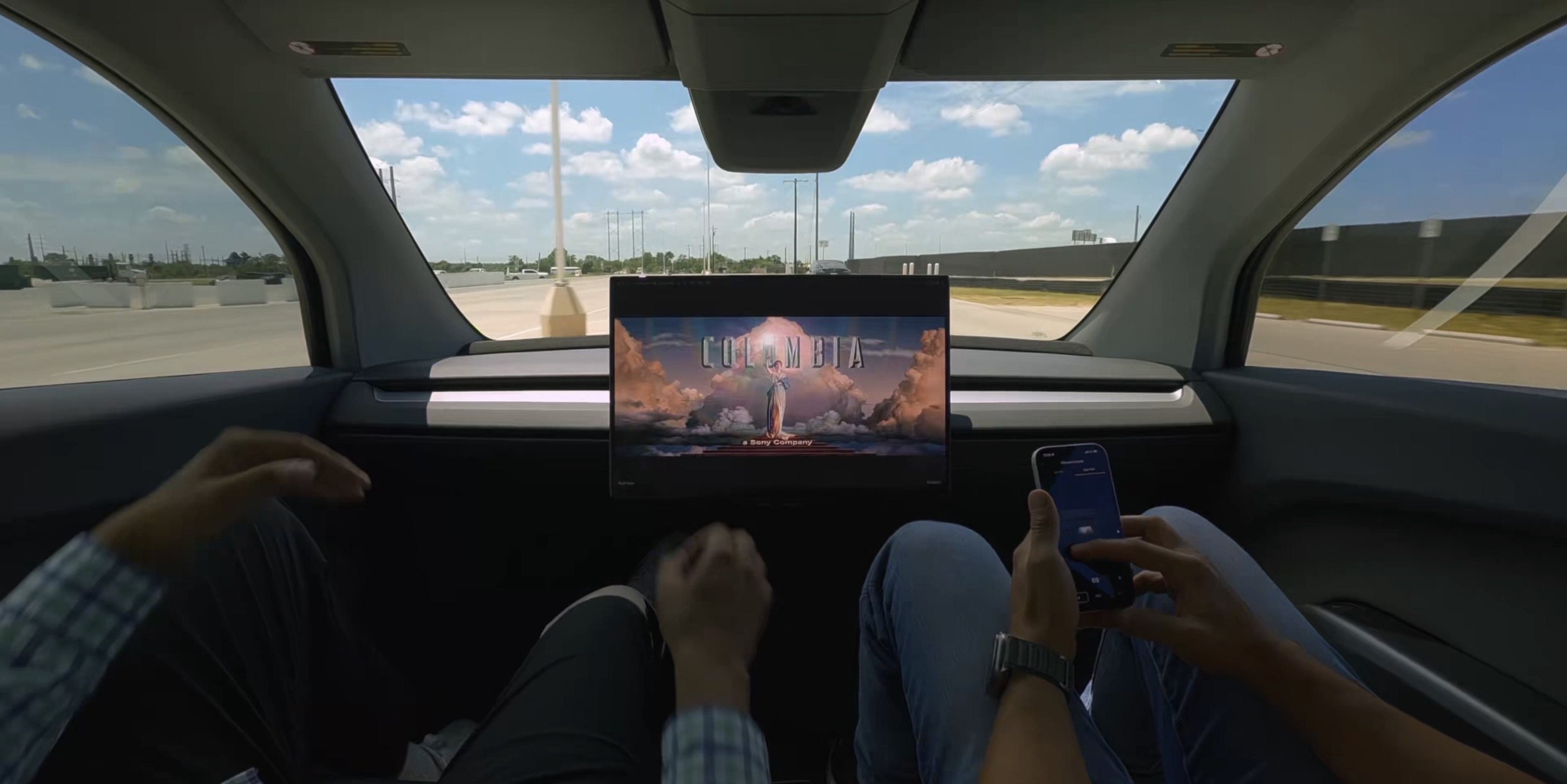
Musk has made a different case in public. During Tesla’s Q2 earnings call, he said the company can’t afford robotaxis stranded in what he called “Bermuda Triangles of lack of cellular connectivity,” and he separately claimed on X that Starlink will eventually reach every Tesla built, calling it the only way to deliver high bandwidth to billions of vehicles. He has also pitched the antenna as an entertainment upgrade, telling riders they would be able to stream 4K video or play games during a trip.
The rollout has moved fast since. Robotaxi service opened to the public in Austin on September 3, and Cybercabs had already been spotted with Starlink hardware in Houston and near Miami International Airport in the weeks before Tuesday’s factory footage showed the module shipping at volume rather than on scattered test units. Whether the satellite link earns its keep is still an open question. Tesla’s unsupervised service currently runs in dense metro geofences in Texas and Florida, markets where cellular coverage is already strong, which is not where the rural dead zones Musk describes tend to show up.

Tesla integrates Grok Bot into its vehicles for the ultimate personal assistant

X changed how everyone gets paid, and this lawsuit shows why


