
Tesla Full Self-Driving (FSD) Beta applicants who own older car models are still patiently waiting for access to the FSD Beta program. Some applicants have shared their frustrations at camera upgrade issues which prevent them from becoming an FSD Beta user.
Camera Upgrade Issues
Tesla owners with older car models have reported their frustrations regarding camera upgrade requirements. Most of the owners are waiting to enter Tesla’s FSD Beta program.
The common issue is that owners receive camera upgrade notifications even after Tesla Service installed new cameras. It has caused great confusion among a number of Tesla community members waiting to become FSD Beta testers.
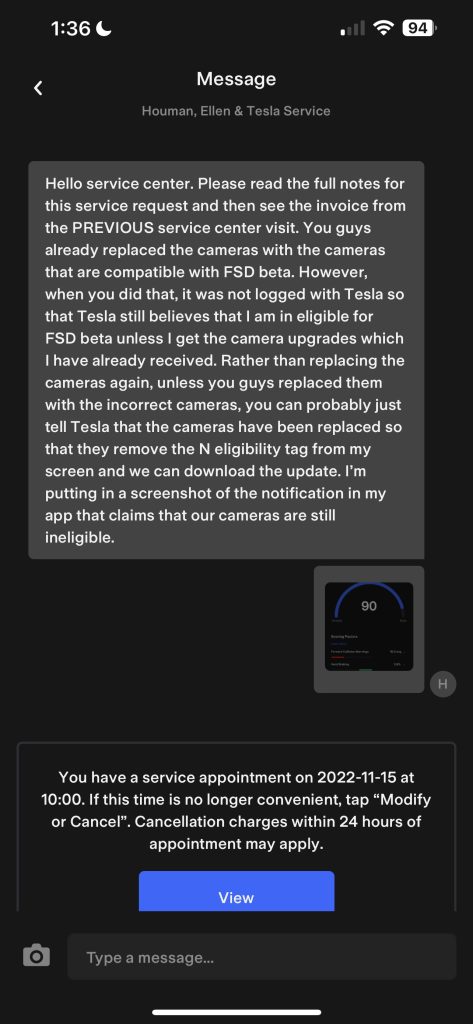
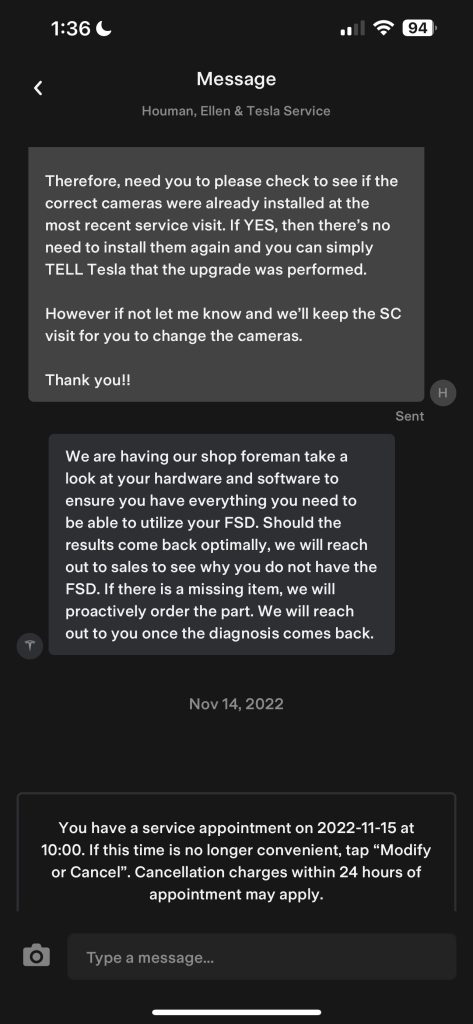
In correspondence with Teslarati, FSD Beta applicant Houman H. noted that his 2017 Model S with FSD had yet to receive access to Tesla’s Beta program. The Model S owner had upgraded his vehicle to Hardware 3. He also proactively contacted Tesla Service to get the necessary camera upgrade for his car.
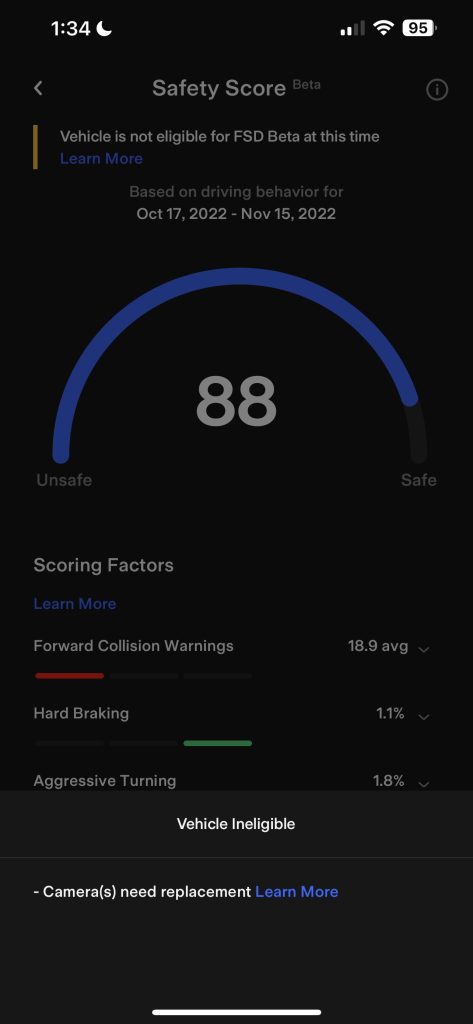
Even after the upgrades, Houman H. did not receive FSD Beta access. Instead, he received another notice of his ineligibility for the program, stating that his Model S still needed camera upgrades. Confused, Houman H. contacted Tesla Service, thinking there must have been a mistake in their records as he had already upgraded his cameras.
Who is affected by the Camera Upgrade Issues?
A few Tesla owners who own older models talked to Teslarati about their challenges while patiently waiting for access to the FSD Beta program. Most—if not all—of the owners Teslarati spoke to have a Safety Score between 80 to 90 and purchased FSD at least a year ago.
Most owners with camera upgrade issues own vehicles from 2017 or older. A few other owners have posted about camera upgrade issues online.
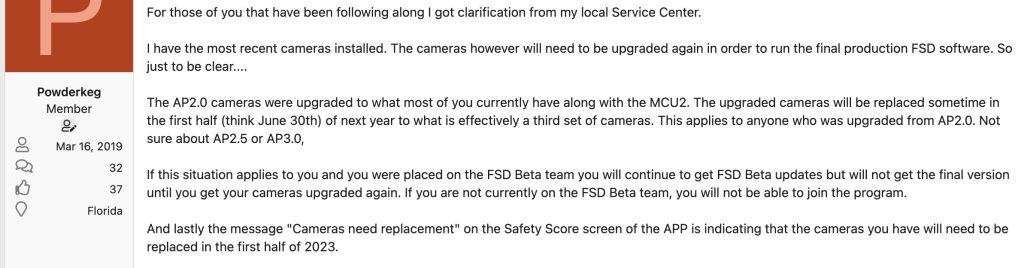
“I have been patiently waiting since November 2021 for the FSD beta for my 2017 MS P100D when my cameras were upgraded and the MCU2 was installed. The vehicle was delivered with MCU1 and AP2.0. Safety score has always been 95 or above,” shared Powderkeg in the Tesla Motor Club (TMC) Forum.
“Recently the Tesla app version 4.14.2 allows the user to view if their vehicle is eligible for the FSD Beta. Much to my chagrin my vehicle shows that it is not eligible due to the cameras needing to be replaced. I know they were replaced at the time of the MCU2 upgrade because they are listed under the parts section,” the TMC member elaborated.
Tesla’s Response to the Camera Upgrade Issue
The TMC member and Houman H. worked with their local Tesla Service Center to solve their issues. They received different reasons for their camera upgrade issues.
In Houman H’s case, one of his upgraded cameras needed to be replaced. Tesla reportedly mentioned that some upgraded cameras in select cars needed to be replaced due to an unspecified issue.
“So apparently they didn’t have to replace all of them, they said that there was a problem with one of their replacement cameras that wasn’t working for many people, I think it was the front right side camera so for many of them they had to be replaced Even if they had already been upgraded. Therefore, doesn’t sound like it’s a true situation where all of them have to be replaced, but there are select cameras on select cars that have to be upgraded again due to some type of problem,” Houman H. told Teslarati.
Powderkeg also received information from his local Tesla Service Center. In his case, Tesla stated that all cameras need to be upgraded to run the final production FSD software.
Another Teslarati reader, Frank H., noted that he couldn’t upgrade his cameras, even after several requests to his Tesla Service Center. Frank H. paid for FSD, but has not been able to participate in Tesla’s beta program because of old cameras.
“I paid for FSD years ago but have been unable to participate in the beta program due to old cameras. Now FSD is in wide release and Tesla still has not upgraded my cameras after several requests. I am told: ‘We are currently experiencing a parts shortage on all parts necessary to perform FSD camera upgrade,’” Frank H. shared with Teslarati.
Are you having trouble getting into the FSD Beta program, too? I’d like to hear from you. Contact me at maria@teslarati.com or via Twitter @Writer_01001101.


News
SpaceX’s Starfall just went from secret to storefront
SpaceX now pitches Starfall missions with 1,000 kg payloads, weeks of microgravity, and Starlink connectivity.

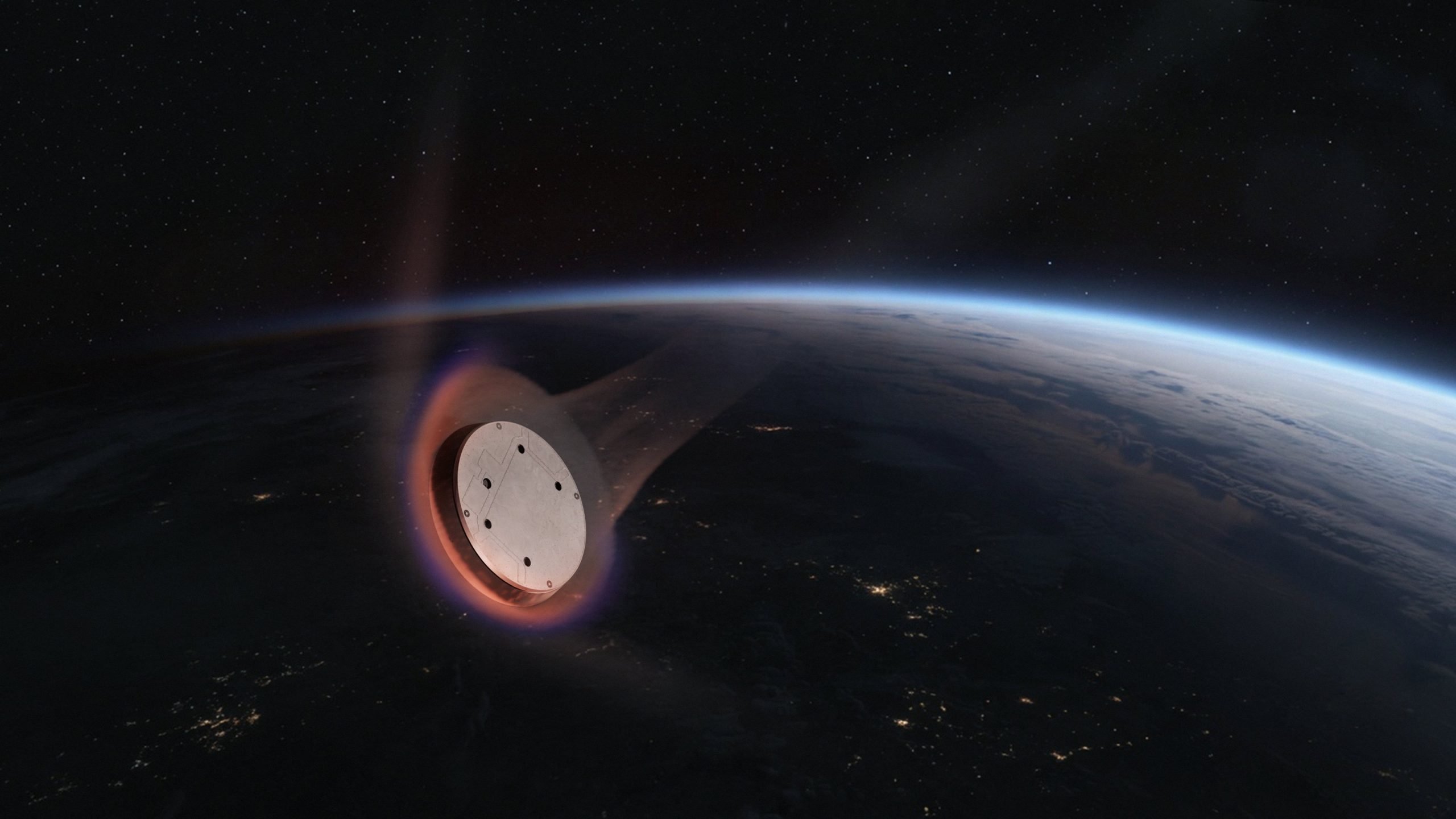
SpaceX has put up a dedicated commercial page for Starfall, its disk shaped reentry capsule, laying out for the first time what customers actually get when they book a flight. The page, live at spacex.com/starfall, pitches “affordable, routine access to microgravity” and invites companies to get in touch about flying manufacturing, research or testing payloads.
The specs are short and specific. Each Starfall mission carries up to 1,000 kg of payload, supplies 1 kW of power and connects through an Ethernet interface. Mission length is tailored to the customer, and the payload stays online the entire time through Starlink, which means researchers can pull data from an experiment while it is still in orbit instead of waiting for splashdown.
SpaceX is launching a secret spacecraft that could change how things are made in space
SpaceX is aiming the service at three markets. Biomedical customers are told they can grow stem cell organoids, replacement tissue and layered biomaterials. Pharmaceutical companies are pitched on protein and small molecule drug crystals, which form smaller and more uniform shapes without gravity driven convection. Materials science rounds out the list, with semiconductors and other next generation materials grown in vacuum and microgravity.
The page also makes clear which rocket SpaceX is counting on. “By launching on Starship, Starfall brings a reliable and scalable cadence previously unavailable to the market,” the company wrote, contrasting weeks of continuous microgravity with the seconds offered by drop towers and parabolic flights. No price or first operational flight date is listed.
The commercial push is a sharp turn from how Starfall started. SpaceX said almost nothing about the capsule ahead of its first flight in June, and nearly everything known came from FAA and FCC filings describing a disk about 10.2 feet wide and 2.5 feet tall that can return 2,200 pounds of cargo. By its second flight on the Bandwagon-5 rideshare in October, Starfall was listed by name on the mission page, though SpaceX still did not say what it carried.
Customers appear to be lining up. SpaceX said in its third quarter results that it signed three commercial Starfall missions during the quarter. On the earnings call, President Gwynne Shotwell described the capsule as providing “routine relatively low cost access to microgravity environments for scientific research, including improving our understanding of diseases like cancer and diabetes,” and said the three new missions would fly on Starship.
The branding effort extends past the website. SpaceX added a Starfall T-shirt to its online store on Monday as part of a batch of new merchandise, giving the program a place next to Starship, Starlink and Starshield in the company’s lineup.
The move also puts SpaceX in more direct competition with companies it launches. Varda Space Industries, which has built much of the in-space manufacturing market so far, flew its W-Series 7 capsule on the same Bandwagon-5 mission as Starfall in October. Varda’s capsules are roughly three times smaller than Starfall, and SpaceX controls the ride to orbit for both.
Starfall’s near term cadence depends on Starship. SpaceX is preparing for Flight 15 after completing static fires of Ship 42 and its Super Heavy booster in late October, and is aiming to catch both stages with the launch tower on that flight.

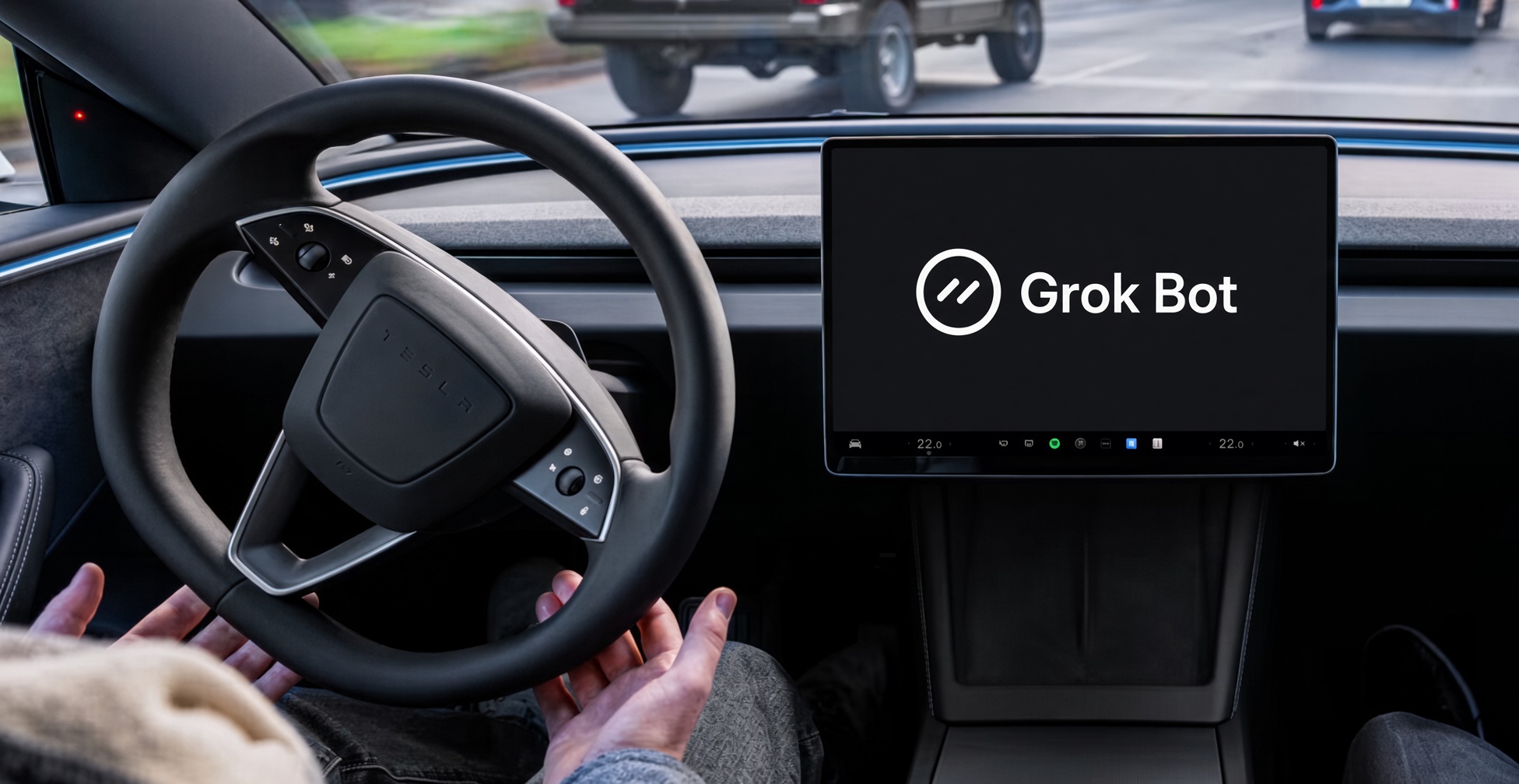
Elon Musk said weeks ago during SpaceX’s third-quarter earnings call that the company’s Grok Bot, its autonomous AI Agent platform, was showing “the fastest growth of a product” that he’d ever seen in his life.
Now, SpaceXSI is scaling back Grok Bot users’ weekly limits, much to the surprise of those who have relied on it to take away monotonous tasks in their lives.
Elon Musk’s terse November 1 reply on X captured a sharp tension in the early days of agentic AI. Responding to a user who asked for a Grok Bot usage reset after hitting 100 percent with four days still left on the weekly cycle, Musk wrote: “The cost of serving Grok Bot was unsustainably high relative to revenue.”
@DogecoinNorway The cost of serving Grok Bot was unsustainably high relative to revenue
— Elon Musk (@elonmusk) November 1, 2026
The post arrived amid a wave of similar complaints from paying subscribers whose meters had jumped unexpectedly toward or to the limit, sometimes overnight and with little corresponding activity. It also stood in clear contrast to statements Musk had made only days and weeks earlier.
On the SpaceX third-quarter earnings call in mid-to-late October, Musk had described Grok Bot in almost the opposite terms. He called it “the fastest growth of a product that I’ve ever seen in my life” and said he had “never seen anything grow this fast.”
Company figures put paid weekly users at roughly 800,000 earlier in the month, more than doubling over the prior period. Daily active users had climbed from under 100,000 in early September to over 600,000 by late October.
Musk emphasized that the product has no free tier and that users appear to be getting real value beyond what they pay. In other remarks, he noted that usage per user was rising rather than declining, the opposite of the usual decay pattern for new software.
Grok Bot, launched around August, functions as an always-available agent with its own persistent cloud computer; it can schedule, research, shop, browse, and execute multi-step workflows even after the user steps away. Access is bundled into X subscription tiers (roughly $30, $100, and $200 per month) and certain Cursor plans, drawing from shared weekly usage pools whose exact sizes have not been publicly detailed.
The economics of that model are what Musk’s November 1 post put in the spotlight. Agentic systems burn far more compute than ordinary chatbot exchanges. Each task can trigger repeated model calls, tool use, web actions, and sustained background work.
When growth is as rapid as Musk celebrated, the absolute compute bill scales quickly even if average revenue per user stays fixed under flat monthly subscriptions. Industry observers noted the opportunity cost as well: the same GPUs can be rented to other AI labs at higher rates.
A simple back-of-the-envelope comparison circulating after the post illustrated the gap: if every reported daily user paid the top tier, annualized subscription revenue would still be modest relative to the scale of compute infrastructure SpaceX is building and leasing to companies like Anthropic.
Some users also reported possible dashboard anomalies around the same period, though Musk’s framing treated the underlying cost-revenue imbalance as the core issue rather than a pure metering glitch.
The juxtaposition is the core of this exchange. Within roughly two weeks of publicly framing Grok Bot as an unprecedented success with strong unit economics and no free tier, Musk acknowledged that serving the same product had become unsustainable relative to the revenue it generates.
For the broader industry, the episode underscores a structural challenge of the agent era: demand is real and growing faster than many expected, yet the cost of fulfilling that demand through always-on, multi-step agents can outrun subscription pricing before companies can adjust limits, introduce metered billing, or raise prices.
Musk’s reply did not promise an immediate reset or higher allowances; it simply stated the constraint. In doing so, it supplied a rare, explicit public data point on the unit economics of a high-profile AI agent just as adoption numbers were still being celebrated as the fastest in Musk’s experience.
The tension between rapid, paid growth and the compute required to deliver it is now on the record.
News
Tesla owners who tap Emergency Drive Away for fun are in for a surprise
Tapping Activate on Tesla’s Emergency Drive Away reportedly triggers a $539 service bill without moving.
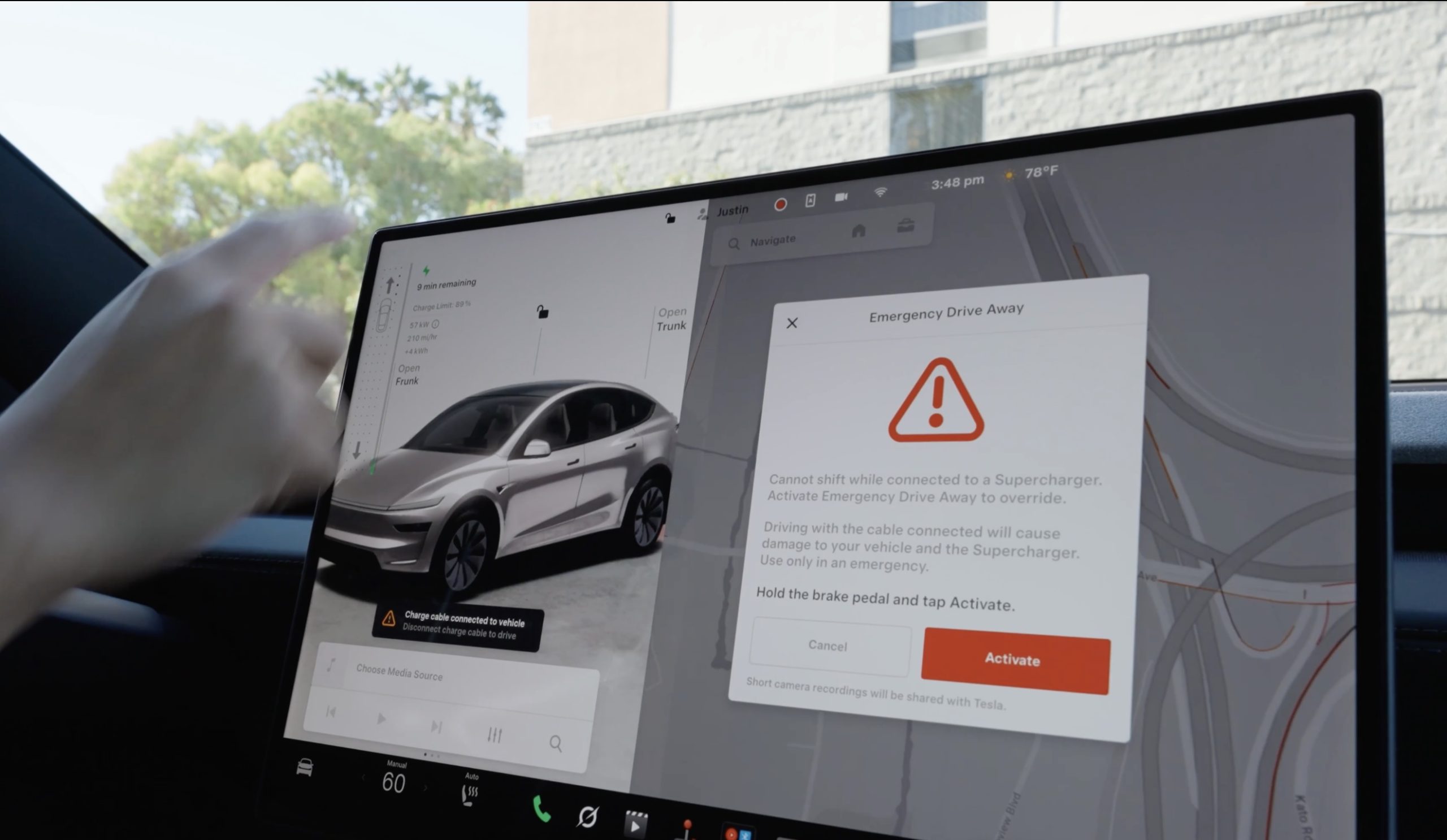
Tesla owners who press Activate on Emergency Drive Away may be on the hook for a service bill even if their car never leaves the Supercharger stall.
Yaro, who posts about Tesla service cases on X as @Tutrifour, said a customer called after tapping Activate while still plugged into a Supercharger. The owner was about to pull away, remembered the cable was still connected and stopped. The car never moved, but the touchscreen showed a red alert reading “Emergency Drive Away has been activated” with “Service is required” underneath. A Service Mode screenshot showed the active alert BMS_a228_EmergencyDriveAwayServiceRequired, which Yaro said only Tesla Service can clear.
Here is a lesson to Tesla owners. Don’t press Activate on the new Emergency Drive Away feature on your Tesla because service charges $539 to inspect the charge port and to clear the alert. Yes, even if you didn’t move the car an inch. https://t.co/NZJENw4SQv
— Yaro (@Tutrifour) October 30, 2026
The cost of clearing it was the bigger surprise. “Don’t press Activate on the new Emergency Drive Away feature on your Tesla because service charges $539 to inspect the charge port and to clear the alert. Yes, even if you didn’t move the car an inch,” Yaro wrote. The $539 figure comes from that single case, and Tesla has not published a set price for the inspection or commented on the post. Yaro also noted that the car would still charge with the alert on screen.
Tesla launched Emergency Drive Away on October 1 with software update 2026.38.3, letting drivers pull away from a U.S. Supercharger with the cable still attached, as Teslarati reported. To use it, a driver shifts into Drive while connected, holds the brake and taps Activate. The prompt warns that driving with the cable connected will damage the vehicle and the Supercharger, and that short camera recordings will be shared with Tesla.
Tesla Charging has been clear about what follows a real activation. Repairs to a Supercharger stall can run up to $25,000 depending on the site, a service visit for the car’s charge port is mandatory, and deliberate misuse “will invoke additional penalties.” What the company had not spelled out is that the service requirement is triggered the moment Activate is pressed, not the moment the cable breaks away.
From an engineering standpoint, that is the cautious choice. Once Activate is pressed, the car cannot be sure the charge port latch was not stressed, so flagging it for inspection removes the guesswork. It also means the button carries a price on its own, which is a stronger deterrent against casual use than any warning screen.
Customer called because they have an active alert after tapping ACTIVATE on the new Emergency Drive Away feature. They didn’t actually drive away but were about to until they “remembered” they had the charge cable connected.
This alert can only be cleared by Tesla Service. https://t.co/SkHyJJPFwU
— Yaro (@Tutrifour) October 28, 2026
The report follows the feature’s first known real world use, when a driver in Austin during F1 weekend appeared to trigger it by accident and dragged the Supercharger cable along with the car. The Reddit user who filmed it said the driver seemed to have only half read the prompts.
For owners, the takeaway is to treat the red prompt as a stop sign. If it appears after shifting out of Park by mistake, shift back and unplug the normal way from the touchscreen, the Tesla app or the button on the charge handle. Activate is meant for moments when staying at the stall is the bigger risk, and Tesla is now pricing it that way.

SpaceX’s Starfall just went from secret to storefront

Grok Bot users hit with weekly limits early, Elon Musk explains what happened


