
Reviews
Reviewing the Tesla Model S Navigation System

I was hoping that Tesla firmware 6.0 would be out by now, especially having heard Elon promise that it would be “out soon”, but having seen 5.9, 5.10, 5.11 roll out over the last months, it’s safe to say that I may be living with the current Tesla navigation system for a bit longer.
In this post we’ll cover the navigation display and how to use it, but we’ll perform a deeper review on the navigation system in a follow up post.
Google Maps Display
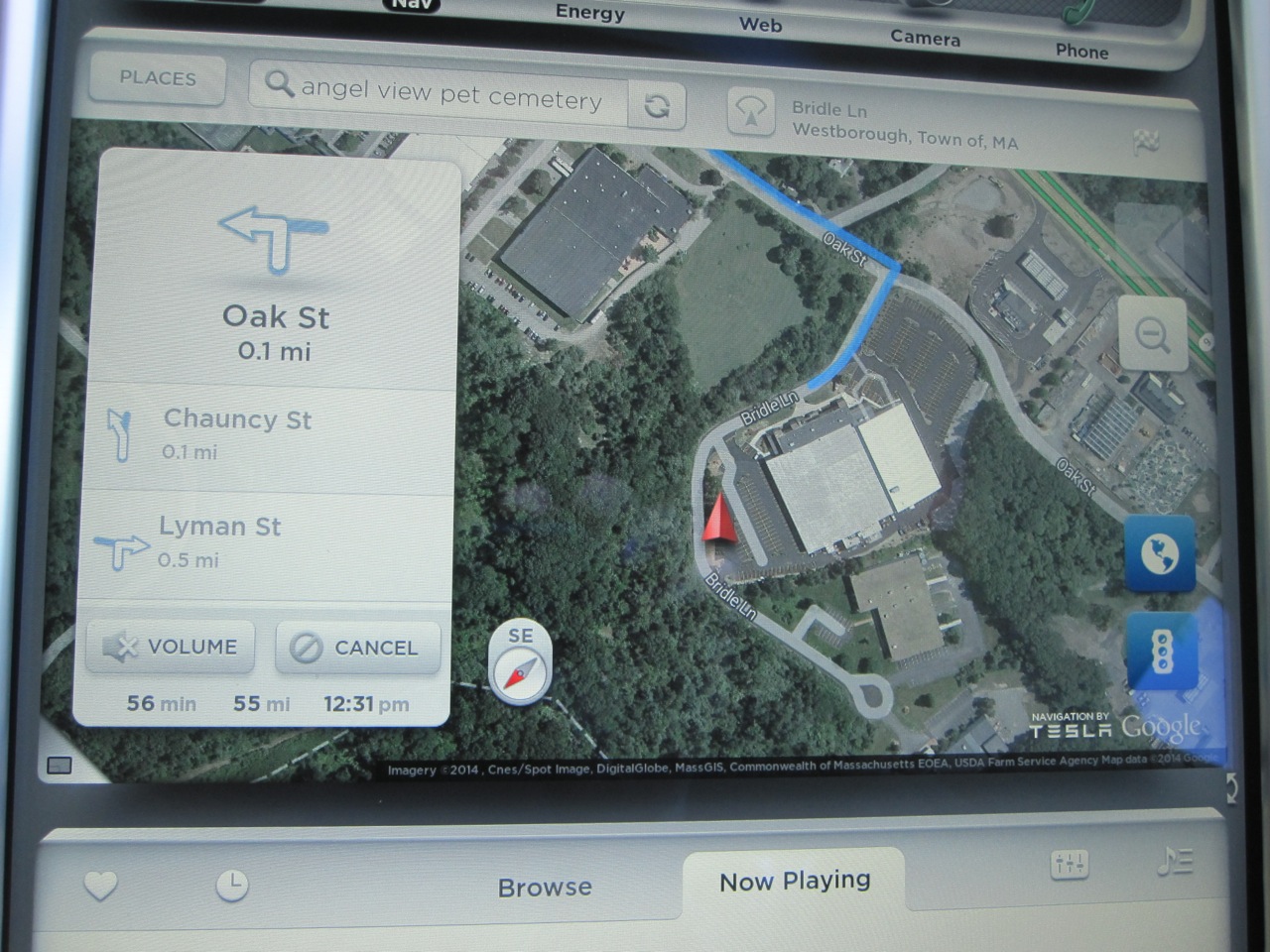 Google Maps powers the Tesla Model S Navigation system which appears on the 17″ touchscreen in either half screen (huge!) or full screen mode (mind blowing!).
In half-screen mode you can place the map on either the top or the bottom pane of the display. I prefer to have the map on the top as it’s closest to the windshield and my line of sight. I don’t find the map distracting and for me the viewing height in this position is very reasonable.
The map shown is a Tesla-modified and co-branded version of Google Maps. As you’d expect you can zoom in or out by pinching/reverse pinching or with the +/- icons. You can also drag to move the map, twist to rotate and interact with it the same way you would using your traditional smartphone or tablet.
Like Google Maps, the Tesla version offers both satellite and regular map views. Press on the globe icon and you get a satellite view. This is really cool for exploring areas or understanding your terrain better. The maps are a little more sluggish to load in satellite view but it’s only painful when you’re moving quickly on the map. One trick is to set the map in north up mode when in satellite view to reduce the number of screen refreshes which helps improve performance.
When in heading up view an extra compass icon appears on the map indicating which way is north. You can also tap that icon to switch back and forth between heading up and north up views.
There’s the ability to show traffic along your route by clicking the stop light icon. The map will be overlaid in green, yellow and red (and solid and dashed) lines indicating the severity of traffic.
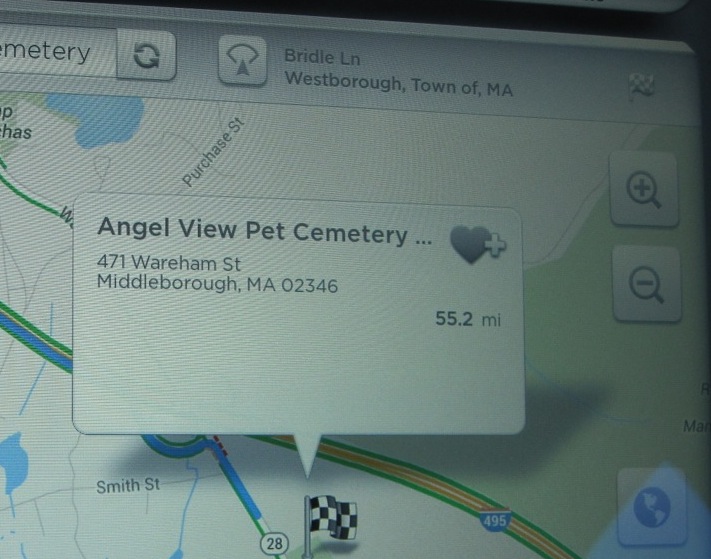 At the top of the display are a number of controls:
- A button to take you to saved/special places
- A search box to find new places
- A button to bring your back to your current position or switch between heading up or north up modes of display
- And a flag icon to show you your destination information.
For those that have the Technology Package (about 85% of owners), a popup navigation with turn-by-turn directions appears on the upper top left of the map. This popup can’t be hidden, but the directions that are shown within it are scrollable — just drag your finger up and down on the directions and you’ll see all your turns.
At the bottom of the box is the remaining distance, current time and estimated time of arrival (ETA) to your destination. These numbers do not take into account traffic so you’re left to do the revised estimation on your own.
Navigon Display
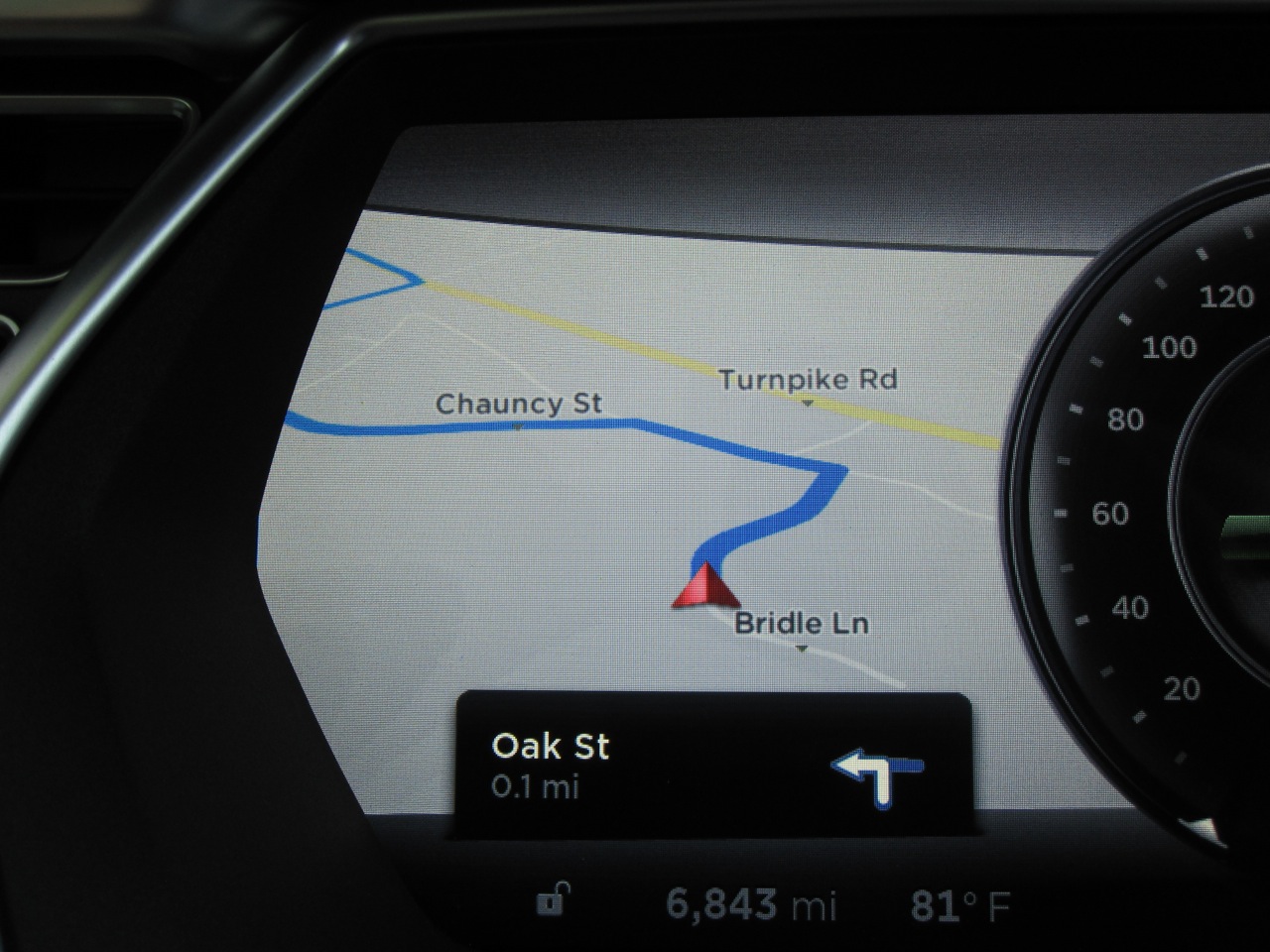 The Tesla Model S Navigation System comes with the technology package along with the the turn by turn directions and voice guidance. The technology package brings in a second navigation component, a version of Navigon by Garmin licensed by Tesla, that can produce directions and maps even when there is no network connectivity.
When you have a destination punched in, a second display becomes active automatically on your dash served by the Navigon component. This is a small section of a map that shows your route with turn by turn guidance. There’s absolutely no control over this display and no user preferences related to this display. You can’t zoom in or out and you can’t even stop it from popping up on your dash. Once the display is up (always on the left side of your dash), you can switch away from it to another display (like Media) but next time you start navigating somewhere it will pop back up again.
This second display is pretty quirky. At times the graphics, fonts and other items can look dated or poorly done, and at other times you’ll see graphics that don’t make a lot of sense or look as if they were incomplete. That said, I generally use the 17″ screen more for my turn information than the dashboard one. Fortunately the two guidance systems have both provided identical results — it would be a real mess if they gave different recommendations.
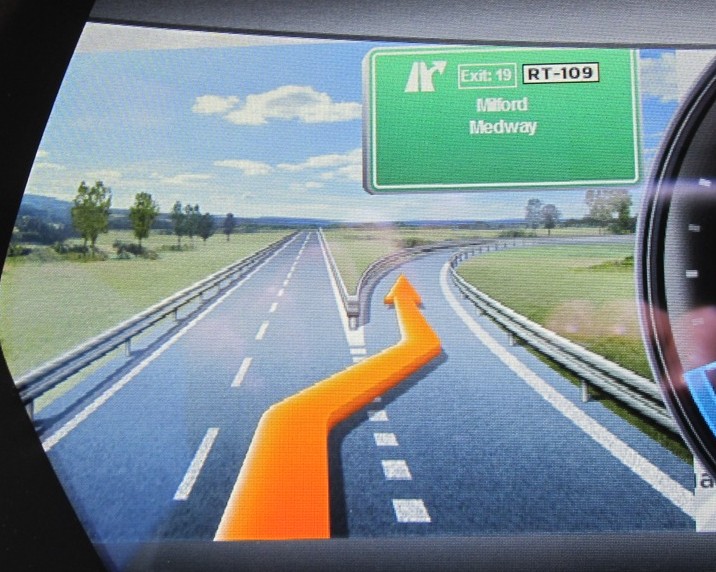
One thing I really like on the Navigon display is the way they do exits. They make an exit sign that is pretty darn close to what you’ll see in real life.
They even have different pictures for day vs night. If you look closely at any of these special exit displays you’ll notice that the image is actually an overlay on top of the navigation map (to the left of the speedo). This seems unfinished to me but it’s a minor nit.pick.
Display Summary

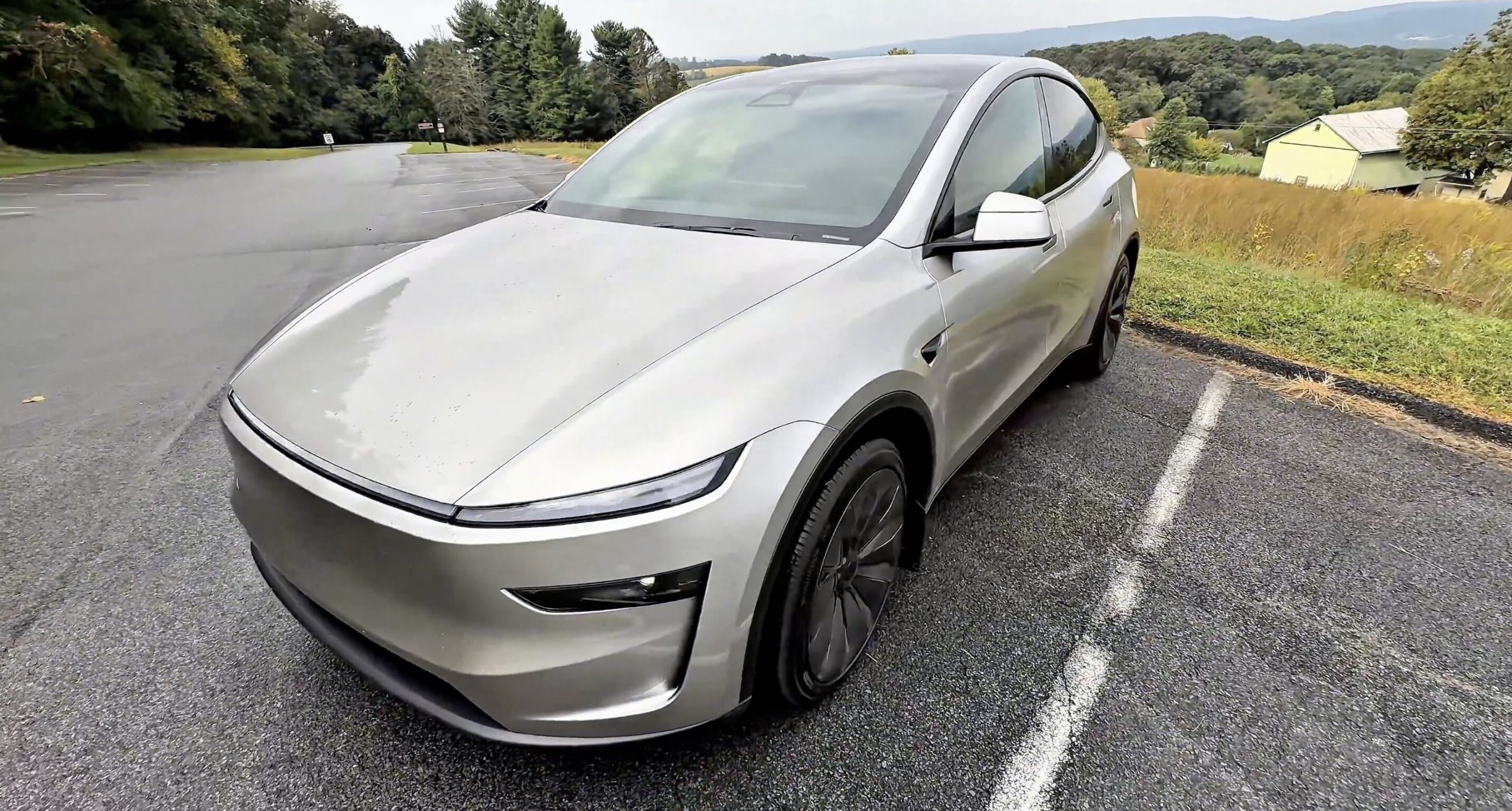
Last week, Tesla sent me the Model Y L for five days to test, assess, and enjoy for journalistic purposes. It’s always a treat when I get any media vehicle, and I’ve had the pleasure of working with Tesla and Ford for hands-on reviews of their products.
This one was exceptionally exciting for a few reasons: first, because it is the car I own, but bigger, so I was really excited to see if that extra space was worth it; and second, because my Fiancée (we’re down to just 18 days ’til she’s officially my wife!!!) and I plan to fill a car up with kids in the near future, so it was really nice to have a trial with a car that would potentially be in our driveway in a few years.
I did a full 10-minute video review of the Model Y L, which I will post at the bottom of this more condensed written version. If you prefer to watch a review, go ahead and skip to the bottom for that.
For those who prefer the writing, I’ll break down the big things about the Model Y L that I noticed, focusing on the big addition/difference that this car has from the Model Y: the third row. Tesla also added small-but-mighty changes to the Y L that I really wish were on my Model Y Premium, so I’ll be sure to mention those as well.
What Makes It Different from the Model Y?
Credit: TESLARATI
The first thing to note is that the interior of this vehicle, from the front row, is generally the same. It truly does feel like you’re in the same exact car with a slightly different seating layout. Of course, Tesla interiors do feel this way, at least with the Model 3 and Model Y, but there are no drastic differences between the Model Y L and the Model Y from the front row.
This should be expected, so definitely do not go into it thinking you’ll know you’re in a different car. It is a very similar experience to the Model Y.
Tesla Model Y L: new features that make it better than the standard Model Y
The true differences come from the back two rows. The only true difference from the front is the addition of a new Dynamics Feature that falls under the “Ride & Handling Priority” menu, which now allows you to adjust the suspension damping to prioritize a comfortable ride for everyone or one that is noticeably better from the rear two rows. In terms of ride comfort, the front rows definitely feel the impact of this; it is a noticeable difference and much stiffer in the driver’s seat with this setting turned to prioritize the rear occupants.
What changes from an engineering standpoint between these two settings @elonmusk @larsmoravy?
There is a very noticeable difference in comfort from the driver’s seat between these two settings https://t.co/62bdZJOr26 pic.twitter.com/KFP12jleHj
— TESLARATI (@Teslarati) September 14, 2026
There are also a series of small improvements, like the rear taillight is now up toward the spoiler, which must be a strategy for making the rear glass actually useful in the Y L compared to the regular Y.
Pretty crazy how much different the rear windshield is compared to the Model Y
Not even close in size https://t.co/62bdZJOr26 pic.twitter.com/IjNbWwMBcS
— TESLARATI (@Teslarati) September 14, 2026
Some other small changes are the addition of small magnets for the sub-trunk lid, which is a great addition and something I’d like to do in my Model Y; it sounds to me as if the Model Y L liftgate motor is less whiny than the one in my Model Y; and all three rows of climate are controllable from the front touchscreen.
I talk about them in a short video here:
🚨 Five things you might not know about the new Tesla Model Y L! pic.twitter.com/I42VTQoS5R
— TESLARATI (@Teslarati) September 14, 2026
Second and Third-Row Legroom
The major feature of the Model Y L is the third row, and Tesla did a great job of making it spacious enough for more than just your nine-year-old nephew. It actually does have a suitable amount of legroom for adults, but it is dependent on how tall the people are in the first- and second-row seats in front of you.
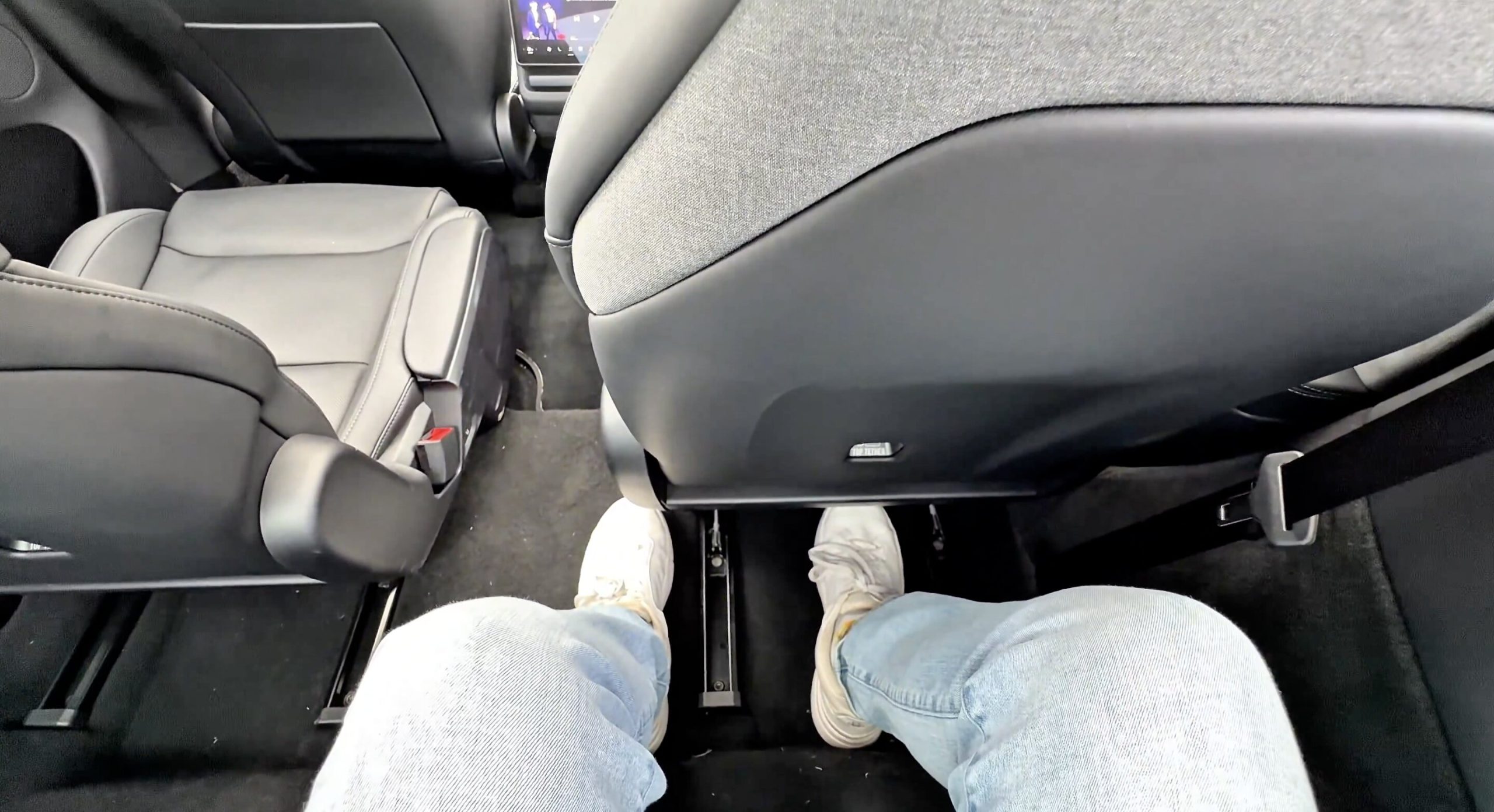
This is where I caught some slack from those who have also sat in the Model Y L and believe there is enough room for anyone of any height. I certainly believe that those who are not complainers could sit back there for a multiple-hour drive and not complain. I would enjoy sitting in the back row because I think it is comfortable; the vents for air are perfectly positioned on the C pillars for maximum comfort, and I found that there was enough room back there for me. I’m 5′ 8″, so I’m definitely not tall. However, I found that I had more than enough legroom:
Credit: TESLARATI
The picture above is where my Fiancèe could sit comfortably in the second row in front of me, and she is 5′ 1″. There is a lot of give and take with these seats, and I believe most groups could make it work. She was comfortable in the second-row seat in front in this position, and as you can see, I have plenty of room. She could easily come back a few inches, and I’d still be comfortable.
This is where I think people would truly benefit from seeing what the space in this car looks like for themselves. To me, I found it more than suitable for a group of friends to go out in and for everyone to be comfortable. There might be some strategy to it if you have some taller friends, but it’s definitely doable.
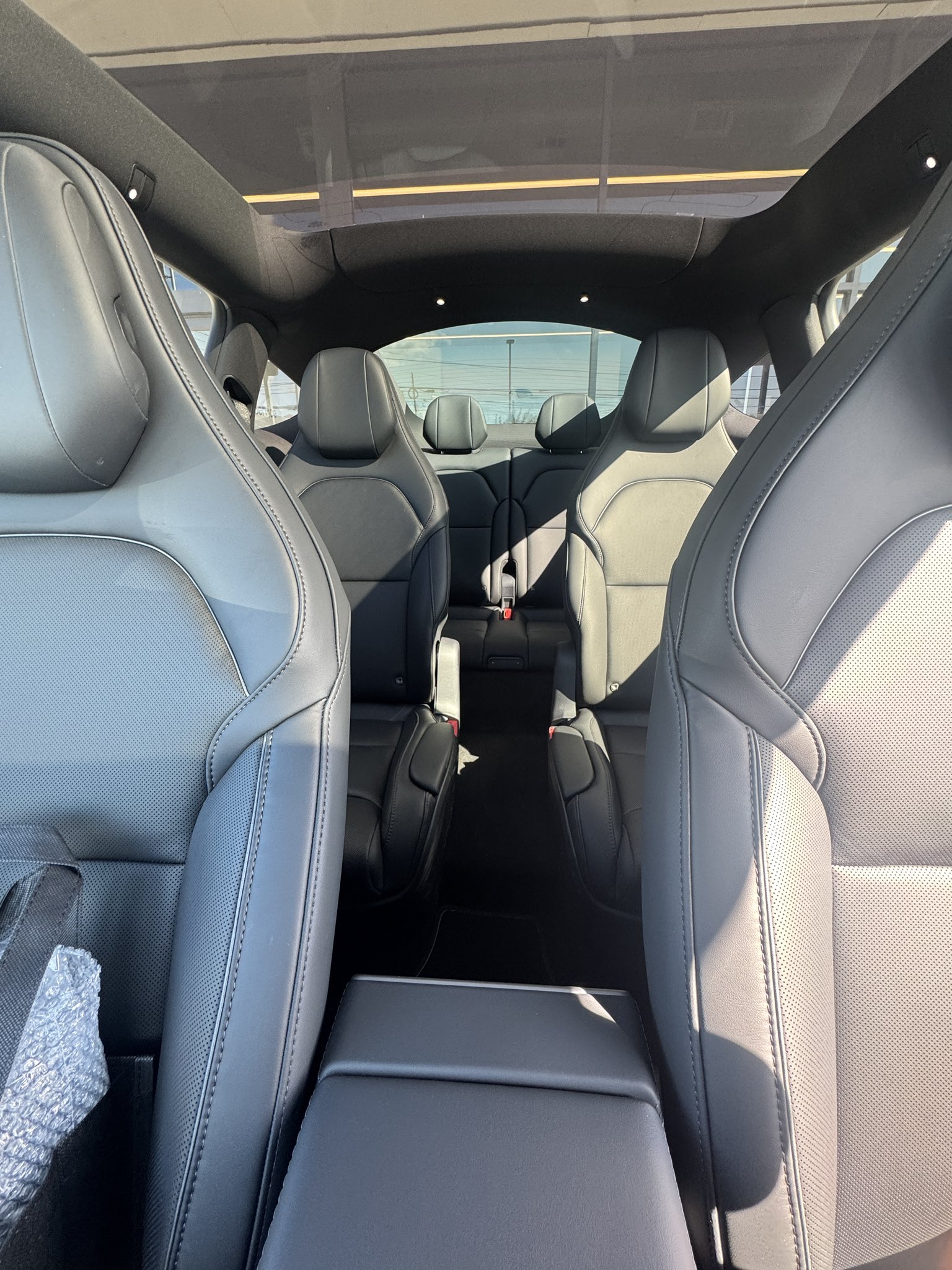
Overall, the space in the Y L in the back two rows is great: the second-row Captain’s Chairs have mechanical armrests that go down automatically when you exit the car, and come back up on their own when you return. The second row also has ventilated seats; you’ll only have the heat option in the third row.
Credit: TESLARATI
Overall Thoughts
It was really a great five days with the Model Y L, and I do believe that this is a great car for families. I do not believe it is the perfect one. It is really an excellent option for those who can make do with what is truly a compact crossover stretched out to make way for a third row. However, I think that more families simply want something large, like Tahoe or Expedition large, and the Model Y L does not necessarily answer that call.
I think it is more than reasonable for a family of six to have this car and make it work. It is safe, it has Full Self-Driving, which I believe will be a non-negotiable for me moving forward in car buying; and it is relatively affordable, with the Launch Edition coming in at a price of $61,990 before options. Not going to a gas station for the past year has really been a lifesaver for me, especially with home charging saving us so much money.
Tesla will need to have an answer for the families that want something like a Cyber SUV or simply something that qualifies as a full-size SUV. I just truly do not think that every family will see this as enough space, and I think that’s understandable. If someone were to want to take an overnight trip with their four kids, I don’t know if it would be the easiest cargo situation because without that third row folded down, that trunk space is confined to just 14.8 cubic feet. I couldn’t take four kids and a wife to Ocean City for a week with using only the trunk space. We’d likely have to get creative, and I think that’s what many families want to avoid.
For comparison’s sake, a Tahoe offers 25.5 cubic feet of trunk space, which is still tight, but much more manageable and forgiving.
With all that being said, the Model Y L is still a great option and I’d be willing to see past the cargo issues because of FSD and the safety of Tesla vehicles overall. For our full review, check out the video below:
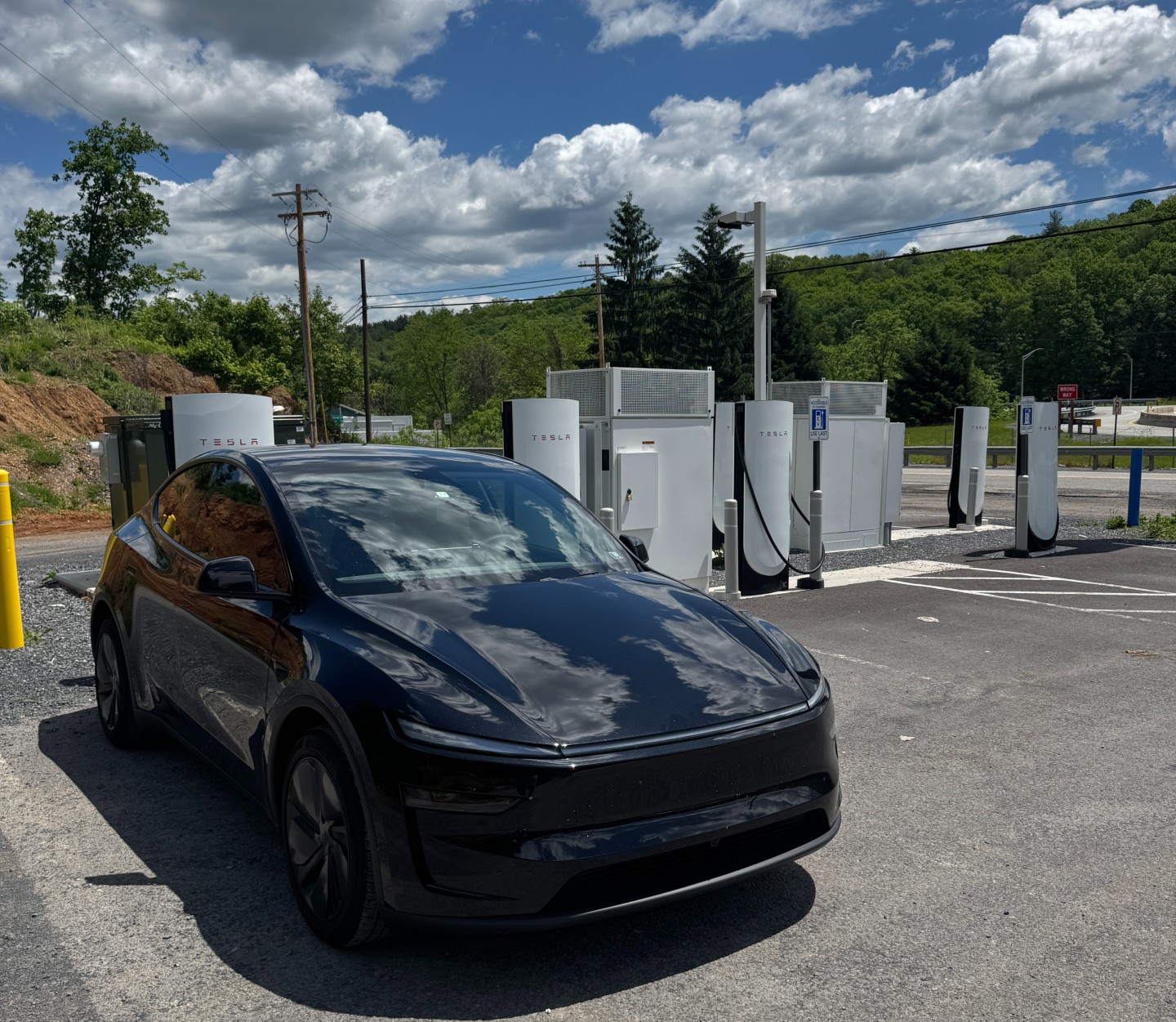
I picked up my Tesla Model Y one year ago, on August 30, and for roughly a year, I have had this vehicle prove to me that any other carmaker’s product is ruined for me forever.
One year and over 16,000 miles later, the Tesla Model Y is easily the best car I’ve ever had. Of course, everyone always says that about the car they currently drive, but for the longest time, I truly believed some of the other cars I drove — my 1998 Volkswagen Jetta K2, or my 2008 Ford Escape Hybrid — would never be topped.
Most of this was due to nostalgia, but dependability also played a role.
My Tesla has taken over the number one spot. Everyone I talk to about my car always has a lot of questions, and they’re usually the same ones that someone else asked me: “Is it really so cheap to drive?” “How much does it cost to charge?” “Does it really drive itself?” “How long is the warranty on your battery?”
I never mind answering those questions because it is an opportunity to educate someone on EVs. There are a lot of things about EVs that I hear from people, and I can’t help but chuckle at times. However, I hope this review clears some of those things up, because I truly want everyone to know how great this vehicle really is.
My brand new ride! Thank you @tesla @elonmusk for building one badass car
Officially a battery boy pic.twitter.com/jzpMawmTZs
— Joey Klender (@KlenderJoey) August 30, 2025
How my Tesla has changed my life
I was in two car accidents in high school, and I was a passenger in both. I am very happy I went through those as a teenager, because if I didn’t, I think I’d probably be much less aware of the road, how other drivers are so unbelievably unaware of others, and how inconsiderate most drivers are.
I’ve always considered myself a good driver because I was always taught to be defensive. Because of those two accidents, I am a tad jumpy in passenger seats, even with people like my parents, who drove me around for 16 years before I got my Learner’s Permit. On a drive home from Florida to Pennsylvania with my Dad two years ago, he actually told me at one point to “stop being so jumpy.”
Truth is, I trust my Dad behind the wheel more than anyone. But the older I’ve gotten, the more I just prefer to drive myself.
That is, until I met my Tesla and Full Self-Driving. I still remember the first drive I took after taking delivery: I immediately typed in my Fiancèe’s (my wife in 30 days!!!) favorite lunch spot, picked up her favorite meal, and pulled into the hospital where she delivers babies. I can remember thinking after 15 minutes, “Okay, that’s enough for me; I’ll drive manually now.”
Over the next 2-3 weeks, that length of time slowly but steadily increased. Every passing week, I got a tad more comfortable with the car driving me. Now, I have had FSD log 75% of my 13,000 miles since v14. I barely drive my car manually, and that’s exactly how I like it.
My Tesla has changed the way I drive and how I choose to travel.
🚨 Guys this is why you all NEED to stay vigilant behind the wheel, even on Tesla Full Self-Driving
Human drivers are UNHINGED and have no idea what they’re doing anymore. This was a kid obviously younger than 20 years old with zero awareness.
First drive with v14.3.7 https://t.co/1vTbCMpCn8 pic.twitter.com/lz7KKEF6bj
— TESLARATI (@Teslarati) August 2, 2026
In the past, I was always one of those anxious drivers, overly concerned about the parking situation, never wanting to drive in cities, and avoiding anything that made me a little uncomfortable when on the road. FSD has changed that completely.
Took my Fiancè and her friends to the airport this morning and my Model Y chose to bring me through the Inner Harbor during the morning commute
At least I got to see some fun stuff on my way home
I handled the city driving manually, FSD took care of the rest pic.twitter.com/7wcswtTUB0
— Joey Klender (@KlenderJoey) September 18, 2025
It has made traveling fun, driving less stressful, and parking a non-issue. I truly love this car and what it has done for me and my driving anxiety.
Maintenance and Cost Savings
A buddy of mine who took delivery of a Model Y right after me, also his first EV, texted me yesterday and said, “When do I take this thing for service? I don’t even know what it needs.”
This year I have spent $67.41 on service for my car:
- Free Front Camera Housing Cleaning
- $65 for a Tire Rotation at home from Tesla (easily avoidable if I just would have gone to a tire place or did it myself, but it was less than 20 degrees outside and the Service Tech did it at 7 am while I was asleep)
- $2.41 on a jug of Windshield Washer Fluid at Sheetz with my reward points
No spark plugs, no oil changes, no anything. Combine it with what you save on charging at home, and my ownership experience overall has been relatively cheap. I pay no more than I did for my Bronco for the car payment (around $400 per month), and my insurance went up about $60, but within the first four months I was given a safe driving discount by my agent. This brought it to about a $40 increase.
Now let’s factor in what I’ve saved in gas for the year:
Writing my 1 year Model Y ownership review and here’s my charging states for the year. April is when I started charging at home. Crazy to think how much I would have saved on charging if I would have been doing that all along pic.twitter.com/cpuSNop63G
— TESLARATI (@Teslarati) September 10, 2026
According to my Charge Stats in the Tesla App, I’ve saved $836 over the course of the year by driving a Tesla over an ICE vehicle. If you look at the graph, you’ll notice my Supercharger utilization dropped significantly in April, which makes sense.
This is when I started charging at home. Those savings would likely be closer to $1,500 if I had been charging at home all along.
Real-World Range
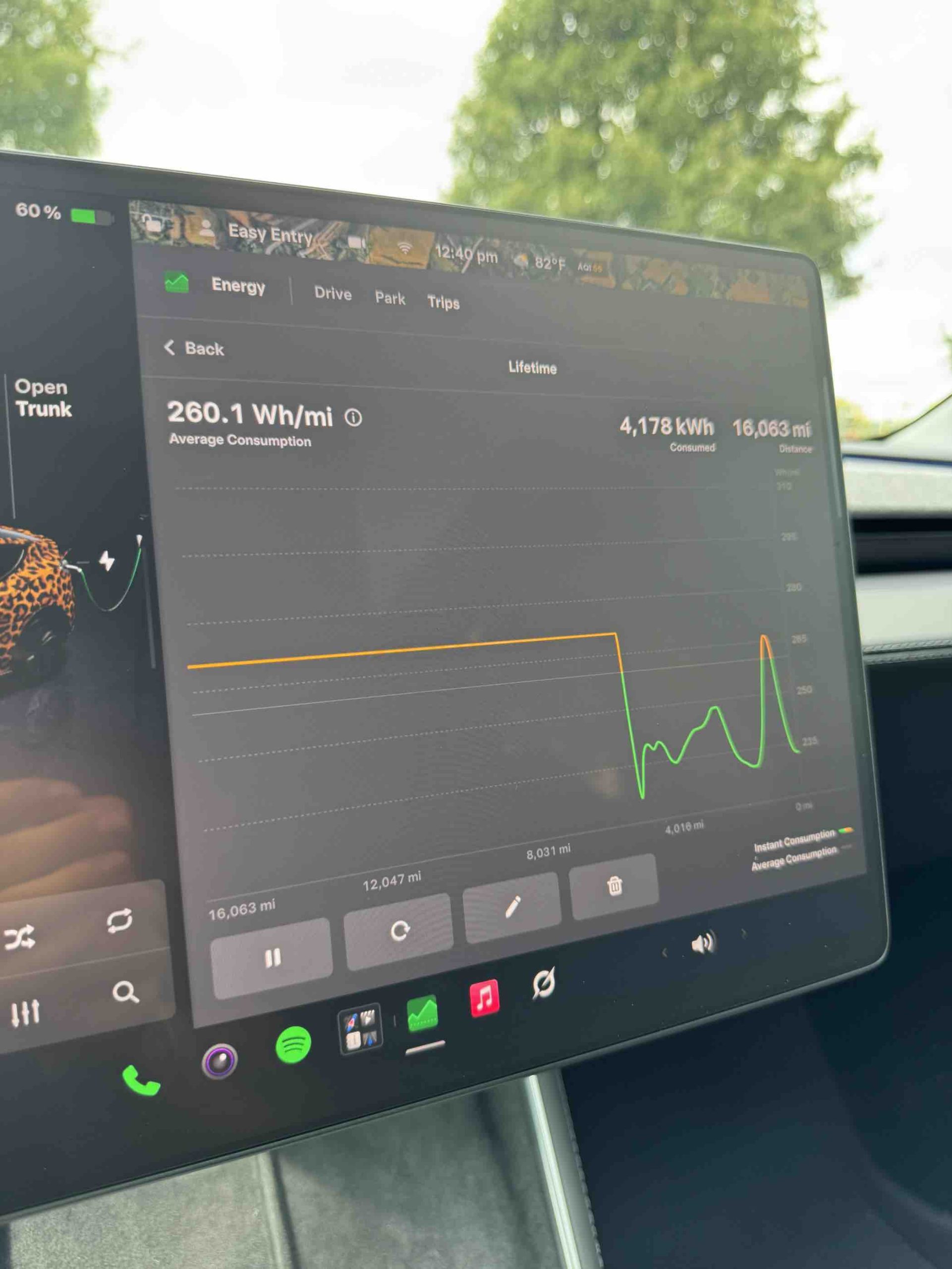
I never reset any Trip on my Tesla when I bought it, so all of these efficiency stats are for the life of the vehicle thus far through 16,063 miles.
My Tesla has a lifetime average of 260.1 Wh/mi (watt-hours per mile), which equates to 3.84 mi/kWh (miles per kilowatt-hour). This is pretty average, and I know I could be more efficient, but I use climate control liberally (it’s always on, even if the windows are down), and I love to let FSD drive me around in Hurry Mode.
Even when I’m driving manually, it’s because I’m on a dry, windy road and I want to take advantage of the awesome suspension and damping that the Model offers. Driving that car on a back road with some twists is one of the most fun things to do.
To achieve really excellent range and efficiency ratings, you really have to be more conservative with some things, and those are sacrifices I’m personally not willing to make. I want the A/C or Heat on, and I occasionally will increase drag by driving with the windows down.
I prefer Hurry mode on FSD, and I’m willing to sacrifice a few miles of range for that certain style of driving.
Interior, Visibility, Accessories, and More
My Favorite Interior Ever
The Model Y interior, like every Tesla interior, is not for everyone. Personally, I was never a fan of the minimalistic approach prior to ownership. As ridiculous as it is, I liked a simple knob for adjusting the temperature and fan speed. Even so, to this day, it takes me longer to pull up the climate settings to adjust things in my Tesla than it ever did in cars with a million knobs and buttons.
I can’t tell you how many times my finger has missed the On/Off button on the climate screen in the Model Y because of dips, bumps, turns, and just normal movement during operation. Do I like the way things are controlled in my Tesla? Yes, of course. Plus, Grok is so integrated into the car now that I could truly never have to touch the screen again for anything other than starting Self-Driving.
🚨 Using Grok to control the cabin temperature and turn on headlights in 2026 Model Y on FSD v14.3.8 and 2026.26.6.5 pic.twitter.com/7clgQkGABk
— TESLARATI (@Teslarati) August 27, 2026
However, I still find that there are valid arguments for people who like knobs and buttons. As ugly as it might be to me now, I think it is a tad more intuitive because it’s much harder to miss and much easier to make a quick adjustment than with a touchscreen.
With that being said, the touchscreen is great. It is so responsive and is as good as using an iPhone. There is no delay like most automotive touchscreens, where it feels sort of clunky for 2026.
I love to watch TV and Movies or YouTube on it when I’m parked anywhere. My Fiancèe and I have made it a date night several times over the past year: we’ll pick a spot to eat, get it to go, and enjoy it in the car while watching something. It’s great in the Fall when the leaves are turning orange.
The interior is, overall, a great part of the car. It’s very easy to keep clean, and when it’s clean, it truly feels like you’re in a spacecraft. It is one of the coolest interiors out there, maybe not as luxurious as some high-end Mercedes-Benz or BMW models, but it has a clean and simple feel that is better than many cars in its weight class.
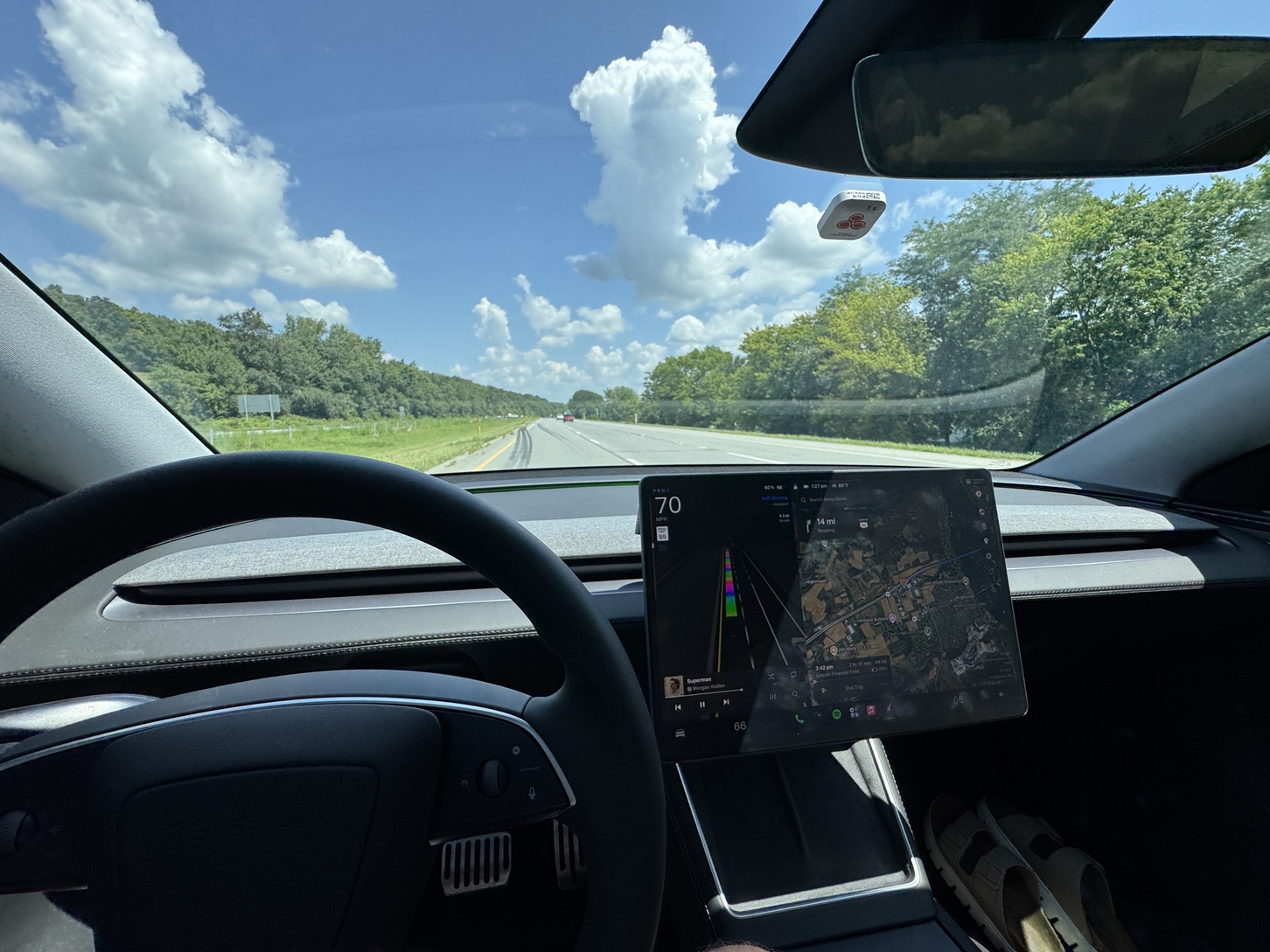
I will say I do miss the Textile seats of the Model Y Standard, but I do not miss them when I am hot. I would still take the Vegan Leather because of the ventilated seats.
Rear Window Visibility is Pointless
If you like a rear windshield, just be aware of the fact that the Model Y basically does not have one. It almost feels pointless to be there, and the Model Y L has something that is much more “standard” in terms of rear windshields in a crossover/SUV:
This is a drastic difference. https://t.co/wTdhitD5aA pic.twitter.com/z6hFs0Jkss
— TESLARATI (@Teslarati) July 30, 2026
It doesn’t mean much to me because the rear camera is great. However, I have found myself just annoyed with the fact that it’s even there to begin with.
Accessories I Bought
I went for 3D MaxPider car mats throughout, some center console storage, trunk storage, and matching window tint on the front windows. I also bought Tesla’s Pet Liner, which is great because it comes with door coverage and a bit of a barrier. My pup, Finn, climbs right over it and prefers the front seat, so I fold it in half, and it still covers the passenger seat very well:
🚨 Something’s different about my best friend Finn in this video compared to the last…🐾🐶
Watch our full ride home from Finn’s haircut on Tesla FSD v14.3.8 https://t.co/eyrj1QefAj pic.twitter.com/f04jVIBgMV
— TESLARATI (@Teslarati) September 8, 2026
They’re all pretty standard accessories, but the one thing I use the most is actually this phone mount from Amazon.
It’s great for making FSD content for TikTok or throwing my phone on it just to hold. I never use it to watch anything (I’m wildly against that concept), and I usually use the wireless charging mat that comes standard. It is really great and convenient, and the magnet is super strong.
Cabin Noise, Sound System Quality
The Model Y Premium comes with acoustic-lined glass, which really dampens a lot of the road noise. My car has one of the quieter cabins I’ve ever been in. I can still remember my 2008 Escape Hybrid and how loud it was in there; I thought my Tesla would be that way, but boy was I wrong.
It is such a peaceful ride that even sitting at stoplights behind loud, obnoxious Hondas with shopping cart handles as spoilers does not bother me. A buddy of mine in a 2021 Model Y said upon his first ride in my car that it was a “night and day” difference between the two.
As far as the sound system goes, two of the more outgoing people in my life who love loud music and concerts recently said to me that “the Tesla is quite a time” because of how immersive the listening experience is. The bass is excellent; the ambient lighting truly rounds out the experience.
Even my Dad, who is somewhat of a speaker snob (I can remember going to Tweeter as a boy with him to look at receivers, and he’s always had massive speakers in the house for cranking up some music) has commented on how good the sound quality is. I remember when I bought a Honda Civic a few years ago- his first ride in it- he said, “Damn, the speakers in here suck.”
He wasn’t wrong. They were awful. But in the Tesla, they’re damn good.
Should you buy a Model Y?
Look, I will recommend this car to anyone who asks. I tell my friends constantly that I love my Model Y so much, especially because it just gets better and better over time.
But I also understand the skepticism. I’ll admit one of the most disappointing things about this car is how much range I lose in the winter. In a 40-mile round-trip drive to get wings with some friends in January, I lost 120 miles of range. This is something that would not deter me from buying this car, but at the time, I also didn’t have home charging. Ownership, at that point, was a bit of a pain in the butt.
The thing is, to me, it’s still better than driving a gas car. I just have more fun in a Tesla.
A friend of mine recently bought a new car, and she said she went with a Chevy Equinox because it was a larger vehicle and she has a child. I told her, “I don’t think I’ll ever buy anything other than a Tesla. Once you go Tesla, you never go back.”
“I cannot afford a Tesla,” she said. We all know the ridiculous narrative around Tesla pricing by now, and after she found out how much I pay for my car and the fact that it has the IIHS Top Safety Pick+ rating, she admitted she probably would have done the same if she had known. I wish she would have asked.
The only car I would take over mine is the Cybertruck. And right now, I just can’t afford a Cybertruck, so I’ll stick with the Model Y. I am so satisfied with my pick, and I would buy this car time and time again.
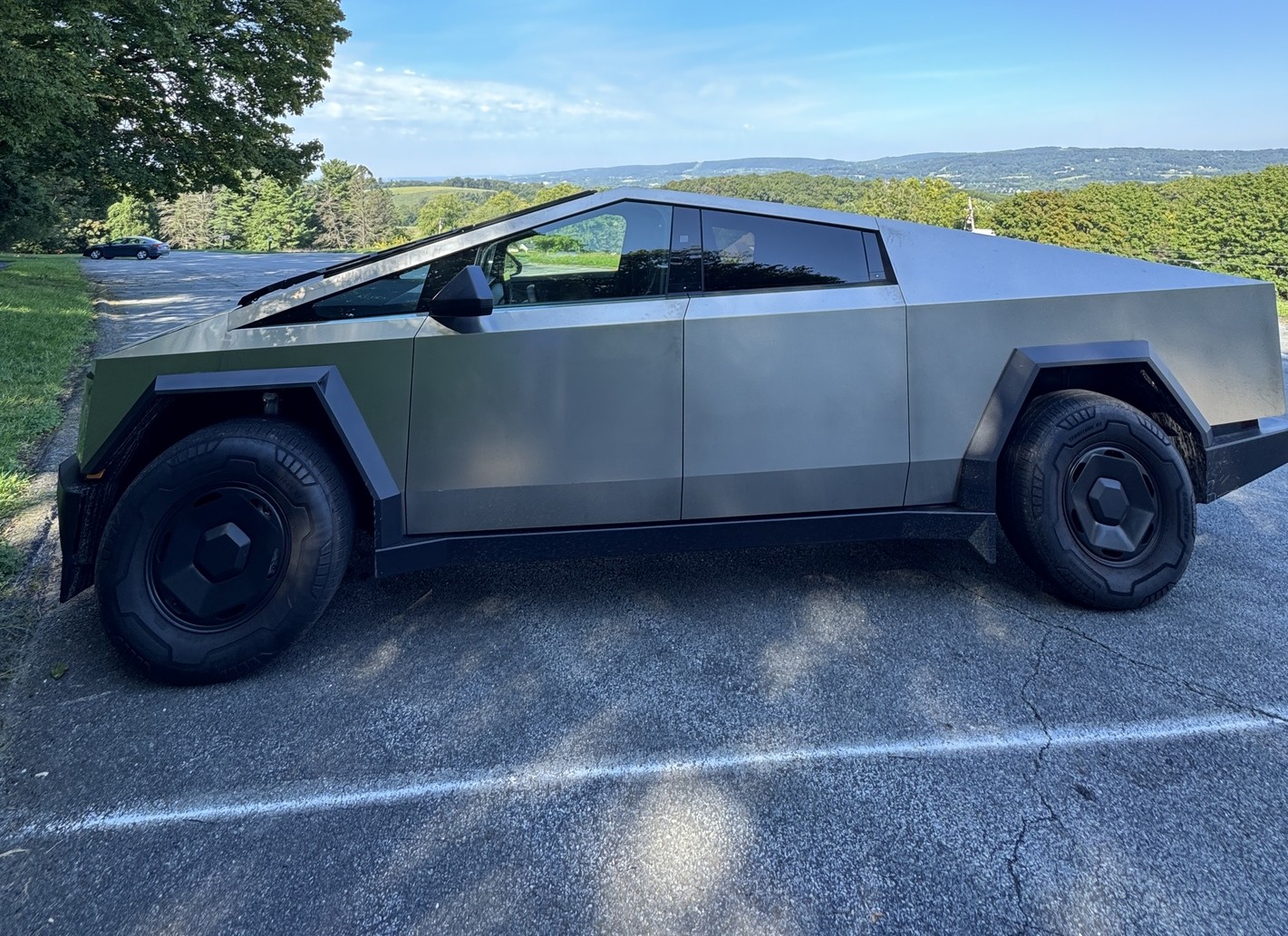
Tesla Cybertruck’s three configurations are all the same on the outside from an appearance perspective, but they differ slightly in price, range, performance, and other features. After yesterday’s price adjustment, Tesla’s Base All-Wheel-Drive Cybertruck is now priced at $74,990, a far cry from the $59,990 it started at several months ago.
At $60,000, the Cybertruck All-Wheel-Drive is a steal: no pickup, electric or gas-powered, comes close in terms of overall driving capability thanks to Steer-by-Wire; no truck is more fun to drive at that price, and add in Full Self-Driving for $99 per month, and you truly have the best possible pickup on the market, at least if you’re planning to use it for driving.
I unfortunately didn’t have the equipment to test towing and payload and how it impacts the truck.
But at $75,000, is it still worth it? Obviously, the question gets to be more difficult because of the $15,000 difference. But there’s still an argument.
I spent the last week with this awesome truck, and when I took it back, I was sad because it truly is the best Tesla in the lineup. I formerly said the Model S was my favorite Tesla, but after a week with Cybertruck, I can easily say it would be my choice over the now-defunct all-electric sedan.
What makes it so great? Well, a lot of things, and there are some things that I’d like to see change. However, this is a truck that truly has a serious argument for those who are thinking of trying something completely different.
Exterior and Interior
This build comes with 18″ Molten Wheels as the standard offering, but 20″ Core Wheels with 35″ tires are also available. The standard wheel option on this affordable model is not my favorite, but it can be easily swapped for something more attractive.
Overall, this particular build did have some panel gap issues that were especially noticeable between the hood and both front quarter panels. This is obviously not an “across the board” issue, as the Cyberbeast I took home for comparative reasons was significantly better overall.
It’s 📐 week. Cybertruck AWD!!! pic.twitter.com/0hkmTQDQYk
— TESLARATI (@Teslarati) August 19, 2026
The interior is different, with its textile material instead of the vegan leather. Personally, I missed the leather due to the ventilated seats, but I prefer the textile as I personally felt like they were more comfortable. This is something I’d definitely consider if I were between the three trim levels and money was not really an issue.
After 610 miles on Monday in this thing, I did not feel any different than I did when I left my house that morning. It feels like a living room on wheels; after a long drive, you truly do not feel as if you’ve been in a car all day long.
My biggest interior complaints were that I’d like at least two USB-C ports in the front; you are confined to just one, and it’s hidden in the center console. The rear row has two ports. Additionally, the windshield is super difficult to clean, so if you end up buying one of these, save your back and get something that extends.
Driving Performance and Comfort
One of the most surprising things about Cybertruck is the fact that it is perhaps the smoothest ride of any Tesla available. Most believe it might be rough, stiff, and rugged like most trucks, maybe not as forgiving on the back and bottom as you sit in it for an extended period of time.
I’m here to tell you, you won’t regret sitting in a Cybertruck for a long drive.
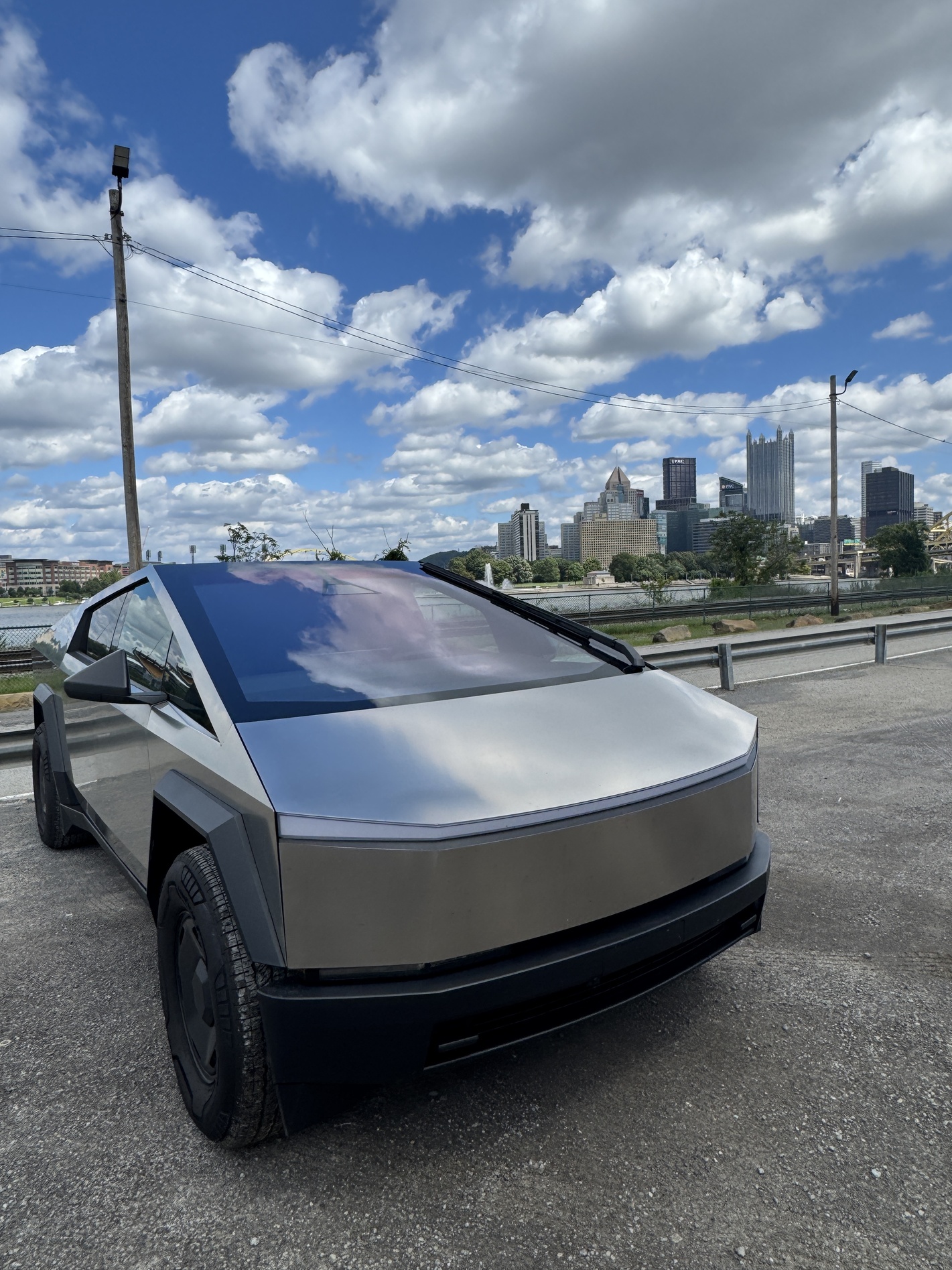
I put as many people who dislike EVs, don’t like Cybertrucks, or use trucks for work, and judge the Cybertruck in this thing in the past week. Every single person who got in this truck loved it: they loved the speed, the handling, FSD, the space, the capability, and the feel.
As previously noted, even after hundreds of miles and 14 hours spent driving around Pennsylvania, I didn’t feel tired, exhausted, or in any hurry to come home. I would have driven another 300 miles without question.
Final Thoughts
If I had my choice of the three Cybertruck trims, I think I’d take the All-Wheel-Drive for a few reasons. Initially, the price is more attractive, it is not that stripped of features, and it has everything I need.
Is it worth it at $75,000? I believe it is. I’ve driven trucks that are at a higher price point and consider this to be a better product from a driving and experience perspective. However, other pickups on the market have more towing capacity, payload capacity, and range. They do not have FSD or steer-by-wire, the two things that truly make the Cybertruck in a league of its own.
I can’t think of a time in recent memory that I’ve been this excited to drive a vehicle each day, and I literally look for excuses to drive my Model Y on a daily basis. This Cybertruck just blows the Model Y out of the water in every possible way, at least in my opinion. With the size, performance, and driving experience, there is no better Tesla out there.
You can check out the full video review below. If you have any questions about the Cybertruck AWD, be sure to reach out and let me know:
🚨FULL REVIEW of the unbelievable Tesla Cybertruck AWD 📐 pic.twitter.com/S0wHALl87K
— TESLARATI (@Teslarati) August 26, 2026

Tesla Semi lands the biggest electric truck deal in U.S. history

Tesla integrates Grok Bot into its vehicles for the ultimate personal assistant


