Lifestyle
Review: Tesla Model S CHAdeMO Adapter

A little over a year ago, I put my name on the waitlist for the Tesla Model S CHAdeMO adapter. At the time I was still unsure whether I would need it, or want it, but thought it would be good to get the option. Tesla wanted a pricey $1,000 for the adapter during that time but I figured that I could always turn it down when my number came up.
Well… Something happened between then and now. Tesla dropped the price and my number was called. So… We said, “what the heck.”
Tesla Model S CHAdeMO Adapter
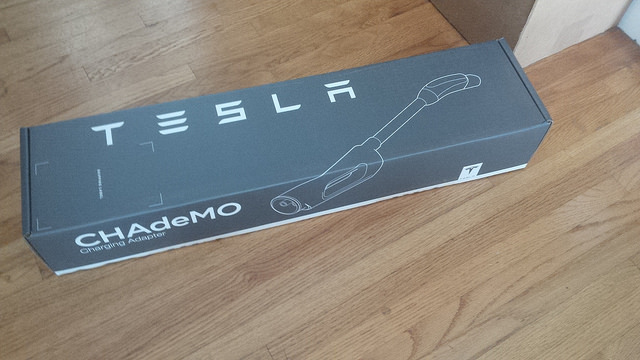
Tesla does such a great job with the packaging for their accessories:
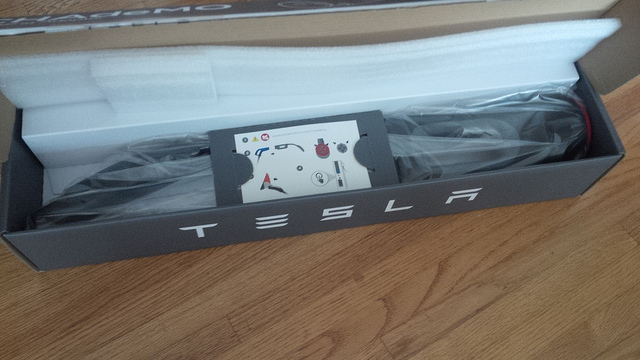
Tesla’s instructions are elegantly presented in the following pictograph:
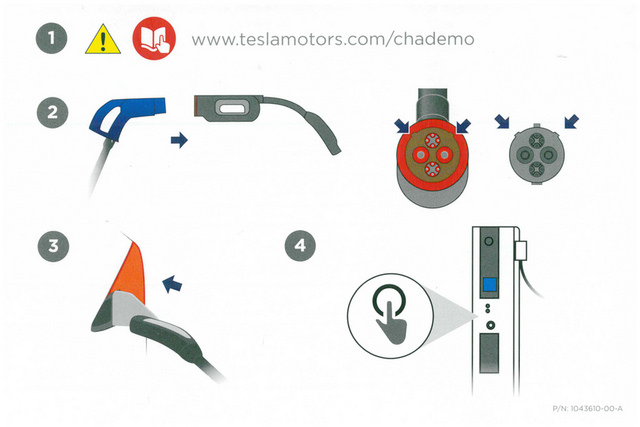
Being a technical person, I found these pictographs to be well done and quite easy to follow. Now, I’m unsure whether they’re great for non-technical people, but between this pictograph and the one provided for the Premium Rear Console, I have to tip my hat off to Tesla for providing very easy to follow instructions.
How do I use it?
Be aware that (at least in the United States) there is a waitlist (as of March 23, 2015) when it comes to placing your order for the the CHAdeMO adapter. When your number is called, you have to make the decision whether to order it or not.
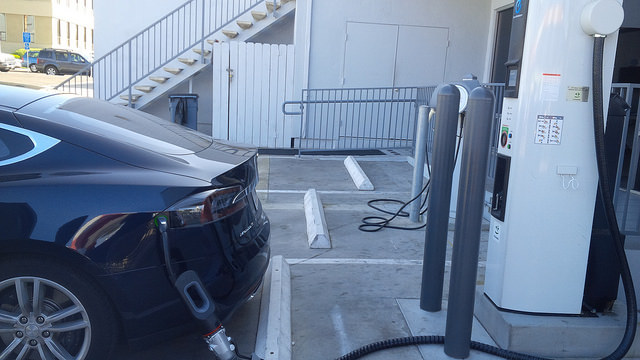
So, how do we use the CHAdeMO to Model S Adapter? Well, it depends on which CHAdeMO L3 Charger you’re using. I chose to try the adapter with an Eaton CHAdeMO charger and a Nissan CHAdeMO charger because the two locations that I identified provide quick charging without a fee. Many of the Nissan CHAdeMOs have been converted to a pay system and require an RFID and payment to charge. I have not yet used any of those.
 -
-
STEP 1 is to attach the CHAdeMO cable from the L3 charger to the Adapter. Make sure to align the notches appropriately, it won’t fit otherwise.
Here is the Eaton CHAdeMO pictured
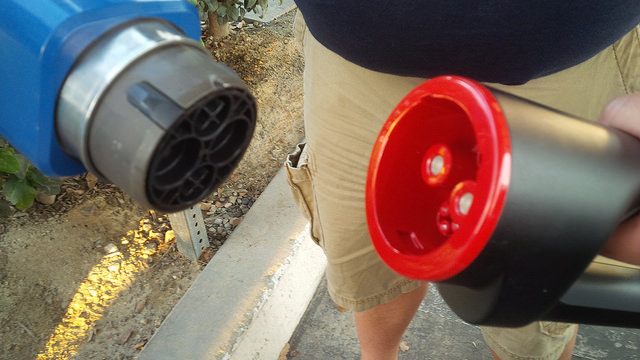
STEP 2 is to mate the CHAdeMO to the Tesla Model S CHAdeMO adapter.
Here is the Eaton CHAdeMO pictured
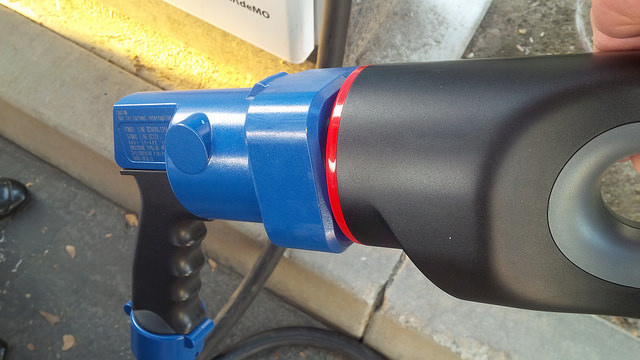
Seat the Eaton CHAdeMO to the Adapter and make sure that it is secure. Here is the Nissan CHAdeMO pictured.
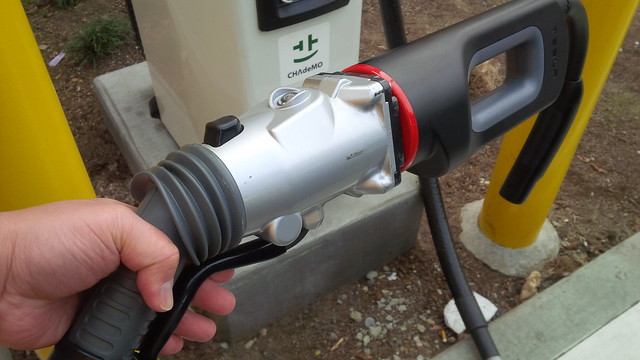
Be sure to pull the trigger on the Nissan CHAdeMO to secure the piece to the adapter.
STEP 3 is to plug the Adapter to the Model S.
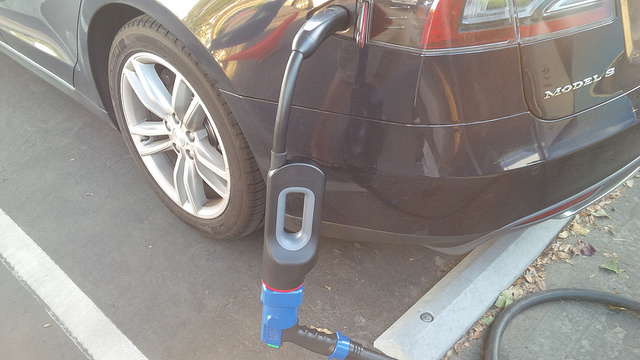
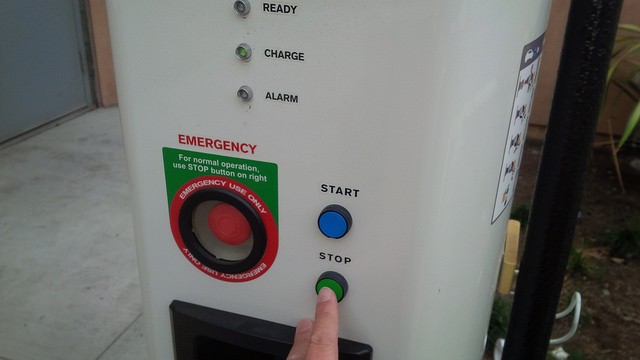
STEP 4 is to press start on the CHAdeMO Charger to initiate the charge.
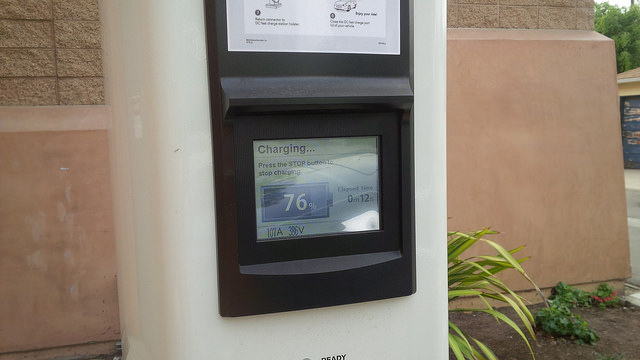
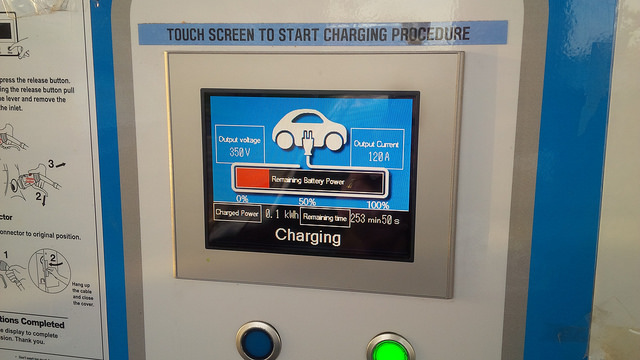
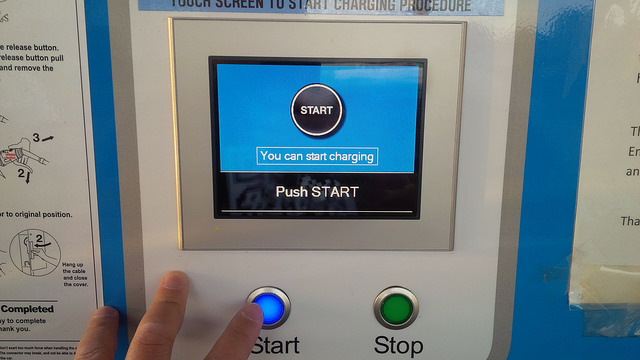
It’s the blue START button, I forgot to take a picture of me pressing the button. Go back to the car or go about your business, but put a note on the car if you do leave so that anyone who needs to use the charger can contact you.
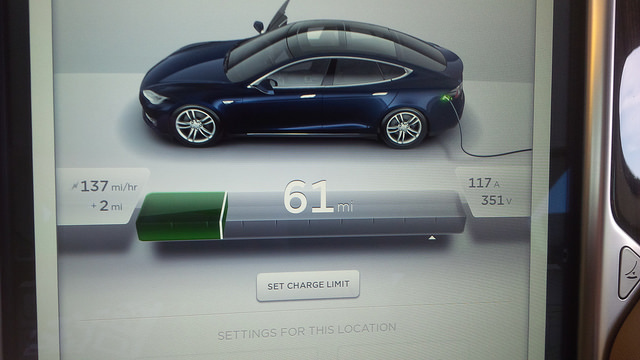
Notice the charge speed of CHAdeMO
One of the things that you will notice that is different between the Eaton and the Nissan CHAdeMO station is that the Eaton provides an estimate of how long the charge will take to full. The Nissan one that I have found do not do the same.
From the Nissan CHAdeMO’s display:
STEP 5 – Press the STOP button when charging is complete and detach the Adapter from the charger’s CHAdeMO cable.
Side by side comparison of the Eaton CHAdeMO (left) with Nissan’s CHAdeMO (right).
-
Taking a look at how the two charging adapters compare with one another:
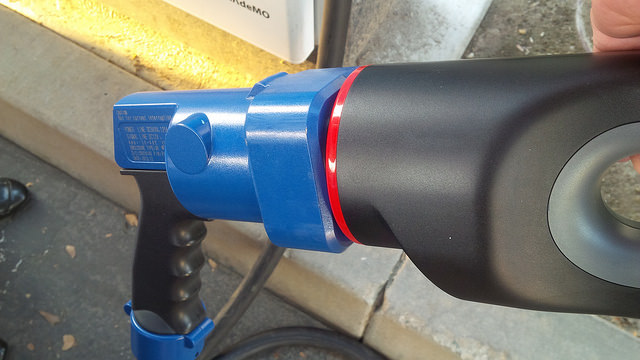
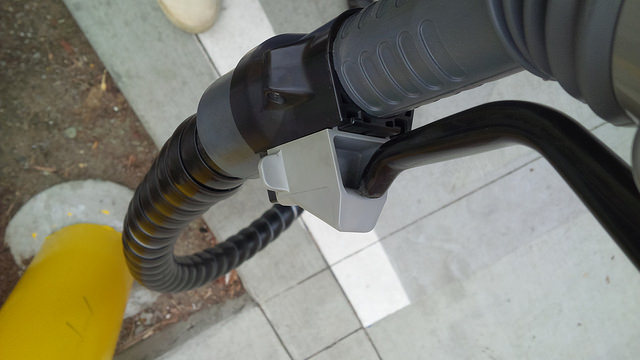
[I don’t remember if there was a button on the Eaton (left), but some of them do… press that to release. Nissan’s charger (right) requires to you to slide the grey lock away from the handle to unlock.
STEP 6 – Press the black button on “top” of the CHAdeMO cable. Make sure to be ready to catch the Tesla Model S CHAdeMO Adapter.
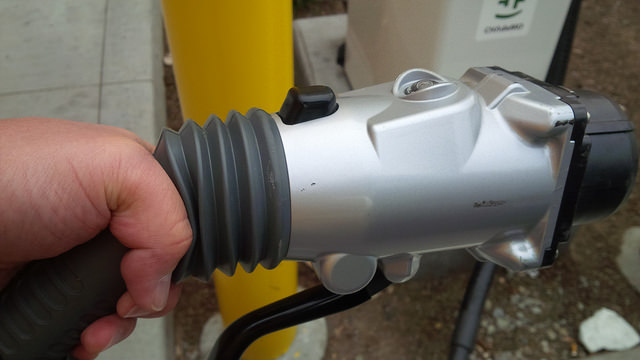
And finally, STEP 7 requires you to return the cable back to its proper charging station and stow away the Tesla Model S CHAdeMO adapter.
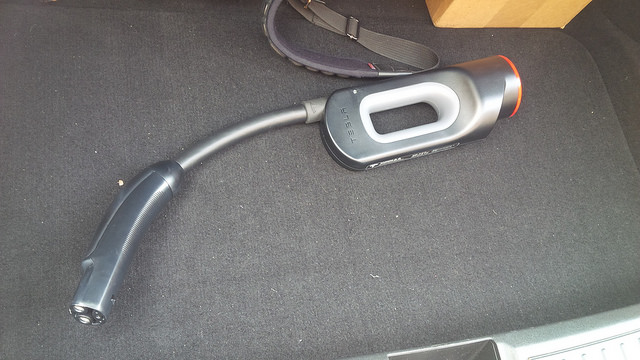
If you’re interested in more pictures of the CHAdeMO to Model S Adapter, here’s my flickr stream.
So, is the adapter worth $1,000? I probably wouldn’t have bought it for that much. However, since they dropped the price to $450, it came down to a price that is less than Henry Sharp’s CAN Adapters for the Roadster.
How useful is it? Well, on a recent trip to San Diego, I found a Nissan dealership (Pacific Nissan in Mission Bay) that allowed me to use their CHAdeMO. This is useful as Tesla has not completed the build out of the Supercharger down to San Diego. The nearest one is the San Juan Capistrano, one that is reported to be very busy.
I’m not sure how often I will need to use the adapter, but at $450, it was at a price point that is intriguing. The product is well-built, well documented, and works. Charging adapters are priceless when you need them in an emergency. There’s nothing more embarrassing than running out of charge.
It’s a very useful adapter for folks that have access to many CHAdeMO stations and want the extra insurance of being able to access these charging locations. It’s a critical adapter for those that have limited access to superchargers and need access to travel to areas not covered by superchargers but are covered by CHAdeMO
-
Elon may think that the recently announced 6.2 firmware will end range anxiety, but I find the ability to charge at any rate is comforting. Even 110V at 3 miles per hour could work, in a pinch. But 130+ miles an hour over CHAdeMO is a bit better than 3 miles per hour.
This post was originally published on Dennis’ blog.



Firmware
Tesla unlocks in-car web conferencing to extend Google Meet, Teams and beyond
Tesla’s Summer Update lets owners join Google Meet, Teams, and Discord calls via cabin camera.

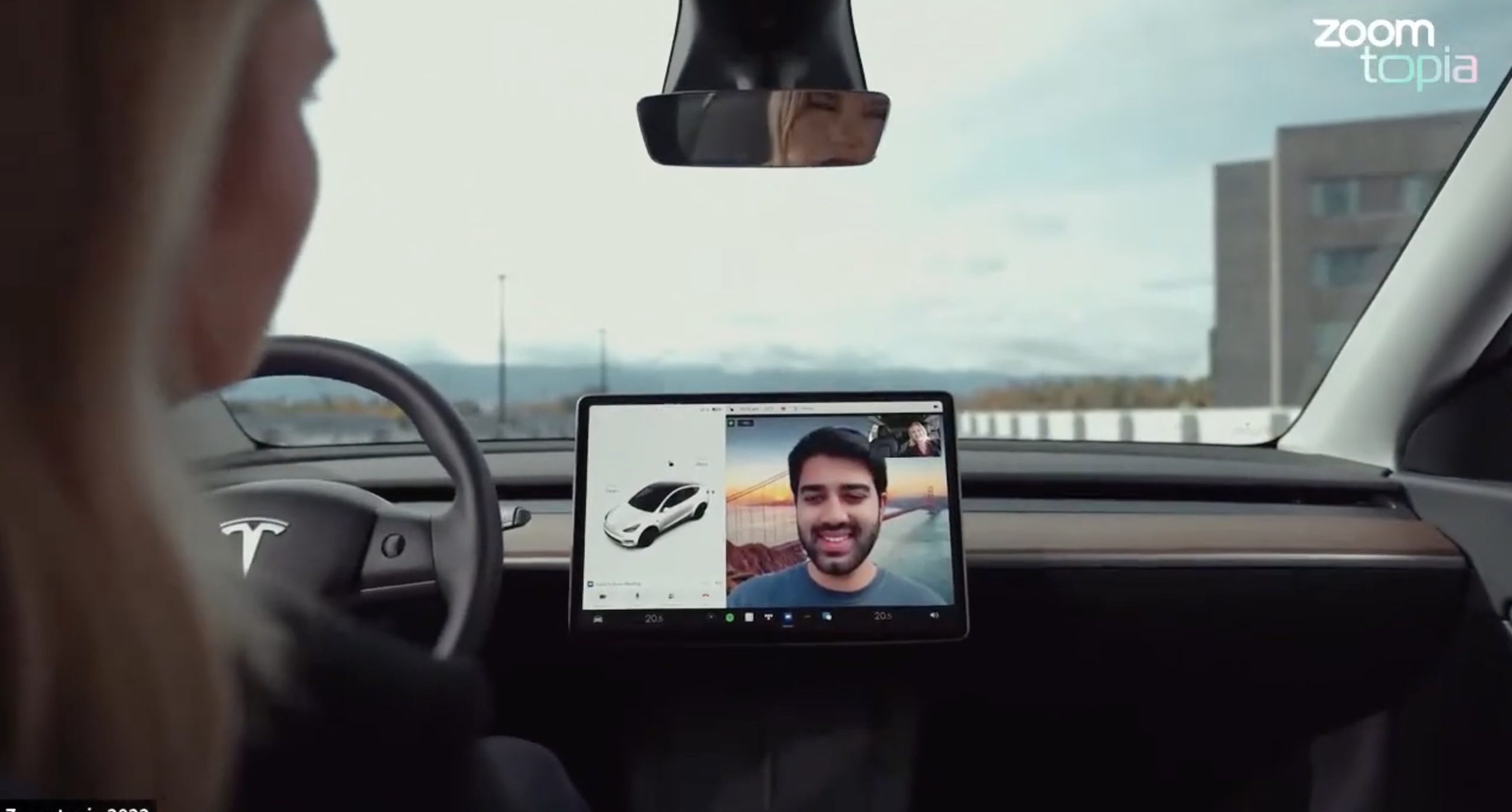
Tesla’s 2026 Summer Update, which just began rolling out to customer vehicles, now links the built-in web browser with the in-cabin camera feed and microphone input, thereby letting owners join video calls on nearly any browser-based service instead of just Zoom.
The change appears in Tesla’s own release notes for software version 2026.26 under “Web Browser,” which states that the vehicle can now use its interior camera and cabin microphone when a website requests access, with permission granted the same way a desktop browser handles it. As NotATeslaApp notes, this feature opens the door to Google Meet, Microsoft Teams, Discord, and other webcam-enabled sites to activate the in-car cabin-facing camera. The feed automatically crops and zooms to center the driver in frame.
Tesla has offered in-car video calling before, but only through a dedicated Zoom app that launched at the end of 2022, a stripped-down browser preloaded with Zoom’s own web client and gated behind Premium Connectivity. Opening the full browser to any camera-requesting site removes that walled garden. Elon Musk first called video conferencing “definitely a future feature” back in 2020, when the pandemic pushed remote meetings into daily life, so this update effectively finishes something Tesla has been promising for six years.
Tesla Summer Update begins rolling out: a look at the new features
The feature keeps the same restrictions that applied to Zoom on Tesla vehicles. It only works while the car is parked; shifting into Drive disables the camera feed, according to the release notes. It is also limited to vehicles running Tesla’s AMD Ryzen infotainment hardware, meaning older Intel-based Model S and Model X units, along with early Model 3 and Model Y builds, don’t get it.
Turning the browser into a general entry point for the in-cabin camera, rather than routing everything through one local app, widens the number of third-party sites that can ask for access, even though Tesla’s permission prompt.
With the Summer update only days into its rollout, be sure to stay with us on TikTok and X to see the latest video demonstrations.
-
Elon Musk escalated his monthslong feud with Christopher Nolan’s The Odyssey this week, pledging that his own AI video tool will produce a competing version before the year is out. Responding to a fan-made, AI-generated clip of the ancient epic, Musk wrote on X, “Before this year ends, Grok Imagine will make a full-length movie of The Odyssey that is historically accurate and true to the art of Homer.”
In June, Musk quoted an xAI-shared trailer built entirely with Grok Imagine Video 1.5, a two-minute-plus reimagining of The Odyssey styled after a 1970s classical Hollywood epic, and predicted “full movies by the end of the year,” as Teslarati reported at the time. That trailer, built from 36 consistent shots by a single creator, was Musk’s proof of concept. This week’s pledge turns that prediction into a specific commitment, tied directly to Homer’s text rather than a generic demo.
Before this year ends, Grok Imagine will make a full-length movie of The Odyssey that is historically accurate and true to the art of Homer https://t.co/bVHzUmY9WN
— Elon Musk (@elonmusk) July 22, 2026
When a fan separately proposed that Musk fund a live-action alternative, to “give Mel Gibson $100 million to film an Odyssey adaptation with painstakingly historically accurate ships, armour, weapons, and casting, with all dialogue taken straight from the original poem and delivered in Homeric Greek,” Musk replied with two words: “I’m down.”
The Grok Imagine pledge lands as the tool’s underlying infrastructure has changed hands. Grok is no longer a standalone product, it folded into SpaceXAI after SpaceX’s acquisition of xAI closed in February, meaning the compute behind any Odyssey production traces back to the same Colossus supercomputers now bundled into SpaceX’s pitch to investors. Musk has separately said SpaceX’s own engineering data is being fed into the next major Grok training run, a two trillion parameter model he’s called the “2T run.”
Whether Grok Imagine can sustain a feature length narrative, rather than a series of impressive individual shots, remains the open question.
-
Cybertruck
Tesla Mobile App gets a new feature that wrap fans are going to love
Tesla’s Summer Update removes the USB drive step from customizing your car’s digital wrap design.
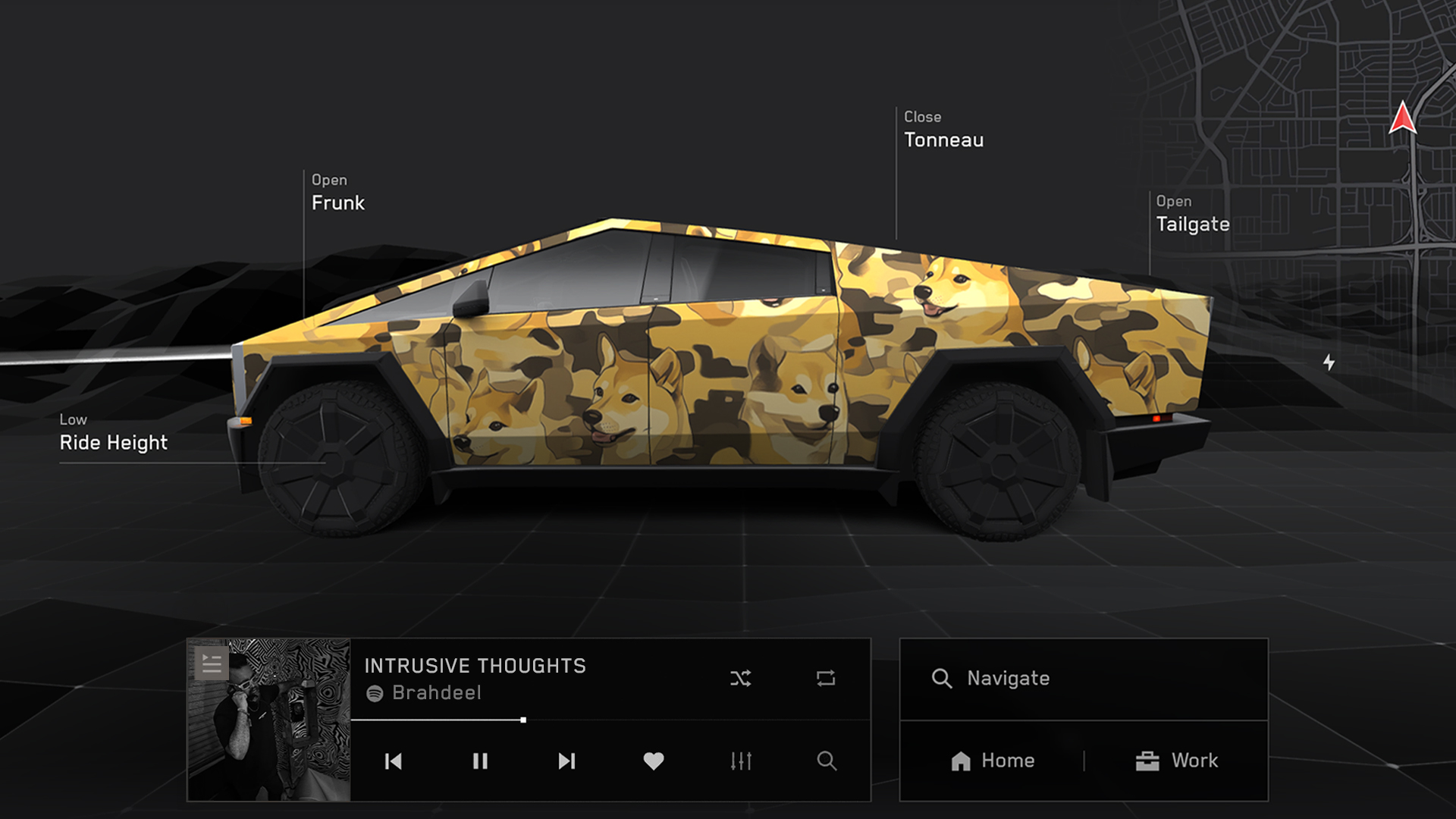
Tesla’s latest 2026 Summer Update quietly closes out one of the more tedious steps in personalizing a Tesla’s digital appearance. Uploading a custom wrap design used to require a USB drive. Now it doesn’t.
The feature is listed in Tesla’s release notes as “Send Custom Wraps from Mobile App.” The company described it plainly: “Skip the USB drive and upload a custom wrap of your car from the mobile app. Instructions for creating a custom wrap here: github.com/teslamotors/custom-wraps.”
The digital wrap tool has been around since Tesla’s 2024 Holiday Update, when it launched for Cybertruck owners first, as Teslarati reported at the time. Getting a design onto the car meant formatting a USB drive, creating a folder named exactly “Wraps,” dropping in PNG files sized between 512×512 and 1024×1024 pixels and under 1 MB each, then plugging the drive in and applying the wrap through Toybox. Tesla expanded the tool to other models and renamed it from “Colorizer” to “Paint Shop” with the 2025 Holiday Update, while also adding license plate and window tint customization alongside the wraps.
Custom wraps via mobile app https://t.co/5OydZ26g9p pic.twitter.com/uexU0ZePxu
— Tesla (@Tesla) July 22, 2026
The latest Summer Update removes the USB step from that process. Owners will be able to pull a design from wherever they saved it, whether that’s a download from social media or something built from Tesla’s own GitHub templates, and push it to the car directly through the app.
Tesla reveals 2026 Summer Update with crazy fixes to Nav and more
-
It’s a small fix relative to the rest of this latest release, which also included expanded Grok voice commands, automatic navigation that learns regular routes, and self-driving stats inside the mobile app, all detailed in our rundown of the full Summer Update. The USB requirement was one of the more common complaints about Paint Shop since it launched. Tesla did not say when the wrap upload change would reach individual vehicles, only that the broader update is rolling out now in waves.

Tesla unlocks in-car web conferencing to extend Google Meet, Teams and beyond

Tesla Summer Update begins rolling out: a look at the new features


