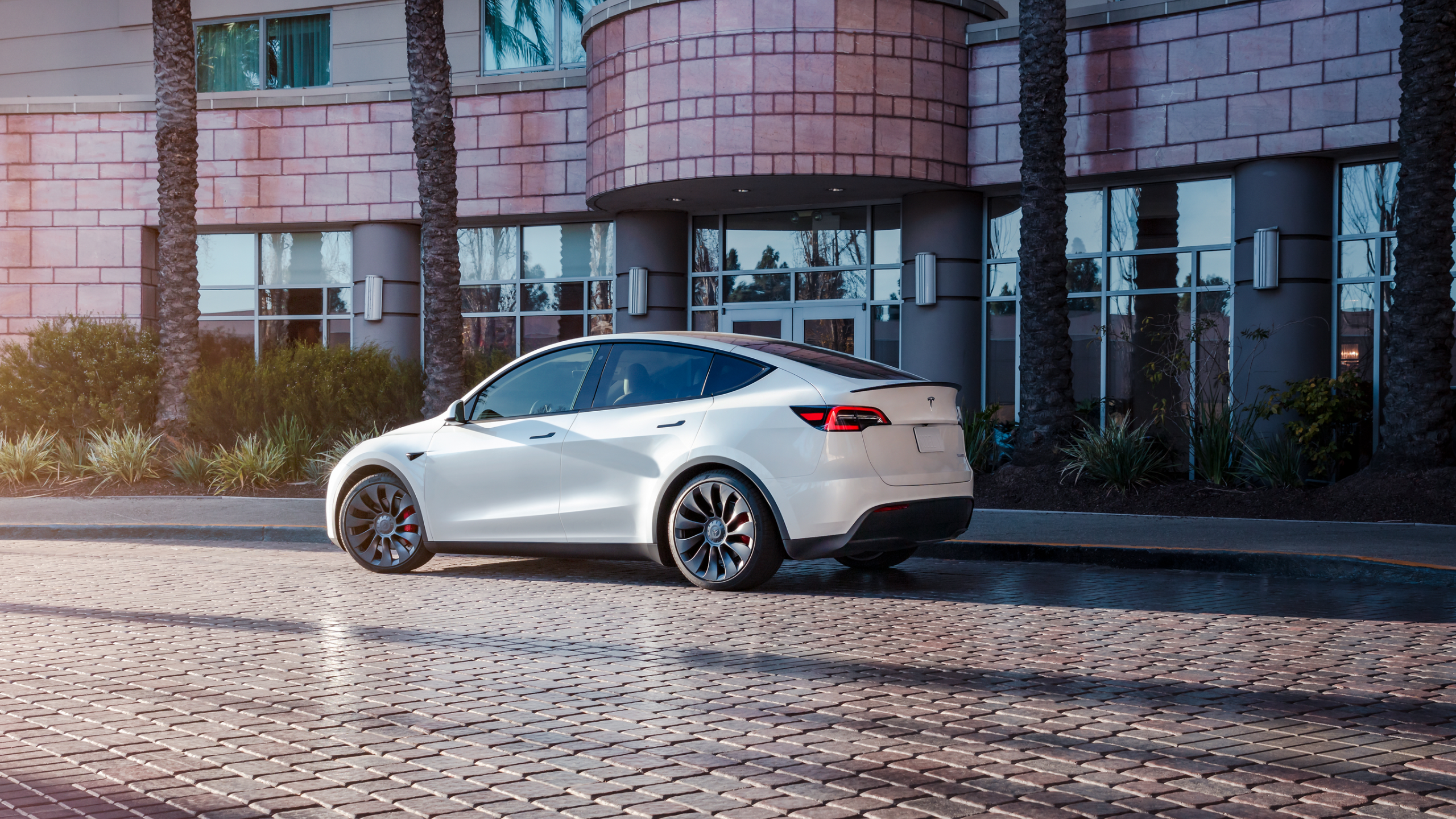

Track mode is coming to the Tesla Model Y Performance, and it seems like it’s for real this time. Elon Musk reiterated Model Y track mode over the weekend.
In 2020, Musk said that track mode would come out for the Tesla Model Y, but it has not rolled out to the vehicle thus far. The Tesla CEO admitted that track mode for the Model Y isn’t as easy as it sounds when responding to a Twitter follower. Track mode is available on the Tesla Model 3 Performance and Model S Plaid.
Track Mode V2 seems to be the version available on the Model 3 Performance and the Model S Plaid. The Tesla Model 3 received track mode V2 in 2020. Tesla rolled out track mode to the Model S Plaid earlier this year in January.
Tesla released track model V2 with a few pre-set profiles to show drivers how they can customize their vehicles for the track. Below are some of track mode V2’s highlights.
Vehicle Handling Customization
- Handling Balance: Shift motor bias from 100 percent front to 100 percent rear, adjusts how much torque is sent to each motor for different understeer or oversteer behaviors, and initiate rotation and sustain slip angle.
- Stability Assistance: Choose the level at which the stability control systems are helping to control your car – from all stability systems on to off for complete driver control.
- Regen Braking: Adjust how much deceleration is provided by the car’s motors and foundation brakes. Adjusting deceleration impacts how much physical braking force is required to slow the vehicle down but also allows drivers to initiate their car’s rotation using the throttle pedal.
Real-Time Status Monitoring
- Optimal Vehicle Cooling: Post-Drive Cooling and Compressor Overclock extend track sessions by compensating for the higher temperatures generated by sustained, high-speed driving. Access Post-Drive Cooling and Compressor Overclock from Track Mode Settings.
- Vehicle Status: Get a detailed look at vehicle and sub-system temperatures on Model 3’s touchscreen. Track Mode uses real-time models to display battery, brake, motor temperatures, and tire utilization.
- G-Meter: Tesla’s G-Meter will automatically track and record peak lateral and longitudinal accelerations. To view the G-Meter go to the Cards area of the touchscreen.
Performance Review
- Lap Timer: The touchscreen map now displays a Lap Timer. Follow the instructions to place a start/finish pin on the map. After each lap, the Lap Timer will show the duration of your last lap. It also displays the times associated with the previous and best laps in the driving session.
- Video Logging & Telemetry Data: Video and telemetry data are now downloadable to a USB drive so drivers can track and share their performance. Data is stored in a .CSV file and includes lap times, acceleration, deceleration, G-meter, vehicle thermals, and tire utilization. To save data, plug in a USB flash drive with a folder named TeslaTrackMode. When ‘Save Dashcam for Lap’ is enabled, Track Mode stores a video of each lap in a driving session while using the Lap Timer.
The Teslarati team would appreciate hearing from you. If you have any tips, contact me at maria@teslarati.com or via Twitter @Writer_01001101.



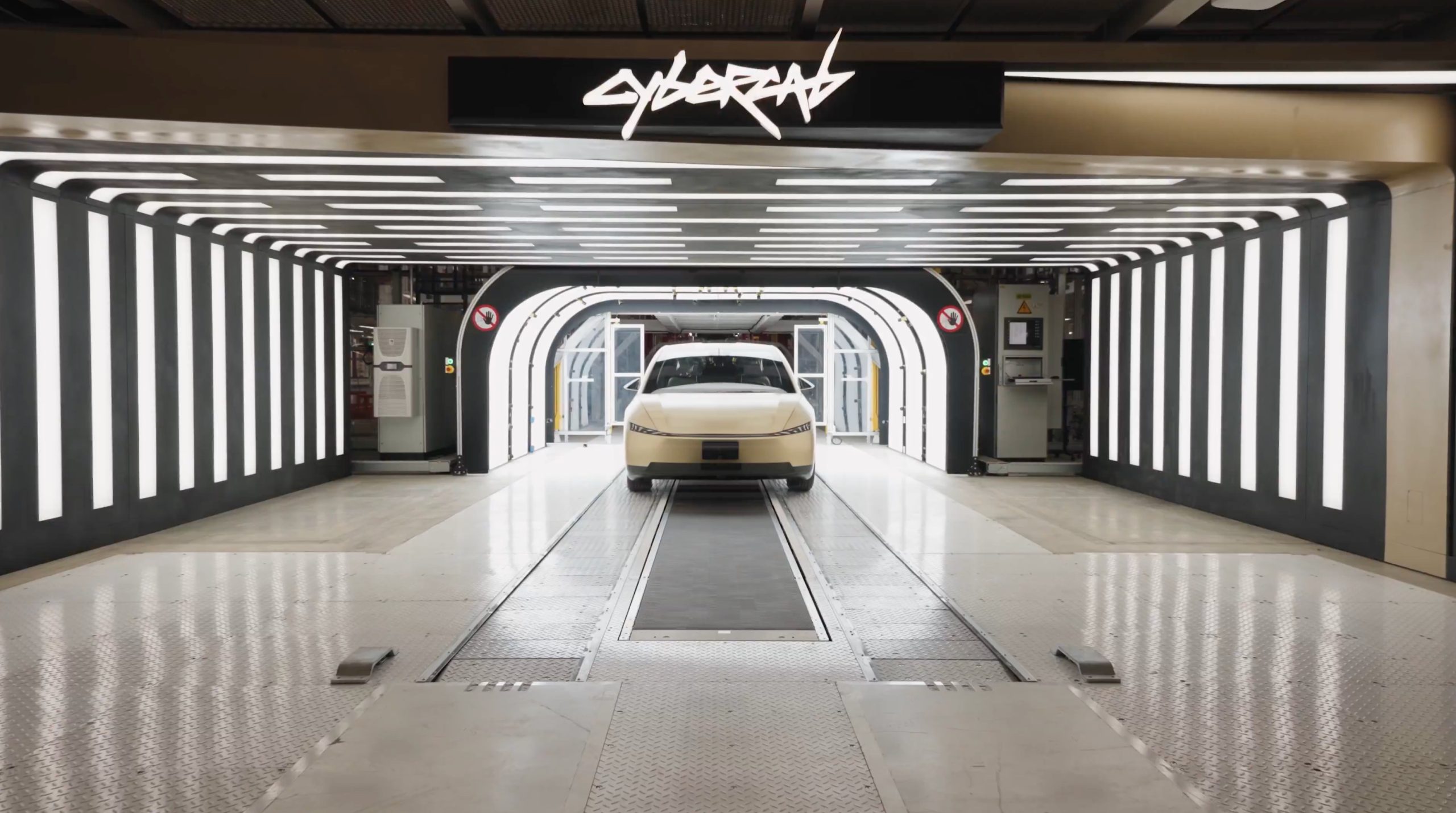
Tesla Cybercab skips the traditional paint shop entirely, marking an unorthodox process for coloring the fully autonomous vehicle. However, the decision was a smart one, as it slashed factory costs, floor space utilization, and complexity, since Tesla relied on specialized alloys and in-mold coloring.
Munro Live was given the opportunity to do a factory walkthrough with Tesla Vice President of Vehicle Engineering Lars Moravy, who explained and detailed how Cybercab production at Giga Texas eliminates one of the automotive manufacturing industry’s most expensive and space-hungry elements.
A conventional paint line can cost hundreds of millions of dollars and require a million man-hours to build. Moravy framed the choice around Tesla’s core rule: “Question the requirements: why do you need paint?”
🚨 Super cool quote from the Cybercab breakdown on the decision to avoid traditional paint:
“One of the most expensive parts of the factory is a paint line… a few hundred million dollars, a million man hours to build one… rule number one at Tesla, question the requirements. Why do you need paint?… the alloys we use in the castings… don’t oxidize and reduce strength over time.” -@larsmoravy
Model Y and Cybertruck bodies are fully coated and painted. On Cybercab, only the side pieces get the anti-corrosion dip coat, and there’s no paint shop at all, which helps cut factory floor space per car by about 50%.
— TESLARATI (@Teslarati) October 26, 2026
The structural answer lies in material selection. The aluminum alloys used in Cybercab’s front and rear castings do not oxidize and lose strength over time, the way many common automotive aluminum alloys do. Only the side modules, built around hot-stamped boron-steel door rings, receive an anti-corrosion e-coat, or dip coat. Front and rear modules skip coating altogether.
Model Y and Model 3 bodies, by contrast, are fully coated and painted.
Exterior colors come from the plastics shop, which Tesla engineers described as “our paint shop” for the Cybercab. Body panels are produced via reaction injection molding, referred to as RIM. Color is then mixed into a polyurethane resin at the mix head immediately before injection, so the panel emerges already colored with a Class-A surface.
Robots trim overflow to control sink marks and flow lines. The process avoids conventional spray-paint defects like orange peel and paint bleed. Scratches can still be repaired with compatible coatings that behave “basically like paint.” Because color is integral rather than a surface layer, shallow scratches do not expose a contrasting undercoat.
The secret behind Tesla’s Cybercab Gold goes well beyond just the color
Tesla has also explored related approaches, including in-mold lamination and painted films on stamped panels.
The manufacturing payoff is substantial because removing the paint shop, combined with the “unboxed” modular process that builds and tests front, rear, side, and center modules in parallel before a short final assembly, cuts factory floor space per vehicle by about 50 percent.
Final assembly itself uses only about 25 automated stations, far fewer than the typical Model Y line, and the overall line runs at about 78 percent automation, Moravy said. The approach also eliminates volatile organic compound emissions associated with traditional spray painting for these panels and shortens the coloring cycle from hours to minutes.
Cybercab’s paint strategy is clearly less about aesthetics than about systematically deleting capital-intensive, energy-heavy, and space-consuming steps once material science and process design make them unnecessary. It is a concrete example of Tesla applying first-principles questioning to one of the auto industry’s most entrenched factory requirements.
Investor's Corner
Tesla has a Cybercab problem nobody saw coming
Tesla’s Cybercab line now builds robotaxis faster than Tesla can deploy them, Lars Moravy says.

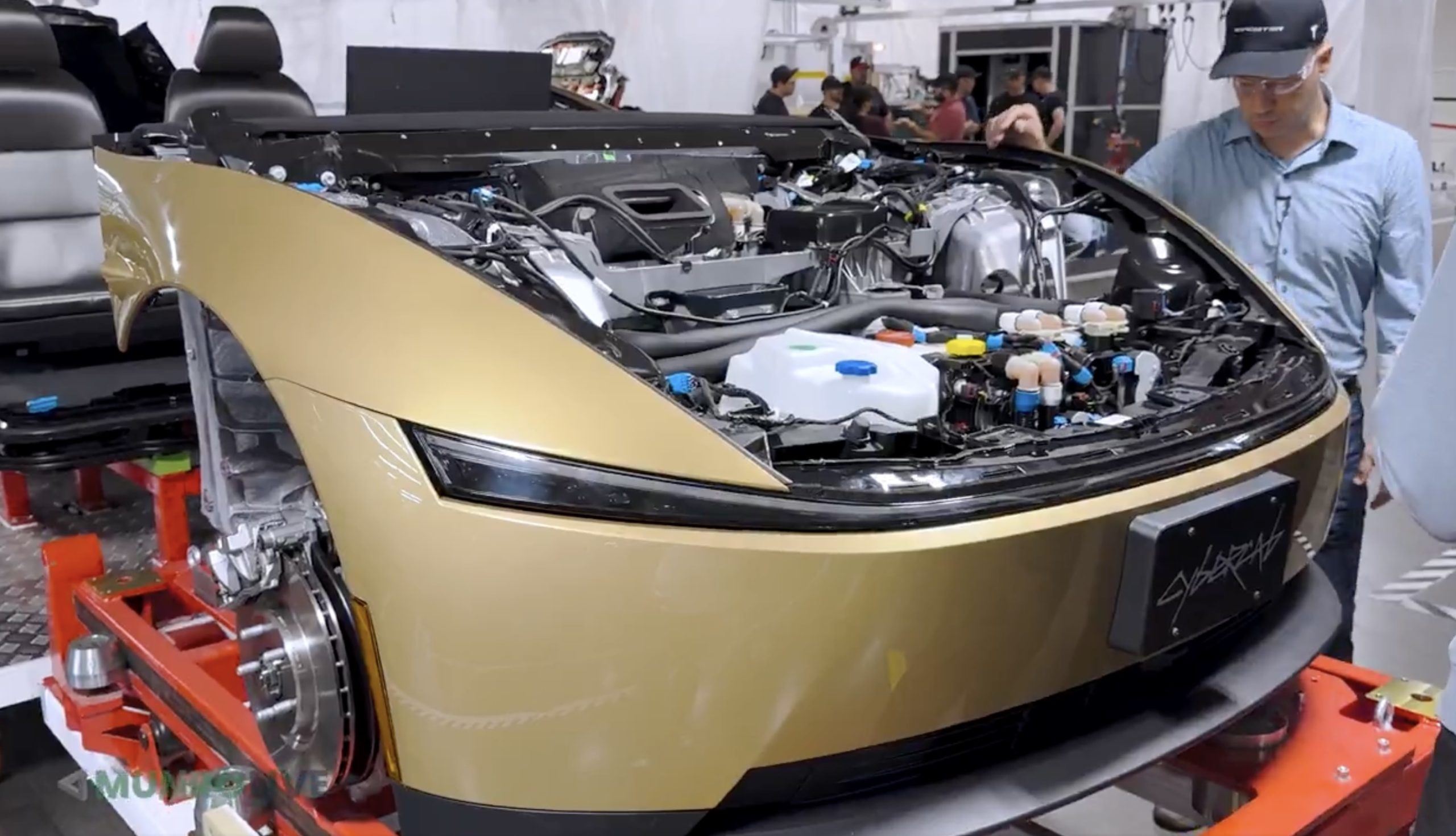
Tesla’s Cybercab line in Texas can now build the two seat robotaxi faster than the company can put it into service, according to Lars Moravy, Tesla’s Vice President of Vehicle Engineering. “We don’t run every day because the line can run so fast. It’s currently outpacing our deployments,” Moravy said in a new Cybercab deep dive from Munro Live. “So, it’s a bit of a race right now. Who’s going to go faster? Right now the manufacturing line’s ahead.”
Tesla’s official Robotaxi account shared a Cybercab analysis video on X on Monday, calling it a “Cybercab engineering deep dive.” Moravy’s comments go further than what he told analysts on the Q3 earnings call last week, when he said the Cybercab line’s listed capacity of more than 125,000 units a year undersells what it can actually run.
The tour shows where that speed comes from. Tesla’s unboxed process splits the Cybercab into front, rear, side and center modules that are built and tested on their own before they meet on a short final line. That final line has just 25 fully automated stations, which Tesla’s team estimated is a fifth to a tenth of what a Model Y needs. The full line is about 78% automated, the framing line is already at 100%, and the layout uses roughly 50% less floor space per vehicle. The stated goal is “100% automation in 10 second cycle time,” or one finished Cybercab every 10 seconds.
Tesla also deleted the paint shop. Only the side modules are coated, and the exterior panels get their color inside the molding machine. Engineers said the car is designed to run at least 500,000 miles, which matters for a vehicle that will spend most of its day carrying riders.
The battery got the same treatment. The Cybercab uses an 88S6P pack of 4680 cells in a steel enclosure, a first for Tesla, with each module potted separately so a single failed module can be swapped instead of the whole pack. Wireless battery management boards replace a wiring harness, and new contactors are fast enough to drop the pyro fuse entirely. Tesla’s battery director graded the pack an A minus, compared with a D for the Model Y structural pack and a B minus for Cybertruck. Up front, the drive unit runs an 11:1 gear ratio versus roughly 9:1 on most Teslas, since the Cybercab does not need a high top speed.
Cybercab engineering deep dive — Robotaxi (@robotaxi) October 26, 2026
The deployment side is now the bottleneck Moravy described. Tesla had more than 50 Cybercabs working the Formula 1 weekend in Austin, and Texas records show 463 Cybercabs registered. Tesla said on its earnings call that Cybercab service will launch in Dallas next month, and Moravy said the company is aiming to get Cybercabs to customers by the end of 2026. Every unit built so far has gone into Tesla’s own fleet since the line moved into volume production in April.
Munro Live also asked when it could get a Cybercab to tear down. Tesla’s answer: “Not yet.”
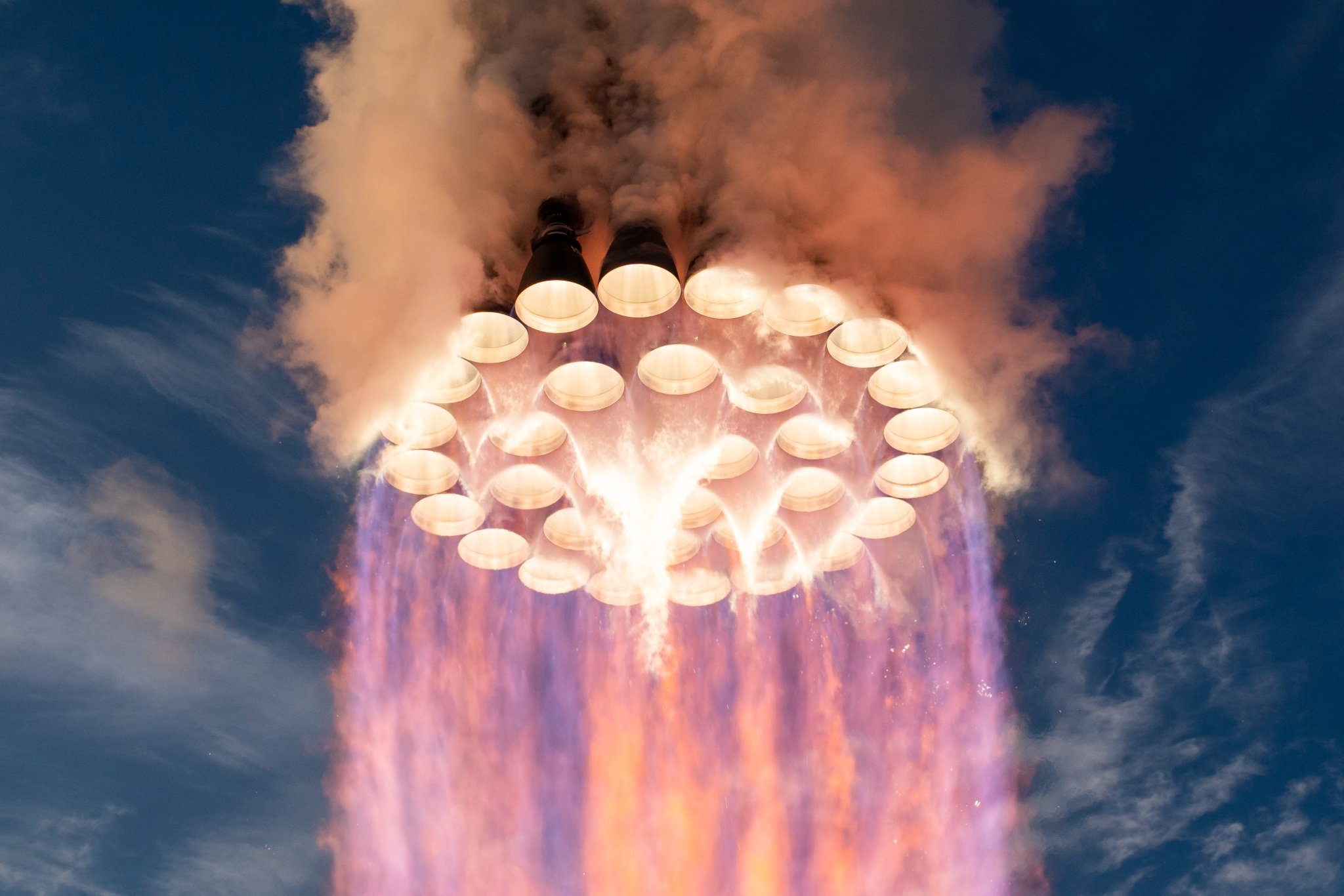
SpaceX’s Raptor engine family has steadily increased sea-level thrust while simultaneously reducing mass, turning iterative engineering gains into substantially higher performance for the Super Heavy booster. CEO Elon Musk shed more light on how powerful Raptor 4 will be, and it’s pretty crazy.
Raptor 1 delivered 185 metric tons of thrust at roughly 2,080 kilograms, while Raptor 2 raised that to 230 tons while cutting mass to about 1,630 kilograms. SpaceX data for Raptor 3 lists a target of 280 tons at 1,525 kilograms (with further reductions in associated vehicle hardware), while operational flight ratings have been cited near 250 tons.
This morning, Elon Musk stated that Raptor 4 is expected to reach 300 tons of sea-level thrust at roughly the same mass as Raptor 3. Across these versions, thrust has risen by more than 60 percent from the first engines while engine mass has fallen, producing a sharp improvement in thrust-to-weight ratio. This is a true testament to how great SpaceX engineering has been:
🚀 Elon says Raptor 4 will make 300 tons of thrust at sea level at roughly the same mass as Raptor 3.
How far Raptor has come:
Raptor 1: 185 tf, 2,080 kg
Raptor 2: 230 tf, 1,630 kg
Raptor 3: 250 tf, 1,525 kg
Raptor 4: 300 tf33 on Super Heavy = ~9,900 tf, nearly 3x Saturn V https://t.co/HQDswZhyvL
— TESLARATI (@Teslarati) October 26, 2026
With 33 engines on SuperHeavy, the jump from earlier versions to a 300-ton Raptor 4 would produce roughly 9,900 metric tons of total liftoff thrust, nearly three times the Saturn V’s approximately 3,400 metric tons from its five F-1 engines.
This is not just a larger number on a data sheet, either, as sea-level thrust is the force available the moment the vehicle leaves the pad. This is when it is heaviest and still deep in Earth’s gravity well and dense atmosphere.
Higher levels of sea-level thrust directly improves the initial thrust-to-weight ratio of the full stack. A higher ratio produces faster acceleration off the pad, which shortens the time the rocket has to spend fighting gravity, and gravity losses during the first minute or two of the flight are a major drain on total available delta-v. Every second shaved off of that early climb preserves more propellant energy for reaching orbital velocity or for carrying extra payload.
Because Super Heavy’s engine count is constrained by vehicle diameter and packing density, increasing thrust per engine is the most straightforward way to raise total liftoff performance without redesigning the booster structure or design.
The same-mass target for Raptor 4 is equally important. Holding engine mass roughly constant while raising thrust improves the engine’s own thrust-to-weight ratio and reduces the structural and propellant mass fraction that must be carried solely to support the engines.
Earlier Raptor iterations also simplified or eliminated extensive vehicle-side hardware such as heat shields. These gains compound: more force for less installed mass leaves additional capacity for propellant, payload, or operational margins such as engine-out capability.
For Starship’s architecture, the practical effects are large. Greater liftoff thrust supports heavier vehicles, larger propellant loads, and higher payloads to low Earth orbit, figures SpaceX has targeted in the 100-plus-ton reusable range. That capacity underpins orbital refueling, lunar missions, and eventual Mars cargo and crew flights.
Continued growth in sea-level thrust therefore tightens the gap between theoretical rocket performance and the high flight rates and reusability needed to make large-scale space transport practical.

Tesla Cybercab’s unorthodox paint process explained

Tesla has a Cybercab problem nobody saw coming


