Lifestyle
Top 5 Tips to Maintaining EV Battery Life

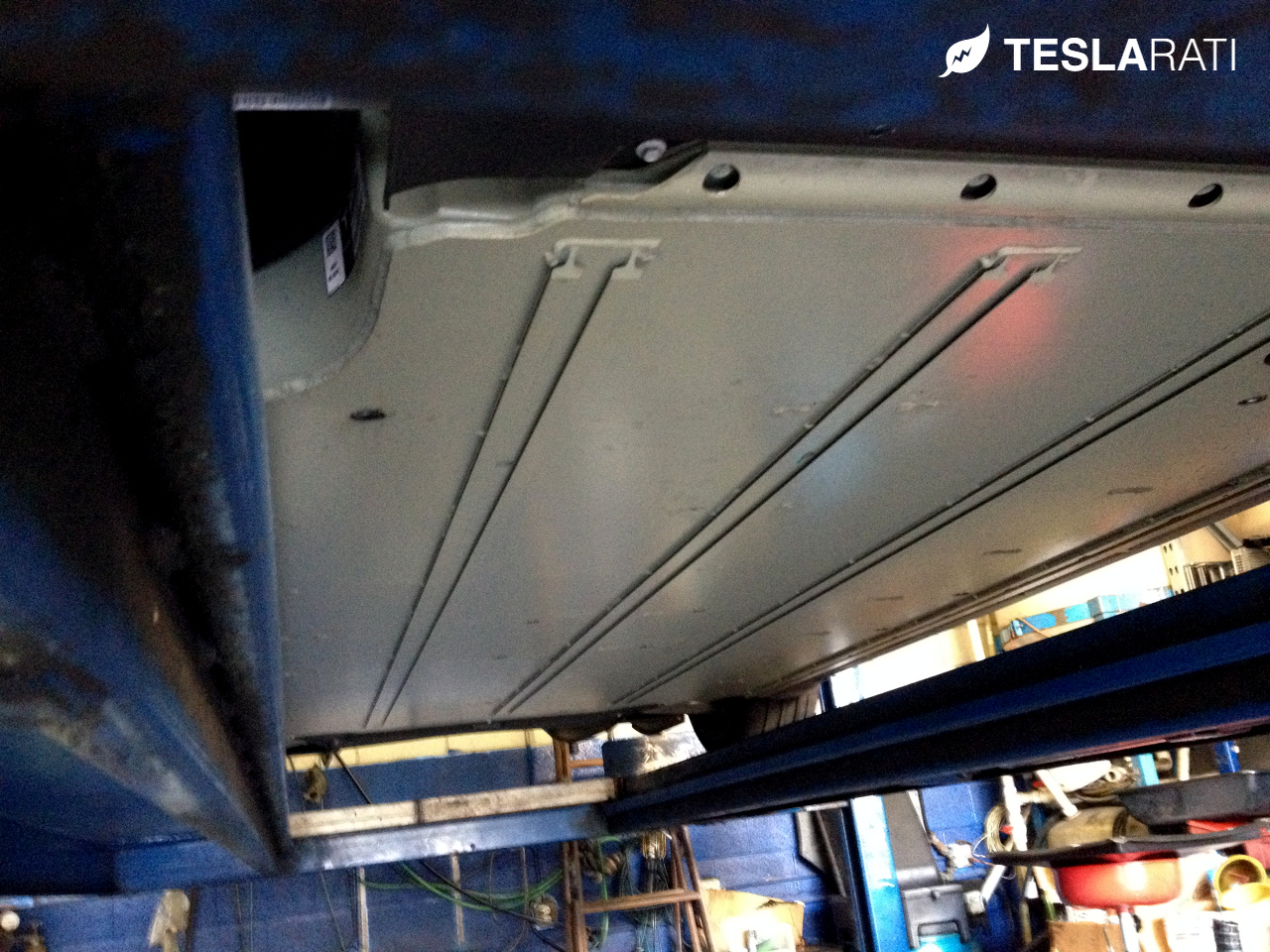
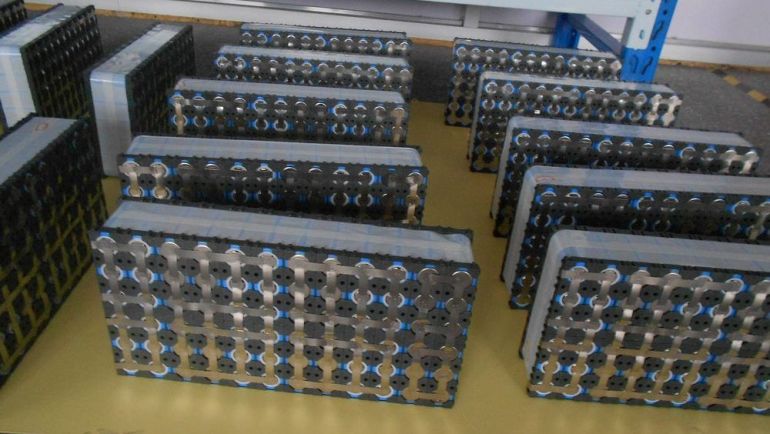 Electric vehicles are a joy to own but this new technology using advanced Lithium-ion battery packs requires a different type of maintenance than your traditional gasoline engine.
We countdown the top 5 maintenance steps that can be taken to extend the life of your EV battery.
5. Don’t leave your battery sit at a 100% state of charge
Most EVs have an option for a “Standard” charge or a “Range” or “Max” charge. By all means, do the maximum charge when you need it, but do it right before you start using the battery for the trip. Most EVs have charge timers to help you plan for this. If your EV doesn’t have that, do an overnight standard charge and then charge the last 10-20% in the AM before departure. Leaving a battery pack at max charge for even relatively short periods of time can possibly affect its life. As a rule of thumb, try to never let your battery sit at maximum state of charge for longer than 8 hours.
While you may be able to time your max charge and departure times well, daily charging to 100% is stressful to your battery. This is why most vendors offer “standard” or “normal” charge levels which wont help you achieve the maximum EPA range rated for your vehicle. If you don’t need the max charge, then don’t use it. Generally lithium-ion batteries do best when they operate in the 30% to 90% range for state of charge. Although a bit extreme, prolonging the time spent above or below that range theoretically may lead to a shorter pack life
Tesla Model S TIP: For overnight charging that requires a 100% MAX charge (ie prior to a Tesla road trip), set your “start charge time” to a time that will result in a full charge roughly 60 minutes before your departure.
4. Avoid deep discharging of the battery pack
Conversely, leaving your battery in a discharged state for an extended period may also impact its life. Most vendors protect batteries from becoming completely discharged as that can effectively “brick” the battery and leave it completely useless. The general rule of thumb is to plug in and charge whenever you can. That doesn’t mean going out of your way for a few kW of charge, but it does mean plugging your car in nightly and maintaining a reasonable charge level. What is a low state of charge? Under 30% charge is generally considered low and thus you should not let your EV sit at that low state of charge for an extended period.
MUST SEE: Decoding Your Tesla Battery Pack Version
Also beware that EVs consume power even when not being driven. With the Model S, it loses about 1% of its charge per day.
 -
-
3. Be mindful of extreme temperature conditions
This is less applicable to the Tesla Model S which has its own built in thermal management system that pre-conditions the battery (ie. warms the pack when too cold and vice versa), but the general rule of thumb for batteries of Lithium-ion composition is to keep the battery pack between 20F – 85F.
Heat is the enemy of Lithium-ion and may increase battery degradation when consistently exposed to high temperatures. This phenomenon was enough to motivate Nissan to produce a “hot climate battery” for their LEAF after owners within hotter climates complained of battery loss.
Conversely, extreme cold weather can impact performance for a battery of lithium-ion chemistry while lowering the discharge capacity.
2. Plan ahead for extended storage
If you’re going away on vacation or for a business trip the best thing for your car is to set the charge level to 50% and leave it plugged in. If you’re leaving your EV at the airport or somewhere where you can’t leave it plugged in beware that you’re going to lose some charge per day. Charge to a level where you can get to the airport, let it sit for the trip and then still have enough charge with buffer to get home. Don’t let it sit unplugged at an airport for days on end at a 90% charge state if possible. Still, leaving it at 90% is better for the battery (and you) than leaving it at 10% and coming back to find the battery completely discharged.
1. Periodically fully charge and “balance” your battery
Lithium-ion batteries are designed to minimize the “memory” issues often found in older battery technologies, however the battery packs in EVs are more complex and often comprised of multiple individual batteries packed together into removable modules. There’s as many as 7,000 individual cells in the Model S.
Battery balancing is about maximizing your battery’s capacity and evening out the charge distribution. Modern EV battery packs include an automatic battery balancing component, but there’s steps that you can take to help the process along.
While you may never need the maximum range that your battery can provide and you may never take long trips, a periodic range or max charge is helpful to your battery’s management system. I’d suggest doing this about once every 3 months or so and keep in mind that after you fully charge you should not let it sit, that would be a violation of battery management rule #5.
-
Disclaimer: We’re dealing with expensive components. Read the manual for your EV, search your EV forums, develop your own rules, be consistent, but adjust as needed. The rules above are general rules for any EV that may help extend the life and health of your battery. Your own mileage (range!) may vary.



Firmware
Tesla unlocks in-car web conferencing to extend Google Meet, Teams and beyond
Tesla’s Summer Update lets owners join Google Meet, Teams, and Discord calls via cabin camera.

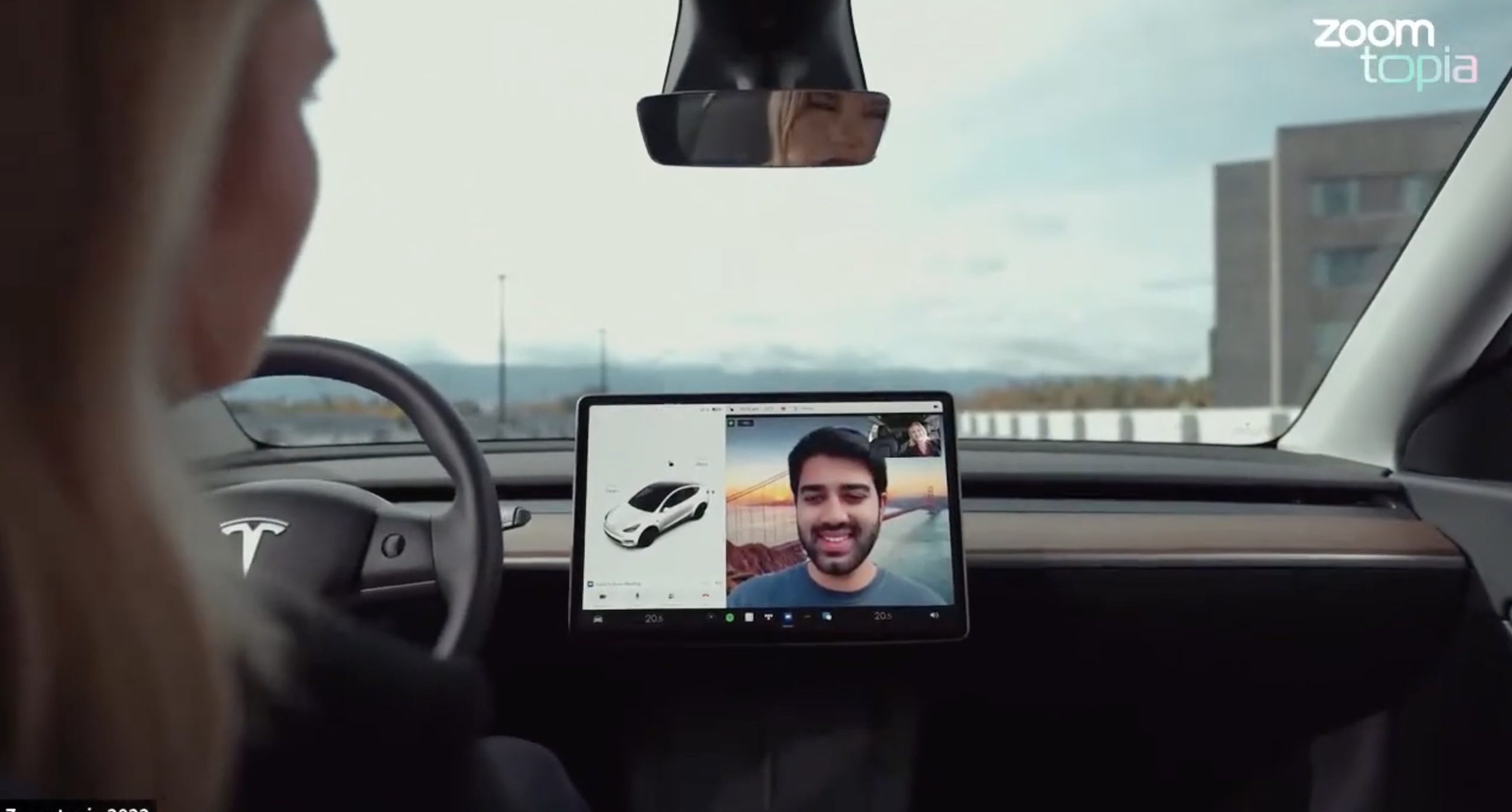
Tesla’s 2026 Summer Update, which just began rolling out to customer vehicles, now links the built-in web browser with the in-cabin camera feed and microphone input, thereby letting owners join video calls on nearly any browser-based service instead of just Zoom.
The change appears in Tesla’s own release notes for software version 2026.26 under “Web Browser,” which states that the vehicle can now use its interior camera and cabin microphone when a website requests access, with permission granted the same way a desktop browser handles it. As NotATeslaApp notes, this feature opens the door to Google Meet, Microsoft Teams, Discord, and other webcam-enabled sites to activate the in-car cabin-facing camera. The feed automatically crops and zooms to center the driver in frame.
Tesla has offered in-car video calling before, but only through a dedicated Zoom app that launched at the end of 2022, a stripped-down browser preloaded with Zoom’s own web client and gated behind Premium Connectivity. Opening the full browser to any camera-requesting site removes that walled garden. Elon Musk first called video conferencing “definitely a future feature” back in 2020, when the pandemic pushed remote meetings into daily life, so this update effectively finishes something Tesla has been promising for six years.
Tesla Summer Update begins rolling out: a look at the new features
The feature keeps the same restrictions that applied to Zoom on Tesla vehicles. It only works while the car is parked; shifting into Drive disables the camera feed, according to the release notes. It is also limited to vehicles running Tesla’s AMD Ryzen infotainment hardware, meaning older Intel-based Model S and Model X units, along with early Model 3 and Model Y builds, don’t get it.
Turning the browser into a general entry point for the in-cabin camera, rather than routing everything through one local app, widens the number of third-party sites that can ask for access, even though Tesla’s permission prompt.
With the Summer update only days into its rollout, be sure to stay with us on TikTok and X to see the latest video demonstrations.
-
Elon Musk escalated his monthslong feud with Christopher Nolan’s The Odyssey this week, pledging that his own AI video tool will produce a competing version before the year is out. Responding to a fan-made, AI-generated clip of the ancient epic, Musk wrote on X, “Before this year ends, Grok Imagine will make a full-length movie of The Odyssey that is historically accurate and true to the art of Homer.”
In June, Musk quoted an xAI-shared trailer built entirely with Grok Imagine Video 1.5, a two-minute-plus reimagining of The Odyssey styled after a 1970s classical Hollywood epic, and predicted “full movies by the end of the year,” as Teslarati reported at the time. That trailer, built from 36 consistent shots by a single creator, was Musk’s proof of concept. This week’s pledge turns that prediction into a specific commitment, tied directly to Homer’s text rather than a generic demo.
Before this year ends, Grok Imagine will make a full-length movie of The Odyssey that is historically accurate and true to the art of Homer https://t.co/bVHzUmY9WN
— Elon Musk (@elonmusk) July 22, 2026
When a fan separately proposed that Musk fund a live-action alternative, to “give Mel Gibson $100 million to film an Odyssey adaptation with painstakingly historically accurate ships, armour, weapons, and casting, with all dialogue taken straight from the original poem and delivered in Homeric Greek,” Musk replied with two words: “I’m down.”
The Grok Imagine pledge lands as the tool’s underlying infrastructure has changed hands. Grok is no longer a standalone product, it folded into SpaceXAI after SpaceX’s acquisition of xAI closed in February, meaning the compute behind any Odyssey production traces back to the same Colossus supercomputers now bundled into SpaceX’s pitch to investors. Musk has separately said SpaceX’s own engineering data is being fed into the next major Grok training run, a two trillion parameter model he’s called the “2T run.”
Whether Grok Imagine can sustain a feature length narrative, rather than a series of impressive individual shots, remains the open question.
-
Cybertruck
Tesla Mobile App gets a new feature that wrap fans are going to love
Tesla’s Summer Update removes the USB drive step from customizing your car’s digital wrap design.
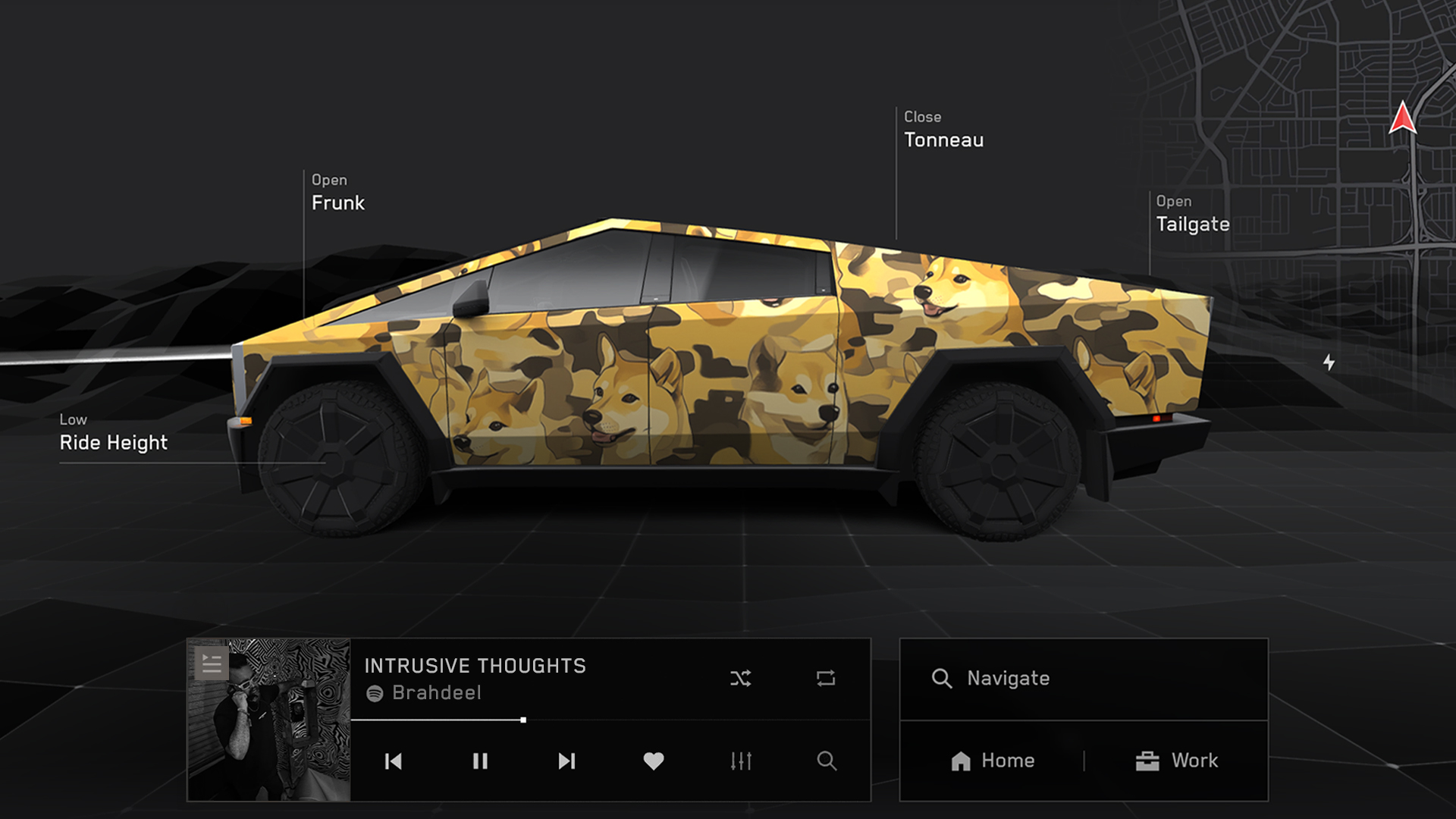
Tesla’s latest 2026 Summer Update quietly closes out one of the more tedious steps in personalizing a Tesla’s digital appearance. Uploading a custom wrap design used to require a USB drive. Now it doesn’t.
The feature is listed in Tesla’s release notes as “Send Custom Wraps from Mobile App.” The company described it plainly: “Skip the USB drive and upload a custom wrap of your car from the mobile app. Instructions for creating a custom wrap here: github.com/teslamotors/custom-wraps.”
The digital wrap tool has been around since Tesla’s 2024 Holiday Update, when it launched for Cybertruck owners first, as Teslarati reported at the time. Getting a design onto the car meant formatting a USB drive, creating a folder named exactly “Wraps,” dropping in PNG files sized between 512×512 and 1024×1024 pixels and under 1 MB each, then plugging the drive in and applying the wrap through Toybox. Tesla expanded the tool to other models and renamed it from “Colorizer” to “Paint Shop” with the 2025 Holiday Update, while also adding license plate and window tint customization alongside the wraps.
Custom wraps via mobile app https://t.co/5OydZ26g9p pic.twitter.com/uexU0ZePxu
— Tesla (@Tesla) July 22, 2026
The latest Summer Update removes the USB step from that process. Owners will be able to pull a design from wherever they saved it, whether that’s a download from social media or something built from Tesla’s own GitHub templates, and push it to the car directly through the app.
Tesla reveals 2026 Summer Update with crazy fixes to Nav and more
-
It’s a small fix relative to the rest of this latest release, which also included expanded Grok voice commands, automatic navigation that learns regular routes, and self-driving stats inside the mobile app, all detailed in our rundown of the full Summer Update. The USB requirement was one of the more common complaints about Paint Shop since it launched. Tesla did not say when the wrap upload change would reach individual vehicles, only that the broader update is rolling out now in waves.

Elon Musk sheds two new bits of detail on Starship after 13th test launch

Elon Musk updates the SpaceX timeline for Mars


