Lifestyle
Choosing the Perfect Tesla Model S Performance Racing Tire

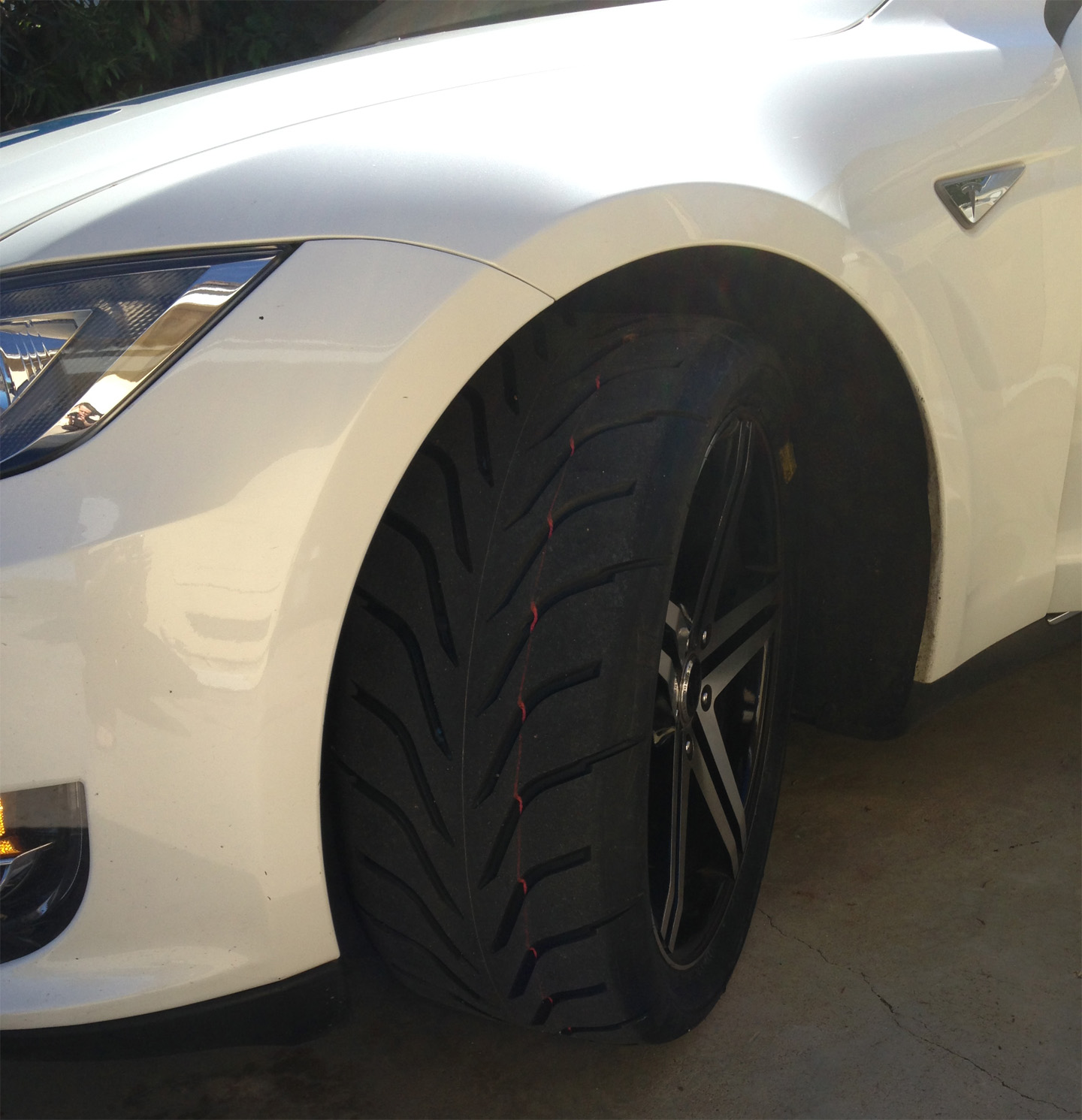
Finding the perfect tire is a never ending pursuit in the world of racing. For those taking their Tesla Model S to the track, the most frequently asked questions are around tires. What tires support the weight of the Model S and performs the best on a race track? Having gone through several tire configurations in our Tesla racing conquests we can now provide some answers to that question.
Your choice of tire really depends on what you are trying to achieve with the Model S. We’ve broken it down to three usage categories as follows:
- If you track your Model S very infrequently (ie. once a year), then any tire will work. Tracking in the beginner’s groups won’t stress your tires since most of the time you’ll be driving at lower speeds while learning racing best practices.
- If you do it frequently and/or do performance driving (usually in the intermediate groups) softer compound performance tires would be your best choice.
- If you are racing your Tesla in the advanced group where ever millisecond counts then racing tires are a must.
We will review performance vs. racing tires in detail, and outline the pros and cons of each.
Performance Tires
Usually found under Performance Summer (Extreme/High/Max) category at retailers like Tire Rack. Our choice of performance tires is, 265/35ZR-20 BFGoodrich G-Force Rival, grade 200. While they very slightly exceed the spec for front wheels, rubbing is very minimal, only when tires are new, and only on full lock. We found it to be a non-issue fot track use and daily driving. This is how the tires look like on a race track:
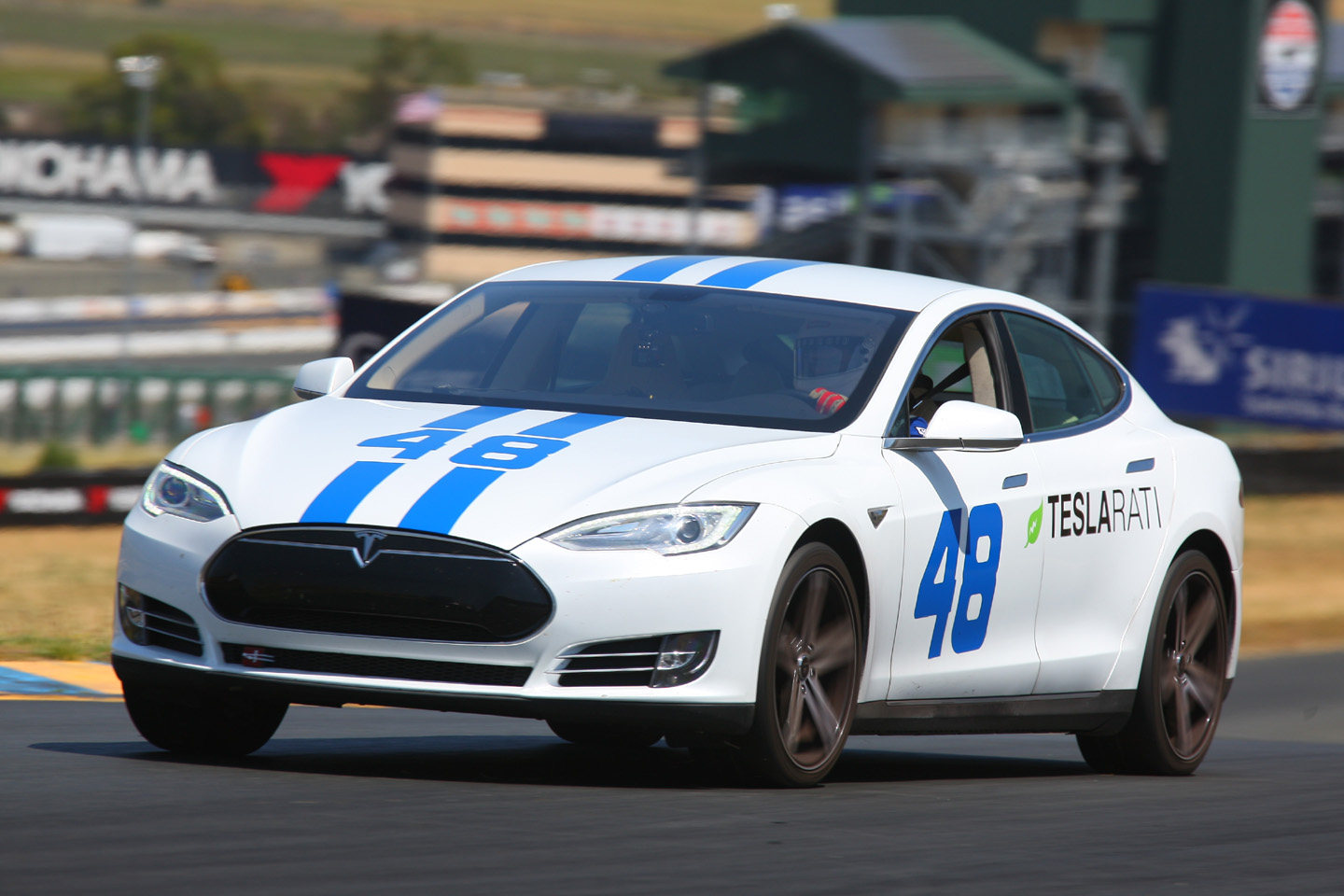
Pros:
- The tires can be used for both race track and daily street driving. We did not find them consuming substantially more energy. They are fully street legal, comfortable to drive on, and they don’t wear out nearly as much as racing tires.
- On the track the tires provide an excellent balance between traction/grip and slide/drift, allowing for an easy, controlled drift through turns (as much as stability control will allow).
- You can achieve a fairly steady 0.9 to 1.0 lateral G through the turns, with occasional spikes to 1.1 and as high as 1.3.
- At $260 per tire, they are very economical and versatile. Overall, fun tires to use on the track.
Cons:
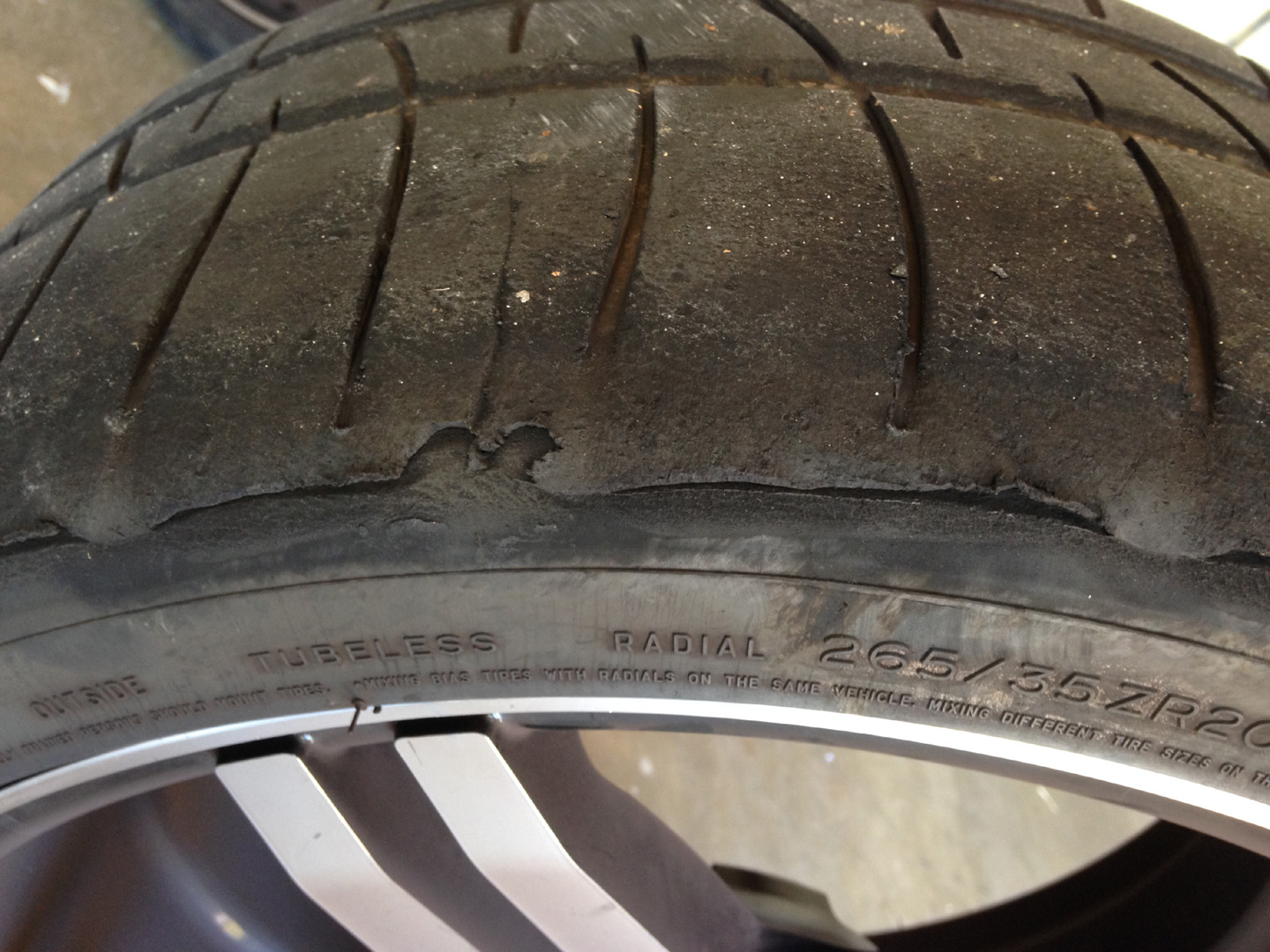
- These are not meant for all out racing. The edges of the tires will get torn up if you drive very aggressively on them.
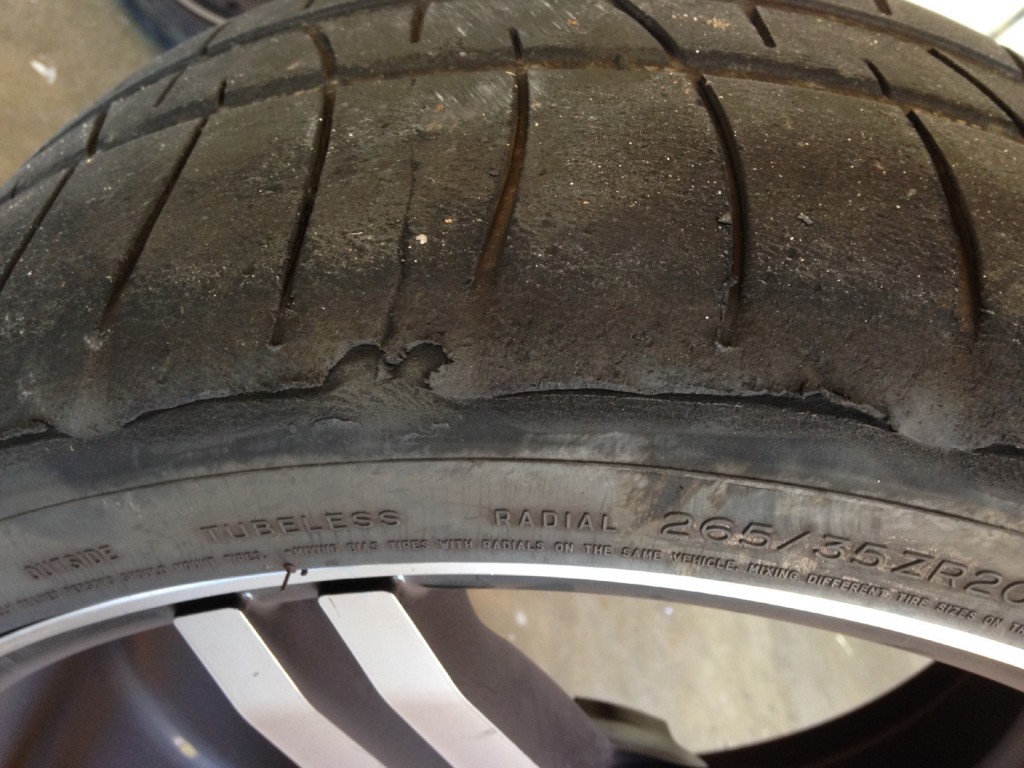
- Using a higher tire pressure will alleviate some of the wear but it will ultimately succumb to the car’s weight. Some feathering is normal, but as shown on these photos, these tears are deep and often go down all the way to the cord. Move to racing tires if this is happening to you.
Racing Tires
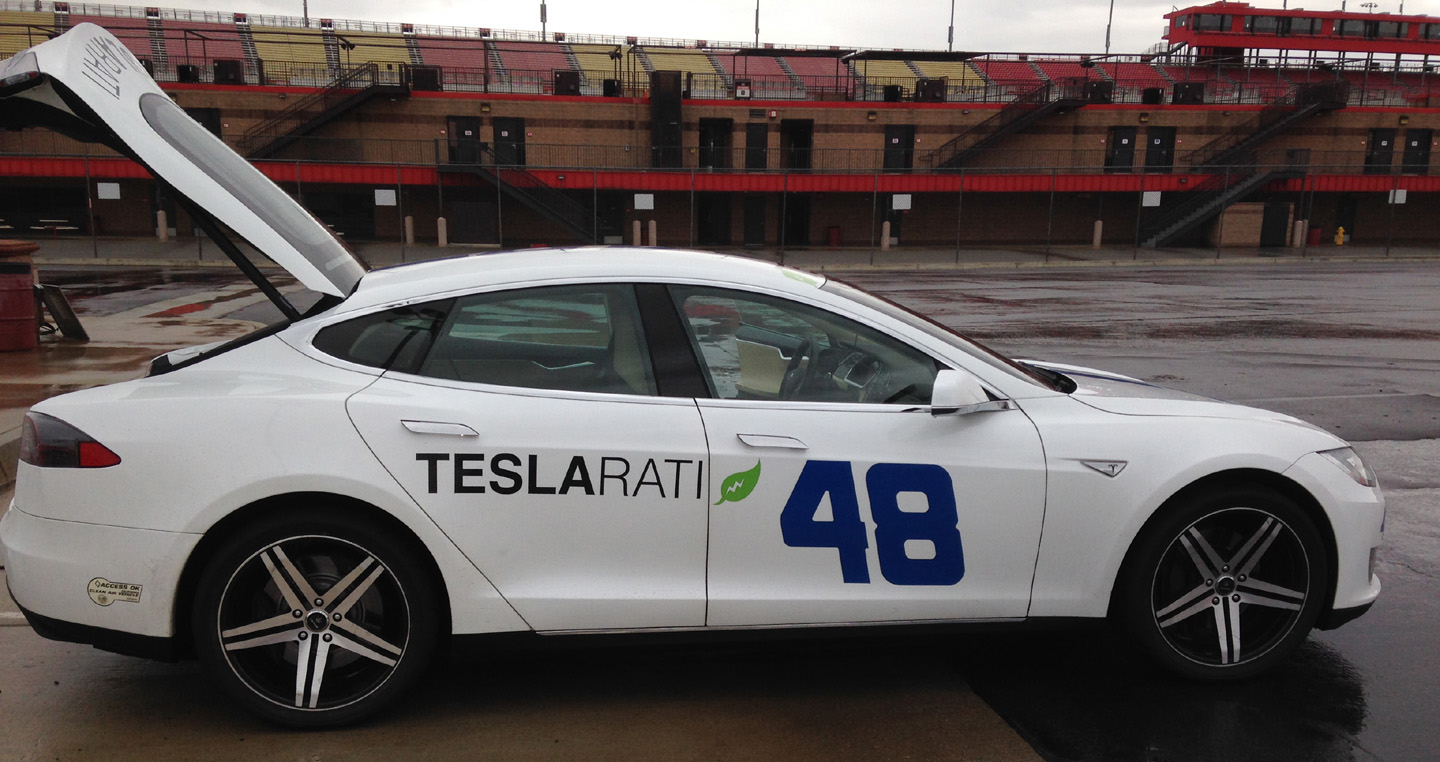
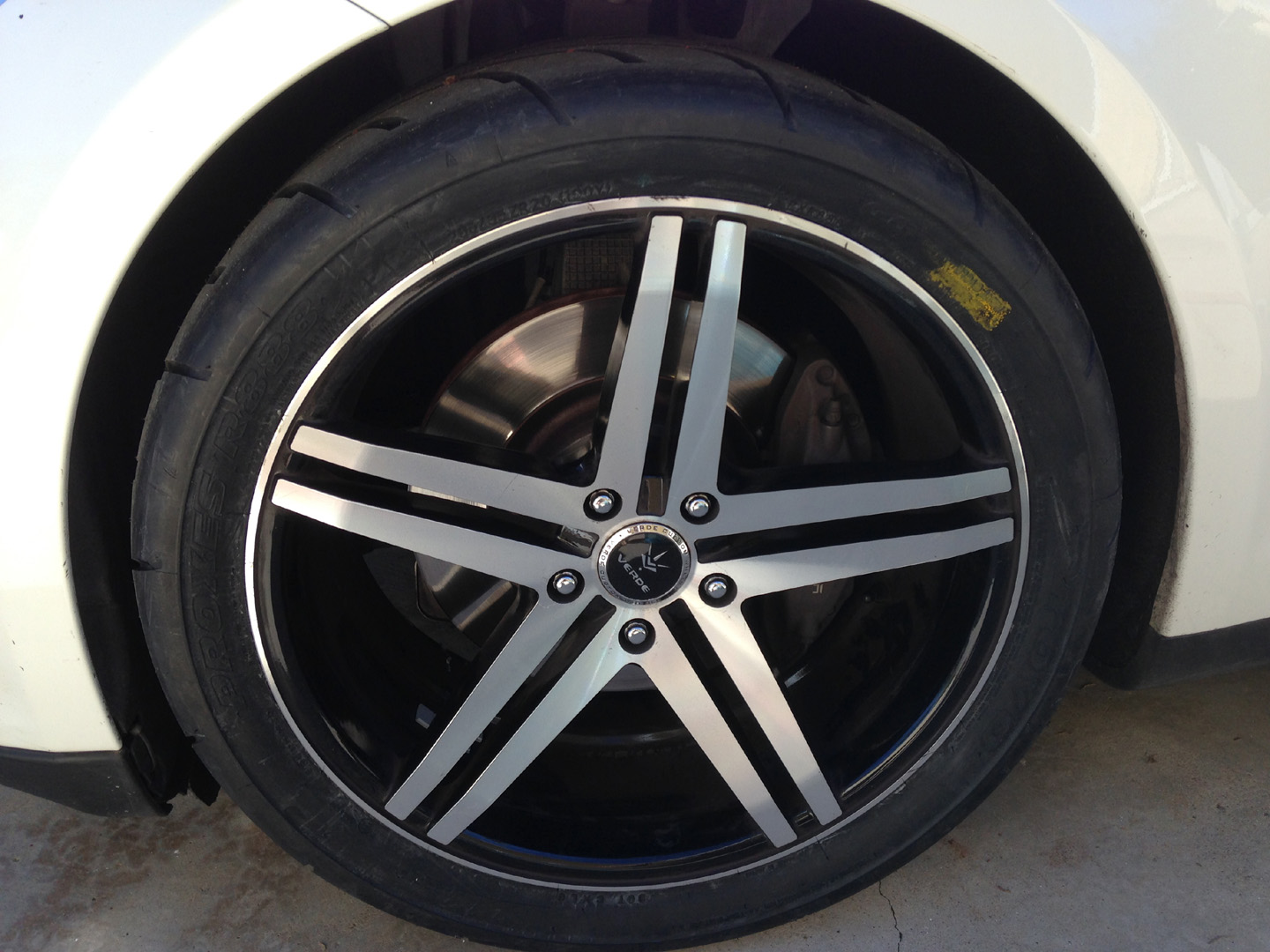
Racing tires can be found under the Racetrack / Competition Only category at online retailers such as Tire Rack. Our choice of racing tire is the Toyo Proxes R888 @ 285/35ZR-20, grade 100. Finding racing tires for the Tesla Model S can be challenging mainly because of the car’s heavy weight, something not all tires can support. It’s not everyday that you see a 4600+ “race car” tearing it up on the track. There’s only two or three racing tire choices that fit the bill. Of the two choices available, 285 wide 20″ vs. 265 wide 19″, the bigger tires are our favorites. This is what they look like mounted on the car:
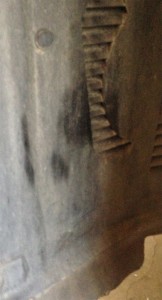 The larger tires work extremely well for racing purposes but be mindful that minor rubbing against the inner plastic fender can occur at approximately 3/4th of the steering wheel turn. It’s not an issue for racing applications because most turns are less than 1/4th of steering wheel turn.
This picture to the right was taken after driving slowly with the steering wheel turned to full lock.
The overall tire diameter is almost the same as the standard Model S tires. There are sufficient horizontal and vertical clearances with the suspension set to Standard.
Pros:
- One of the benefits of having a larger racing tires is that the steering wheel lockup issue during banked turns is eliminated. Based on our experiences the Model S steering wheel locks up under high G and until the forces are reduced. Examples of where this has occurred are Fontana turn 1, Laguna Seca turn 9, Sonoma turn 1. We’ve been in contact with Tesla about the issue, but understandably addressing it is low on the priority list since this issue only occurs under extreme driving forces.
- Softer and wider tires provide better traction because of the grippier compound. However a stiffer suspension is usually needed to be able to fully realize the potential. We did not find an improvement in lateral G, but we did notice a longer duration for holding the G.
- One of the main advantages of these tires vs. performance tires is race track durability. They are capable of handling the grueling conditions of racing especially including the heavy weight of the Tesla.
Cons:
- While they are technically street legal (barely), the tires resemble slicks and not suitable for daily driving.
- Parking becomes a difficult task especially if you need to make a full turn.
- Racing tires are very noisy because of the increased friction against ground surfaces.
- Racing tires are not designed for wet conditions. They did surprisingly well on a wet race track surface, but do not repeat our mistake and try driving through standing water.
- And lastly, while these softer, wider, and grippier tires improve traction on a race track, more energy is needed to move rotate them. How much more? A whopping 20%. We registered 390 Wh/mile of street driving using the racing tires vs. 320 Wh/mile when using standard tires.
- The tires need to be transported to the track.
- At $380 per tire, racing tires are much more expensive than performance tires. They also tend to wear down much faster.
We’ll be gathering some more track data over time using our racing 285/35ZR-20 Toyo Proxes R888. We’ll be monitoring the effects these racing tires have on energy usage, lateral Gs and of course our lap times!


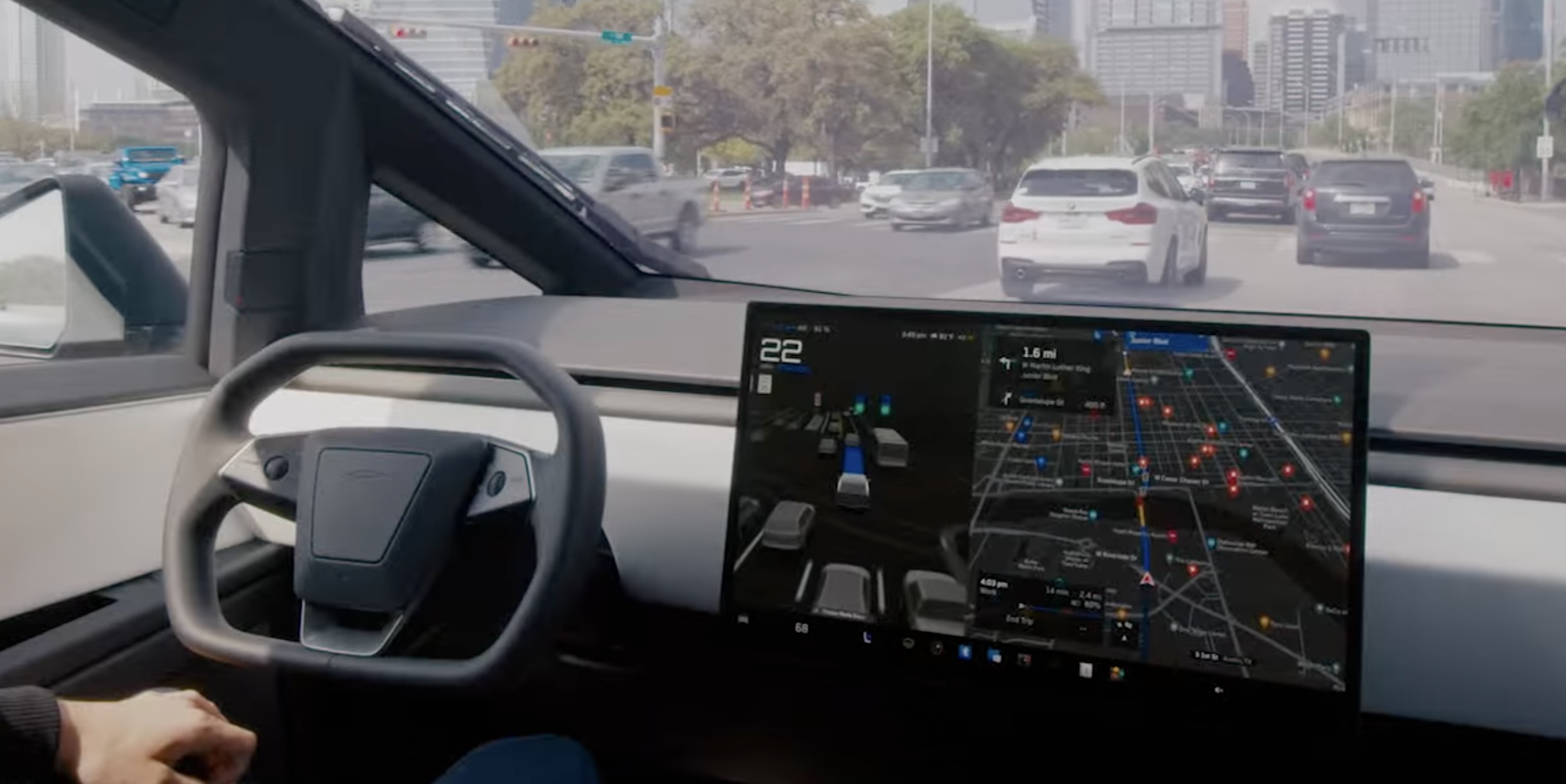
Tesla’s Automatic Collision Evasion feature can be seen in one of the first owner videos of it in action.
Tesla owner Spencer (@scotsrule08) posted on Monday that the feature “worked flawlessly,” saying FSD reengaged itself just as he was about to hit a curb. Ashok Elluswamy, who leads Tesla’s AI team, shared the clip and wrote, “A guardian angel always looking out for you.”
The video arrives in the middle of a staged rollout. Tesla first shipped Automatic Collision Evasion with FSD (Supervised) v14.3.9 in software update 2026.27.6 earlier this month, which Teslarati covered as it reached cars. Update 2026.27.10, which began going out on September 19, carried the feature improvements with FSD v14.3.10, according to release notes tracked by Not a Tesla App. The newer 2026.27.11 build is now reaching another wave of vehicles.
The new Automatic Collision Evasion feature worked flawlessly! FSD reengaged itself just as I was about to hit a curb.
Kudos @Tesla_AI team! 👏 pic.twitter.com/Fbp15HhpL2
— Spencer (@scotsrule08) September 28, 2026
The feature only runs on HW4 vehicles, and it requires an active FSD purchase or subscription with both FSD (Supervised) and Automatic Emergency Braking enabled. HW3 owners receive FSD v14.2 Lite in the same updates, but that build does not include collision evasion.
Tesla’s release notes describe two triggers. The first is an imminent frontal collision that braking alone may not prevent, in which case the car can activate FSD to steer, brake or accelerate around the hazard. That scenario is limited to highways below 85 mph, with no pedestrians or cyclists detected and no slippery road surface. The second covers a driver who appears inattentive, such as reaching into the back seat, or who seems to have switched off FSD by accident. Spencer’s curb clip appears to fall into that second category.
Tesla plans big safety improvements for Full Self-Driving v15
Once the system takes over, the accelerator is muted and light brake input will not cancel the maneuver. Drivers need to apply firm, deliberate steering force to take back control, and the car chimes to hand control back once the danger has passed.
Elluswamy recently noted that earlier hazard prediction, faster reaction time and better collision avoidance would arrive with FSD v15, the next major version.
Elon Musk
Elon Musk drops a surprise update on Boring Company’s next big dig
Musk says Boring Company could shrink the Austin to San Antonio drive to just minutes.

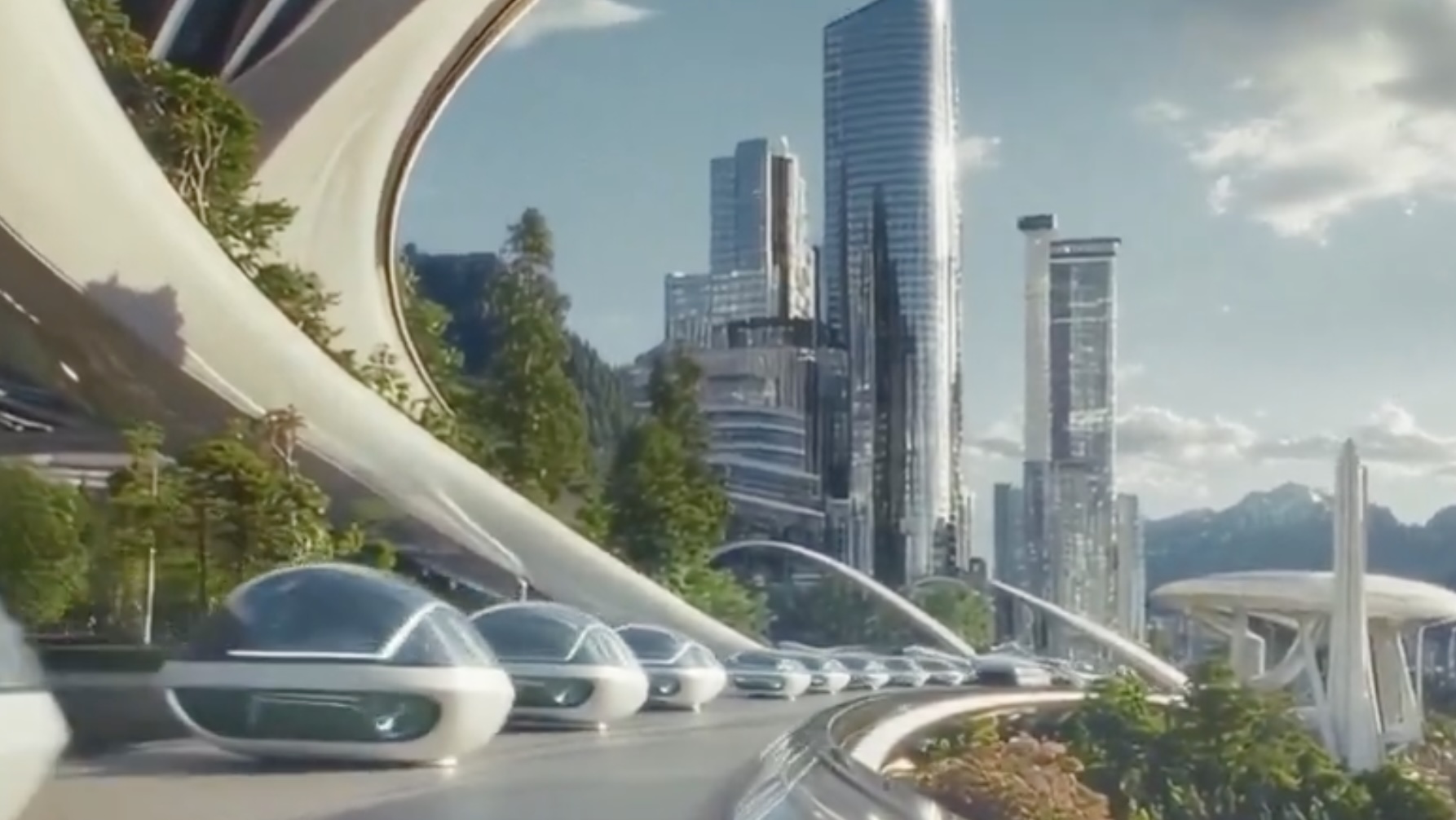
Elon Musk says The Boring Company is working on what he called “a simple, precursor Hyperloop” tunnel connecting Austin and San Antonio, targeting speeds above 200 mph and cutting a drive that can take up to two and a half hours down to a consistent under 30 minutes. Musk posted the idea on X Sunday, in a reply to a repost of an AI generated video imagining a science fiction future with human colonies on other worlds, which he shared with the line “This is the future we shall bring into being.”
This is the future we shall bring into being pic.twitter.com/8aD0w8MDVc
— Elon Musk (@elonmusk) September 20, 2026
The Boring Company’s own account picked up the idea in the same thread, adding a detail about how the trip would actually work: “Because Loop/Hyperloop is express (i.e. no intermediate stops), one could travel from an Austin parking lot to a favorite San Antonio restaurant in about 30 minutes. As long as they both have Loop stations.” That framing ties the proposed intercity link to the same station model the company already runs in Las Vegas, where riders enter the tunnel network through small, garage style stops rather than one central terminal.
This is not the company’s first run at the Austin to San Antonio corridor. Boring Company floated tunnels between the two cities as far back as 2021, and later competed for a separate San Antonio Loop project tied to the airport before that specific bid stalled. Pitches for tunnels in Chicago, Los Angeles, and a New York to Washington corridor have followed a similar pattern of big announcement without a shovel in the ground.
What is different this time is the balance sheet, especially since The Boring Company closed a 3 billion dollar funding round led by investors in the United Arab Emirates earlier this month at a valuation near 23 billion dollars, giving the tunneling company more capital to chase speculative projects than it had during its earlier Texas pitches. The company is also mid-build on two other intercity systems it has actually broken ground on, inc;luding a Nashville tunnel linking downtown to the airport, where a second boring machine finished commissioning in June, and its Las Vegas network, where the station count keeps climbing on paper faster than tunnels get dug.
That gap between announcement and execution is the reason to treat Sunday’s post as an opening bid rather than a project. A tunnel spanning roughly 80 miles between two metro areas, running at speeds Boring Company has not demonstrated over any real distance, would dwarf anything the company has built. For now, the Austin to San Antonio Hyperloop exists as a caption under an AI generated space video.
Elon Musk
Tesla eyes supply partners for Optimus mass production
Tesla certified three Chinese suppliers for Optimus mass production, signaling its robot timeline is accelerating.
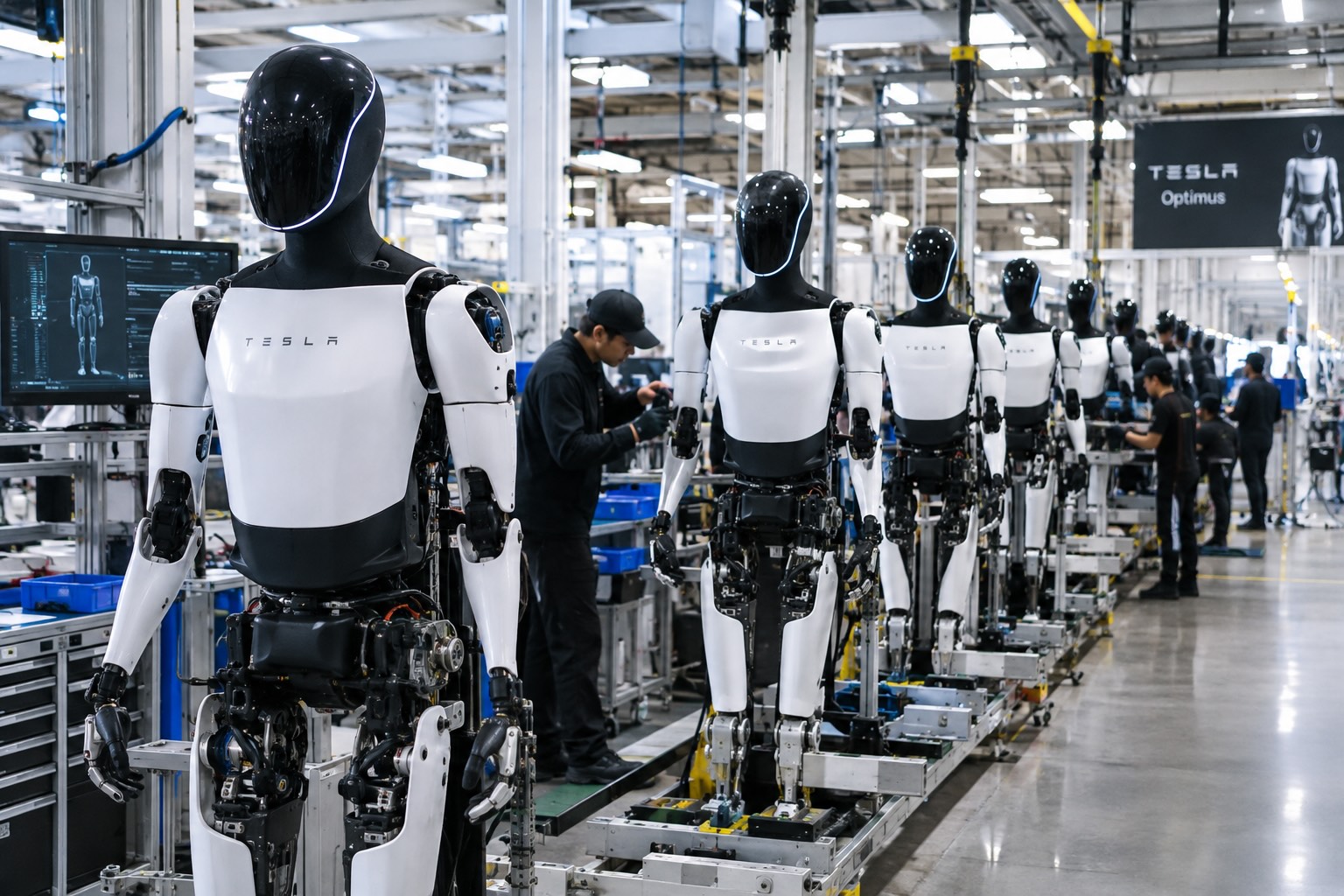
Tesla’s robotics team traveled to Ningbo, in China’s Zhejiang province, on September 16 and spent the following day auditing component suppliers for Optimus, according to a Bloomberg report cited by RobotAIGeek. The visit moved three manufacturers from provisional status to certified mass production partners: Tuopu Group, which handles actuators and chassis components, Ningbo Joyson Electronic, a sensor supplier, and Zhejiang Sanhua Intelligent Controls, which builds thermal management systems. All three already supply parts to Tesla’s electric vehicles, and the audit reportedly came with fresh orders that supply chain reports put at an initial batch of roughly 5,000 units.
Tuopu, Joyson, and Sanhua built their manufacturing base serving the automotive industry, where tolerances and volume requirements are already close to what a mass produced humanoid robot demands. Sanhua in particular has history here. Teslarati reported last October that the company had received a roughly $685 million order for linear actuators tied to Optimus, a volume industry watchers estimated could cover around 180,000 robots once production ramped.
Supply chain reports tied to this week’s audit put Tesla’s near term production goal at about 1,000 Optimus units a week by late September, rising to 2,000 to 2,500 units a week by the end of the year. That pace would put real weight behind the timeline Tesla has been building toward since May, when it wound down Model S and Model X production at Fremont to convert that floor space into a dedicated Optimus line targeting one million units annually. JPMorgan analysts who toured the factory in August confirmed the conversion took roughly four months, a pace Musk has called unprecedented for a facility that size.
New drone video shows Tesla’s Optimus Factory reaching a turning point
Fremont is only the first phase. A second, larger Optimus plant is rising at Gigafactory Texas, where drone footage shared by Joe Tegtmeyer last week showed the structural steel nearing completion on the north end of the building. Tesla has said that facility is meant to eventually support production of up to 10 million units a year, though volume output there is not expected before 2027.
Commercial sales of Optimus are still targeted for the second half of 2027, but production is expected to start well before then. JPMorgan analyst Rajat Gupta has said Tesla’s “Optimus Academy” program, which uses early units to collect real world training data inside Tesla’s own facilities, is expected to be running later this year. Bloomberg Intelligence analyst Ian Ma described the Ningbo audits as “a positive commercialization signal for China’s humanoid supply chain,” noting that sentiment could improve further if the visit leads to confirmed supplier nominations and larger orders. The Solactive China Humanoid Robotics Index rose about 1.4% on the news, though it remains down roughly 30% for the year.

Elon Musk and Trump are closer than ever, and Tesla could be the big winner

Tesla Roadster’s new patent preps white-knuckle speeds, keeping it grounded


