Tesla Model S
Life With a Dash Cam in Your Tesla Model S

A while ago I wrote about reasons for installing a dash cam in your Model S and then followed up with instructions on how to install one yourself. This post will discuss the basics of how I use the dash cam in my everyday life.
Capturing the moment
Whether you have a permanent 12V supply to your dash cam or switched power, you will want to preserve interesting moments soon after they happen such as this encounter I had with deer in NJ.
Most dash cams will recycle space on the memory cards leaving you with just enough space beofore it gets overwritten. A 32GB card will generally capture a day’s worth of video during a “normal” day. I say normal because the depending on how you configure the BlackVue dash cam – whether it’s set to turn on automatically through its motion and sound sensing capabilities – the amount of recording time can vary depending on what takes place during idle time.
Memory Cards
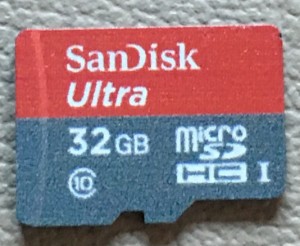 You’ll want to have a second memory card for your dash cam and keep that handy within the car. Make sure that it is formatted for your dash cam. The easiest way to set up a new card if you still have an old one is to copy the old card to the new card. Another option is to make a backup to your computer. Either way, I recommend testing the new card before using it.
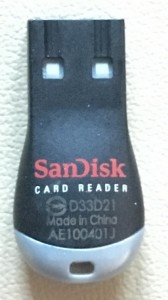
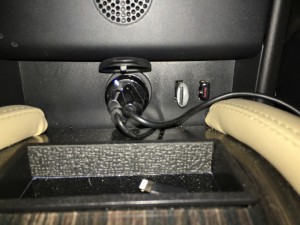
The micro SD card that the BlackVue uses is extremely tiny and can easily be lost if not careful. To prevent from losing my back up memory card, I’ll have it inserted into the card reader that comes with the card and plugged into the one of the USB ports in my Model S.
Capturing the moment
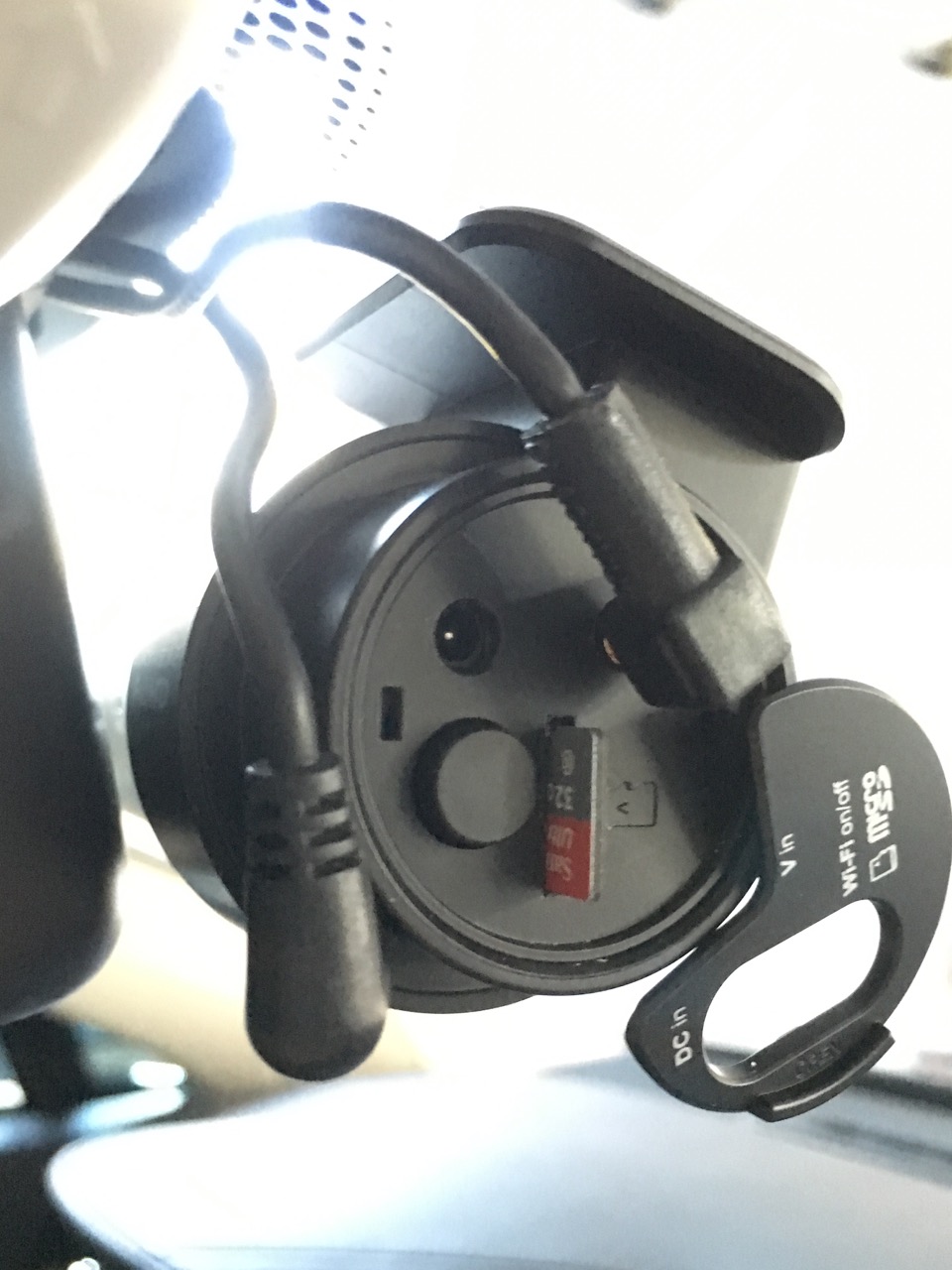 Once something interesting is caught on dash cam, the process over downloading it is fairly simple. You’ll have many hours of video that can be captured before your special moment is overwritten but it helps to remember the time the event happened. A good time to do a swap is at a Supercharger stop or when you reach a particular destination. The memory is small and fiddling with it while the car is moving isn’t very safe.
First power down your dash cam by unplugging the power cord. Wait about 15 seconds for it to finish powering down then flip open the little door protecting the memory before popping it out by pressing down on the memory card.
Swap the card with the spare memory card that’s temporarily inserted in the Model S USB slot and power back up your camera.
Downloading Video
Once I’m off the road and near a computer, I take the card reader containing my media and plug it into the computer’s ESB port. If I don’t have time to process and view the videos, I simply copy all videos under the “Record” folder from the memory card to a location on disk that I can access later.
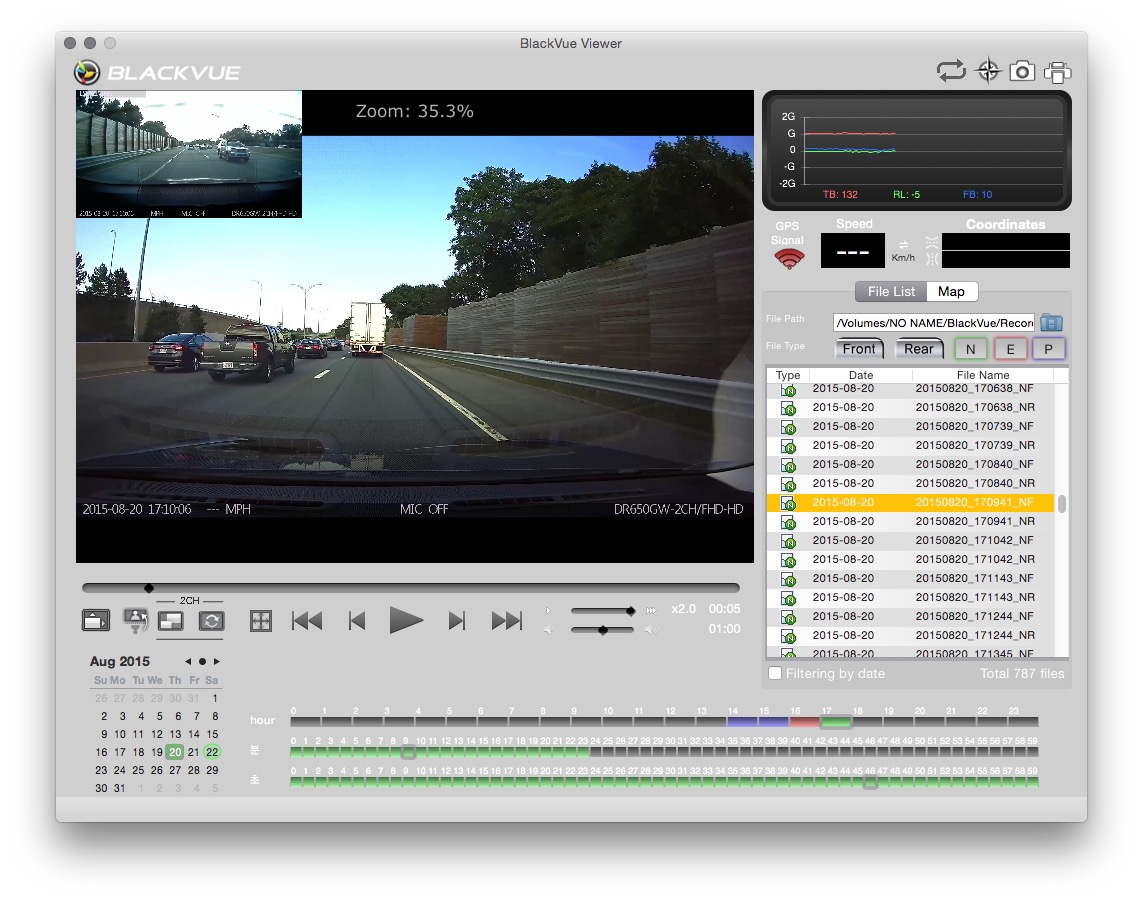
The best way to find the video footage you want is to use your dash cam’s software. The BlackVue viewer also serves as a means for changing camera settings. Select preferences from the file menu when your memory card is loaded.
Click the folder icon on the right of the screen and browse to the proper media source to get started.
Pick an event time that is just before the moment you want to preserve and double click to start playing. I typically use the speed selector and play the video at max speed as most of the footage will likely be monotonous. Each video clip defaults to being a minute long. As you click through each video segment, find the ones that are interesting to you and drop them into a video editor as a way to add some movie magic to them. On OS X that’s iMovie.
Editing Video
Using iMovie, I select File, Import Movies and create a new event to put the clips into. From here you use iMovie to trim, add titles, speed things up etc:
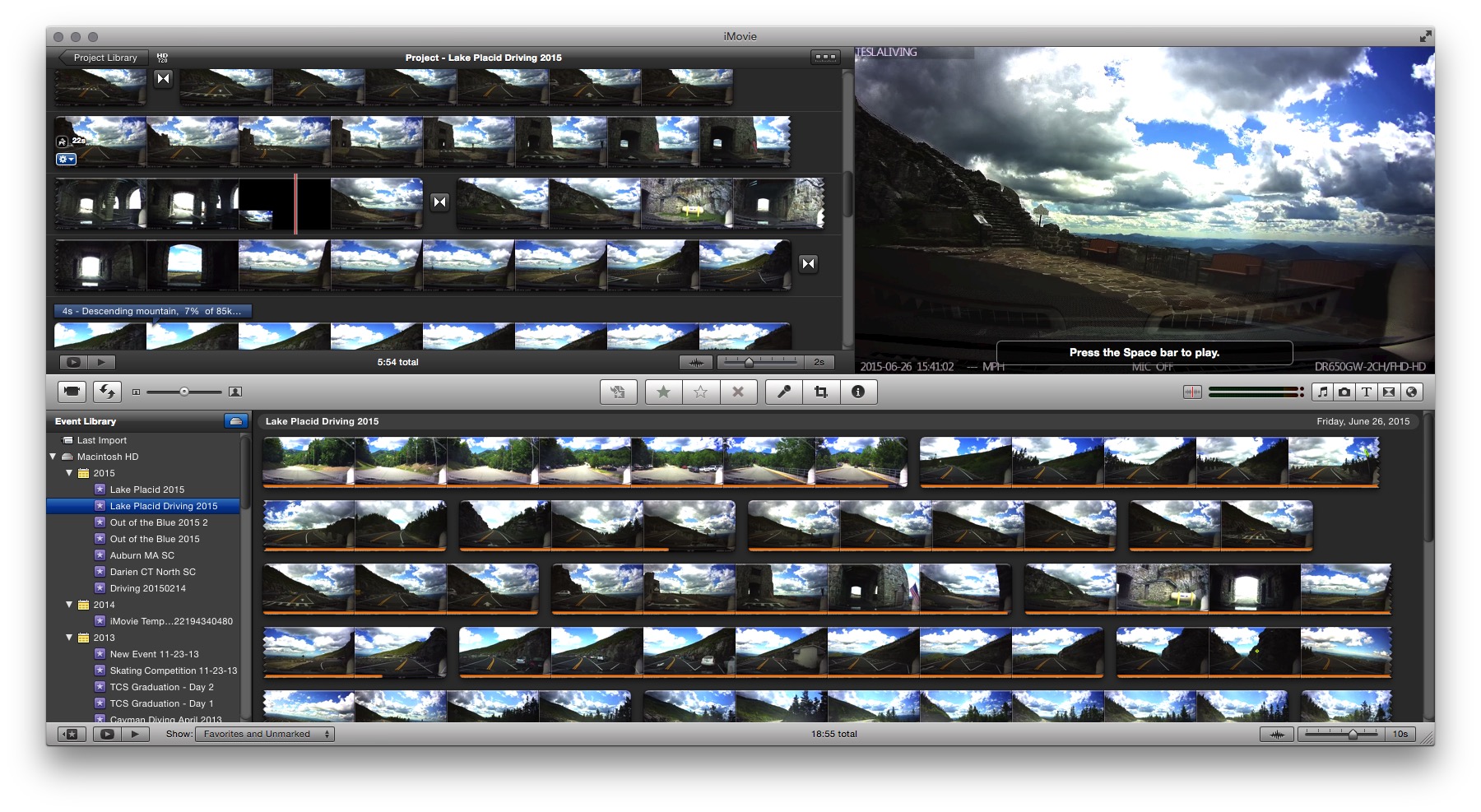
I typically upload my edited video to YouTube as a way to share interesting moments with my buddies.
Once all is said and done with the USB card reader, be sure to insert it back into the Model S USB port as backup to the primary card that’s running on the dash cam.
Summary
Capturing great vacation moments or events from your favorite Tesla Superchargers is simple with a dash cam.
While the instruction manual recommends periodic reformatting of cards, I find that completely unnecessary. I have a low maintenance car and fortunately the cameras are low maintenance too!
Check out my dash cam videos on YouTube to get a perspective on the quality taken by the BlackVue. Feel free to share your best dash cam moments by leaving a link in the comments below!



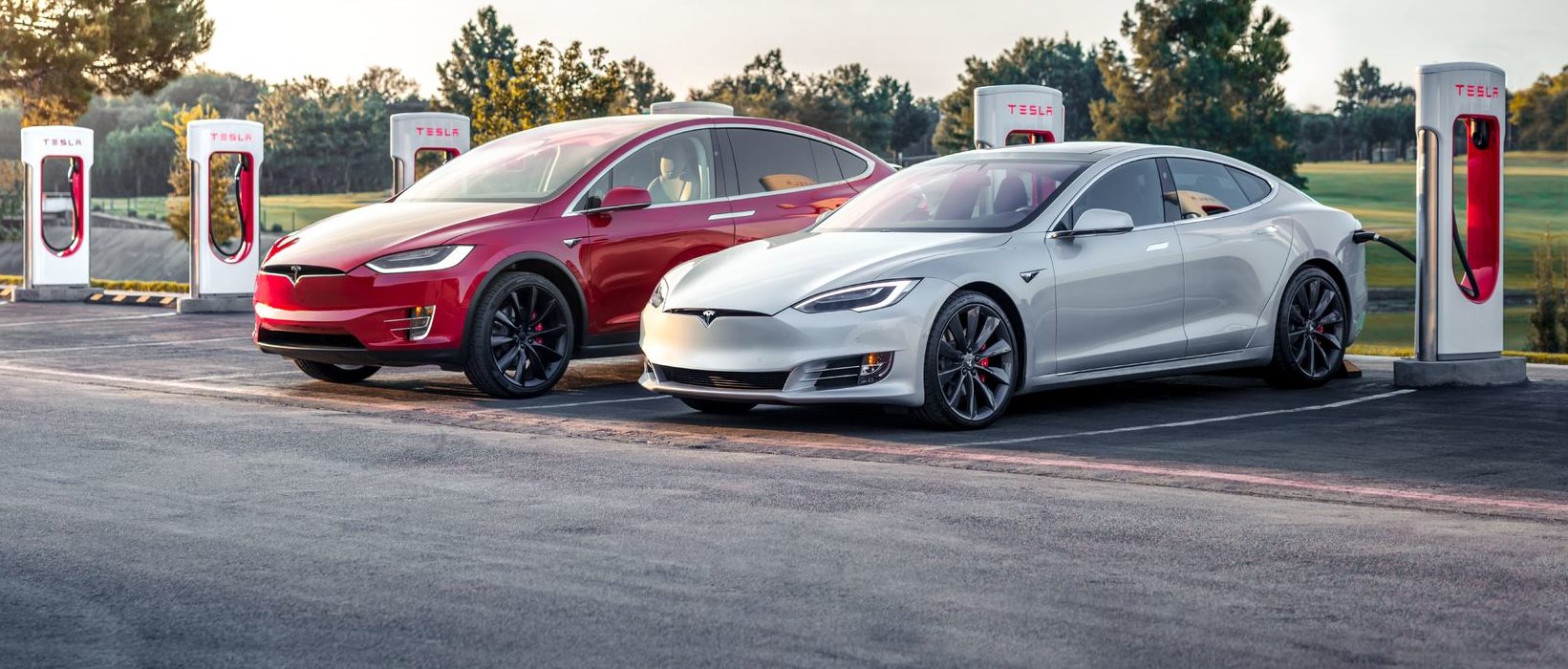
Tesla’s two recently-defunct flagship models, the Model S and Model X, are getting a big upgrade, according to the company’s Head of AI, Ashok Elluswamy.
Older Hardware 3 Model S and Model X vehicles have been the last major holdouts in Tesla’s Full Self-Driving v14 Lite rollout, and that wait now appears to be ending.
Tesla brings closure to flagship ‘sentimental’ models, Musk confirms
At Tesla’s Cybercab launch, AI chief Ashok Elluswamy told Ryan McCaffrey that he thought the S and X build “was supposed to go out last week.” Evidently, Elluswamy expects the suite to be rolled out to those HW3 Model S and Model X very soon:
For my @Tesla friends – and specifically Model S & X owners with HW3 who are waiting on FSD v14 Lite – I spoke to @aelluswamy at the Cybercab launch, & when I asked for an ETA on v14 Lite for S/X owners, he said, “Oh, I thought it was supposed to go out last week.”
So: soon! 🙌
— Ryan McCaffrey (@DMC_Ryan) September 7, 2026
Those cars are not the current Model S and Model X, which already ship with Hardware 4. They are the pre-refresh flagships built around Tesla’s older Autopilot computer, often called HW3 or AI3.
Tesla stopped putting that computer in new vehicles years ago, which is why owners treat these S and X cars as a closed generation. Model 3 and Model Y vehicles on the same computer began receiving v14 Lite in late June 2026 and saw a wider North American expansion in July. South Korea followed as an early international market. The S and X versions of the same software never joined that wave.
v14 Lite is Tesla’s way of squeezing the current v14 driving stack onto hardware that cannot run the full AI 4 model. The company describes the process as distillation: behaviors learned on the newer computer, including reinforcement learning and offline models, are compressed so the older chip and cameras can use them as a guide.
Early descriptions put the distilled network at roughly 15 percent of the original size. The result is still supervised Level 2 driving. Tesla has been clear that HW3 cannot support unsupervised Full Self-Driving or robotaxi operation because of memory and bandwidth limits.
The feature list is what made the wait so frustrating for S and X owners, as plenty of new features are to be shipped with it.
Official notes for the first Lite build, firmware 2026.20.5.1, added parking, unparking, and reversing; arrival options for a parking lot, street, driveway, or curbside; speed profiles that stay available at all times; and start-from-park engagement. Tesla also claimed better handling of merges, forks, pedestrians, traffic lights, and cut-ins, plus fewer false slowdowns and smoother lane centering.
A mid-July follow-on build, 2026.20.6.10, added more of the Hardware 4 interface, including a standalone Self-Driving app and the ability to start a trip from Park without a brake-pedal confirmation.
Elluswamy called that version the one “likely going to wide release.”
That wide release already reached most other HW3 cars in the United States and Canada. International timing still depends on regional validation and regulatory approval. For S and X owners, the remaining work appears to be model-specific validation rather than a new software stack.
There is no official Tesla changelog or build number for those two models yet, only Elluswamy’s offhand timeline. Some HW3 drivers who already have Lite report large gains over v12.6; others have described new indecision or phantom braking. The next test will be whether the same software lands cleanly on the older flagships that have waited the longest.
Firmware
Tesla unlocks in-car web conferencing to extend Google Meet, Teams and beyond
Tesla’s Summer Update lets owners join Google Meet, Teams, and Discord calls via cabin camera.

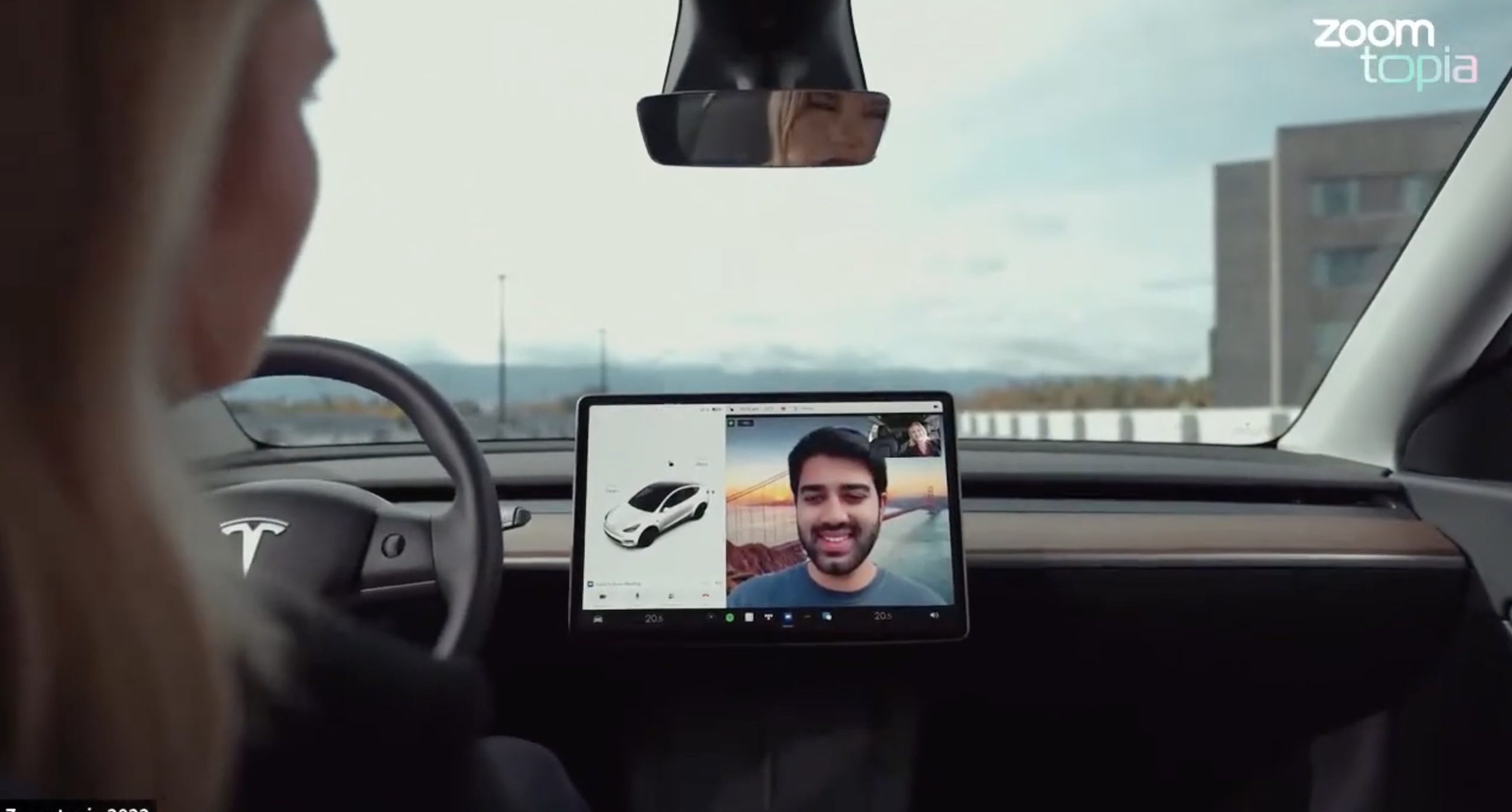
Tesla’s 2026 Summer Update, which just began rolling out to customer vehicles, now links the built-in web browser with the in-cabin camera feed and microphone input, thereby letting owners join video calls on nearly any browser-based service instead of just Zoom.
The change appears in Tesla’s own release notes for software version 2026.26 under “Web Browser,” which states that the vehicle can now use its interior camera and cabin microphone when a website requests access, with permission granted the same way a desktop browser handles it. As NotATeslaApp notes, this feature opens the door to Google Meet, Microsoft Teams, Discord, and other webcam-enabled sites to activate the in-car cabin-facing camera. The feed automatically crops and zooms to center the driver in frame.
Tesla has offered in-car video calling before, but only through a dedicated Zoom app that launched at the end of 2022, a stripped-down browser preloaded with Zoom’s own web client and gated behind Premium Connectivity. Opening the full browser to any camera-requesting site removes that walled garden. Elon Musk first called video conferencing “definitely a future feature” back in 2020, when the pandemic pushed remote meetings into daily life, so this update effectively finishes something Tesla has been promising for six years.
Tesla Summer Update begins rolling out: a look at the new features
The feature keeps the same restrictions that applied to Zoom on Tesla vehicles. It only works while the car is parked; shifting into Drive disables the camera feed, according to the release notes. It is also limited to vehicles running Tesla’s AMD Ryzen infotainment hardware, meaning older Intel-based Model S and Model X units, along with early Model 3 and Model Y builds, don’t get it.
Turning the browser into a general entry point for the in-cabin camera, rather than routing everything through one local app, widens the number of third-party sites that can ask for access, even though Tesla’s permission prompt.
With the Summer update only days into its rollout, be sure to stay with us on TikTok and X to see the latest video demonstrations.
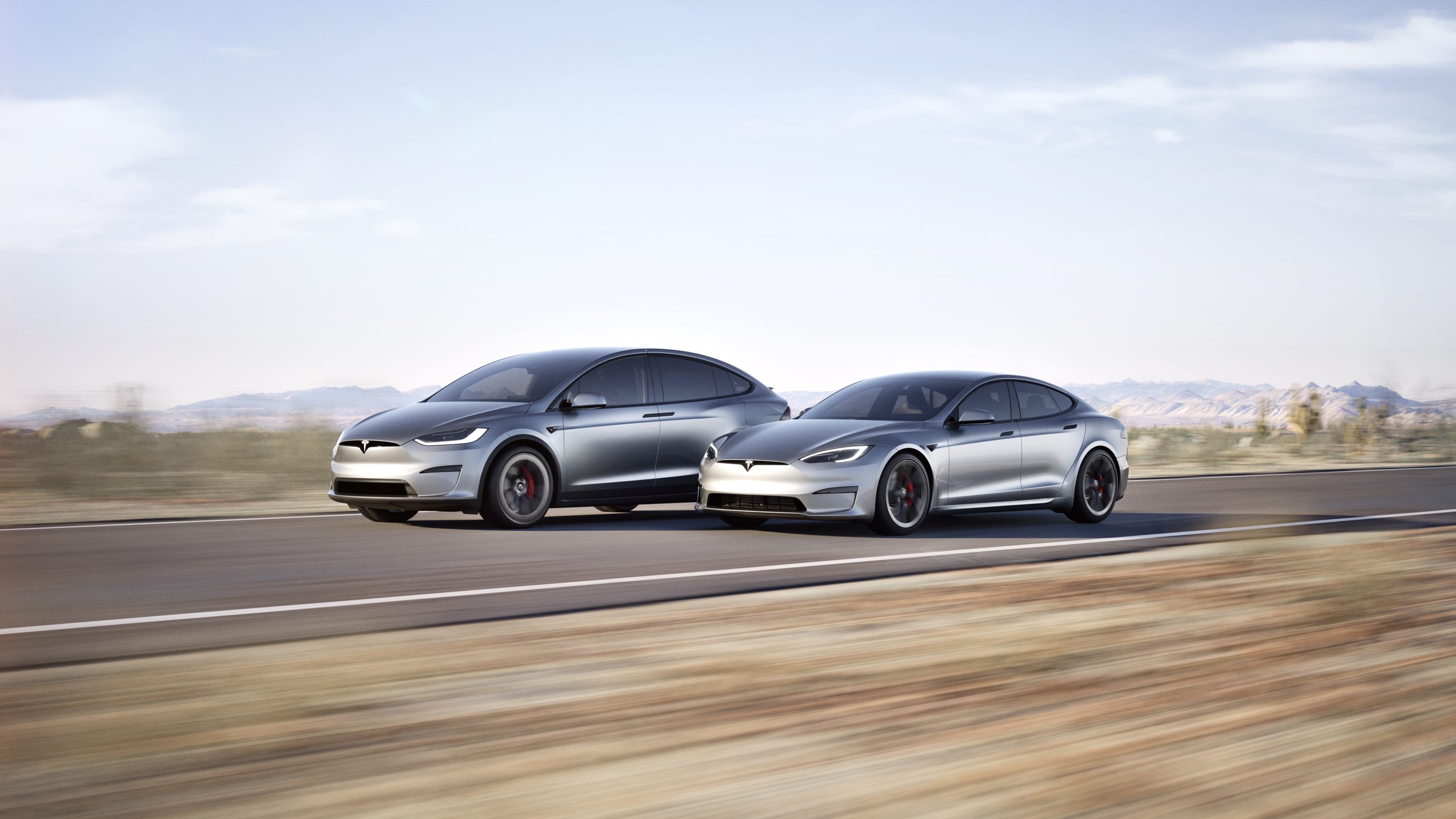
In a move echoing its earlier commitment to open innovation, Tesla CEO Elon Musk announced recently that the company plans to make the design and software of its Model S and Model X fully open source.
This follows the same approach Tesla took with its original Roadster, releasing all available design, engineering, and diagnostic materials in November 2023 so that “whatever we have, you now have.”
Just as Tesla made the original Roadster design & software open source, we plan to do the same with Model S & X
— Elon Musk (@elonmusk) July 24, 2026
The Model S, introduced in 2012, was Tesla’s first mass-produced vehicle and a groundbreaking luxury electric sedan. It offered impressive range, rapid acceleration, and over-the-air software updates that redefined expectations for electric cars.
The Model X, launched in 2015, built on that foundation as a high-performance electric SUV notable for its distinctive falcon-wing doors, spacious interior, and advanced safety features. Both models served as flagships that helped establish Tesla as a leader in the EV industry and popularized long-range battery-electric vehicles.
Production of the Model S and Model X was wound down earlier in 2026, with manufacturing ending in the second quarter. Tesla redirected the Fremont factory space previously used for these vehicles toward higher-priority projects, including Optimus humanoid robots and the Cybercab autonomous vehicle.
By the time of Musk’s open-source announcement, custom orders had closed and only remaining inventory was available.
Open-sourcing the designs and software offers several clear advantages. Owners of these aging but still capable vehicles gain better access to technical documentation, diagnostic tools, and software resources, making independent repairs and modifications easier and more affordable.
Independent repair shops and third-party specialists can support the large existing fleet without relying solely on Tesla’s service network. Enthusiasts and engineers can study real-world implementations of Tesla’s battery, powertrain, and software systems, potentially accelerating broader industry progress in electric mobility.
The step aligns with Tesla’s 2014 patent pledge and its overall mission to advance sustainable transport by sharing hard-won knowledge rather than locking it behind proprietary walls.
By releasing these materials now that the models have left production, Tesla ensures continued support for its early adopters while freeing internal resources for future technologies. The open-source release of the original Roadster already enabled simulations, community projects, and deeper technical understanding.
Extending that practice to the Model S and Model X should deliver similar benefits on a larger scale, helping keep these influential vehicles relevant and repairable for years to come

Tesla shows what Roadster drivers will see on screen before thruster activation

Tesla reveals Optimus Academy, where robots teach themselves


