Lifestyle
Review: Choosing a Portable Bluetooth Speaker

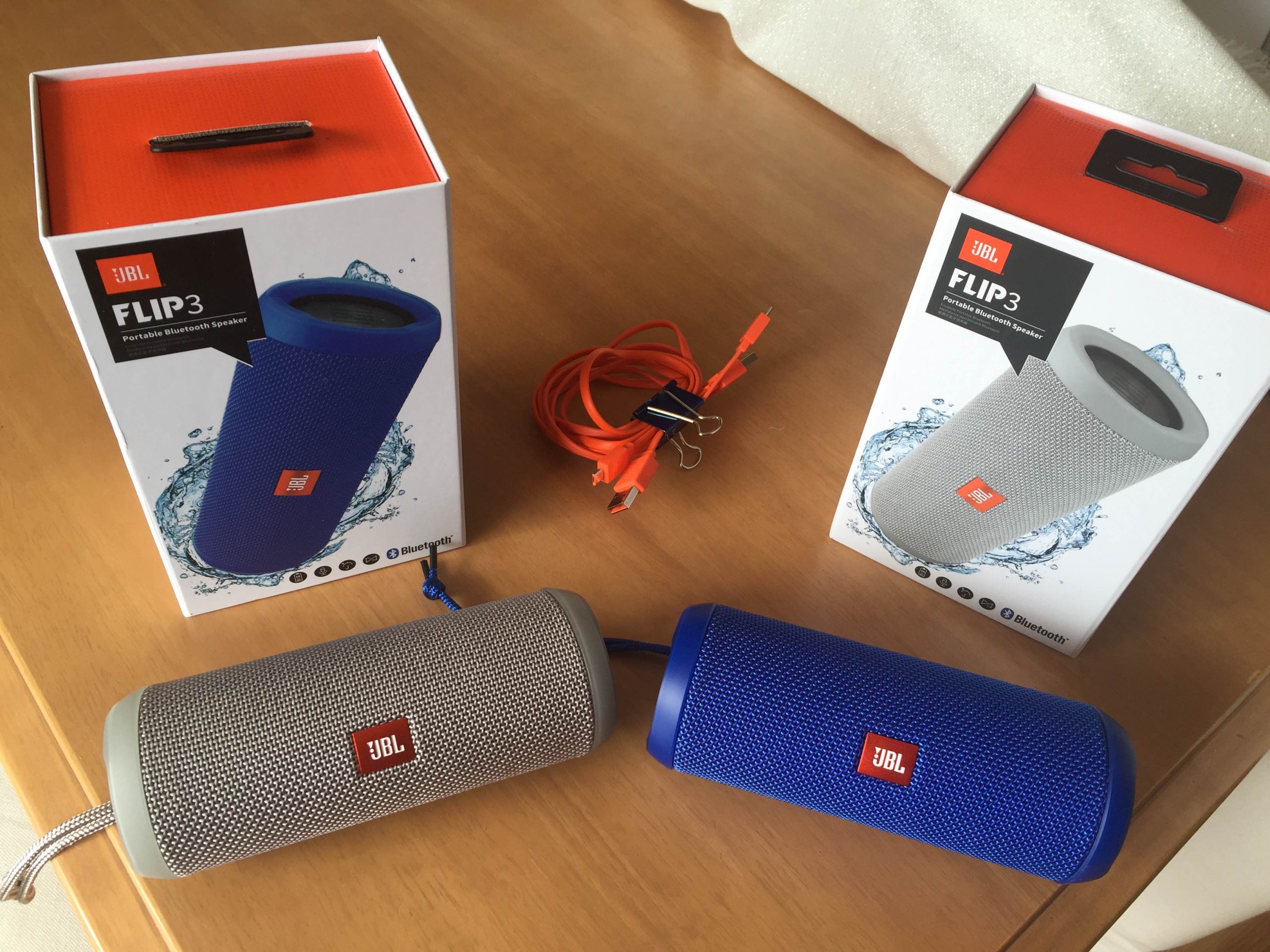
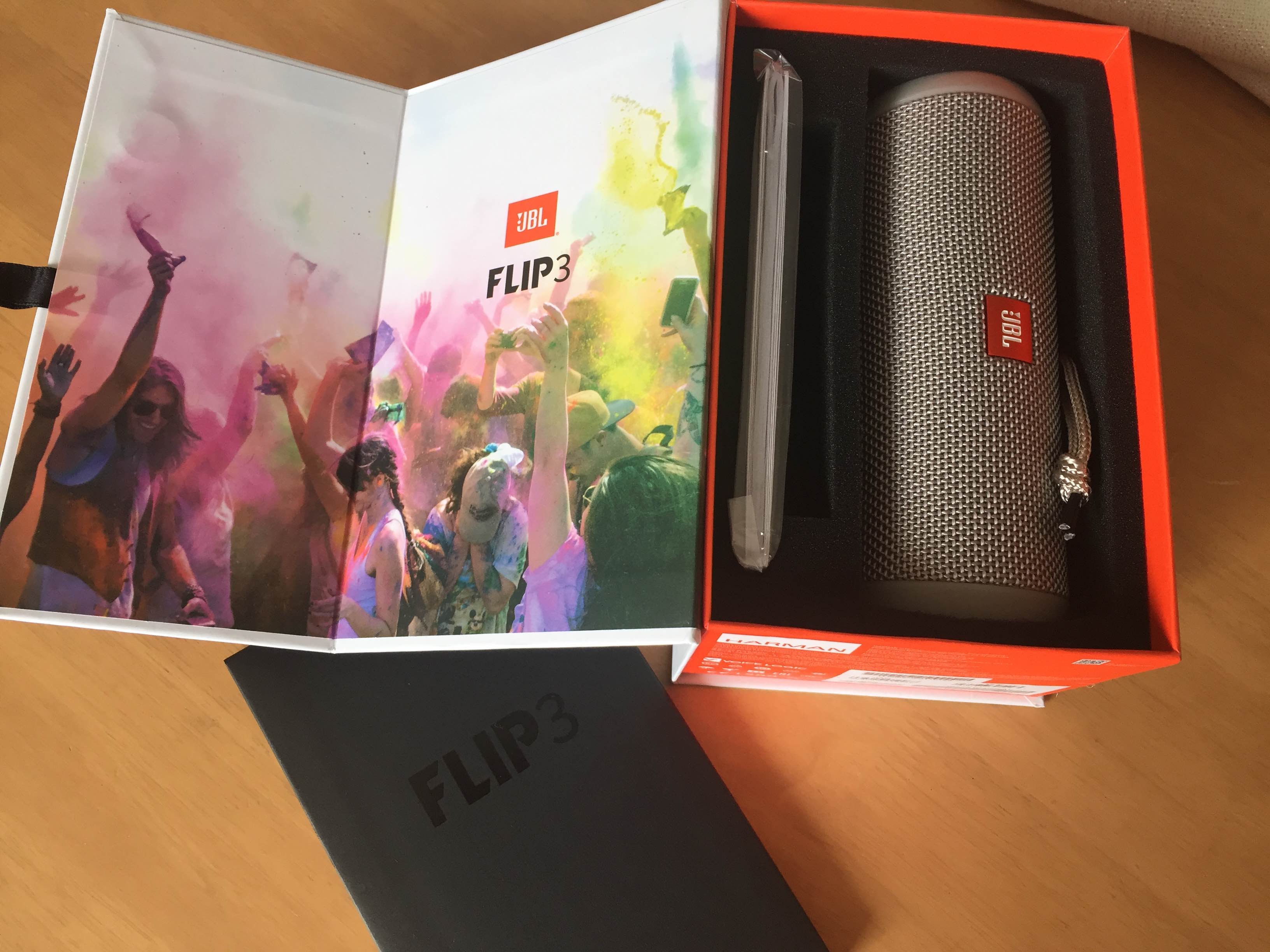
JBL Flip 3 Portable Bluetooth Speaker
These days, everyone seems to have a portable Bluetooth speaker at home. Since Christmas, my father-in-law has been one of those people. It sits nicely on top of the wooden and glass enclosure for the 30+ year old stereo system he will never part with. Considering that we purchased it for him to pair with the iPad we forced upon he and mom last Christmas, my husband and I started to wonder why we didn’t have one ourselves. We already own a not-so-portable computer speaker set that we lug back and forth outside during pool season and a cute but poor quality floating speaker from Brookstone, which is nearly unusable in our pool. Those things in mind, I debated the need for another speaker but was really drawn to the ease of use and quality of the speaker we purchased for Dad. It is made by Best Buy’s own Insignia brand and was purchased on sale for $25. It is easy enough for my self-proclaimed tech unsavvy in-laws to use.
Decisions, Decisions
As is the modern world we live in, both my husband and I started comparison shopping online. The options were staggering. You can spend $15 on a small clip or $400 on a big name device. Then came the features. Some can charge your mobile device while others can be linked to a partner speaker for surround sound. Some are water proof, others shock and drop proof. Ideally, you should know which features you desire before you dive into comparing the dizzying amount of options. The Insignia speaker we had purchased for dad came with the ability to act as a power bank to charge a mobile device. Ultimately, we decided that was nifty but not a requirement. Similarly, have a price range in mind. Not having one is what made our choice so hard, since it didn’t narrow down anything. We had been willing to pay more if something really impressed us.
After some back and forth we thought hard about where and how we would use this speaker. For general use in the house, almost any option would do so we set out to our local Best Buy to have a listen. This small $40 jam plus speaker packed in generous volume. Bose and Beats options both proved to have unsurprising and undeniable sound quality, but we got the feeling early on that a good portion of their high price tag was related to the brand name. The Harman Kardon Esquire Mini was practically a fashion statement in its metallic casing, as were the various Kate Spade speakers that come with their own purse-like carrying case. The UE Boom 2 seemed like the speaker to beat for what ultimately ended up as our preference: A medium sized, portable but loud speaker with a price point somewhere in the middle of the pack. Something about the look of this speaker bothered me, so I was noncommittal. My husband already knew he wanted to hear the JBL Flip 3 but was disappointed to find that Best Buy did not have it on display. That being said, our mission to listen to all possible options to buy the speaker that offered the best combination of price and sound hadn’t been a full success. We walked out of Best Buy empty handed but knowing at least that we ruled out some speakers on the highest and lowest end of the price spectrum.
Just Do It
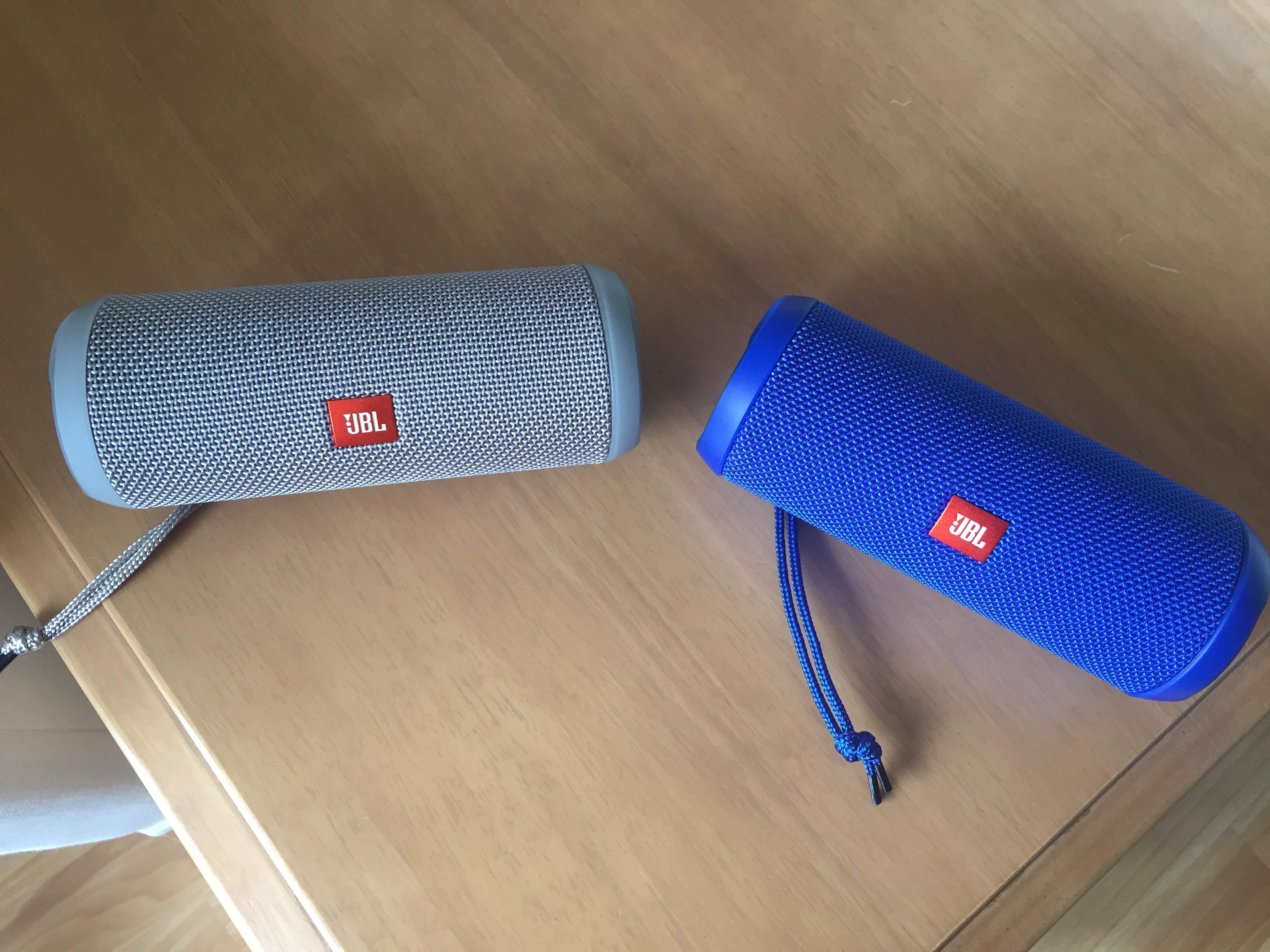
Indecision gets old quickly, especially when you’re seeking to buy a new gadget to play with. After pouring over more reviews and comparisons, it came down to the JBL Flip 3 and the UE Boom. The latter option costs nearly double but is water, dirt and shock proof. It clams a 15 hour battery life compared to the Flip 3’s 10 hour life. Again I went back to the look of the thing (how the buttons make what looks like a cross) and how much this speaker was worth to me. We both decided that for $100 cheaper, the JBL Flip 3 was our winner. We purchased it on Amazon, sound unheard, and hoped for the best.
Double Time
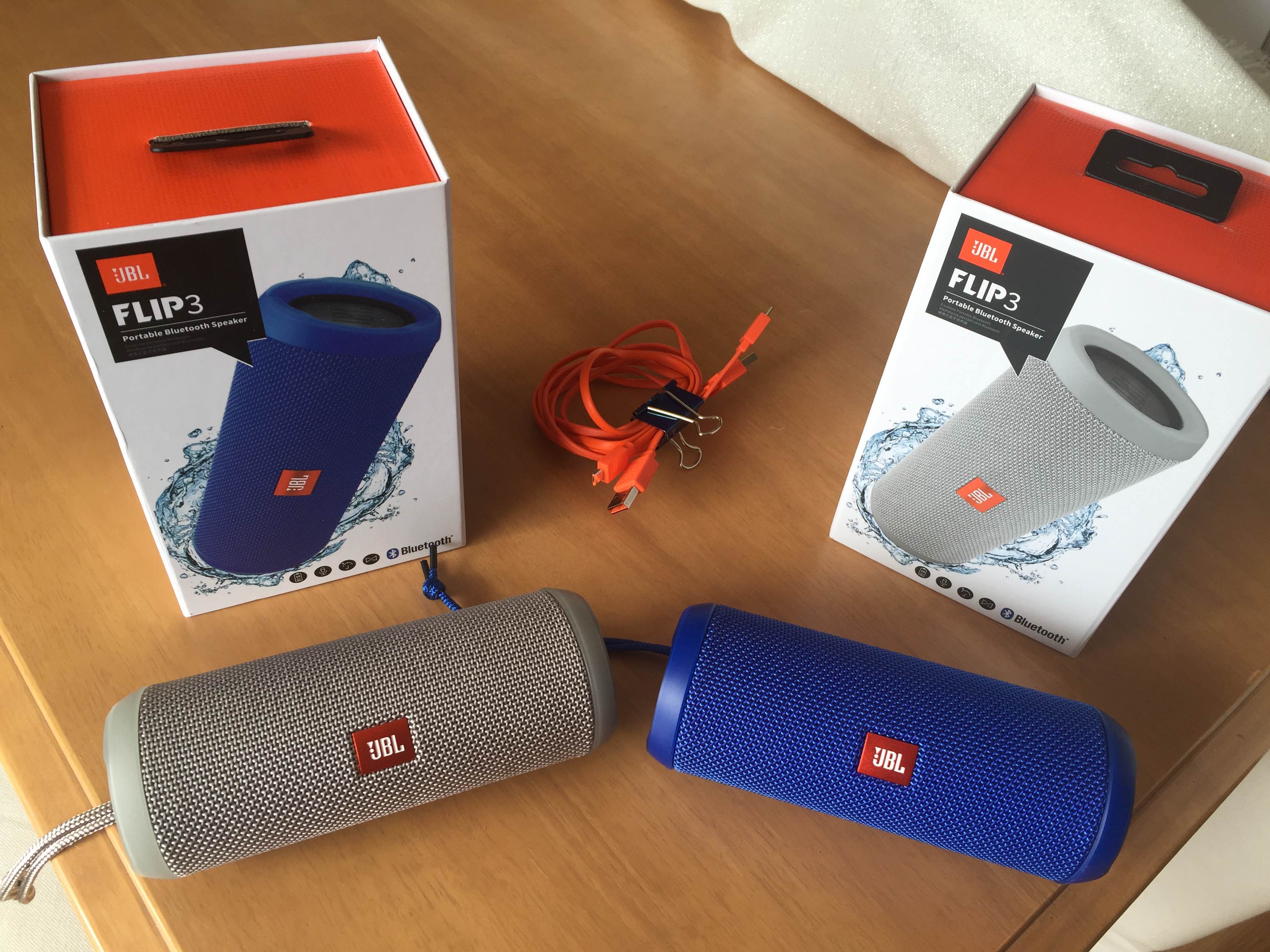
Long story short, it only took a matter of days for us to order a second speaker. The JBL Up 3 sounded great and offered the ability to connect two speakers to one source, providing multi-room or surround sound use. Since we were to be having a party soon that we knew would bring guests to both the main floor and basement, the decision was quick.
Set up and Use
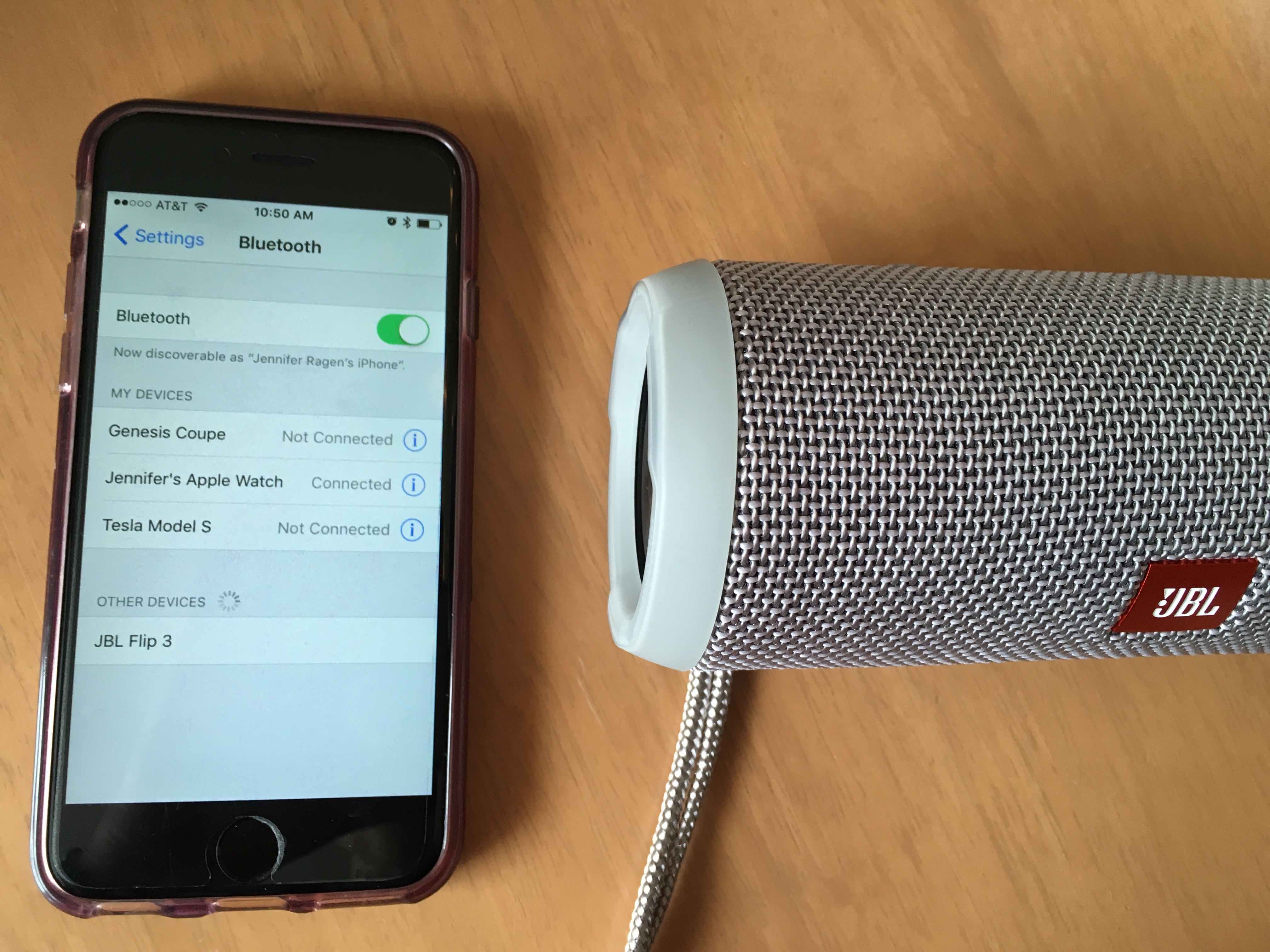
Like most other bluetooth devices on the market, pairing the speaker to an iPhone or iPad was easy and only took a few moments. I did not need to read any instructions. Simply turn on the speaker and navigate to your device’s Bluetooth screen. Press the bluetooth button on the speaker (noted by its symbol) to make it discoverable and watch it pop up on your screen. Press it and within 15 seconds, you’ll hear a pleasant chime on the speaker to let you know it worked. The speaker comes with a generously long charge cable and a series of 5 small lights show you your charge level, so you should be able to start use right out of the box or after a very short charge.
Features
This speaker has some of the common features we saw when comparison shopping. It can be used as microphone for calls, can be paired with another speaker and is splash proof. Using it for calls sounded appealing for the thought of my husband taking a conference call on the rare days he works from home but it wasn’t a required feature. A note of caution for phone pairing – the speaker will play your other sounds. I quickly learned that listening to music from my iPhone meant interruptions for the sound of my typing clicks or unlock sound. I also inadvertently hijacked the sound with a quick social media scroll that led me to a video. Being at least splash proof was important to us. We plan on using it outside near our pool and while we don’t run much a risk of the speaker being submerged, we envision using the controls with wet hands or walking near it with wet legs.
Sound
One part of this speaker that I like it its funky sounds it makes to let you know it’s turned on or off.
But that’s not what’s important. What you really need to know is how it sounds. Keep in mind our ears probably hear it better than the iPhone I used to take this video and the air in our home transmits better than whatever you are using to listen right now. That being said, I’m still pretty impressed at even the sound in this video.

The Starting Line. “Anyways.” 2016
I’ve found the sound to be clear and generously loud no matter what type of music is playing. I’m no pro and those out there who are may beg to differ but for a $100 portable bluetooth speaker for casual in-home use, the JBL Flip 3 is a winner.
Verdict
This is a recommended buy for a solid portable Bluetooth speaker with a moderate price. It is missing a few features compared to competitors but provides an excellent overall value.


Elon Musk
Elon Musk’s surprise addition to the X Takeover lineup has fans talking
Elon Musk will join Saturday’s X Takeover at Giga Texas for a live virtual interview.

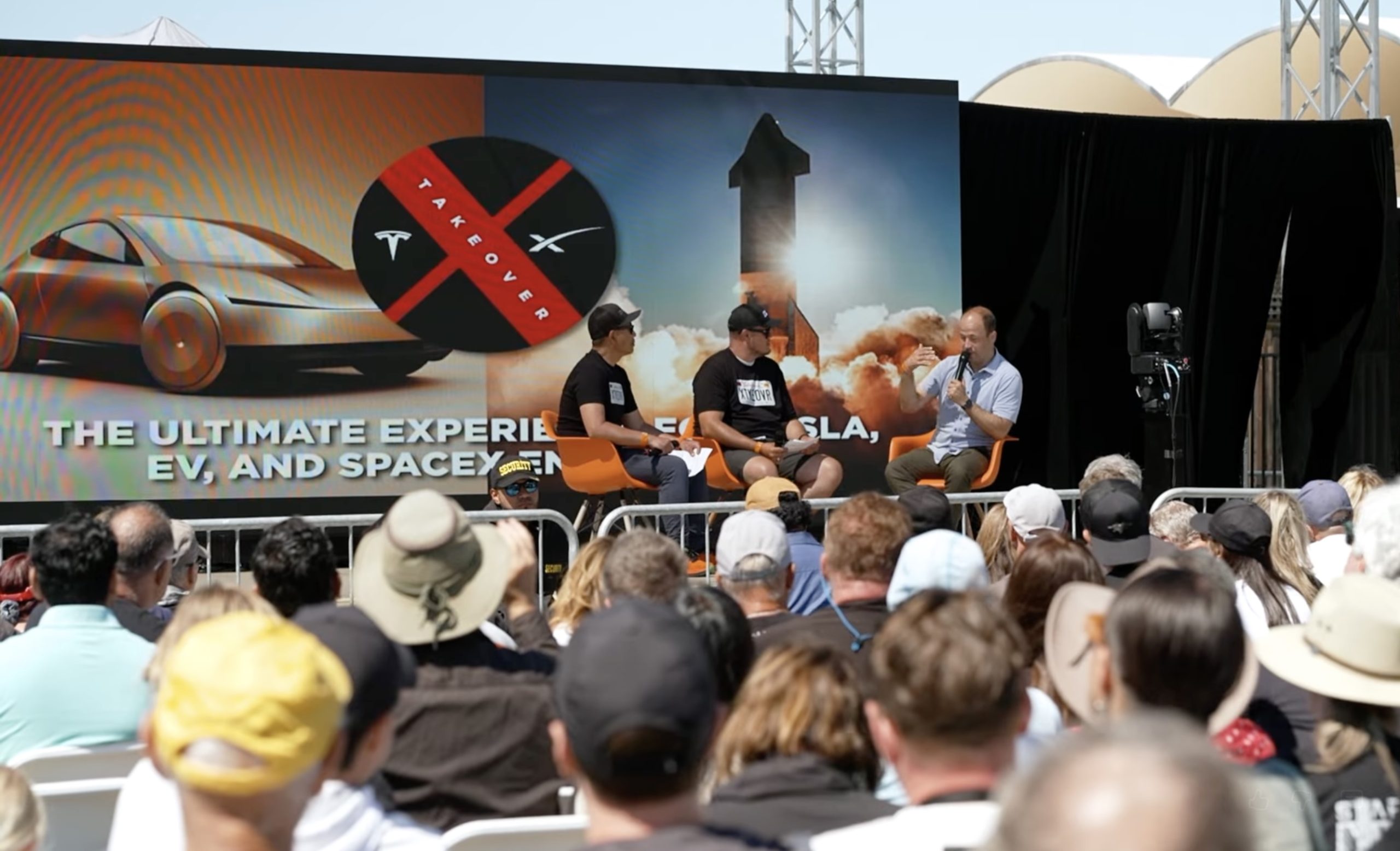
Elon Musk will join X Takeover at Giga Texas on Saturday for a live virtual interview, according to Sawyer Merritt, who shared the news late Thursday. Musk will not be on stage in Austin. The conversation is set to stream for free on the @teslaownersSV account on X.
Organizers had kept expectations in check. In a September update, Tesla Owners Silicon Valley said Musk had appeared at the event twice before but was not promising a third appearance, even as fans hoped he would walk the Giga Texas grounds in person. A virtual spot matches 2024, when Musk gave a surprise interview of about an hour to the crowd in San Luis Obispo, as Teslarati reported at the time.
Wasn’t expecting this 🫡
— Tesla Owners Silicon Valley (@teslaownersSV) October 9, 2026
This year’s edition is a first in several ways. It is the first X Takeover held outside California and the first at a Tesla facility, with tickets selling out in eight days. Tesla provides the venue, but the event is produced independently by Tesla Owners Silicon Valley. The main event runs from 10 a.m. to 6 p.m. CT, followed by a drone and light show at 9 p.m. Maye Musk is the keynote speaker, Franz von Holzhausen is set for a virtual keynote, and Nicki Minaj is the special guest. Joe Tegtmeyer, whose drone footage Teslarati used to track the Optimus factory steel frame at Giga Texas, is also on the speaker list.
Musk’s interview topics have not been revealed, but the backdrop is busy. Tesla doubled its Cybercab fleet in Austin in late September, and last week Musk explained why Robotaxi hours only moved from 10 p.m. to 11 p.m.. Merritt also reported Thursday that Texas DMV records now show 319 registered Cybercabs, up from 169. NHTSA’s deadline for Tesla’s sworn answers on Cybercab certification is October 30, and Tesla reports third quarter earnings on October 21.
Fans who cannot make it to Austin can watch the livestream on X. Musk tends to say more in unscripted settings than he does in prepared remarks, which is the reason this one is worth having open on Saturday.
Elon Musk
Elon Musk’s Boring Company lands a new Middle East deal, and Nashville is about to get faster
The Boring Company signs Abu Dhabi tunnel agreement while adding more Prufrock machines in Nashville.
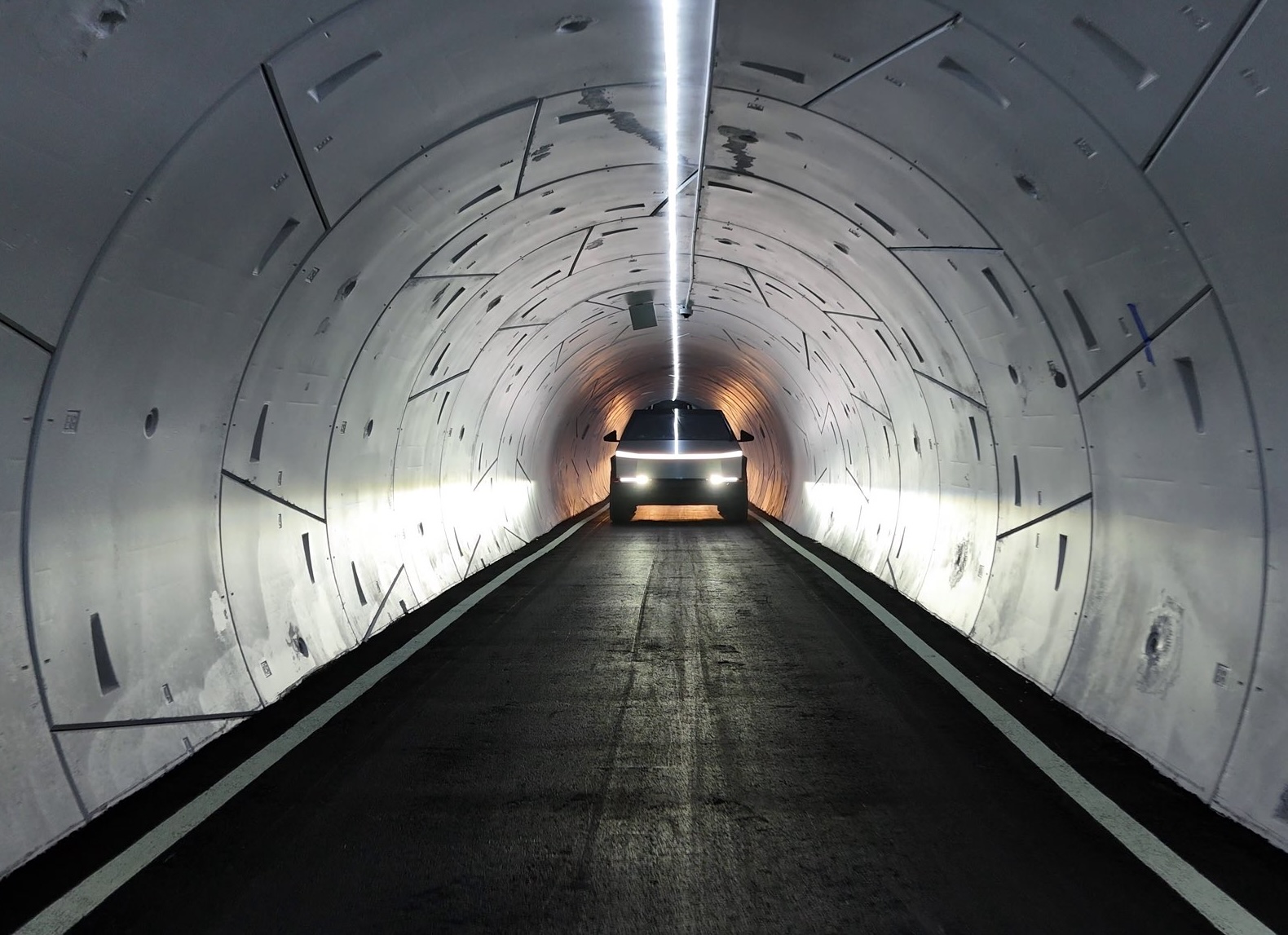
The Boring Company has signed an agreement with Abu Dhabi to study underground transport and utility tunnels across the emirate, adding a second UAE city to its pipeline as it prepares to also scale up tunneling back home in Nashville.
The deal was signed Thursday at the Liveability and Investment Exhibition (LIVEX 2026) by Boring Company President Steve Davis and Maysarah Mahmoud Salim Eid, director general of the Abu Dhabi Projects and Infrastructure Centre (ADPIC), according to the Abu Dhabi Media Office. Mohamed Ali Al Shorafa, chairman of the emirate’s Department of Municipalities and Transport, attended the signing.
Under the agreement, the two sides will assess feasibility, delivery and operating models for tunnels that could carry passengers or utilities. They will also look at Abu Dhabi’s potential as a regional hub for tunneling work. The current phase is exploratory, and no construction commitment or project budget has been announced.
“Abu Dhabi provides an ideal environment to explore the next generation of underground infrastructure solutions, supported by its ambitious growth vision and strong commitment to advanced technologies,”
Davis said. He added that the company wants to assess how tunnels can “expand urban capacity more efficiently, and enable better use of available space.”
The timing lines up with the money, considering last month, The Boring Company closed a $3 billion Series D led by the UAE and affiliated investors, valuing the company at $23 billion, as Teslarati reported. That round came with a commitment to build more than 150 kilometers of tunnel across the UAE, separate from the Dubai Loop pilot already under contract with Dubai’s Roads and Transport Authority. That pilot covers 6.4 kilometers and four stations linking DIFC and Dubai Mall at a cost of about $154 million.
Back home, The Boring Company projects in Nashville are also scaling up, with the company telling local NewsChannel 5 that a third Prufrock machine could start digging the Music City Loop in late October. A fourth is also targeted before the end of the year. Two machines are already mining Nashville limestone at the same time, and work is underway on a new launch site for the third.
The company said it has made more than 300 design and performance upgrades to its original Nashville machine. It is also working with property owners on more than 40 planned stations, with approvals in place for a future Nashville International Airport connection, a downtown station near the Music City Center, and stops at residential towers and the JW Marriott.
Construction on the Music City Loop began the same evening Tennessee and federal regulators approved the project’s lease in February, and the company targeted its first operational segment for late 2026. Back in Las Vegas, The Boring Company has said it plans to double its Vegas Loop station count by year’s end.
Lifestyle
Tesla FSD changed its mind mid-intersection, and it may have saved a life
Tesla shares dashcam footage of FSD Supervised stopping mid intersection to avoid a T-bone crash.
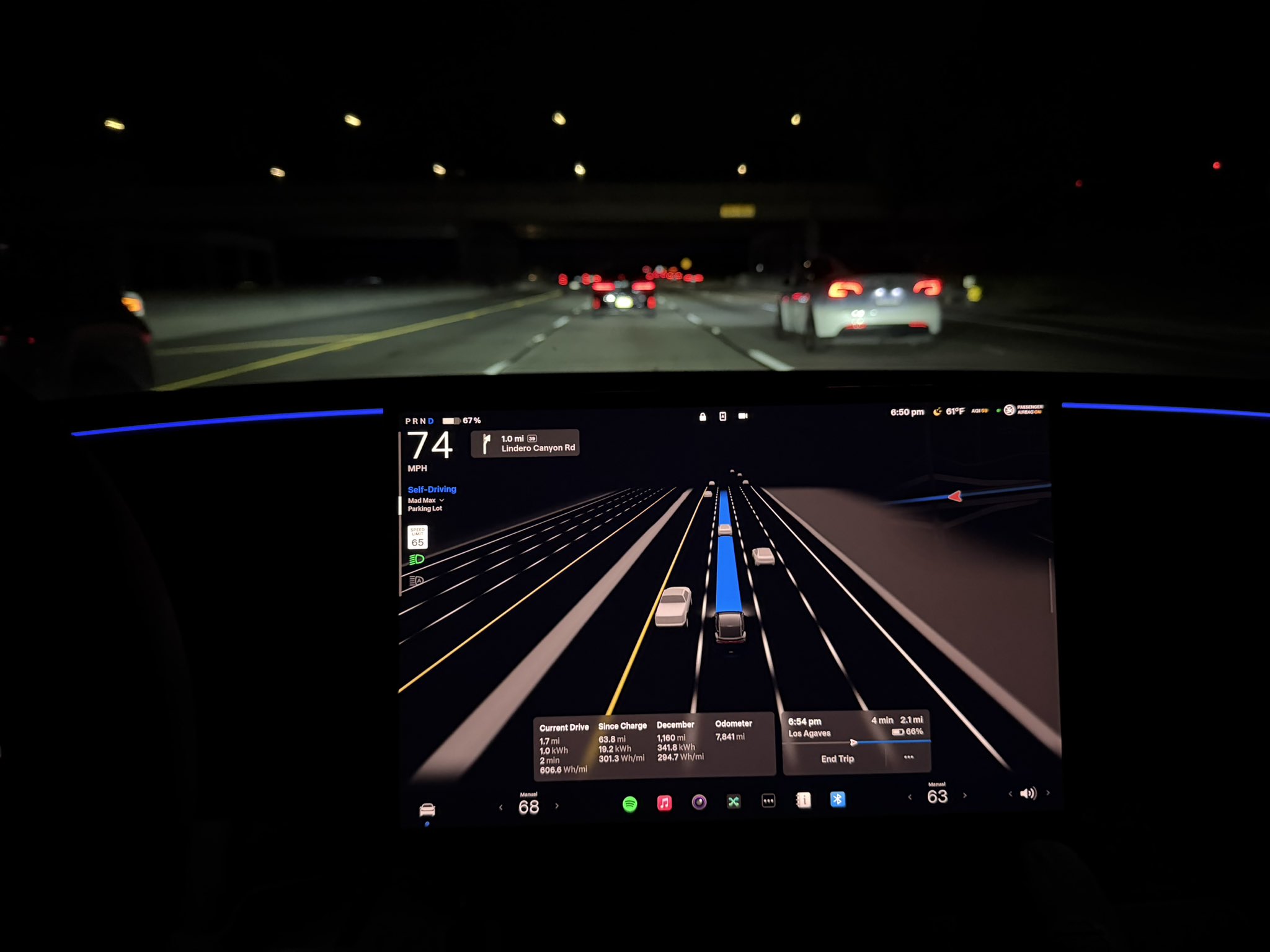
Tesla is putting another Full Self-Driving save in front of its 24.8 million followers on X.
On Tuesday morning, Tesla’s main account shared a dashcam clip with the caption “FSD Supervised preventing T-bone crash.” The footage came from an owner posting as TheNewGrid, who described what happened at a stop sign: “I looked at the car coming to the stop sign figured they would stop, my car went, then came to a stop mid intersection as they flew by. Had I been manually driving this would have resulted in a crash.”
The sequence is the notable part. FSD had already started crossing when the other driver ran the stop sign. Instead of pressing on, the car braked hard in the middle of the intersection and let the crossing vehicle pass in front of it. By the owner’s own account, they had made the same assumption the software initially made, that the other car would stop, and would not have corrected in time.
FSD Supervised preventing T-bone crash
— Tesla (@Tesla) October 6, 2026
The clip is the latest in a run of safety posts Tesla has amplified over the past several days. On Saturday, the company shared a video from Selling Sunset star Jason Oppenheim, who sold his Bentley for a Model Y and said he was buying Teslas with FSD for 10 of his employees. Ashok Elluswamy, who leads Tesla AI, followed up by writing that Tesla self-driving “reacts to other people cutting into your path with super-human response times.” On Monday, a Cybertruck owner posted footage of FSD moving across three lanes from a red light to clear a path for an ambulance approaching from behind.
This recent clip also lands a few weeks after Tesla began shipping Automatic Collision Evasion with FSD v14.3.9, a feature that can activate FSD on the driver’s behalf when a frontal collision is imminent or the driver appears distracted. Elluswamy said in September that “even earlier prediction of hazards, even faster reaction time and overall significantly better safety and collision avoidance” are coming with v15, the release Tesla has tied to round the clock Robotaxi operation.
The safety messaging matters beyond social media. Tesla has said FSD Supervised was 4.1 times less likely to crash than manual driving across 100 million kilometers on European roads, and it has been putting those figures in front of regulators. Eight EU countries have now approved FSD Supervised, with Croatia the most recent, but the EU’s bloc-wide vote originally set for October 6 has been pushed to December at the earliest.
FSD Supervised is still a Level 2 system, and the driver remains responsible at all times. Even heavy users find reasons to step in. Teslarati’s Joey Klender, who uses FSD for about 76 percent of his driving, laid out five recurring issues on Tuesday that still prompt him to intervene. Clips like this one show the other column of that ledger: moments where the software caught a mistake a human was about to make.

Elon Musk roasts India’s billionaire Mukesh Ambani as Starlink fight heats up

Elon Musk’s surprise addition to the X Takeover lineup has fans talking

It’s official: SpaceX takes aim at Verizon, AT&T, and T-Mobile

The Pentagon taps Elon Musk to design the battlefield of the future

Tesla Roadster’s new patent preps white-knuckle speeds, keeping it grounded


