DIY
Top 5 Mistakes New Model S Owners Must Avoid

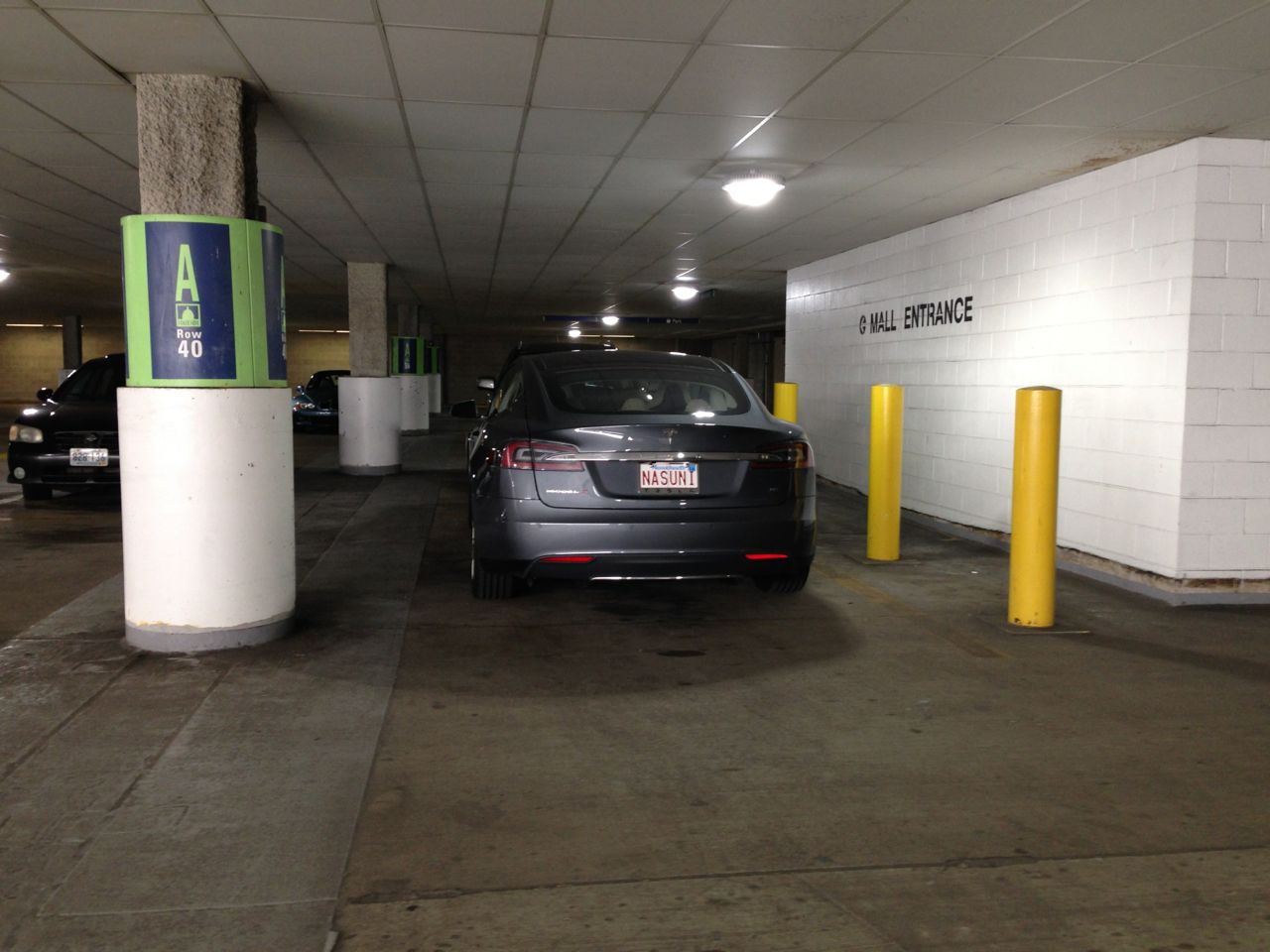
After buying the most expensive car in my life I was determined to take great care of it and wanted desperately to avoid anything to detract from its beauty. Despite my best efforts, I’ve made mistakes. Here are the top 5 mistakes that new Tesla owners need to avoid (in the order in which I experienced them).
1. The Model S is a big car and sits low. Be very careful pulling into parking spots.
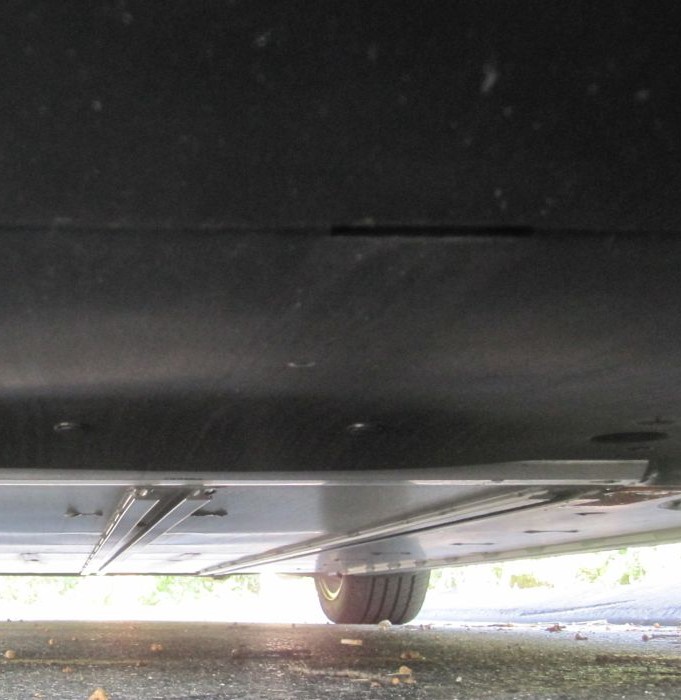 I purchased my Model S with the technology package and parking sensors knowing that I need every help I could get parking such an expensive car. After all I was coming from a SUV which has no problems when it comes to clearing curbs so I knew there would be quite an adjustment for me. What I didn’t know is that the parking sensors on the Model S are not very responsive which means it’s possible to pull into a parking spot well before the sensor warns you of the proximity to the curb.
Two weeks into my first Tesla ownership, I scraped the front undercarriage while pulling into a parking space at Panera Bread. Luckily it didn’t crunch the front bumper but still –
Lesson learned – Drive extra slow when pulling into parking spots.
2. The car is low and the tires are thin – give turns a wide radius.
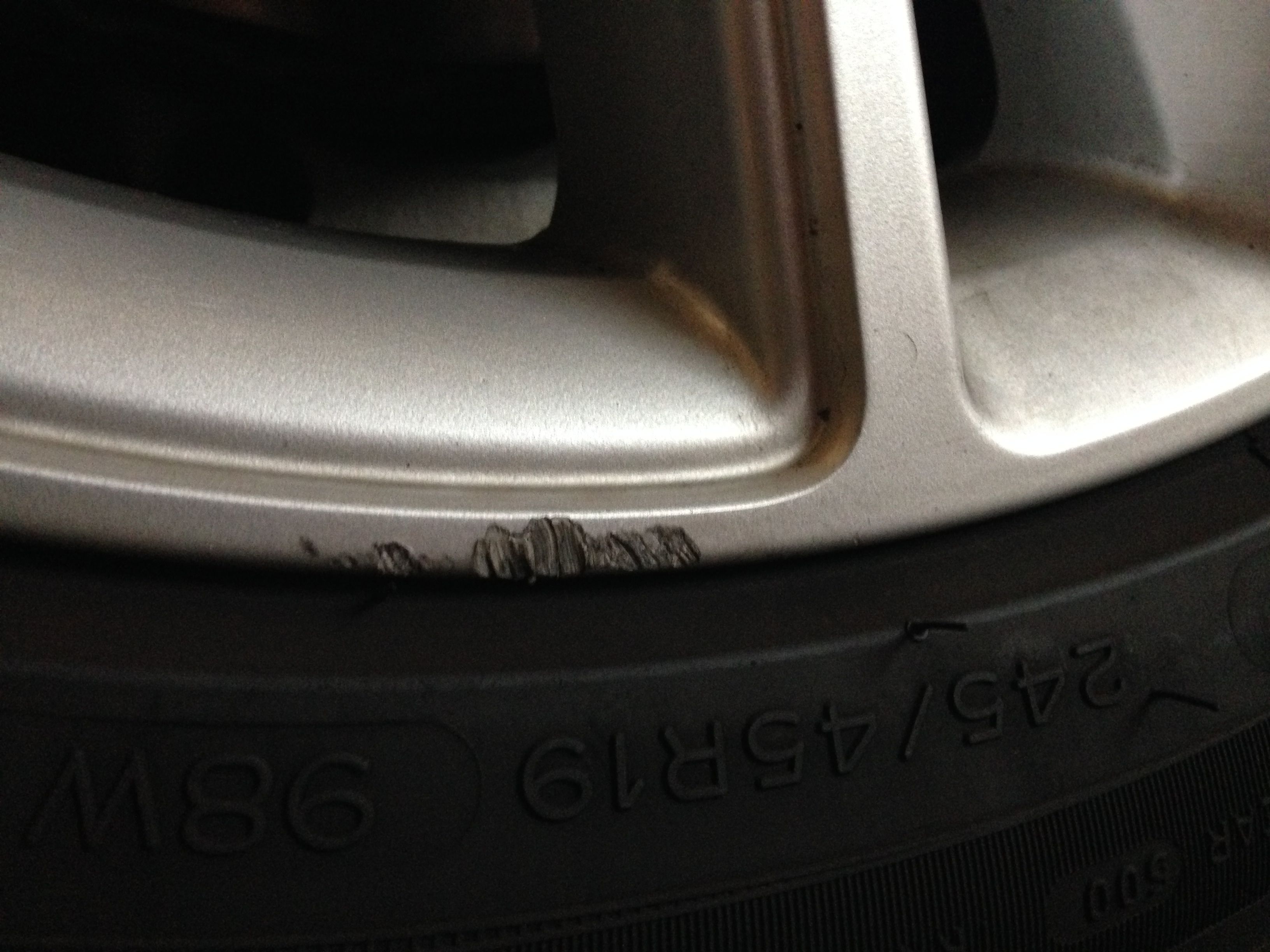 A few weeks after the first incident, I scraped the right rear wheel as I made turn into a parking lot.
ALSO SEE: REVIEW: Tesla Model S “Wheel Bands” Curb Protection
The Model S is a lot lower than my old SUV and with much smaller wheels. The standard 19″ Model S wheels are very susceptible to what they call “curb rash” which I unfortunately could validate. Since then I take my turns a bit wider.
3. There’s no plastic rear bumper. Becareful lifting items cleanly into the rear hatch.
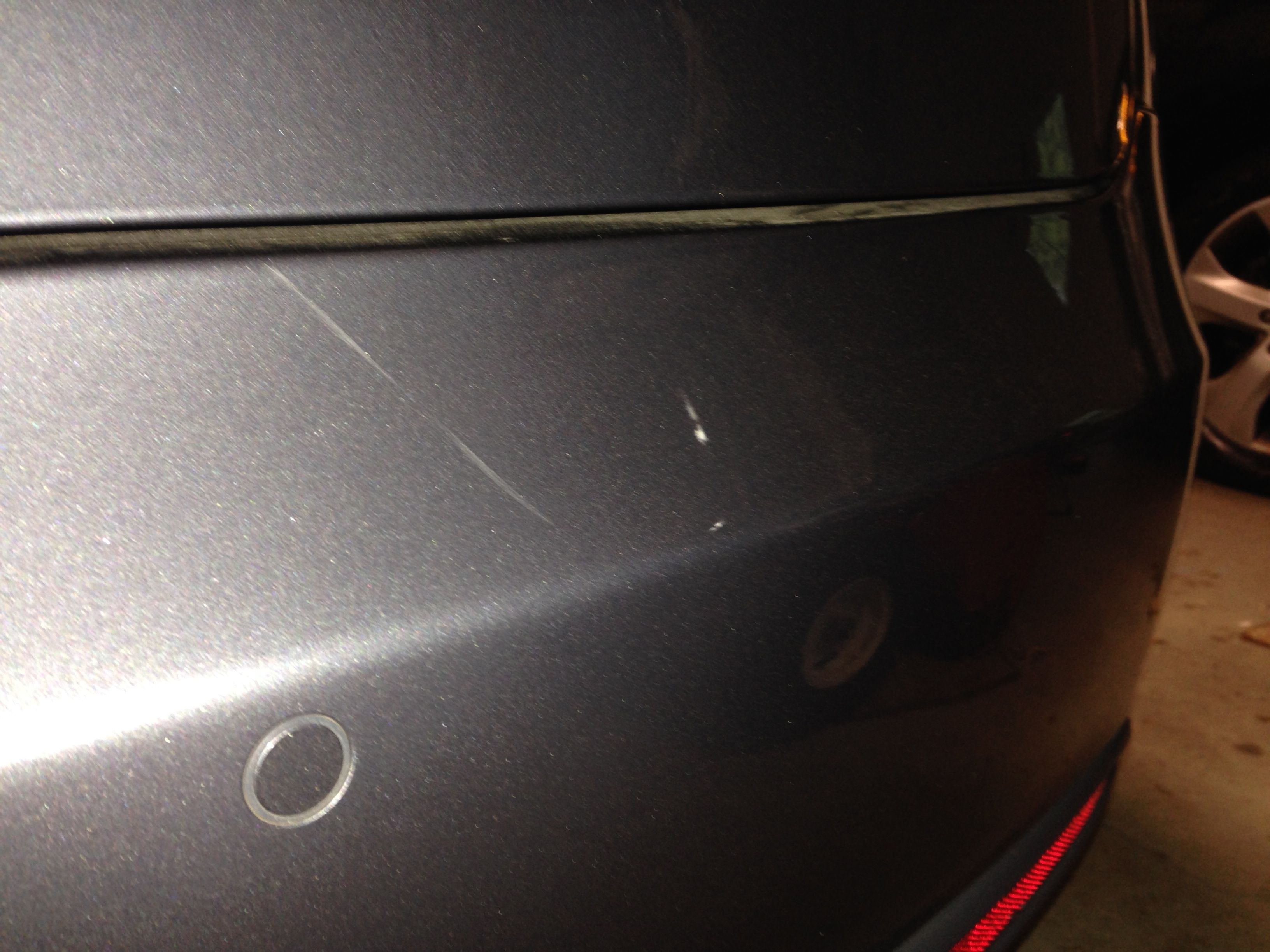 Many cars have a plastic bumper which, for the most part, people don’t mind getting a few scrapes on.
The Model S on the other hand does not have an obvious rear plastic bumper, and on top of that, it has an inclined “lip” which makes loading of the trunk require careful lifting.
My family knew very well to be extra careful because of this, but one of my kid’s friends “dragged” a heavy duty ice skating backpack and into the rear of the car which ended up leaving a long shallow mark on the back bumper.
Lesson learned – Warn people to carefully lift up and into the front and rear cargo areas.
4. The rear hatch raises to a very high position (although adjustable). Don’t drive with it open.
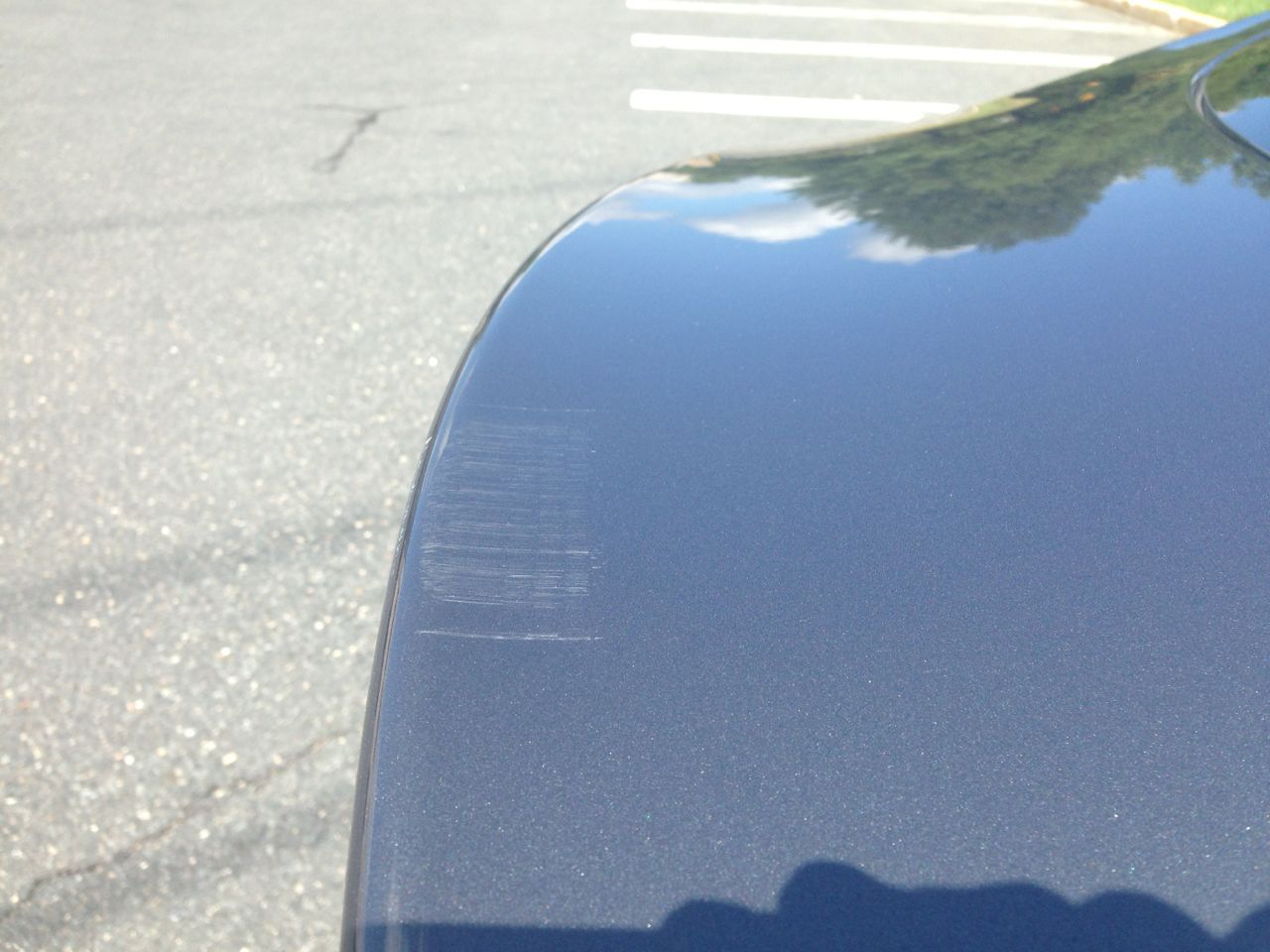 This one pains me the most. I’ve had to back into my garage since day one of ownership since that’s the only way I could reach the charge port from the wall outlet. All of my other cars have been pulled into the garage with the nose first.
So picture me getting home from work late as usual. I back in, pop the rear hatch to get my gym bag out, but then quickly remember an errand I still need to run. I jump back into the car, close my drivers door and begin to drive forgetting that the hatch is still open.
Crunch.
Before you criticize me, let just say I was in a rush, I was tired and I wasn’t thinking straight. There’s a beep to indicate that the hatch is open when the car is put into gear, but it’s not very loud.
My car always beeps when I pull it into and out of the garage. The parking sensors go off because of the car’s proximity to the sides of the garage so I’ve grown to ignore these extra beeps. The hatch open one isn’t distinctive and didn’t do its job. And despite the car being much lower than the SUV the hatch opens nice and high for ease of access. Too high in this case.
Lesson learned – Pay extra attention to any warnings/beeps when shifting into drive or reverse.
This one was the most visible of the scrapes. It will take a body shop to fix and it won’t be cheap. That’s a post and project for another day.
5. Watch out for door dings by picking your parking space carefully.
The perfect spot?
Fortunately I’ve been able to avoid this one, but I know it’s just a matter of time before it happens. The Model S doesn’t have a strip running horizontally along the middle of the door to catch the edges of inconsiderate door openers. The Model S is a very wide car. To minimize risk of door dings, do the following:
- Try to find a spot with one edge along a curb or otherwise blocked from other cars. Better yet, find two. But beware of the pitfalls above.
- Park where nobody else wants to park — walk for your health. Admire your Model S sitting out there by itself.
Do you have your own moments to share? I’d love to hear them. Drop me a line in the comments below.



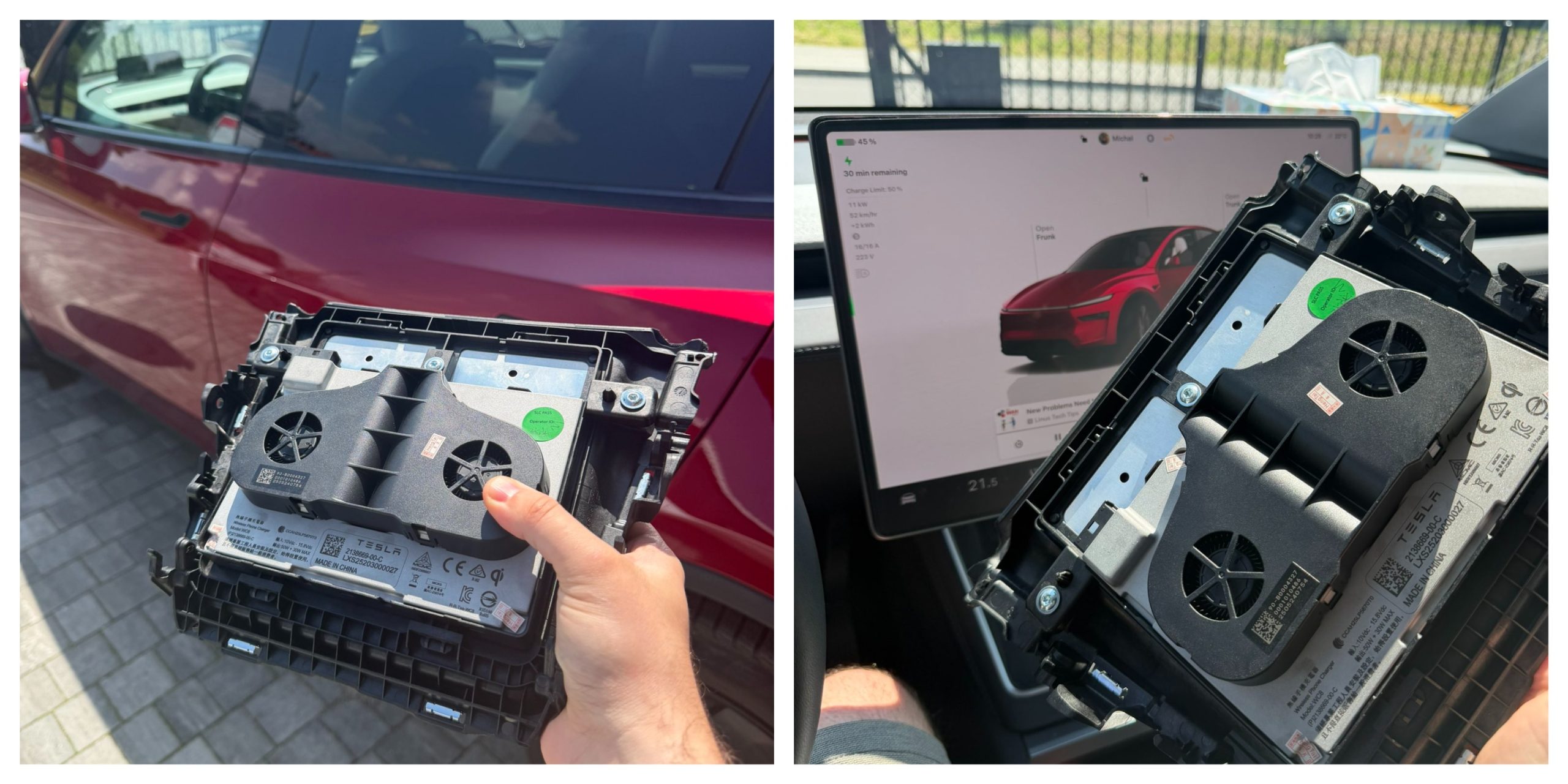
Tesla owners have long griped about the wireless phone charger in the Model Y and other vehicles. It often turns smartphones into miniature ovens rather than reliably topping them up.
Software engineer and Model Y owner Michał Gapiński tackled this issue head-on with a clever DIY upgrade, swapping the cooled wireless charger pad from the China-made Model YL in for the one that came standard in his vehicle.
There are several key differences between the U.S.-built Model Y’s wireless charging pad and the one that Tesla has been installing in the Model YL. The one installed in U.S.-built vehicles lacks active cooling and relies on basic heat dissipation, leading to rapid temperature buildup during charging. In contrast, the Model YL integrates a small fan for active cooling.
Will it fit? Fingers crossed, I want a first YL charger deployed in the regular juniper pic.twitter.com/wWDqSNFVkW
— Michał Gapiński (@mikegapinski) June 2, 2026
This design maintains lower temperatures even in warm ambient conditions, though it does not support faster Qi2 charging on iPhones. The connector matches exactly, making physical swaps feasible on compatible consoles, but coding is required to enable full functionality.
Owners in the U.S. have complained about the wireless charging pad, with many reporting that overheating is fairly common. Within 20 or 30 minutes of placing a phone on the wireless charging pad, many have reported overheating messages on their phones, which halt charging and essentially turn the pad into a fancy place to rest your phone.
Many owners have opted to simply plug their phones into a charging cord. Tesla has acknowledged the problem by releasing several solutions for owners, including a relatively new feature that allows you to simply turn off the charging and simply act as a holder for your phone while driving.
Gapiński said that he sourced the cooled pad affordably from China, and it cost under $200 for the part.
He removed the existing console charger, swapped in the new unit, confirming a perfect connector fit, and handled the trim differences. Since the parameter isn’t fully secured, he enabled it through custom coding outside official Toolbox.
Connector is identical, she fits, now time to code it. https://t.co/Y9idgDrpCq pic.twitter.com/uwwgq6blg7
— Michał Gapiński (@mikegapinski) June 2, 2026
The fan activates quietly, blending with AC and seat cooling. He reported the installation was effective and the wireless charging pad worked perfectly; it even kept the phone cool as it stayed at just 86 degrees Fahrenheit. Many times, the wireless charging pad will bring the phone’s temperature well above 100 degrees, sometimes even being relatively hot to the touch.
The retrofit worked, no issues. First Model Y with a cooled wireless charger! No QI2/faster charging on the iPhone but it does not boil the phone even when it is 30 degrees outside.
The fan kicks in, it is not audible especially with the air conditioning and seat cooling. The… https://t.co/JOyR8Tb1Yo pic.twitter.com/kJcYhQIlYq
— Michał Gapiński (@mikegapinski) June 2, 2026
This retrofit highlighted an elegant, owner-driven solution to a factory shortcoming. It is expected that Tesla will begin installing the cooled charging pads into new cars in the U.S. soon, and hopefully, it will offer some sort of retrofit service or kit to owners here who want to use the charging pad effectively.
For those who love to tinker, it’s an accessible upgrade, proving that innovation thrives beyond the production line.

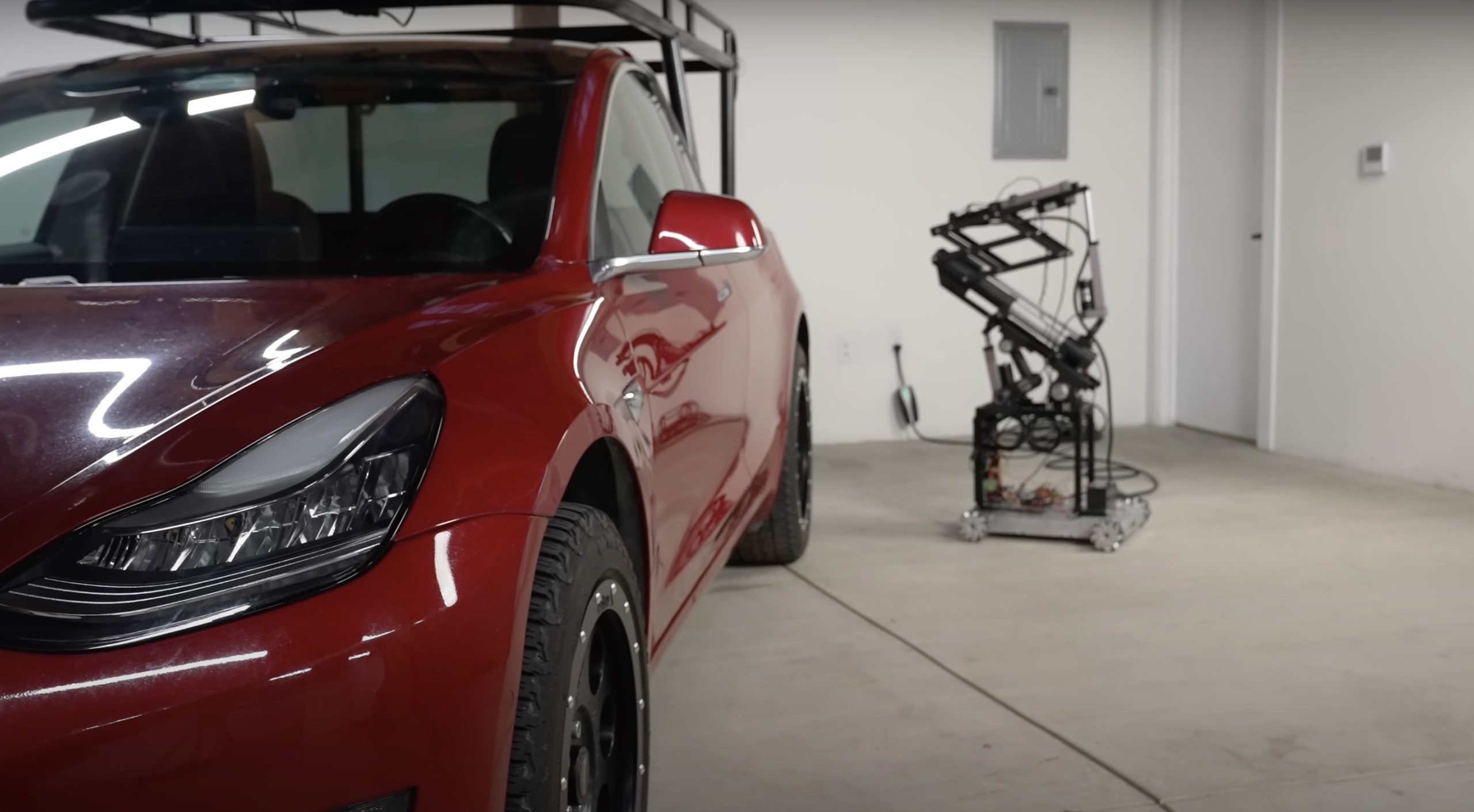
Back in 2019, YouTuber Simone Giertz, the self-proclaimed “Queen of Sh*tty Robots,” created a one-off Tesla Model 3 build that took the automotive world by storm. Fondly dubbed as “Truckla,” Giertz noted that the vehicle was actually her dream car — as crazy as that may sound.
Now almost four years later, the YouTuber posted an update on Truckla. And just like every other big project that one probably started, Giertz stated that she actually stopped working on Truckla when the vehicle was about 80% complete. The car is driving though, but a lot of stuff was not really working very well.
Thus, for her Truckla update, Giertz shared how most of her Model 3 pickup truck conversion was essentially completed. Truckla got a lot of detailing done, she got a slight lift, and she now has a functional tailgate. One has to admit, Truckla’s tailgate is pretty darn cool.
The “Queen of Sh*tty Robots” also opted to give Truckla a friend in the form of an automatic robot charger. Unlike Tesla’s rather interesting snake charger from years past, Truckla’s charger would come in the form of a rover, thanks to her friends at robotics platform Viam. Giertz aptly named Truckla’s robot charger friend “Chargela,” which is an appropriate name for such an invention.
Also true to form for Giertz, Chargela’s first encounter with Truckla was just a tiny bit awkward. One could say that Chargela may have just been a little bit nervous on his first try without human hands helping him. Most importantly, the system did work, so Giertz would likely keep using Chargela for her Model 3 pickup.
Teslas are very tech-heavy vehicles, so projects like Giertz’s Truckla are always remarkable. The fact that the Model 3 works perfectly fine despite having a good chunk of it cut off and turned into a pickup truck bed is mighty impressive any way one looks at it. Overall, Truckla will always be one of the coolest Tesla DIY projects to date, so any updates about the vehicle are always appreciated.
Truckla’s nearly four-year update can be viewed below.
Don’t hesitate to contact us with news tips. Just send a message to simon@teslarati.com to give us a heads up.
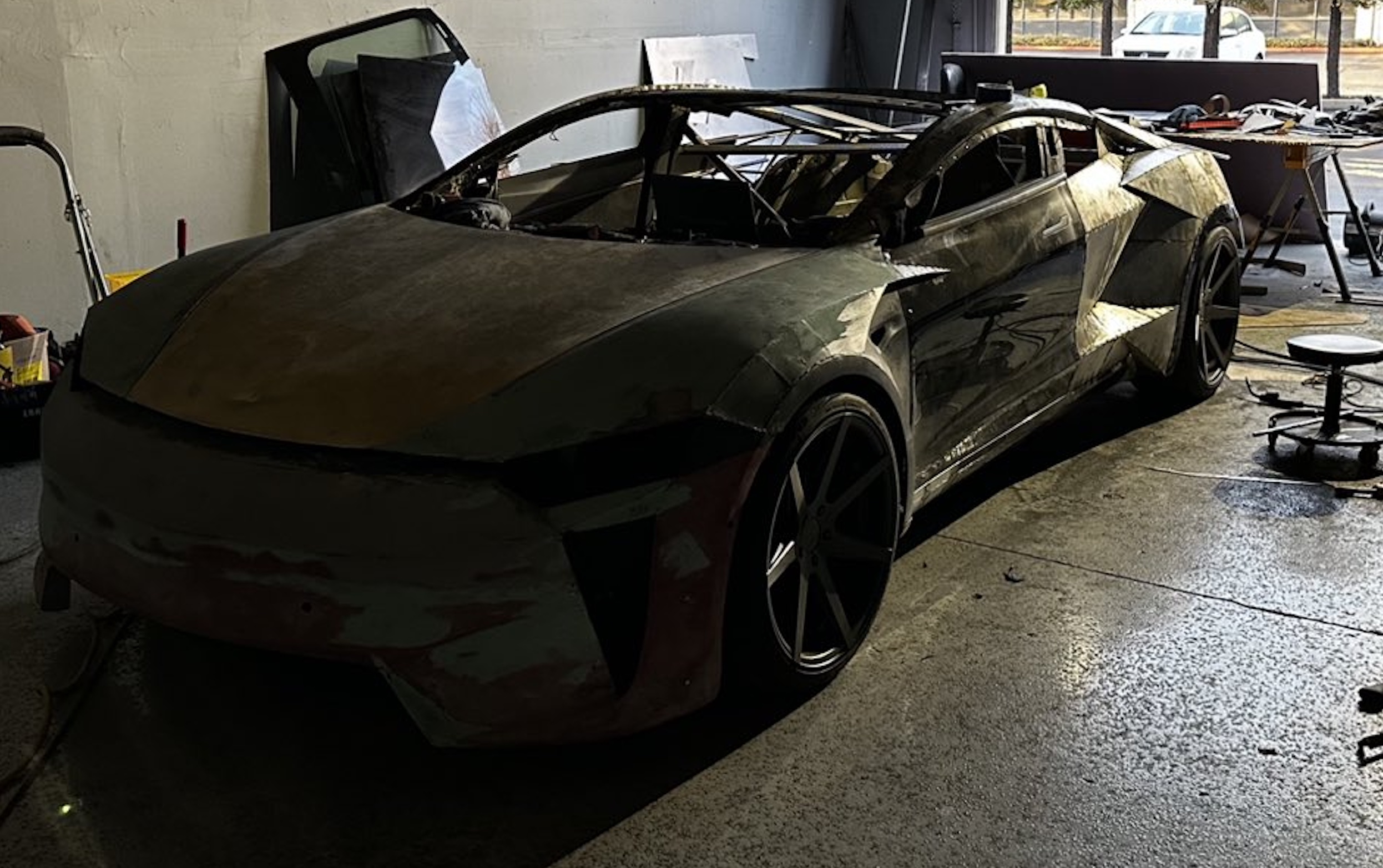
A Tesla owner is taking his hobby and love for electric vehicles to new levels by creating what could only be described as one of the coolest EV-related DIY projects to date. The idea for the project is simple: what happens when you cross a supercar with the Cybertruck? You end up with a two-seater CyberRoadster.
Tesla owner David Andreyev, who goes by the username @Cyber_Hooligan_ on Twitter, has spent the last few months creating a Cybertruck-inspired version of the next-generation Roadster made from a salvaged Model 3 Performance. Starting with a Model 3 Performance is an inspired choice, considering that it is Tesla’s first vehicle that has a dedicated Track Mode.
A look at Andreyev’s YouTube channel, which can be accessed here, shows the meticulous build that the Tesla owner has implemented on the project car. What’s particularly cool about the CyberRoadster is the fact that it’s being built with parts that are also from other Tesla vehicles, like its front bumper that came from a new Model S. Recent videos suggest that the project car’s rear bumper will be from a new Model S as well.
The journey is long for Andreyev, so the completion of the CyberRoadster will likely take some more time. Despite this, seeing the Tesla owner’s DIY journey on such an epic build is more than satisfying. And considering that the CyberRoadster is evidently a labor of love from the Tesla owner, the final results would likely be extremely worth it.
There’s a lot of crazy Tesla modifications that have been done as of late. But some, as it is with a lot of things on the internet these days, have become more silly gimmicks than serious automotive projects. Fortunately, car enthusiasts like Andreyev, who just happen to also love electric vehicles, are taking it upon themselves to create one-of-a-kind EVs that would surely capture the attention of anyone on the road.
Check out the latest video in the CyberRoadster’s creation below.
Don’t hesitate to contact us with news tips. Just send a message to simon@teslarati.com to give us a heads up.

Ukraine says Starlink is cutting out its military drones as Poland calls out Elon Musk

FAA kicks off review of SpaceX’s bid to fly Starship nearly every day

Tesla Roadster livestream: everything Tesla has revealed before Thursday night

The Pentagon taps Elon Musk to design the battlefield of the future

SpaceX reveals how its 1 Million AI satellite network will work and prevent space collisions


