Lifestyle
Tesla Model 3 impressions from an existing Model S owner

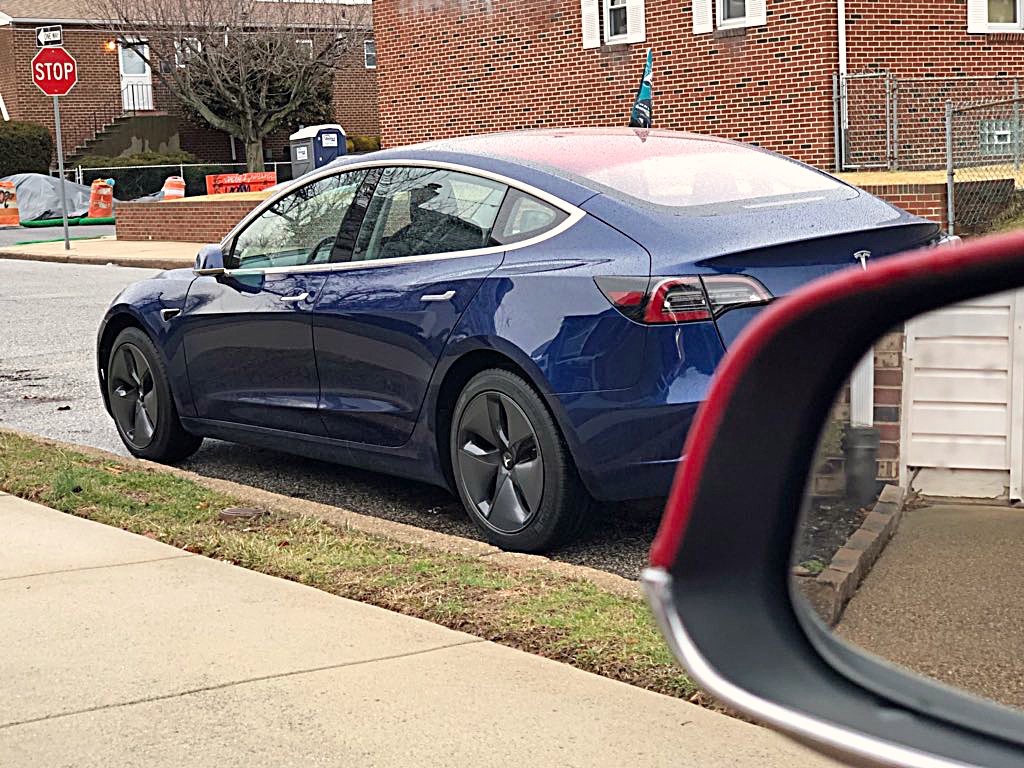
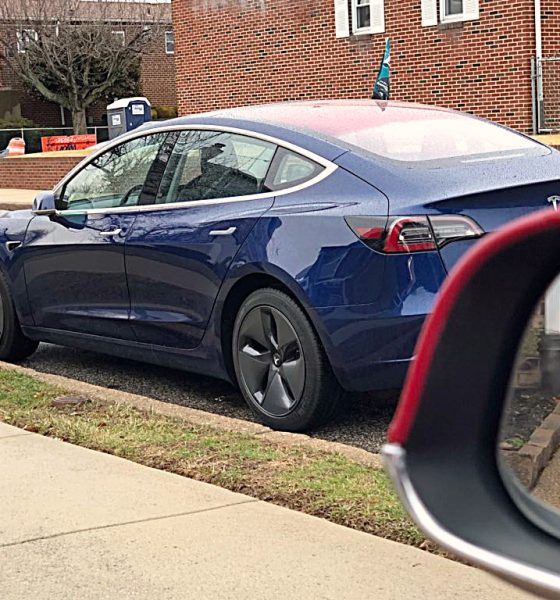
After nearly two years of waiting after putting down my deposit on the day of Model 3 Mania, I finally took delivery of my Model 3 on February 12th, 2018.
I actually don’t need Tesla’s Long Range Model 3 for my short daily commute, but realizing that on a range per dollar basis the vehicle’s 310-mile range works out to be an amazing deal, I succumbed to the temptation and ordered Tesla’s “first production” Model 3 just so I can get the car sooner.
Tesla indicated a 4-week delivery window at the time I placed my Model 3 order, which admittedly I was skeptical of. Especially as 2 weeks after I configured, I still did not have a VIN assigned. I’m happy to report, however, that all the way out here on the East Coast, I did, in fact, take delivery 2 days shy of 4 weeks from configuration. The delivery team was top notch: from my inside sales adviser, to the local delivery specialist, to the two product specialists who introduced me to the car, the Tesla team is simply spectacular. This doesn’t come as a surprise to me, as everyone I’ve ever dealt with at Tesla since my very first Model S test drive nearly 4 years ago has been a pleasure to interact with.

What do I think of the Tesla Model 3?
Without further delay, let me jump right into the car. The most important thing to talk about is how the car drives and I’m pleased to say that it immediately met my very high expectations. I’ll be the first to tell you that the Model S is the best car money can buy but it is bigger and heavier than I prefer. Yes, an incredible fangirl will admit that she does not prefer a full sized sedan.
The Model 3 is lighter and smaller and by default feels agile. The Model S, as big as it is, was plenty agile when a deer ran out in front of me and my inexperienced, city-living-self swerved to avoid it. The steering wheel feels as thick and luxurious as the Model S, but is smaller and reminds me of a race car. I changed the steering setting to Sport mode before I even left the delivery bay and find it to be perfect for my preferences.
Tesla’s Model 3 also stops more easily due to its overall lighter weight than the Model S. I wouldn’t think much about that except for the fact that it is winter where I live and regenerative braking is limited much of the time due to weather conditions.
What about the interior? For one, I adore the instrument cluster in the Model S where I have an at-a-glance-view of my energy consumption and current trip stats. Being able to see a zoomed-in view of your navigation route directly in front of you is also something I’ve gotten used to that the instrument cluster-less Model 3 doesn’t have. Also, major indicators like speed and Autopilot information are front and center where it feels like it should be located.
While I knew I could most likely get used to Model 3’s single center-mounted touchscreen, I wasn’t sure how long that would take. I can say that after driving the Model 3 for a few days, viewing data on the left side of the landscape-oriented screen became second nature.
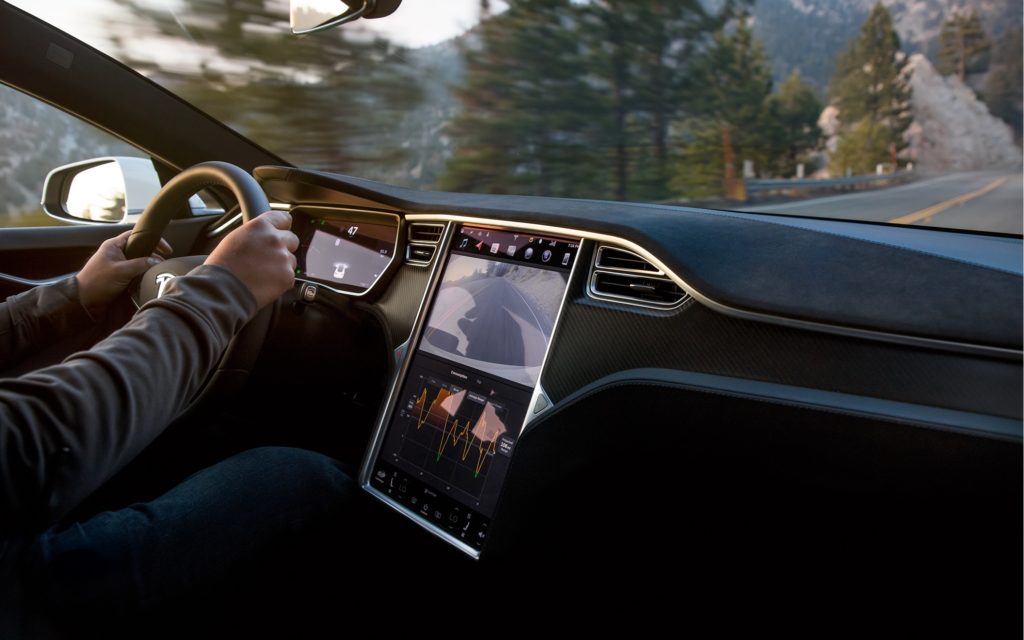
Even my mother, who drives a 2004 Chevy Trailblazer that she says, while crossing her fingers, will live forever, got used to Model 3’s display 5 minutes into her drive. She has never been behind the wheel of our Model S, or any car even close to being this technologically advanced, yet had no problem adjusting. She has, however, been behind the wheel of many older, performance-minded cars with both manual and automatic transmissions but immediately gushed over our Model 3’s zippiness.
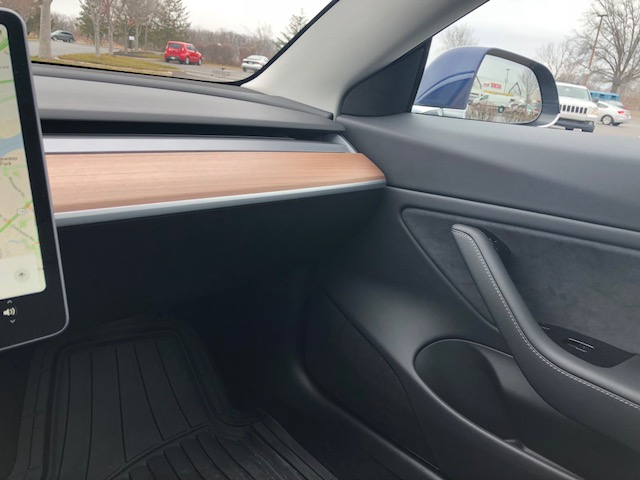
And for the much talked about Model 3 headliner: I love it! Our Model S has the standard textile headliner in tan, which I find a little odd when matched with a black leather interior. The light gray headliner in the Model 3 looks great and knowing that the same durable textile material in our S is also in our 3, I’m confident that it’ll hold up after nearly 60,000 miles.
Model 3’s horizontal HVAC vent that has airflow that can be split in two via touchscreen is simply genius. It is stunning, clean and effective. Mark my words this will be copied by other automakers.
Tesla Model 3 can be improved
So what don’t I like about the Model 3? It turns out that there are plenty of things that can be changed, but I realize that nearly any other car you buy will be the best it can be the day you drive it off the lot. It will never get better and certainly not at your home, for free, over the air. A Tesla is the opposite.
If and when Tesla receives enough feedback from owners, they can make a change and beam it over to you. It’s a huge paradigm shift and one I’m happy to be a part of.
That being said, here is a list of my own observations of things I would like to see changed in the Tesla Model 3:
- The turn signal stalk is a bit funky. A light tap gives 3 blinks and a harder press engages it fully. It will disengage itself when you turn but the stalk itself does not change position, which means there is no physical sound of the stalk going back into place. That being said, you have to actually check to see if it turned off by listening for the blink sounds or looking at the screen if you’ve engaged the signal fully to do something that wouldn’t be forceful enough to disengage such as changing lanes or making a slight turn. My ideal solution would be to make the light tap 6 blinks so that it’s more appropriate for lane changes. Then you don’t have to worry about disengaging yourself, which is a stalk tap the opposite direction. I turned on my high beams inadvertently a couple of times in the first 3 days of driving the car. You only notice that error by looking at the screen.
- Climate controls require two touches to turn on and off. I’d prefer that if you tap the fan icon, that means on and off rather than a pop-up menu where you have to press on or off. That menu would ideally pop up with a touch and hold.
- The banner that tells you when regen is limited is too tall and poorly placed. The black banner is about 3 times as tall as the text itself and actually touches the image of the car in the main indicator area, blocking the color-coded arcs that tell you how near you are to obstructions in the rear of the car. This is a simple change that I hope comes quickly.
-
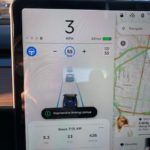
- The tall and misplaced “Regenerative Braking Limited” banner
-
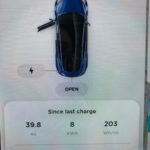
- Trip information card
-
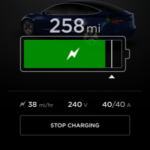
- 38 miles per hour of rated range being added
- The lack of energy information on the main screen is a bit of a letdown if you’re used to seeing it. I understand that regen is limited (as that banner shouts) but how limited? On the Model S, you can see a rounded graphic that looks like a gauge and the regen limited tick marks give an idea of how much or how little you have. In the Model 3, there is just a single horizontal line that signifies energy usage (to the right of center) and regen (to the left.) It’s elegant and simple but I thirst for more info.
- The small box that Tesla calls “cards” can be swiped to show several types of information. The trip meter (trip A, B, current and since the last charge) is the one I like to have visible at all times. Specifically, current drive/since the last charge. Every time I get into the car I have to swipe to see it and I’d prefer the car remember which screen I viewed last time and keep it until changed.
- The Autopilot info display can also use some improvement. (Bonus points for the steering wheel nag being substantial enough to get your attention without requiring subverted eyes.) On the main display when in AP mode, you can change the speed but not following distance. The speed is in the center with a plus or minus on either side. There is enough room, in my opinion, for there to be a vertically stacked plus and minus on either side of center where one is for speed and one is for the following distance. I like to be able to change following distance as conditions change. Going into the screen menus is not very practical in my opinion, so I’m stuck with whatever I had set before, if I even remember what that is. While we’re at it, I’d like them to give the ability to change your speed via the stalk or scroll wheel. I’m fairly certain they’ll either do that or implement voice control ability, as I think this will be a common request.
- Traffic conditions on the navigation screen did not update twice in 2 days. I found it odd that my route to work looked yellow instead of dark red but after hearing the traffic report, I decided to toggle off traffic and back on. There it was – dark red all the way. Traffic conditions need to update themselves without being turned off and back on.
- Unlock upon walk up with an enabled phone in hand/pocket/bag did not work every time. I had an unfortunate situation in a public parking lot where I had to pull out my wallet to open the door (not a problem) and place it near the cup holders to turn the car on (again, not a problem) – but then I had to do the second step all over again when I got out of the car to reach a horribly-positioned ticket machine. It was a little unnerving to worry that the car would not turn on quickly enough to escape before the exit gate came back down onto my brand new car.
- A bigger problem than the car not unlocking right away is the nagging fear that the car was not locked at all. Somehow my husband got into the passenger’s side of the car while I was waiting for the mirror to unfold, which is my visual cue to get in. The car wouldn’t start until I placed the card by the cup holders so how did he get in? Was it not locked? He did have his phone (also enabled) on him but I can’t see only one side of the car unlocking. Similarly, he went back into my car to grab something, walked back into the house and saw from the app it was unlocked. He locked it via the app and saw the lights flash and mirrors fold from inside the house. In the absence of electronic door handles that are visibly locked (flush) or unlocked (popped out) like the Model S, I need some reassurance or feedback that my car is locked. I’m used to just assuming it is but am fairly certain that last night, it wasn’t until it was manually locked with the app.
- My first morning with the car I was able to connect via app and pre-heat the cabin as expected. One day 2, no such luck. Several failed attempts over 10 minutes and it was time to walk out and (gasp!) drive a car with a slight chill inside. I’ve had this problem with the Model S as well so I think both can stand to improve.
Other observations:
After being parked outside overnight with temps in the mid-20s, I did not get back full regen during my 46 minute, low speed drive. It didn’t feel completely gone so I suspect it was only slightly limited, but as noted earlier, I just can’t tell because that information is not displayed. I’m not knocking the limited regen, as this is a known behavior of an electric car, but worth reminding those of you for whom the Model 3 will be your first. Especially true if you get your car in the warmer weather and your first cold snap shocks you.
https://twitter.com/ElectricJen/status/965217614942408706
The car charges more quickly on the same NEMA 14-50 outlet with the same universal mobile connector as my Model S. I routinely see 29 miles of rated range being added per hour of charge on the S, but saw up to 38 miles of rated range being added per hour on the Long Range Model 3.
In closing, let me just say that the one day of the week I used to drive our Model S was always my favorite. Today I drove the Model S so my husband could take a turn with our new 3 and, well, I miss it.


Elon Musk
How to use Grok Bot to block spam calls and texts
Musk told users to ask Grok Bot to scrub their phone numbers from spam lists.

Elon Musk has a new use case for Grok Bot, and it is the spam call. On Thursday he replied to an X user named Arash with a short instruction: “Ask your @Grok @Bot to remove your phone number from spam call & text lists!” Arash had said he got tired of the calls, had an AI bot find his number on listing sites and file removal requests, and packaged the process as a free skill for others.
The skill is called Spam-Call Scrubber, which is described to find a phone number on people search sites and data brokers, submits the opt outs, completes the confirmation emails those sites send back, and rechecks on a schedule the user picks. Using it requires the Grok Bot app. The pitch is time saved, since most broker opt outs sit behind separate forms on separate sites.
Ask your @Grok @Bot to remove your phone number from spam call & text lists!
— Elon Musk (@elonmusk) October 15, 2026
Musk said Grok Bot now gives each bot its own email address, and that it can detect scam emails. On Thursday he also said SpaceX would make users whole if the bot botches a purchase or leaks a card, then told users to shop away from Amazon after the retailer blocked the agent, as Teslarati reported. The terms of service we reviewed at the time put responsibility for what an agent does on the user.
For Tesla owners, Grok Bot is not just a phone app. Tesla brought Grok Bot into its vehicles on September 22, and we argued earlier this week that the Cybercab’s real advantage may be the errands it runs during a ride. Every Cybercab and the rest of the Model Y Robotaxi fleet has it enabled. The more routine tasks like this one become, the more a rider has reason to hand over something personal in the back seat.
The new Spam-Call Scrubber skill can be downloaded for free and works on sites that honor removal requests, while noting that listings can reappear, and illegal robocallers do not check any registry. Whether Spam-Call Scrubber cuts anyone’s call volume is something the first wave of users will find out, and Musk’s endorsement guarantees that wave is coming.
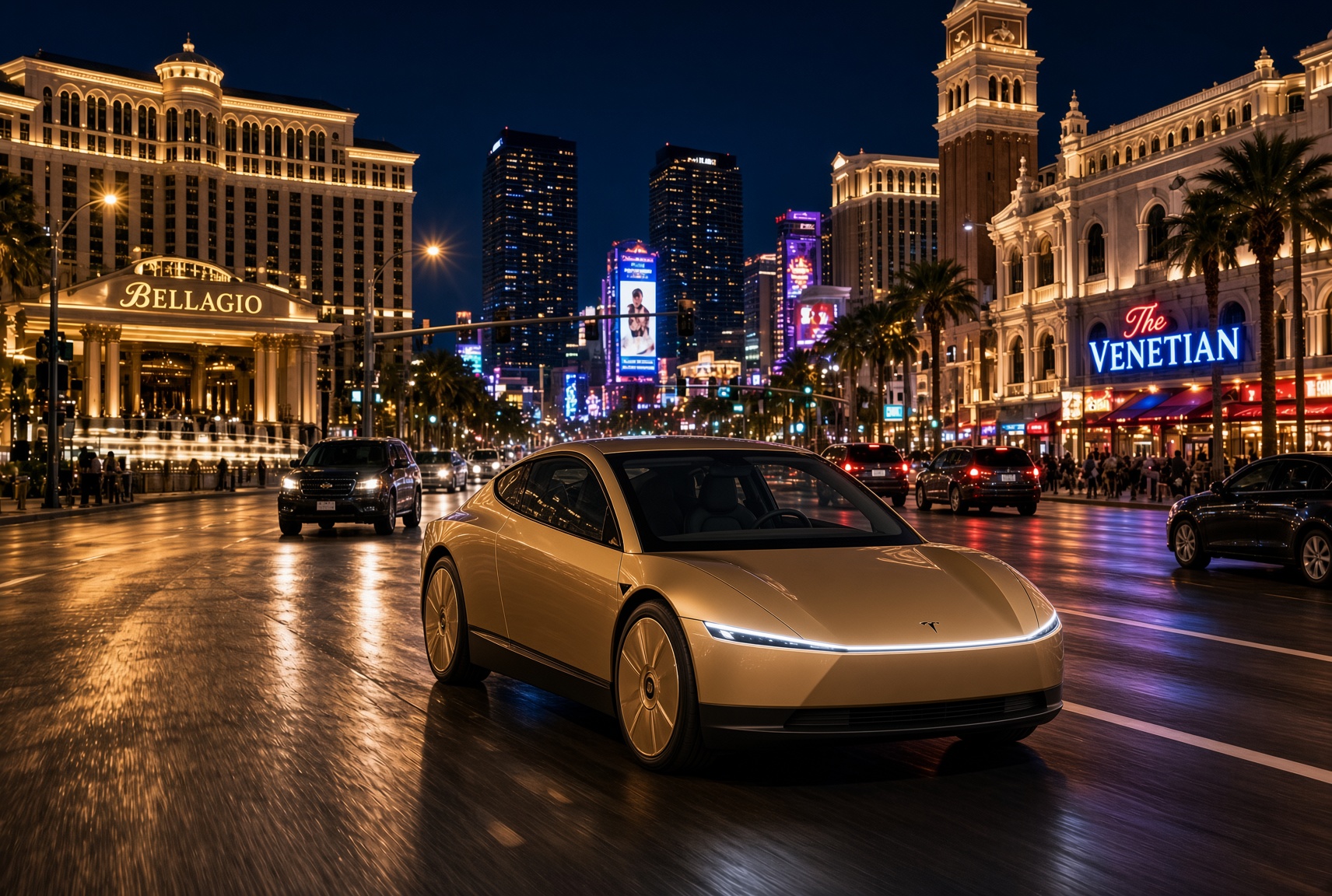
For a century, the car has asked the same thing of its owner, which is basically to pay attention. Even the best ride-hailing app like Uber or Lyft only moved the problem into someone else’s hands. You stopped driving, but you still sat in a stranger’s car, while half listening, and wondering whether to take a phone call in the car without being rude. The Cybercab has no wheel, no pedals and no driver. With Grok @bot now live inside it, it becomes something else entirely, and I think that matters more than the fleet count that everyone is tracking.
Grok @bot is an agent, not a voice assistant. A rider signs in once, and from then on can say what they need and watch it happen. Order dinner from a favorite restaurant. Fill the grocery cart. Move money, answer email, adjust a calendar, push a work project forward. Tesla engineer Yun-Ta Tsai confirmed it is enabled across every Cybercab and the rest of the Model Y fleet, and Tesla’s own pitch is that Full Self-Driving handles the commute while Grok handles the errands.
Think about what that does to a thirty minute ride. Uber sells you a trip, while Waymo sells you the same trip in a more private setting. Tesla is selling the thirty minutes themselves, returned to you with an assistant attached. Errands that used to eat a Saturday get done between pickup and drop off. The ride stops being dead time between two places and becomes a place of its own.
Tesla integrates Grok Bot into its vehicles for the ultimate personal assistant
Best of all, your Bots follow you into any Cybercab, and presumably your own Tesla, then logs you out automatically when you step out. Anyone can bolt a chatbot onto a screen, but much harder to own the vehicle, the autonomy stack and the assistant at once. It also quietly ties SpaceX’s Super Intelligence business to Tesla’s fleet, after Tesla converted its xAI stake into SpaceX equity. The relationship between those two companies is getting harder to describe as separate.
This is also where the hard questions start, because an agent that can spend your money in a vehicle other people also ride in needs some answers. How does it handle a voice it shouldn’t trust? What gets recorded, who can see it, and for how long? What happens when a rider leaves halfway through a task?
If Tesla gets those answers right, the scoreboard changes. We have been counting Cybercabs and wait times. The more telling number may be what riders accomplish per trip. That is data almost no one else will ever have, and it is the real reason to watch Grok @bot.
What do you think? Leave me a comment.
Lifestyle
Tesla’s mirrorless Cybercab will give riders a visibility upgrade
Tesla engineer confirms Cybercab update letting riders pull up rear and repeater cameras on demand.
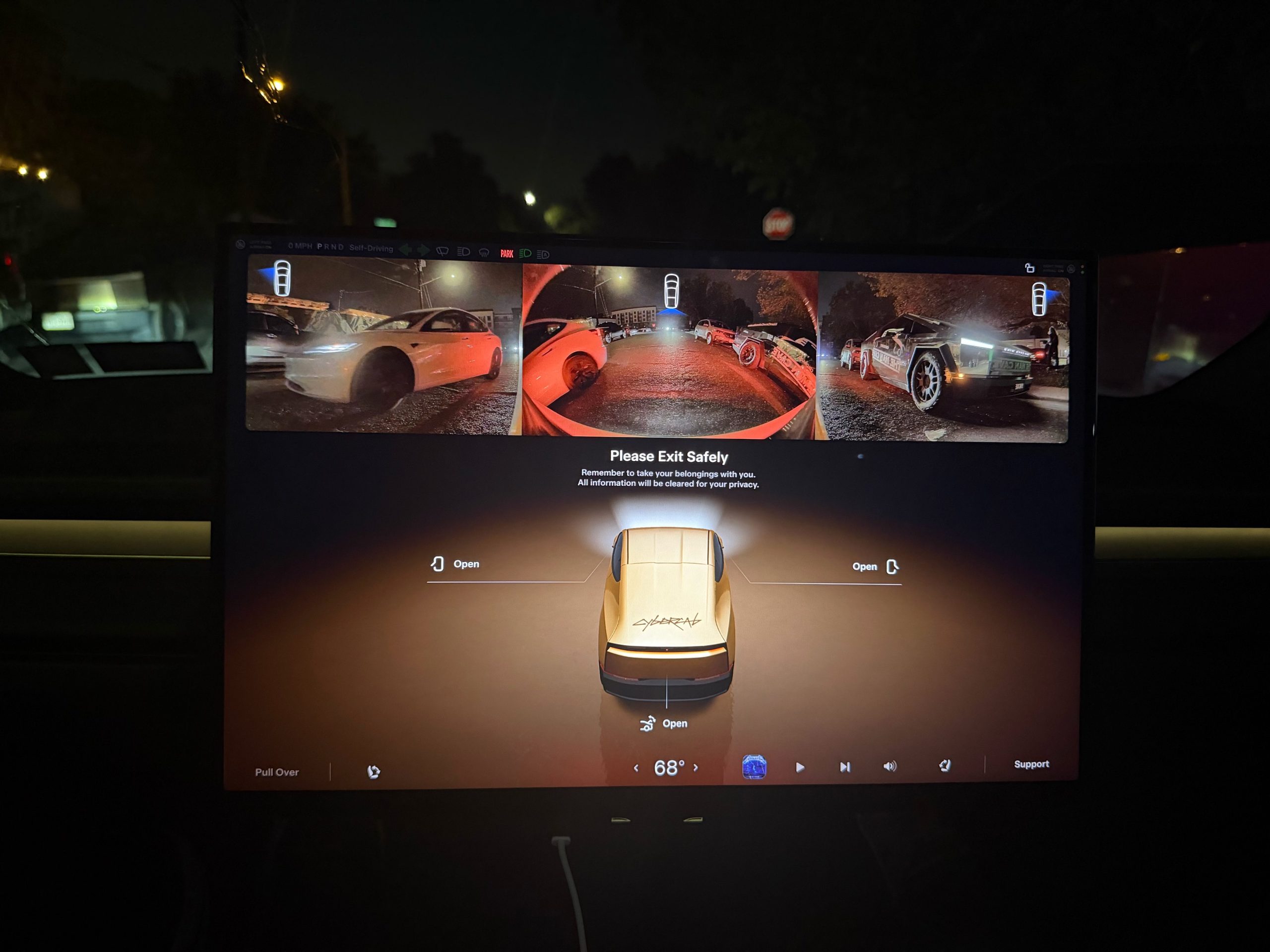
Tesla is working on a Cybercab update that would let passengers pull up the vehicle’s rear and side cameras on demand, and the request came straight from a rider.
The exchange played out on X late Friday. Cybercab rider Dan Burkland shared photos of the two-seater’s cabin screen after an evening ride, praised the UI team’s work, and left one request: let riders open the rear and repeater cameras whenever they want, “especially for peace of mind.” Tesla UI software engineer Evan (@CarCoder) answered with two words: “In development.”
The Tesla UI team absolutely crushed it with the infotainment software. Nicely done @CarCoder!
One feature request: Allow folks to pull up the rear & repeater cameras on demand. This would be great especially for peace of mind. https://t.co/mNAOSLx6pE
— Dan Burkland (@DBurkland) October 10, 2026
The idea fits a pattern Teslarati has tracked since public rides began. Days after paid Cybercab service opened in Austin, Tesla sent riders a survey that asked them to rate the touchscreen, the app and the cabin, and to pick the features they wanted most. We reported on that survey in September, and a camera view is the kind of small software change Tesla can push quickly if riders keep asking.
It also speaks to something unique about the vehicle. With no steering wheel, no pedals and no driver, passengers have no mirror to check and no way to see behind them. The hardware is clearly built for camera awareness, from the repeater cameras to the rear camera. Letting a passenger look through those same cameras would give a nervous first time rider a way to confirm what is around the car.
The timing matters because the fleet is growing fast. Tesla’s Robotaxi account said on Saturday that more than 300 Cybercabs are now serving Austin, an eightfold increase in 30 days, and Tesla AI chief Ashok Elluswamy named Dallas as the next city. More cars and more cities mean more people riding in a driverless vehicle for the first time, which is exactly when small trust features carry weight.
For now, the feature is confirmed only as in development. If Tesla follows its usual pattern with Cybercab software, riders could see it appear in a point release without any announcement, and Teslarati will watch for it.

Tesla makes good on its Cybercab promise in just two weeks

Tesla shows what Roadster drivers will see on screen before thruster activation


